Soldered vs Hot-Swap Switches: Real Tradeoffs

This article contains affiliate links. If you buy through them, I earn a small commission at no extra cost to you. I only recommend keyboards I’ve actually tested. As an Amazon Associate I earn from qualifying purchases.
Hot-swap sockets are often presented as the obvious upgrade over soldered switches. Pull one switch, push in another, and your keyboard becomes a permanent tasting menu. Soldered boards, meanwhile, are treated as outdated because changing a switch requires tools and patience.
If convenience matters more than manual tuning, compare the best pre-lubed switches before choosing a replacement set.
That framing is convenient, but incomplete. Hot-swap is better for experimentation and easy repairs. Soldering gives the manufacturer more freedom over the PCB, removes a mechanical socket from the connection, and is perfectly sensible when you already know which switch you want. Neither design makes a keyboard faster, smoother, quieter, or better built by itself.
This guide explains the real tradeoffs behind soldered vs hot swap switches, including socket life, compatibility, repairs, cost, and the situations where each design makes sense. If the switch vocabulary is still new, our linear vs tactile vs clicky guide is the useful first stop.
Soldered vs Hot-Swap Switches: The Short Answer
Choose hot-swap if you are uncertain about switch feel, expect to modify the board, or want the easiest possible path to replacing one failed switch. Choose soldered if you want a finished keyboard with a switch you already like, do not plan to experiment, and would rather pay for features you will use than sockets you may never touch.
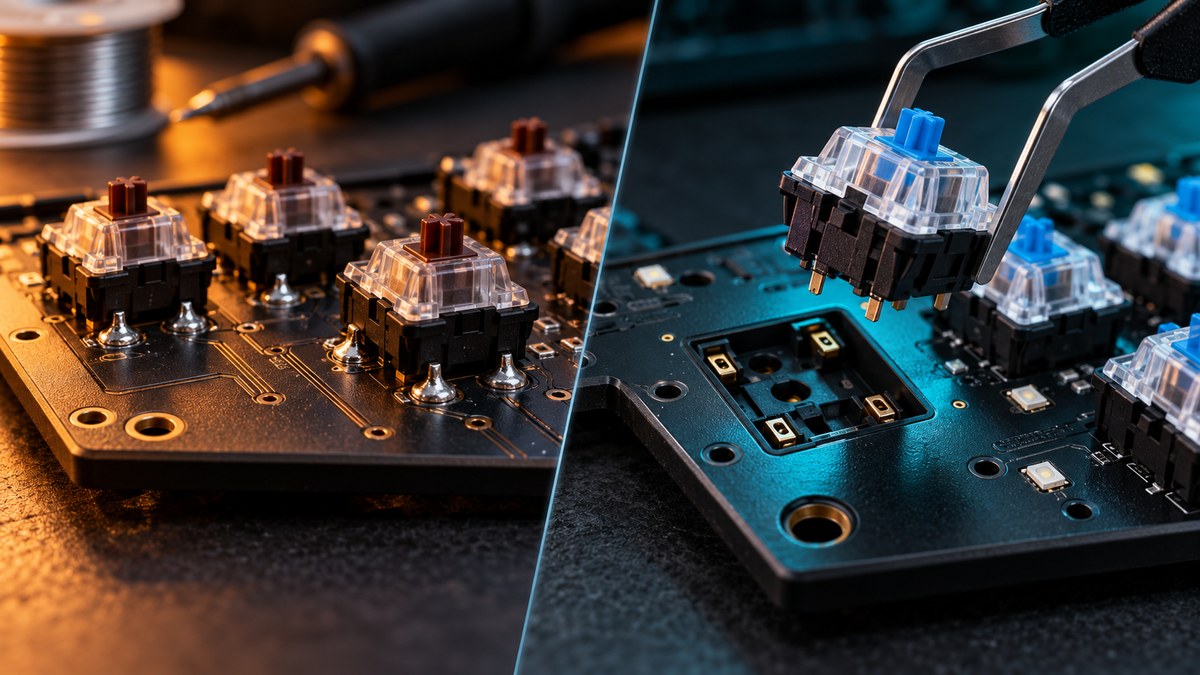
The electrical job is the same: each key closes a circuit that the keyboard controller reads. The difference is how the switch pins connect to the PCB. On a soldered keyboard, the metal pins pass through the circuit board and are secured with solder. On a hot-swap keyboard, the pins slide into sockets that are themselves soldered to the PCB.
What Soldered Switches Actually Mean
A soldered switch is not glued permanently into a keyboard. It is serviceable, but removal requires opening the case, accessing the PCB, melting the solder on the switch pins, clearing the holes, and pulling the switch from the plate. Installing a replacement means seating it correctly and creating clean new joints.
For an experienced builder with a temperature-controlled iron and desoldering equipment, replacing one conventional two-pin mechanical switch can be routine. Replacing an entire board is another matter. Every switch has electrical pins, and many also have LED connections or sit beneath a plate that complicates removal. One blocked through-hole can turn an orderly project into a long evening.
Soldered construction still has legitimate strengths. The PCB does not need a socket footprint under every key, the switch connection has no removable contact interface, and the finished board can stay untouched for its entire useful life. A good solder joint is not inherently fragile. Millions of ordinary keyboards have operated for years without their owners needing to think about the joint at all.
What happens when one soldered switch fails?
Your options are warranty service, a repair shop, or desoldering the switch yourself. That is less convenient than using a puller, but it does not make the keyboard disposable. The sensible decision depends on the keyboard’s value, your repair skill, and whether opening it affects warranty coverage. Practicing on an inexpensive scrap PCB is much cheaper than learning heat control on your favorite board.
What Hot-Swap Sockets Actually Change
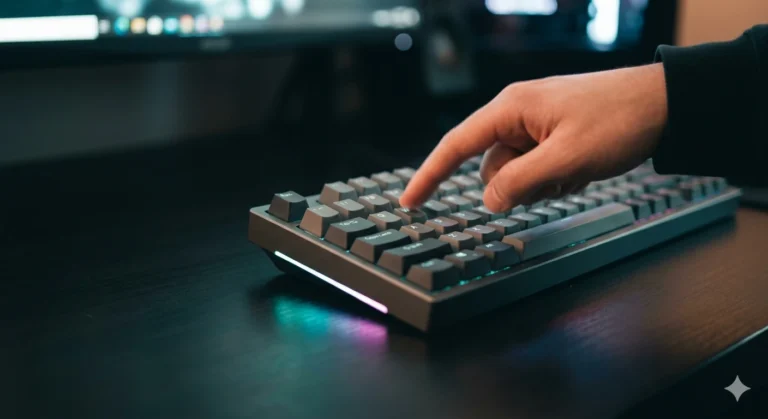
Hot-swap sockets turn switch replacement into a mechanical task. Remove the keycap, squeeze the switch’s retaining tabs with a switch puller, lift it out, straighten the replacement pins, and press the new switch into the socket. There is no need to heat the PCB.
That convenience is real. A new owner can compare a linear switch on WASD, a tactile switch on a few typing keys, and a heavier switch on the spacebar without rebuilding the entire keyboard. A failed switch can be exchanged in minutes. Lubing and filming are also easier because the switches can leave the board without desoldering; our switch-lubing guide covers that workflow.
But the socket is a physical component with limits. Repeated swaps wear the contacts. A badly bent pin can fold under the switch instead of entering the socket. Pressing at an angle can push a socket away from the back of the PCB, especially when the board is not supported during installation. Hot-swap is repair-friendly, not indestructible.
How many swaps can a socket handle?
Manufacturers may publish insertion-cycle ratings for the socket, but those numbers are controlled test figures rather than permission to change switches every afternoon. Real wear depends on pin condition, alignment, force, socket quality, and PCB support. Treat a hot-swap board as a keyboard that is easy to reconfigure occasionally—not as a fidget toy—and socket life is far less likely to matter.
The Real Tradeoffs People Gloss Over
Hot-swap is not automatically more reliable
It is more repairable by the owner. Those are different claims. A socket makes the switch removable, but it also adds contact leaves and solder joints beneath the socket. A soldered board has a direct joint between each switch pin and PCB. Either design can be reliable when it is manufactured well, and either can fail when the component or assembly quality is poor.
Soldered does not feel better by definition
Switch feel is dominated by the switch, keycap, plate, mounting system, stabilizers, and case construction. A hot-swap socket sits below the switch and does not magically make a key loose. Likewise, solder does not make the stroke smoother. If two otherwise identical boards use correctly seated switches, the connection method is unlikely to be the quality you notice while typing.
The sound difference is usually overstated
Enthusiasts sometimes attribute a more “solid” sound to soldered builds, but plate material, foam, mounting style, keycaps, switch housing, and case volume are much larger variables. A loose switch in a thin plate can sound inconsistent on either PCB. A well-built hot-swap keyboard can sound controlled, while a soldered gaming board can still ring or rattle.
Layout flexibility can favor soldered PCBs
Custom solder PCBs sometimes support split Backspace, split Shift, stepped Caps Lock, multiple bottom rows, or ISO and ANSI positions on the same board. A switch can be soldered into the selected holes. Hot-swap sockets occupy more space and are normally installed for one fixed layout. Mainstream buyers rarely need alternate layouts, but custom builders may value this flexibility more than tool-free swapping.
Hot-swap can save money—or encourage spending
Replacing one failed switch instead of a complete keyboard is economical. Testing ten switches before buying 90 is also smart. On the other hand, a hot-swap board makes endless small purchases easy: another switch set, another spring weight, another weekend comparison. The feature saves money only if it helps you make a better decision, not if it turns uncertainty into a subscription.
Soldered vs Hot Swap Switches for Gaming
For gaming performance, the connection method is close to irrelevant. Polling behavior, firmware, debounce, scan implementation, wireless mode, and the sensing technology matter more. A soldered Cherry-style switch does not send the input faster merely because solder holds its pins. A hot-swap socket does not add meaningful lag just because the connection is removable.
Competitive players should choose the switch feel and layout that help them play consistently. Light linears can make repeated movement inputs easier for some people; tactiles can reduce accidental presses for others. A compact board can provide more mouse space. If you want adjustable actuation or Rapid Trigger, you are shopping in the Hall Effect or optical category, where “hot-swap” may mean compatibility only with a specific magnetic or optical switch family.
| Priority | Better starting point | Why |
|---|---|---|
| Trying several MX-style switches | Hot-swap | No desoldering between experiments |
| Easy single-switch repair | Hot-swap | A compatible replacement can be installed in minutes |
| One switch choice for the board’s life | Soldered | You are not paying for flexibility you will not use |
| Unusual custom layout support | Often soldered | One PCB can expose multiple switch positions |
| Lowest gaming latency | Neither by itself | Firmware, scanning, and connection mode decide more |
| First enthusiast keyboard | Hot-swap | Your preferences are still developing |
Compatibility Checks Before You Buy
Start by identifying the sensing system. Standard MX-style mechanical switches use metal contacts and pins. Optical switches interrupt a light path. Hall Effect switches use a magnet and sensor. The housings can look similar from above, but their electrical systems are not interchangeable.
Next, check 3-pin versus 5-pin support. A 5-pin mechanical switch adds two plastic locating legs around the central post. Many enthusiast hot-swap PCBs accept both formats. Some plate-mount boards provide only three openings; clipping the two plastic legs can make a compatible 5-pin MX switch fit, but that modification is permanent. Never clip metal contact pins.
Finally, inspect switch orientation and clearance. North-facing LEDs can interfere with certain Cherry-profile keycaps on some switch designs. Low-profile switches use different heights and pin arrangements. Even within optical or magnetic families, compatibility may be brand- or model-specific. The exact keyboard manual and product page beat the phrase “hot-swappable” in a marketplace title.
When Soldered Is the Right Call
Buy soldered when you have already used the switch and know you like it; when the keyboard offers a layout, firmware, wireless implementation, or price that matters more than switch swapping; or when you simply want a finished appliance. Most keyboard owners never replace a switch. For them, paying extra or rejecting a good board solely because it lacks sockets does not improve the experience.
Soldered can also be the better choice for a custom layout that needs alternate key positions. It is appropriate for a builder who enjoys soldering and wants to assemble a board from the PCB upward. The commitment is the point: choose the layout and switches deliberately, build once, and use it.

A simple fixed-switch gaming keyboard for buyers who already want tactile feedback, a full numpad, PBT keycaps, and white backlighting.
- Layout: full size
- Switches: tactile mechanical, soldered rather than hot-swappable
- Construction: PBT keycaps and an aluminum-alloy top case
Pros
- Full-size layout includes a dedicated numpad
- PBT keycaps resist shine better than typical thin ABS caps
- Tactile switches require no setup or switch shopping
- Restrained white lighting suits mixed work and gaming
Cons
- Changing a switch requires desoldering and resoldering
- No switch choice after purchase
- Full-size footprint reduces mouse space
- Fixed cable and white-only lighting limit customization
The G413 SE is the better example of why soldered is not automatically a bad purchase. If its tactile feel, full-size layout, and simple lighting match your needs, the absence of hot-swap sockets changes very little day to day. It becomes a meaningful limitation only when a switch fails outside warranty or your preferences change.
When Hot-Swap Is Worth Paying For
Hot-swap is the safer first mechanical keyboard purchase when you do not yet know whether you prefer linear, tactile, clicky, light, or heavy switches. It is also valuable for anyone who lubes switches, changes spring weights, tests silent options for streaming, or wants to repair a dead key without owning soldering equipment.
It is especially sensible on an expensive keyboard you expect to keep for years. Cases, keycaps, stabilizers, and electronics can outlast your current switch preference. Sockets let the board evolve, provided you stay within the supported switch ecosystem and handle the PCB carefully.

A compact 75% board for buyers who want wireless options, a control knob, and the ability to change compatible switches without soldering.
- Layout: 75%, 80 keys
- Hot-swap support: selected Amazon listing specifies 3-pin and 5-pin MX-style support
- Connectivity: USB-C, 2.4 GHz, and Bluetooth
Pros
- Tool-free switch replacement for compatible switches
- Compact layout preserves arrows and a function row
- Three connection modes suit desk and portable use
- Good platform for learning switch preferences
Cons
- “Low-profile” variants require careful compatibility checks
- 75% layout omits the numpad
- Wireless operation adds charging and mode management
- Hot-swap sockets can be damaged by bent pins or force
The Kick75 makes sense if the socket is part of the purchase decision rather than a box to tick. Its compact layout and multi-device connections also add value, but confirm the exact switch version before ordering because standard-height, low-profile, magnetic, and optical ecosystems should never be assumed interchangeable. If you want more conventional options, compare our guides to the best hot-swap 65% keyboards and hot-swap TKL keyboards.
The Practical Verdict
The real choice in soldered vs hot swap switches is commitment versus convenient access. Soldering is not a performance upgrade, and hot-swap is not a quality certificate. One secures the selected switch directly; the other makes a compatible switch removable without heat.
If this is your first enthusiast board, hot-swap is usually worth it because you are buying room to learn. If you already know the switch you want and a soldered keyboard gets the layout, build, and price right, buy it without feeling that you missed a mandatory feature. The best connection method is the one that supports what you will actually do with the keyboard—not the hobby project you imagine starting six months from now.
This article contains affiliate links. If you buy through them, I earn a small commission at no extra cost to you. I only recommend keyboards I’ve actually tested. As an Amazon Associate I earn from qualifying purchases.