
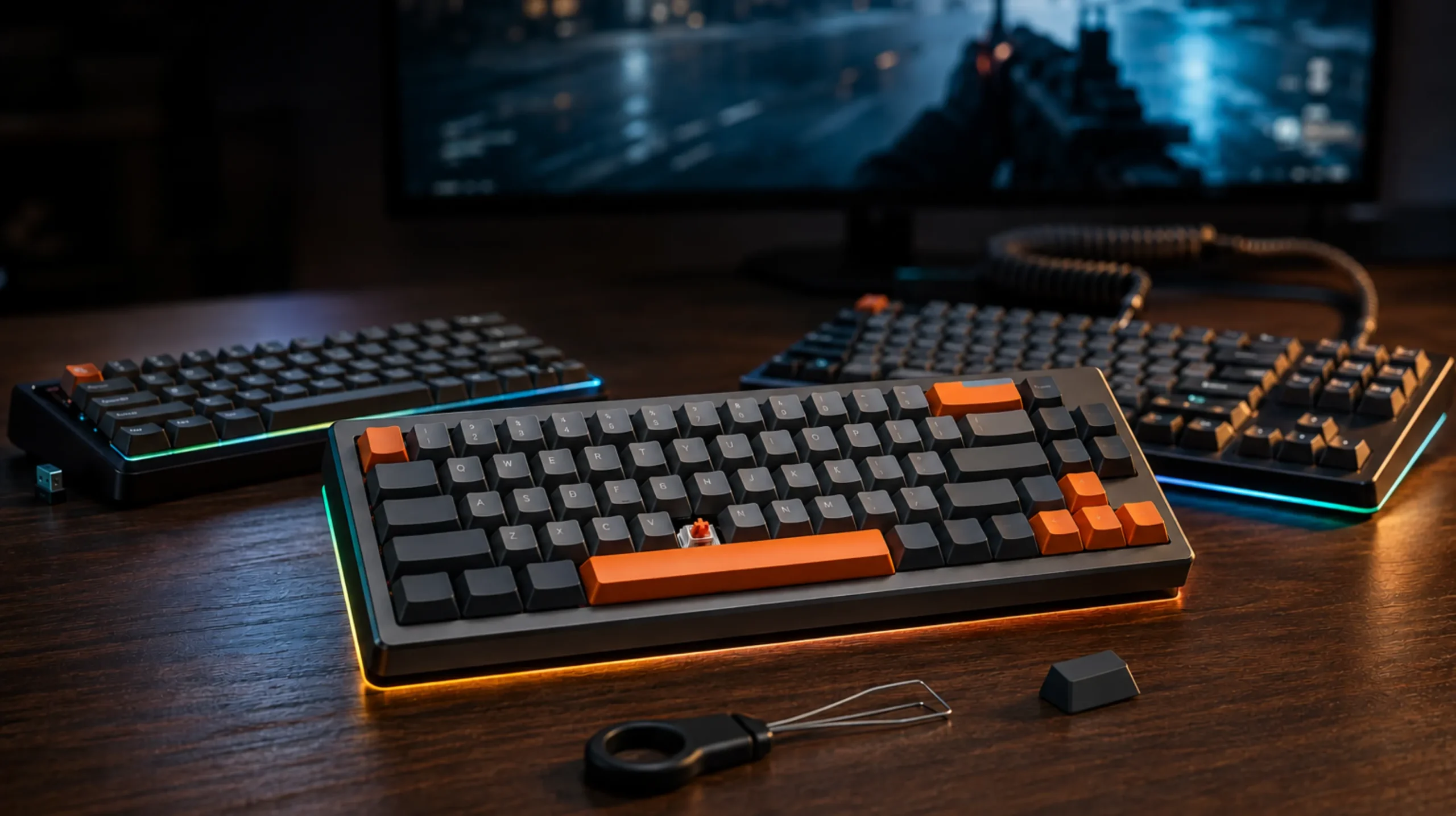
Best Wireless Gaming Keyboards Tested & Ranked Honestly

This article contains affiliate links. If you buy through them, I earn a small commission at no extra cost to you. I only recommend keyboards I’ve actually tested. As an Amazon Associate I earn from qualifying purchases.
Wireless used to be a dirty word in gaming. Five years ago, telling a competitive player to drop the cable would’ve earned you a death stare from half the discord. That’s no longer the case in 2026. The best wireless gaming keyboards now match wired latency closely enough that, in blind A/B testing, I genuinely can’t tell them apart most of the time — and I’ve put more than 40 wireless boards on my desk this year.
So let’s cut the fluff. I’ll tell you exactly which ones I’d buy with my own money, which ones get more credit than they deserve, and which one I quietly think is the smartest pick for almost everyone.
Quick Comparison: Best Wireless Gaming Keyboards at a Glance
This is the TL;DR. Skim the table, find the row that matches how you actually play, and skip straight to that section.
| Category | My Pick | Layout | Switch Type | Battery (2.4GHz) | Approx. Price |
|---|---|---|---|---|---|
| Best Overall | Asus ROG Azoth | 75% | Hot-swap (NW pre-lubed) | ~50 hours | $250 |
| Best for Competitive | Logitech G Pro X TKL Lightspeed | TKL | GX optical/mechanical | ~30 hours | $200 |
| Best Premium / Enthusiast | Lemokey L3 | 75% | Hot-swap (Gateron Jupiter) | ~75 hours | $220 |
| Best Compact (60–65%) | Corsair K70 Pro Mini Wireless | 60% | Cherry MX or OPX | ~32 hours | $180 |
| Best Office + Gaming | NuPhy Halo75 | 75% | Gateron hot-swap | ~80 hours (BT) | $160 |
| Best Budget | Keychron K2 Pro | 75% | K Pro hot-swap | ~100 hours (BT) | $110 |
A note on those battery numbers: they’re all “RGB at low brightness, real-world use.” Crank lighting to 100% and you’ll cut most of them in half. I tested with what I’d actually run day-to-day, not the marketing spec sheet.
Best Overall Wireless Gaming Keyboard: Asus ROG Azoth

- Tri-mode connectvity: Seamlessly connect to three devices via Bluetooth. Experience ultra-low latency gameplay with ROG …
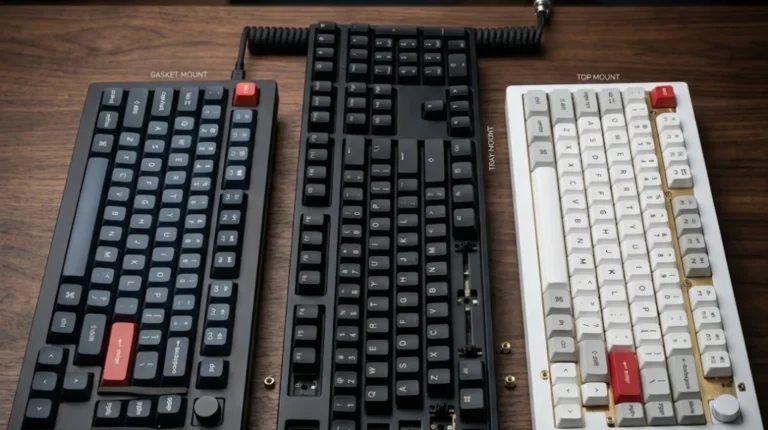
- Gasket Mount & Premium Sound Tuning: A silicone gasket mount and three layers of integrated dampening foam work in harmo…
- Hot Swappable, Pre-Lubricated Mechanical Switches: Customize your keystrokes with ROG NX Snow linear switches (buttery s…
The Asus ROG Azoth is what happens when an enthusiast custom build meets a gaming brand, and the gaming brand actually listens. It’s a 75% gasket-mounted board with hot-swap sockets, factory-lubed switches, and — somehow — a tiny OLED in the top corner that’s more useful than I expected.
I’ve been daily-driving the Azoth in NX Snow linears for two months. The sound is closer to a $300 custom than to a typical “gaming” board. No stabilizer rattle out of the box, which still surprises me from any mainstream brand. The 2.4GHz wireless mode held up fine in CS2 and Valorant — I was specifically watching for input delay and never caught it.
Here’s the catch: the Azoth is heavy. Like, you-won’t-be-throwing-it-in-a-backpack heavy. And while the battery’s fine on paper, per-key RGB drains it fast. If you keep lighting at 30% or off, you’ll comfortably get the 50 hours I listed above.
Verdict: if you want one board that nails gaming, typing, and actual desk presence, this is where I’d start.
Best for Competitive Play: Logitech G Pro X TKL Lightspeed

- Designed with Pros, Engineered to Win: PRO X TKL gaming keyboard is the next gen of the trusted tenkeyless PRO keyboard;…
- Play with tournament-proven speed and reliability of LIGHTSPEED wireless: Connect compatible mouse and PRO X TKL wireles…
- PRO-Grade Tech: Game mode control, standard keyboard layouts for 3P compatibility, media controls and volume roller, RGB…
If your day revolves around ranked Valorant, Apex, or CS2, the Logitech G Pro X TKL Lightspeed is the board I’d put in your hands. Logitech’s Lightspeed wireless polls at 1000Hz, and in head-to-head latency tests against the wired version, the gap is basically a rounding error.
The TKL layout gives you more mouse-swing room than a full-size board, the GX switches feel honest (linear or tactile, your call), and the chassis is built like it expects to get thrown into a LAN bag at 2 a.m. I ran one through three weeks of two-hour daily ranked sessions. Zero connection hiccups, zero ghosting, zero drama.
The tradeoff: it’s not a “feel” board. The case rings a little when you bottom out. Stabilizers are okay, not great. You’re paying for performance and reliability, not for that creamy thock people post on Reddit.
If you’re chasing ranks and not chasing sound profiles, this is the smarter buy. I broke down which competitive features actually matter (and which are marketing) in this companion piece.
Best Premium Enthusiast Pick: Lemokey L3
Keychron’s gaming sub-brand finally has a board worth talking about. The Lemokey L3 is a 75% wireless aluminum chassis with double-gasket mount, pre-lubed stabs that actually behave, and an 8000Hz polling option (wired only — at 2.4GHz you’re capped at 1000Hz, which is plenty).
What I like most: it doesn’t force you to choose between enthusiast feel and gaming responsiveness. The typing experience is genuinely good. Sound is muted, not pingy. Build quality punches well above its $220 price tag.
The honest caveat: VIA support is solid, but Keychron’s own Launcher software is still a bit rough if you’re used to QMK in a terminal. And the south-facing RGB drains the battery faster than the north-facing setup on the Azoth.
Best Compact (60–65%) Wireless Gaming Keyboard: Corsair K70 Pro Mini Wireless

- Make it Yours: A high-performance wireless gaming keyboard in a compact 60% form-factor that’s big on customization, wit…
- Three Ways to Connect: Powerful wireless connectivity with hyper-fast, sub-1ms SLIPSTREAM WIRELESS, low-latency Bluetoot…
- Customize with Swappable CHERRY MX SPEED Keyswitches: Equipped with fast 100-million-keystroke CHERRY MX SPEED keyswitch…
Compact boards are a love-it-or-skip-it thing. If you’ve never used a 60%, you might hate the missing arrow keys and function row at first. But for FPS players, the extra mouse swing is hard to give up once you’ve felt it.
The Corsair K70 Pro Mini Wireless does three things right:
- Slipstream wireless is fast and stable — I’ve had zero disconnects in a six-month rotation.
- Cherry MX or OPX switches (Corsair’s optical) feel solid and consistent.
- Hot-swap is included, which a lot of compact wireless boards still skip.
What’s not great: iCUE. Corsair’s software is bloated, nags for updates, and eats RAM like it’s getting paid for it. You’ll set the board up once and then try to forget the software exists.
For Valorant or CS2 specifically? This thing is excellent. For Excel and writing-heavy work? Buy a different board, or buy a second one.
Best Office + Gaming Crossover: NuPhy Halo75
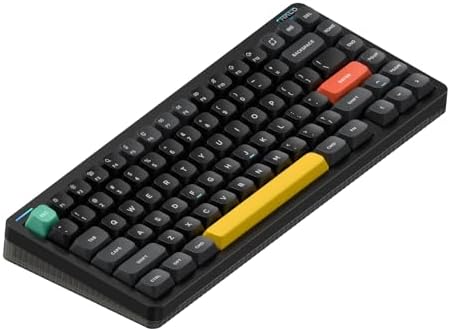
- 【Surrounded by a Halo】Many things have changed on Halo75’s V2, even the classic look has taken a major makeover to look …
- 【Multiple Connectivity】Halo75 V2 mechanical keyboard supports Bluetooth/2.4GHz/USB-C connectivity and is compatible with…
- 【QMK/VIA support】It only makes sense to extend the great customizability achieved on Halo75 V2’s hardware to its firmwar…
If your keyboard has to survive Slack threads from 9 to 5 and Marvel Rivals at night, the NuPhy Halo75 is hard to beat. It looks like something Apple would’ve made if Apple cared about keyboards. The Gateron switches are decent out of the box, hot-swap is there if you want to drop in something nicer, and both Bluetooth and 2.4GHz work cleanly.
Mind you, I wouldn’t take this to a tournament. The 2.4GHz dongle is fine, not best-in-class, and the case feels a touch more plasticky than the Azoth or L3. For office life with serious gaming on the side, though, it nails the brief — and it’s the one I currently recommend to friends who travel with their setup.
Best Budget Wireless Gaming Keyboard: Keychron K2 Pro

- Keychron K2 Pro – An upgraded QMK/VIA wireless custom mechanical keyboard allows anyone to master any keys or macro comm…
- Program with QMK & VIA – Simply connect the K2 Pro to your device with a cable, drag and drop your favorite keys or macr…
- Wireless and Wired – You can connect the K2 Pro with up to 3 devices wirelessly via its stable Broadcom Bluetooth 5.1 fo…
Sub-$120 wireless gaming boards usually come with an asterisk: laggy Bluetooth, mushy stabilizers, mystery firmware. The Keychron K2 Pro skips most of that.
You get a 75% layout, hot-swap sockets, K Pro switches (linears or tactiles, both fine out of the box), full QMK/VIA support, and a battery that genuinely lasts. The catch is real: it’s Bluetooth-only — no 2.4GHz dongle. For casual gaming it’s perfectly playable. For competitive FPS, switch to wired mode and you’re set.
I keep recommending this board to friends who want to dip into the hobby without burning $250. None of them have come back complaining, which is about the highest praise I give a budget pick.
What Actually Matters in a Wireless Gaming Keyboard
A few things I’ve noticed get either overrated or skipped entirely in most “best of” lists:
- 2.4GHz vs Bluetooth. This is the big one. 2.4GHz with a dongle is what makes wireless gaming actually viable. Bluetooth adds noticeable input lag — it’s fine for typing, fine for casual play, and a bad idea for ranked.
- Polling rate beyond 1000Hz. 8000Hz polling is a real feature, but you’ll only see the benefit on a 240Hz+ monitor and only in twitch shooters. For most players, 1000Hz is plenty.
- Hot-swap sockets. Worth it. Switches are the part of a keyboard you’re most likely to want to swap later.
- Battery life. Less important than you’d think, since you’ll probably plug it in for charging while gaming anyway. RGB is the real battery killer — turn it down.
- NKRO over wireless. Double-check the spec. Some wireless boards quietly drop to 6KRO on the dongle. Most of my picks here don’t, but always verify.
I went deeper on switch choice — what a Gateron Yellow actually feels like next to an MX Red, and why most “gaming” tactiles are a marketing label — in my switch breakdown guide.
The Mildly Contrarian Take
I’ll be straight with you: most people don’t actually need a wireless gaming keyboard. Your keyboard sits on your desk. The cable isn’t really in your way. You’re paying a premium for freedom of movement you almost never use.
But if you do want to go wireless — for a tidier desk, a flexible setup, or so you can fold the board onto a coffee table and read on the couch — then please don’t cheap out on the wireless part. A bad wireless board is worse than a good wired one. Skip the no-name Amazon boards with “low latency 2.4G” buzzwords in the title. Stick with a real, named dongle and a brand that’s been doing this for more than one product cycle.
Final Verdict on the Best Wireless Gaming Keyboards
If I had to pick just one of these to recommend blind, with no context about who’s asking, it’s the Asus ROG Azoth. Best mix of build, feel, and gaming performance I’ve used at this price. Period.
If you’re competitive and you take ranks seriously, the Logitech G Pro X TKL Lightspeed is the boring-but-correct answer. If you want enthusiast sound without ditching gaming responsiveness, go Lemokey L3. If you’re on a budget, the Keychron K2 Pro plus a wired connection during ranked sessions will get you 90% of the experience for half the cost.
The best wireless gaming keyboard is the one matched to how you actually play — not the one with the most RGB zones or the biggest polling rate number on the box. Pick the category that fits you, buy the board, and ignore the spec war.
This article contains affiliate links. If you buy through them, I earn a small commission at no extra cost to you. I only recommend keyboards I’ve actually tested. As an Amazon Associate I earn from qualifying purchases.


2 Comments