Best TKL Gaming Keyboard Under $100: 4 Top Picks Tested

This article contains affiliate links. If you buy through them, I earn a small commission at no extra cost to you. I only recommend keyboards I’ve actually tested. As an Amazon Associate I earn from qualifying purchases.
You’ve been told you need to drop $180+ on a “premium” board to get something that types and games well. After 14 years of writing about keyboards and a drawer full of dead prototypes, I can tell you that’s mostly marketing. The $100 ceiling is where TKL gaming boards finally got good — pre-lubed switches, hot-swap sockets, even Hall effect tech have all trickled down to this price. The job now isn’t finding something that doesn’t suck. It’s picking the right compromise for how you actually play.
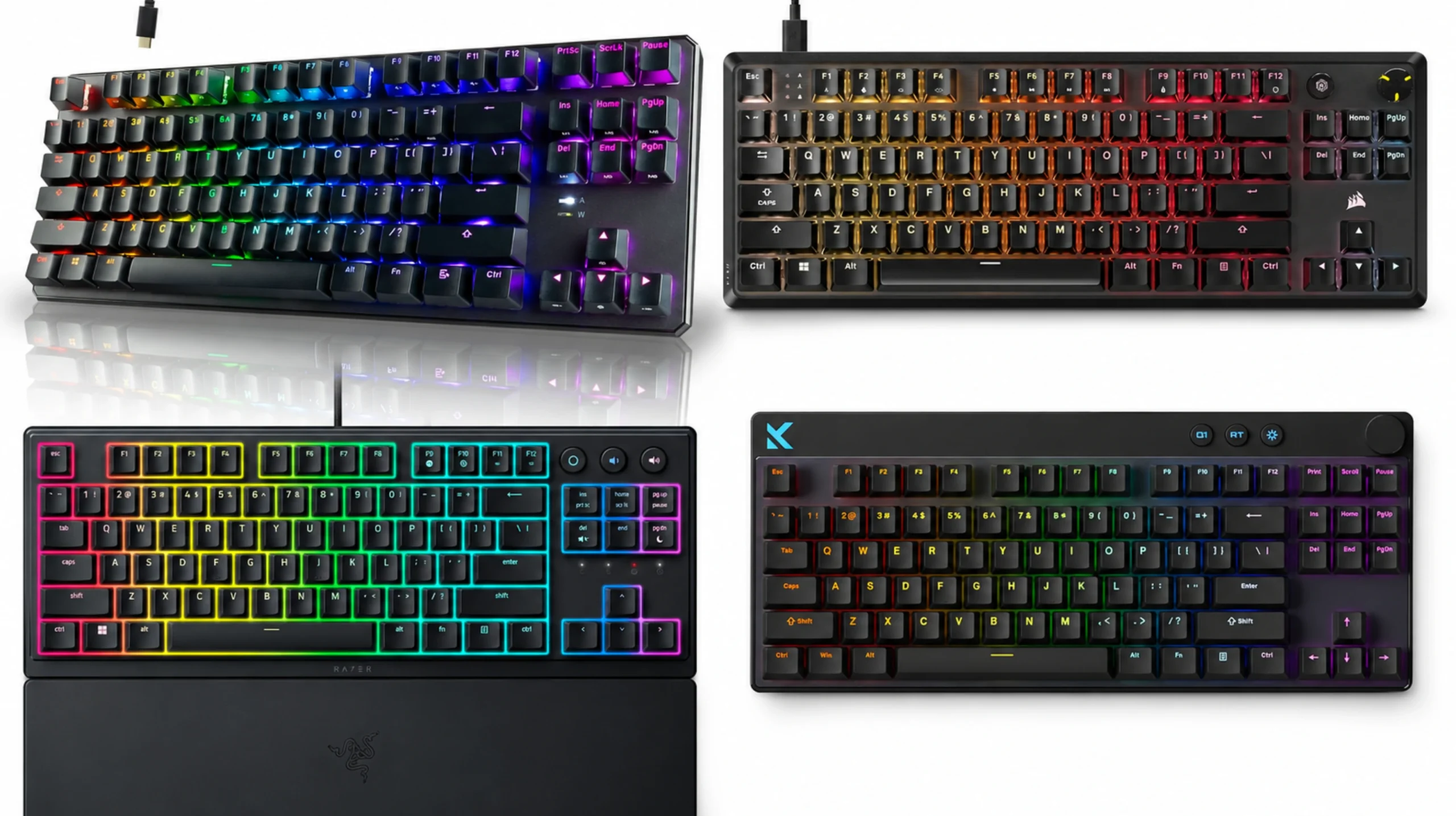
So I tested four boards that keep showing up in the conversation around the best TKL gaming keyboard under $100. Different switches, different philosophies, different strengths. I’ll tell you which one I’d buy with my own money and which one I’d skip even at a discount.
TL;DR — Pick by What You Actually Need
If you want the short version, here’s how these four shake out by user need. Full reviews are below, but if you trust me, you can grab the one that matches your priority and move on with your day.
| Your Priority | My Pick | Why It Wins |
|---|---|---|
| Best overall daily driver | Corsair K70 CORE TKL | Pre-lubed MLX Red linears, sound dampening done right, feels like a $150 board |
| Best for competitive FPS | MCHOSE Mix 87 | Hall effect + Rapid Trigger + 8K polling. This used to cost $200. |
| Best for modders & tinkerers | TECWARE Phantom+ 87 | Hot-swap, “thocky” out of the box, leaves money in the budget for keycaps |
| Best office/gaming hybrid | Razer Ornata V3 TKL | Low-profile mecha-membrane, quiet enough for coworkers, magnetic wrist rest included |
Features You Shouldn’t Compromise On at This Price
Before you spend a hundred bucks, here’s what the budget bracket should now include as a baseline. If a board misses two or more of these, walk away — there are too many good options to settle.
- Hot-swap sockets. You should be able to pull a switch and drop in another without a soldering iron. This isn’t a premium feature anymore.
- PBT or double-shot ABS keycaps. Single-shot ABS goes shiny in three months. Don’t sign up for that.
- Detachable USB-C cable. Proprietary or hard-wired cables in 2026 are inexcusable.
- NKRO or 6-key rollover minimum. Anti-ghosting matters when you’re mashing keys mid-fight.
- Pre-lubed stabilizers. Rattly stabs are the single fastest way to make a $90 board feel like a $30 one.
- Some kind of sound dampening. Foam, gaskets, layered case — anything beats hollow ping.
RGB is fine. RGB is not why you buy a keyboard. Skip it as a deciding factor unless you genuinely care about lighting effects.
Corsair K70 CORE TKL — The Safest “Best TKL Gaming Keyboard Under $100” Pick
I went in expecting a watered-down K70 with the Corsair tax baked in. I was wrong. The K70 CORE TKL is the closest thing to a no-asterisks recommendation in this group.
The MLX Red v2 linear switches are pre-lubed from the factory, and the difference is real. Smooth top to bottom, no scratch, no spring ping. Corsair packed sound dampening foam inside the case and it shows — the typing sound is muted and full rather than the plasticky clack you usually get at this price. Double-shot ABS keycaps aren’t my first choice (I’d take PBT), but the legends will outlast the board itself.
For gaming, you get 1000Hz polling, full N-key rollover, and SOCD handling — which matters in shooters where you want clean A/D counter-strafing without keyboard arbitration getting in the way.
The catch: No hot-swap sockets. If you ever want to swap to tactiles or a different linear down the road, you’re stuck. For most gamers that’s fine. For modders, it’s a dealbreaker.
Pros:
- Pre-lubed MLX Red v2 switches feel premium
- Sound dampening makes it noticeably quieter than the average $90 board
- SOCD and 1000Hz polling for competitive play
- Tank-solid build, no case flex worth mentioning
Cons:
- No hot-swap
- Double-shot ABS instead of PBT
- iCUE software is heavier than it needs to be

- Space-Saving Tenkeyless Layout: The compact tenkeyless footprint fits in tight gaming setups and leaves more room for sw…
- Pre-Lubed MLX Red v2 Switches: Pre-lubricated CORSAIR MLX Red v2 linear mechanical switches deliver smooth, responsive, …
- Ultra-Satisfying Typing Acoustics: Two sound dampening layers made from premium foam material, plus pre-lubricated stabi…
MCHOSE Mix 87 — The Hall Effect Bargain That Shouldn’t Exist at This Price
Two years ago, if you wanted magnetic switches with Rapid Trigger and adjustable actuation, you were dropping $180–$220. The MCHOSE Mix 87 brings that whole feature set in under the $100 ceiling, and I’m still a little suspicious of how.
Apollo Hall Effect switches let you set actuation depth per key — somewhere between 0.1mm and 4mm. For competitive FPS games (Valorant, CS2, Apex), you set fast keys like W, A, S, D to actuate at 0.2mm and your sprint key deeper so you don’t trigger it accidentally. Rapid Trigger means the key resets the instant you start lifting your finger, so you can spam-tap counter-strafes in CS2 without input lag from a slow upstroke. SOCD support is built in.
The 8000Hz polling rate is overkill for most people — your monitor and CPU probably can’t take real advantage — but it’s nice to know it’s there. You also get a volume knob, RGB, and yes, hot-swap on a Hall effect board at this price.
The catch: Hall effect switches feel different. They’re linear by design — there’s no tactile bump option. If you love a tactile typing feel for office work, this isn’t your daily driver. It’s a gaming weapon first, typing tool second.
Pros:
- Hall effect with Rapid Trigger and adjustable per-key actuation
- 8K polling rate (genuinely future-proof)
- Hot-swappable
- Volume knob, RGB, and solid build for the money
Cons:
- Linear-only feel (no tactile option)
- Software has a learning curve
- Brand isn’t as established for long-term warranty support

- Compact TKL Layout with Soft Typing: The Mix 87 hall effect keyboard is a 80% compact wired gaming keyboard that saves d…
- Pro-Level Web and Desktop Driver Customization: Use the MCHOSE driver to customize the Mix 87 hall effect keyboard: rema…
- 0.08ms Ultra-Low Latency: True 0.08ms latency with an esports-grade 8K polling rate and up to 256K scan rate. Critical W…
TECWARE Phantom+ 87 — The Modder’s Starter Kit
The Phantom+ 87 is the one I’d hand to someone who wants to fall down the keyboard rabbit hole without spending a paycheck. It hits the “thocky” sound trend hard out of the box, comes with Wraith Pink switches (smooth linears that feel close to a lightly lubed Gateron Yellow), and — most importantly — has hot-swap sockets.
That last part matters. Once you’ve got a hot-swap board, you can experiment with Boba U4Ts, Akko Cream Yellows, whatever’s interesting that month. The Phantom+ becomes a learning platform, not just a keyboard. Throw some 205g0 on the stabs and you’ve got something that punches well above $80. If you’re new to switch terminology, this primer on switch types is worth bookmarking before you start swapping.
Double-shot ABS keycaps, detachable USB-C, RGB, and a layered case construction that genuinely contributes to the “thocc” sound. For pure typing satisfaction at this price, it’s hard to beat.
The catch: I’m mildly tired of the thocc-marketing thing. It’s enjoyable, but it’s not the most important spec on a gaming board. Build quality is good for the money, not great in absolute terms. The case flex is more than the K70 CORE.
Pros:
- Hot-swappable — your gateway to the hobby
- Genuinely satisfying typing sound
- Detachable USB-C, RGB, all the modern essentials
- Great value if you’ll mod even a little
Cons:
- ABS keycaps will shine eventually
- Case isn’t as rigid as the Corsair
- Stock stabilizers benefit from a quick lube job
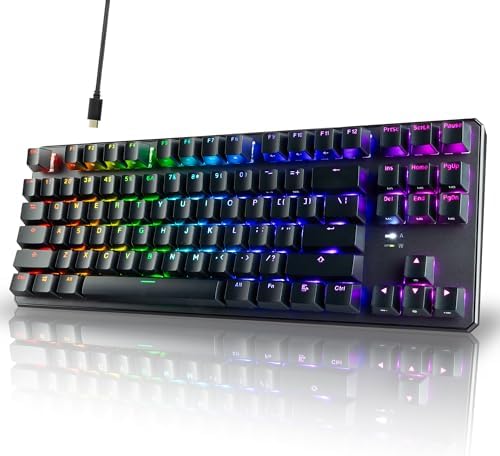
- PREMIUM TYPING EXPERIENCE: Enjoy a smooth and responsive feel with the TECWARE Phantom+ 87 Key RGB Mechanical Gaming Key…
- VIBRANT RGB LIGHTING EFFECTS: Customize your setup with 16.8 million RGB colors and 18 preset lighting modes. This wired…
- PERFORMANCE BUILT FOR GAMERS: The Phantom+ TKL 80% mechanical keyboard offers a 1000Hz polling rate and full N-Key rollo…
Razer Ornata V3 TKL — The Office-First Hybrid
The Ornata V3 TKL is the odd one out in this group, and that’s actually its strength. Razer’s mecha-membrane switches are a hybrid — clicky feedback up top, soft rubber dome underneath. They’re not “real” mechanical switches and I’d never tell an enthusiast to buy one. But here’s what they do well: they’re quiet enough that your coworkers won’t hate you, the low-profile keycaps mean you can type for hours without wrist fatigue, and the magnetic wrist rest is genuinely comfortable.
For someone who needs one keyboard for spreadsheets during the day and Overwatch at night, the Ornata V3 TKL is a reasonable compromise. You get 8-zone RGB (not per-key), UV-coated keycaps for grease resistance, dedicated media keys, spill resistance, and Razer’s Snap Tap feature (their version of SOCD) for shooters.
The catch: Mecha-membrane is not mechanical. If you’ve typed on real linears or tactiles, this will feel mushy by comparison. There’s no hot-swap, no path to upgrade. What you buy is what you live with.
Pros:
- Genuinely quiet for an office environment
- Low-profile keys reduce wrist strain on long sessions
- Magnetic wrist rest is well-designed
- Spill resistant — useful for clumsy coffee drinkers
Cons:
- Not true mechanical — enthusiasts will hate it
- No hot-swap, no upgrade path
- 8-zone RGB only, no per-key control

- LOW-PROFILE KEYS — With slimmer keycaps and shorter switches, enjoy natural hand positioning that allows for long hours …
- MECHA-MEMBRANE SWITCHES — Fusing the snappy, clicky feedback of a mechanical switch with the familiar feel of a conventi…
- UV-COATED KEYCAPS — More durable than regular keycaps, the UV coating ensures more fade-resistant legends and greater pr…
Head-to-Head: How They Stack Up Side by Side
| Feature | Corsair K70 CORE TKL | MCHOSE Mix 87 | TECWARE Phantom+ 87 | Razer Ornata V3 TKL |
|---|---|---|---|---|
| Switch Type | MLX Red Linear (pre-lubed) | Apollo Hall Effect | Wraith Pink Linear | Mecha-Membrane |
| Hot-Swap | ❌ | ✅ | ✅ | ❌ |
| Polling Rate | 1000 Hz | 8000 Hz | 1000 Hz | 1000 Hz |
| Rapid Trigger | ❌ | ✅ | ❌ | ❌ |
| Keycaps | Double-Shot ABS | ABS | Double-Shot ABS | UV-Coated ABS |
| Sound Dampening | Foam | Layered foam | Layered case | Rubber dome (quiet by default) |
| RGB | Per-Key | Per-Key | Per-Key | 8-Zone |
| Wrist Rest | No | No | No | Magnetic, included |
| Best For | Daily gaming + typing | Competitive FPS | Modding & enthusiasts | Office + casual gaming |
My Honest Verdict
If I had a hundred bucks and needed one board today, I’d buy the Corsair K70 CORE TKL. It’s the most complete out-of-box package — feels great, sounds clean, games well, and doesn’t need any modding to be enjoyable. For most people reading this, that’s the right answer.
If you grind competitive shooters and your rank actually matters to you, the MCHOSE Mix 87 is the smarter pick. Hall effect with Rapid Trigger genuinely gives you a real edge in counter-strafing, and you simply weren’t getting this feature set under $100 a year ago. The price-to-feature ratio is borderline unfair.
The TECWARE Phantom+ 87 is for the curious — buy it knowing you’ll spend Saturday afternoons swapping switches and lubing stabs. That’s not a bug, that’s the point. It’s the cheapest path into the modding hobby.
The Razer Ornata V3 TKL is the right answer only if quiet office use is non-negotiable. For pure gaming performance, you can do better in this price bracket. But for the hybrid office-and-evening-gaming life, it’s the only one of the four that fits comfortably.
The best TKL gaming keyboard under $100 isn’t the same board for everyone — and anyone telling you it is hasn’t tested enough of them. Stick to the four above and you’re not going wrong. You’re just picking which compromise fits your life.
This article contains affiliate links. If you buy through them, I earn a small commission at no extra cost to you. I only recommend keyboards I’ve actually tested. As an Amazon Associate I earn from qualifying purchases.