Best Switches for Typing and Gaming 6 Tested Picks

This article contains affiliate links. If you buy through them, I earn a small commission at no extra cost to you. I only recommend keyboards I’ve actually tested. As an Amazon Associate I earn from qualifying purchases.
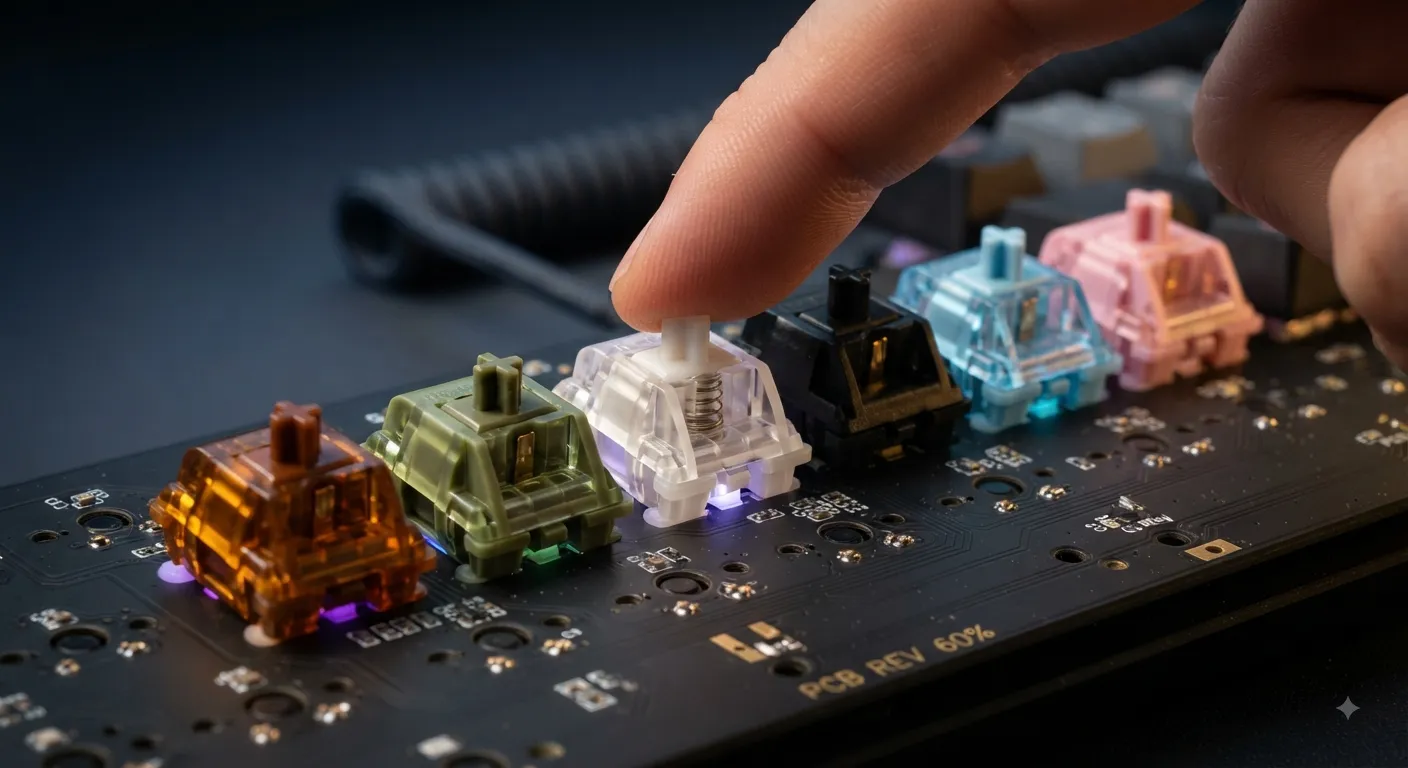
There’s a line that gets repeated on every keyboard forum: tactiles for typing, linears for gaming. It’s not wrong, exactly. But it’s the kind of half-truth that convinces people they need two keyboards when one would’ve done the job. If you’re looking for the best switches for typing and gaming — meaning you hammer out emails all day and then push ranked matches at night — you’re not stuck with a compromise. You just have to pick the right switch, not the loudest one on YouTube.
I’ve been testing switches for years, tearing them down, lubing them, and running boards as my daily driver for weeks at a time before I’ll say anything definitive. What follows is the short list I actually keep recommending to friends who don’t want to fall down the rabbit hole.
The “Tactile for Typing, Linear for Gaming” Myth
Here’s what that advice gets right: a well-defined tactile bump gives your fingers feedback that stops you from mashing keys past the actuation point, which is useful when you’re writing. And linears feel smoother for the rapid, repeated presses you get in shooters or fighting games.
Here’s what it gets wrong: modern smooth linears feel incredible to type on once they’re on a decent board with proper stabilizers, and plenty of light tactiles are more than fast enough for competitive play. Most people who type all day and game a few hours a night will be happier on a single well-chosen switch than on two mediocre ones.
Point being — the split isn’t as clean as forums make it out to be.
Quick Comparison Table: Best Switches for Typing and Gaming
| Switch | Type | Best For | Force | Where to Buy |
|---|---|---|---|---|
| HMX Macchiato | Linear | Best Overall | ~50g | View Product → |
| Gateron Oil King | Linear | Premium Feel | ~55g | View Product → |
| Akko Cream Yellow Pro | Linear | Best Budget | ~50g | |
| Gazzew Boba U4T | Tactile | Best Tactile Crossover | ~62g | View Product → |
| Kailh Box White | Clicky | Best Clicky (still games well) | ~50g | View Product → |
| Gazzew Bobagum | Silent Linear | Office + Late-Night Gaming | ~62g | View Product → |
Skim that if you’re in a hurry. Read on if you want to know why each one earned its spot — and where it doesn’t belong.
My Picks for the Best Switches for Typing and Gaming
1. HMX Macchiato — Best Overall
If someone put a gun to my head and made me pick one switch for both typing and gaming, it’d be the HMX Macchiato. It’s a medium-weight linear with a smoothness that used to cost twice as much a couple years ago. The stem tolerances are tight enough that stock, unlubed Macchiatos already feel better than most factory-lubed switches from bigger brands.
For typing, the slightly heavier bottom-out (compared to something like a Gateron Yellow) keeps you from feeling mushy on long sessions. For gaming, the low friction on the downstroke means your double-taps and strafes feel effortless. It’s the switch I recommend most often when someone tells me “I do both about equally.”
Pros
- Exceptional out-of-the-box smoothness — no lube needed for most people
- Balanced weighting that suits typing rhythm and gaming reflexes
- Deep, satisfying sound signature on foam-modded builds
Cons
- Availability comes and goes; you sometimes have to wait on group buys
- Slightly heavier than what pure FPS players usually prefer

- Linear mechanical keyboard switches for custom mechanical keyboards
- Switch Type: Linear Manufacturer: HMX Stem material: POM Top Housing: PC Bottom Housing: Modified Nylon
- Operating Force: 45g Bottom-out Force: 52g Spring: 22mm single-stage spring Pre-travel: 1.9mm Total Travel: 3.9mm
2. Gateron Oil King — Premium Pick
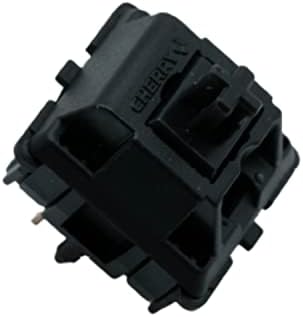
The Oil King is what happens when a big manufacturer takes the enthusiast sound goal seriously. It’s a medium-heavy linear (about 55g actuation) with a long-pole stem, factory-lubed properly, and a housing that gives you that lower-pitched “thock” people obsess over.
I ran a set as my main board for about a month. Typing on them is genuinely relaxing — the weight forces a slower, more deliberate rhythm, which I actually preferred for long writing sessions. Gaming was totally fine too, though if you’re a Valorant demon chasing the lightest possible switch, this isn’t it. For a mixed-use daily, it’s hard to beat if the budget’s there. If you’re still building the rest of the setup, my budget-friendly gaming keyboard picks will keep the total under control.
Pros
- Fantastic sound profile with almost zero prep work
- Consistent factory lube — no scratchy outliers in my batches
- Great typing feel for people who prefer slightly heavier switches
Cons
- Premium price versus something like a Macchiato
- Too heavy for hardcore competitive FPS players
- The gateron oil king switch is one of Gateron’s premium linear mechanical keyboard switches, offering a self lubricating…
- The Oil King switch incorporates a long 20mm black plated spring allowing for 55g actuation and 80g bottom-out weight
- Compatible with 5-Pin MX mechanical (hot-swappable) keyboards with 2-Pin LED/4-Pin LED, or RGB-SMD lights that are not r…
3. Akko Cream Yellow Pro — Best Budget
Cheap switches used to mean scratchy switches. That stopped being true a while ago, and the Akko Cream Yellow Pro is a big part of why. For roughly a third of what boutique switches cost, you get a smooth linear with a stem that doesn’t wobble like a loose door hinge. Most people, honestly, cannot tell the difference between these and switches costing three times as much in a blind typing test.
They’re not perfect — the sound is more “clean” than “characterful,” and the springs can ping a little on lighter builds. But for someone building their first hot-swap board or upgrading a stock gaming keyboard, this is where I’d start. A lot of the hot-swap boards I recommend pair beautifully with these without you spending another fifty bucks on switches.
Pros
- Best price-to-performance ratio on the market right now
- Smooth enough to skip lubing entirely
- Widely available, no waiting on drops
Cons
- Sound is a little generic compared to premium switches
- Occasional spring ping in quieter builds

- Akko v3 Generation Pro Switches – Our creamy switches now feature alloy copper and palladium gold contact, which provide…
- Smooth& Creamy – Akko v3 pro 50gf linear creamy yellow switches provide a unique and satisfying typing experience with t…
- MX Style Compatibility – Akko keyboard creamy switches come with a MX style structure, making them compatible with most …
4. Gazzew Boba U4T — Best Tactile That Still Games
If you genuinely prefer tactile feedback but don’t want to hobble yourself in games, the Boba U4T is the answer I keep coming back to. The bump is sharp — rounded at the top, no long pre-travel, and it gets out of the way fast. That last part is what makes it work for gaming: unlike Cherry MX Browns (which are, let’s be honest, barely tactile), you actually feel the U4T, and unlike heavier tactiles it doesn’t fatigue you during a two-hour ranked session.
I’ve used U4Ts as my writing switch for entire book chapters. They also handled Overwatch and Rocket League just fine. The sharpness of the bump is polarizing though — some people love it, some find it too aggressive. Try to type on one before you commit to a full set.
Pros
- Cleanest, most defined tactile bump in this price range
- Loud but pleasant sound — the classic “poppy” U4T signature
- Rare tactile that genuinely holds up in fast-paced games
Cons
- Bump aggressiveness isn’t for everyone
- Louder than most linears; not a great office pick

- Not subject to yellowing
- Produces a deep, smooth sound
- Tactile bumb is noticable, but not overpowering
5. Kailh Box White — Best Clicky (Yes, It Still Games)
Clicky switches get dismissed for gaming because of the delayed reset thing — the idea being the click bar has to re-engage before you can press again, slowing you down. In practice, unless you’re a top-500 Tekken player, you’ll never notice. The Kailh Box White is a light clicky (~50g) with the click bar mechanism, which sounds cleaner and more precise than the older Cherry MX Blue “click jacket” design.
For typing, it’s addictive. The feedback is unambiguous. For gaming, it’s genuinely fine — I’ve hit personal-best times in racing games on Box Whites. Just don’t take one to the office unless you actively want to be uninvited from meetings. If you’re deciding between clicky and quiet, my breakdown of gaming versus office keyboards covers the tradeoff in more detail.
Pros
- Crisp, satisfying click that doesn’t get muddy over time
- Fast reset compared to older Cherry-style clickies
- Light actuation force — easy on the fingers over long sessions
Cons
- Loud. Very loud. Your family will comment.
- Not tournament-legal in some competitive settings

- STABLE – Kailh Box Switches are known for their high stability which make them wobble less than other switches. Addition…
- KAILH BOX WHITE – Clicky switches have a small bump on each keystroke and an audible click sound. White Switches have 3….
- TRANSPARENT – The clear design is SMD compatible and lets light shine through the switch making them perfect for RGB LED…
6. Gazzew Bobagum — For Anyone Who Games Late at Night
Silent switches used to feel like typing on wet cardboard. Bobagums broke that pattern. They’re a medium-heavy silent linear with silicone dampeners built into the stem, and instead of killing the feel completely, they just take the sharp attack off the sound. You still get real feedback under your fingers.
I recommend these constantly to people who game at 2 a.m. next to a sleeping partner, or who work from home in shared spaces. They’re not the fastest switch you can get, and they cost more than regular linears, but nothing else in this category gets close. Pair them with a good gasket-mount board and you’ve got something that’s essentially inaudible past a few feet away.
Pros
- Genuinely quiet without feeling mushy or dead
- Smooth linear feel underneath the dampening
- One of the few silent switches that don’t hurt typing rhythm
Cons
- Pricier than most linears
- Slightly slower than non-silent equivalents for competitive twitch shooters

- Boba Gum RGB 62G – clear tops for RGB SMD (Surface Mount Diode) Leds
- PCB Mount (5 Pin), comptable with most universal sockets.
- Boba Gum 62g Silent linear (silent down, silent up), linear profile
What Actually Matters When You’re Picking
I’ve watched a lot of people spend hours agonizing over switch specs that don’t affect them in real use. So here’s the short list of what actually moves the needle:
- Smoothness — This is the single biggest quality-of-life difference between a $0.30 switch and a $0.75 one. Smoothness affects both typing feel and gaming precision.
- Weight — Anything from 45g to 62g is fine for most people. Below 45g feels twitchy; above 65g fatigues your fingers on long writing sessions.
- Sound — Real, but downstream of your board, keycaps, and mods. Don’t buy a switch for its sound if the rest of your build is bad. My full guide to keyboard sound modding covers that side of things.
- Tactility (or the lack of it) — Personal preference. Genuinely. Don’t let the internet tell you what to like.
Here’s the catch — none of these switches will feel their best in a mushy pre-built gaming keyboard from a big brand. If you’re going to spend $40 on a set of premium switches, put them in a board that actually deserves them. Even a mid-tier barebones hot-swap kit will do more for your typing experience than swapping switches inside a bad case.
My Recommendation
If you want one clear pick: the HMX Macchiato in a decent hot-swap board with PBT keycaps. That’s the setup I’d put in front of someone who told me they type for work and game for fun and doesn’t want to think about it again for years.
If you’re on a tight budget, grab the Akko Cream Yellow Pro. They’ll do 90% of what the boutique switches do at a third of the cost, and you can always upgrade later.
If you’re a tactile loyalist who still games seriously, the Boba U4T is the only real answer.
Everything else on this list is excellent for someone — but those three cover most people asking the question. Buy once, mod a little, ignore the “you need two keyboards” crowd. You don’t.
This article contains affiliate links. If you buy through them, I earn a small commission at no extra cost to you. I only recommend keyboards I’ve actually tested. As an Amazon Associate I earn from qualifying purchases.