
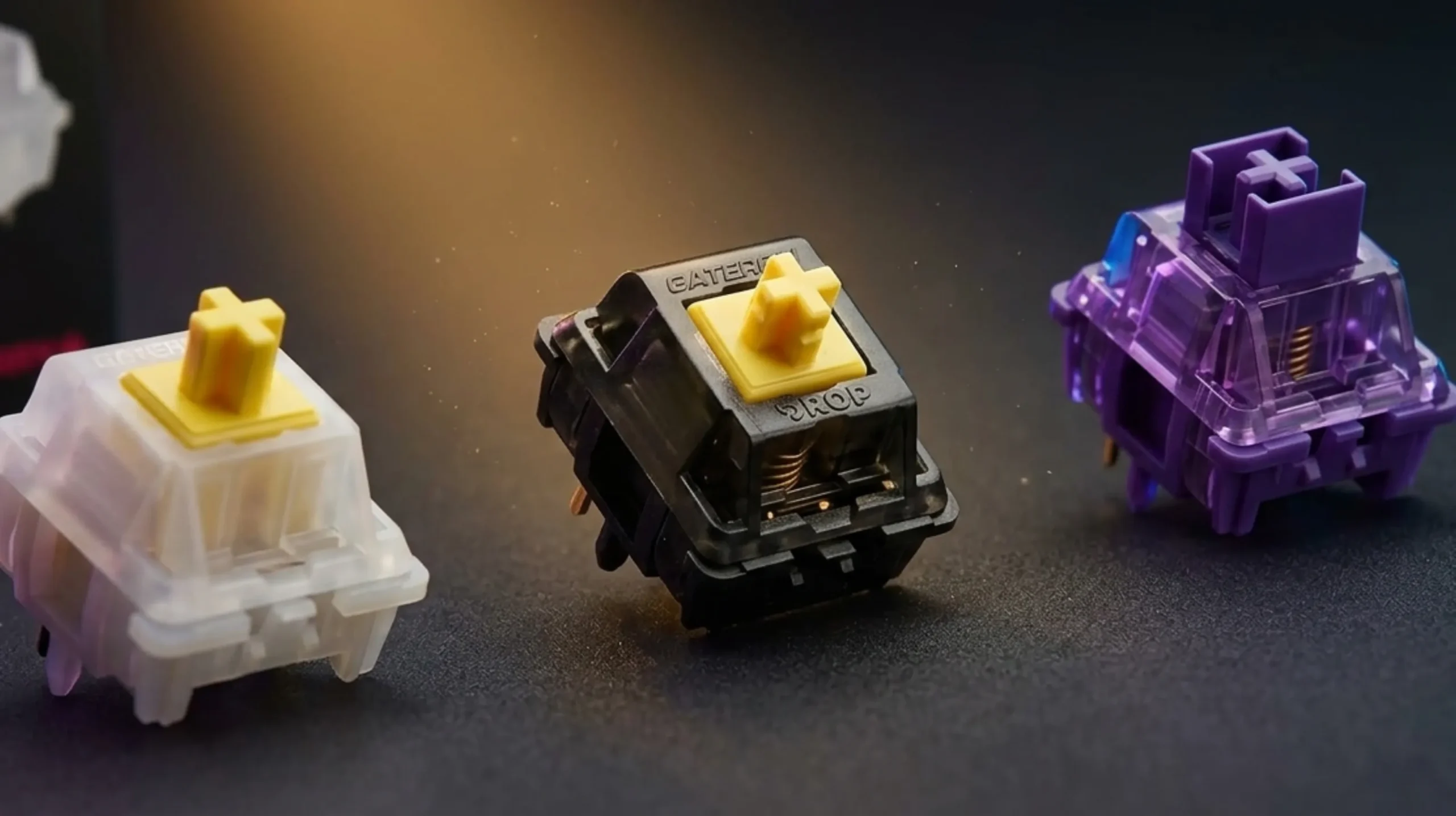
Mechanical Keyboard Switch Types: Linear vs Tactile vs Clicky

This article contains affiliate links. If you buy through them, I earn a small commission at no extra cost to you. I only recommend keyboards I’ve actually tested. As an Amazon Associate I earn from qualifying purchases.
There’s a stubborn myth in the keyboard hobby that you have to spend $200 on a custom build to feel a real difference between switches. You don’t. The gap between a forgettable $20 board and a board you actually look forward to typing on comes down almost entirely to one thing — which mechanical keyboard switch types are sitting under your fingertips. There are three families. Linear, tactile, and clicky. Pick the right one and a basic hot-swap board can feel shockingly good. Pick the wrong one and even an aluminum gasket-mount won’t rescue you.
I’ve been reviewing keyboards and modding them for about fourteen years. The labels haven’t shifted in that time, but the cheap stuff has gotten genuinely good. A Gateron Yellow KS-3 runs around $0.30 a switch and feels smoother than switches that cost five times that much a decade ago.
So let’s get into it — which switch family fits your hands, your games, your job, and your office mates.
Quick Comparison Table by User Need (TL;DR)
Skim this if you’re short on time. I’ve grouped the picks by what you actually do at your keyboard, not by switch specs that don’t matter outside a forum.



| Your Setup | Best Switch Family | A Switch Worth Trying | Why It Works |
|---|---|---|---|
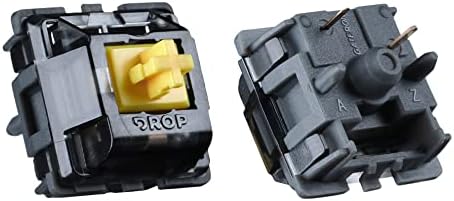
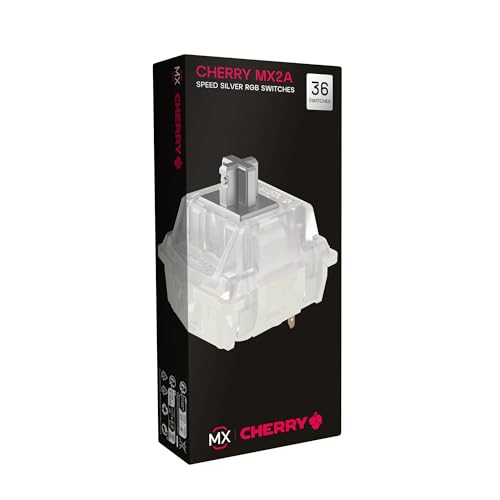
| Competitive FPS gamer | Linear | Cherry MX Speed Silver / Gateron Yellow | Short pre-travel, no bump to slow finger reset |
| All-around PC gamer | Linear | Gateron Yellow KS-3 | Smooth, cheap, hard to misfire |
| Programmer / coder | Tactile | Boba U4T or Kailh Box Royal | Sharp bump confirms each keystroke |
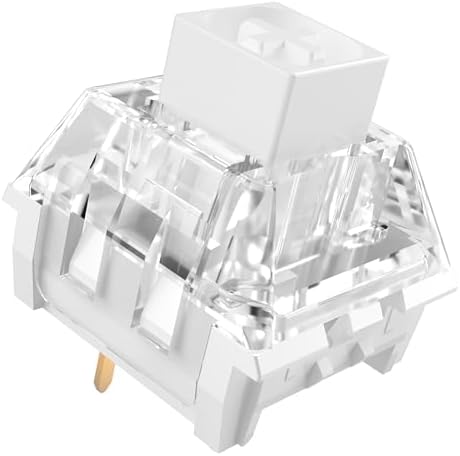
| Writer or novelist | Tactile or clicky | Holy Panda X / Kailh Box White | Feedback per word, satisfying rhythm |
| Office worker (shared space) | Silent linear | Gateron Silent Yellow / Cherry MX Silent Red | Won’t get glares across the room |
| Streamer or on-camera creator | Lubed linear | Gateron Yellow lubed with Krytox 205g0 | Quiet enough to not dominate the mic |
| First mechanical board buyer | Mild tactile | Akko Lavender Purple / Cherry MX Brown | Familiar feel, low chance of regret |
| Tight budget | Linear | Gateron Yellow (on a hot-swap board) | Best dollar-for-feel switch on the market |
Honest catch on that table: the “best” switch is the one your fingers click with. If you can borrow a friend’s board for an hour before you commit to a full set, do it.
The Three Mechanical Keyboard Switch Types Explained
Every mechanical switch on the market — Cherry, Gateron, Kailh, Akko, Outemu, JWK, the boutique stuff, even Razer and Logitech’s in-house designs — falls into one of three families based on how the keystroke feels from top to bottom:
- Linear — A straight slide down. No bump. No click. Just smooth resistance from top to bottom of the press.
- Tactile — A noticeable bump partway through the travel. You feel exactly when the keystroke registers.
- Clicky — A tactile bump plus an audible click produced by a separate mechanism (a click bar or click jacket).
That’s the entire system. Everything else — sound dampening pads, magnetic Hall effect actuation, optical sensors, dual-stage springs — sits on top of those three foundations. Get the family right first. The rest is fine-tuning.
Linear Switches: Smooth, Fast, No Bump
A linear switch feels exactly like it sounds. You press, the keycap glides straight down, and at some point during the travel — usually around 1.5 to 2 mm in — the keystroke registers. There’s no warning. No bump. Just smooth resistance the whole way.
Who linears are for:
- Gamers, especially anyone playing fast shooters where you tap the same key repeatedly
- People who bottom out anyway (most of us) and don’t want to feel a bump fighting them on every press
- Anyone who wants the quietest typing experience without going full silent switch
The popular options:
- Cherry MX Red (45g) — the OG. A bit scratchy stock, but rock-solid reliable.
- Cherry MX Speed Silver (45g, 1.2 mm actuation) — for pure speed freaks.
- Gateron Yellow KS-3 (50g) — smoother than Cherry stock, costs less. My go-to recommendation for anyone building their first decent board.
- Gateron Oil King (55g) — pre-lubed from the factory, deep “thock” sound, more expensive.
- Akko Cream Yellow (50g) — POM housing, smooth out of the box.
In my testing, the gap between a stock Cherry MX Red and a Gateron Yellow is bigger than people give it credit for. The Gateron is smoother straight from the bag, with no factory-scratch break-in period. If you’ve only ever typed on Reds and hated the gritty feel, try a Yellow before writing off linears entirely.
The honest catch: linears give you zero typing feedback. If you’re a touch typist who likes to feel when each key registers, you’ll bottom out hard and your fingers will get fatigued. They’re not magic. They’re a tool, and they suit some hands better than others.
Tactile Switches: The Bump That Tells You Something
Tactile switches add a bump partway through the keypress. You can feel exactly when the switch is going to register, which means you can — in theory — type without slamming your fingers to the bottom on every keystroke. Less bottom-out means less fatigue and longer typing sessions without your wrists complaining.
Who tactiles are for:
- Programmers and writers who type for hours at a stretch
- Anyone who wants typing feedback but doesn’t want their coworkers to plot against them
- Mixed-use folks who do both gaming and serious work on one board
The popular options:
- Cherry MX Brown (45g) — the most common “starter” tactile. The bump is mild. Many enthusiasts call it a “tactile-lite.”
- Boba U4T (62g) — sharp, satisfying bump near the top of the press. A community favorite.
- Kailh Box Royal (75g) — heavier, with a more pronounced bump.
- Glorious Panda / Holy Panda X — medium-heavy with a distinct “thock.”
- Zealio V2 (62g, 65g, 67g, 78g) — premium feel, premium price.
The honest catch: Cherry MX Brown has been the default “safe” tactile for over a decade, and I’ll say plainly — I think it’s an underwhelming switch. The bump is so small that most people don’t feel it once they start typing fast. If you want a tactile that actually feels tactile, skip Browns and go straight to a Boba U4T, an Akko Lavender Purple, or anything in the Panda family. You’ll thank yourself later.
Clicky Switches: Loud, Proud, Sometimes Annoying
Clicky switches give you the same bump as a tactile, plus a separate mechanism that produces an audible click — either a click jacket (Cherry MX Blue, Razer Green) or a click bar (Kailh Box White, Box Jade, Box Navy). The click bar designs sound crisper and more “vintage typewriter.” Click jackets sound more like a loud Brown with attitude.
Who clickies are for:
- Home typists who live alone or have very patient roommates
- Writers who want every keystroke to feel like progress
- People who genuinely miss the old IBM Model M
The popular options:
- Cherry MX Blue (50g) — the original loud one.
- Cherry MX Green (80g) — Blue’s heavier sibling.
- Kailh Box White (45g) — crisp, snappy, less harsh than Cherry Blue.
- Kailh Box Jade (50g) — heavier Box White, deeper click.
- Kailh Box Navy (60g) — the loudest commonly available switch. I love it. My partner does not.
The honest catch: clicky switches will get you in trouble. Don’t bring them to a shared office. Don’t put them on a Discord call without a noise gate. Don’t expect your spouse to love them. If you record voiceovers or stream, skip them entirely — even good audio software can’t fully hide a Box Navy.
That said, if you’re working from a home office alone and you’ve never used a really good clicky, you owe it to yourself to try one. Kailh Box Whites in a thocky case with PBT keycaps is a typing experience worth feeling at least once.
Feel and Force Comparison
Here’s a cheat sheet for actuation force and feel across the most common switches. “Actuation force” is how hard you have to press for the keystroke to register, measured in grams.
| Switch | Family | Actuation Force | Total Travel | Feel Summary |
|---|---|---|---|---|
| Cherry MX Speed Silver | Linear | 45g | 3.4 mm | Light, very fast |
| Gateron Yellow KS-3 | Linear | 50g | 4.0 mm | Smooth, medium weight |
| Cherry MX Red | Linear | 45g | 4.0 mm | Light, slightly scratchy stock |
| Gateron Oil King | Linear | 55g | 4.0 mm | Smooth, deep sound |
| Cherry MX Brown | Tactile | 45g | 4.0 mm | Mild bump |
| Akko Lavender Purple | Tactile | 36g | 3.5 mm | Light, sharp early bump |
| Boba U4T | Tactile | 62g | 4.0 mm | Sharp bump near top |
| Kailh Box Royal | Tactile | 75g | 3.6 mm | Heavy, pronounced bump |
| Cherry MX Blue | Clicky | 50g | 4.0 mm | Click jacket, medium |
| Kailh Box White | Clicky | 45g | 3.6 mm | Click bar, crisp |
| Kailh Box Navy | Clicky | 60g | 3.6 mm | Click bar, loud |
If you’re new to mechanicals, anything from 45–55g is a comfortable starting range. Heavier than 65g and your pinkies will notice on long sessions.
Sound Profiles: What They Actually Sound Like
Forget the marketing words. Here’s how each family actually sounds in a normal room:
- Linears: A soft, even “clack” or, with the right case and lube, a deep “thock.” With foam mods and PBT caps, the best linears barely make any sound at all.
- Tactiles: A higher-pitched “tack” with a small click-like sound from the bump (not a true click — just the stem legs scraping across the bump in the leaf). Boba U4Ts have a particularly satisfying mid-pitched thock.
- Clickies: Loud. Sharp. Audible from across a room. Box Navys are the loudest production switches I’ve personally tested — noticeably louder than most blue switches.
A lot of what people call “good sound” is really the case, not the switch. A linear in a hollow plastic case sounds tinny. The same switch in a foamed, gasket-mounted case sounds incredible. Don’t blame the switch for what the case is doing.
Best Switch Type by Game Genre
Different games punish different mistakes. The right switch family depends on what you actually play.
- First-person shooters (Valorant, CS, Apex): Linear. Speed Silvers or Gateron Yellows. The lack of a bump means faster finger resets on tap-spam.
- MOBAs (League, Dota): Linear or light tactile. You’re hitting a lot of keys, so anything that doesn’t fatigue your fingers works.
- MMOs (WoW, FFXIV): Tactile. You have to hit a specific bind out of thirty, and a clear tactile bump helps you confirm without looking down.
- RTS (StarCraft, AoE): Linear. APM matters. Bumps slow you down.
- Fighting games: Linear with a short actuation, like Speed Silvers. Some pros use Hall effect switches for the same reason.
- Rhythm games: Light linear, around 35–45g. Speed of return matters as much as press weight.
- Slow narrative games: Honestly, anything. Get what feels best to type with.
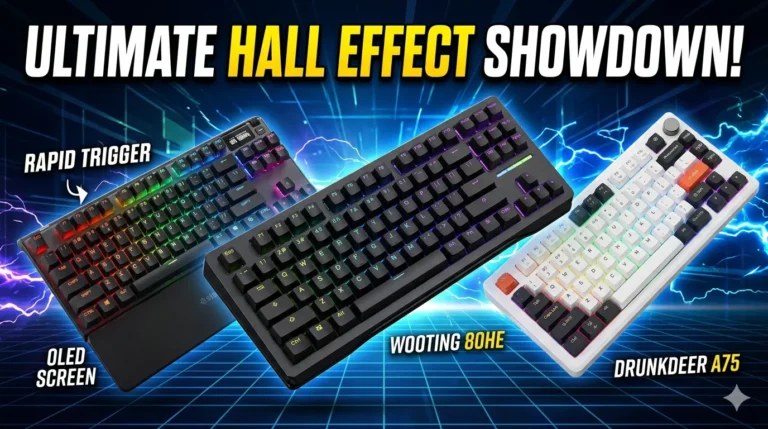
A note on “gaming switches”: most of what gets marketed as a gaming switch is just a fast linear. The Razer Optical Linear, Cherry MX Speed Silver, SteelSeries OmniPoint, and Wooting Lekker are all variations on the same idea — short pre-travel, smooth press. Don’t pay a $50 premium for a brand name when a $90 hot-swap board with Gateron Yellows gets you 90 percent of the way there.
Best Switch Type for Work and Heavy Typing
If you type for a living, your priority shifts. Speed matters less. Comfort over eight hours matters more.
- Coding: Tactile. The bump confirms each character without you having to glance at the screen. Boba U4T, Akko Lavender, or even Cherry MX Brown if you want minimal noise.
- Writing (long-form): Tactile or clicky depending on environment. At home, Box Whites are a joy. In any shared space, switch to a tactile.
- Data entry / spreadsheets: Light linear or light tactile. You’ll appreciate the lack of fatigue after a few thousand keystrokes.
- Customer support / chat-heavy roles: Silent linear. Your callers don’t want to hear you typing while they explain their problem.
- Office shared spaces: Silent switches, full stop. Gateron Silent Yellows are excellent and cheap.
How to Pick the Right Switch Type
Here’s the practical process I’d give a friend:
- Identify your environment first. Shared office or home? Mic always on or never on? This narrows it from three families to one or two before you even start shopping.
- Get a switch tester. They cost about $15 and ship with 9 or 12 switches you can press in person. Cheapest insurance in the hobby.
- Buy a hot-swap board, not a soldered one. This is the single best piece of advice I can give a new buyer. Hot-swap lets you change switches without a soldering iron. You will change your mind at some point. Make that easy.
- Start cheap. A $90 hot-swap board with Gateron Yellows or Akko Lavenders beats a $250 prebuilt with mystery switches every time.
- Listen to your hands, not the internet. What feels right to you matters more than what’s trending on r/MechanicalKeyboards.
Common Switch Myths Worth Killing
A few things I read constantly that just aren’t true:
- “You need linears to game.” False. A light tactile like Akko Lavender works fine for most genres. Pros use what they like, not what’s objectively fastest by four milliseconds.
- “Cherry MX is the best switch brand.” Not anymore. Cherry’s quality control is fine but their stock smoothness lags behind Gateron, JWK, and the better boutique brands.
- “Optical switches are faster than mechanical.” Marginally. The actuation method (light beam vs. metal contact) saves maybe 1–2 ms. Not perceptible.
- “Clicky switches will damage your hearing.” They’re loud, not dangerous. Just annoying to the people around you.
FAQ
What are the three main mechanical keyboard switch types? Linear (smooth, no bump), tactile (bump partway through the press), and clicky (bump plus audible click). Every switch on the market falls into one of these three families.
Which switch type is best for gaming? For most competitive games, linear switches are the standard pick — Cherry MX Speed Silver, Gateron Yellow, or any short-travel linear. They reset faster and don’t fight you on rapid presses.
Which switch type is best for typing? Tactile switches are the most popular pick for serious typists. The bump gives feedback per keystroke without the noise of clicky switches. Boba U4T and Akko Lavender Purple are widely loved by writers and coders.
Are clicky switches good for the office? No. Clicky switches like Cherry MX Blue or Kailh Box Navy are loud enough to bother anyone within twenty feet. Use silent linears or quiet tactiles in shared spaces.
Is Cherry MX Brown actually tactile? Technically yes, but the bump is so small that many enthusiasts consider it borderline linear. If you want a switch that feels distinctly tactile, you’re better off with Boba U4T or Kailh Box Royal.
What does “hot-swap” mean and why does it matter? Hot-swap means you can change switches without soldering. It matters because most people change their mind about which switch they prefer after a few weeks. Hot-swap makes that trivial.
How heavy should the actuation force be? For most people, somewhere between 45g and 60g is comfortable. Lighter than 35g and you’ll get accidental presses. Heavier than 70g and your pinkies will hate you by hour three.
Verdict
If I had to give one default answer for someone who has no idea where to start: a hot-swap board with Gateron Yellow linears. Smooth. Quiet enough. Works for both gaming and typing. Switches cost almost nothing. From there, you can branch out — try a tactile set when you want feedback, try a clicky set when you’re alone and want something fun.
The mechanical keyboard switch types you choose matter more than almost any other decision you’ll make about a board. Materials matter. Mounting style matters. Keycap profile matters. But none of those will save a board with the wrong switches for your hands.
This article contains affiliate links. If you buy through them, I earn a small commission at no extra cost to you. I only recommend keyboards I’ve actually tested. As an Amazon Associate I earn from qualifying purchases.
3 Comments