Mechanical Gaming Keyboard Guide: Switches & Top Picks

This article contains affiliate links. If you buy through them, I earn a small commission at no extra cost to you. I only recommend keyboards I’ve actually tested. As an Amazon Associate I earn from qualifying purchases.
I’ve spent fourteen years reviewing keyboards and the question I get most often hasn’t changed: what mechanical gaming keyboard should I actually buy? Not “what’s the best” in some abstract sense. What’s worth real money in 2026, on a real desk, for a real person who’d rather not return three boards before finding the right one.
The honest answer is shorter than the marketing wants you to believe. A great mechanical gaming keyboard in 2026 costs less than you think, has fewer flashing lights than your favorite streamer’s, and probably uses a switch you’d never heard of two years ago. I’ll walk you through the whole landscape — switches, form factors, the features that matter, and the ones that don’t — and I’ll end with picks I’d put my own money on.
This guide is built as a pillar page. Skim the comparison table, jump to your section, or read it straight through. Either way, you’ll leave knowing more than most reviewers do.
Quick Comparison Table — The TL;DR
Pick by what you actually do. Each board below earned its spot by being genuinely good at the job, not by having the loudest PR team.
| Use Case | My Pick | Switch Type | Why It Wins | Price Range |
|---|---|---|---|---|
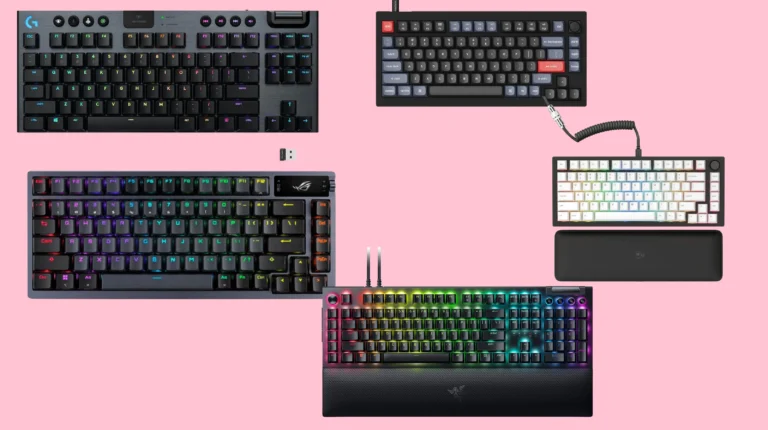
| Best Overall | Keychron Q1 HE (or Q-series Max) | Hall Effect / Linear | Premium build, hot-swap, rapid trigger, wireless option | $200–$240 |
| Best Under $100 | Keychron V-series Max (V3 / V5) | Tactile or Linear | Gasket mount, wireless, no compromises that matter | $84–$120 |
| Best for FPS / Competitive | Wooting 80HE | Hall Effect (Lekker) | Rapid trigger + adjustable actuation, fastest input I’ve used | $200–$240 |
| Best for MMO / RPG | Razer BlackWidow V4 Pro | Razer Green / Yellow | Macro column, command dial, plenty of programmable keys | $230–$280 |
| Best Wireless Gaming | Logitech G Pro X TKL Lightspeed | GX Brown / Tactile | Lightspeed latency is genuinely competitive | $200–$230 |
| Best Hot-Swap | Glorious GMMK 3 | Your choice (hot-swap) | Most customizable platform under $200 | $150–$220 |
| Best Compact (60% / 65%) | Wooting 60HE+ | Hall Effect (Lekker) | Tiny, magnetic, deadly for shooters | $190–$220 |
| Best Low-Profile | Keychron K5 Max or Logitech G915 X | Low-profile / GL | Slim, wrist-friendly, still genuinely mechanical | $130–$230 |
| Best for Modders | Keychron Q-series (non-Max) | Hot-swap, any | Aluminum chassis, gasket mount, mod-ready out of the box | $170–$210 |
| Best Budget Pre-Built Mech | Royal Kludge R75 | Tactile / Linear | $60-ish for a board that punches well above its price | $50–$80 |
Marcus’s quick rule: If you can’t articulate why you need a $300 keyboard, you don’t. A well-chosen $120 board with PBT keycaps will out-feel a $250 board with a bad stabilizer job every time.
What Makes a Keyboard “Mechanical” — and Why It Matters for Gaming
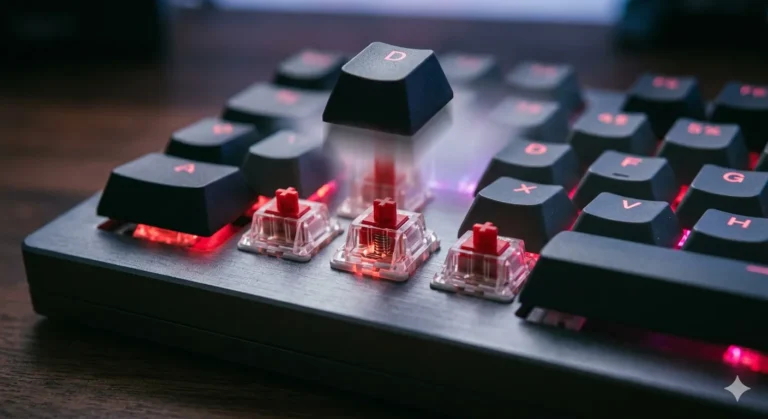
A mechanical gaming keyboard uses a discrete physical switch under every key. Press the cap, the switch’s stem moves, a contact closes (or a magnet’s field shifts), and the keyboard registers the press. Compare that to a membrane keyboard, where the entire board sits on a single rubber dome sheet that mushes down when you press anything.
The practical difference shows up the moment you start gaming.
- Mechanical: distinct actuation point, consistent force across every key, faster recovery, much longer lifespan (50–100 million keystrokes is typical), and switches you can swap, lube, or replace.
- Membrane: cheaper, quieter, fine for typing emails, terrible for anything that requires fast key repeats or simultaneous presses.
If you’ve ever lost a fight in Valorant because your strafe didn’t register, there’s a decent chance your old rubber-dome board ghosted a key. Mechanical boards with proper anti-ghosting and NKRO won’t do that.
The Membrane vs Mechanical Difference in One Sentence
A good mechanical gaming keyboard tells your finger exactly when the key has fired — every time, the same way. A membrane never quite does.
What “Gaming Keyboard” Actually Means in 2026
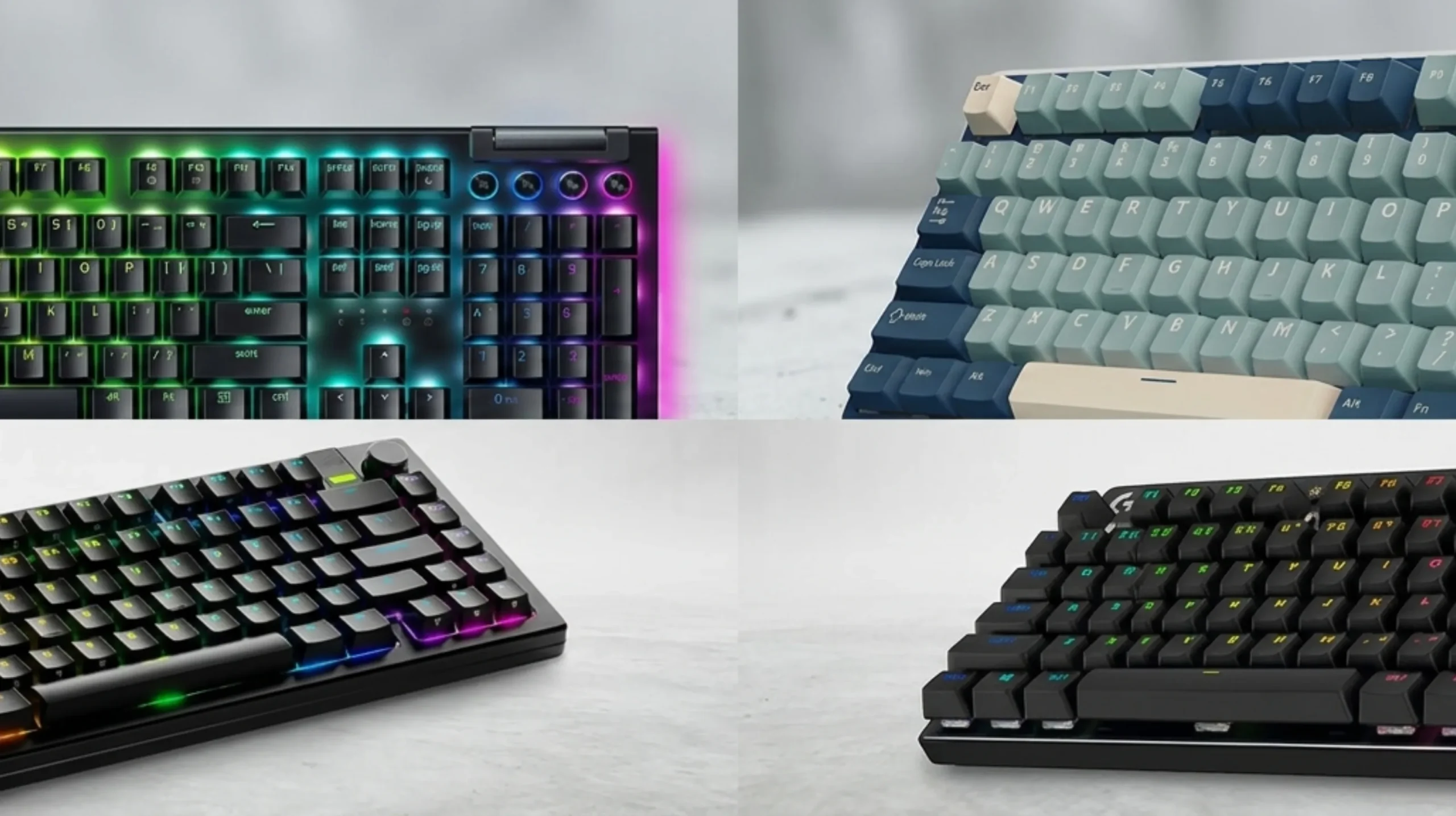
Five years ago, “gaming keyboard” meant aggressive RGB, a font that looked like it came from a Transformer’s autobiography, and switches optimized for being loud. In 2026, the real gaming features are quieter and more interesting:
- Hall Effect / magnetic switches with adjustable actuation points
- Rapid trigger technology (the key resets the instant you start lifting your finger, not at a fixed point)
- 8,000 Hz polling rates (whether you’ll feel it is another story — more on that later)
- Wireless 2.4 GHz with sub-1 ms latency
- Hot-swap sockets so you’re not stuck with the factory switch choice
The best mechanical gaming keyboard for you in 2026 sits at the intersection of those features and the way you actually play.
Switch Families: The Heart of Any Mechanical Gaming Keyboard
This is where most buying decisions live or die. The switch is what your finger touches a million times a year. Get it wrong and you’ll resent the keyboard no matter how nice the case is.
There are four families worth knowing, plus one that’s been quietly eating the gaming market.
Linear Switches — The Default Gaming Choice
Linear means the keypress travels straight down with no bump or click. Smooth top to bottom. Fast.
- Cherry MX Red, MX Speed Silver: the originals; light (45g–50g actuation), short or standard travel.
- Gateron Yellow, Gateron Oil King: smoother than Cherry in my testing, often pre-lubed, dramatically better value.
- Kailh Box Red, Akko Cream: budget linears that feel surprisingly premium.
Who they’re for: anyone who spams WASD, taps shift to crouch, and wants the lightest possible resistance. Most FPS players land here.
Honest caveat: Linears are easier to bottom out by accident, which means accidental presses if you rest your fingers heavily. If you type aggressively, brown switches might serve you better.
Tactile Switches — The Best of Both Worlds (Maybe)
Tactiles have a bump partway through the keypress. Your finger feels when the key actuates, but there’s no audible click.
- Cherry MX Brown: the original tactile. Mild bump. Decent but unremarkable in 2026 — there’s better stuff now.
- Gateron Brown Pro, Akko Lavender: smoother, more pronounced bumps than Cherry Brown.
- Boba U4T, Holy Pandas, Glorious Panda: the enthusiast favorites. Sharp, satisfying tactile bumps. Excellent for typing and very playable for gaming.
Who they’re for: people who type as much as they game, MMO players who care about deliberate key presses, and anyone who finds linears too “slippery.”
Clicky Switches — Loud, Proud, and Mostly Antisocial
Clicky switches add an audible click on actuation. Two flavors matter:
- Cherry MX Blue: classic, scratchy, divisive.
- Kailh Box White / Jade / Navy: clickier, crisper, more durable click bar mechanism.
- Razer Green: Razer’s MX Blue clone. Loud.
Who they’re for: honestly, mostly people typing alone. They’re fine for gaming, but the noise drives roommates and Discord squads insane within an hour. Bring headphones with a good mic gate or skip these.
Hall Effect and Magnetic Switches — Where the Gaming Market Is Actually Going
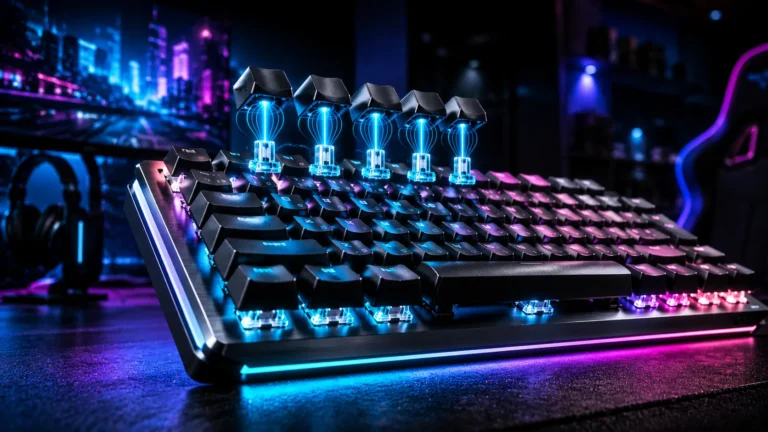
This is the big shift since 2023. Hall Effect (HE) switches use a magnet on the stem and a sensor in the PCB. There’s no physical contact at all — the key knows exactly where it is at every point in its travel.
What that makes possible:
- Adjustable actuation: set how far down you press before the key fires. As shallow as 0.1 mm, as deep as 4 mm. Different actuation for different keys.
- Rapid trigger: the key resets the instant you lift your finger. Counter-strafing in CS2 becomes wildly easier.
- Dual actuation / SOCD: one physical key does two things depending on travel depth (walk vs run, for instance).
Brands and models doing it right: Wooting (Lekker switches), Razer Analog Optical Gen-3, SteelSeries OmniPoint 2.0, Keychron HE-series, NuPhy Field75 HE, Akko Cream Magnetic.
The catch? HE keyboards aren’t hot-swappable with traditional MX switches — you’re locked into the magnetic switch ecosystem of whatever brand you buy. So pick carefully.
Optical Switches — Fast, Niche
Light-activated switches. The most common are Razer Optical (their Yellow and Purple) and Gateron Optical. They’re durable and fast, but they’ve been somewhat overshadowed by Hall Effect now that HE offers more flexibility for similar response times.
Switch Comparison Table
| Switch Type | Feel | Sound | Best For | Watch Out For |
|---|---|---|---|---|
| Linear (Red / Yellow) | Smooth, fast | Quiet thock | FPS, fast-paced games | Easy accidental presses |
| Tactile (Brown / Panda) | Bump mid-press | Moderate | Typing + mixed gaming | Less popular for pure FPS |
| Clicky (Blue / Box White) | Bump + click | LOUD | Solo typing, retro vibes | Roommate divorce |
| Hall Effect (Lekker / OmniPoint) | Linear-like, adjustable | Quiet | Competitive shooters | Brand lock-in, no hot-swap |
| Optical | Linear, very fast | Quiet-moderate | Long-life durability | Limited switch variety |
Mechanical Gaming Keyboard Form Factors
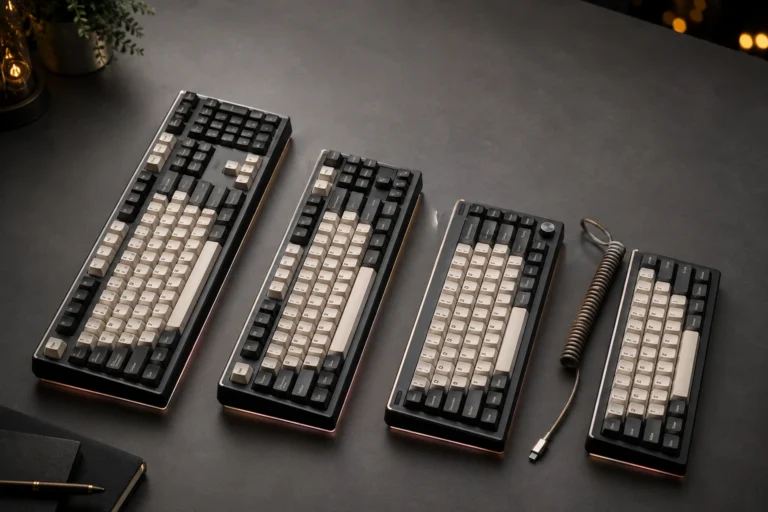
How big do you actually need your keyboard to be? Almost certainly smaller than what’s on your desk right now. Smaller boards put your mouse closer to your shoulder, which is better ergonomically and frees up desk space.
Full-Size (100%)
All the keys, including the numpad and a function row. Great if you do spreadsheets, accounting, MMO macros that lean on the numpad, or just like having every key in arm’s reach. Bad if your mouse arm has to swing way out to clear the numpad. Most full-size gaming boards include extra macro keys and media controls.
TKL (Tenkeyless, 80%)
Drop the numpad, keep everything else. The sweet spot for most gamers. You keep arrow keys, function row, and the dedicated nav cluster. In my opinion, this is the right starting point for anyone who doesn’t have a specific numpad need.
75%
Same key count as TKL but everything is squished tight together — no gaps between the arrow cluster and the alphas. Saves desk space, looks great, but the cramped layout takes a few days to adapt to.
65%
Drop the function row but keep arrows and a few nav keys. Surprisingly usable once your muscle memory catches up. You’ll use Fn-layer for F-keys, but most games don’t need them constantly.
60%
Just the alphas, modifiers, and number row. No arrows, no function row, no nav cluster. Maximum desk space, maximum minimalism, steepest learning curve. Popular with competitive FPS players who want their mouse hand as close to center as possible.
40% (Hobbyist Territory)
Tiny boards with just letters and a few modifiers. Powerful when you’ve mastered the layering, frustrating before that. Not really a gaming pick unless you’re committed.
Form Factor Comparison Table
| Layout | Keys | Pros | Cons | Best For |
|---|---|---|---|---|
| Full-Size | ~104 | Numpad, all keys | Bulky, mouse swing | Productivity + gaming |
| TKL | ~87 | Balanced, popular | Still wider than you think | Most gamers |
| 75% | ~84 | Compact, arrows kept | Cramped layout | Productivity-leaning gamers |
| 65% | ~68 | Tiny + arrows | No F-row | Casual + competitive |
| 60% | ~61 | Maximum space saving | No arrows, learning curve | Hardcore FPS, minimalists |
| 40% | ~40 | Cult-level minimalism | Brutal layer learning | Hobbyists only |
My honest take: most people who think they want a 60% would be happier with a 65%. The dedicated arrow keys are worth the four millimeters of width.
Features That Actually Matter for Gaming
The spec sheets are full of numbers. Most of them don’t matter. Here’s what does.
Polling Rate
Polling rate is how often the keyboard tells your PC what it’s doing, measured in hertz. 1000 Hz means once every millisecond. 8000 Hz means once every 0.125 ms.
- 1000 Hz is the established standard. Genuinely fine for 99% of players.
- 4000 Hz and 8000 Hz boards exist now (Razer, Corsair, Asus, Wooting). On a 360 Hz monitor with a high-end CPU, you might feel the difference. Most people, on most setups, won’t.
If a board advertises 8000 Hz, treat it as a “nice to have” tiebreaker, not a deciding factor.
NKRO and Anti-Ghosting
N-Key Rollover (NKRO) means every key press registers no matter how many keys you mash at once. 6KRO (six-key rollover) registers six. Any decent mechanical gaming keyboard now ships with full NKRO. If the spec sheet only brags about “anti-ghosting,” that’s marketing speak for partial NKRO — usually fine, but check.
Wireless Latency
Real wireless gaming requires 2.4 GHz with a USB dongle, not Bluetooth. Brands like Logitech (Lightspeed), Razer (HyperSpeed), Corsair (Slipstream), and Keychron Max series all hit sub-1 ms or close to it. Bluetooth, even Bluetooth 5.3, runs higher and more variable latency — fine for typing, not for competitive shooters.
Hot-Swap Sockets
Hot-swap means you can pull a switch out with a puller tool and pop a different one in, no soldering. This is the single best feature for long-term satisfaction with a mechanical gaming keyboard. Don’t like your linears after two weeks? Swap them for tactiles. Stuck switch? Replace just that one for $0.50 instead of buying a new board.
If a board claims hot-swap, check whether it supports 3-pin and 5-pin switches. 5-pin is more inclusive.
Adjustable Actuation and Rapid Trigger
I covered this above in the Hall Effect section, but it bears repeating: if you play Counter-Strike 2, Valorant, Apex, or any movement-heavy shooter at a serious level, this feature is genuinely meaningful. Counter-strafing becomes nearly automatic. The actuation depth lets you customize WASD for fast response while keeping the rest of the board at standard depth so you don’t fat-finger everything else.
Onboard Memory and Software
A good mechanical gaming keyboard should let you save profiles directly to the board so you can plug it into any PC and your settings travel with you. QMK and VIA are open-source firmware standards that let you remap any key without bloatware. Razer Synapse, Logitech G Hub, Corsair iCUE are proprietary — more polished UIs, but they want to run in the background forever and they’re heavy on system resources.
I prefer VIA-compatible boards because the customization is browser-based and lighter than any first-party software I’ve used.
Build Quality
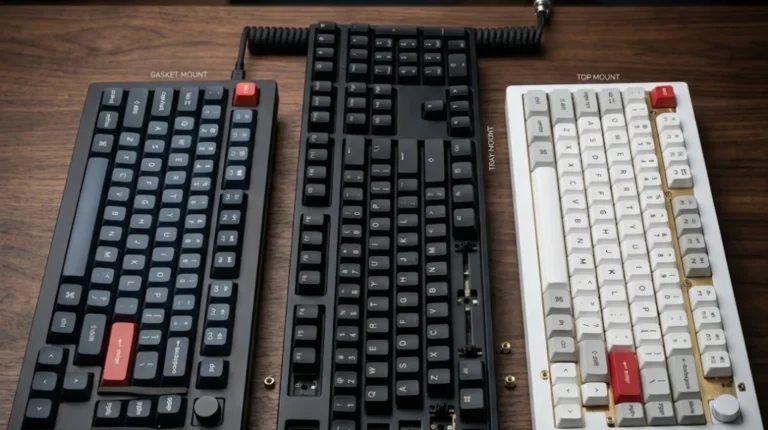
The chassis material and mounting style affect feel and sound more than most people realize.
- Plastic case + tray mount: cheap, fine for budget boards, slightly hollow sound.
- Aluminum case + gasket mount: premium feel, deeper sound, slight typing flex. Worth the upgrade if budget allows.
- PC plate vs aluminum plate vs steel plate: PC = softer feel, aluminum = balanced, steel = stiffer / sharper.
Marketing Fluff: What You Can Ignore
Some keyboard marketing exists purely to justify a higher price. Here’s the stuff I’d happily skip:
- “Military-grade” anything. No real spec behind it.
- RGB with 16.8 million colors. Every RGB does this. It’s marketing.
- “Per-key RGB.” Useful for actual function (lit-up active macros), useless for buying decisions.
- Polling rates above 1000 Hz, unless you’re a top-tier competitive player on a 360 Hz+ monitor with a tuned CPU.
- Aluminum plates on plastic cases marketed as “premium build.” The case material matters more than the plate.
- Wrist rests glued to the board. A detachable one is fine. A built-in one limits your placement options.
- Marketing photos of CS2 pros holding the board. They’re getting paid. Their actual board often runs different switches than the one you’d buy.
Save the money. Spend it on better keycaps or a second set of switches you can swap in if you change your mind.
Best Mechanical Gaming Keyboards by Use Case (2026)
These are the boards I’d actually recommend to a friend asking for a real pick. I’ve tested all of them or their direct predecessors as daily drivers for at least two weeks.
Best Overall Mechanical Gaming Keyboard: Keychron Q-Series HE
The Q-series has been my answer for “premium without going stupid” for two years now. The HE variant brings Hall Effect switches into the same beautiful aluminum chassis with gasket mount and proper sound dampening. You get adjustable actuation, rapid trigger, hot-swap (on non-HE models), and a build that feels like it costs twice as much.
- Switch: Keychron HE magnetic (linear, super smooth)
- Layout options: TKL, 75%, full-size
- Best for: anyone who wants one keyboard for gaming and typing
- Price: $200–$240
Best Mechanical Gaming Keyboard Under $100: Keychron V-Series Max
The V-series Max line (V3 Max, V5 Max, etc.) gives you a hot-swap PCB, gasket mount, wireless, and decent factory switches for under $100. The plastic case is the giveaway that you’re not paying flagship money, but the typing feel is shockingly close to the Q-series.
- Switch options: Brown, Red, Banana (tactile), more
- Best for: someone building their first real mechanical setup
- Price: $84–$120
Best for FPS: Wooting 80HE
I’ll just say it: Wooting changed what’s possible in a gaming keyboard. The 80HE in particular is the no-compromises pick. Hall Effect Lekker switches, the best implementation of rapid trigger I’ve used, a TKL layout, and software (Wootility) that’s genuinely good.
- Switch: Lekker (HE linear)
- Best for: CS2, Valorant, Apex — any movement shooter
- Price: $200–$240
If you can’t get the 80HE, the 60HE+ is the same magic in a smaller package.
Best for MMO / RPG: Razer BlackWidow V4 Pro

- YELLOW MECHANICAL SWITCHES FOR QUICK EXECUTION — Enjoy instant, rapid-fire smooth inputs that are just as quiet thanks t…
- IMMERSIVE UNDERGLOW & PER-KEY LIGHTING — Featuring per-key lighting and a striking 3-side underglow when paired with the…
- COMMAND DIAL & 8 DEDICATED MACRO KEYS — Assign a custom function to the keyboard’s programmable dial, and game with grea…
MMOs need extra inputs. The BlackWidow V4 Pro has a dedicated macro column, a programmable command dial, and Razer’s better optical switches. It’s also full-size with a numpad, which MMO players genuinely use.
- Switch: Razer Yellow (linear optical) or Green (clicky)
- Best for: FFXIV, WoW, Lost Ark
- Price: $230–$280
Best Wireless: Logitech G Pro X TKL Lightspeed

- Designed with Pros, Engineered to Win: PRO X TKL gaming keyboard is the next gen of the trusted tenkeyless PRO keyboard;…
- Play with tournament-proven speed and reliability of LIGHTSPEED wireless: Connect compatible mouse and PRO X TKL wireles…
- PRO-Grade Tech: Game mode control, standard keyboard layouts for 3P compatibility, media controls and volume roller, RGB…
Lightspeed wireless is the real deal. I’ve A/B tested it against wired and couldn’t reliably tell the difference in input latency. The G Pro X TKL is the competitive build — slim bezels, hot-swap on newer revisions, and it survives travel without issue.
- Switch: GX Brown, GX Red, GX Blue (hot-swap on some SKUs)
- Best for: competitive gamers who travel or hate cables
- Price: $200–$230
Best Hot-Swap: Glorious GMMK 3

- Full Aluminum Body: CNC-machined top and bottom cases deliver a premium weight and aesthetic, featuring a sleek anodized…
- Dual Wireless Connectivity: Enjoy lag-free gaming with 2.4 GHz, versatile Bluetooth for your devices, and seamless play …
- 9 Points of Modularity: A highly modular design makes it easy for you to swap the GMMK 3’s parts, tailoring its look, so…
Glorious built the GMMK 3 as a customization platform. Multiple sizes (65%, TKL, full-size), choice of plate material, choice of switches, choice of keycaps — you order it the way you want it. Hot-swap is rock solid on the units I’ve tested.
- Switch: any 3-pin or 5-pin MX-compatible
- Best for: people who’ll change switches more than once
- Price: $150–$220
Best Compact: Wooting 60HE+
Same Hall Effect magic as the 80HE in a 60% layout. If your desk is small or you want maximum mouse swing room, this is the pick. The lack of arrow keys takes a week to get over.
- Switch: Lekker (HE)
- Best for: competitive shooters, minimal setups
- Price: $190–$220
Best Low-Profile: Keychron K5 Max or Logitech G915 X Lightspeed
Low-profile mechs are great if you’ve been a laptop user forever or have wrist issues with tall keyboards. The K5 Max is the budget-friendly pick; the G915 X is the wireless premium pick.
- Switch: Keychron low-profile or Logitech GL
- Best for: typists, low-profile fans, smaller hands
- Price: $130–$230
Best Budget: Royal Kludge R75

- Triple Mode Connection: The wireless gaming keyboard offers Bluetooth, 2.4GHz wireless, and wired USB connections. It ca…
- Hot-Swappable Cream Switches: Known for their smooth and creamy sound, these pre-lubed linear switches are ready for use…
- Gasket Mount Design & PCB Single Key Slotting: This 75% keyboard mechanical features a gasket structure incorporating fi…
The R75 is the board I recommend when someone hands me $60 and says “is this a mistake?” It’s not. Gasket mount (genuinely), hot-swap, decent stabilizers, multiple connection modes. Build quality isn’t flagship, but for the money it’s borderline absurd how good this is.
- Switch: RK linears or tactiles (decent factory feel)
- Best for: first mechanical keyboard, dorm setups, secondary boards
- Price: $50–$80
Keycaps: The Most Underrated Upgrade
Switches get all the attention. Keycaps actually change how the board sounds, how durable it is, and how it feels under your fingertips. Most stock keycaps are mediocre.
Material: ABS vs PBT
- ABS plastic: smoother, more vibrant when dyed, develops a greasy shine on high-use keys within a year. Doubleshot ABS like GMK is the high-end exception — beautiful, expensive, still shines eventually.
- PBT plastic: more textured, more durable, never shines. Slightly more muted colors. This is almost always the better buy.
If your keyboard came with ABS keycaps, swapping to a decent PBT set ($40–$80) is the single highest-impact upgrade you can make.
Profile: Cherry vs OEM vs SA vs MT3
Keycap profile is the height and curvature.
- Cherry profile: short, sculpted, the modern enthusiast default. My personal pick for daily use.
- OEM profile: taller than Cherry, what most stock keycaps use.
- SA profile: very tall, very sculpted, retro-looking, divisive for typing speed.
- MT3: sculpted, deep dish shape, comfortable but takes adjustment.
For a mechanical gaming keyboard, I’d stick with Cherry or OEM profile. SA and MT3 are gorgeous but slow some people down.
Sound Difference
Same switches, different keycaps, completely different sound. Thick PBT keycaps deepen the sound. Thin ABS makes it pingy and hollow. If your board sounds bad, look at the caps before you tear into mods.
Quick Modding and Setup Tips for Your Mechanical Gaming Keyboard
You don’t need to go full enthusiast to make your board feel meaningfully better. A few tweaks go a long way.
- Lube your stabilizers. Stab rattle on space bar and shift keys is the most common offender on stock boards. A small dab of dielectric grease or Krytox 205g0 on the wire and inside the housings transforms feel and sound. Twenty minutes of work.
- Tape mod (free upgrade). Two strips of painter’s tape on the back of the PCB deepens the sound profile. Free, reversible, weirdly effective on hollow-sounding budget boards.
- Foam mod. Add a layer of poron or EVA foam between PCB and plate. Reduces ping, adds warmth to the sound. Many modern boards ship with this already.
- Switch lubing (optional, time-intensive). If you’re a hobbyist, lubing your switches with Krytox 205g0 (linears) or 3204 (tactiles) makes them smoother. It’s a 3-hour job per board. Worth it if you enjoy the process. Skip it if you don’t.
- Use VIA or QMK for remapping. Don’t live with default key layouts you don’t like. Caps Lock makes a fantastic second Function key.
- Get a wrist rest. Not glued to the board. Detachable, ideally wood or PU. Cheap, important.
One Honest Caveat
Modding can be a money pit. The diminishing returns hit hard after the basics (lubed stabs, decent keycaps, a tape mod). The difference between a $300 enthusiast custom and a well-modded $150 Keychron is real but small. Spend accordingly.
Ergonomics: Don’t Wreck Your Wrists Chasing Frames
Fourteen years in, my single biggest piece of advice is this: a fast keyboard is worthless if your wrists hate you in five years. Some practical points:
- Keyboard height matters more than tilt. Lower-profile boards or boards used flat (no feet up) keep your wrists in a neutral position. The classic “feet up at full height” position is hard on the wrist long-term.
- Get the keyboard centered on your body, not your monitor. Mouse to the right, keyboard slightly left of center. This is why TKL and smaller boards matter.
- Take breaks every 45–60 minutes. Even a 30-second stretch helps.
- If you have wrist pain right now, see a doctor before changing keyboards. A keyboard isn’t going to fix tendonitis.
Ergonomic split mechanical boards exist (ZSA Moonlander, Glove80, Keyboardio Atreus) but they’re a different category — niche, powerful, with steep learning curves. Not a casual recommendation.
FAQ: Mechanical Gaming Keyboard Questions
Is a mechanical gaming keyboard actually better for gaming?
For competitive games, yes — full NKRO, consistent actuation, and switches optimized for fast key presses give you a real edge over rubber-dome boards. For casual gaming, the difference is smaller but still noticeable in feel and durability.
Are Hall Effect mechanical gaming keyboards worth the price?
If you play movement-heavy shooters like CS2, Valorant, or Apex, yes. Rapid trigger is the single biggest gameplay-affecting feature added to keyboards in a decade. If you mostly play single-player or slower-paced games, a standard mechanical with good linears is fine and saves you $80–$100.
What’s the best mechanical gaming keyboard for beginners?
The Keychron V-series Max line is my standard recommendation. You get most of the enthusiast features (gasket mount, hot-swap, wireless, decent stabs) for under $120. If budget is tighter, the Royal Kludge R75 is genuinely excellent for $60.
Do I need RGB on my gaming keyboard?
No. RGB is purely aesthetic. It doesn’t affect performance. If you stream or your setup is part of your fun, sure. If you turn the lights off every night anyway, save the money and buy better keycaps.
How long does a mechanical gaming keyboard last?
Switches are typically rated for 50–100 million keystrokes. In real-world terms, that’s 5–15 years of daily use before any specific key shows wear. Hot-swap boards effectively last forever — if a switch dies, replace just that switch.
Wired or wireless for competitive gaming?
Premium 2.4 GHz wireless (Lightspeed, HyperSpeed, Slipstream, Keychron Max) is genuinely competitive with wired. Bluetooth is not. If you’re going to spend $200+ on a wireless gaming board, get one with a proper 2.4 GHz dongle.
Are gaming keyboards just typing keyboards with extra marketing?
A lot of them are, yes. The real gaming-specific features that matter in 2026 are Hall Effect switches with adjustable actuation, rapid trigger, full NKRO, low-latency wireless, and reliable polling. Everything else is shared with non-gaming mechs.
Can I use a 60% keyboard for everything?
You can, but expect a 1–2 week adjustment period. If you regularly need arrow keys (coding, document editing), consider a 65% instead — same compact size, dedicated arrows.
Final Verdict: What I’d Actually Buy
If a friend gave me $200 today and said “pick me a mechanical gaming keyboard, don’t overthink it” — I’d buy the Wooting 60HE+ if they play competitive shooters, or the Keychron Q1 HE if they want one board for everything. Both feel premium. Both are still being improved year over year. Neither will be obsolete in 24 months.
If they had $100, I’d point them at the Keychron V3 Max without hesitation. If they had $60, the Royal Kludge R75 is the honest answer and I’d tell them they’re not making a mistake.
The biggest mechanical gaming keyboard truth in 2026: the gap between “good enough” and “best in class” is much smaller than the gap between “rubber dome” and “any decent mech.” Once you’re in the mechanical world, you’ve already won most of the value upgrade. From there, switches matter more than price tags, keycaps matter more than RGB, and your wrists matter more than any of it.
Pick the board that fits how you actually play. Lube your stabilizers. Get PBT keycaps. Don’t buy hype.
This article contains affiliate links. If you buy through them, I earn a small commission at no extra cost to you. I only recommend keyboards I’ve actually tested. As an Amazon Associate I earn from qualifying purchases.