
How to Lube Switches Step-by-Step (205g0 vs 3204)

This article contains affiliate links. If you buy through them, I earn a small commission at no extra cost to you. I only recommend keyboards I’ve actually tested. As an Amazon Associate I earn from qualifying purchases.
Switch lube can make a scratchy mechanical keyboard feel far more controlled, but it can also turn a good tactile switch into a slow, vague mess. The difference is rarely the brand name on the jar. It is choosing the right viscosity, applying less than you think you need, and keeping lubricant away from the electrical contact and tactile leaf.
If you would rather skip the manual work, compare the best pre-lubed switches and the tradeoffs of relying on factory application.
If housing movement remains after lubing, our switch films guide explains when a film can improve fit and when it only creates binding.
This guide explains how to lube switches without guessing. It covers the complete process, the practical difference between Krytox 205g0 and TriboSys 3204, and the tools worth buying for a first job. The short recommendation is simple: 205g0 suits most linear switches and stabilizers; 3204 is the safer all-around choice when preserving tactility matters.
How to Lube Switches: The Short Version
- Remove the keycaps and switches from a hot-swap keyboard, or desolder the switches from a soldered board.
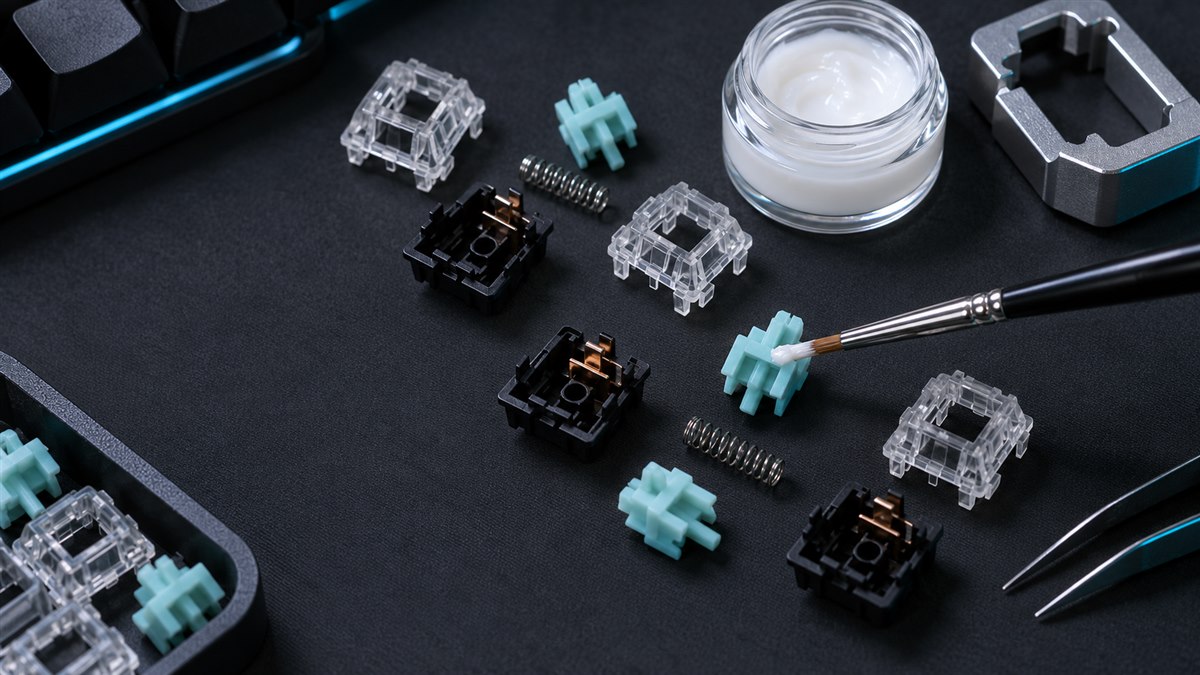
- Open each switch and separate the top housing, stem, spring, and bottom housing.
- Brush a nearly transparent coat of lubricant onto the bottom-housing rails.
- Lubricate the stem rails and the stem’s front and back faces. Avoid tactile legs unless you deliberately want a softer bump.
- Coat the spring lightly, either with a brush or a separate thin oil such as GPL 105.
- Reassemble the switch, test it outside the board, then repeat.
The phrase to remember is visible sheen, not visible buildup. If you can see a white glob, ridge, or pool of grease, you have used too much.
205g0 vs 3204: Which Switch Lube Should You Use?
Krytox GPL 205 Grade 0 and TriboSys 3204 are both grade 0 fluorinated greases used in mechanical switches. They are not identical. Miller-Stephenson, the manufacturer of TriboSys, describes 3204 as thinner than 205g0 and suitable for both tactile and linear switches. Its lower viscosity makes it easier to spread into a thin, consistent film. Krytox describes the GPL family as PFPE-based oil thickened with PTFE; within keyboard use, 205g0 is the thicker, more damping option.
| Lubricant | Best for | Feel and sound | Main risk |
|---|---|---|---|
| 205g0 | Linear switches, stabilizer housings, experienced tactile jobs | More damping, deeper sound, very smooth when applied thinly | Easy to over-apply and soften a tactile bump |
| TriboSys 3204 | Tactile switches, mixed switch collections, first-time precision work | Lighter coating, preserves more feedback, spreads easily | Still mutes tactility if brushed directly onto the legs or leaf |
| GPL 105 oil | Bag-lubing springs | Reduces spring ping without adding much drag | Too thin to replace grease on stem rails |
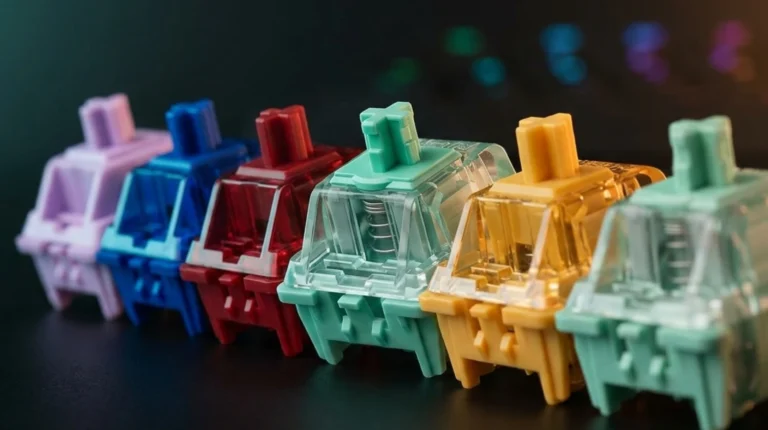
For a linear switch such as a Gateron Yellow, Cherry MX Red, or many JWK linears, 205g0 is the straightforward choice. For Browns, Holy Pandas, T1s, or other tactile designs, 3204 gives you more margin for error. Our guide to linear, tactile, and clicky switches explains why those internal mechanisms respond differently.
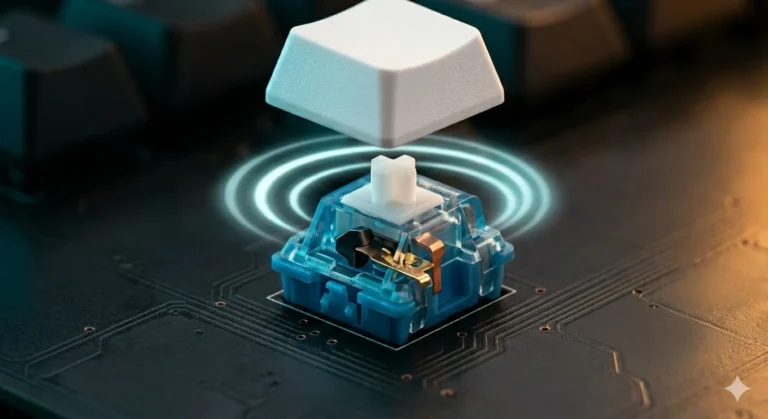
Clicky switches are the awkward case. Lubricating a click jacket or click bar can weaken or erase the sound that makes the switch clicky. Unless you understand the specific design, leave the click mechanism dry. If noise is the problem, a different switch is usually a cleaner fix than trying to turn a clicky switch into something it was not designed to be.
The Five Products Worth Considering
Amazon has many tubs labeled “205g0,” but not every listing is genuine Chemours Krytox. The products below are practical Amazon options selected for tools, quantity, and clear use cases. If you specifically want genuine TriboSys 3204, buy from an authorized specialty keyboard retailer rather than choosing an unrelated Amazon grease with a similar-looking number.
1. RUNJRX Keyboard Lube Kit — Best First Purchase

Best first purchase
RUNJRX Keyboard Lube Kit
A complete starter bundle with 205g0-style grease, switch opener, brushes, pullers, tweezers, and a stem holder.
Check Price on AmazonPros
- One order covers nearly every tool needed for a hot-swap board.
- The two-sided opener works with common MX-style and Kailh-style housings.
- The stem holder keeps grease off your fingers and the work surface.
Cons
- The included JRX grease is a budget alternative, not verified Chemours Krytox.
- The large 15 g tub is far more lubricant than one keyboard needs.
- Included brushes are usable, but a good size 00 artist brush offers better control.
This is the kit I would point a complete beginner toward because the opener matters more than people expect. Prying housings with a screwdriver is slow and can damage the retaining clips. Buy the kit for the workflow; treat the supplied grease as a learning-friendly option rather than proof that every “205g0” label contains the same formulation.
2. HONKID GPL 205G0-Style Lube — Best Standalone Value

Best standalone value
HONKID GPL 205G0-Style Lube
A straightforward jar-and-brush option for builders who already own their switch-opening and handling tools.
Check Price on AmazonPros
- Good quantity for several keyboards at a low cost per switch.
- Includes a small brush, so it works as a simple refill or standalone purchase.
- Thicker grease is useful for linears and can also handle stabilizer housings.
Cons
- It is a 205g0-style product, not a reliable substitute for an authenticated Krytox supply chain.
- Ten grams encourages overbuying; most home users need only a few milliliters.
- Its thicker feel is less forgiving on tactile switches.
Choose this if you already own an opener, switch puller, and stem holder. For linears, it is the better value than buying another tool bundle. If you are working on tactiles, use the smallest possible amount and keep the stem legs dry. Our tactile switch guide covers how bump shape changes from one design to another.
3. YIMAGUJRX GPL 205 G0 + GPL 105 Set — Best for Springs Too

Best for springs too
YIMAGUJRX GPL 205 G0 + GPL 105 Set
A two-lubricant set that keeps thicker grease on stems and housings while reserving thinner oil for springs.
Check Price on AmazonPros
- Separates thick rail grease from thinner spring lubricant.
- Bag-lubing springs with 105-style oil is faster than brushing every coil.
- Useful for batches with obvious spring ping.
Cons
- Does not include a switch opener, puller, or stem holder.
- The product naming can imply official Krytox even though the listing brand is YIMAGUJRX.
- Bag-lubing makes it easier to add too much oil if you pour rather than use measured drops.
This set makes sense when spring noise is the main complaint. A few controlled drops in a sealed bag can coat a full batch of springs quickly. The thicker grease still belongs on rails and stem surfaces. Keeping those two jobs separate gives a cleaner result than trying to use one heavy grease everywhere.
4. StreamStands 205g0 Keyboard Lube — Best Dedicated 205g0 Option

Best dedicated 205g0 option
StreamStands 205g0 Keyboard Lube
A focused 6 g grease purchase for linear stems, bottom housings, and stabilizer housings, with an applicator brush included.
Check Price on AmazonPros
- The 6 g quantity is enough for multiple switch batches without being as excessive as a 15 g tub.
- Includes an applicator brush for buyers who already own the disassembly tools.
- The thicker 205g0-style consistency suits linear switches and stabilizer housings.
Cons
- Still easier to over-apply than a thinner grease such as 3204.
- Does not include an opener, switch puller, or stem holder.
- Amazon sellers can change, so confirm the label, quantity, and seller before ordering.
5. StreamStands GPL 105 Oil — Best Standalone Spring Lube

Best standalone spring lube
StreamStands GPL 105 Oil
A thin PFPE oil in a dropper bottle for bag-lubing springs and reducing spring ping without coating stems in heavy grease.
Check Price on AmazonPros
- The dropper makes measured bag-lubing easier than pouring from an open jar.
- Thin PFPE oil is well suited to springs and helps reduce spring ping.
- A standalone bottle is useful when you already have enough grease for stems and housings.
Cons
- It is too thin to replace 205g0 or 3204 on stem rails.
- Ten grams is more than most single-keyboard projects require.
- Too many drops can leave springs oily and make the batch harder to control.
What You Need Before You Start
- Switch puller and keycap puller
- Switch opener that matches the housing style
- Size 00 or similarly fine brush
- Stem holder or four-prong pickup tool
- Small parts tray or four labeled containers
- Chosen lubricant, plus optional GPL 105-style oil for springs
- Clean desk mat, paper towel, and good lighting
A lube station is optional. It keeps parts organized, but an ice-cube tray or four small bowls work nearly as well. A hot-swap keyboard makes removal easier; if you are shopping for one, the hot-swap TKL guide explains socket compatibility and the difference between MX and proprietary switch systems.
How to Lube Mechanical Keyboard Switches Step by Step
Step 1: Confirm the Switch Can Be Removed
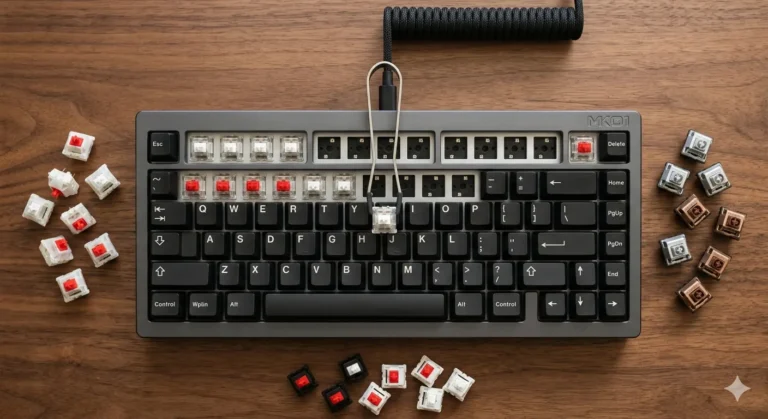
Turn the keyboard off and disconnect its cable. Pull one keycap, then check whether the switch sits in a hot-swap socket. If it is soldered, stop unless you have the equipment and experience to desolder it. Never spray lubricant into an assembled keyboard. That shortcut gives you no control over the contact area and can leave residue across the PCB.
Step 2: Remove the Switches Carefully
Hook the puller under the top and bottom retaining tabs, squeeze, and pull straight upward with a gentle rocking motion. Support the plate with your other hand. If a switch refuses to move, check for a missed tab rather than increasing force. Bent pins can be straightened, but a torn hot-swap socket requires a soldering repair.
Step 3: Open and Sort the Parts
Seat the housing squarely on the correct side of the opener and press down. Separate the top housing, stem, spring, and bottom housing into distinct trays. Work in batches of 10 to 20 switches. Opening all 104 switches at once looks efficient until a sleeve catches the tray and launches springs across the room.
Step 4: Lube the Bottom Housing
Load the brush, then wipe almost all the grease back onto the jar edge. Paint the two vertical rails where the stem travels. You may add a faint coat around the center pole channel, but do not push grease into the metal leaf. The coating should catch the light without looking white.
Step 5: Lube the Stem
Hold the stem by its cross mount. Brush each side rail, then add a very thin coat to the front and back faces that contact the housing. On a linear stem, a light pass over the legs is common. On a tactile stem, leave the legs dry for the first test switch. Lubing that contact surface directly reduces friction, but it can also reduce the bump you paid for.
Step 6: Treat the Spring
For brush lubing, touch a small amount to each end of the spring and make one light pass along the outside. For bag lubing, place the springs in a clean zip bag, add only a few drops of thin oil, inflate the bag slightly, and shake until the springs show an even sheen. Add more only if some remain completely dry.
Step 7: Reassemble in the Correct Orientation
Place the spring over the center post, set the stem on top with its legs facing the metal leaf, and align the top housing. Press until every clip snaps shut. If the top will not close, do not crush it. Recheck the stem orientation and spring position.
Step 8: Test Before Doing the Full Batch
Press the completed switch between your fingers, compare it with an untouched switch, then install it in a spare socket if available. Listen for scratch, spring ping, and sluggish return. A slow stem usually means too much grease. A tactile switch that now feels linear means lubricant reached the legs or leaf.
Step 9: Reinstall and Verify Every Key
Check that both metal pins are straight before inserting each switch. Align it, support the socket area, and press evenly. After the board is assembled, use a keyboard tester to verify every key before replacing all keycaps. One bent pin is easier to fix before the caps hide your work.
Where Lubricant Should—and Should Not—Go
- Bottom-housing rails: yes, with a thin coat.
- Stem side rails: yes.
- Stem front and back: yes, lightly.
- Spring: yes, especially if it pings.
- Tactile legs: usually no for a first attempt.
- Metal contact leaf: no.
- Click jacket or click bar contact surfaces: usually no.
- PCB or hot-swap socket: never.
If your goal is smooth gaming movement, linears are the easiest switches to lube consistently. The linear switch guide for FPS covers the common weights and designs before you invest an evening modifying the wrong switch.
Common Switch-Lubing Mistakes
Using Enough Grease to See a Layer
Grease is not sound-dampening foam. A heavy layer increases drag, slows the return, and can make adjacent switches feel inconsistent. If a test switch feels heavier after lubing, open it and remove excess with a clean brush.
Lubing Every Switch Before Testing One
Always finish one switch first. Then finish five and compare them. Manufacturing tolerances, spring weight, and tactile geometry all change the result. Ten minutes of testing can save two hours of cleaning.
Mixing Switch Parts Between Housings
Parts from the same model usually fit, but keeping each set together avoids introducing small tolerance changes. Batch work is fine; randomizing stems and housings is not necessary.
Expecting Lubricant to Fix a Bad Switch
Lube reduces friction and spring noise. It does not correct stem wobble, a weak tactile event, a bent leaf, or poor factory tolerances. Sometimes the better purchase is a new switch set, especially if the existing switches are soldered and inexpensive.
How Long Does It Take?
A first-time builder should budget roughly two to four hours for a 60% or 65% board and longer for a TKL or full-size keyboard. Speed improves quickly, but rushing creates inconsistent coats. Work in small batches, keep the brush load consistent, and stop if your hands get tired enough that parts start slipping.
You do not have to lube every key at once. Lubing the alphanumeric cluster first gives you most of the daily benefit and lets you decide whether the result justifies finishing the function row and navigation keys.
The Lube I Would Buy Starting Fresh
If you own no tools, buy the RUNJRX kit. The opener, pullers, stem holder, and brushes remove the friction from the process, and you can upgrade the lubricant later without rebuying every tool.
If you already have the tools and are lubing linear switches, the HONKID 205g0-style jar is the simple value pick. For a batch with noisy springs, the 205 G0 plus 105 set gives each component a more appropriate lubricant.
If you want separate bottles instead of a combination set, the StreamStands 205g0 grease covers stems and housings, while the StreamStands GPL 105 oil is the spring-specific companion.
For tactile switches, genuine TriboSys 3204 remains the more forgiving recommendation. Buy it from a retailer that identifies the manufacturer and quantity clearly. Whatever you choose, technique matters more than volume. A thin, repeatable coat beats an expensive jar applied with enthusiasm.
This article contains affiliate links. If you buy through them, I earn a small commission at no extra cost to you. I only recommend keyboards I’ve actually tested. As an Amazon Associate I earn from qualifying purchases.


One Comment