Are Mechanical Keyboards Worth It for Gaming? Honest Take

This article contains affiliate links. If you buy through them, I earn a small commission at no extra cost to you. I only recommend keyboards I’ve actually tested. As an Amazon Associate I earn from qualifying purchases.
I get this question more than any other, usually from someone staring at a $30 membrane board and a $180 mechanical with rainbow lighting, trying to figure out if they’re about to get scammed by the enthusiast crowd. Short answer: yes, mechanical keyboards are worth it for gaming — but not for the reasons most marketing pages will tell you, and not at every price point.
I’ve been testing keyboards for the better part of fourteen years. I’ve owned the cheap stuff, the absurd stuff, and a lot in between. So let’s cut through the noise. The honest question isn’t are mechanical keyboards worth it in the abstract — it’s whether a specific board, at a specific price, is worth it for you. That’s what this guide is about.
Quick Picks: The Best Mechanical Keyboards for Gaming by Need

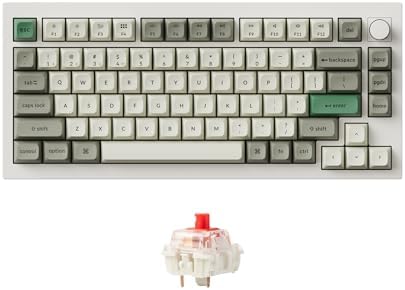


| Category | My Pick | Why It Wins | Price Range |
|---|---|---|---|
| 🏆 Best Overall for Gaming | Keychron Q1 Max | Wireless, hot-swap, gasket mount, real PBT caps | $200–$220 |
| 💰 Best Budget Mechanical | Keychron C3 Pro | Hot-swap on a $45 board, no gimmicks | $40–$50 |
| 🎯 Best for Competitive FPS | Wooting 60HE+ | Hall effect, rapid trigger, real adjustable actuation | $190–$210 |
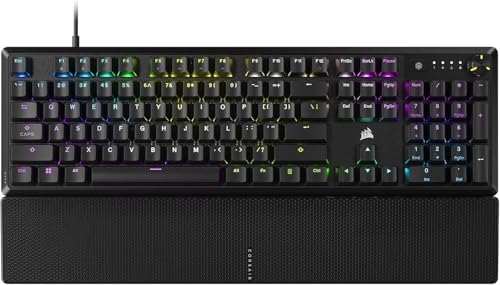
| ⚔️ Best for MMO / RPG | Corsair K70 Core | Sturdy frame, decent macros, good stabilizers | $100–$130 |
| 💻 Best Office + Gaming Hybrid | Keychron K2 Max | Quiet enough for shared spaces, snappy enough for games | $130–$160 |
| 🔇 Best Quiet Mechanical for Gaming | NuPhy Air75 V2 | Low-profile, tamed sound, surprisingly responsive | $130–$160 |
| 🚀 Best Premium / End-Game | Wooting 80HE | Magnetic switches done right, built like a tank | $250–$300 |
Click any model name to check current pricing. Stock on the Wooting boards comes and goes — if you see one in stock and the spec fits, grab it.
The Honest Answer: Are Mechanical Keyboards Worth It?
For most gamers spending more than a couple of hours a week at the keyboard, yes. The keys feel better, last longer, and respond more consistently than a $20 rubber dome. You’ll notice it in the first hour.
But here’s the catch. A bad $200 mechanical is worse than a good $50 one. I’ve reviewed flagships with terrible stabilizer rattle, mushy switches, and ABS keycaps that shined up in a month. Price is not quality. You’re paying for build, sound, switch choice, and increasingly, for tech like hall effect sensors and rapid trigger — not for some magic gaming advantage.
What You Actually Get From a Mechanical Keyboard (And What’s Marketing Fluff)
Let’s separate the real benefits from the spec-sheet theater.
What’s genuinely better:
- Key feel and consistency. Every press feels the same on day 1,000 as it did on day one. Rubber dome boards get inconsistent fast.
- Durability. A decent mechanical switch is rated for 50–100 million presses. You’ll replace the board before the switches die.
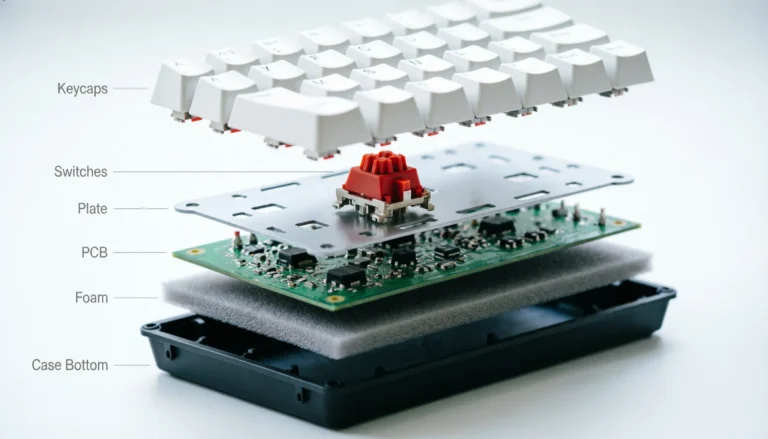
- Hot-swap sockets. On boards that support them, you can change switches without soldering. Buy one board, try three different feels.
- N-key rollover (NKRO). Press any combination of keys, all of them register. Matters in fighting games, rhythm games, and the occasional crowded FPS bind.
- Actual ergonomic options. Better keycaps, lower-profile switches, split layouts, programmable layers. Your wrists will thank you in five years.
What’s mostly marketing:
- Polling rate above 1000 Hz. 8000 Hz polling sounds impressive. Below the top 0.1% of competitive players, nobody can feel the difference. Save your money.
- RGB. Beautiful, fun, completely unrelated to performance. Buy it because you want it, not because anyone told you it makes you faster.
- “Gaming” branding. A “gaming keyboard” with red plastic and dragons is often just a regular mechanical with markup.
- Anti-ghosting on a 6-key rollover board. If you needed real NKRO, you’d already know.
Switch Types: Which One Actually Matters for Gaming
The single biggest decision you’ll make. Get this wrong and you’ll hate the board no matter how much you paid.


| Switch Type | Feel | Best For | Real-World Examples |
|---|---|---|---|
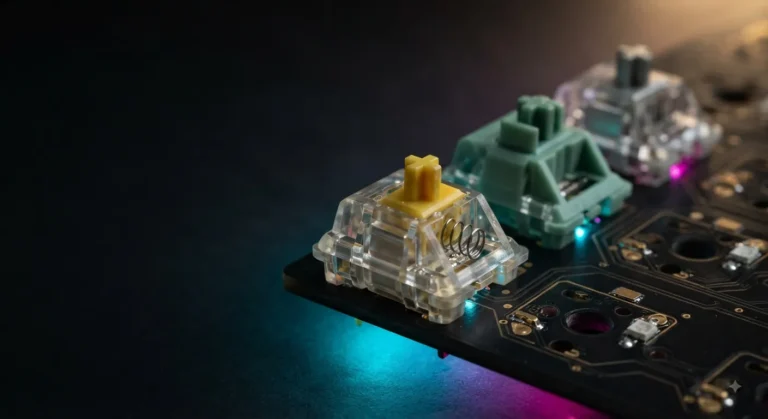
| Linear | Smooth top to bottom, no bump | FPS, fast inputs, most gaming | Cherry MX Red, Gateron Yellow, Akko Cream |
| Tactile | Bump partway down | Typing, mixed use, slower-paced games | Cherry MX Brown, Boba U4T, Holy Panda |
| Clicky | Bump + audible click | People who live alone | Cherry MX Blue, Kailh Box White |
| Hall Effect / Magnetic | Linear with adjustable actuation | Competitive FPS, rapid trigger | Wooting Lekker, Gateron KS-20 |
| Optical | Linear, light-activated | Marketing-driven gaming boards | Razer Optical, Bloody LK |
A few honest things most reviewers won’t tell you:
- Cherry MX Brown is not really tactile. It’s a slightly bumpy linear. If you want a real tactile bump, look at Boba U4T or Glorious Panda.
- Linears win for FPS. Faster reset, no bump to fight on rapid taps. This is the one place “gaming switches” earns its name.
- Hall effect is the only switch tech worth the premium right now. Rapid trigger lets you tap-strafe in Apex or counter-strafe in CS2 with adjustable actuation distances. If you play those games seriously, it’s the one upgrade that actually moves the needle.
Price Tiers: What You Actually Get for Your Money
Here’s where most buying guides fail you. They list features without telling you whether the jump from $90 to $180 is worth the money. I’ll tell you.
| Price Tier | What You Get | What’s Missing | Who It’s For |
|---|---|---|---|
| $30–$60 | Basic mechanical feel, often hot-swap | Cheap stabilizers, ABS caps, hollow sound | First-time mechanical buyer |
| $70–$120 | Real PBT caps, decent stabs, hot-swap, sometimes wireless | Premium build, advanced tech | The sweet spot for 90% of gamers |
| $130–$200 | Gasket mount, foam, good sound, full QMK/VIA | Hall effect, ultimate build | Enthusiasts and heavy daily users |
| $200+ | Hall effect, custom aluminum builds, premium everything | Just your money | Competitive players, end-game enthusiasts |
I’ll say it loudly: the $70–$120 tier is where the smart money goes. The Keychron V series, the Akko 3098B, the NuPhy Halo65 — all of them give you 90% of the experience for half the price of a premium board. Spend the difference on better keycaps and a wrist rest.
When a $30 Mechanical Beats a $150 One
This sounds wrong, but I’ve seen it play out a dozen times.
- You’re playing on a couch or shared desk. A budget board you don’t worry about scratching is worth more than a premium one you baby.
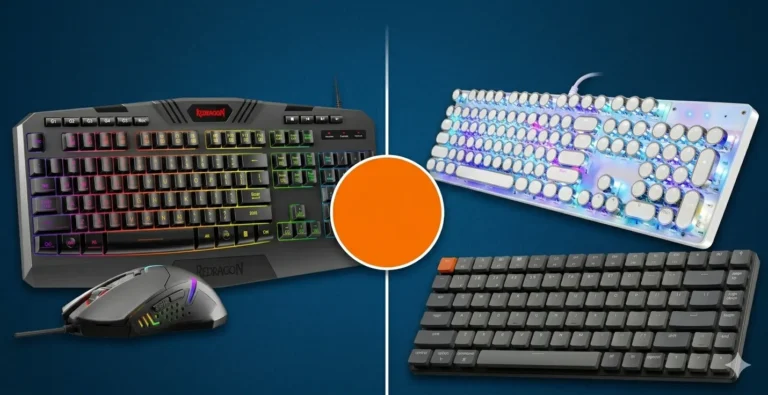
- You’re a kid in the family or a casual gamer. Spending $150 on someone who plays Roblox twice a week is silly. A $40 Redragon does the job fine.
- You haven’t picked a switch type yet. Buy a cheap board with hot-swap, try a few switch samples, then spend real money once you know what you like.
- You travel. A premium aluminum board weighs three pounds and gets dinged up in a backpack. A budget plastic board doesn’t.
When Premium Actually Pays Off
Now the flip side. There are real cases where the expensive board earns it.
- You play competitive FPS at a high level. Hall effect with rapid trigger is a genuine advantage in counter-strafing and tap-firing games. Not a placebo.
- You type 4+ hours a day for work. Better stabilizers and switches reduce fatigue you don’t notice until it’s gone.
- You care about sound. A gasket-mounted board with proper foam and PBT caps sounds dramatically different from a tray-mount budget board. If you’re recording, streaming, or just sitting next to a partner, this matters.
- You want one board for the next 5+ years. Premium builds last. I’ve still got boards from 2014 that work perfectly.
My Honest Contrarian Take
Here’s something most reviewers won’t say: the mechanical keyboard hobby has gotten weird. People drop $400 on a board, $200 on artisan keycaps, and another $100 on switches, then ask if it’ll help them win in Valorant. It won’t. Aim and game sense will.
A $90 hot-swap board with a good linear switch and PBT caps is plenty for almost any gamer reading this. The rest is preference, aesthetics, and the genuine joy of typing on something nice — which is fine, but call it what it is.
If you’re upgrading from a $20 membrane and asking are mechanical keyboards worth it, the answer is yes. Get one in the $70–$120 range, pick linears if you’re mostly gaming, and ignore anyone trying to sell you on 8000 Hz polling.
The Verdict
Mechanical keyboards are worth it for gaming if you’re spending more than a couple hours a week at the keyboard, you care about how typing feels, or you play competitive FPS. The smart buy is the $70–$120 range — anything cheaper compromises real things, and anything more expensive hits hard diminishing returns unless you’re chasing hall effect or premium build.
Skip the hype. Get a good linear-switch board with PBT caps and hot-swap. Spend the saved money on a decent mouse pad and a wrist rest. You’ll thank me later.
This article contains affiliate links. If you buy through them, I earn a small commission at no extra cost to you. I only recommend keyboards I’ve actually tested. As an Amazon Associate I earn from qualifying purchases.