Best Hot Swap 65% Keyboards 6 Picks Tested & Ranked

This article contains affiliate links. If you buy through them, I earn a small commission at no extra cost to you. I only recommend keyboards I’ve actually tested. As an Amazon Associate I earn from qualifying purchases.
Most “best hot-swap 65% keyboards” lists read like a spec sheet convention. Aluminum case, gasket mount, hot-swap PCB, RGB, VIA support — every board on the shortlist ticks the same seven boxes, and the writer never gets around to answering the only question you actually have: which one is worth your money right now?
I’ve been reviewing and modding compact boards for about fourteen years. Hot-swap 65% keyboards have quietly become the layout I recommend to more people than any other, and the sockets are the single feature that turned this hobby from “commit to one switch forever” into “try things, keep what you love.” So this list isn’t every board you could buy in 2026. It’s the ones I’d actually put on my own desk — plus one I’d probably buy for the case alone.
Quick Comparison Table (TL;DR)
| Category | Winner | Approx. Price | Why It Wins |
|---|---|---|---|
| Best Overall | Keychron Q2 Max | ~$200 | Aluminum, gasket mount, wireless, screw-in stabs — the whole package |
| Best Value Under $150 | NuPhy Halo65 V2 | ~$120 | Wireless tri-mode, PBT, gasket mount, QMK/VIA at half the boutique price |
| Best Sound / Enthusiast | Qwertykeys Neo65 | ~$200 | Deep, marbly stock signature — no mods needed |
| Best for Competitive Gaming | Keychron Q16 HE | ~$260 | Hall Effect switches, rapid trigger, and hot-swap in one 65% |
| Best Budget | Akko MOD007B PC | ~$130 | Polycarbonate case sounds better than boards twice its price |
| Best Case / Show-Off Board | Angry Miao AM RGB 65 | ~$400+ | LED matrix panel and leaf-spring mount — pure hobby jewelry |
If you want the shortest possible verdict, the Q2 Max is the answer for most people. The rest is nuance, and the nuance matters if you know what you actually want.
Why Hot-Swap 65% Keyboards Are the Sweet Spot
Sixty-five percent boards drop the function row and the numpad but keep dedicated arrow keys and a small nav cluster. You get more desk space, your mouse comes home toward the center of your body instead of way out on your right, and you don’t have to memorize weird function-layer chords to hit Home or Delete. If you spend most of your day in a browser, an IDE, or a game, you probably won’t miss F1–F12 after a week.
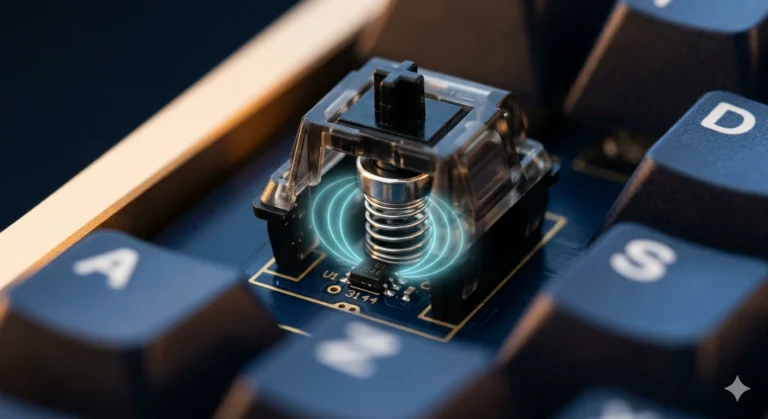
Hot-swap sockets are what turn the layout into a hobby instead of a purchase. Pull one switch, drop in another, no soldering iron, no ruined PCB. On a 65% you’re only committing to 67 or 68 keys’ worth of switches, which makes trying something new a lot less painful than doing it on a full-size board. If you want a longer breakdown of what hot-swap sockets actually are and why compatibility matters, here’s the primer I keep sending people.
Two quick warnings before you shop. First, hot-swap adds a tiny amount of vertical bounce to a switch install if the socket is loose — Kailh sockets are the standard, and Kailh-quality sockets are fine. Second, when you go to swap, align the two pins dead straight, or you’ll bend a leg and curse yourself for an hour. Ask me how I know.
1. Keychron Q2 Max — Best Overall Hot-Swap 65%

- The Q2 Max is a full metal QMK/VIA wireless customized mechanical keyboard. Combines advanced 2.4 GHz wireless, Bluetoot…
- Wireless and Wired – The 2.4 GHz wireless and wired connection boasts a rapid 1000 Hz polling rate. You can also connect…
- The entire metal body is crafted with 6063 aluminum that is CNC machined, polished, sandblasted, and undergoes 24 more m…
The Q2 Max is the board I recommend when someone asks me “what should I buy” and doesn’t want to think about it. Full-aluminum CNC case, double-gasket mount, screw-in stabilizers, hot-swap sockets that take 3-pin and 5-pin MX switches, south-facing RGB, and tri-mode connectivity — wired, 2.4 GHz dongle, or Bluetooth 5.1. The 2.4 GHz mode polls at 1000 Hz, which is what you want for gaming.
I’ve been running one on and off since last spring, mostly with the pre-installed Gateron Jupiter Reds because I got lazy. The stock sound is genuinely good. The stabilizers are the biggest single improvement Keychron has made across the Q line in the last couple of years — they don’t rattle out of the box, which used to be the universal complaint. Battery life on 2.4 GHz with the backlight off is better than I expected. I go a week and a half between charges typing full days.
The catch: this thing is a brick. Around 1.5 kg fully assembled. Great for desk stability, not great if you’re moving it around. And Keychron’s stock KSA keycaps are polarizing — the profile is chunky, some people love it, some can’t stand it. If you can’t, swap in a Cherry-profile PBT set for another $60 and you’re done.
Pros:
- Full CNC aluminum body with real desk heft
- Double-gasket mount with genuine flex — not a marketing gasket
- Screw-in stabs finally acceptable out of the box
- Tri-mode wireless with 1000 Hz polling on 2.4 GHz
- QMK and VIA firmware — remap anything, forever
Cons:
- Heavy enough that you won’t want to move it
- Stock KSA keycaps are hit-or-miss
- No dedicated function row for people who lean on F-keys
Verdict: The most “just buy this” answer on the list. If you want more on gasket mount vs. tray mount before you commit, this guide covers the differences in plain English.
2. NuPhy Halo65 V2 — Best Value Under $150
- Compatible With QMK/VIA:Experience boundless creativity with open-source QMK/VIA support, enabling advanced key remappin…
- PBT keycaps:Halo65 V2 mechanical keyboard features PBT keycaps, offering enhanced durability and wear resistance. The ke…
- Three Connection Modes: Halo65 V2 wireless keyboard supports Bluetooth, 2.4GHz, and USB-C connectivity modes. It can con…
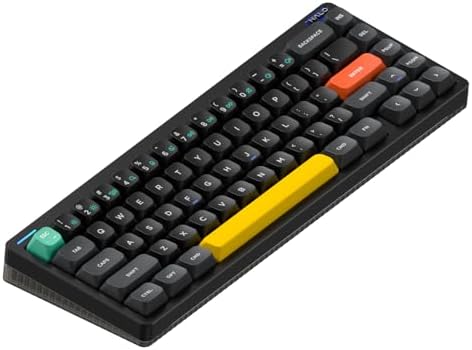
The Halo65 V2 launched at $119.95, and NuPhy quietly turned it into the price-to-performance king of the segment. Gasket mount, six-layer sound dampening, south-facing hot-swap sockets that take 3-pin and 5-pin MX, double-shot PBT keycaps in a proprietary mSA profile, and — new for V2 — full QMK and VIA support with SignalRGB compatibility. Tri-mode wireless, 1000 Hz polling on 2.4 GHz.
I built one up with Gateron Oil Kings to see if a $120 board could hold its own against $200 competitors. Short answer: yes, and it’s not close. The V2 fixed the biggest complaints from V1 — the LEDs are actually usable in daylight now, the stabilizers ship pre-lubed, and switching to QMK/VIA means you’re not stuck in NuPhy’s own console app.
The one honest gripe is that the bottom case is plastic, not aluminum. That’s how they hit the price. In practice it doesn’t change the sound much — the gasket mount and foam stack do most of the acoustic work — but you can feel the weight difference next to an all-aluminum board like the Q2 Max. It also has a fairly aggressive typing angle, so if you don’t already use a wrist rest, you’ll want one.
Pros:
- Best-in-class price for the feature set
- Genuinely well-tuned stock sound
- Tri-mode wireless, QMK/VIA, SignalRGB support
- PBT keycaps included, not an upsell
- Actually attractive colorways (looking at you, Cosmic Mocha)
Cons:
- Plastic bottom case (partly why it’s cheap)
- Typing angle is steep — bring a wrist rest
- No knob or rotary encoder
Verdict: If your budget is under $150, this is the board. Full stop.
3. Qwertykeys Neo65 — Best Sound
Qwertykeys builds boards the way small custom shops did a few years ago, except they’ve scaled it. The Neo65 hot-swap version lands around $200 depending on colorway, comes with a gasket mount, real weight, screw-in stabs, and multiple plate options that meaningfully change the sound. This is the board I’d point at if you’ve watched too many “thocky” typing tests on YouTube and want that sound in your real life.
I built one with Akko V3 Cream Yellow Pros on the PC plate. Deep, marbly, dense — the kind of sound signature most people only get after an afternoon of foam mods, tape mods, and lube. It didn’t need any of that. The Neo65 also has actually good stabilizers stock, which continues to be the single hardest thing for a brand to nail at this price. If you want to understand why PBT keycaps matter so much to that sound, I broke it down here.
The tradeoff: no wireless. It’s wired-only. If you move it between machines all day, this isn’t it. And Qwertykeys does batch drops instead of continuous stock, so shipping wait for some colorways can be brutal.
Pros:
- Enthusiast-tier sound and build for a fair price
- Genuinely good stock stabs — rare at any price
- Multiple plate materials to tune the sound
- Real, dense typing feel from the case weight
Cons:
- Wired-only
- Availability is spotty depending on colorway
- Assembly is often on you (barebones is the common SKU)
Verdict: If sound is your priority and you sit at a desk, the Neo65 is where I’d put the money.
4. Keychron Q16 HE — Best for Competitive Gaming
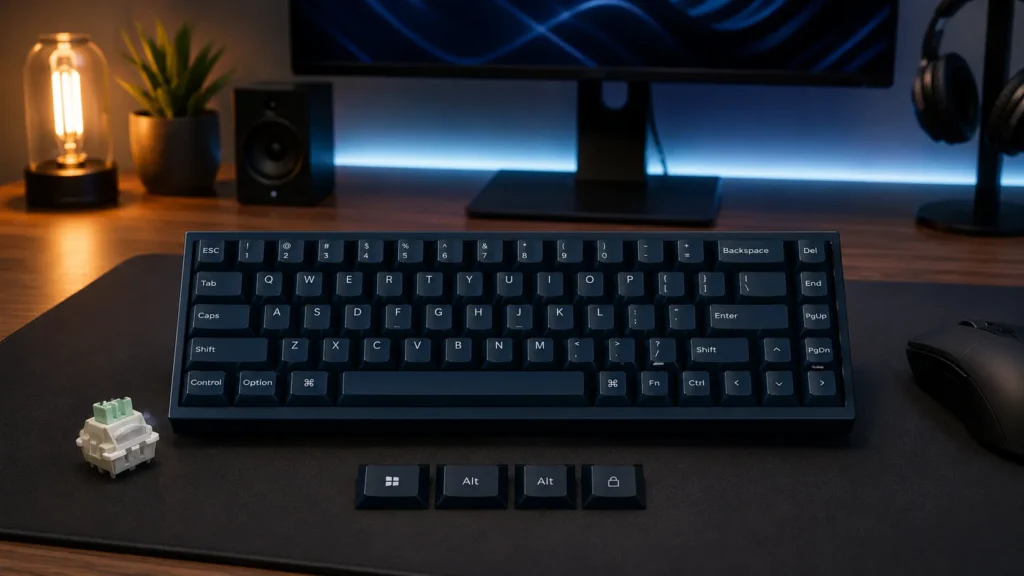
Here’s where it gets interesting. The Q16 HE is a 65% with Hall Effect switches, rapid trigger, adjustable actuation, and — crucially — hot-swap. Most Hall Effect boards lock you into one magnetic switch and one feel, forever. The Q16 HE lets you swap between HE modules while still getting rapid-trigger behavior. That’s the trick that makes it interesting.
I’ve been running one for FPS and I’ll be honest — the difference between rapid trigger and a normal mechanical switch is real, particularly in games where you’re counter-strafing (Counter-Strike 2, Valorant). Adjustable actuation lets you set the arrow cluster to fire deep for accidental-press protection while setting WASD shallow for faster reset. If you play competitively, this is a meaningful advantage. If you play casually, it’s overkill.
The catch: the Q16 HE runs around $259, and independent reviewers have noted the software layer isn’t quite as polished as Wooting’s Wootility. It’s much closer than it used to be, but if you’re a “the software has to be perfect” person, that’s a factor. Also, at 65% you lose the function row, and some competitive players want F-keys bound to team comms. A 75% Hall Effect board might fit you better if that matters.
Pros:
- Rapid trigger and adjustable actuation on a 65% with hot-swap
- Aluminum case, gasket mount
- Wireless-capable (rare on HE boards)
- Keychron’s build quality is well-known at this point
Cons:
- Software polish still a step behind Wooting
- $259 is a real ask
- No F-row on 65% may matter for esports bindings
Verdict: The best hot-swap 65% for competitive FPS, hands down. For a broader look at whether Hall Effect is worth it for your genre, here’s the honest take.
5. Akko MOD007B PC — Best Budget Hot-Swap 65%

- 8K Hz Polling Rate – Akko rapid trigger keyboard provides a global 8000Hz polling rate in wired status, this enhancement…
- Dynamic Keystrokes – Eliminate the limitation of conventional Macros with DKS technology. Our keyboard allows 1 key to b…
- Rapid Trigger (RT) – Rapid Trigger eliminates any delay caused by the physical movement of the switch. Unlike convention…
The Akko MOD007B PC punches so far above its weight it’s slightly annoying. Around $130 for a polycarbonate case, gasket mount, hot-swap sockets, screw-in stabilizers, PBT double-shot keycaps, and a rotary knob. Akko is not messing around at this price point.
The polycarbonate case is a big part of why it sounds so good. PC diffuses higher frequencies and gives you a softer, rounder signature. Combined with the gasket mount, you get something closer to the Neo65 than you have any right to expect. It’s not identical — the Neo65 has more density and low-end — but it’s much closer than the price difference suggests.
The honest caveat: north-facing LEDs on the older MOD007B revision. That conflicts with Cherry-profile keycaps on the alpha row (the switch housing physically hits the top of the keycap and you get scratchy typing feel). If you plan to keep the stock caps or use OEM/SA profile caps, no issue. If you want to swap in a Cherry-profile set later, get the newer revision with south-facing LEDs or pick a different board. Not the end of the world, but worth knowing before you click buy.
Pros:
- Fantastic sound for the money
- Real gasket mount, real screw-in stabs
- PBT double-shot caps included
- Rotary knob at this price is a nice extra
Cons:
- North-facing LEDs on some SKUs — check before buying Cherry-profile caps
- Wired-only in this variant
- Akko’s stock software isn’t as robust as VIA (though many SKUs support VIA)
Verdict: If $130 is your ceiling and you want a board that actually sounds good, this is it.
6. Angry Miao AM RGB 65 — The Board I’d Buy For the Case Alone

- 【Premium Wireless Mechanical Gaming Keyboard with Creamy Sound】Experience buttery-smooth typing and a rich, creamy sound…
- 【Tri-Mode 2.4G/Bluetooth/Wired for Seamless Wireless Gaming】Enjoy full flexibility with 2.4G wireless, Bluetooth, and wi…
- 【DIY LED Panel & Dynamic RGB Backlight】Stand out with vibrant RGB lighting and a fully customizable LED screen. This RGB…
Every list needs a wild card, and this is mine. The AM RGB 65 runs around $400+ depending on configuration, which is objectively too much for a 65%. But look at it. Machined aluminum case, a programmable dot-matrix LED panel on the front, an adjustable leaf-spring mount that lets you tune flex across three stiffness levels — this is hobby jewelry, and it types like it costs what it costs.
I don’t think most people should buy this. Honestly. You can get 95% of the typing experience from a Q2 Max for half the price. But if you’re the kind of person who spends money on furniture you enjoy looking at, and you use your keyboard for hours a day, there’s an argument. The LED panel is customizable to show whatever you want — a clock, a stock ticker, animated art. It’s fun in a way most keyboards aren’t.
The catch is the same as every Angry Miao product: it’s expensive, availability is limited, and support is what it is. If you’re going to spend $400+ on a board, spend the extra $50 on a great switch and keycap set too — don’t pair a top-shelf case with default components. That’s a crime against the hobby.
Pros:
- Genuinely gorgeous industrial design
- Adjustable leaf-spring mount (real feature, not marketing)
- Programmable LED matrix panel
- Full hot-swap support
Cons:
- Very expensive for a 65%
- Limited availability and support
- Overkill for most typing scenarios
Verdict: Buy it if the design speaks to you and you can afford it. Don’t buy it because you think it types five times better than a Q2 Max. It doesn’t.
How to Pick the Right Hot-Swap 65% for You
Here’s the decision tree I’d use if I were spending my own money right now.
- Budget under $150 and you want the best value: NuPhy Halo65 V2. Nothing else in this bracket comes close.
- You want the “just buy this” answer and don’t want to think: Keychron Q2 Max. Wireless, aluminum, done.
- Sound is the whole point for you: Qwertykeys Neo65 with a PC plate and lubed linears.
- You play competitive FPS and care about counter-strafing: Keychron Q16 HE. Rapid trigger genuinely helps.
- You want enthusiast sound at a bargain: Akko MOD007B PC, watching for the LED orientation caveat.
- You want a piece of hobby art on your desk: Angry Miao AM RGB 65, no notes.
A few things that don’t matter as much as marketing claims suggest: 8000 Hz polling rate versus 1000 Hz (you can’t feel it), RGB brightness beyond a certain point (they’re all bright enough), and the exact material of the weight on the bottom of the case (barely a rounding error in the sound). Focus on layout, mount type, stabilizer quality, and switch compatibility. Those are the four things you’ll actually feel every day.
If you’re new to switches and don’t know what you like, start with a switch sampler before you commit, and remember the whole point of a hot-swap board is that you’re not stuck with your first pick.
The Bottom Line
Sixty-five percent with hot-swap is where the hobby is most fun right now. The layout is compact enough to save real desk space, big enough to actually work, and the socket standard means you can grow into your board over time instead of outgrowing it. The Keychron Q2 Max is the safest recommendation for the widest range of buyers. The NuPhy Halo65 V2 is the smartest under-$150 pick. The Qwertykeys Neo65 is what I’d buy for myself. And the Angry Miao AM RGB 65 is the one I’d buy if I had more disposable income than sense.
The only wrong move is spending $200 or more on a board without hot-swap sockets in 2026. That decision closes doors your future self will want open. If you want to know which switches I’d actually pair with any of these boards, I put my current picks here.
This article contains affiliate links. If you buy through them, I earn a small commission at no extra cost to you. I only recommend keyboards I’ve actually tested. As an Amazon Associate I earn from qualifying purchases.