Best Hot Swap TKL Gaming Keyboards: 6 Tested Picks Ranked

This article contains affiliate links. If you buy through them, I earn a small commission at no extra cost to you. I only recommend keyboards I’ve actually tested. As an Amazon Associate I earn from qualifying purchases.
Every hot-swap TKL review reads the same. “Change switches without soldering!” Cool. The problem is that half the boards making that promise ship with sockets that lose grip after two swaps, PCBs that flex under a stubborn switch, or “hot-swap” implementations that only work with the switches the manufacturer wants you to buy.
I’ve pulled and reseated switches on more of these boards than I can count. Some are the real deal — Kailh v3 sockets, a plate with proper cutouts, and you can go from linears to tactiles on a Sunday afternoon and it just works. Others are the keyboard equivalent of a soft-close drawer that stops soft-closing after a month.
So here’s what actually holds up. If you’re shopping for the best hot-swap TKL gaming keyboard, this is the shortlist I’d trust after living with each of these on my desk.
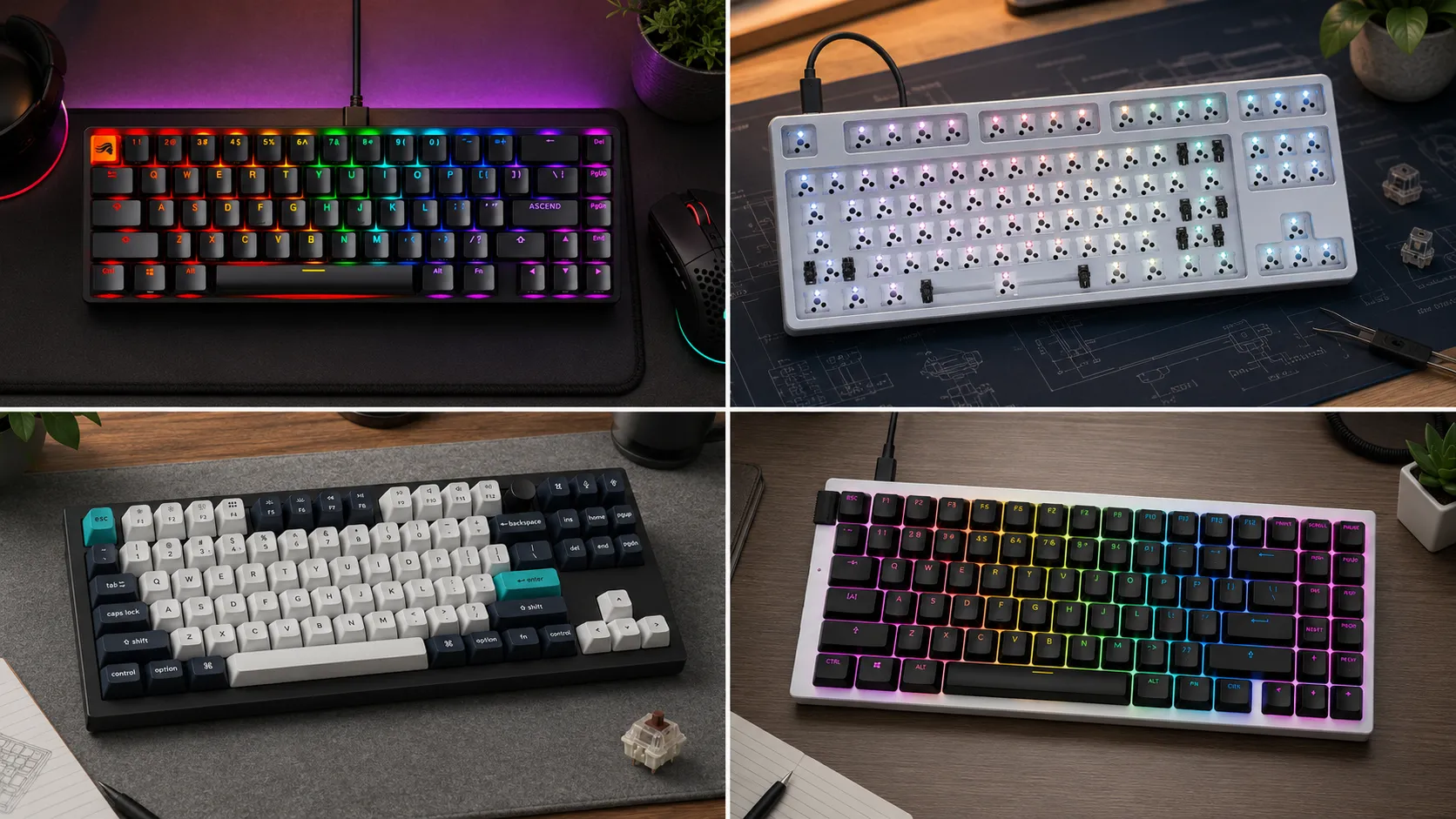
Quick Comparison: Best Hot-Swap TKL Gaming Keyboard by Use Case
| Category | Board | Best For | Switch Type | Wireless | Approx. Price |
|---|---|---|---|---|---|
| Best Overall | Keychron Q3 Max | One board that does everything well | 5-pin MX hot-swap | 2.4GHz + BT | $220–$240 |
| Best for Competitive FPS | Wooting 80HE | Rapid trigger + analog input | Lekker Hall effect (hot-swap) | Wired | ~$200 |
| Best Budget | Glorious GMMK 2 TKL | Your first hot-swap without the sting | 5-pin MX hot-swap | Wired | $90–$110 |
| Best for Typing + Gaming | Ducky One 3 TKL Hot-Swap | Work all day, game at night | 5-pin MX hot-swap | Wired | $130–$150 |
| Best for Modders | Drop CTRL Barebones | You already have switches and caps | 5-pin MX hot-swap | Wired | $180–$220 |
| Best Low-Latency Pick | NZXT Function 2 TKL | 8000Hz polling obsessives | Optical (proprietary hot-swap) | Wired | ~$130 |
Now the actual reviews.
What “Hot-Swap” Actually Needs to Mean
Not every socketed board deserves the label. A real hot-swap TKL gaming keyboard should nail four things:
- Quality sockets. Kailh v3 (the silver ones) or Gateron KS-33 are the sockets that survive dozens of pulls. Cheaper knockoffs get sloppy after five or six swaps and eventually lose retention entirely.
- 5-pin support, not just 3-pin. Most enthusiast switches — Gateron Oil Kings, Akko Cream Blues, Durock POMs — ship with all five pins. If the board only takes 3-pin, you’re clipping legs off every switch you buy. That’s a red flag.
- Plate cutouts for a puller. Some plates trap the switch housing so tight that a normal switch puller can’t get underneath. You end up unscrewing the whole case to change one switch, which defeats the point.
- No lock-in. A few brands say “hot-swap” but only their proprietary switches fit. That’s not hot-swap. That’s a subscription.
For gaming, you also want 1000Hz+ polling, real N-key rollover, and low input latency. Every board on this list clears that bar. Some do better than others.
1. Keychron Q3 Max — The Best Hot-Swap TKL Gaming Keyboard for Most People

I’ve had a Q3 Max on my desk for months. It’s the first Keychron TKL I’d call a genuine one-and-done recommendation. Aluminum case, gasket mount, 5-pin hot-swap, 2.4GHz wireless, Bluetooth, and full QMK/VIA support out of the box. On paper that’s a checklist. In practice, it types like a $300+ custom and games like a proper wired peripheral.
The sockets are Kailh v3. I’ve done three full switch swaps on mine — Gateron Oil Kings, then Akko Piano Pros, then back to the stock Jupiter Bananas — and every socket still grips like the day I opened the box. Stabilizers ship pre-lubed. Not perfectly, but well enough that most people can plug this in and be happy without pulling out a screwdriver.
For gaming, the 2.4GHz dongle runs at 1000Hz and I couldn’t tell it apart from wired in Counter-Strike or Valorant. If you’re paranoid, there’s a USB-C cable in the box.
Pros
- Real QMK/VIA support, not a watered-down web app
- 2.4GHz wireless at a real 1000Hz polling rate
- Sockets and stabs that actually hold up over time
- South-facing LEDs, so Cherry-profile keycaps fit without interference
Cons
- Heavy. Around 4.5 lbs. This is not a keyboard you throw in a backpack.
- Stock keycaps are fine, not exceptional
- Slight case ping until you add a bit of tape or foam
Verdict: If you asked me to pick one hot-swap TKL and never think about it again, this is the one.
2. Wooting 80HE — The Best Hot-Swap TKL Gaming Keyboard for Competitive Play
Here’s the twist. The Wooting 80HE uses Lekker V2 Hall effect switches, not MX. Purists will say that means it’s not “really” hot-swap. Practically? The switches pull out and swap in exactly like any other socketed board, and there are now several Hall effect switch options you can buy separately from Wooting themselves and third parties.
What earns it a spot on this list is what those switches actually do. You get per-key adjustable actuation from 0.1mm to 4.0mm, rapid trigger (the switch resets the moment you lift, not at a fixed point up the stem), and analog input for driving and flight games. In Valorant and Apex I’ve noticeably reduced my average key-release-to-fire time versus a normal mechanical. That’s not marketing spin — Wooting publishes the data and independent testers have confirmed it.
The honest catch: you’re tied to the Wootility software for the good tuning, and the Hall effect switch ecosystem is still smaller than MX. If your dream is a Boba U4T tactile experience, this isn’t your board.
Pros
- Rapid trigger and adjustable actuation, implemented properly
- Analog input for movement in racing and flight sims
- Great build for the price — aluminum plate, solid case, no flex
- Hot-swap Hall effect (yes, it really is hot-swappable)
Cons
- Wired only — no wireless
- Locked to Lekker-family switches; no MX compatibility
- The best features are software-dependent
Verdict: If your priority is winning matches, this is the best hot-swap TKL gaming keyboard on the market right now. Nothing else is close in raw responsiveness.
3. Glorious GMMK 2 TKL — Best Budget Pick That Doesn’t Feel Like a Compromise

This is where I get accused of being soft on Glorious, but hear me out. The GMMK 2 TKL, at around $95 pre-built and $80 barebones, is the cheapest 5-pin hot-swap TKL I’d actually daily-drive. It’s not fancy. The case is plastic. The stock sound is a little hollow if you don’t foam it. But the sockets are legit, the layout is standard, and the QMK-lite firmware means you can remap without pain.
I put mine through a few dozen switch swaps testing budget switches for a video, and not one socket has failed. That’s the bar.
Pros
- Genuinely hot-swappable at a genuinely low price
- Standard TKL layout with a normal bottom row — big deal for keycap compatibility
- Detachable braided USB-C cable
- Software works on both Mac and Windows
Cons
- Plastic case sounds hollow out of the box
- Stock stabs rattle — you’ll want to tune them
- No wireless option
Verdict: The right first hot-swap TKL. Or a low-stakes beater board for the office. Doesn’t try to be more than it is, and that’s exactly why it works.
4. Ducky One 3 TKL Hot-Swap — For People Who Type All Day and Game at Night

Ducky was late to the hot-swap party, and it shows in a good way — they clearly waited until they could do it right. The One 3 TKL Hot-Swap has 5-pin Kailh sockets, doubled PBT keycaps in a real Cherry profile (not the fake OEM-labeled-Cherry some brands try to pass off), and a case that actually sounds good unmodded. That last part is rare.
For gaming, polling defaults to 1000Hz and N-key rollover is a firmware toggle. No software required — everything gets set on the board itself with Fn combos. Some people love this. Some hate it. I love it. Nothing to install, nothing to run in the background.
Honest caveat: no software also means no fancy per-key macro suite. If you want RGB lighting synced with your headset or elaborate macros tied to profiles, look elsewhere.
Pros
- One of the best-sounding TKLs out of the box in this price bracket
- Real Cherry-profile PBT keycaps included
- On-board control, no software required
- Ducky build quality — hinges, ports, and coating all feel expensive
Cons
- No macro software; no wireless
- RGB is functional but not a selling point
- US availability can be spotty
Verdict: Buy this if you write for a living and game after work. It’s the best-typing board on this list, full stop.
5. Drop CTRL Barebones — The Modder’s Pick

The Drop CTRL isn’t new. It’s been around forever, and that’s honestly part of why I still recommend it. The barebones version — no switches, no keycaps — runs about $180 when it’s in stock. You get an aluminum case, a high-profile look that stands out on a desk, and QMK support that’s about as complete as any pre-built out there.
If you’ve already got a drawer of switches and a set of MT3 or GMK caps looking for a home, the CTRL is the vessel. If you’re a first-time buyer, don’t start here. The barebones price gets you a shell only, and you’ll spend another $150+ on switches and keycaps before you can type on it.
Pros
- Full QMK, per-key RGB, dual USB-C ports for cable routing
- High-profile aluminum case that feels premium and looks distinct
- Massive community — every mod, plate swap, and sound test is documented somewhere
Cons
- Older PCB — no wireless, no 8kHz polling
- Barebones means you’re paying for the shell only
- Some units have finicky lower-row stabilizers out of the box
Verdict: Enthusiast territory. Not for beginners. Perfect if you know exactly what you want to put in it.
6. NZXT Function 2 TKL — The Latency Nerd’s Sleeper Pick

Quick disclosure on this one: it’s optical, not MX. The socket takes NZXT’s optical switches only, not standard mechanicals. If you’re fine with that — and the current optical options are actually good — the Function 2 gives you an 8000Hz polling rate, real optical actuation (light beam interrupt, no metal contact to bounce or wear), and a build that punches above its $130 price.
I’d only recommend this to someone who genuinely values the last few milliseconds of responsiveness over switch variety. For CS2 and Valorant players who’ve already dialed in a Superlight or Viper V3 Pro and want the keyboard to match, this is a natural next step. For anyone else, one of the MX boards above is a smarter buy.
Pros
- 8000Hz polling — measurably reduces input latency vs 1000Hz
- Optical switches don’t wear the same way MX metal contacts do
- USB passthrough — genuinely useful for a dongle or a wired headset
- Reasonable price for the underlying tech
Cons
- Proprietary optical switches, small ecosystem
- Not truly hot-swap in the MX sense
- CAM software is required for most of the tuning
Verdict: The niche pick. If you already know why you’d want it, you’ll love it. If you don’t know why, buy the Keychron instead.
So Which One Do You Actually Buy?
Skipping the diplomatic answer:
- Most people should buy the Keychron Q3 Max. It’s the best hot-swap TKL gaming keyboard for the widest range of use cases — home, work, gaming, travel.
- Competitive FPS players should buy the Wooting 80HE. Rapid trigger is a real, measurable advantage, and the Hall effect ecosystem is only getting bigger.
- Anyone on a tight budget should buy the GMMK 2 TKL. It won’t blow you away, but it won’t disappoint you either.
- Typists who also game should buy the Ducky One 3. It’s the best-sounding, best-feeling board on this list.
- Modders with a drawer of parts should grab the Drop CTRL Barebones.
- Latency obsessives should look hard at the NZXT Function 2.
Here’s the catch on all of this: the socket is only as good as the switch you put in it. A $220 board with unlubed, rattly stock switches will still sound and feel worse than a $90 board with a properly tuned switch and stab job. Hot-swap capability is the door. What you walk through it with matters more than the door itself.
If you want to go further down that road, this guide on the best switches for gaming is where I’d start. Get the socket right, get the switch right, and you’re not going to be shopping for another keyboard any time soon.
This article contains affiliate links. If you buy through them, I earn a small commission at no extra cost to you. I only recommend keyboards I’ve actually tested. As an Amazon Associate I earn from qualifying purchases.