
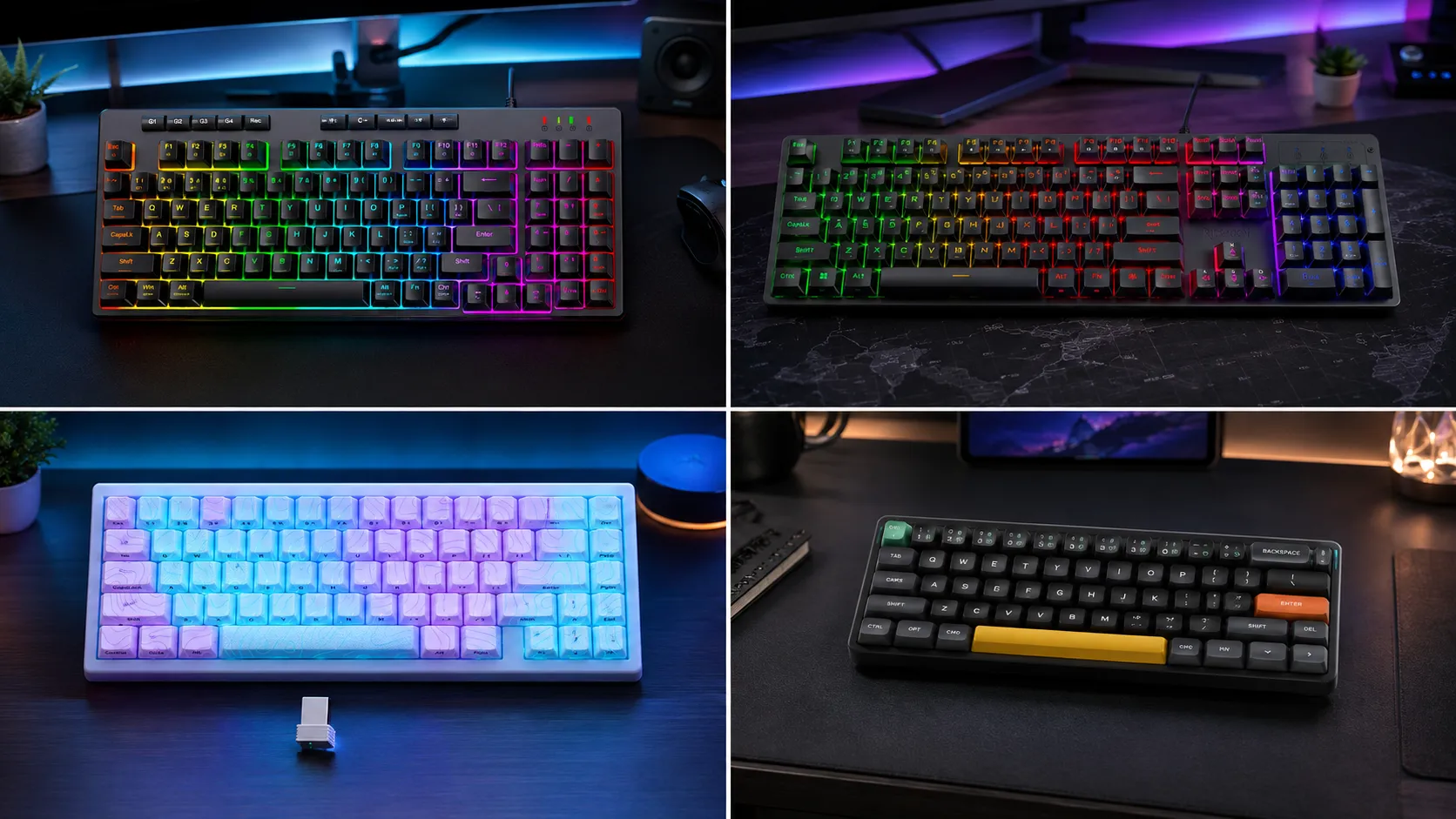
Best Compact Gaming Keyboards for Mac: 4 Tested Picks

This article contains affiliate links. If you buy through them, I earn a small commission at no extra cost to you. I only recommend keyboards I’ve actually tested. As an Amazon Associate I earn from qualifying purchases.
Anyone who’s plugged a random “gaming” keyboard into a MacBook knows the drill. Command and Option get swapped, the media keys do nothing, and there’s a giant Windows logo grinning at you from the meta key. Half the boards marketed as “Mac compatible” are really just Windows boards that don’t actively fight the OS.
That’s the frustration this list is here to solve. I’ve spent the last few months rotating through compact and near-compact boards that actually make sense on macOS — the kind you can pair to a MacBook Air, drop on a coffee-shop table, and use without cursing every third keystroke. Some are wireless, some are wired, and one of them isn’t even technically compact — I’ll explain why it still earned a spot.
If you’re hunting for the best compact gaming keyboards for Mac and you don’t feel like reading seventeen tabs of forum threads, this is the shortlist I’d hand a friend.
Quick Comparison Table — Pick the Board That Fits You
Instead of ranking by score, I’ve sorted this by what you actually need. Find yourself in one of these rows and jump to the review below.
| Category | Best Pick | Why It Wins | Where to Check |
|---|---|---|---|
| Best Overall Compact for Mac | NuPhy Air60 V2 | True 60% layout, Mac keycaps in the box, QMK/VIA, tri-mode wireless | View on Amazon |
| Best 60% for Enthusiasts on a Budget | HITIME x XVX M67 | Hot-swap, gasket mount, thocky sound signature, QMK/VIA support | View on Amazon |
| Best Compact-ish Board With a Numpad | Redragon K517 Pro | Tri-mode wireless, 94-key layout, 4000 mAh battery, 4 macro keys | View on Amazon |
| Best Budget Wired (Wildcard Pick) | Redragon K521 | Under $30, rainbow LED, Mac + PS/Xbox compatibility | View on Amazon |
That’s the TL;DR. Now the real work — why each one made the cut, and where each falls short.
Why “Compact + Mac” Is Trickier Than It Sounds
Before the reviews, a quick note. Most compact gaming keyboards are built with Windows in mind. That’s fine, but on macOS a few things really matter:
- The Cmd and Option keys need to land in the right spot — not just remap in software, actually be labeled correctly if you want to stay sane.
- The board needs to survive sleep/wake without dropping the Bluetooth connection every time your Mac naps.
- Function-row shortcuts (volume, brightness, Mission Control) should actually work in the macOS layer, not sit dead until you install Karabiner.
- Layout matters more than it does on Windows. A 60% board that eats your arrow keys is a lot more painful when you’re also missing a physical Escape key on your MacBook Pro’s Touch Bar version.
The four boards below handle these to varying degrees. None of them are perfect. All of them are usable — and two of them are genuinely great. For a deeper primer on how tenkeyless, 65%, and 60% layouts compare in general, our full compact keyboard guide has more.
1. NuPhy Air60 V2 — Best Compact Gaming Keyboard for Mac Overall

- 【New upgrade】Air60 is loved by many users. We upgraded Air60 for better customer experience, so Air60 V2 was born. Air60…
- 【Conveniently portable】Air60 V2 has no F area (the function of F area still exists), so its size is smaller. If you don’…
- 【Custom backlight】We added two RGB light bars on each side of the Air60 V2 aluminum frame. The left sidelight shows the …
If I could only recommend one board on this list, it’d be the NuPhy Air60 V2. It’s the closest thing to a MacBook keyboard that isn’t a MacBook keyboard.
The Air60 V2 is a true 60% low-profile board built specifically with macOS in mind. NuPhy ships it with dedicated Mac keycaps in the box — Cmd, Option, and the whole shebang — and their firmware plays nicely with sleep/wake. The tri-mode setup (Bluetooth 5.1, 2.4 GHz dongle, USB-C) means you can hop between your MacBook and, say, a Windows gaming rig without unpairing anything.
The unit I’ve been using runs Gateron low-profile Blues. Clicky, obviously, so this is either your favorite thing on the planet or the reason your coworkers hate you. If you’d rather not annoy the entire office, NuPhy sells the same board with linear Reds and tactile Browns — I’d nudge most Mac users toward the linear option for a lower profile sound. The typing feel is closer to a scissor-switch laptop board than a full-height mechanical, which is the whole point.
QMK/VIA support is the real hidden win here. You can remap every key, build custom macros for editing tools, and set macOS-specific layers for gaming without touching Karabiner. That flexibility is where NuPhy earns the extra dollars over cheaper 60% boards.
Pros:
- Ships with Mac keycaps and Mac-friendly firmware
- True 60% form factor — genuinely portable
- QMK/VIA support for full remapping
- Tri-mode wireless with stable Bluetooth on macOS
- Low-profile switches feel natural after a MacBook
Cons:
- Priciest board on this list
- 60% layout means arrow keys and function row live on a Fn layer
- ABS keycaps stock (they’ll shine over time — I’d swap them eventually)
Verdict: If you want the best compact gaming keyboard for Mac and you’re willing to spend for it, this is the one. It’s the board I recommend most to friends who ask “what should I plug into my MacBook?”
2. HITIME x XVX M67 — Best 60% for Enthusiast Feel Without the Enthusiast Price

- 【Tri-Mode Connection Wireless Keyboard】Custom keyboard supports Bluetooth 5.0, 2.4GHz wireless and Type-C wired connecti…
- 【Here Comes Pattern Shine Through Keyboard】 At the heart of the M67 is the revolutionary use of IMD technology, allowing…
- 【QMK/VIA Custom Gaming Keyboard】You can easily program and remap each key you want on any system (macOS, Windows, or Lin…
The HITIME x XVX M67 is the interesting one on this list. It’s a proper enthusiast-style 60% board — hot-swap sockets, gasket mount, QMK/VIA support — at a price that would’ve bought you a mediocre pre-built two years ago.
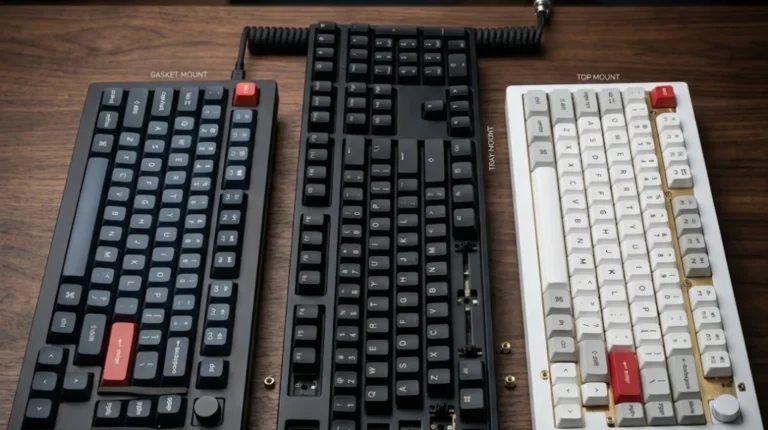
The gasket mount is the headline. Gasket construction gives the board a softer, more cushioned bottom-out compared to the harder tray-mount feel you get on most budget mechanicals. That, plus the foam and IMD case work, is where the “thocky” sound signature comes from. I’ll admit, I’m a little tired of the thocc discourse online, but I’d be lying if I said this board doesn’t sound good out of the box. It does.
For Mac gaming specifically, the QMK/VIA layer is what makes this board actually usable, not just enjoyable. Program a Mac layer, remap the meta keys, add whatever macros you use for Cmd+Tab, Mission Control, or your game of choice. It takes fifteen minutes. If you’re new to VIA, our QMK/VIA remapping walkthrough covers it.
Here’s the catch: it’s tri-mode wireless on paper, but I’d still hardwire it for actual gaming. Bluetooth is fine for typing on a MacBook at a café. For anything with reaction-time stakes, use the USB-C cable or the 2.4 GHz dongle. That’s just how wireless 60%s in this price range behave — the M67 is no worse than most, but no better either.
Pros:
- Hot-swap sockets — change switches without soldering
- Gasket mount + foam for a genuinely nice sound
- QMK/VIA support for macOS-friendly remapping
- RGB is understated (yes, from me that’s a compliment)
- Feels like a $150 board for less
Cons:
- Bluetooth latency isn’t great for competitive gaming
- Stock stabilizers can rattle a little — a light lube helps
- Only 60%, so arrow keys live on a layer
Verdict: If you want the enthusiast feel — the gasket sound, hot-swap flexibility, real customization — without paying custom-keyboard prices, this is the smart pick. It’s the board I’d hand someone who says “I want to get into keyboards but I don’t want to spend $300.”
3. Redragon K517 Pro Wireless — Best Compact-ish Mac Board With a Numpad

- 【3-Mode Connection】Geared with Redragon innovative tri-mode connection technology, USB-C wired, BT 3.0/5.0 & 2.4Ghz wire…
- 【Four Dedicated Macro Keys】Activate functions or shortcuts in one stroke with four macro keys, and easily edit and execu…
- 【RGB Illumination】 Light up your desktop through 8 preset RGB modes, 7 solid colors, and 5 brightness levels with adjust…
Now the honest bit. The Redragon K517 Pro is marketed as “mechanical feel,” which is Redragon-speak for “not actually mechanical.” It’s a membrane-with-mechanical-feel board — a hybrid that mimics the tactile bump and travel of a real mechanical without the individual switches underneath.
Is that a dealbreaker? For a lot of readers on a budget, no. In my experience with a few boards in this category, the membrane-mechanical hybrids feel surprisingly decent, especially compared to a stock Apple Magic Keyboard. What you lose in individual switch feel, you gain in a quieter typing experience — which, for anyone typing next to a sleeping partner or in an open office, actually matters.
Where the K517 Pro earns its spot on a “compact keyboards for Mac” list is the 94-key layout. It’s essentially a compact numpad board — trimmed down from full-size, keeps the number pad, ditches most of the extra space. If you spend half your day in Numbers or a spreadsheet and half your day gaming, this is one of the few wireless boards that gives you both without buying a separate numpad.
The tri-mode wireless (Bluetooth, 2.4 GHz dongle, USB-C) is legitimately convenient. Battery life on the 4000 mAh cell is genuinely long — I’d get days out of it with RGB off. Turn the RGB on and expect to charge it more like a phone. You can spec anti-ghosting and NKRO all day, but the practical takeaway is that it plays fine with macOS for productivity and casual gaming.
Pros:
- Tri-mode wireless — real flexibility across devices
- Number pad included in a compact-ish footprint
- Long battery life with lighting off
- 4 macro keys — genuinely useful for repetitive tasks
- Very forgiving price for what you get
Cons:
- Not a true mechanical board (it’s membrane-mechanical hybrid)
- RGB burns through battery fast
- Keycaps are ABS and thin — expect shine within a year
- Not “compact” in the enthusiast sense — closer to 96%
Verdict: If you want wireless, a numpad, and a budget under $80, this is the pragmatic pick. Skip it if you specifically want a real mechanical feel — for that money you’re better off with the M67. If you want to see how the wireless numpad category compares more broadly, our wireless numpad keyboard roundup goes deeper.
4. Redragon K521 — The Wired Budget Wildcard
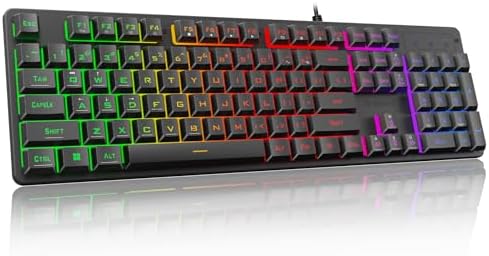
- 【Dreamy Rainbow Gaming Keyboard】K521 Gaming Keyboard Adopts a Different LED Backlight Design, Upgraded on the Traditiona…
- 【One Touch Opens & Visual Feast】The K521 Red Dragon Keyboard has a One-Touch on/off Lighting Button for Added Convenienc…
- 【Mechanical Feeling & Fast Tapping】The PC Keyboard Keys are Designed for Mechanical Feeling, Giving You a Better Feel Du…
Full disclosure: the Redragon K521 is not compact. It’s a 104-key full-size wired board. I’m including it because it answers a question I get constantly — “I have $30 and a Mac. What do I plug into it that doesn’t feel like garbage?” This is that answer.
Like the K517, it’s a “mechanical feeling” membrane board, not a true mechanical. Redragon’s marketing pushes the “mechanical” language hard, and I don’t love that, but for the price the typing experience is respectable. Not enthusiast-grade. Not something I’d daily-drive. But usable, reasonably quiet, and honestly better than most $40 plastic boards in the same bracket.
It’s wired-only, so no Bluetooth headaches on macOS. It just works. Plug in USB, macOS recognizes it as a generic keyboard, you’re typing in five seconds. Rainbow LED with a one-touch backlight toggle is a nice touch, and the anti-ghosting on the main gaming cluster is solid enough for casual play.
Real talk though — this is a “start here, upgrade later” board. If you’re new to gaming keyboards and want something cheap to hold you over while you save for a NuPhy or an M67, this is a fine place to start. If you already know you want a compact 60% or 65%, skip this and jump to one of the top two picks. For more thoughts on when budget membrane boards are the right call, check our budget gaming keyboard breakdown.
Pros:
- Genuinely cheap — hard to argue with the price
- Plug-and-play on macOS, no drivers or software
- Rainbow LED with easy on/off toggle
- Full-size layout with dedicated media keys
- Works across PC, Mac, PS4/5, Xbox
Cons:
- Not actually mechanical
- Full-size, so not compact at all
- ABS keycaps, thin plastic build
- No wireless, no macros to speak of
Verdict: Not the best compact gaming keyboard for Mac, because it isn’t compact — but it is the smartest cheap board you can throw at a MacBook while you figure out what you actually want long-term.
What Actually Matters When Picking a Compact Gaming Keyboard for Mac
If you’re still torn between these, here’s how I’d think about it. This is roughly the checklist I’d walk through if a friend asked me over coffee:
- Layout first, everything else second. A 60% board saves desk space but puts arrows and function row on a Fn layer. If you rely on those keys constantly — coding, spreadsheets, video editing — a 65% or that 94-key K517 layout may serve you better. Don’t buy compact just because it looks cool.
- Wired or wireless — pick one, don’t split the difference. If you game competitively, wired (or 2.4 GHz dongle) beats Bluetooth every time. Bluetooth is for typing, browsing, and casual play. Any board that only offers Bluetooth for gaming is one I’d hesitate on.
- Switch feel matters more than switch brand. Linear (Reds, Gateron Yellows) for quiet and gaming. Tactile (Browns) for typing feel with less noise. Clicky (Blues) if you love the sound and hate your officemates. Low-profile if you’re coming from a MacBook and don’t want to relearn your posture.
- PBT keycaps are worth the small premium. ABS keycaps shine and get slick over time. PBT lasts. If a board offers PBT stock, that’s a real advantage — most of the boards in this price range don’t.
- Hot-swap is a game — sorry, is a genuinely useful feature. If a board has hot-swap sockets, you can change switches later without soldering. That future-proofs the board and lets you experiment. It’s why the M67 punches above its weight.
- Ignore most “gaming” specs. 8000 Hz polling, 0.1ms response, NKRO on every key — you will not feel any of this at a human level. Don’t let it drive your buying decision. What you’ll feel is the switch, the case sound, and whether the layout fits your hand.
If you want to go deeper on any of these — switches, keycap profiles, mounts — our beginner’s keyboard glossary breaks each one down without the enthusiast jargon.
Final Verdict — Which One Should You Actually Buy?
If you want the best compact gaming keyboard for Mac and price isn’t the deciding factor, buy the NuPhy Air60 V2. It’s Mac-native in a way none of the others are, the low-profile switches feel like a natural extension of a MacBook keyboard, and the QMK/VIA support means you’ll still be happy with it two years from now. It’s the safe recommendation.
If you want the enthusiast feel — the gasket bounce, the hot-swap flexibility, the option to actually mod the thing — grab the HITIME x XVX M67. It’s the smart-money pick for anyone who thinks they might get into keyboards, not just buy one and forget about it.
The Redragon K517 Pro is for the specific reader who wants wireless, a numpad, and doesn’t care whether the switches are technically “real” mechanical. It’s a pragmatic buy, not a passionate one.
And the Redragon K521 is what I’d tell a college kid on a strict budget to plug in tonight, knowing they’ll upgrade in a year. Nothing wrong with that. Everyone starts somewhere.
Pick the one that matches your actual use case, not the one with the flashiest ad. That’s the whole trick.
This article contains affiliate links. If you buy through them, I earn a small commission at no extra cost to you. I only recommend keyboards I’ve actually tested. As an Amazon Associate I earn from qualifying purchases.
2 Comments