
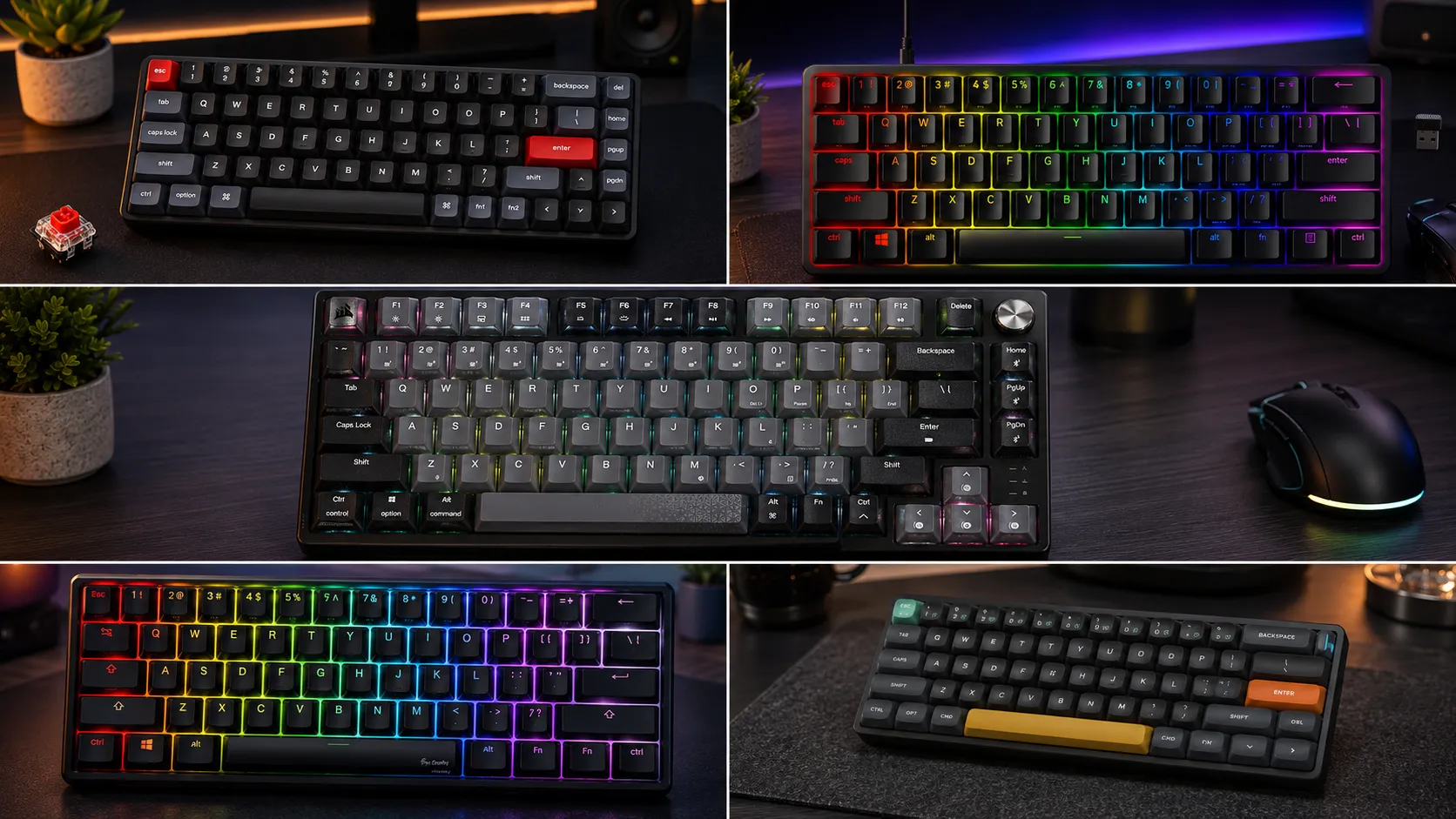
6 Best Portable Compact Gaming Keyboards for Travel (Tested)

This article contains affiliate links. If you buy through them, I earn a small commission at no extra cost to you. I only recommend keyboards I’ve actually tested. As an Amazon Associate I earn from qualifying purchases.
Most “portable” gaming keyboards aren’t. Somebody slaps the word on any 60% board with a detachable cable, sends it to reviewers, and you find out the hard way at a hotel that the case flexes if you look at it wrong, the 2.4GHz dongle already migrated to the bottom of your backpack, and the space bar sounds like a maraca.
I’ve been testing keyboards for about fourteen years, and I’ve hauled a lot of them on planes, into LAN venues, and to coworking spots where the guy across from me really did not want to hear my switches. The list of boards that survive that treatment and still play well is a lot shorter than my shelf suggests.
This is a roundup of the best portable compact gaming keyboards I actually pack — with honest pros, cons, and a couple I’d tell you to leave home even though the internet loves them.
The quick comparison — the ones worth your money, by need
Here’s the TL;DR before I get into it. If you already know what you want, jump to that board.
| Best For | Keyboard | Layout | Weight | Wireless | Approx. Price |
|---|---|---|---|---|---|
| Best overall for competitive travel | Wooting 60HE | 60% | ~660g | Wired only | ~$200 |
| Best tank build for LAN abuse | Ducky One 3 Mini | 60% | ~660g | Wired only | ~$120 |
| Best ultra-slim for laptop sleeves | NuPhy Air60 V2 | 60% low-profile | ~500g | 2.4GHz + BT + Wired | ~$69 |
| Best wireless workhorse | Keychron K7 Pro | 65% low-profile | ~630g | 2.4GHz + BT + Wired | ~$84 |
| Best mainstream 60% pick | Razer Huntsman Mini | 60% | ~700g | Wired only | ~$99 |
| Best 75% you can still call portable | Corsair K65 Plus Wireless | 75% | ~1050g | 2.4GHz + BT + Wired | ~$119 |
Prices bounce around by $20 either way. Nothing on this list is a scam at those numbers.
What actually makes a compact gaming keyboard travel-worthy
Half the “portable” boards marketed to gamers fail one basic test: they’re compact, sure, but they’re fragile, the wireless is flaky, or the stabilizers rattle so bad in a bag that they need re-lubing after every flight.
Here’s what I look for after unpacking a board at a hotel desk:
- A rigid case. Aluminum sandwich, brass plate, gasket mount with a stiff PC plate — anything that doesn’t twist. Cheap injection-molded plastic bottoms are why bags kill boards.
- Detachable USB-C. Non-negotiable. If the cable’s captive, it’s already dead.
- Wireless done right, or not at all. Cheap 2.4GHz drops packets in the exact place you don’t want it to — the middle of a match. If a board’s going to be wireless, Bluetooth for laptop travel and a proper 2.4GHz dongle for gaming.
- Stabilizers that don’t rattle. The long keys — space, shift, enter, backspace — are what people hear first. Factory lubed and clipped is a real feature, not a bullet point.
- A layout you can actually game on. 60% is the smallest, but no arrow keys. 65% adds arrows and delete. 75% adds the function row. Past that, you’re not really packing “compact” anymore.
If a board misses more than one of those, it’s not portable. It’s just small. If you’re new to the 60% vs 65% argument, my layout breakdown here walks through which one gamers actually miss.
The best portable compact gaming keyboards, tested
1. Wooting 60HE — best for competitive LAN travel
If you play tactical shooters at any serious level, this is the one. The 60HE runs Lekker hall effect switches with rapid trigger and per-key adjustable actuation. I know that sounds like marketing, but it’s the rare “gaming” feature that actually shows up in results. Counter-strafing feels like cheating the first time you try it.
Portability-wise, the plastic version is the one to pack — the aluminum edition is gorgeous but heavier and I’ve already dented a corner on one. Wired-only is the catch, but you don’t want wireless for competitive play anyway.
Pros
- Rapid trigger and adjustable actuation genuinely move the needle for FPS
- No debounce, no switch bounce, no ghosting
- Wootility is one of the better configurators out there
Cons
- Wired only
- ABS keycaps out of the box — plan to swap them
- Restocks can be brutal; expect a wait
Verdict: if I could only pack one board for a LAN weekend, it’s this. My deeper dive on why hall effect switches actually matter covers the mechanics if you want the full argument.
2. Ducky One 3 Mini — best tank build

- Featuring Ducky’s QUACK Mechanics design philosophy
- Dual layer hotswap PCB w/ exclusive Kailh yellow hotswap sockets
- Low profile One 3 case design in a wide array of exclusive color options
The One 3 Mini is what I hand people when they say “I just want it to work and never think about it again.” Cherry MX or Kailh switch options, doubleshot PBT keycaps standard, a case that shrugs off drops, and stabilizers that come from the factory tuned better than most $200 boards.
There’s no wireless and most of the run isn’t hot-swap — check the specific SKU before you buy. But if you want a bulletproof 60% for a duffel-bag life, nothing else at this price is close.
Pros
- PBT doubleshot caps out of the box
- Stabs that don’t need immediate modding
- Genuine build quality — this thing outlives phones
Cons
- Wired only
- Software is dated and clunky
- RGB customization is limited compared to Razer or Corsair
Verdict: buy once, cry once. If you don’t need wireless, this is the smart-money pick.
3. NuPhy Air60 V2 — best ultra-slim for a laptop sleeve

- 【New upgrade】Air60 is loved by many users. We upgraded Air60 for better customer experience, so Air60 V2 was born. Air60…
- 【Conveniently portable】Air60 V2 has no F area (the function of F area still exists), so its size is smaller. If you don’…
- 【Custom backlight】We added two RGB light bars on each side of the Air60 V2 aluminum frame. The left sidelight shows the …
This is the slimmest mechanical I actively trust. Under 15mm thick, around 500g, low-profile Gateron switches (I like the Cowberry tactiles), and it slips into a 13-inch laptop sleeve alongside a MacBook Air. No other board on this list does that.
The catch is the switches. Low-profile mechanical feels weird if you’ve spent years on full-height Cherry MX. There’s less travel, less bump, and the typing sound is thinner. Give it a week before you judge — most people adjust, and half of them end up preferring it.
Pros
- Genuinely fits in a laptop sleeve
- 2.4GHz + Bluetooth + wired, all three
- Actually usable Mac and Windows layouts
Cons
- Low-profile isn’t for everyone
- Keycaps are thin — no throwing aftermarket sets on this
- Battery life drops fast with RGB on
Verdict: my carry-on board. If you fly a lot, start here. I go deeper on low-profile switch tradeoffs in this piece.
4. Keychron K7 Pro — best wireless workhorse
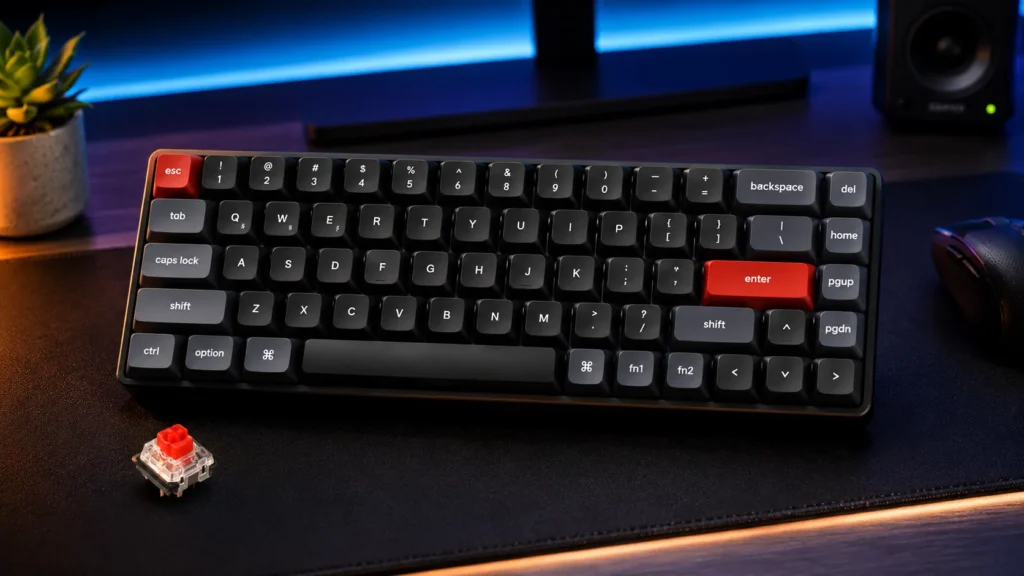
The K7 Pro is the boring right answer for a lot of people. 65% low-profile, hot-swappable, QMK and VIA support even over 2.4GHz, and the pricing is reasonable enough that you’re not scared to travel with it.
Arrow keys make a bigger difference than gamers admit. When you’re doing anything outside of the game — writing Slack messages in the hotel, editing configs, navigating docs — the delta between 60% and 65% is real.
Pros
- Full QMK/VIA on wireless is rare and welcome
- Hot-swap sockets — swap Gateron LP switches without soldering
- 65% keeps arrows without adding real bulk
Cons
- Case has slight flex on some units — check yours
- Battery drops meaningfully with RGB on
- Same low-profile learning curve as the NuPhy
Verdict: if you want one wireless board that handles work and gaming without drama, this is it. I compare it against the ultra-slim NuPhy in my low-profile wireless roundup.
5. Razer Huntsman Mini — best mainstream 60% pick

- FASTER THAN LEGACY MECHANICAL SWITCHES — Razer Optical switches use light-based actuation, registering key presses at th…
- ULTIMATE PERSONALIZATION and GAMING IMMERSION WITH RAZER CHROMA RGB LIGHTING — Fully syncs with popular games, Razer har…
- QUALITY, ALUMINUM CONSTRUCTION — Covered with a matte, aluminum top frame for increased structural integrity
I know, I know. The internet has strong feelings about Razer. But the Huntsman Mini quietly got good. Optical linear or clicky switches are fast and consistent, the current runs ship with doubleshot PBT keycaps, and the aluminum top plate holds up in a bag.
Synapse is still Synapse — bloated, annoying, wants to sign you in — but if you set your profile once and forget it, the board itself does the job.
Pros
- Optical switches are snappy and durable
- Doubleshot PBT on current stock
- Widely available and easy to warranty
Cons
- Synapse required for full remapping
- Older stock had ABS caps — check the box
- Wired only
Verdict: the mainstream pick that isn’t a compromise. If you already run other Razer gear, easy call.
6. Corsair K65 Plus Wireless — best 75% you can still call portable

- CORSAIR MLX Red Switches: Pre-lubricated CORSAIR MLX Red linear mechanical switches offer a silky smooth, responsive key…
- Fast and Secure Wireless Connections: Easily connect via low-latency 2.4GHz wireless, Bluetooth, or USB wired, with secu…
- Enduring 266hr Wireless Battery: Power your gaming for up to 266 hours on a single charge with RGB off.
At just over a kilo, the K65 Plus is right at my limit for portable. It’s the biggest board here and honestly borderline. But if you want a function row and arrow keys and hot-swap sockets and reliable Slipstream wireless, this is the answer.
Corsair finally shipped a hot-swap board, and the stock MLX Red linears are fine — surprisingly quiet, factory lubed to a decent level, and the plate foam does more work than I expected. iCUE is still iCUE, but you can set it up once and mostly ignore it.
Pros
- 75% layout gives you the F-row and arrows
- Slipstream 2.4GHz is genuinely rock solid
- Hot-swap plus PBT doubleshot from Corsair — finally
Cons
- Heavy — this thing weighs more than some laptops
- iCUE is heavier than the board
- Not truly pocketable, more messenger-bag friendly
Verdict: if you refuse to give up the F-row, this is the smart travel choice. If you can live with 65%, save the weight and the money.
The ones I stopped packing
A few boards get recommended constantly that I’ve quietly stopped throwing in a bag.
- HyperX Alloy Origins 60. Solid on a desk. But the cable placement puts stress on the port when it’s coiled in a small bag, and I’ve seen two develop USB-C wiggle after a few months of travel.
- Razer BlackWidow V3 Mini Hyperspeed. Wireless drops in dense-signal environments. Not what you want at a LAN venue with a hundred devices in the room.
- Older Anne Pro 2 units. The concept is right — cheap, wireless, 60%. But the revision roulette on those chips makes me nervous. If you’re buying used, know exactly what you’re getting.
None of those are terrible boards. They’re just not what I’d pack.
How to pack a mechanical keyboard without killing it
Simple stuff, but the people who skip it are the same ones who ask me why their board died on a work trip.
- Always use a sleeve or hardshell. A neoprene sleeve is the minimum. For a 60% I use a small pouch that fits in a laptop compartment.
- Detach the cable. Coiling a captive cable is how solder joints crack. If your board doesn’t support detachable USB-C, that’s your sign it’s not a travel board.
- Check the stabs before you go. A rattly stab gets worse in transit. Ten minutes of clipping and lubing at home saves you a bad recording at the hotel.
- Top off the battery before boarding. Wireless boards on flights lose more juice than you’d expect from sleep-mode alone. USB-C at gates is a lifesaver — bring a short cable.
- Skip aluminum if you’re weight-limited. Beautiful cases are also heavier ones. Poly-plastic gasket-mount boards travel better than they get credit for.
More on my mod-and-maintain routine lives in this walkthrough if you want the longer version.
My verdict on the best portable compact gaming keyboards
If you want one answer:
- For competitive gamers on the road: Wooting 60HE. Nothing else at this size gives you rapid trigger, and it plays like it.
- For most people: Keychron K7 Pro. Wireless, 65%, hot-swap, priced right, and it handles both work and games without complaining.
- For someone who wants it in a laptop sleeve: NuPhy Air60 V2.
- For “buy it and forget it”: Ducky One 3 Mini.
Skip anything with a captive cable. Skip anything advertised as “gaming portable” that weighs a kilo and a half. And don’t let RGB be your reason to buy a $200 board that flexes when you pick it up.
Portable gear is where corners get cut. Pay attention to the case, the cable, the stabs, and the wireless — the LEDs will still be there when you’re done, and you’ll actually enjoy typing on the thing at three in the morning in a hotel lobby.
This article contains affiliate links. If you buy through them, I earn a small commission at no extra cost to you. I only recommend keyboards I’ve actually tested. As an Amazon Associate I earn from qualifying purchases.
One Comment