
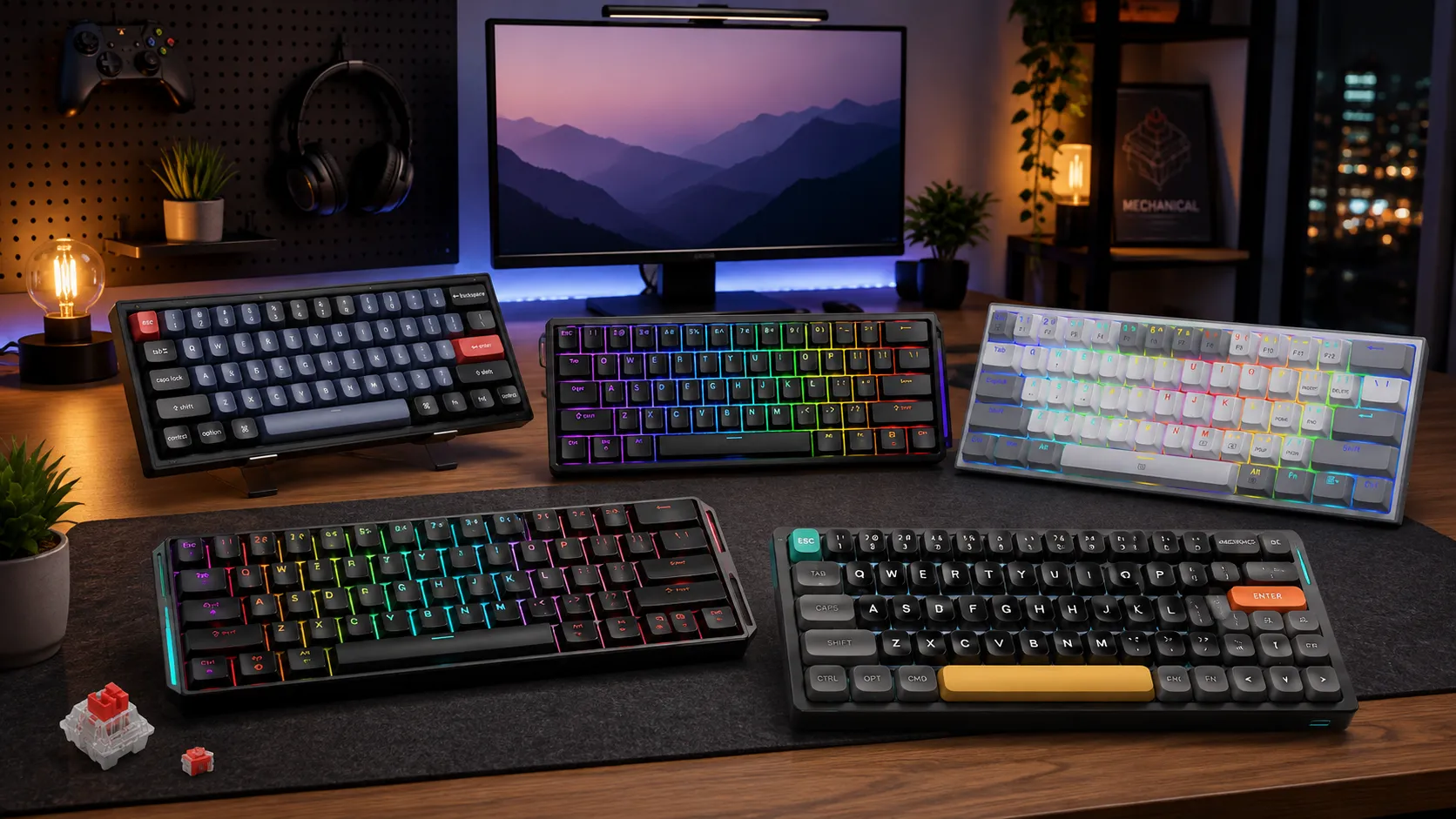
6 Best Hot Swap 60% Keyboards for Gaming (Tested & Ranked)

This article contains affiliate links. If you buy through them, I earn a small commission at no extra cost to you. I only recommend keyboards I’ve actually tested. As an Amazon Associate I earn from qualifying purchases.
I’ve been swapping switches on 60% boards since it was still a soldering hobby. That drawer of dead prototype PCBs I keep? Half of it is cracked 60% boards from before hot-swap was cheap.
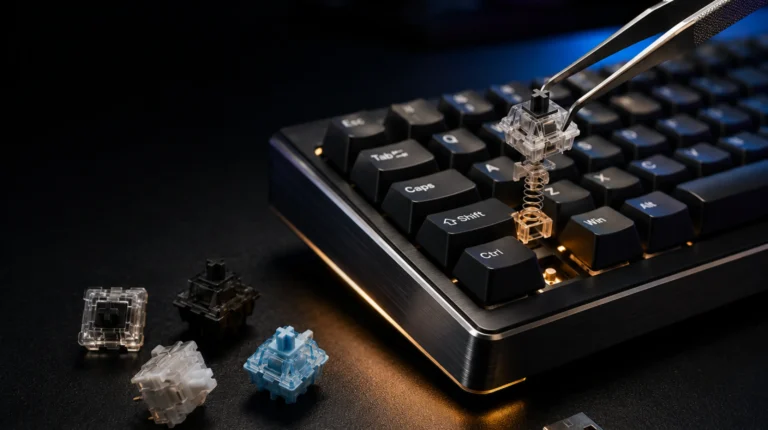
Now every keyboard company slaps “hot-swappable” on the box, and most of them mean it. But there’s a real gap between a board with proper Kailh or Gateron sockets that’ll take any MX-style switch you throw at them, and one with cheap proprietary sockets that grip loose and bend pins the third time you pull a switch. That gap matters if you’re going to actually use the feature — and if you’re buying a 60% specifically for gaming, you probably will.
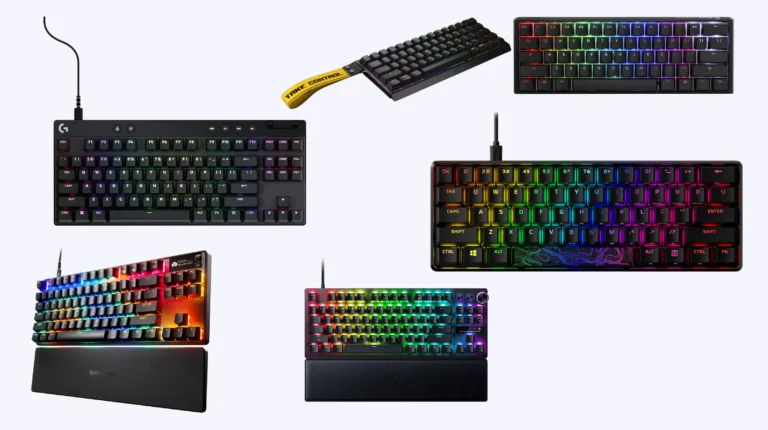
This is my working shortlist of the best hot swap 60% Keyboards you can buy right now, based on what I’ve tested, torn down, and dailied. No hype, no filler. If a board’s on this list, I’d genuinely recommend it to a friend.
TL;DR: Quick Comparison Table
Skip to the pick that matches how you’ll actually use the board. Everything below is a real recommendation with real tradeoffs — the “worst” one on this list still beats most junk floating around Amazon.
| Best For | Board | Why It Wins | |
|---|---|---|---|
| 🏆 Best Overall | Ducky One 3 Mini | PBT double-shot caps, Kailh sockets, dead-quiet stock | [Check Price →] |
| 💰 Best QMK/VIA Value | Keychron V4 | Full remapping, gasket-mount option, hot-swap on a budget | [Check Price →] |
| 🎯 Best for Competitive FPS | MonsGeek FUN60 Ultra | Hall Effect + hot-swap, 8K polling, rapid trigger | [Check Price →] |
| 🪙 Best Budget | Redragon K617 Fizz | Real hot-swap that punches way above its weight | [Check Price →] |
| 📶 Best Wireless / Low-Profile | NuPhy Air60 V2 | Slim chassis, tri-mode, PBT caps, hot-swap intact | [Check Price →] |
| ✨ Best RGB / Aluminum Look | GMMK 2 60% (Compact) | Aluminum top plate, clean RGB, Glorious Core software | [Check Price →] |
If you’re not sure 60% is even the right layout for you, take a look at our 60% vs 65% breakdown before you commit.
What Actually Matters in a Hot-Swap 60% Board
There’s a lot of noise in this category. Here’s what I actually check before a board earns a recommendation.
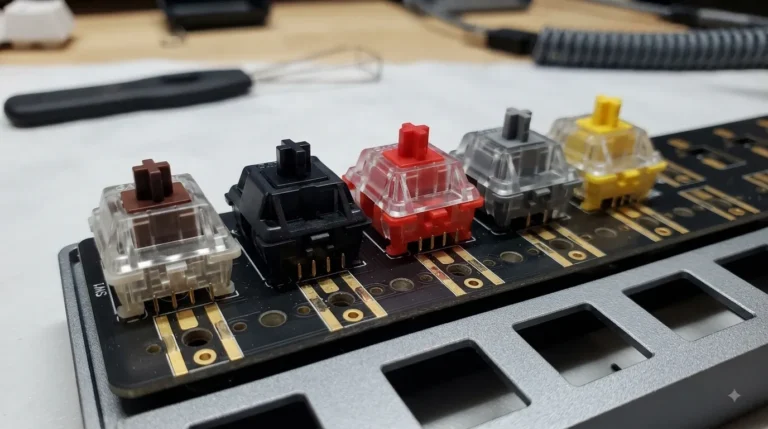
- Socket brand. Kailh and Gateron 2.0 sockets are the ones you want. They grip 3-pin and 5-pin switches, and they’ll survive well over a hundred swaps without loosening. Cheap proprietary sockets — mostly on ultra-budget boards — bend easily and can lock you into whatever fits their contact geometry.
- LED orientation. South-facing LEDs matter if you plan to use Cherry-profile keycaps, which is where most enthusiast sets live. North-facing LEDs cause interference on Cherry caps — the keycap hits the LED shroud before it bottoms out. Not a deal-breaker on OEM-profile caps, but worth knowing.
- Mounting style. Tray-mount is the old cheap default and it sounds hollow. Gasket-mount softens the typing feel and gives a fuller sound. Plate-mount sits between the two. You can get gasket-mount at this price bracket now without paying custom-board money.
- Stock stabilizers. These are the #1 thing manufacturers skimp on. Rattly space bars are basically the norm at $80 and under. You can fix them with a lube job and some band-aid mod, but a board with decent stabs out of the box saves you an afternoon.
- Firmware. QMK/VIA support means you can remap every key, add layers, and set macros without vendor software running in the background. On a 60% where you rely heavily on function layers, that’s not a nice-to-have — it’s the whole point.
- Polling rate and switch type. 1000Hz is fine for 99% of players. 4K or 8K polling matters only if you’re chasing competitive FPS latency, and Hall Effect (magnetic) switches with rapid trigger are where the real gaming advantage is — not raw polling numbers.
Now to the boards themselves.
The Best Hot-Swap 60% Keyboards, Reviewed
1. Ducky One 3 Mini — Best Overall

- Featuring Ducky’s QUACK Mechanics design philosophy
- Dual layer hotswap PCB w/ exclusive Kailh yellow hotswap sockets
- Low profile One 3 case design in a wide array of exclusive color options
If someone hands you $150 and says “get me the best hot swap 60% Keyboards option on the market,” this is the one I put in their hands. I’ve been dailying a One 3 Mini in Cherry MX Red for a couple months and it’s the least fussy board I own.
Ducky uses their Kailh Yellow hot-swap sockets, which grip well and haven’t given me any issues across a handful of switch changes. The keycaps are thick PBT double-shot, and they don’t shine after weeks of use — my old ABS caps used to look like glass after a month of gaming. Foam is layered under the plate and under the PCB (Ducky calls it QUACK Mechanics; I called it “extra silicone” in my review notes). Stock stabs are actually decent, which is genuinely rare in this price bracket.
The catch: it’s wired only, and Ducky’s hardware-shortcut approach to macros feels dated next to VIA. If you’re used to the Keychron world of GUI remapping, you’ll miss it.
Pros
- Excellent PBT double-shot keycaps out of the box
- Kailh Yellow hot-swap sockets that hold up to repeated swaps
- Layered foam dampening — quiet and full-sounding stock
- N-key rollover, per-key RGB, dead-reliable build
Cons
- Wired only
- No VIA support — remapping is via hardware shortcuts
- Sits toward the top of the “reasonable” price bracket
2. Keychron V4 — Best QMK/VIA Value
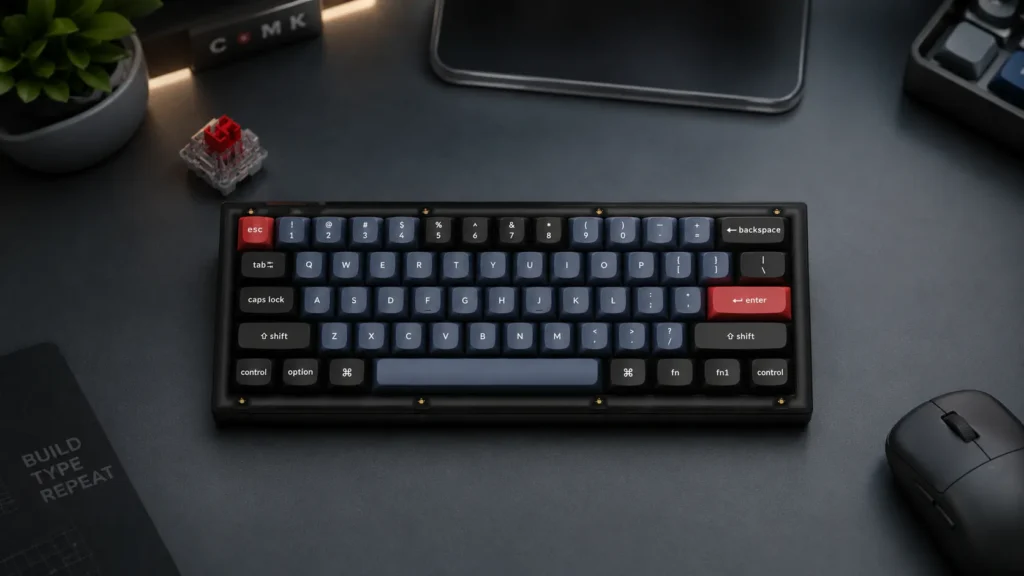
The Keychron V4 is the board I recommend to anyone getting into the hobby who doesn’t want to spend Ducky money. Barebones sits around $60, assembled runs closer to $80, and you get real QMK/VIA support, hot-swap 5-pin sockets, south-facing LEDs, and on the gasket-mount version, a genuinely soft typing feel.
I keep coming back to this board for one reason — the firmware. VIA lets you remap anything, layer anything, and set macros without software running in the background. On a 60% board, that’s the difference between actually using the layout and constantly fighting it.
Honest caveats: stock stabs are OK, not great — the newer runs come pre-lubed and are better than the launch batch. Stock keycaps are ABS at the base tier. Plan to upgrade to a PBT set if you want it to feel premium. Even with that math, you’re still under a Ducky.
Pros
- Full QMK/VIA out of the box
- Hot-swap 5-pin sockets with south-facing LEDs
- Gasket-mount option at this price is almost unfair
- Available as a barebones kit if you want to bring your own switches
Cons
- Stock ABS keycaps aren’t the strong point
- Stabilizers need attention if you’re picky
- Wired only on the standard V4 (the V4 Max adds wireless)
If you’re on the fence between this and something slightly bigger, our 65% board writeup is worth a look.
3. MonsGeek FUN60 Ultra — Best for Competitive Gaming

- Ultra-Precise Rapid Trigger: FUN60 Ultra aluminum keyboard can achieve an ultra-accurate 0.01mm rapid trigger and the ac…
- Highlights of FUN60 Ultra’s Functions: The FUN60 Ultra, packs a punch with its functions, like DKS, Toggle Key, Mod-Tap,…
- Cross-Compatible with Magnetic and Mechanical Switches: The FUN60 Ultra TMR keyboard offers compatibility with 5 third-p…
Time to put on the “gamer” hat. If you’re playing Valorant, CS2, Apex, or any FPS at a level where actuation feel actually matters, a Hall Effect (magnetic) board is the real upgrade — not another linear MX board with slightly different lubing.
The MonsGeek FUN60 Ultra is a magnetic 60% with per-key adjustable actuation, rapid trigger, and 8K polling. It’s also hot-swappable, which is unusual in the Hall Effect world — most magnetic boards lock you into their proprietary switches. The FUN60 Ultra takes standard HE switches, so you can actually try Gateron or Geon options.
Honestly? For pure typing, I still prefer a good lubed Gateron Yellow. Hall Effect switches feel a little sterile if you type slow. But the adjustable actuation is a real advantage in games — set it to 1.0mm on movement keys, 3.5mm on keys you don’t want to hit by accident.
Pros
- Hall Effect switches with per-key rapid trigger
- 8000Hz polling — genuine competitive-grade latency
- Hot-swappable HE sockets (still rare in this category)
- Solid aluminum build for the price
Cons
- Overkill for anyone not playing FPS competitively
- HE switches feel different from MX — not everyone loves it
- Software is functional but not as polished as Wooting’s
We break down the FPS-focused options in more depth in our FPS keyboard guide.
4. Redragon K617 Fizz — Best Budget

- 60% Compact, More Room to Aim – Ditching the numpad and nav cluster frees up desk space for wide mouse swipes, so your s…
- Swap Switches Without Soldering, Smooth and Quiet – The upgraded socket accepts almost any 3-pin or 5-pin switch, and st…
- Vibrant RGB for a True eSports Vibe – Up to 20 preset lighting modes with adjustable brightness and flow speed give your…
I did not expect the K617 Fizz to be on this list. At around thirty bucks, this thing shouldn’t have real hot-swap. It does. And the sockets actually work.
Is it the best hot swap 60% Keyboards option overall? No — of course not. The plastic case is thin, the stabs are rattly, and the stock switches are fine but nothing special. But if you’re a student, a first-time buyer, or someone who wants to test the 60% layout before committing $150, this is a real board with real hot-swap for the price of two lunches.
I ran mine as a travel keyboard for about three weeks. It got tossed in a backpack unprotected and survived. That’s basically the point.
Pros
- Real hot-swap sockets under $35
- Compact, light, no-nonsense
- Available in multiple colors and switch flavors
- The best “try 60% before you spend real money” option there is
Cons
- Rattly stabilizers out of the box
- Thin case, hollow-ish sound signature
- ABS keycaps that will shine over time
- North-facing LEDs (Cherry-profile cap interference)
5. NuPhy Air60 V2 — Best Wireless / Low-Profile

- 【New upgrade】Air60 is loved by many users. We upgraded Air60 for better customer experience, so Air60 V2 was born. Air60…
- 【Conveniently portable】Air60 V2 has no F area (the function of F area still exists), so its size is smaller. If you don’…
- 【Custom backlight】We added two RGB light bars on each side of the Air60 V2 aluminum frame. The left sidelight shows the …
If you split time between a MacBook on the couch and a desktop, or you just prefer a slim board, the NuPhy Air60 V2 is the one to beat. It’s a low-profile 60% with hot-swap, tri-mode connectivity (2.4GHz, Bluetooth, wired), and PBT keycaps that feel great given how thin they have to be.
Low-profile switches are a different animal. The travel is shorter, the actuation is quicker, and typing on it feels closer to a good laptop keyboard than a full-height mechanical. Some people love it. Some people miss the full 4mm travel. I sit on the fence — I like it for travel, prefer a full-height board for long typing sessions.
Pros
- Real hot-swap on low-profile switches
- Tri-mode wireless with strong 2.4GHz reception
- PBT keycaps at this weight is genuinely impressive
- Slim chassis, easy to slip in a bag
Cons
- Low-profile switch selection is narrower than MX
- Not gasket-mount — sound is thinner than full-height boards
- Wireless models cost real money
6. GMMK 2 60% (Compact) — Best RGB / Aluminum Look

- Glorious Fox Red Switches -Quick with a linear style. Lubricated for a silky smooth press and satisfying sound. Rated fo…
- ABS Gaming Keycaps – Subtly textured for a reliable grip. Double shot fonts never fade and allow the board’s per-key RGB…
- Metal Keyboard Top Frame -Sleek low-profile design with a premium brushed finish. Totally covers the board’s surface for…
Glorious was one of the first companies to make hot-swap normal on affordable gaming boards, and the GMMK 2 60% (they call it the Compact) is the current version of that lineage. Aluminum top plate, per-key RGB that’s actually well-diffused, and Glorious Core software for lighting and remapping.
It’s a solid board. The Fox switches Glorious ships stock are decent linears. The sockets are proper hot-swap and take any MX-style switch. If you want a keyboard that looks premium on your desk with clean RGB, this is the one to grab.
Where it loses ground to the Ducky and the Keychron: sound. It’s plate-mount and the aluminum makes it ring a little unless you add foam. Stabs are also nothing to write home about.
Pros
- Aluminum top plate looks and feels premium
- Bright, evenly diffused per-key RGB
- Hot-swap sockets with wide MX compatibility
- Glorious Core is one of the better vendor apps
Cons
- Plate-mount sound needs mods to shine
- Stock stabs rattle out of the box
- No wireless option
For more on RGB and lighting choices worth actually paying for, our lighting deep-dive covers the ground.
How to Pick the Right One for You
You don’t need me to tell you what you’re going to use the board for. But if you’re stuck between two of these, here’s how I’d break the tie.
- You care about typing feel and sound above all → Ducky One 3 Mini. Closest thing to a custom build out of the box.
- You want to mod, remap, and treat the board as a platform → Keychron V4. VIA support alone makes it the smart pick.
- You play competitive shooters at a level where 5ms matters → MonsGeek FUN60 Ultra. Look at Wooting if you can wait for stock.
- You have $40 and just want to try the layout → Redragon K617 Fizz. Zero-regret budget option.
- You need wireless and travel a lot → NuPhy Air60 V2.
- You want it to look sharp on a desk setup → GMMK 2 60% Compact.
Whatever you pick, do yourself a favor: lube the stabs before you daily it, even on the Ducky. Our switch and stab lubing walkthrough covers the whole process, and it takes about thirty minutes.
Final Verdict
For most people, the Ducky One 3 Mini is the best hot swap 60% Keyboards buy right now, and the Keychron V4 is the smartest. Those two cover 90% of the audience. The MonsGeek is for the FPS crowd who care about actuation. The Redragon is the “just get me on the layout” option.
Here’s the honest take I gave a friend last week when he asked the same question: don’t overspend. A good $90 board with a lube job beats a bad $200 board every single time. If you’re new to 60%, buy the Keychron V4, spend an evening on the mods, and see if you even like the layout. If you love it, you’ve saved yourself from buying twice. If you don’t, you’re out $80 instead of $180.
Either way, you’ll type on it every day for years. Get the one that fits how you actually use a keyboard — not the one with the flashiest marketing.
This article contains affiliate links. If you buy through them, I earn a small commission at no extra cost to you. I only recommend keyboards I’ve actually tested. As an Amazon Associate I earn from qualifying purchases.
One Comment