
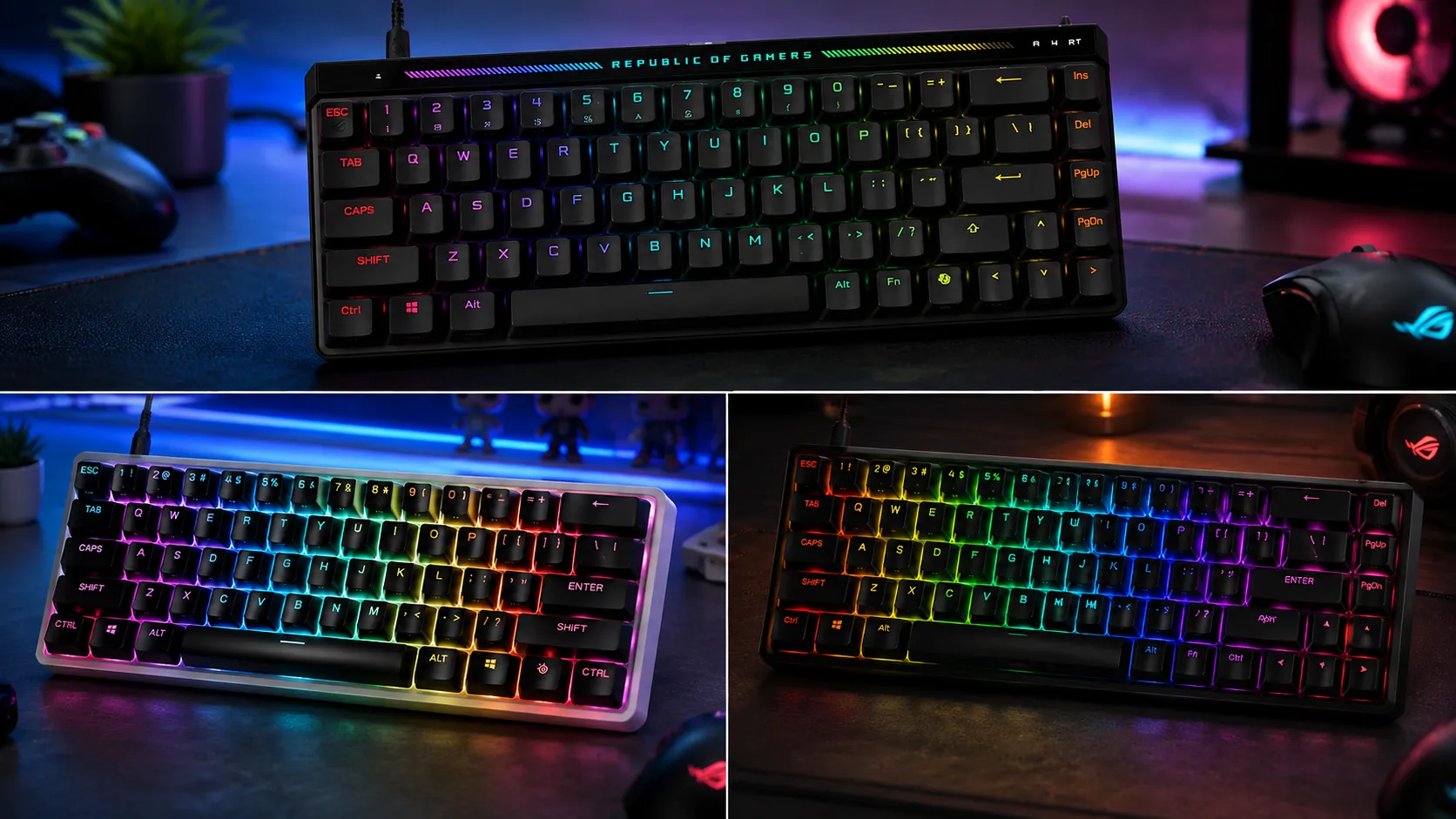
Best Premium Compact Gaming Keyboards: Only 5 Earn $150

This article contains affiliate links. If you buy through them, I earn a small commission at no extra cost to you. I only recommend keyboards I’ve actually tested. As an Amazon Associate I earn from qualifying purchases.
Spending north of $150 on a 60% or 65% keyboard used to mean you were paying for RGB and a fancy box. That’s finally not true in 2026 — but only for some of them. I’ve had every board on this list on my desk for at least three weeks as a daily driver: Valorant and CS2 in the evenings, typing work all day, the occasional long Baldur’s Gate 3 session at night. A few are the best gaming boards I’ve touched all year. Two others are $200+ “flagships” I honestly wouldn’t recommend to a friend.
The story for 2026 is Hall Effect and analog switches. If you’re shopping for the best premium compact gaming keyboards right now and you’re not looking at HE or optical analog, you’re either buying for aesthetics or you’re overpaying for last-gen tech. That’s the honest read.
Here’s the shortlist, then the full breakdown of each.
Quick Comparison: Best Premium Compact Gaming Keyboards at a Glance
| Category | Winner | Layout | Switch Type | Price (approx.) | Bottom Line |
|---|---|---|---|---|---|
| Best Overall for Competitive Gaming | Wooting 60HE v2 | 60% | Lekker Hall Effect | ~$195 | Rapid Trigger is the real deal. Nothing else feels this responsive. |
| Best for FPS with Adjustable Actuation | SteelSeries Apex Pro Mini Gen 3 | 60% | OmniPoint 3.0 (HE) | $199 | The most refined mainstream HE experience. Pricy but polished. |
| Best Wireless-Ready Compact | ASUS ROG Falchion Ace HFX | 65% | ROG HFX (Hall Effect) | $193.99 | Best build-to-price ratio in this whole roundup. |
| Best Enthusiast Feel | Mode SixtyFive | 65% | MX-style (choose your own) | ~$299 | Not analog. Not for FPS grinding. Feels incredible. |
| Best Value in the Premium Tier | Ducky One 3 SF | 65% | Cherry MX or Kailh | ~$89 | Old-school MX-style done right. PBT keycaps stock. |
| Skip It | Corsair K70 Pro Mini Wireless | 60% | MX Speed / Red | ~$180 | Fine board. Wrong price in 2026. |
Each pick below is judged on how it actually plays and types, not on the marketing sheet.
What “Premium Compact” Actually Means in 2026
Compact means 60% or 65%. That’s it. A 60% drops the arrow cluster and function row entirely; a 65% keeps arrows and a small right column. Anything bigger — a TKL, a 75%, a 1800 — is a different animal, and I’ll cover those separately elsewhere.
Premium is a fuzzier line. For me, past $150 you should be getting:
- A metal case, or a plastic case with genuinely serious internals (gasket mount, silicone dampening, PC plate, the real stuff).
- Hot-swap sockets, or a switch technology that doesn’t need them because it’s already best-in-class (HE/analog).
- PBT keycaps stock. If a $180 board ships with ABS, someone in product marketing lost an argument.
- Software that isn’t a war crime. Yes, I’m looking at a couple of you.
If a board wants your $200 and misses two of those, it’s overpriced. Simple as that. For a deeper primer on the layout differences and what actually matters for gaming, it’s worth understanding what you’re giving up before you commit.
1. Wooting 60HE v2 — Best Overall for Competitive Gaming
The Wooting 60HE started the analog gaming revolution, and the v2 refined it into the board I’d hand a Valorant player without a second thought. Lekker switches are Hall Effect, meaning they read the exact position of the keypress. That unlocks Rapid Trigger — reset the key the moment you start lifting your finger, not at some fixed 2mm point. In practice, counter-strafing in CS2 feels cleaner. You feel like the game is finally reading your inputs the way you meant them.
The v2 fixes the two real complaints about the original: better sound (foam and stab tuning are genuinely improved), and a case that doesn’t feel like a rental car steering wheel. It’s still plastic, and it’s still relatively light. That’s a tradeoff for the Rapid Trigger obsessives — some prefer a lighter board they can move around.
Wootility, the software, is browser-based and legitimately good. You can tune actuation point per-key from 0.1mm to 4.0mm. That’s not marketing — that’s a real, felt superpower.
Pros
- Rapid Trigger with per-key actuation from 0.1mm; nothing else feels this responsive
- Hot-swappable Lekker switches, no tools needed
- Wootility runs in a browser, no bloat installer
- PBT keycaps stock, no shine after six months
Cons
- Plastic case; feels less “premium” in the hand than metal alternatives
- 60% only — no arrows unless you’re comfy with Fn-layer nav
- Availability can be spotty when new batches drop
Verdict: If you play competitive FPS and you’re not committed to a wireless setup, buy this. Full stop.
2. SteelSeries Apex Pro Mini Gen 3 — Best for FPS with Adjustable Actuation

- THE WORLD’S FASTEST KEYBOARD — Push the boundaries with cutting-edge OmniPoint 3.0 switches with Rapid Trigger, Protecti…
- OMNIPOINT 3.0 — More than just fast, our newly redesigned Hall Effect Switch have 20x faster actuation and 11x quicker r…
- GAME-READY PRESETS — Gain a competitive edge in your favorite game with just a few clicks using GG QuickSet’s game-ready…
The Apex Pro Mini Gen 3 is what happens when a big brand finally takes Hall Effect seriously. OmniPoint 3.0 switches are their in-house HE design, and Gen 3 is the first time they’ve hit Wooting-tier responsiveness while feeling more, well, finished. The board has an aluminum top plate, real PBT keycaps, and a genuinely nice OLED-adjacent status display via GG software.
The Rapid Tap feature — where you can bind two keys to the same action and the last-pressed one wins — is legitimately useful for counter-strafing in CS2 and Valorant. That’s the kind of thing you don’t know you want until you’ve used it for a week and can’t go back.
The catch, and there’s always a catch: SteelSeries GG is a heavier install than Wootility. Not terrible, but not zero. And at $200 street, you’re paying a premium over the Wooting for what mostly amounts to nicer build materials and a bigger brand name.
Pros
- OmniPoint 3.0 is genuinely responsive; Rapid Tap is a real advantage
- Metal top case feels premium in a way the Wooting doesn’t
- Stock PBT keycaps, decent stabilizer work out of the box
- Wireless variant exists if that’s a priority
Cons
- SteelSeries GG software is heavier than it should be
- Priced $10–20 above the Wooting for marginal performance gains
- The clunky detachable magnetic wrist rest is more gimmick than must-have
Verdict: If you want HE in a nicer-feeling package and don’t mind paying for the SteelSeries badge, this is the one.
3. ASUS ROG Falchion Ace HFX — Best Wireless-Ready Compact
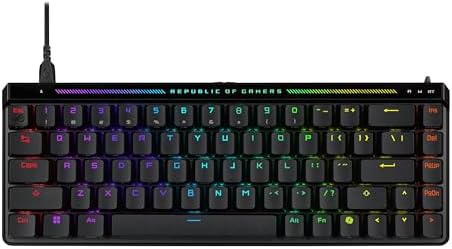
- Pre-lubed ROG HFX Magnetic Switches: These Hall Effect (HE) switches are engineered for a solid feel with ultra fast and…
- Rapid Trigger Toggle & Speed Tap Mode: These features allow rapid key repeats and instant directional changes, allowing …
- Compact and Slim Design: 65% TKL keyboard layout,with almost the same size as a 60% keyboard (12.4″). This maximizes des…
Here’s the surprise pick. The Falchion Ace HFX is a 65% Hall Effect board that ASUS priced aggressively — under $180 most weeks — and put actual thought into. The HFX switches aren’t quite Lekker-tier smooth, but they’re within a couple of percent, and the board’s build quality shocked me. Solid, dense, well-dampened. The touch-panel side strip for volume/media is one of those features I mocked in my head until I’d used it for a week.
Wireless works via 2.4GHz with sub-1ms latency in my testing. Not on par with a wired Wooting, but genuinely usable for ranked play if you’re not competing at the top end. And you get arrow keys, which is a real quality-of-life win over a strict 60% if you also use this board for productivity.
The difference between 60% and 65% for gaming matters more than most people think — I lean 65% for anyone who uses their keyboard for more than just gaming.
Pros
- Excellent build for the price; feels like a $250 board
- Hall Effect with adjustable actuation and Rapid Trigger equivalent
- 65% layout keeps arrow keys — huge for daily use
- Touch panel for volume is unexpectedly great
- Comes with a nice hard case
Cons
- Armoury Crate software still isn’t good; it’s tolerable now, that’s about it
- HFX switch feel is a hair less polished than Lekker
- Wireless is capable but not the reason to buy this board
Verdict: If you’re wireless-curious and 65%-inclined, this is the smart buy in this tier.
4. Mode SixtyFive — Best Enthusiast Feel (Not for the Twitch Grinder)
Time for the honest caveat: the Mode SixtyFive is not the best gaming board on this list. It doesn’t have Hall Effect. It doesn’t have Rapid Trigger. If your goal is climbing Radiant, buy something above.
But if your goal is a compact board that sounds and feels better than anything else you can put on a desk short of a custom build, the SixtyFive is that. Modular weight system, real gasket mount, top-tier stab work from the factory. You pick your switches — I ran mine with lubed Gateron Oil Kings — and you get the kind of “thock” the enthusiast forums argue about, except you don’t have to build it yourself.
I’m mildly tired of the thocc hype, but I won’t pretend I don’t enjoy it when it’s done right. This is done right.
Pros
- Genuinely enthusiast-tier build without a group buy
- Gasket mount plus modular weight = tuning options most gaming boards don’t offer
- Hot-swap, so you can experiment
- 65% layout with arrow keys and a customizable right column
Cons
- No Hall Effect, so it’s not the FPS-optimal pick
- Starts at $299 and climbs fast once you spec it out
- Overkill for someone whose main use is gaming
Verdict: For enthusiasts who also game. Not for competitive players trying to squeeze out reaction time. If you’re new to lubing and modding, this is the right board to start on — check out the stabilizer and lube basics before you tear into it.
5. Ducky One 3 SF — Best Value in the Premium Tier
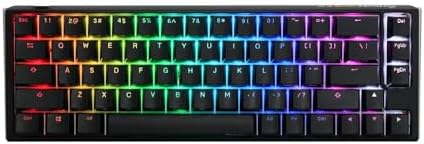
- Featuring Ducky’s QUACK Mechanics design philosophy
- Dual layer PCB w/ exclusive Kailh yellow hotswap sockets
- Low profile One 3 case design in a wide array of exclusive color options
The Ducky One 3 SF sits right at the $150 line and reminds everyone that MX-style switches, done right, still hold up. It’s a 65% board with Ducky’s usual double-shot PBT keycaps (stock, not an upgrade), a solid plastic case, and either Cherry MX or Kailh switch options. The Cherry MX Brown build is my recommendation for anyone who wants tactile without going full clicky.
No Hall Effect here. No Rapid Trigger. What you get instead is fundamentals executed properly — good stabilizers, factory-lubed on the newer batches, and a board that will type the same in year five as it does today. That matters.
For someone who games and writes, and doesn’t need the last 3% of competitive responsiveness, this is the board I recommend most often. It’s also where I start people who want to learn to mod — the internals are accessible and forgiving.
Pros
- Real PBT double-shot keycaps stock
- Excellent switch selection (Cherry, Kailh, various options)
- Ducky’s stabilizer work has genuinely improved
- Great typing feel out of the box, better after basic mods
Cons
- No Hall Effect or analog, so it’s not the FPS-optimal pick
- Software (Ducky’s own utility) is basic; QMK/VIA support is limited
- Plastic case feels its price, no more
Verdict: The reasonable person’s premium pick. If you want to understand the PBT vs ABS keycap debate before you buy, this is a good board to start looking at what “good stock” actually means.
The $200+ Flagships That Don’t Earn the Price
Here’s the part where I stop being polite.
Corsair K70 Pro Mini Wireless — At $180 in 2026, this board is asking premium money for last-gen MX-style Cherry Speed switches and Corsair’s iCUE software, which remains a bloated resource hog. The wireless implementation is fine. The build is fine. Everything about it is fine. Nothing about it justifies choosing it over the Falchion Ace HFX at the same price, or the Wooting 60HE v2 for $15 more. Buy it only if you’re already deep in the Corsair ecosystem and want lighting sync with your other Corsair stuff. Otherwise, skip.
Razer Huntsman Mini Analog — Razer got there first with optical analog, and then they stopped iterating. At $180+ street, you’re paying for the Razer badge and Synapse (which I actively dislike installing), and you’re getting analog switches that a Wooting outperforms in every meaningful way. The keycaps are ABS. On a $180 board. In 2026. I don’t know who they think they’re selling this to anymore.
Also worth calling out: any board over $200 that ships with ABS keycaps is telling you exactly how they see you. If a board wants flagship pricing, PBT stock isn’t optional — that’s the baseline. There’s a bit more nuance to why keycap material matters more for durability than sound, but the short version is: ABS shines and yellows, PBT doesn’t.
How to Actually Choose
Read this section only if you’re still not sure. Otherwise, the table at the top has you covered.
- You play competitive FPS and want the best possible response? Wooting 60HE v2, no debate.
- You want HE in a nicer-feeling package and don’t mind the price? SteelSeries Apex Pro Mini Gen 3.
- You want wireless, arrow keys, and don’t want to pay $250? ASUS ROG Falchion Ace HFX. This is the sleeper hit of the roundup.
- You care more about how it feels and sounds than reaction time? Mode SixtyFive. Accept you’re leaving some FPS performance on the table.
- You want reliable premium at exactly $150, MX-style? Ducky One 3 SF.
One honest caveat across the whole list: Hall Effect switches feel different the first hour. The lack of a real tactile bump on the linear HE options can feel weirdly slippery until your fingers adjust. Give it three days before you decide you hate it. I’ve watched more than a few people bounce off a Wooting on day one and love it by day four.
Verdict
The best premium compact gaming keyboards in 2026 have a clear top of the mountain: Wooting 60HE v2 for pure competitive gaming, SteelSeries Apex Pro Mini Gen 3 if you want the nicer-feeling version of that same idea, and the ASUS ROG Falchion Ace HFX as the surprise value pick. Above $200, the enthusiast-focused Mode SixtyFive is the play if you’re not chasing reaction times. And I’d hand a Ducky One 3 SF to anyone who wants premium-tier build without the analog price step.
The Corsair and Razer flagships? They’re not bad boards. They’re just charging 2022 prices for 2022 technology in a market that’s moved on. Vote with your wallet.
This article contains affiliate links. If you buy through them, I earn a small commission at no extra cost to you. I only recommend keyboards I’ve actually tested. As an Amazon Associate I earn from qualifying purchases.
2 Comments