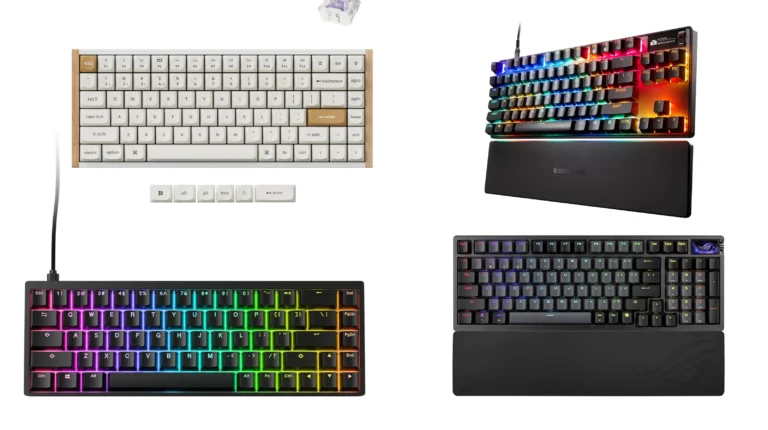
Best TKL Wireless Gaming Keyboard: 5 Top Picks Tested

This article contains affiliate links. If you buy through them, I earn a small commission at no extra cost to you. I only recommend keyboards I’ve actually tested. As an Amazon Associate I earn from qualifying purchases.
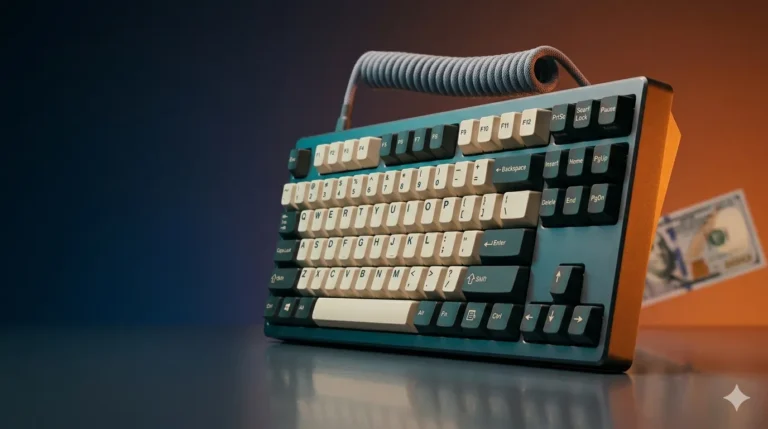
The “tenkeyless” name still trips people up. They count the keys, find way more than ten missing, and wonder who named this thing. The idea is simpler than the math — chop the numpad off a full-size, keep the function row and arrows, and you’ve got real mouse-swing room without giving up anything you actually press mid-game. Add decent wireless on top of that, and you have the layout that’s lived on my desk for most of the last three years.
Here’s the catch with this category: the market is loud. Every brand slaps “gaming” on a battery and a logo and calls it a day. Some of these boards are genuinely great. Some are membrane in a mechanical jacket. After daily-driving more wireless TKLs than I care to admit, here’s what I’d actually buy for the best TKL wireless gaming keyboard slot on your desk — and what I’d skip.
If you want the wider context on layouts before you commit, my TKL vs full-size breakdown covers the tradeoffs in more detail.
Quick Comparison: Best TKL Wireless Gaming Keyboard by Use Case
| Category | Pick | Switches | Why It Wins |
|---|---|---|---|
| 🏆 Best Overall | Corsair K70 CORE TKL Wireless | MLX Red v2 (Linear, pre-lubed) | Pre-lubed factory switches, real sound dampening, 1000Hz polling, SOCD |
| 💎 Best Premium / Hot-Swap | Razer BlackWidow V4 TKL HyperSpeed | Orange Tactile (hot-swap) | Genuine HyperSpeed wireless, swap switches without soldering, multi-function roller |
| 🔧 Best for Tinkerers (PBT keycaps) | MSI Forge GK600 TKL Wireless Sky | Linear (mechanical) | Dye-sub PBT keycaps, triple-mode connectivity, anti-slip base |
| 💰 Best Budget Combo | RedThunder K84 Keyboard + Mouse Combo | Membrane (75% compact) | Cheapest entry, includes a 3200 DPI mouse, rainbow backlit |
| 🎮 Best Console-Friendly Combo | Generic 87-Key TKL Combo | Membrane | Works with PS4, PS5, Switch, Xbox One X, plus PC |
What Actually Matters in a Wireless TKL Board
Most people get sold on the wrong specs. Before the picks, here’s what I’d actually look at:
- Connection type. 2.4GHz dongle is what you want for gaming — Bluetooth latency is fine for typing but you’ll feel it in shooters. The best boards do both, plus wired.
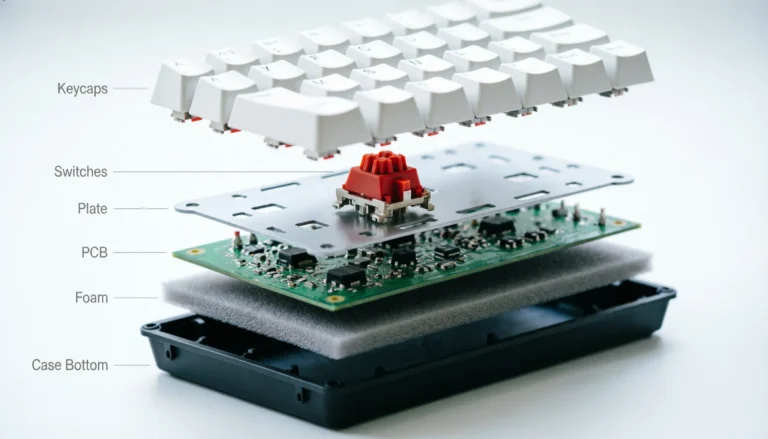
- Switch quality. A pre-lubed linear from a real factory beats a “premium” switch that ships dry and scratchy. Corsair’s MLX v2 and Gateron’s lineup do this well.
- Keycap material. PBT outlasts ABS, full stop. ABS develops shine on your WASD and spacebar within months. If a board ships with double-shot ABS, that’s at least better than thin single-shot.
- Stabilizers. Nobody talks about these and they make or break the sound of your space, shift, and enter keys. Cheap boards rattle.
- Battery life claims. Halve whatever the box says with RGB on. That’s the realistic number.
If you’re not sure whether to go wireless at all, my wired vs. wireless gaming keyboard piece lays out where wireless actually loses to a cable.
1. Corsair K70 CORE TKL Wireless — Best Overall TKL Wireless Gaming Keyboard

- Space-Saving Tenkeyless Layout: The compact tenkeyless footprint fits in tight gaming setups and leaves more room for sw…
- Pre-Lubed MLX Red v2 Switches: Pre-lubricated CORSAIR MLX Red v2 linear mechanical switches deliver smooth, responsive, …
- Fast Wireless Connectivity: Connect via ultra-fast SLIPSTREAM WIRELESS v1.5 or versatile Bluetooth, secured by AES encry…
This is the one I’d hand to most people without thinking twice. The Corsair K70 CORE TKL Wireless gets the boring stuff right, and the boring stuff is what you live with.
The MLX Red v2 linear switches come pre-lubed from the factory. That sounds like a small thing. It isn’t. Out of the box, this board sounds and feels closer to a $200 enthusiast build than a sub-$200 plug-and-play board has any right to. No scratch, no spring ping out of the gate. Corsair also stuffed it with sound dampening foam, which is the kind of mod people pay $40 in materials to do themselves.
What I liked:
- 1000Hz polling on the 2.4GHz dongle — no perceptible input lag
- SOCD (Simultaneous Opposing Cardinal Direction) for rhythm shooters
- Double-shot ABS keycaps (legends won’t wear off)
- Genuinely good stabilizers — minimal rattle on the space bar
The honest tradeoff: keycaps are ABS, not PBT. They’ll shine eventually. And while SOCD is great for some games, you’ll want to check your competitive title’s rules — it’s banned in a few.
Best for: anyone who wants the cleanest, lowest-effort wireless TKL experience without modding.
2. Razer BlackWidow V4 TKL HyperSpeed — Best Premium Pick

- RAZER HYPERSPEED WIRELESS & BLUETOOTH — Game lag-free with ultra-fast 2.4 GHz wireless and pair a compatible Razer mouse…
- HOT-SWAPPABLE DESIGN — Compatible with 3 or 5-pin switches, the keyboard’s socketed PCB allows an easy swap out of its p…
- OPTIMIZED TYPING EXPERIENCE — Enjoy a clean typing sound and feel, achieved through a top-mounted stainless-steel plate,…
If you want hot-swap and you want it wireless, your shortlist is short. The Razer BlackWidow V4 TKL HyperSpeed is on it.
Razer’s HyperSpeed wireless is the real deal — I’ve A/B tested it against wired on the same setup and couldn’t feel a difference in Valorant or Apex. The orange tactile switches have a soft bump that I’d describe as “noticeable but not aggressive.” Not my personal favorite tactile (I lean toward heavier T1-style), but they’re well-balanced for both typing and gaming.
The multi-function roller is the surprise here. I rolled my eyes at it on paper. Three weeks in, I was using it for volume, brightness, and zoom in image editing without thinking. It earned its real estate.
What stands out:
- Hot-swappable sockets — change switches without soldering
- Chroma RGB that’s actually configurable, not just rainbow
- Long battery life (Razer claims 200+ hours, I got around 130 with RGB at 50%)
- Doubleshot ABS with shine-through legends
The honest tradeoff: it’s expensive, and the Razer Synapse software is still the Razer Synapse software. Functional, occasionally annoying.
Best for: people who want one wireless TKL they can keep modifying over the years.
3. MSI Forge GK600 TKL Wireless Sky — Best for PBT Keycaps Out of the Box

- DURABLE MECHANICAL SWITCHES – The mechanical Linear switches feature a lifespan of 50+ million keystrokes per key that d…
- DYE-SUBLIMATED PBT KEYCAPS – The GK600 TKL Wireless Sky employs a tenkeyless-sized keyboard layout with dye-sublimated P…
- TRI-MODE CONNECTIVITY – The FORGE GK600 TKL WIRELESS SKY supports both wired (1.8m USB 2.0) & wireless (2.4GHz & Bluetoo…
This is the one I almost didn’t include, and I’m glad I did. The MSI Forge GK600 TKL Wireless flies under the radar, but it ships with dye-sublimated PBT keycaps at a price where most competitors are still pushing ABS.
That alone changes the feel. PBT has a slightly textured, drier feel under the finger and resists shine for years. The linear switches MSI uses aren’t pre-lubed as nicely as Corsair’s, but they’re not scratchy either — and if you ever want to swap them out, the board’s hot-swap-friendly construction makes it doable.
What’s good:
- Dye-sublimated PBT keycaps (legends won’t fade)
- True triple-mode connectivity: USB-C wired, 2.4GHz, Bluetooth
- Anti-slip rubber base — actually stays put
- Per-key RGB with decent diffusion
The honest tradeoff: sound profile out of the box is a bit hollow compared to the Corsair. A simple foam or tape mod fixes it, but you shouldn’t have to mod a wireless board to make it sound right.
Best for: anyone who wants long-term durability without modding keycaps later. If you’re new to mechanical, my beginner’s guide to mechanical keyboards is worth a read before you pull the trigger.
4. RedThunder K84 Wireless Combo — Best Budget Pick

- 【High-performance 2.4G Wireless Keyboard and Mouse】Are you looking for a small wireless keyboard and mouse combo that ca…
- 【Rechargeable Wireless Keyboard and Mouse】The keyboard is equipped with a 1850 mAh battery, and the mouse is equipped wi…
- 【75% Compact Mini Keyboard and Ultra-light Honeycomb Shell Mouse】Removed the 10-key numeric pad. The ultimate tenkeyless…
Let’s be straight: the RedThunder K84 is not a mechanical board, and despite the listing, it’s a 75% layout, not a true TKL. Close cousin, slightly smaller. I’m including it because at this price, with a keyboard and mouse together, it’s the honest entry-level option for someone who just wants something better than a $20 office board.
The membrane feel is, well, membrane. Mushier bottom-out, less defined keypress. But it’s quiet, the keys don’t wobble, and the rainbow backlight is more tasteful than the price suggests. The included 3200 DPI optical mouse is genuinely usable — light, accurate enough for casual play.
Where it makes sense:
- Total spend stays under what a single decent mechanical TKL would cost
- Great for a kid’s first gaming setup or a backup desk
- Wireless with rechargeable battery
- 75% layout saves even more desk space than TKL
The honest tradeoff: you’ll feel the limits if you push into competitive shooters. Membrane keys have a slight delay on rapid double-taps that mechanical doesn’t. And the included mouse is fine, not great.
Best for: beginners, secondary setups, gifts, or anyone with a tight budget who just wants the whole package working.
5. Generic 87-Key Wireless TKL Combo — Best Console-Compatible Budget Combo

- ★Rechargeable Tenkeyless Keyboard — 2500mAh rechargeable battery with auto-sleep function and power switch,this keyboa…
- ★Replaceable and Rechargeable Wireless Mouse — Deploy the 500mAh high performance battery,which can carry more than 20…
- ★Human-friendly Backlit — There is breathing mode/static/light-off mode for choices,3 level of brightness,you can adju…
The 87-key gaming TKL combo is in the same membrane-budget category as the RedThunder, but it earns its spot for one reason: console compatibility. PS4, PS5, Switch, and Xbox One X all play nice with it.
If you’re someone who alternates between PC and console — or you’ve got a couch setup connected to a TV — having one wireless TKL that works across systems is a real quality-of-life win. The LED backlighting is basic but functional, and 87 keys give you the standard TKL layout people are used to.
Where it shines:
- Cross-platform: PC, Mac, PS4, PS5, Switch, Xbox One X
- Includes a 6-button mouse for the bundled price
- Rechargeable wireless on both peripherals
- Compact enough for a living room setup
The honest tradeoff: it’s membrane, generic, and the build quality reflects the price. Don’t expect it to last five years. Expect it to do its job for one or two.
Best for: multi-platform gamers and living-room PC setups where mechanical clack isn’t welcome.
How to Pick the Right TKL Wireless Gaming Keyboard for You
A short checklist, the way I’d run through it myself before buying:
- Set a real budget. Anything under $50 wireless is going to be membrane or low-grade mechanical. That’s fine if you know what you’re getting.
- Decide on switches before the brand. Linear for fast gaming, tactile for typing-heavy work, clicky if you have no officemates. The switch type guide explains the differences in plain language.
- Check keycap material. PBT > double-shot ABS > single-shot ABS. The price difference is usually $20, and the lifespan difference is years.
- Verify 2.4GHz, not just Bluetooth. For gaming, a dedicated dongle is non-negotiable. Bluetooth alone will frustrate you.
- Look up real battery life reviews. Manufacturer numbers assume RGB off. With RGB on, halve them. With effects, halve them again.
Most people don’t need to spend $200 to get the best TKL wireless gaming keyboard for their actual use. A genuinely good $90–$130 board (the Corsair K70 CORE TKL falls in here) outperforms a mediocre $200 one every time. Spec sheets sell boards. Switches, stabilizers, and keycaps make you actually enjoy using them.
Final Verdict
If you want the single best TKL wireless gaming keyboard for most people, it’s the Corsair K70 CORE TKL Wireless. Pre-lubed switches, real sound dampening, and proper 1000Hz wireless make it punch well above its price. If you want to mod and swap switches over the years, pay up for the Razer BlackWidow V4 TKL HyperSpeed. If PBT keycaps and triple-mode connectivity matter to you on a tighter budget, the MSI Forge GK600 TKL is the quiet pick that most reviewers sleep on.
And if you just want something working today without spending real money? The RedThunder combo will do the job. Just go in knowing you bought membrane, not mechanical.
Pick the board that fits how you actually game and type, not the one with the longest spec sheet. That’s the whole game.
This article contains affiliate links. If you buy through them, I earn a small commission at no extra cost to you. I only recommend keyboards I’ve actually tested. As an Amazon Associate I earn from qualifying purchases.