Rapid Trigger Explained: Is It Worth It in 2027

This article contains affiliate links. If you buy through them, I earn a small commission at no extra cost to you. I only recommend keyboards I’ve actually tested. As an Amazon Associate I earn from qualifying purchases.
Every few years, keyboard marketing latches onto one feature and treats it like the second coming. Hot-swap was one. “Thocc” was another. Right now it’s Rapid Trigger, and unlike a lot of hype, this one has something real underneath it.
Here’s rapid trigger explained in one sentence: instead of a key resetting at a fixed point on its way back up, it resets the instant it starts moving up, no matter where in the travel that happens. That’s it. The rest of this article is about what that means for your hands, which games it matters in, and which boards are worth your money.
I’ll be upfront about one thing. The specs below come from manufacturer documentation and the boards’ published features, so treat my take as an informed read of the tech and not a claim that I’ve logged months on each one. Where a number matters, check the Amazon listing before you buy, because firmware updates change things.
Quick Comparison: Which Rapid Trigger Keyboard Fits You?
If you just want the verdict, start here. Details and tradeoffs follow below.
| Best For | Keyboard | Layout | Standout Feature | Connection | Check Price |
|---|---|---|---|---|---|
| Budget competitive pick | Hyekit x FGG MADLIONS MAD 60 HE | 60% | 8000 Hz polling, adjustable actuation | Wired | Check on Amazon |
| Typing + gaming, enthusiast build | Keychron Q1 HE | Compact (75%) | QMK/VIA customization, wireless option | Wired + wireless | Check on Amazon |
| Esports, full-size desk space | Razer Huntsman V3 Pro TKL | TKL | Analog optical switches, adjustable actuation | Wired | Check on Amazon |
| Premium all-rounder with a screen | SteelSeries Apex Pro TKL Gen 3 | TKL | Magnetic switches, OLED display | Wired | Check on Amazon |
My short version: if you play mostly FPS games and want the cheapest way in, get the MAD 60 HE. If the board also has to be your work keyboard, the Keychron is the one that won’t feel like a compromise Monday through Friday.
How Rapid Trigger Works (Without the Marketing Fog)
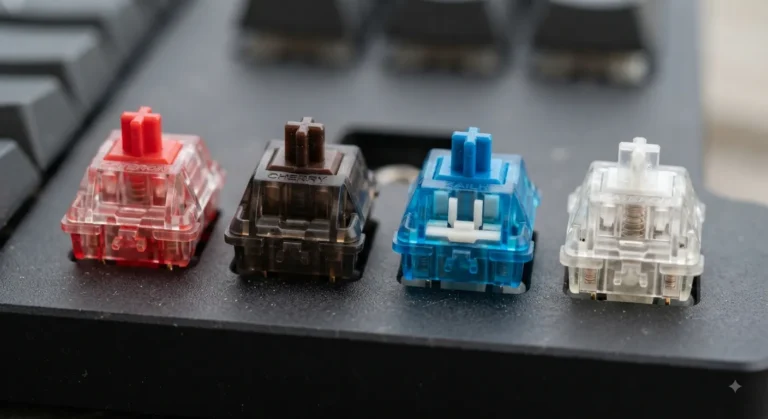
On a regular mechanical switch, two fixed points control everything. There’s an actuation point where the keypress registers on the way down, and a reset point where the switch is allowed to register again on the way up. Those points are physical. They’re baked into the metal contacts. A typical linear switch actuates around 2 mm into a 4 mm travel and resets a bit above that point. If you want to press the key again, you have to let it travel back past the reset point first.
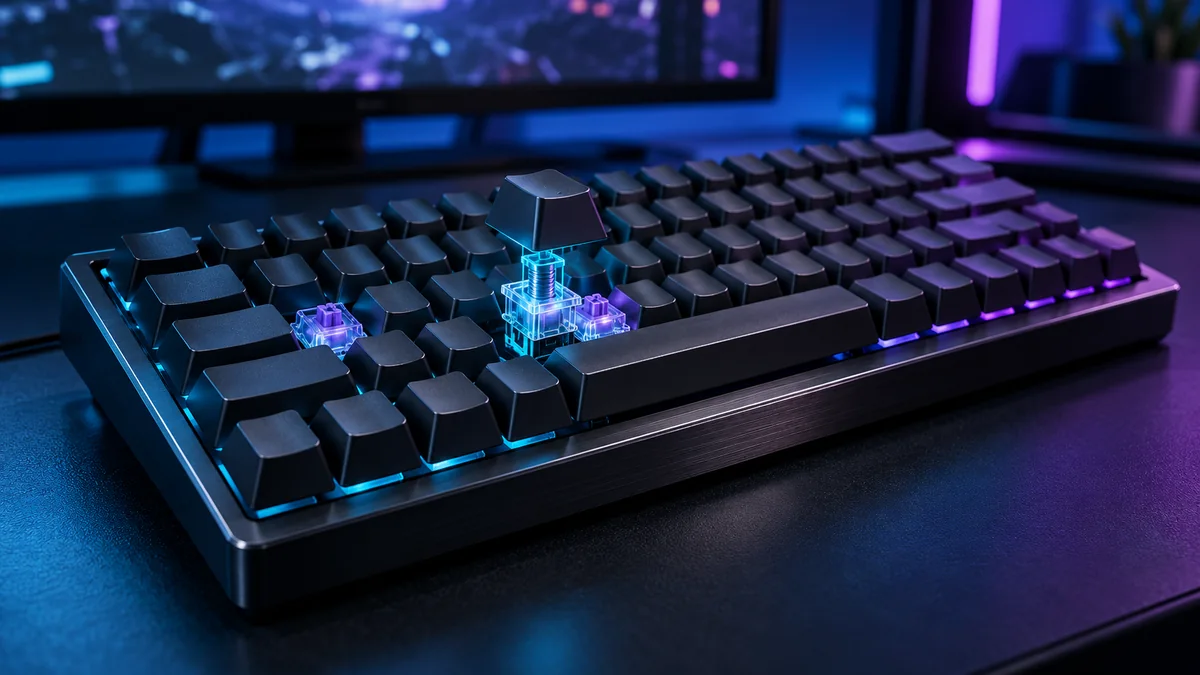
Magnetic switches, usually called Hall effect switches, don’t have metal contacts. A magnet sits on the stem, a sensor sits on the board, and the sensor measures how close the magnet is. That gives the keyboard a continuous reading of key position instead of a simple on/off. Once the firmware knows exactly where the key is at every moment, it can do something contacts never could.
That something is Rapid Trigger. The firmware says: the moment this key moves up by a small amount (say 0.1 mm), release it. The moment it moves down by a small amount, press it again. No fixed reset point. The key’s position relative to its own last movement is what matters, not its absolute position in the travel.
Two settings define the behavior:
- Actuation sensitivity: how far down you have to move before the press registers (often adjustable from roughly 0.1 mm to 4 mm).
- Release sensitivity: how far you have to come back up before the release registers.
Set both to something tiny and the key behaves like a hair trigger that follows your finger almost exactly.
Where the Edge Is Real
Here’s the part the ads skip: Rapid Trigger doesn’t make you faster at pressing keys. Your finger speed is your finger speed. What it does is remove dead time, the stretch where your finger is already moving but the keyboard isn’t ready to listen.
That matters most in a few specific situations.
Counter-strafing in tactical shooters
In games like Counter-Strike 2 and Valorant, accuracy depends on being fully stationary when you shoot. Players tap the opposite movement key to kill momentum. With a standard board, you’re waiting for the first key to release past its reset point and the second to actuate. With Rapid Trigger, the release is registered almost the instant the key starts rising, so your character stops sooner. We’re talking about milliseconds, but in a game where positioning is measured in single frames, that’s the whole point.
Tight movement and quick direction changes
Anything with fast strafing, bunny-hopping, or wall-running rewards a key that lets go quickly. The same logic applies to rhythm games, where short taps need to register cleanly without half-presses bleeding into the next note.
Reducing accidental inputs
Short actuation distances sound like a recipe for typos, and for typing they can be. But in gaming, a short actuation combined with Rapid Trigger means light, controlled taps instead of bottoming out every key. Some players find it easier on their fingers over long sessions.
Where the Edge Is Overstated
Now the honest caveat, because there’s always one.
If you play slower games like strategy titles, RPGs, or most MMOs, you will not feel a difference. Not a small one, none. The latency Rapid Trigger saves is irrelevant when the game itself isn’t latency-sensitive. If you’re buying one of these boards only for Elden Ring, you’re spending money on a feature you won’t use.
And most people, including plenty of ranked players, have bigger bottlenecks than their keyboard. Network ping, monitor refresh rate, and plain aim practice will move your results more than any switch technology. Rapid Trigger raises the ceiling for players who have already maxed out the basics. It won’t rescue the ones who haven’t.
There’s one more real downside: tuning. Set the sensitivity too low and you get accidental double inputs, especially if you rest your fingers on the keys. Plan on spending an hour in the software dialing it in. If that sounds miserable, factor it in.
What to Look For in a Rapid Trigger Keyboard
Not every board that says “rapid trigger” in the title delivers equally. A few things matter more than the box art.
- Adjustable sensitivity down to 0.1 mm. Coarser steps mean less precise behavior.
- A decent polling rate. 1000 Hz is fine for most people. 8000 Hz is a nice-to-have, mostly useful if your mouse and PC can also take advantage of it.
- Per-key tuning. Being able to set WASD differently from the rest of the board is genuinely useful.
- Software you can actually stand. Web-based configurators are great because there’s nothing to install.
- Layout. A 60% board gives you mouse room, which matters more than people admit.
If you want to go deeper on how magnetic switches compare to optical ones, read the Hall effect vs. optical vs. mechanical breakdown. For more board options, see the best Rapid Trigger keyboards guide.
The Best Rapid Trigger Keyboards, Reviewed
1. Hyekit x FGG MADLIONS MAD 60 HE: Best Budget Rapid Trigger Pick

- E-SPORTS-LEVELl HIGHT-PERFORMANCE GAMING KEYBOARD: With the support of customized high-frequency e-Sports-level chips, M…
- MORE SUITABLE FOR FPS GAMES: In FPS games such as Valorant and CS2 that require Emergency Stop shooting, the magnetic sw…
- RAPID TRIGGER TECH: The series has an RT step distance as low as 0.02 mm, providing lightning-fast response times that h…
This is the board for people who read rapid trigger explained articles and think, “Okay, I’ll try it, but I’m not spending $250 to find out.”
It’s a 60% wired board with Hall effect switches, adjustable actuation, and a Rapid Trigger mode, and it’s rated for an 8000 Hz polling rate. The 60% layout is a feature, not a limitation. You lose the function row and arrows, but you gain desk space for wide mouse swipes, which matters in tactical shooters.
Pros
- Strong feature list for the price tier
- 8000 Hz polling for players who want every last bit of responsiveness
- Compact 60% footprint frees up mouse space
- Adjustable actuation and Rapid Trigger mode out of the box
- Works with PC and Mac
Cons
- No arrow keys or function row without layer shortcuts (a real adjustment if you also work on it)
- Wired only
- Less established brand support and software polish than the big names
Verdict: The smarter buy for most FPS players who want to try magnetic switches. Just know that 60% takes a week to get used to.
2. Keychron Q1 HE: Best for Typing and Gaming

- Full Aluminum Hall Effect Wireless Keyboard: Meet the Q1 HE, the world's first 75% layout (82-key) wireless QMK custom k…
- Hall Effect Gateron Double-rail Magnetic Switch: With the first invented dual-rail structure, these pre-lubed magnetic s…
- 2.4 GHz & Bluetooth Connectivity: Switch easily between 2.4 GHz wireless, Bluetooth, and wired modes with the mode toggl…
Keychron’s Q-series has a reputation among enthusiasts for solid build quality and QMK support, and the HE version brings magnetic switches into that formula. This is the one that makes sense if your keyboard has to do two jobs.
The big draw is customization. QMK and VIA-style remapping means you can set up layers, macros, and per-key behavior to your liking, and the board also supports wireless use. That’s rare in this category. Most Rapid Trigger boards are strictly wired because latency is the whole selling point.
Pros
- QMK-based customization for serious remapping
- Wireless option for desk flexibility
- Enthusiast-grade build suited to daily typing
- Compact layout that still keeps arrow keys and a function row
- Rapid Trigger plus adjustable actuation
Cons
- Priced above the budget options
- Wireless mode won’t match wired for competitive play, as with any wireless board
- Heavier and bulkier than a typical gaming board, so portability isn’t its strength
Verdict: If you type for a living and game in the evenings, this is the most balanced pick here. If you only play competitive shooters, you’re paying for features you won’t use.
3. Razer Huntsman V3 Pro TKL: Best for Esports Players

- CHOSEN BY PRO’S FOR ADVANCED FPS MOVEMENT — With Rapid Trigger, Adjustable Actuation and Razer Snap Tap, the Huntsman V3…
- RAZER SNAP TAP — Prioritize the latest input between two selected keys without having to release the previous one, and e…
- RAPID TRIGGER — A step up from traditional mechanical or optical keyboards to achieve the most responsive and precise in…
Razer’s pitch with the Huntsman V3 Pro is simple: build the board esports players asked for. It uses analog optical switches with adjustable actuation, and it supports Rapid Trigger so you can tune how aggressively keys press and release.
The TKL layout drops the number pad but keeps the arrows and function row, which is a reasonable middle ground. It’s a familiar shape for anyone coming from a standard gaming board, so there’s less adjustment than going to 60%.
Pros
- Analog optical switches with adjustable actuation
- Rapid Trigger support for competitive play
- TKL layout keeps arrows and function keys
- Tuned with esports in mind
- Mature software ecosystem from a large manufacturer
Cons
- Razer’s software can feel heavy compared to a simple web configurator
- Premium pricing, well above the budget picks
- Wired only
- Optical analog isn’t the same tech as Hall effect, so if you specifically want magnets, look elsewhere
Verdict: A confident pick if you already trust Razer’s ecosystem and want a TKL. If you’re price-sensitive, the cheaper boards give you most of the benefit.
4. SteelSeries Apex Pro TKL Gen 3: Best Premium All-Rounder

- TRIPLE THREAT POWERED BY QUICKSET — Apex Pro is the only line of keyboards in the world with Rapid Trigger, Rapid Tap, a…
- RAPID TRIGGER FOR FASTER ACTIONS — Stop fast, start your next move faster. Resets the moment you release a key.
- RAPID TAP FOR FASTER MOVEMENT — Snaps to your latest key press to strafe and dodge faster.
SteelSeries was one of the first big brands to push adjustable actuation, and the Gen 3 refines the idea with magnetic switches and Rapid Trigger support. It’s also got the OLED display that SteelSeries is known for, which is gimmicky until you realize it’s actually handy for checking your actuation profile without alt-tabbing.
Like the Razer, it’s a TKL board, so it sits in that familiar gaming-keyboard footprint.
Pros
- Magnetic switches with adjustable actuation
- Rapid Trigger support
- OLED screen for quick profile and setting checks
- TKL layout with arrows and function row
- Polished build and well-known brand support
Cons
- Expensive
- Plastic-heavy feel compared to enthusiast aluminum boards like the Keychron
- Stock keycaps and sound aren’t enthusiast-grade, so modders will want to swap things
Verdict: Good if you want a polished, no-fuss premium board and don’t care about modding. If you do care about the typing experience, the Keychron wins.
Which One Should You Actually Buy?
Skip the spec sheet arms race and match the board to your life:
- You play CS2 or Valorant and want the best value: MAD 60 HE. Get used to 60% and don’t look back.
- You type a lot and also game: Keychron Q1 HE. The customization and build quality justify the price.
- You want a safe esports-focused TKL: Razer Huntsman V3 Pro TKL.
- You want a polished premium board with a screen: SteelSeries Apex Pro TKL Gen 3.
And here’s the mildly contrarian bit: if your budget is tight, a good $90 Rapid Trigger board will beat a mediocre $200 one every time. Features matter more than logos.
Final Thoughts on Rapid Trigger
The short answer to “is the edge real?” is yes, but it’s narrower than the marketing suggests. Rapid Trigger removes dead time, and that matters in games where movement is measured in milliseconds. In everything else, it’s a nice feature you’ll barely notice.
If you play tactical shooters seriously, one of these boards is a smart upgrade, and you’ll understand it within an hour of tuning your first profile. If you don’t, save the money and buy better keycaps instead.
This article contains affiliate links. If you buy through them, I earn a small commission at no extra cost to you. I only recommend keyboards I’ve actually tested. As an Amazon Associate I earn from qualifying purchases.