Hall Effect vs Optical vs Mechanical: How They Work

This article contains affiliate links. If you buy through them, I earn a small commission at no extra cost to you. I only recommend keyboards I’ve actually tested. As an Amazon Associate I earn from qualifying purchases.
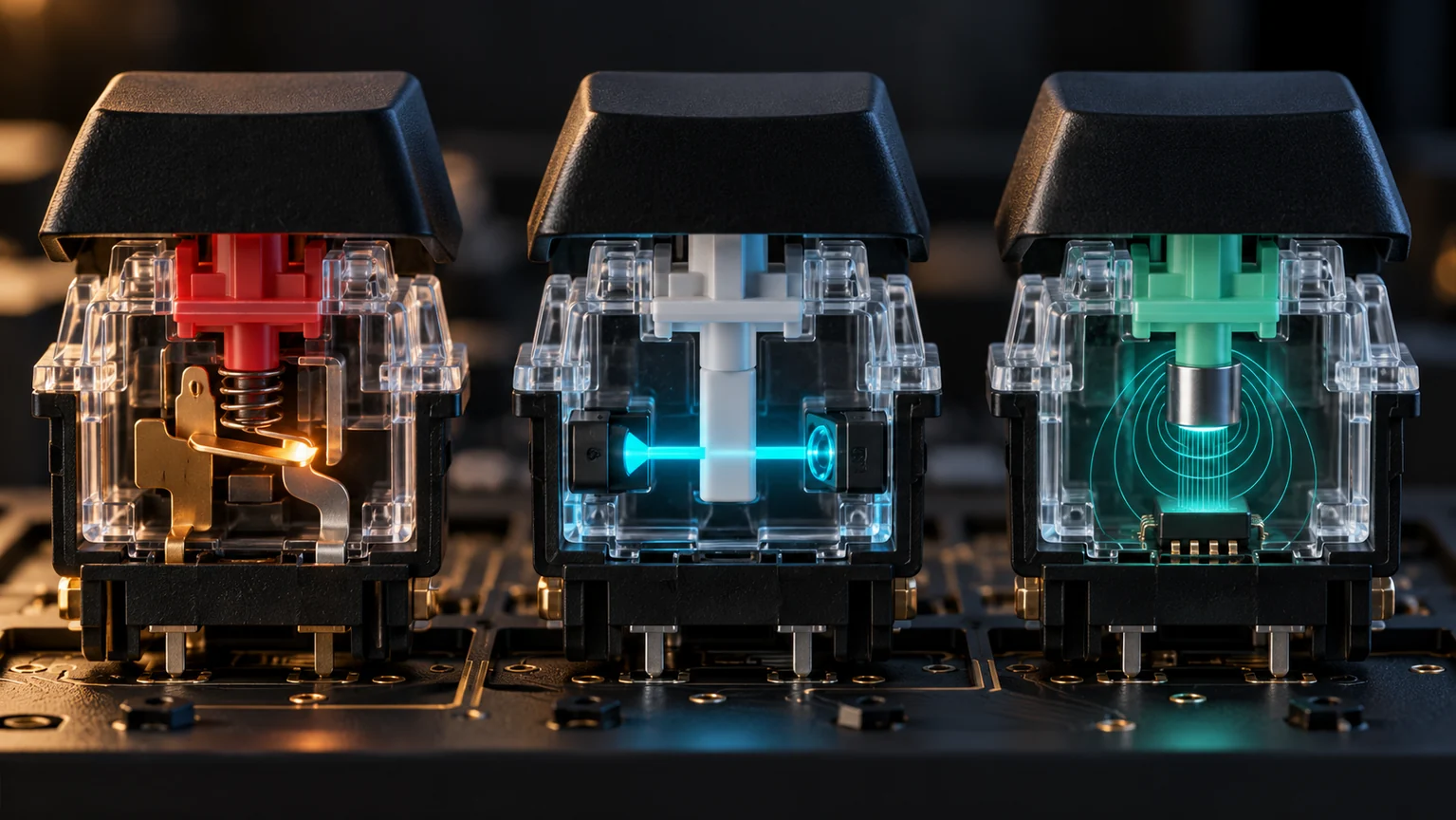
Three keyboards can feel almost identical under your fingers and still register a keypress in three completely different ways. One closes a metal contact. One interrupts or measures light. One tracks a magnet. That difference matters—but not always for the reason printed on the box.
The useful way to compare hall effect vs optical switches and traditional mechanical switches is to separate the sensing method from the rest of the keyboard. A fast sensor can still be paired with slow firmware. A conventional mechanical switch can sit in a keyboard with excellent latency. And the words “optical” or “magnetic” tell you almost nothing about key feel, build quality, sound, or software.
Here is the short answer. Mechanical remains the flexible, repairable choice with the widest range of feels. Basic optical switches replace the electrical contact with a light-based trigger, usually at a fixed point. Hall Effect switches measure key position through a magnetic field, which makes adjustable actuation and Rapid Trigger practical. Analog optical boards can also measure position, so Hall Effect does not own those features outright.
Hall Effect vs Optical Switches vs Mechanical at a Glance
| Technology | What the PCB detects | Typical output | Main advantage | Main limitation |
|---|---|---|---|---|
| Mechanical | Two metal contacts closing | Digital on/off | Huge switch variety and broad compatibility | Fixed actuation and reset behavior |
| Digital optical | A light path being blocked or opened | Digital on/off | No metal contact bounce at the sensing point | Usually proprietary and fixed-actuation |
| Analog optical | A changing light signal tied to stem position | Continuous position data | Adjustable actuation and Rapid Trigger are possible | Proprietary hardware and software ecosystem |
| Hall Effect | Changing magnetic field from a moving magnet | Continuous position data | Mature adjustable-actuation and Rapid Trigger implementations | Switch compatibility depends on the exact board and sensor calibration |
The table exposes the first marketing trap: “optical” is not one behavior. A digital optical switch is closer to a conventional mechanical switch in what it reports—pressed or released. An analog optical switch is closer to Hall Effect because both can provide continuous position data. If a product page only says “optical,” check whether it lists adjustable actuation or analog input before assuming anything else.
How a Mechanical Switch Registers a Keypress
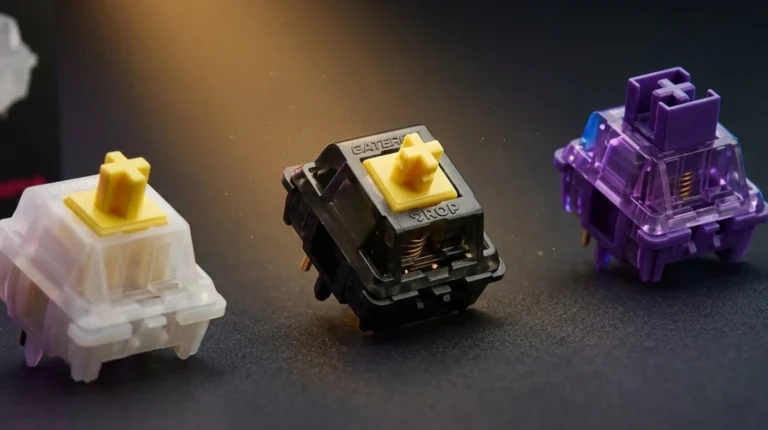
In a common Cherry MX-style switch, pressing the keycap moves a plastic stem downward. Part of that stem pushes against a springy metal contact leaf. At a designed point in the travel, the leaves meet, the circuit closes, and the keyboard controller reads the key as pressed.
Those metal contacts can bounce microscopically when they meet. Without filtering, the controller could interpret one physical press as several. Keyboard firmware therefore uses a debounce routine: it waits for a stable state before accepting the input. Modern implementations can keep that delay small, but it is part of the system.
A standard mechanical switch does not continuously report position. It has a fixed actuation point determined by its internal geometry, followed by a fixed reset point as the key rises. A Cherry MX Red may feel light and smooth while a tactile switch adds a bump and a clicky switch adds sound, but all three still use the same basic electrical idea. Our guide to linear, tactile, and clicky mechanical switches explains those feel differences in more detail.
What Mechanical Does Better
Choice is the obvious win. You can buy linear, tactile, clicky, silent, long-pole, heavy, light, and low-profile variants. Standard MX-style keycap compatibility is broad, and a good hot-swap board lets you replace a failed switch or change the entire feel without replacing the keyboard.
The tradeoff is that the actuation behavior lives inside the switch. Software cannot turn a 2 mm mechanical actuation point into 0.5 mm, and it cannot create true position-based Rapid Trigger from a simple on/off contact. That does not make mechanical slow. It makes it less adjustable.

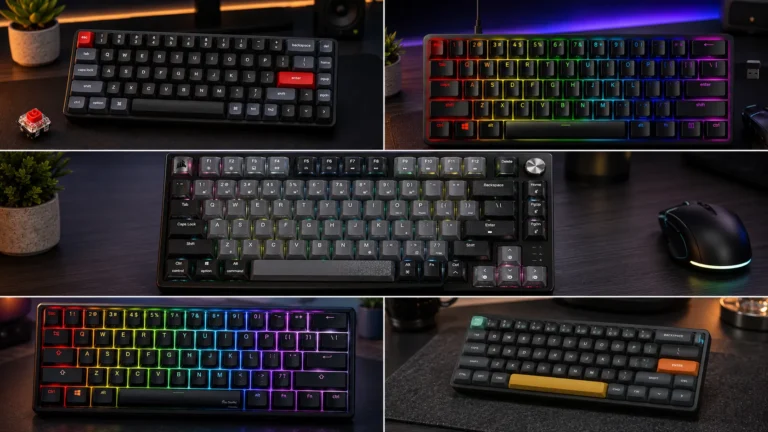
A conventional mechanical baseline with a light linear switch, full-size layout, PBT keycaps, and fast keyboard electronics.
- Sensing: metal-contact mechanical
- Best for: mixed gaming, work, and users who want dedicated media controls
- Watch for: the switches are not hot-swappable
Pros
- Predictable light-linear feel
- Full-size layout with media controls
- PBT keycaps and sturdy aluminum frame
- Fast overall response without actuation tuning
Cons
- No adjustable actuation or Rapid Trigger
- Soldered switches limit repair and customization
- Full-size case uses more mouse space
- Software adds little to the switch behavior
How Optical Keyboard Switches Work
An optical keyboard uses light to detect the switch state. In a common digital design, an emitter and receiver sit on the PCB. The moving stem or shutter blocks or opens the light path. Once the beam changes state, the controller registers the key.
Because the sensing event does not depend on two electrical contacts touching, there is no contact bounce at that point. That can reduce the need for traditional debounce. It also removes one wear mechanism from the signal path. The spring, stem, housing, stabilizers, solder joints, LEDs, controller, and USB port are still physical parts, though. “100-million-keystroke switch” is not the same promise as a keyboard that lasts forever.
Digital optical switches still trigger at a fixed physical point. Their light-based sensing does not automatically give you adjustable actuation, analog movement, or Rapid Trigger. For that, the board needs an analog optical system capable of interpreting changing light levels or another position-dependent optical signal.
Analog Optical Changes the Comparison
The Razer Huntsman V3 Pro line is the useful counterexample to the claim that only magnetic keyboards can offer adjustable actuation. Its analog optical platform measures key travel, supports per-key actuation settings, and can reset based on movement with Rapid Trigger. In practical feature terms, it competes directly with Hall Effect.
The downside is the same one found in most non-mechanical sensing systems: the switch, PCB, firmware, and calibration form a platform. An optical switch that looks MX-like is not automatically compatible with an MX hot-swap socket—or with another brand’s optical board. Buy the complete keyboard for its feature set, not because you expect a universal switch ecosystem.

An analog optical board that proves light-based sensing can deliver adjustable actuation and Rapid Trigger without Hall sensors.
- Sensing: Razer Analog Optical Gen-2
- Best for: competitive FPS players already comfortable with the Razer ecosystem
- Standout feature: per-key actuation adjustment with Rapid Trigger
Pros
- Adjustable actuation across a wide travel range
- Rapid Trigger supports repeated movement inputs
- TKL layout leaves useful mouse room
- PBT keycaps and onboard controls improve daily use
Cons
- Proprietary optical switch ecosystem
- Very shallow settings can cause mistakes
- Configuration depends heavily on software
- Overkill if you never tune actuation
How Hall Effect Switches Work
A Hall Effect keyboard places a magnet in or around the moving switch stem and a sensor on the PCB. As the key moves, the magnetic field at the sensor changes. The controller samples that signal, calibrates it, and estimates the stem’s position through the travel.
The underlying Hall effect is a voltage difference created across a conductor or semiconductor in a magnetic field. You do not need the physics equation to shop intelligently. The practical point is that the sensor can read a range rather than waiting for one physical contact to close.
That continuous position data enables the features that made magnetic keyboards popular. Adjustable actuation lets you choose how far a key travels before it counts as pressed. Rapid Trigger changes the reset behavior so a key can deactivate as soon as it moves upward by a configured amount. Dual-action bindings can assign one command at a shallow depth and another deeper in the press. Analog output can map travel to a variable input when the game and keyboard software support it.
If you want the deeper engineering and buying context, read our Hall Effect keyboard explainer. For gaming specifically, our Rapid Trigger keyboard guide covers where the feature helps and where the marketing runs ahead of the benefit.
What Hall Effect Does Not Guarantee
It does not guarantee lower total latency. The sensor is only the first stage. Scan rate, signal filtering, firmware, USB report rate, operating system scheduling, and the game all sit between your finger and the on-screen action. A well-built mechanical keyboard can outperform a poorly implemented magnetic one.
It also does not guarantee universal magnetic-switch compatibility. Magnet strength, polarity, travel curve, sensor placement, and firmware calibration can differ. A board advertised as “HE hot-swap” usually means compatible magnetic switches, not any mechanical switch with an MX-style cross stem.

A mainstream Hall Effect board built around OmniPoint 3.0 magnetic switches, adjustable actuation, and Rapid Trigger.
- Sensing: Hall Effect magnetic
- Best for: competitive players who want TKL space and per-key tuning
- Standout feature: adjustable actuation with movement-based reset behavior
Pros
- Fine per-key actuation control
- Rapid Trigger suits counter-strafing and repeated taps
- TKL layout balances controls and mouse space
- Onboard display and presets reduce menu hunting
Cons
- Costs more than many capable mechanical boards
- Magnetic switch swaps remain compatibility-dependent
- Software is central to the value proposition
- Most noncompetitive users will not need the extra tuning
What Actually Determines Speed and Latency
Switch marketing often collapses several delays into one number. In reality, the chain begins with finger travel, moves through sensing and firmware, and ends with USB transmission and game processing. Changing one link does not erase the others.
Actuation distance changes how far your finger must move before the board can respond. Debounce filters unstable contact signals, mainly on mechanical switches. Matrix scanning determines how often the controller checks key states. Firmware processing turns sensor data into a key event. Polling rate controls how often the keyboard can report to the PC.
This is why an 8,000 Hz label is not a verdict. Its theoretical report interval is shorter than 1,000 Hz, but the practical difference is small compared with the variation in human timing, key travel, game frame time, and complete keyboard implementation. Similarly, a Hall sensor may provide clean position data, but aggressive filtering or weak firmware can waste that advantage.
For a better sense of how force and travel affect the press itself, see our guide to choosing gaming switches by actuation, reset, feel, and noise.
Feel, Sound, and Durability Are Separate Decisions
The sensor does not define the entire typing experience. Spring weight, stem rails, lubrication, housing material, plate, mounting style, keycaps, stabilizers, and case acoustics all matter. A magnetic switch can feel scratchy. An optical switch can feel smooth. A mechanical switch can be loud, silent, tactile, or linear.
Mechanical still offers the broadest feel palette. If you want a pronounced tactile bump or a crisp click bar, it is the obvious category. Hall Effect and analog optical gaming boards lean heavily toward linears because smooth uninterrupted travel works well with continuous position sensing. That is excellent for rapid repeated inputs and less exciting if you want each keystroke to announce itself.
Durability claims need the same discipline. Removing an electrical contact can eliminate contact wear and bounce, but the keyboard still has moving plastic, springs, stabilizers, a controller, and connectors. Treat switch-lifespan ratings as laboratory cycle tests, not a prediction of how many years the complete board will survive.
Compatibility: The Detail That Can Waste Your Money
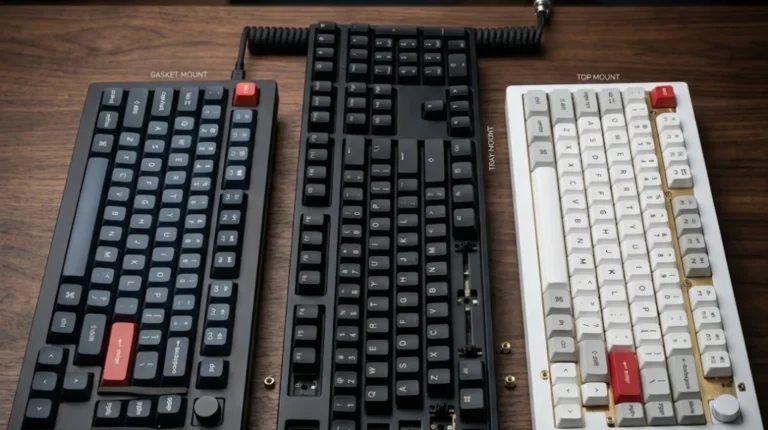
Standard mechanical hot-swap has the clearest upgrade path, but even there you must check 3-pin versus 5-pin mounting, low-profile versus full-height designs, and socket orientation. Optical and magnetic boards are more restrictive because the PCB must contain the correct sensor and the firmware must understand the switch.
- Mechanical switch in an optical board: usually incompatible even if the stem accepts the same keycap.
- Mechanical switch in a Hall Effect board: it cannot create the magnetic signal the sensor expects.
- One brand’s optical switch in another optical board: do not assume compatibility; shutter geometry and mounting vary.
- One magnetic switch in another HE board: possible only when the manufacturer confirms support and calibration.
Keycap compatibility can be broader than switch compatibility. Many proprietary switches use an MX-style cross stem on top, so familiar keycaps may fit even when the switch itself will not. Check both layers separately.
Which Switch Technology Should You Buy?
Choose Hall Effect If You Play Competitive FPS
Hall Effect is the safest recommendation when you specifically want adjustable actuation and Rapid Trigger, especially for counter-strafing, rhythm games, or repeated movement inputs. The ecosystem is competitive, product choice is broad, and the better implementations have mature configuration tools. Start with reasonable settings; putting every key at the shallowest possible point is a fast route to accidental presses.
Choose Analog Optical If the Complete Keyboard Fits You Better
Analog optical can deliver the same headline gaming features through a different sensor. Pick it when the board’s layout, controls, build, and software suit you. Do not buy it because light is inherently “faster” than magnetism. Complete implementation matters more than the sensing material.
Choose Mechanical for Value, Variety, and Typing
A good mechanical remains the rational default for most people. You get more feel options, wider parts availability, easier repairs on hot-swap models, and strong performance without maintaining actuation profiles. For RPGs, MMOs, strategy games, office work, and general PC use, the absence of Rapid Trigger is rarely a meaningful loss.
The Technical Verdict
The real hall effect vs optical switches comparison is not magnets versus light in isolation. It is analog position sensing versus simple on/off detection, then firmware versus firmware, and finally complete keyboard versus complete keyboard. Hall Effect is popular because it packages continuous sensing, adjustable actuation, and Rapid Trigger into a mature gaming category. Analog optical can reach the same functional destination. Digital optical usually cannot.
Mechanical switches remain fixed in their actuation behavior, but that limitation comes with the strongest ecosystem, the widest range of feels, and plenty of speed for almost everyone. If you can name the feature you need—Rapid Trigger, per-key actuation, analog control—buy the Hall Effect or analog optical board that implements it well. If you cannot, buy the better-built mechanical keyboard and choose the switch your fingers actually enjoy.
This article contains affiliate links. If you buy through them, I earn a small commission at no extra cost to you. I only recommend keyboards I’ve actually tested. As an Amazon Associate I earn from qualifying purchases.