
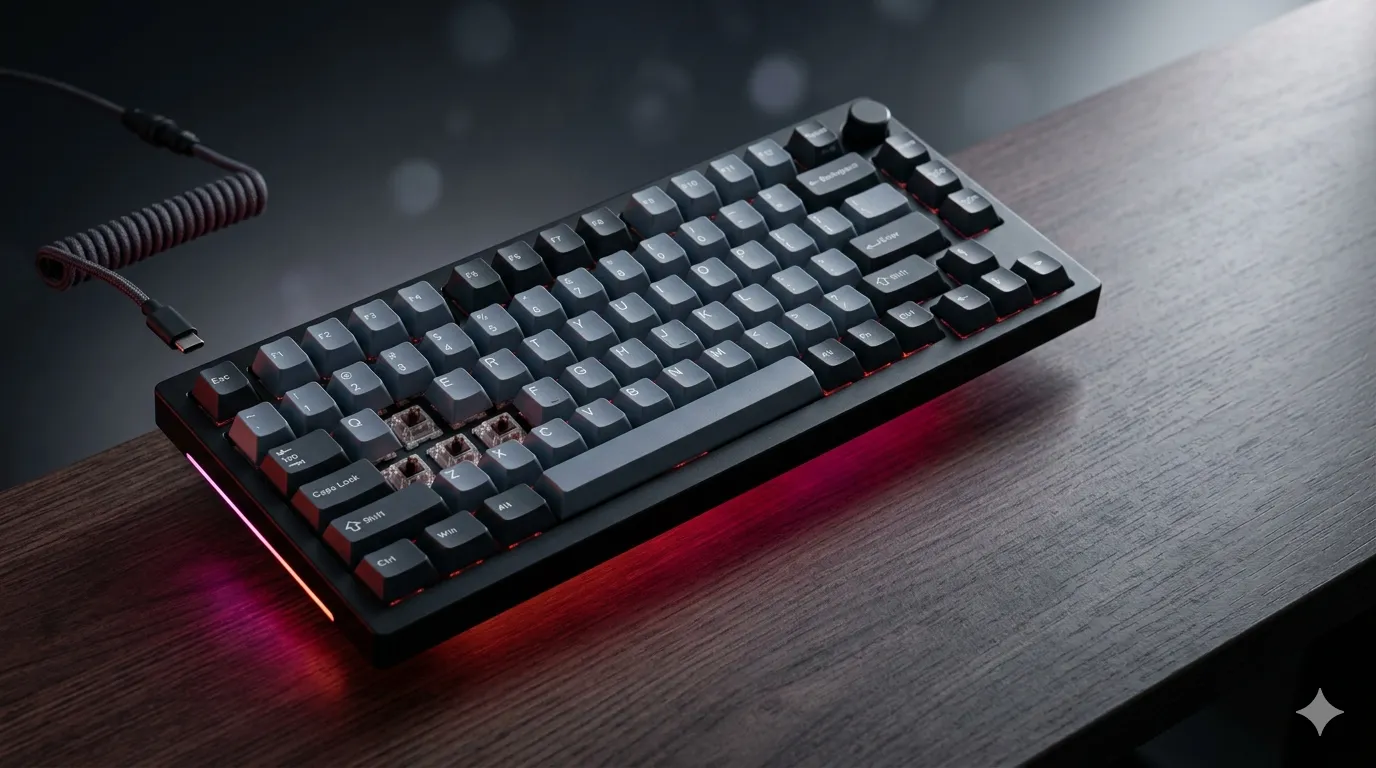
Wireless Gaming Keyboards: The Complete Guide

This article contains affiliate links. If you buy through them, I earn a small commission at no extra cost to you. I only recommend keyboards I’ve actually tested. As an Amazon Associate I earn from qualifying purchases.
I’ve watched grown adults in Discord calls swear they can feel 1ms of input lag. So I hooked a few of them up blind — same board, same switches, wired vs. 2.4GHz wireless. Nobody guessed right above chance. That little experiment more or less ended my doubts about wireless gaming keyboards for anyone who isn’t a top-tier FPS pro, and even then the gap is mostly mental.
The category has matured fast. Five years ago I would’ve told you to save your money. Today, the good ones run within a hair of wired performance, and the great ones have me questioning why I still have cables snaking across my desk. This guide walks through what actually matters when you’re shopping, plus five boards I’ve spent real time with — including a few wired references, because that’s still the benchmark wireless gaming keyboards have to clear.
Quick Comparison: Best Wireless Gaming Keyboards by Use Case
| Best For | Keyboard | Switch | Form Factor | Connection | Why It Wins |
|---|---|---|---|---|---|
| Best True Wireless Overall | Corsair K65 Plus Wireless | MLX Red linear | 75% | 2.4GHz + BT + USB-C | Pre-lubed, PBT dye-sub, triple connectivity |
| Best Esports (Wired Reference) | Razer Huntsman V3 Pro | Analog optical | Full-size | USB-C wired | Adjustable actuation + Rapid Trigger |
| Best Premium HE Switch Board | SteelSeries Apex Pro Gen 3 | OmniPoint 3.0 HE | Full-size | USB-C wired | OLED + per-key actuation + presets |
| Best Compact Competitive | SteelSeries Apex Pro TKL Gen 3 | OmniPoint 3.0 HE | TKL | USB-C wired | Same magnetic tech, smaller footprint |
| Best Productivity + Gaming Hybrid | Razer BlackWidow V4 Pro | Razer Yellow linear | Full-size | USB-C wired | Command Dial, doubleshot ABS, wrist rest |
A heads-up before you keep scrolling: of the five boards below, only the Corsair K65 Plus is genuinely wireless. The other four are wired siblings or direct competitors you’ll see on every serious gaming keyboard list, and they’re worth knowing because they set the bar the wireless boards have to clear. If you’re set on cutting the cable, the K65 Plus is the headline pick. If you’re shopping the gaming keyboard space generally, the rest matter too.
What Actually Matters in a Wireless Gaming Keyboard
Latency: The Marketing Number vs. What You’ll Actually Feel
2.4GHz dongles using proprietary low-latency tech — Razer HyperSpeed, Corsair Slipstream, SteelSeries Quantum — hit roughly 1ms polling. That’s not “indistinguishable from wired” in a lab. It’s indistinguishable in practice. Bluetooth is a different story. BT 5.0 typically lands somewhere between 7 and 15ms in real use, and yes, you’ll notice it in fast shooters.
Use Bluetooth for the couch or a second device. Use the dongle for actual play. Anyone telling you BT is “totally fine for gaming” hasn’t compared them back to back.
Here’s the catch: if you’re a Valorant or CS2 player chasing rank above Diamond/Immortal, wired is still legitimately better. Not because the gap is huge — it isn’t — but because most tournaments require it, and you don’t want different muscle memory for ranked vs. LAN events.
Battery Life and the RGB Tax
Every manufacturer quotes battery numbers with RGB off. Turn it on at full brightness and you’ll cut quoted numbers roughly in half. The K65 Plus claims 266 hours without RGB and lands closer to 80–90 hours in real use with lighting on. That’s still a full workweek of gaming between charges, which is plenty. Just don’t believe the box.
Switches: Mechanical vs. Hall Effect
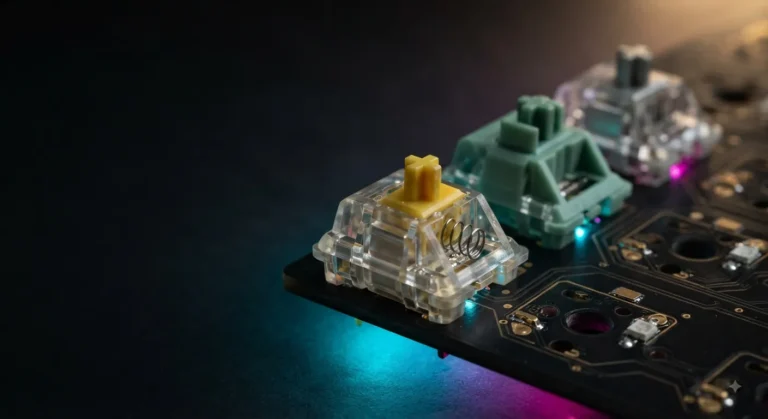
The wireless boards worth your money use either traditional mechanical switches — Cherry MX clones like Gaterons, Razer Yellows, Corsair MLX Red — or Hall effect (HE) magnetic switches. HE is the big shift in gaming keyboards right now. Switches like SteelSeries OmniPoint 3.0 and Razer’s analog optical line let you adjust where the keypress registers. You can set WASD to fire at 0.1mm for twitchy reactions and crank everything else to 2mm so you don’t trigger keys by accident.
Is HE worth it for most people? Honestly, no. It’s worth it if you play competitively and will actually tune the actuation. Otherwise a good linear like an MLX Red costs less, feels great, and won’t make you read a 40-page manual.
If you want a deeper breakdown of switch types and what they actually feel like under your fingers, this switch guide is worth a read.
Form Factor: Full-Size, TKL, 75%, 60%
- Full-size: Numpad included. Good for productivity, takes desk space.
- TKL (tenkeyless): No numpad. The competitive gaming standard.
- 75%: Compact but keeps the function row and arrows. My personal favorite for mixed use.
- 60%: Minimalist. Requires function-layer use. Niche.
For wireless specifically, 75% and TKL are where the category is strongest right now. Full-size wireless boards tend to either cost a premium or compromise on battery to power the extra LEDs.
The Boards Worth Knowing
1. Corsair K65 Plus Wireless — The True Wireless Pick
This is the wireless gaming keyboard I’d point most people toward. 75% layout, pre-lubed MLX Red linear switches (a sleeper switch — smoother out of the box than I expected), PBT dye-sub keycaps that won’t shine after six months, and triple connectivity: 2.4GHz dongle, Bluetooth, and USB-C wired.
What surprised me after three weeks of daily use was the sound. Most $160-ish wireless boards sound hollow. The K65 Plus has actual foam dampening and a more cohesive thock than its price suggests. Stabilizer rattle is minimal, which is rare at this tier.
The catch: iCUE software is bloated. You can mostly ignore it after initial setup, but expect a 700MB install for what should be a 50MB app.
Skip if: you want hot-swap sockets or HE switches. Buy if: you want one wireless board that handles gaming, work, and couch use without compromise.

- CORSAIR MLX Red Switches: Pre-lubricated CORSAIR MLX Red linear mechanical switches offer a silky smooth, responsive key…
- Fast and Secure Wireless Connections: Easily connect via low-latency 2.4GHz wireless, Bluetooth, or USB wired, with secu…
- Enduring 266hr Wireless Battery: Power your gaming for up to 266 hours on a single charge with RGB off.
2. Razer Huntsman V3 Pro — Wired, but the Esports Standard
Full-size, wired, and built specifically for competitive play. The analog optical switches let you set per-key actuation between 0.1mm and 4mm, and Rapid Trigger resets the key the instant you start lifting your finger. That second part matters more than the actuation tweak — it’s the closest thing to a real feel-it advantage in gaming hardware right now.
Doubleshot PBT keycaps are top-tier. Volume dial and media keys are well-placed. Snap Tap (Razer’s name for SOCD-style instant direction switching) is built in, though some tournaments ban it — check your league’s rules before you rely on it.
The catch: it’s wired-only. There’s no wireless variant in this exact spec. Buy if: you’re a competitive FPS player and ranked points matter to you more than a clean desk.

- CHOSEN BY PRO’S FOR ADVANCED FPS MOVEMENT — With Rapid Trigger, Adjustable Actuation and Razer Snap Tap, the Huntsman V3…
- RAZER SNAP TAP — Prioritize the latest input between two selected keys without having to release the previous one, and e…
- RAPID TRIGGER — A step up from traditional mechanical or optical keyboards to achieve the most responsive and precise in…
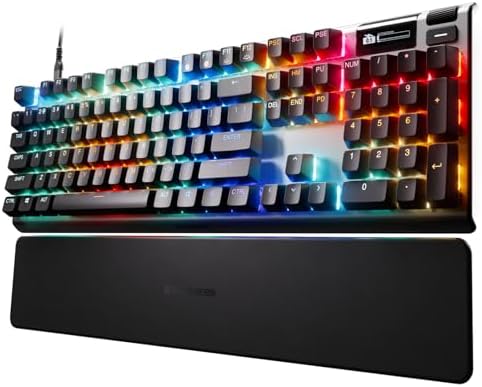
3. SteelSeries Apex Pro Gen 3 — Premium HE With Personality
Full-size, OmniPoint 3.0 HyperMagnetic switches, OLED display, and the deepest customization software in this group. The Protection Mode feature — which sets a deeper actuation to prevent accidental presses on keys like Q or G — is genuinely clever. The Game-Ready Presets save you the tuning hassle if you don’t want to dial in every key yourself.
Build quality is excellent. PBT keycaps, USB-C, OLED that’s actually useful for displaying actuation profiles instead of being a gimmick.
The catch: it’s expensive, and it’s wired. SteelSeries offers a wireless variant in their broader lineup, but this specific Gen 3 listing is USB-C only. Buy if: you want the most adjustable competitive board on the market and don’t mind the cable.
- THE WORLD’S FASTEST KEYBOARD — Push the boundaries with cutting-edge OmniPoint 3.0 switches and Rapid Trigger, Protectio…
- OMNIPOINT 3.0 — More than just fast, newly redesigned Hall Effect Switch have 20x faster actuation and 11x quicker respo…
- GAME-READY PRESETS — Gain a competitive edge in your favorite game with just a few clicks using GG QuickSet’s game-ready…
4. SteelSeries Apex Pro TKL Gen 3 — Same Tech, Smaller Footprint
Identical switch technology to the full-size version, just without the numpad. For competitive gaming this is the better pick — TKL is the tournament-standard layout, and you free up real estate for big mouse sweeps.
Everything I said about the Apex Pro Gen 3 applies here. Same OLED, same OmniPoint 3.0, same software ecosystem. If you don’t need a numpad and you want HE switches, get this one and save the desk space.
Buy if: you’re competitive, want HE switches, and value desk real estate.

- TRIPLE THREAT POWERED BY QUICKSET — Apex Pro is the only line of keyboards in the world with Rapid Trigger, Rapid Tap, a…
- RAPID TRIGGER FOR FASTER ACTIONS — Stop fast, start your next move faster. Resets the moment you release a key.
- RAPID TAP FOR FASTER MOVEMENT — Snaps to your latest key press to strafe and dodge faster.
5. Razer BlackWidow V4 Pro — Maximalist Productivity Hybrid
This one’s interesting because it’s not really an esports board, but it’s not just a productivity board either. Razer Yellow linear-and-silent switches (a quieter take on the Yellow line), doubleshot ABS keycaps, the Command Dial for shortcuts and macros, full Chroma RGB, and a magnetic wrist rest that’s genuinely good — not the rubbery afterthought you usually get.
ABS keycaps will eventually shine. That’s the tradeoff for the smoother feel.
The catch: wired-only, and the price puts it firmly in premium territory. Buy if: you want one board for streaming, editing, and gaming, and you like dials and macros more than you like a cable-free desk.

- YELLOW MECHANICAL SWITCHES FOR QUICK EXECUTION — Enjoy instant, rapid-fire smooth inputs that are just as quiet thanks t…
- IMMERSIVE UNDERGLOW & PER-KEY LIGHTING — Featuring per-key lighting and a striking 3-side underglow when paired with the…
- COMMAND DIAL & 8 DEDICATED MACRO KEYS — Assign a custom function to the keyboard’s programmable dial, and game with grea…
My Contrarian Take on Wireless Gaming Keyboards
The wireless gaming keyboard category is more mature than the marketing makes it sound. The boards that work, work. The boards that don’t work usually fail on the basics — bad stabilizers, hollow sound, software that hijacks your startup — not on wireless performance.
What I’d push back on: the assumption that wireless is automatically the upgrade. If your desk is already set up and the cable doesn’t bother you, a comparable wired board will save you $30–50 for the same feel and the same gaming performance. Wireless is a quality-of-life feature, not a performance one. Buy it because you want a clean desk or a board that travels with you. Not because someone told you it’s “next gen.”
The other thing nobody says out loud: most people who go wireless still leave the dongle plugged in 24/7 and charge over USB-C anyway. So the cable just moves from one place to another. Worth thinking about before you spend the wireless premium.
The Verdict
If you came here to buy one wireless gaming keyboard, get the Corsair K65 Plus Wireless. It’s the most complete package in the category at a price that doesn’t feel like enthusiast tax. The 75% layout suits most people, the MLX Reds are quietly excellent, and the triple connectivity means you can switch between your PC, your console, and your phone without thinking about it.
If you’re playing competitively and the cable doesn’t bother you, the SteelSeries Apex Pro TKL Gen 3 or Razer Huntsman V3 Pro are the better pure-gaming boards. Wireless still gives up a few things — deepest HE customization, the absolute lowest latency — that wired keeps. That’s not marketing. It’s just where the tech sits right now.
Buy for how you actually play. Not for the spec sheet.
This article contains affiliate links. If you buy through them, I earn a small commission at no extra cost to you. I only recommend keyboards I’ve actually tested. As an Amazon Associate I earn from qualifying purchases.
One Comment