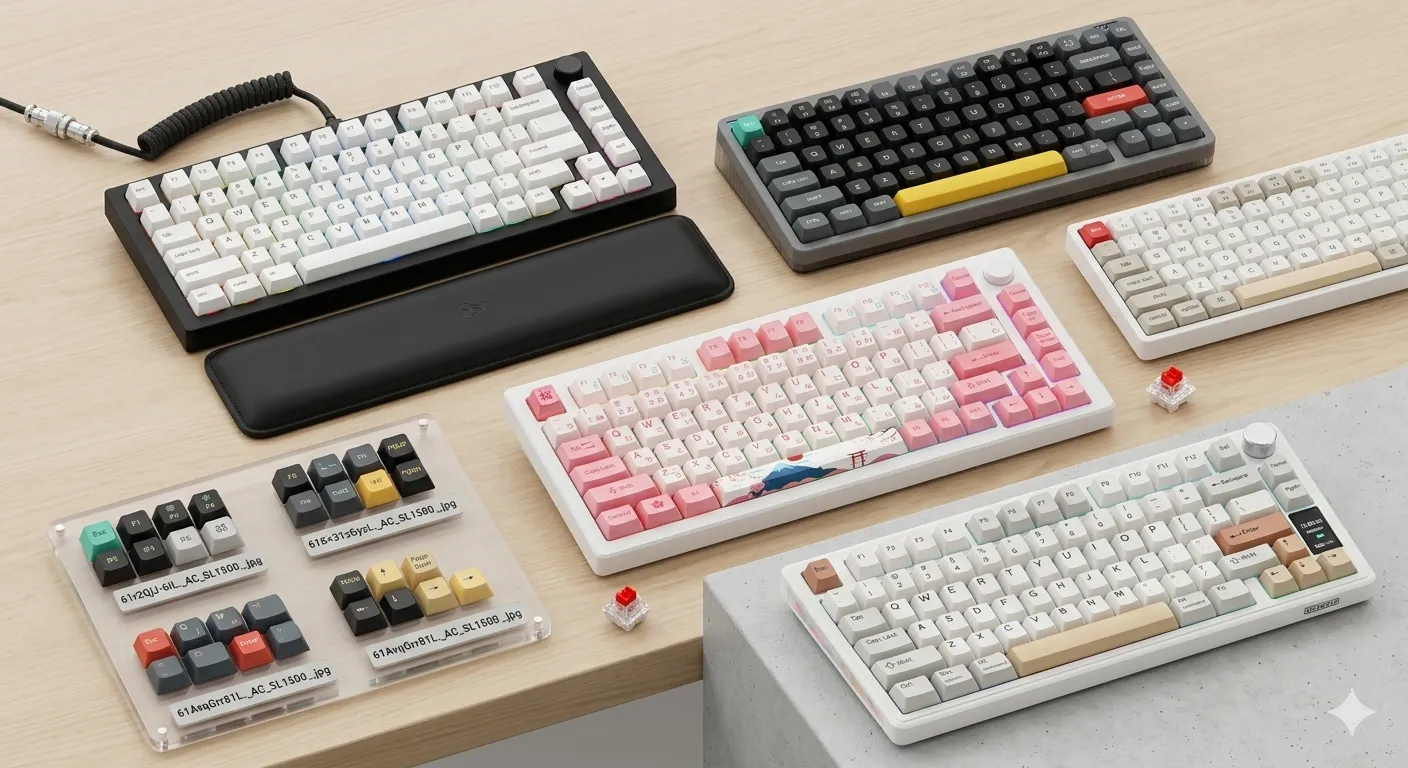
Thocky vs Clacky Keyboards: Sound Profiles Explained

This article contains affiliate links. If you buy through them, I earn a small commission at no extra cost to you. I only recommend keyboards I’ve actually tested. As an Amazon Associate I earn from qualifying purchases.
Most people who buy their first “thocky keyboard” think the magic lives in the switch. It doesn’t. Not really. I’ve spent the last few years tearing down boards across pretty much every price tier, and the single biggest variable in whether a keyboard goes thock or clack isn’t the switch at all — it’s everything around it. The case. The plate. The keycaps. The empty air inside the housing. Switches matter, sure, but they’re maybe a third of the equation.
If you’ve been chasing that deep, marbley sound you keep hearing in YouTube typing tests — or you actively hate it and want something sharper and crisper — this guide explains what’s really going on, what to buy, and what to skip. I’ll also tell you where the hype has gotten silly.
Quick Comparison: Best Thocky and Clacky Keyboards (TL;DR)



| Best For | Pick | Sound Profile | Why It Wins |
|---|---|---|---|
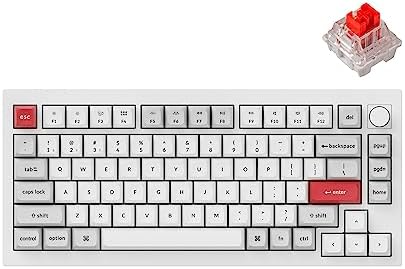
| Best Thocky Keyboard Out of the Box | Keychron Q1 Pro (lubed linears) | Deep, marbley thock | Heavy aluminum case + gasket mount + PBT caps. Stock-good, mod-friendly. |
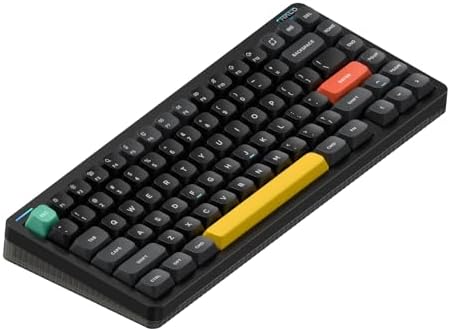
| Best Budget Thocky Build | Akko MOD007B HE | Poppy, controlled thock | Hall-effect switches, PBT doubleshot caps, polycarbonate plate. Punches well above $150. |
| Best Clacky Keyboard (Classic Feel) | Drop CTRL with MX Blues | Sharp, bright clack | Open aluminum tray, no foam, clicky switches. Old-school in the best way. |
| Best Office-Friendly Thock | NuPhy Halo75 V2 | Muted, soft thock | Quiet enough not to start a HR ticket. Wireless. Surprisingly good stabilizers. |
| Best DIY Sound-Tuning Platform | KBD67 Lite R4 | Whatever you want | Foam-tweakable, plate-swappable, cheap enough to experiment with. |
| Best Pre-Built “Endgame” Thock | Mode Sonnet | Deep, refined thock | Premium gasket build, weighty, factory-tuned. Not cheap. |
Honest take: The Q1 Pro is the one I tell most people to buy. The Sonnet sounds better. It’s not three times better, though, and it costs three times the money.
What “Thocky” Actually Means
“Thocky” is a vibe word, not a measurement. But there’s a real acoustic pattern behind it: a lower-pitched bottom-out, a slight hollowness, and a quick decay so the sound doesn’t ring or pingy-tail off. Think of dropping a marble onto a hardwood floor versus dropping a coin onto a tin tray. The marble is thocky. The coin is clacky.
A proper thocky keyboard usually has:
- A heavier case, often aluminum or polycarbonate, that doesn’t vibrate freely
- Thick PBT keycaps in Cherry or MT3 profile
- Linear or smooth tactile switches (often lubed)
- Some kind of internal damping — PE foam, case foam, or both
- A flex-cut PCB or gasket mount that isolates the plate from the case
What I’d push back on is the idea that “thocc” automatically means good. I’ve typed on boards that sounded incredible in a YouTube video and felt like a wet sponge under my fingers. Sound is one variable. Feel is another. Don’t let one bury the other.
What “Clacky” Means (and Why It’s Not the Villain)
Clacky keyboards land higher in pitch. Sharper attack, brighter top-end, more plastic character to the sound. The stereotype is the office Cherry MX Blue from 2014 — and honestly, that stereotype is dated.
A well-tuned clacky board is fun. The keystroke feels alive. Each press has a defined edge, which a lot of fast typists actually prefer because the audio feedback is sharper. Clackiness usually shows up when you have:
- A thin or hollow plastic case
- A tray-mount construction with no damping
- Thin ABS or shine-through keycaps
- Clicky or sharp tactile switches like Kailh Box Jade or MX Blue
- A steel or brass plate amplifying the high frequencies
Clacky gets clowned online, but if you grew up on a Filco Majestouch or an original Das Keyboard, you know that crispness is part of why mechanical keyboards got popular in the first place. Don’t apologize for liking it.
The 5 Real Drivers of Sound in a Thocky Keyboard
Here’s where most buying guides hand-wave. These are the actual variables, ranked roughly by how much they matter in my testing:
1. Case Material and Internal Volume
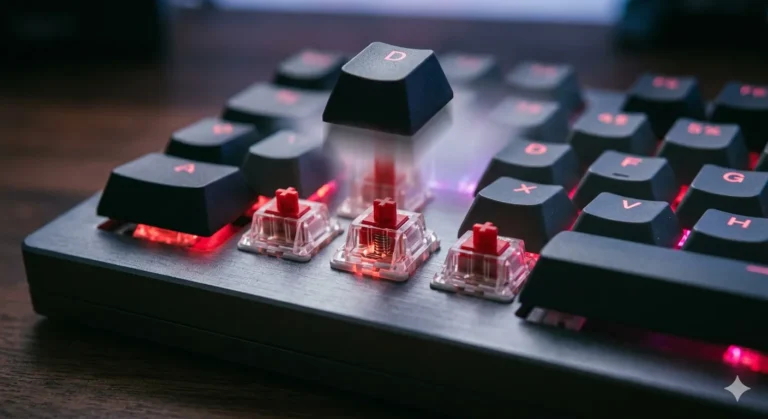
This is the single biggest factor and almost nobody talks about it. Sound resonates inside the case like it resonates inside a guitar body. A dense aluminum case with a tight internal volume will sound deeper and more controlled than a hollow plastic shell of the same size. Polycarbonate sits in the middle — warmer than aluminum, less hollow than ABS plastic.
2. Mounting Style
How the plate is attached to the case decides how vibrations travel. Quick ranking from clackiest to thockiest, in general:
- Tray mount — screws straight to bottom case. Loudest, brightest, most pingy
- Top mount — plate screws into the top case. Stiffer, sharper
- Gasket mount — plate sits on rubber/poron strips. Softer, deeper, more cushioned
- Leaf-spring / o-ring mount — most isolation, often the deepest sound
Gasket mount is where the modern thock obsession really started, and it’s not snake oil. You can feel and hear the difference.
3. Keycaps
Don’t underestimate this. Thick PBT keycaps (1.5mm+) sound dramatically different from thin ABS. Profile matters too — taller profiles like MT3 and SA trap more air inside the keycap, which deepens the sound. Cherry profile is the safe default.
- For thock: thick PBT, MT3 or Cherry profile, doubleshot construction
- For clack: thin ABS, OEM or DSA profile, shine-through legends
4. Switches
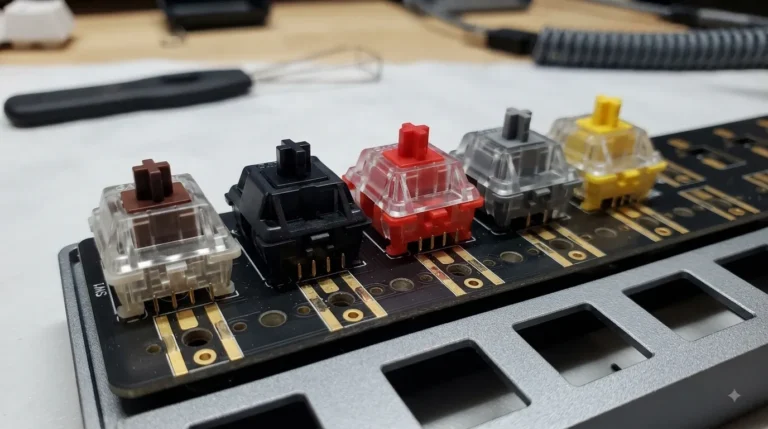
I put this fourth on purpose. Switches matter, but only after the case, mount, and caps are dialed in. That said, here’s the general map:
| Switch Type | Sound Tendency | Example |
|---|---|---|
| Heavy linear, factory lubed | Deep thock | Gateron Oil King, HMX Macchiato |
| Light linear, lubed | Poppy thock | Akko Cream Yellow Pro |
| Tactile, smooth bump | Muted thock | Boba U4T (T = Thock, literally in the name) |
| Tactile, sharp bump | Clack-thock hybrid | Holy Panda clones |
| Clicky, click-bar | Sharp clack | Kailh Box Jade, Box Navy |
| Clicky, click-jacket | Classic clack | Cherry MX Blue |
5. Mods (Foam, Tape, Films)
These are the cheap finishing touches:
- Tape mod: a strip of painter’s tape on the back of the PCB. Closes off the hollow space under the switches. Adds noticeable depth. Costs essentially nothing.
- PE foam: a thin sheet between switches and PCB. Removes high-frequency rattle. Most people overrate this.
- Case foam: fills internal volume. Deadens reverb. Easy to overdo — too much and your keyboard sounds like a pillow.
- Switch films: tiny gaskets between top and bottom switch housing. Marginal effect on sound, more about wobble.
Catch: Mods change the sound. They don’t transform a bad board into a good one. A foamed-up $40 keyboard still sounds like a $40 keyboard, just quieter.
Thocky vs Clacky: Side-by-Side Comparison
| Attribute | Thocky Keyboard | Clacky Keyboard |
|---|---|---|
| Sound pitch | Low, deep | High, bright |
| Reverb | Short, controlled | Longer, ringing |
| Best case material | Aluminum, polycarbonate | Thin plastic, open aluminum |
| Typical mount | Gasket, leaf-spring | Tray, top mount |
| Best keycaps | Thick PBT, MT3/Cherry | Thin ABS, OEM/DSA |
| Switch family | Linear or smooth tactile | Clicky or sharp tactile |
| Plate material | FR4, POM, polycarbonate | Brass, steel, aluminum |
| Foam usage | Yes (moderate) | Minimal or none |
| Vibe | Hi-fi, muted, modern | Crisp, mechanical, classic |
| Office friendliness | Higher | Lower (especially clicky) |
| Price floor for “good” | ~$120 | ~$60 |
How to Build a Thocky Keyboard at 3 Budgets
Under $150
- Akko MOD007B or Epomaker TH80 Pro
- Stock lubed linear switches (Akko Crystal, Gateron Pro Yellow)
- Stock PBT keycaps
- Add a tape mod — done
$200–$350
- Keychron Q1 Pro or GMMK Pro
- Swap in Gateron Oil Kings or HMX Sakura switches
- Replace stabilizers with lubed Durock V2s
- Optional PE foam mod
$400+
- Mode Sonnet, NK_ Frog Pad, or any premium gasket-mount kit
- Hand-lubed switches of your choice (205g0 on the rails, 105 on the springs)
- Premium PBT keycaps — GMK clones in PBT are now genuinely excellent
- Tuned stabilizers with holee mod or band-aid mod
You don’t need the $400 setup. You just don’t. The Q1 Pro mod path gets you 90% of the way for half the money.
How to Build a Clacky Keyboard
This is easier and cheaper, which nobody mentions:
- Any bare-bones aluminum or plastic case without foam — older Drop, GMMK v1, or a basic 60% PCB
- Brass or steel plate
- Thin ABS keycaps (or even original shine-through gamer caps — yes, really)
- Kailh Box Jade, Box White, or classic Cherry MX Blue switches
- Skip the tape mod
Total cost: often under $100 for a board that sounds distinctly mechanical and crisp. Don’t be ashamed of it.
Which Sound Profile Should You Actually Pick?
Here’s the contrarian take I’ll stand by: the thock obsession has gotten out of hand. A lot of people are buying $300 keyboards chasing a sound they’ll forget about in a week. What they actually want is good typing feel, stable stabilizers, and comfort over a workday.
If you mostly:
- Work in a shared office → go thocky, but tilted toward muted. Quiet linears in a foamed gasket-mount board.
- Type at home alone → grab whatever sounds fun. Clacky is genuinely enjoyable.
- Game more than you type → sound matters less than latency and switch consistency. Linears, light spring.
- Hate noisy keyboards → buy silent linears (Gateron Aliaz, ZealPC Healios). This is its own category and frankly underrated.
Mistakes People Make Chasing Sound
A few patterns I see constantly:
- Buying expensive switches first. Switches are the last 20% of the sound, not the first. Get the case and caps right first.
- Stuffing every mod in at once. Tape + PE foam + case foam + force-break + neoprene gasket = a dead, characterless thump. Add one mod at a time and stop when you like the result.
- Trusting YouTube sound tests too much. Different mics, EQ, and proximity make the same keyboard sound wildly different. I’ve tested boards that sounded amazing on camera and unremarkable in person.
- Ignoring stabilizers. A rattling space bar will ruin any sound profile. Lube and tune your stabs before anything else.
The Verdict
A thocky keyboard isn’t a specific product — it’s the result of a stack of decisions about case, mount, caps, and switches. Get those right and the sound follows. Get them wrong and no amount of lube will save you. If you’re new to all this, my recommendation is simple: buy a Keychron Q1 Pro or Akko MOD007B, type on it for a month, and then decide which direction you want to tune. You’ll have a much better answer than anything you’d get from a buying guide alone.
This article contains affiliate links. If you buy through them, I earn a small commission at no extra cost to you. I only recommend keyboards I’ve actually tested. As an Amazon Associate I earn from qualifying purchases.