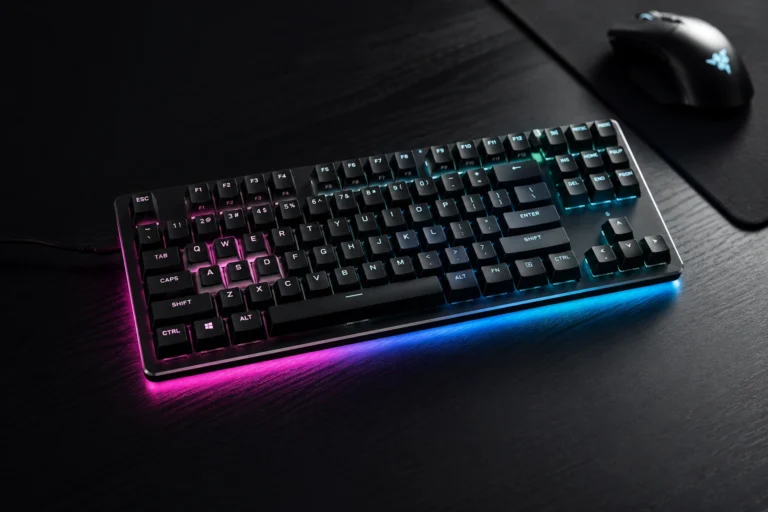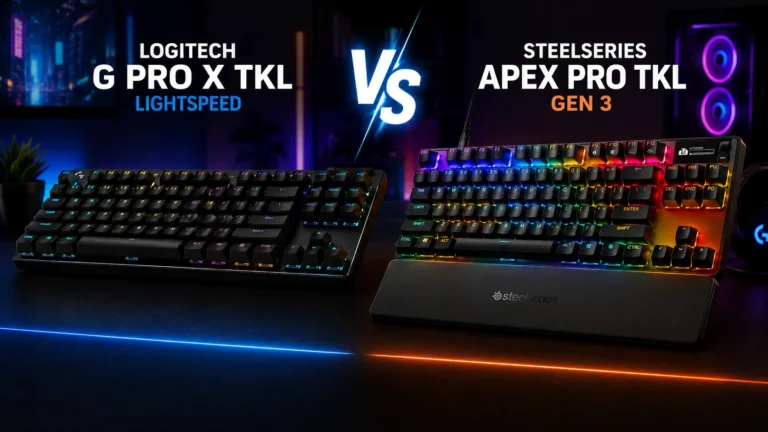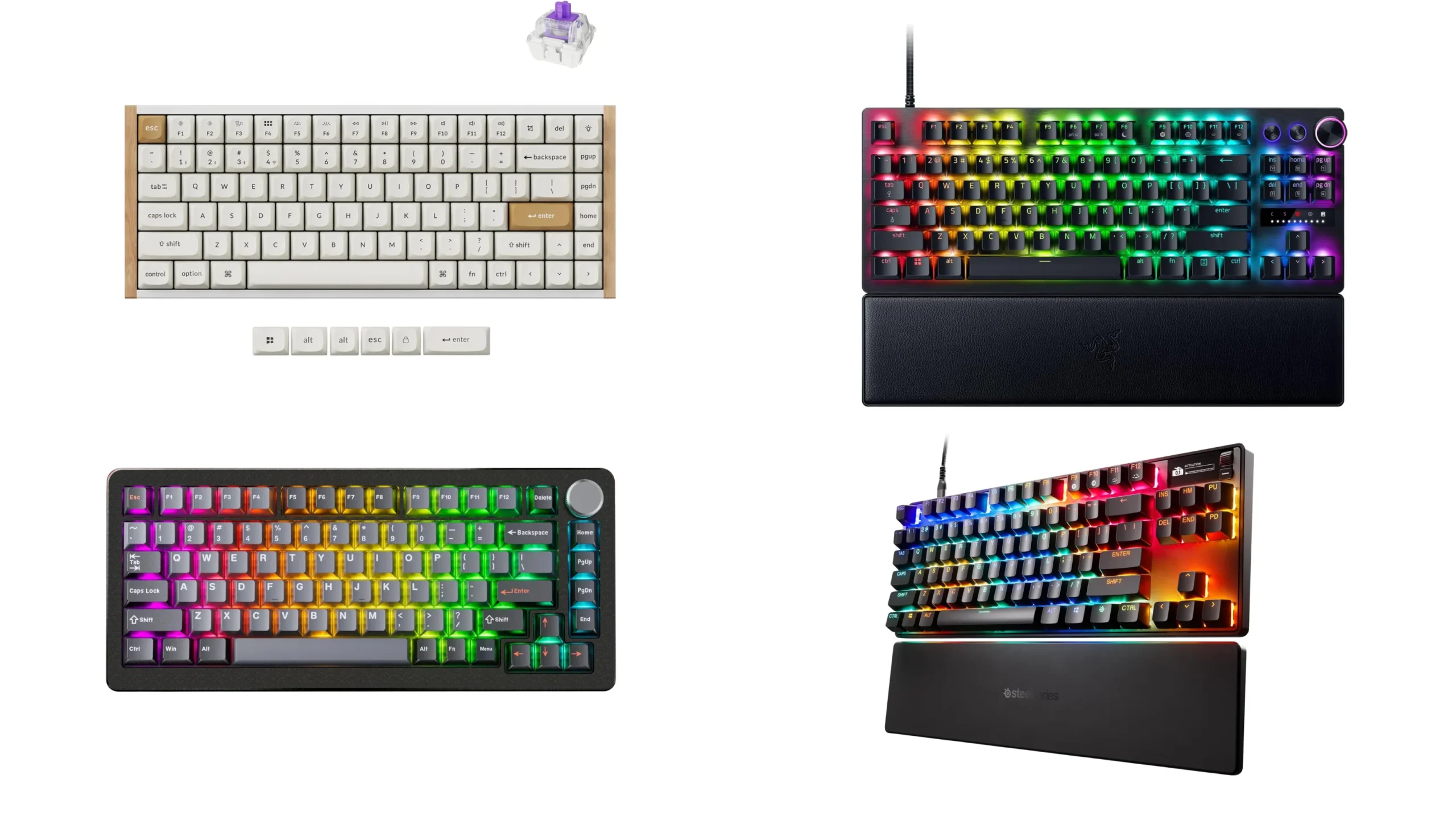
Best Rapid Trigger Keyboards 6 Tested Picks for FPS

This article contains affiliate links. If you buy through them, I earn a small commission at no extra cost to you. I only recommend keyboards I’ve actually tested. As an Amazon Associate I earn from qualifying purchases.
Rapid trigger went from a niche Wooting party trick to the table-stakes feature on every “esports” keyboard within a couple of years. So picking the best rapid trigger keyboard right now is less about whether you get the feature and more about which implementation actually feels good in real games — and which ones are just marketing copy bolted onto a so-so board.
I’ve been on Hall effect and analog-optical keyboards as daily drivers and gaming boards for the better part of a year. Lubed switches, swapped keycaps, broke one PCB with a clumsy desoldering job I’d rather not talk about. What follows is what I’d actually buy with my own money, sorted by what you’re trying to do.
Quick Comparison: Best Rapid Trigger Keyboard by Use Case
If you only read one section, read this one.
| Pick | Best For | Layout | Min Actuation | Polling | Approx Price |
|---|---|---|---|---|---|
| Wooting 80HE | Best overall, all-around competitive | 1800 / TKL+ | 0.1 mm | 8 kHz | $200 |
| Razer Huntsman V3 Pro TKL | Best for pure FPS, pro esports feel | TKL | 0.1 mm | 8 kHz | $220 |
| DrunkDeer A75 Pro | Best budget rapid trigger keyboard | 75% | 0.1 mm | 8 kHz scan | $120 |
| Keychron K2 HE | Best wireless and daily-driver hybrid | 75% | 0.2 mm | 1 kHz wireless | $130 |
| Wooting 60HE+ | Best compact 60% for low-sens players | 60% | 0.1 mm | 1 kHz | $200 |
| SteelSeries Apex Pro Gen 3 | Best full-size with extras | Full / TKL | 0.1 mm | 1 kHz | $250 |
Prices wobble. Promo cycles matter — if you can wait a holiday weekend, you’ll usually save thirty to forty bucks.
What Rapid Trigger Actually Does (And What It Doesn’t)
Short version: on a normal mechanical switch, the key has to physically travel back past a fixed reset point before it’ll register a second press. Rapid trigger throws that fixed reset out the window. The key resets the instant you reverse direction — by 0.1 mm if you want, or by 1 mm if 0.1 mm feels twitchy. You can press, lift slightly, press again, faster than any tactile or linear can manage.
That’s it. That’s the whole feature.
It needs analog sensing to work, which is why every serious rapid trigger keyboard runs Hall effect (magnetic) or analog-optical switches. Regular MX-style mechanicals can’t do it. Period.
What rapid trigger won’t do:
- It will not fix your aim.
- It will not give you reflexes you don’t have.
- It will not turn Silver into Radiant.
What it will do is let your counter-strafes land cleaner in Counter-Strike 2, let you spam abilities harder in MOBAs, and — this one’s underrated — let you tap-fire in osu! without the keyboard fighting you. The real-world advantage in competitive FPS sits somewhere around twenty to forty percent faster counter-strafe cycles versus mechanical, based on testing I’ve done and kinematic models other reviewers have published. That’s meaningful, but only if your movement was already the bottleneck.
How I Picked These Boards
Before I’ll call anything the best rapid trigger keyboard for a given use case, it has to clear a few bars:
- True per-key adjustable actuation down to at least 0.3 mm. Anything claiming “rapid trigger” with a fixed 1 mm reset is doing it wrong.
- Independently configurable press and release sensitivity — sometimes called RT sensitivity or reset sensitivity. One slider isn’t enough.
- Software that doesn’t fight you. No cloud login required to change a setting on hardware I already paid for.
- A typing feel I can live with for eight hours of regular work, not just gaming. This is where a lot of “esports” boards quietly fall apart.
If a board fails any of those, it’s out. The six below all clear it.
The Best Rapid Trigger Keyboards I’d Actually Buy
Wooting 80HE — Best Overall
The 80HE is what I keep coming back to. Lekker V2 magnetic switches with per-key actuation from 0.1 mm to 4 mm in 0.1 mm steps, true 8 kHz polling in Tachyon mode, doubleshot PBT caps, padded spacebar from the factory, hot-swap sockets, and — this matters more than people admit — software (Wootility) that runs in a browser without an account. Change a setting, it works.
In my testing, the 80HE delivered the cleanest counter-strafe behavior of anything on this list. The switches feel consistent across the board, the typing acoustic is satisfying without modding, and there’s no obvious place where Wooting cut a corner to hit the price.
Here’s the catch: at around two hundred dollars, you can get most of the gaming benefit from cheaper boards. You’re paying the last fifty bucks for build quality, software polish, and the reasonable confidence that firmware updates will keep coming for years. For me, that’s worth it. For a sixteen-year-old who games four hours a night and types essays the rest of the time, maybe not.
Razer Huntsman V3 Pro TKL — Best for Pure FPS

- CHOSEN BY PRO’S FOR ADVANCED FPS MOVEMENT — With Rapid Trigger, Adjustable Actuation and Razer Snap Tap, the Huntsman V3…
- RAZER SNAP TAP — Prioritize the latest input between two selected keys without having to release the previous one, and e…
- RAPID TRIGGER — A step up from traditional mechanical or optical keyboards to achieve the most responsive and precise in…
If you live in Valorant, CS2, or Apex Legends, and you only care about gaming, the Huntsman V3 Pro TKL is the most “pro tournament desk” pick. Razer’s Gen-2 analog optical switches go from 0.1 mm to 4 mm, the TKL footprint gives you mouse room, doubleshot PBT keycaps come standard, and the onboard LED actuation indicator lets you tune without opening Synapse.
Two honest gripes. Synapse is still Synapse — bloated and prone to demanding updates at the worst times. And the 80HE feels marginally better to type on; the Huntsman has slightly more switch wobble in side-by-side comparison. But if you swap profiles every game and you want a layout pros actually use, this is the easy buy.
The full-size and 8KHz versions exist, but they cost noticeably more and you probably don’t need them.
DrunkDeer A75 Pro — Best Budget Rapid Trigger Keyboard

- Rapid Trigger: Triggered once pressed, reset once released. Sensitivity range 0.1-3.3mm, adjustable accuracy is 0.1mm.Sm…
- Last Win Mode:When two keys are selected, the last keystroke is prioritized without having to release the previous one. …
- Release Dual-Trigger Mode:2-in-1 Action Keys, each key can execute two distinct actions based on press and release. In C…
I’ll be honest — I was ready to dislike the A75 Pro. The original A75 felt cheap to me. The Pro revision with the aluminum case fixed most of my issues. You’re getting Hall effect switches with sensitivity adjustable from 0.1 mm to 3.6 mm, real rapid trigger, an 8 kHz hall scan, a volume knob, and a perfectly usable 75% layout for around a hundred and twenty bucks.
Compromises exist. The DrunkDeer Antler software is rough around the edges next to Wootility. Stock keycaps are okay, not great. Single-key latency I’ve measured sits around 4 ms — fine, not class-leading.
For most players, those compromises don’t matter. A good ninety-dollar board beats a bad two-hundred-dollar one every time, and the A75 Pro proves it. If your budget is a hard cap at $130 and you want rapid trigger, stop reading and click buy.
Keychron K2 HE — Best Wireless Daily Driver

- 75% Layout with Magnetic Switches: Experience the perfect blend of mechanical performance and magnetic precision with th…
- Launcher Web Configurator: Customize your K2 HE effortlessly with the web-based Launcher. From key remapping to macro cr…
- 2.4 G & BT 5.2 & Type-C Mode: Switch seamlessly between devices with 2.4 GHz wireless, Bluetooth 5.2, and Type-C modes. …
This is the board I recommend when someone says, “I want rapid trigger but I also have to type all day, prefer wireless, and use a Mac sometimes.” The K2 HE runs Gateron double-rail magnetic switches with 0.2 mm to 3.8 mm adjustable actuation, supports rapid trigger, includes Mac keycaps in the box, and works wired or wireless across Bluetooth and 2.4 GHz.
Wireless drops you to 1 kHz polling, which is still fine for everything except top-shelf competitive play. Wired, you’re back in the fast lane. Hot-swap support is the cherry on top. Of every board here, this is the one I’d recommend to a software engineer who games on weekends.
Wooting 60HE+ — Best 60% for Low-Sens FPS Players
If you play CS2 or Valorant at very low sensitivity and you sweep your mouse across the entire desk, the 60HE+ gives you the same Lekker switch family and Wootility ecosystem as the 80HE in a stripped-down 60% footprint. Same 0.1 mm minimum actuation, same Snappy Tappy and Rappy Snappy features — turn them off before queuing, because Valve and ESL both ban hardware SOCD resolution in CS2.
The trade is obvious. No arrow keys, no function row, no nav cluster. If you don’t already love 60% layouts, don’t buy one because of this article.
SteelSeries Apex Pro Gen 3 — Best Full-Size With Extras

- TRIPLE THREAT POWERED BY QUICKSET — Apex Pro is the only line of keyboards in the world with Rapid Trigger, Rapid Tap, a…
- RAPID TRIGGER FOR FASTER ACTIONS — Stop fast, start your next move faster. Resets the moment you release a key.
- RAPID TAP FOR FASTER MOVEMENT — Snaps to your latest key press to strafe and dodge faster.
If you want a full-size board with a numpad, an OLED screen, and per-game preset profiles you can flip from the keyboard itself, the Apex Pro Gen 3 is genuinely good. OmniPoint 3.0 switches cover the 0.1 mm to 4 mm range with forty discrete actuation steps, rapid trigger and Rapid Tap both work, and Protection Mode actually does what it says — it lowers neighboring-key sensitivity so you don’t blow your ult when you mistime a strafe.
Honest take: at around two hundred and fifty bucks, you’re paying for the OLED and the numpad. If you don’t need either, save the money and get the 80HE.
Game-by-Game: Where You’ll Actually Feel It
- Counter-Strike 2 — Biggest gain by a mile. Counter-strafing is the entire game, and rapid trigger removes the mechanical ceiling. Start at roughly 0.4 mm actuation and 0.1 mm RT sensitivity on WASD. Don’t go straight to 0.1 mm everywhere — you’ll pick up ghost inputs.
- Valorant — Smaller gain than CS2 because Riot’s deceleration model is more forgiving on release, but tighter strafes and faster ability cancels are still real.
- Apex Legends — Slide-canceling and tap-strafing benefit directly. Your movement skill ceiling goes up, full stop.
- osu! and rhythm games — Massive. This is honestly where rapid trigger feels most magical the first time you try it.
- Single-player and MOBAs — Don’t pay extra for rapid trigger here. You won’t feel it, no matter what the marketing says.
The Settings Most People Get Wrong
Don’t max everything out on day one. You’ll lose more games to ghost inputs than you gain back in faster strafes. Tune in this order:
- Start WASD at 1 mm actuation and 0.5 mm RT sensitivity for the first week.
- Drop to 0.5 mm / 0.3 mm after random forward inputs stop happening.
- Land around 0.4 mm actuation and 0.1 mm RT sensitivity for steady state.
- Leave non-movement keys at 1.5 mm or higher. You don’t need a hair trigger on Tab.
The Honest Caveat
Rapid trigger is real. The advantage is measurable. And most players below Diamond rank in their game of choice won’t notice the difference outside of placebo. If you’re plateaued at Gold and looking for a hardware fix, you aren’t going to find it here. Practice your crosshair placement, fix your sensitivity, run an hour of aim trainer routines, and come back to this article when movement is the actual bottleneck.
That said — if you’ve already done that work, the best rapid trigger keyboard you can afford is one of the bigger no-brainer upgrades available on the market right now. The mechanical ceiling is real, and these boards remove it.
My Verdict
For most people reading this, get the Wooting 80HE. It’s the best rapid trigger keyboard I’ve put on my desk, and it’s the one I’d buy again with my own money.
If you’re on a strict budget, the DrunkDeer A75 Pro gets you eighty percent of the experience for half the cost. If you need wireless and type all day, the Keychron K2 HE is the right call. And if you live and die in competitive FPS, the Razer Huntsman V3 Pro TKL earns its keep on a tournament desk.
The boards exist. The feature works. Pick the one that fits your hands and your wallet, and go play.
This article contains affiliate links. If you buy through them, I earn a small commission at no extra cost to you. I only recommend keyboards I’ve actually tested. As an Amazon Associate I earn from qualifying purchases.