Gaming Keyboard Switches Linear vs Tactile vs Clicky

This article contains affiliate links. If you buy through them, I earn a small commission at no extra cost to you. I only recommend keyboards I’ve actually tested. As an Amazon Associate I earn from qualifying purchases.
Every couple of weeks, someone messages me asking which switch is “best for gaming.” It’s the wrong question. There isn’t one. What you actually want to know is what feel you like, what your teammates on Discord can tolerate hearing through your mic, and whether you’re willing to spend an extra $40 for a claimed millisecond you can’t consciously perceive anyway.
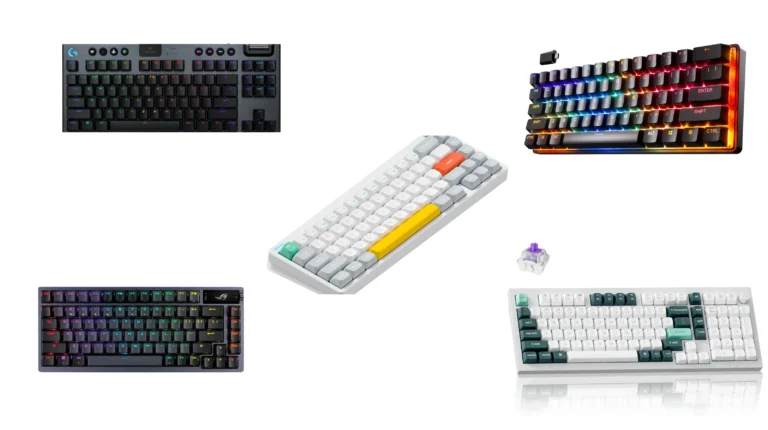
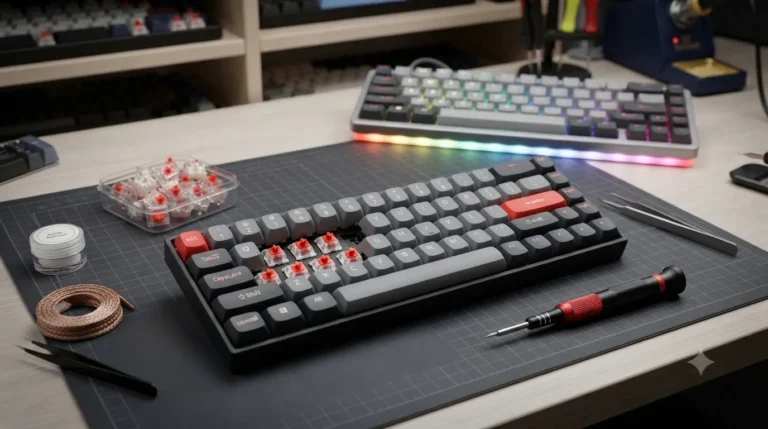
Gaming keyboard switches come in four families now — linear, tactile, clicky, and magnetic (Hall effect). I’ve typed on, torn down, lubed, and daily-driven boards using all four. Here’s what actually matters, what’s marketing fluff, and which switches are worth your money if you’re building or modding a board this year.
Quick Comparison Table: Best Gaming Keyboard Switches at a Glance
Before I go deep, here’s the TL;DR — sorted by what you’re actually trying to do:
| Category | Product | Type | Pin | Quantity | Best For |
|---|---|---|---|---|---|
| Best Branded Tactile | Akko V3 Cream Blue Pro | Tactile (45gf) | 5-pin | 45 pcs | Serious builders wanting a real branded switch |
| Best Branded Clicky | Outemu (Gaote) Blue 108pcs | Clicky (50gf) | 3-pin | 108 pcs | Full-size clicky build on a budget |
| Best All-In-One Kit | 120 Pack Blue with Pullers & Brush | Clicky | 3-pin | 120 pcs | Full builds with tools included |
| Best Pre-Lubed Bulk | 80 Pieces Blue Pre-Lubricated | Clicky | 3-pin | 80 pcs | Skipping the lube job yourself |
| Best 50-Pack with Tools | 50 Pcs Blue with Puller & Brush | Clicky | 3-pin | 50 pcs | 60% / 65% keyboard builds |
| Best for Testing | BlingKingdom 10 PCS MX Blue | Clicky | 3-pin | 10 pcs | Trying blues before committing |
| Best 72-Pack | Zhouwang 72PCS Blue | Clicky | 3-pin | 72 pcs | 75% and 80% layouts |
| Best Small Pre-Lubed | Zhouwang 36 Pcs Pre-Lubed Kit | Clicky | 3-pin | 36 pcs | 40% builds, hot-swap boards |
| Runner-Up Pre-Lubed | ZhouWang 36PCS Blue Click | Clicky | 3-pin | 36 pcs | Alternative small pre-lubed |
| Alternative 50-Pack | Keyboard Clickers 50PCS Blue | Clicky | 3-pin | 50 pcs | Keyboards and 3D-print fidgets |
Now the real writing.
What “Gaming Keyboard Switches” Actually Means
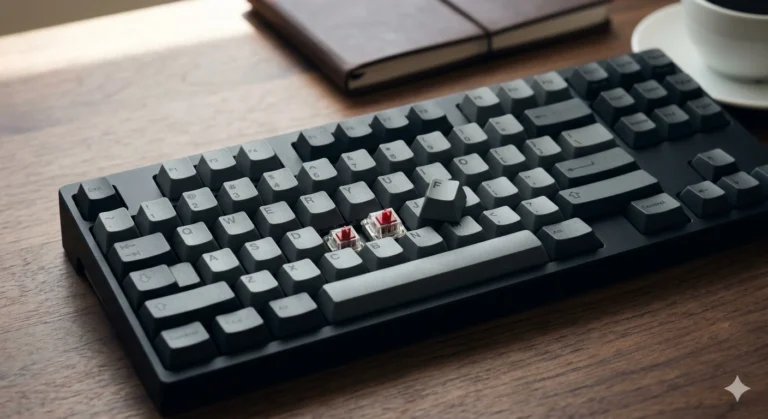
A switch is the little plastic-and-metal mechanism under each key that registers your press. On a mechanical keyboard, every key gets its own switch, and that switch decides almost everything about how the board feels — how heavy the keys are, whether there’s a bump, whether it clicks, and how quickly your input lands.
Membrane keyboards use a rubber dome under a plastic sheet. Cheaper, quieter, mushier. I’ve defended budget membrane boards before when they were genuinely good — a $30 Logitech membrane isn’t a joke — but for gaming, mechanical is where the real differentiation lives.
Four things determine how a switch feels:
- Actuation force — how much pressure to register a press, measured in grams (g or gf). Most gaming switches sit between 40g and 65g.
- Actuation point — how far down you have to press before it registers, usually 1.5mm to 2mm. Magnetic switches let you change this.
- Travel distance — how far the key can travel, usually 3.5mm to 4mm.
- Feel profile — smooth (linear), bumpy (tactile), or bumpy plus a click (clicky).
Everything else is a marketing bullet.
Linear Gaming Keyboard Switches: Smooth and Predictable
Linear switches press down in one smooth motion from top to bottom. No bump, no click. Just a straight line of resistance until it bottoms out.
This is what most competitive gamers use, and the reason is consistency. When there’s no bump fighting you on the way down, you can push the key to whatever depth you want without feedback interfering. That predictability matters if you’re doing something like counter-strafing in a shooter, where you’re tapping and releasing the same keys hundreds of times per match.
Linear switches worth knowing:
- Cherry MX Red — the classic. Light at 45g, smooth-ish, a little scratchy out of the box.
- Cherry MX Speed Silver — same feel, shorter actuation at 1.2mm.
- Gateron Yellow — smoother than Cherry Red at similar weight, way cheaper. Widely considered one of the best budget linears.
- Gateron Milky Yellow — a fan favorite. Deeper sound, factory-lubed, cheap.
- Kailh Box Red — dustproof stem, decent feel.
My honest take: Gateron Milky Yellows at around 30 cents a switch beat Cherry MX Reds at 75 cents a switch. Cherry’s brand tax is real. I ran Milky Yellows on my daily driver for three months and never missed my Cherries.
The catch: because there’s no bump or click, some people find linears boring or hard to type accurately on. If you touch-type all day and only game a couple hours, a full-linear board can feel like typing on a slab.
Tactile Gaming Keyboard Switches: The Bump You Can Feel
Tactile switches have a bump partway through the press. You feel it, you release, done. No click sound — just a little tactile confirmation.
For a lot of people (me included), tactiles are the best all-around switch. They work for gaming, and they’re markedly better for typing than linears because the bump gives your fingers feedback. You know a key has registered without having to slam it to the bottom.
Tactile switches worth knowing:
- Cherry MX Brown — the “starter tactile.” Bump is weak. I don’t love it, but it’s fine.
- Gateron Brown — smoother version of MX Brown, still a mild bump.
- Kailh Box Brown — a bit crisper than Gateron.
- Holy Panda (and its many clones) — legendary in the enthusiast scene. Big, snappy bump.
- Boba U4T — my current favorite tactile. Heavy pronounced bump, deep sound.
- Akko V3 Cream Blue Pro — a rounded 45gf bump, dustproof stem, factory pre-lubed. Excellent value.
Real-world experience: I’ve been running Boba U4Ts on my main writing board and Akko Cream Blues on a secondary rig I use for casual gaming. Both are honestly great. If you’re new to tactiles and want something that feels distinctly bumpy without breaking the bank, Akko V3 Cream Blue Pros are one of the smarter picks on the market right now.
The catch: strong tactiles can feel fatiguing during long gaming sessions because your fingers hit that bump on every keypress. Some pro gamers avoid them for that reason. Whether it’s real or placebo depends on the person and the session length.
Clicky Gaming Keyboard Switches: Loud, Proud, and Divisive
Clicky switches combine a tactile bump with an actual audible click. You get the feel and the sound.
This is where gaming keyboard switches get contentious. Clicky switches — Cherry MX Blue is the archetype — are what most people picture when they think “mechanical keyboard.” That aggressive clacky sound. That’s them.
Clicky switches worth knowing:
- Cherry MX Blue — the OG. Loud click via a click jacket. Scratchy compared to modern options.
- Kailh Box White — my favorite clicky. Click bar mechanism, crisper sound than MX Blue, tighter feel.
- Kailh Box Jade — heavier Box White. Very satisfying if you like resistance.
- Outemu Blue — budget MX Blue clone. Surprisingly usable for the money.
- Gateron Blue — smoother version of MX Blue.
The truth about clickies for gaming: They’re fine. They work. Your teammates on comms may or may not hate you. And no, the click doesn’t slow you down — the click happens as the switch actuates, not before it.
My contrarian take: Most of the “50-piece Blue Switch” and “80-piece Blue Switch” kits on Amazon are Outemu Blues or Outemu Blue clones under generic labels. That’s not a bad thing. Outemu Blues at around 15 cents a switch are one of the best deals in mechanical keyboards. If you’re building a $60 budget board and want that classic MX Blue clicky feel, these bulk kits are the play. Just know what you’re actually buying.
Here’s the catch: sound. Real, unignorable sound. If you share a room, work in an office, or record voiceovers, don’t buy clicky switches. This isn’t a “your coworkers are being sensitive” situation. Cherry MX Blues at full volume are legitimately disruptive.
Magnetic Gaming Keyboard Switches (Hall Effect): The New Meta
Magnetic switches — usually called Hall effect switches — are the newest category and the one that’s actually changing competitive gaming.
Instead of physical contacts, these use a magnet in the stem and a sensor in the PCB to detect the position of the key. Because the sensor tracks the magnet’s exact position continuously, the keyboard can do things a normal switch can’t:
- Adjustable actuation point — set your keys to register at 0.1mm, 2mm, 3.5mm, whatever you want.
- Rapid trigger — the key registers a release the instant it starts moving up, instead of waiting to cross a fixed reset point.
- Analog input — the key can send different values based on how far it’s pressed, like a joystick axis.
The rapid trigger feature is why nearly every top Counter-Strike, Valorant, and Apex player is on a Hall effect board now. For counter-strafing, it’s a real, measurable advantage.
Hall effect boards worth looking at:
- Wooting 60HE / 80HE — the original and still the gold standard.
- Keychron Q1 HE
- Razer Huntsman V3 Pro
- SteelSeries Apex Pro TKL Gen 3
Straight talk: For 90% of gamers, Hall effect is overkill. It genuinely matters in competitive tac-shooters at a high rank. If you play RPGs, MOBAs, MMOs, or you’re not top 5% in your shooter, you will not notice the difference. Save your $200.
One other thing — magnetic switches aren’t sold as loose components the way MX-style switches are. If you want them, you’re buying a whole keyboard.
Pros and Cons of Each Gaming Keyboard Switch Type
Cleanest way to compare the four:
Linear switches:
- Pros: Smooth and consistent, ideal for fast-paced gaming, quiet, easy to modify.
- Cons: Less typing feedback, easier to mistype at speed, can feel boring for long typing sessions.
Tactile switches:
- Pros: Excellent for typing and gaming, tactile bump prevents mistypes, huge variety (the Akko V3 Cream Blue Pro is a solid modern example).
- Cons: Can fatigue fingers over long gaming sessions, weak tactiles (like MX Brown) barely register.
Clicky switches:
- Pros: Satisfying feedback, classic mechanical feel, cheap bulk options everywhere, fine for gaming.
- Cons: Loud, terrible for offices or shared spaces, click mechanism can wear over years.
Magnetic (Hall effect) switches:
- Pros: Adjustable actuation, rapid trigger, analog input, cutting-edge for competitive play.
- Cons: Expensive, locked to specific keyboards, overkill for casual players.
The Best Gaming Keyboard Switches to Buy Right Now
Grouped by what you’re actually trying to accomplish, with honest pros and cons on each.
1. Akko V3 Cream Blue Pro (Tactile, 45 pcs) — Best Overall Tactile
If I had to hand somebody a single switch order and say “you’ll like these,” it’d be these. Akko’s tactiles have quietly become some of the best value in the market. The V3 Cream Blue Pros are 5-pin, 45gf, factory pre-lubed, and use Akko’s dustproof stem design.
Pros:
- Actual branded switches, not a generic OEM clone
- Pre-lubed from the factory
- Rounded tactile bump with a satisfying return
- Deep, mellow sound profile
- 5-pin for extra PCB stability (also works in 3-pin sockets if you clip the plastic legs)
Cons:
- Only 45 pieces — you’ll need two packs for a full-size board
- Not a huge bulk discount
The safe recommendation for anyone building a tactile board.

- Akko v3 Generation Pro Switches – Our creamy switches now feature alloy copper and palladium gold contact, which provide…
- Smooth& Creamy – Akko v3 pro 45gf tactile creamy blue switches provide a unique and satisfying typing experience with th…
- MX Style Compatibility – Akko keyboard creamy switches come with an MX style structure, making them compatible with most…
2. Outemu (Gaote) Blue 108pcs — Best Branded Clicky
Outemu is the actual manufacturer behind a lot of what gets rebranded on Amazon as “generic blue switches.” Buying them straight from the source in a 108-pack means you know what you’re getting. 3-pin, 50gf, dustproof stems.
Pros:
- Actual brand-name switches, not a mystery OEM
- Enough for a full-size 104-key board with backups
- Dustproof stem design
- MX-compatible with almost any hot-swap board
Cons:
- Loud — they’re MX Blue clones, so it comes with the territory
- Not pre-lubed
- A little scratchy stock; benefits from a lube job if you’re picky
Best pick for a full-size 104-key build on a budget.

- [High Quality]:Outemu(Gaote) traditional cross shaft,low-profile MX structure dustproof keyboard switches;Long life with…
- [Feature]: Outemu Blue switch has classical typing feel,crisp sound, bring typing users a sense of crackling rhythm.Low …
- [Compatibility]:Compatible with most hot swappable mechanical gaming keyboards or Cherry MX switches
3. 120 Pack Blue Mechanical Keyboard Switches with Pullers & Brush — Best All-In-One Kit
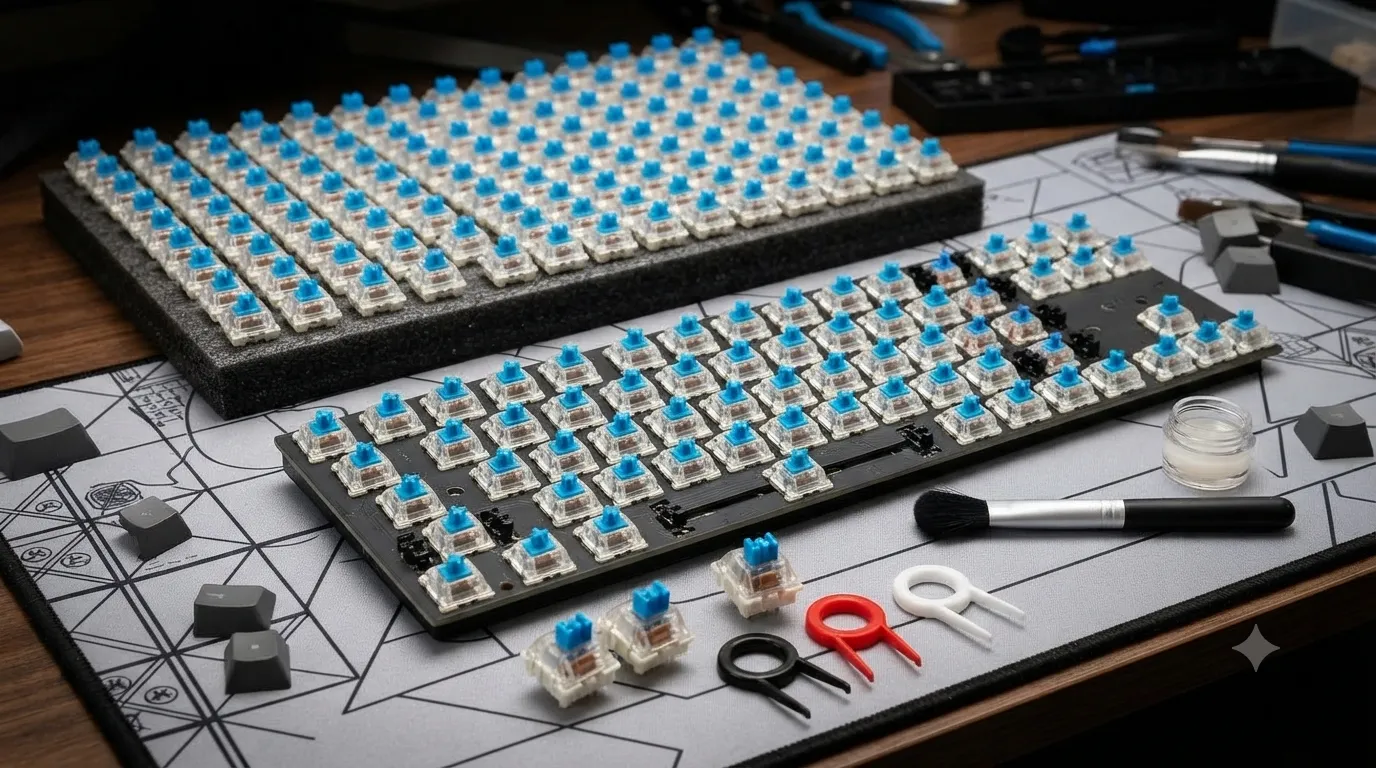
If you want the tools included and enough switches to build any board with spares, this 120-pack is one of the more complete options. Comes with a switch puller and cleaning brush.
Pros:
- More than enough for any keyboard layout
- Tools included (puller, brush)
- Good for first-time modders who don’t own accessories yet
- Works with hot-swap boards
Cons:
- Generic labeling — likely Outemu Blue clones
- Not pre-lubed
- Quality can vary a little across the batch
Best pick if you’re new to modding and don’t already own a switch puller.

- 120-Piece Multi-Use Switch Set: This kit includes 120 mechanical keyboard switches (3-pin clicky tactile), 3 switch pull…
- Satisfying Clicky Tactile Feedback: These keyboard clicker fidget switches deliver a crisp, audible click and tactile bu…
- Wide Keyboard Compatibility: Designed for many hot-swappable mechanical keyboards, these keyboard switches work with sta…
4. 80 Pieces Blue Mechanical Keyboard Switches, Pre-Lubricated — Best Pre-Lubed Bulk
The pre-lubed part matters. Factory lube on clicky switches is a mixed bag — sometimes it dulls the click a bit, but it almost always makes the switch feel smoother on the downstroke. For most people who won’t lube switches themselves, pre-lubed saves hours of tedious work.
Pros:
- Pre-lubed from the factory
- Enough for a TKL or 75% build with spares
- Dustproof and waterproof stems
- 3-pin, compatible with most boards
Cons:
- Lube quality varies — some switches feel great, others less so
- Slightly softer click than dry switches
- Generic branding
If you want the clicky feel without doing the lube work yourself, start here.
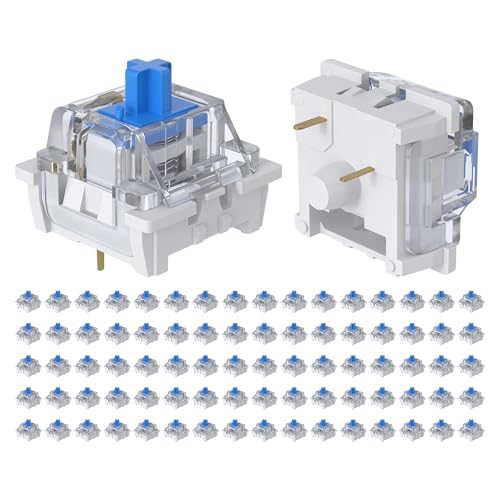
- Compact Value Pack: This set includes 80 blue mechanical keyboard switches, perfect for small-scale DIY projects or repl…
- Smooth & Pre-Lubricated Performance: Each switch is factory-pre-lubricated to reduce friction and noise, ensuring smooth…
- Classic Clicky Tactile Feedback: These blue switches deliver a crisp “click” sound and a strong tactile bump with every …
5. 50 Pcs Blue Keyboard Switches with Puller & Brush — Best for 60% and 65% Builds
A middle-ground option. 50 switches is enough for a 60% or 65% board with room to spare, and the included puller and brush make it beginner-friendly.
Pros:
- Right quantity for compact keyboards
- Tools included
- Affordable per-switch cost
- 3-pin universal compatibility
Cons:
- Not pre-lubed
- Generic OEM (likely Outemu clone)
- Not enough for full-size builds
Best if you’re doing a 60% or 65% layout.

- Package Includes: You will get 50 Pcs blue keyboard switches in one bag! Each set of our mechanical switches comes with …
- Enhanced Durability: Engineered with dust-proof and waterproof construction, these switches provide superior protection….
- Authentic Tactile: Experience the satisfying rhythm of typing with a clear tactile bump and a crisp, audible click sound…
6. BlingKingdom 10 PCS MX Clicky Blue Switches — Best for Testing
The smallest kit here. Ten switches. Realistically, this is a sampler pack — for trying blues on a hot-swap board before you commit to buying 50 or 100 of them, or for replacing dead switches on an existing board.
Pros:
- Perfect for testing before bulk buying
- Cheap upfront cost
- Standard 3-pin MX-compatible
Cons:
- Nowhere near enough for a full build
- Higher per-switch cost
- Not pre-lubed
The right buy if you just want to sample clicky blues before ordering a full set.

- This blue key switch has a transparent housing, suitable for LED backlighting, offers excellent tactile feedback, smooth…
- The mechanical keyboard switch is made of plastic shell, copper gasket, high-quality spring, the shaft core material is …
- Total stroke of blue switch: 4 mm; working stroke: 2.2±0.6 mm. Tip: Pins may be bent during shipment, but will not be af…
7. Zhouwang 72PCS Blue Switches — Best for 75% and 80% Boards
A 72-count option that hits the right quantity for slightly larger compact layouts like 75% and 80% boards. Standard MX-style, 3-pin, dustproof stem.
Pros:
- Correct quantity for 75% and 80% layouts
- Affordable
- Dustproof design
Cons:
- Generic OEM
- Not pre-lubed
- No tools included
Fine option if the quantity matches your build.
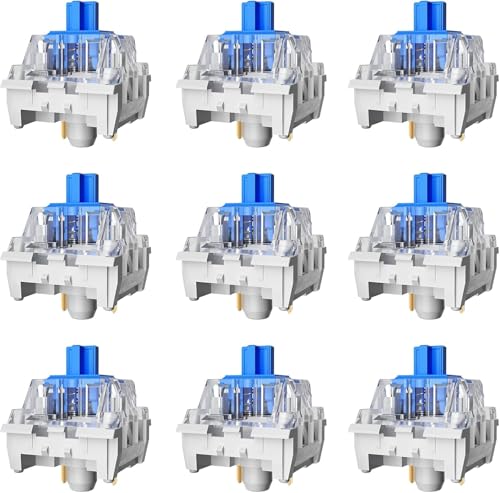
- Feeling:The segmented feeling is extremely distinctive,the keystrokes are crisp and clear,and the typing rhythm is stron…
- Sound: “Clicky” sound is crisp and recognizable,each key seems to play an exclusive note.
- Pressure:Trigger pressure of 50gf,strong key feedback,effectively reducing false touches and guaranteeing efficient inpu…
8. Zhouwang 36 Pcs Blue Clicky Switches Kit (Pre-Lubed, Hot-Swap) — Best Small Pre-Lubed
36 pieces, pre-lubed, MX-style, 3-pin, marketed for hot-swap boards and 3D-printed fidgets. Right size for a 40% build.
Pros:
- Pre-lubed
- Hot-swap ready
- Also usable in fidget builds
- Waterproof and dustproof
Cons:
- Limited quantity
- OEM sourcing unclear
- Higher per-switch cost than 50+ packs
Solid small-quantity pre-lubed option, especially for 40% keyboards.

- [High Quality]: Zhouwang Blue Switch 3-pin;dust-proof switch,factory pre-lubricated,80 million keystroke lifespan,long-l…
- [Product Features]: Zhouwang Blue Switches Each press produces a distinct click,delivering a classic tactile typing expe…
- [Stress Relief]: Zhouwang Blue Switch keyboards deliver satisfying mechanical clicks,serving as finger toys,clickers, ke…
9. ZhouWang 36PCS Blue Click Switch — Runner-Up Small Pre-Lubed
Very close to the option above — 36 pieces, pre-lubed, MX-style, dustproof, waterproof. Marketed as crisp clicky feedback for 3D prints and gaming keyboards.
Pros:
- Pre-lubed
- Small quantity for testing or 40% boards
- Waterproof and dustproof
- Advertised as crisp click
Cons:
- Not enough for larger boards
- Higher per-switch cost than bulk orders
- OEM sourcing unclear
Alternative small pre-lubed option if the other 36-pack is out of stock.

- Keyfeel:The distinct tactile feedback provides a pronounced “click” sensation when activated, featuring a crisp and audi…
- Specifications:Type: Clicky,Pretravel: 2.0+0.6mm,Operating force: 50+10gf,Total Travel: 4.0 +0.5/-0.5mm,Pressure point f…
- Materials:Mechanical keyboard switches are made of plastic housing,copper spacers,high quality springs,shaft core materi…
10. Keyboard Clickers 50PCS Blue Switches — Alternative 50-Pack
Another 50-piece kit, this one aimed at both keyboard builders and 3D-print / fidget hobbyists.
Pros:
- Multi-purpose (keyboards and 3D prints)
- Dustproof design
- Standard 3-pin
Cons:
- Not pre-lubed
- No included tools
- Generic branding
A fine 50-pack alternative if the tool-included version is unavailable.

- Crisp Clicky: Mechanical keyboard switches produce a satisfying clicking and tactile feedback, enabling not only precise…
- Premium Material: Keyboard clicker made of plastic housing, copper washers, and precision steel springs, these keyboard …
- Widely Used: These 3-pin keyboard switches are compatible with most mechanical keyboards, the clickers for 3d prints can…
How to Pick the Right Gaming Keyboard Switches
The framework I give people who ask:
- Where will you use the keyboard? Shared space? Don’t buy clicky. Period. Get tactile or linear.
- Do you type a lot too, or is this gaming-only? Gaming-only, go linear. Mixed use, go tactile.
- What’s your budget? Under $100 for a full board, Outemu or generic MX clones are fine. $150-plus and you can afford Gateron, Kailh, or Akko-branded switches, which are meaningfully better.
- Do you play competitive tac-shooters at a high level? If yes, consider a Hall effect board. If no, a good MX-style board is more than fine.
- Are you comfortable lubing switches yourself? If no, buy pre-lubed. If yes, buy dry and lube them — the smoothness gains are real.
Don’t overthink actuation force. The difference between a 45g and a 55g switch is real but small. You’ll adapt to whatever you land on inside a couple of days.
A Few Things That Aren’t Worth Paying For
Some spec-sheet items that get hyped harder than they should:
- RGB compatibility on the switch itself. This just means the housing is clear so the LED shines through. It’s essentially a $0 feature. Don’t pay extra for it.
- “Gaming grade” marketing labels. Any MX-compatible switch works for gaming. That phrase is filler.
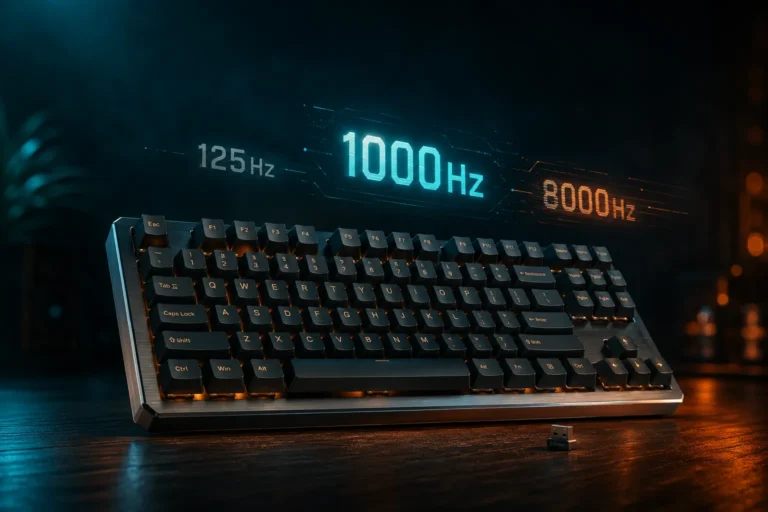
- 1000Hz polling and NKRO listed on the switch spec sheet. Those are keyboard/PCB features, not switch features. Marketing sometimes smashes them together.
- Extreme low actuation points on non-competitive builds. Speed Silvers and their clones actuate at 1.2mm. Sounds fast. In practice, most people mistype on them for a week before adjusting.
Final Verdict on Gaming Keyboard Switches
Plain answer to “which gaming keyboard switch should I buy”:
- Casual gamer who also types a lot: Tactile. Akko V3 Cream Blue Pro if you want quality, or a pre-lubed generic tactile if you want to save money.
- Competitive shooter player at high rank: Hall effect. Wooting or one of the newer competitors.
- Budget build under $80: Outemu Blue 108pcs if you like clicky, Gateron Yellow clone if you want linear.
- Office worker who games at home: Silent linears or light tactiles. Never clicky.
- First mechanical keyboard, unsure what you like: Buy a switch tester or a 10-piece sampler. Try before committing.
The single biggest mistake I see is people buying based on YouTube sound tests. Sound doesn’t survive through a mic and a compressed video. What you hear on a review isn’t what you’ll hear on your board. Buy for feel, not sound.
And if you take one thing from this: a good $90 mechanical keyboard with switches you like beats a bad $200 one with switches you don’t. Every time. Spend on the switches. Skip the RGB budget.
This article contains affiliate links. If you buy through them, I earn a small commission at no extra cost to you. I only recommend keyboards I’ve actually tested. As an Amazon Associate I earn from qualifying purchases.