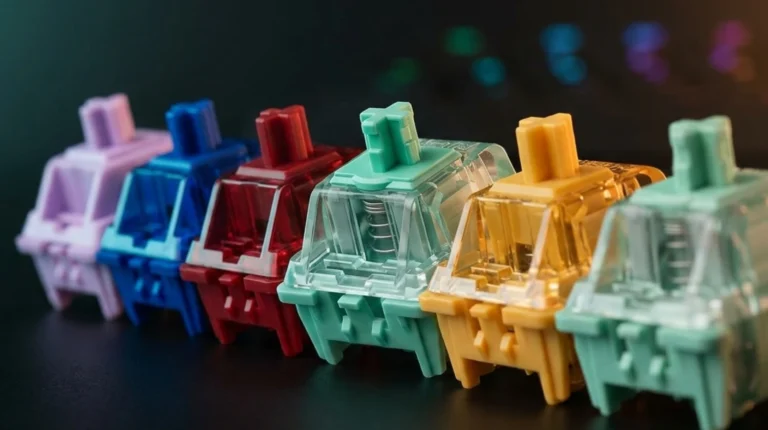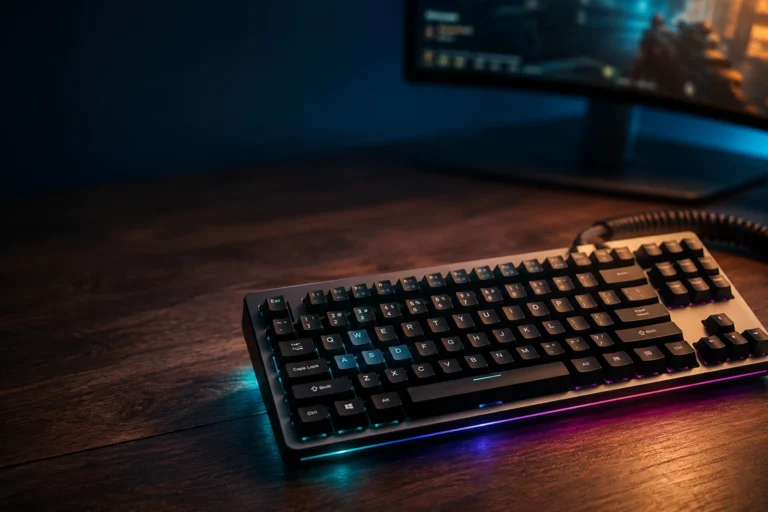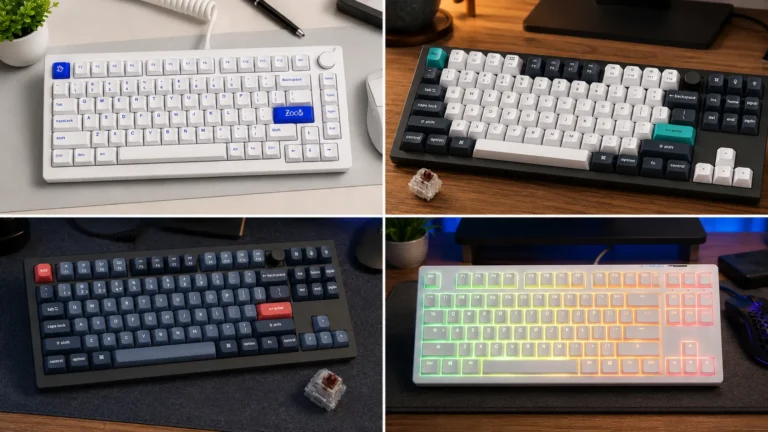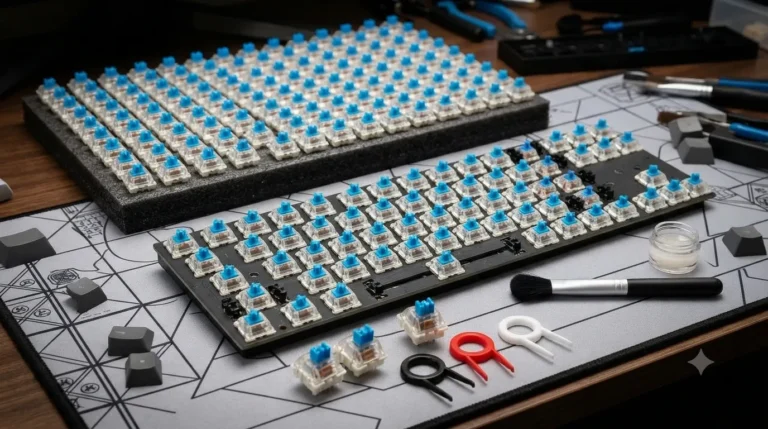
Gaming Keyboard Switches What Actually Matters (Tested)

This article contains affiliate links. If you buy through them, I earn a small commission at no extra cost to you. I only recommend keyboards I’ve actually tested. As an Amazon Associate I earn from qualifying purchases.
There’s a stubborn myth in gaming forums that the right switch will shave milliseconds off your reaction time and turn you into a killing machine. It won’t. I’ve been testing gaming keyboard switches for fourteen years, and if switches were really that magical, every pro would be on the same one. They’re not. Not even close.
What switches do affect is how the keyboard feels for the eight hours a day your hands are on it. That matters — you’ll play longer, type faster, and probably enjoy sessions more on the right switch. But it’s a comfort and preference call more than a performance hack. So let’s cut through the marketing and talk about what actually matters when you’re picking gaming keyboard switches today.
Quick Comparison Table: The Best Gaming Keyboard Switches by Use Case
Here’s the fast version. Skip to your row if you already know what you want.
| Your Situation | Best Switch Type | Specific Pick | Why It Wins |
|---|---|---|---|
| Competitive FPS (Valorant, CS2, Apex) | Magnetic / Hall effect | Wooting Lekker Linear L60 (10-pack) | Adjustable actuation from 0.1mm, Rapid Trigger, hard to beat on FACEIT |
| All-day gaming plus typing | Smooth linear | Gateron Oil King V2 (90-pack) | Buttery-smooth stock, deep sound, comfortable for 12-hour sessions |
| MOBA and RTS (LoL, Dota 2, StarCraft) | Light tactile | Gateron G Brown Pro (105-pack) | Bump feedback for combo timing without slowing you down |
| Rhythm and fighting games | Clicky | Kailh Box White V2 (36-pack) | Crisp actuation you can time by ear, strong return force |
| Office where clicky = death | Silent linear (pre-built board) | Cherry MX 3.0S with MX2A Silent Red | Padded stem kills the noise, ships in a solid aluminum housing |
| Cheap all-around linear | Standard linear | Gateron KS-3 Milky Yellow Pro (35-pack) | The best cheap linear ever made. Full stop. |
Building or buying a board around any of these? I keep my current best-of picks updated over here — that’s the shortlist I actually recommend to friends who ask.
The Four Types of Gaming Keyboard Switches You Actually Need to Know
Every switch on the market is a variation on one of four core types. Once you get these, the marketing jargon falls apart fast.
Linear Switches
Linear switches press straight down. No bump. No click. Just a smooth ramp from top to bottom, then a hard stop. This is what most competitive gamers use because there’s nothing between your finger and the actuation — you just push.

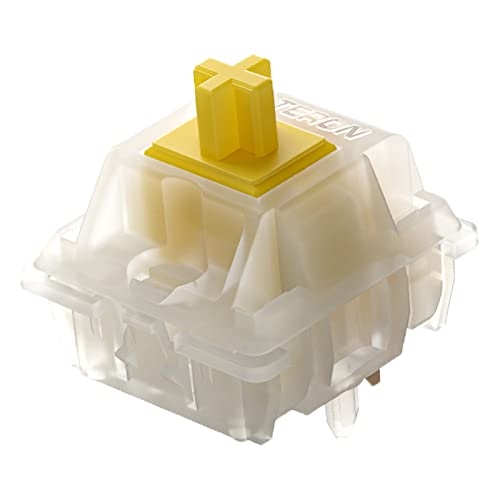
Cherry MX Red kicked off the whole linear category with a 45g spring and a 2mm actuation point. The Red still exists, but honestly it’s been leapfrogged by clones. Gateron Milky Yellows cost half as much and feel smoother out of the box. Gateron Oil Kings sound better. Akko Cream Yellows are more consistent unit-to-unit. I ran a set of Oil Kings as my daily driver for three months last year and they’re still the most likable linear I’ve used under $50.
Best for: FPS, fast-paced action games, anyone who hates hearing themselves type.
The catch: Linears give you zero feedback that you’ve actuated a key. If you’re a heavy typist coming from membrane, expect a few weeks of typos while your fingers learn to lift instead of bottom out.
Tactile Switches
Tactile switches have a bump partway through the keystroke. You feel it, you know the key registered, you move on. It sounds simple, and it kind of is — but the shape and placement of that bump changes everything.

- 【Performance】: Gateron is a brand specializing in the production of mechanical keyboard shafts. Its shafts have excellen…
- 【Design】: The Gateron G PRO brown switch is a mechanical switch designed for the keyboard. The key switch parameters are…
- 【Durability】: Gateron Brown switches are produced with high-quality materials, which means they are highly durable and l…
Cherry MX Browns catch a lot of flak because the bump is barely there. I get it. But Gateron Brown Pros and Kailh Box Browns fixed that with sharper, more defined bumps. And if you want a serious tactile experience, Boba U4Ts and Holy Pandas are borderline addictive. Just don’t expect them to be quiet — sharper bumps tend to sound louder.
Best for: MOBA and RTS players who want timing feedback, anyone splitting time between gaming and heavy typing, developers.
The catch: That bump does add a small amount of resistance. In competitive FPS where you’re double-tapping A and D constantly, some players find it noticeable. Personally, I’ve played plenty of Valorant on Boba U4Ts and hit Diamond just fine. Your rank isn’t limited by a bump.
Clicky Switches
Clicky switches have both a tactile bump and an audible click. Cherry MX Blues are the archetype. Kailh Box Whites are, in my opinion, the best-executed clicky switches on the market — the click bar mechanism sounds cleaner and won’t develop the rattle that Blues sometimes do after a couple of years.

- Kailh box white v2 switch, clicky switch, Pre lubrication switches
- Operation Force: 45±15gf. Total travel:3.6±0.3mm .Conduction travel: 1.8±0.4mm. Operating Life: 80,000,000 Cycles
- Using extended gold-plated spring, which is anti-corrosion, has faster rebound, and is double dust-proof and waterproof.
For a lot of people, clicky is nostalgia. For others, it’s a strong preference. And in specific games — rhythm games, fighters, older MMOs — the audible click gives you a timing cue that’s genuinely useful. If you want to try clicky the right way, the Box White V2 is what I’d hand a friend without hesitation.
Best for: Rhythm games (Osu!, Beat Saber), fighting games, anyone who just plain loves the sound.
The catch: If you live with roommates, take voice calls, or share an office, clicky switches will end friendships. Don’t say I didn’t warn you.
Magnetic (Hall Effect) Switches
This is the category that’s changed most in recent years. Magnetic switches use a magnet in the stem and a Hall effect sensor in the PCB to measure how far down the switch is pressed. That’s not a gimmick. It lets you set your actuation point anywhere from around 0.1mm to full travel, and it enables features like Rapid Trigger and SOCD/Snap Tap.
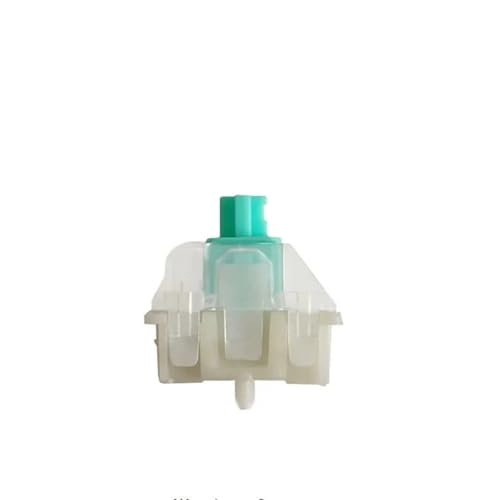
- Here are 5 key product points for mechanical limit switches (English only) that are typically important in datasheets an…
- 1. Actuator Type & Mechanism – Specify the type of actuator (lever, roller, plunger, flexible rod) and the mechanical ac…
- 2. Electrical Ratings – Include rated voltage and current (AC/DC), contact configuration (NO/NC/SPDT), and categories fo…
Wooting popularized the category with their Lekker switches. Gateron Magnetic Jade, Kailh Sakura, and Razer’s analog switches followed. A magnetic board isn’t just an enthusiast toy anymore — you can get a solid Wooting 60HE alternative for around $130, sometimes less on sale, or drop the Lekkers into a compatible board you already own.
Best for: Competitive FPS, especially counter-strafing games.
The catch (and it’s a big one): Snap Tap and null-binding hardware features are banned on CS2 official servers, and Valve’s anti-cheat is actively enforcing it. FACEIT allows them. Valorant doesn’t really need them because the game handles opposing inputs differently at the engine level. If you’re mostly a CS2 player buying magnetic for Snap Tap on Valve servers, you’re going to be disappointed. Rapid Trigger itself — the ability to reset a key nearly instantly — is still legal everywhere and remains the strongest real gameplay benefit.
The Switch Specs That Actually Matter for Gaming Keyboard Switches
Manufacturers love to bury you in numbers. Most don’t matter. Here’s what does:
- Actuation force (grams). Under 45g feels light — good for fast games, tiring for typing. 45-55g is the sweet spot for most people. Above 60g gets fatiguing. This is measurable, real, and worth paying attention to.
- Actuation point (mm). The distance you press before a key registers. Traditional switches are 1.5-2mm. Magnetic switches can go as low as 0.1mm. Shorter isn’t always better — you’ll fat-finger keys you didn’t mean to hit.
- Total travel (mm). How far the key travels before bottoming out. Standard mechanical is 3.5-4mm; low-profile is 2.5-3mm. This is a comfort thing more than a speed thing.
- Polling rate. 1000Hz is the standard. Some boards now market 4000Hz and 8000Hz. In my testing, the difference between 1000Hz and 8000Hz is basically undetectable for a human being. Save your money.
- N-key rollover (NKRO). Every modern gaming board has it. If a board doesn’t, skip it.
Things that don’t matter and are pure marketing: “gaming-grade lubrication,” “esports-tuned springs,” “AI actuation.” I’m not kidding — I’ve seen all three on product pages this year.
Rapid Trigger, Snap Tap, and What Actually Changed for Gaming Keyboard Switches
Since this is the corner of gaming keyboard switches that’s moved fastest, let’s be clear about what’s happening right now.
Rapid Trigger lets a magnetic switch reset the moment you start lifting your finger, instead of waiting to cross a fixed reset point. In counter-strafing games, that means faster stop-and-go movement. This is legal, this works, and this is the real reason to buy a magnetic keyboard right now.
Snap Tap / SOCD is different. It makes two opposing direction keys prioritize the most recent input, so tapping D while holding A registers as pure D movement — no overlap, no human error. Valve banned this on CS2 official servers, and their anti-cheat still detects and kicks for it. Razer’s Snap Tap and Wooting’s SOCD implementations are both flagged. FACEIT still allows it. Valorant doesn’t care.
So the honest playbook if you’re a CS2 player: buy magnetic for Rapid Trigger, not for Snap Tap. And if a keyboard reviewer is telling you Snap Tap will “unlock” your CS2 potential, they either haven’t checked the update logs in years or they’re selling you something.
My Real-World Picks for Each Type of Gamer
Here’s how I’d actually spend the money right now, in the order I’d recommend to a friend who asked:

- Under $80: Grab a Keychron C3 Pro or a Redragon board with Gateron Milky Yellows. That’s a serious keyboard for the price. Don’t feel bad about it. I still use a $60 Redragon as my travel board and it works.
- Office-friendly pick: If your setup means clicky and even loud linears aren’t options, the Cherry MX 3.0S with MX2A Silent Reds is the shortcut. Pre-built, aluminum housing, and the Silent Red is genuinely one of the quieter switches you can buy without going full membrane.
- Around $130: A Wooting 60HE alternative or the Endgame Gear KB65HE. Magnetic switches, Rapid Trigger, real 1000Hz polling. This is the current sweet spot for competitive players.
- $150-$200 enthusiast build: A Keychron Q1 HE or a Mode SixtyFive with Gateron Oil Kings. Beautiful sound, hot-swap sockets, VIA and QMK support. This is where the money starts to bring diminishing returns.
- $250 and up: You’re paying for aluminum, custom PCBs, and bragging rights. The typing experience isn’t dramatically better than the $150 tier. If you want it, get it — just don’t tell yourself you’re getting proportional gameplay improvement, because you aren’t.
Here’s my mildly contrarian take: I think the $130 magnetic tier is the single best value in gaming keyboards right now, and a lot of people spending $250+ on a “premium” board with regular linears are getting less actual gaming benefit than the person spending half as much on a well-tuned Hall effect board. The premium market chases sound and materials. The magnetic market chases response. For gaming, response wins.
The Biggest Mistakes People Make Buying Gaming Keyboard Switches
I see the same errors every week in my inbox. Here they are, in the order they cost people the most money:
- Buying based on YouTube sound tests. Every board sounds different on the reviewer’s desk than it will on yours. Sound is affected by the case, the keycaps, the desk mat, and even the room. Don’t spend $200 chasing a “thocc” that might not materialize on your setup.
- Confusing “faster switches” with better performance. A 0.1mm actuation point does not make you a better shooter. It just makes you fat-finger keys you didn’t mean to hit. Set your magnetic switches to somewhere between 1.0-1.5mm and stop tinkering.
- Buying RGB before build quality. RGB is fun. It is not a reason to pick a keyboard. If two boards are close and one has better switches, get the one with better switches.
- Ignoring keycap material. ABS keycaps develop a shine and get slippery within a year. PBT stays matte and grippy for years. This is a bigger comfort factor than most people realize, and it costs almost nothing to upgrade.
- Overpaying for “gaming” branding. A $60 board with Gateron Yellows and PBT caps beats a $150 board with cheap linears and ABS caps. Every time. The word “gaming” on the box is not a spec.
The Verdict on Gaming Keyboard Switches
Here’s the honest truth: for 95% of gamers, any modern linear or light tactile switch on a well-built board is fine. Gateron Yellows on a $70 board will get you the same K/D you’ll get on a $250 aluminum build with lubed Oil Kings. The switch that suits you is the one you like typing on for eight hours straight.
If you play a lot of CS2 or Valorant and can spend $130-$150, magnetic Hall effect switches with Rapid Trigger are the one legitimate upgrade the last few years have produced. Not because they’ll fix your aim — they won’t — but because the ability to tune actuation points and get faster resets is a real, measurable change in how the keyboard responds. That’s the actual innovation of this decade. Everything else is preference.
This article contains affiliate links. If you buy through them, I earn a small commission at no extra cost to you. I only recommend keyboards I’ve actually tested. As an Amazon Associate I earn from qualifying purchases.