8K Polling Rate on Hall Effect Keyboards: Real or Hype?

This article contains affiliate links. If you buy through them, I earn a small commission at no extra cost to you. I only recommend keyboards I’ve actually tested. As an Amazon Associate I earn from qualifying purchases.
I’ve been testing Hall effect boards since the Wooting 60HE first showed up, and I’ll save you the suspense: for 90% of people reading this, an 8000Hz polling rate is a spec-sheet flex, not something you’ll feel. But that other 10% where it does matter? It actually matters more on a Hall effect keyboard than on a regular mechanical, and the reason is more interesting than the usual gaming-marketing noise.
Let me walk you through what 8K polling rate is really doing, why HE boards are the one place it earns its keep, and which boards are worth your money if you decide you want it.
Quick Comparison: Which 8K Hall Effect Keyboard Fits Your Setup?


| Your Use Case | Board I’d Buy | Why | Approx. Price |
|---|---|---|---|
| Competitive FPS, 240Hz+ monitor | Wooting 80HE | Best Rapid Trigger software, polished 8K implementation | ~$230 |
| Razer ecosystem / Snap Tap fan | Razer Huntsman V3 Pro | Native 8000Hz, Snap Tap, full Synapse integration | ~$250 |
| Enthusiast build, typing + gaming | Keychron Q1 HE | CNC case, hot-swap, sounds great — 8K isn’t its selling point | ~$220 |
| Best value HE under $150 | Akko MOD007B HE / Drop CSTM80 HE | Magnetic switches without the flagship price | ~$130–$160 |
| You don’t need 8K, just want HE | Wooting 60HE | Still the reference board. 1000Hz is plenty here | ~$175 |
Pick the one that matches your reality, not the one with the biggest number on the box. I’ll explain below.
What an 8K Polling Rate Actually Means
Polling rate is how often your keyboard tells your PC what it’s doing. The standard for years has been 1000Hz — once every millisecond. An 8khz polling rate drops that interval to 0.125ms.
The maximum theoretical input lag improvement from jumping 1K to 8K? Around 0.875 milliseconds.
Hold that number for a second. Human reaction time is around 200ms. A single frame on a 240Hz monitor is 4.16ms. The signal traveling from your brain to your finger takes longer than the difference we’re talking about. So when keyboard companies print “8000Hz!” in 80-point font on the box, the honest framing is this: it’s a real improvement on paper, and on paper alone is where most users will experience it.
There’s a wrinkle, though, and it’s exactly why Hall effect keyboards keep showing up in this conversation.
Why 8K Polling Rate Matters More on Hall Effect Boards
On a normal mechanical switch, the input is binary. The contact closes, the switch is “down.” Whether you poll that state once or 8000 times a second, the answer doesn’t change.
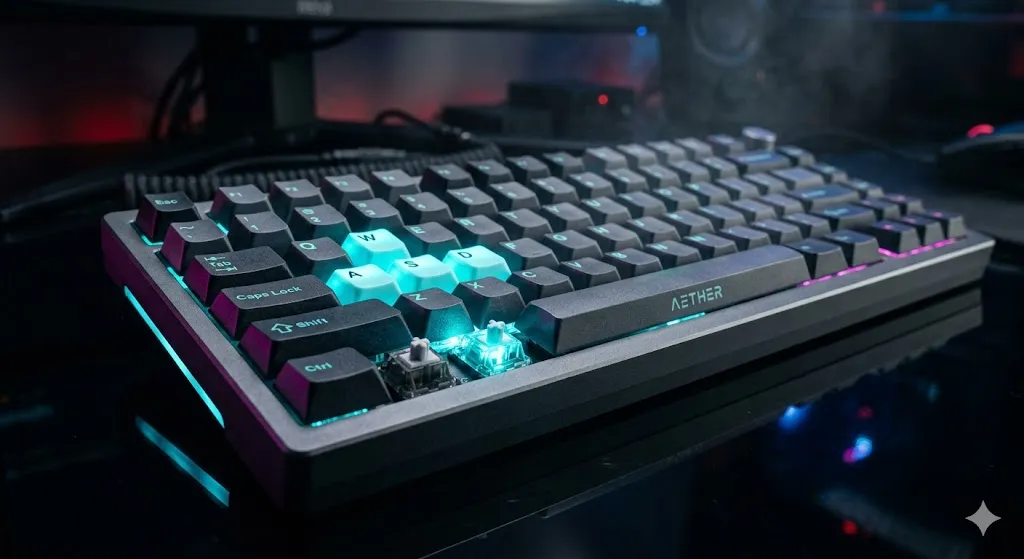
Hall effect switches don’t work like that. They read the magnetic field of the switch traveling toward the sensor, which gives you an analog position from 0 to 4mm. That’s how Rapid Trigger works — the board can release a key the instant you start lifting it, not when it crosses a fixed reset point.
Now polling rate gets interesting. With analog position data updating 8000 times a second instead of 1000, the board can detect tiny movement reversals — the up-down-up flicker you do when counter-strafing in CS2 or Valorant — with much finer resolution. In my testing on the Wooting 80HE, swapping between 1000Hz and 8000Hz with Rapid Trigger cranked to its most sensitive setting, I can feel a hair more “snap” on direction changes. Not in a way I’d swear to in a blind test. But it’s there.
That’s the honest case for 8K polling on HE boards. It’s not the 0.875ms of latency. It’s that the analog signal itself benefits from being sampled more often.
The Monitor Refresh Rate Question Nobody Wants to Answer
This is where the marketing collapses, so let’s be specific.
- 60Hz (16.67ms per frame) — your 0.875ms improvement gets eaten by the next frame. Invisible.
- 144Hz (6.94ms) — still nowhere near perceptible.
- 240Hz (4.16ms) — 8K polling is now ~21% of one frame. Edge of perceptibility for competitive players.
- 360Hz (2.78ms) — ~31% of a frame. Pros feel this in the right scenarios.
- 480Hz / 540Hz (~1.85–2.0ms) — this is where 8K polling actually pulls weight.
If you’re typing on a 144Hz monitor and clicking on 200ms-reaction-time targets, you’re paying for headroom you can’t access. If you’ve got a 360Hz OLED and you’re grinding ranked CS2, the math starts working in your favor.
I run a 360Hz panel and I notice it on direction changes. On my secondary rig with a 165Hz IPS, I honestly can’t tell.
The CPU Overhead Most Reviewers Skip
Here’s the catch — and this is the part that doesn’t make it into the marketing slides.
Polling at 8000Hz means your USB controller is processing eight times more interrupts per second. On a modern Ryzen 7 or Core i7 with a current chipset, you won’t notice. But I’ve seen real frame-time spikes on lower-spec systems when 8K polling is enabled on multiple peripherals at once. If you’ve also got an 8000Hz mouse plugged in, those interrupts add up.
On a few setups I’ve tested with older Intel platforms (10th gen and below) and mid-range CPUs, enabling 8K polling on a Wooting board produced measurable 1% low FPS drops in CPU-bound games. We’re talking maybe 3–5 fewer frames in CS2 at peak. Not a disaster, but the irony of trading FPS for theoretical input-lag improvements is real.
If your CPU is more than four or five years old, run a benchmark before you commit.
When 8K Polling on a Hall Effect Keyboard Is Actually Worth It
Quick checklist. The 8khz polling rate earns its place if most of these are true:
- You play competitive FPS — CS2, Valorant, Overwatch, Apex, Marvel Rivals, that tier.
- You’re on a 240Hz monitor minimum, ideally 360Hz or higher.
- You actually use Rapid Trigger, not just turn it on once and forget about it.
- You have a modern CPU (Ryzen 5000+ or Intel 12th gen+).
- Your ranked grind is meaningful to you. Could be ego, could be money — either is fine.
You should skip 8K if:
- You’re primarily a typist who games a couple of hours a week.
- You’re on a 60–144Hz monitor.
- You’re buying based on box copy instead of measurable improvement to your game.
- You’d be happier spending the extra cash on a better monitor, chair, or mouse.
What I’d Actually Buy
Among current Hall effect boards I’ve spent real time with, the Wooting 80HE is the one I keep going back to. The Wootility software is the gold standard for tuning Rapid Trigger, the 8000Hz implementation is stable, and the firmware team actually responds to community feedback. It’s also expensive. About $230 with switches, and the keycaps it ships with are nothing to write home about — budget for a PBT set from the start.
The Razer Huntsman V3 Pro is the other serious option. Snap Tap (their SOCD implementation) is genuinely useful in titles that allow it. 8K polling is native. The downside: Synapse is Synapse, and if you’ve used Razer software before you know exactly what I mean.
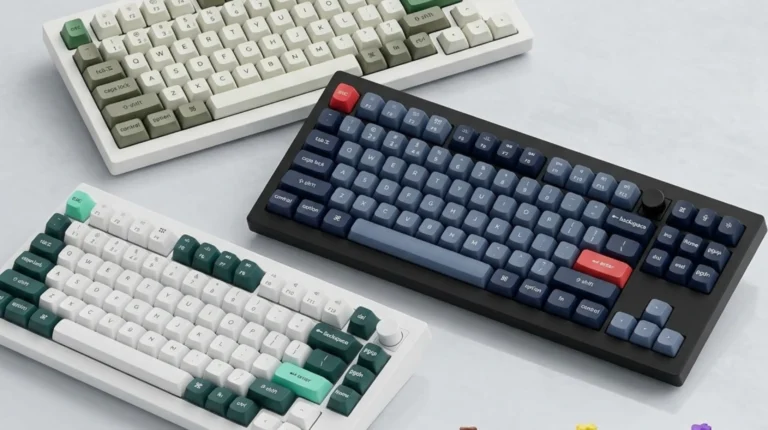
I’d steer most enthusiasts away from chasing 8K entirely and toward the Keychron Q1 HE if they care about typing as much as gaming. It’s a heavier, better-sounding board with hot-swap HE switches and a typing experience the Wooting can’t match out of the box. Its polling rate sits at 1000Hz on most firmwares, and for the way most people use a keyboard, that’s totally fine.
Budget pick? The Akko MOD007B HE has been a pleasant surprise for the price. You’re not getting Wooting-tier software polish, but you get magnetic switches and Rapid Trigger for well under $150. The Drop CSTM80 HE is in the same range and has the better case if you care about acoustics.
My Verdict on the 8K Polling Rate Hype
I’ll say what a lot of reviewers won’t, because they’re worried about affiliate links: most people buying a Hall effect keyboard because of the 8000Hz polling rate would not pass a blind A/B test. The number on the box is doing more work than the feature itself.
That said, the technology isn’t a scam. On the right hardware setup — fast monitor, modern CPU, competitive FPS title, Rapid Trigger dialed in — 8K polling makes a Hall effect keyboard feel slightly more responsive in the exact places it should. Direction changes get crisper. Counter-strafing feels more deliberate. It’s small. It’s real.
If you’re a Diamond-tier-and-up player chasing the last percent, get the Wooting 80HE or the Huntsman V3 Pro and turn it on. If you’re not, save the money, grab a Wooting 60HE or a Keychron Q1 HE at 1000Hz, and put the difference toward a 240Hz OLED.
This article contains affiliate links. If you buy through them, I earn a small commission at no extra cost to you. I only recommend keyboards I’ve actually tested. As an Amazon Associate I earn from qualifying purchases.