Best Optical Switches for Gaming Tested & Ranked Honestly

This article contains affiliate links. If you buy through them, I earn a small commission at no extra cost to you. I only recommend keyboards I’ve actually tested. As an Amazon Associate I earn from qualifying purchases.
Optical switches get sold like they’re some kind of unfair advantage. You’ll see spec sheets bragging about “light-speed actuation,” “zero debounce delay,” and reaction-time gains measured in fractions of a millisecond. Some of that is real. Most of it isn’t going to make you climb a rank.
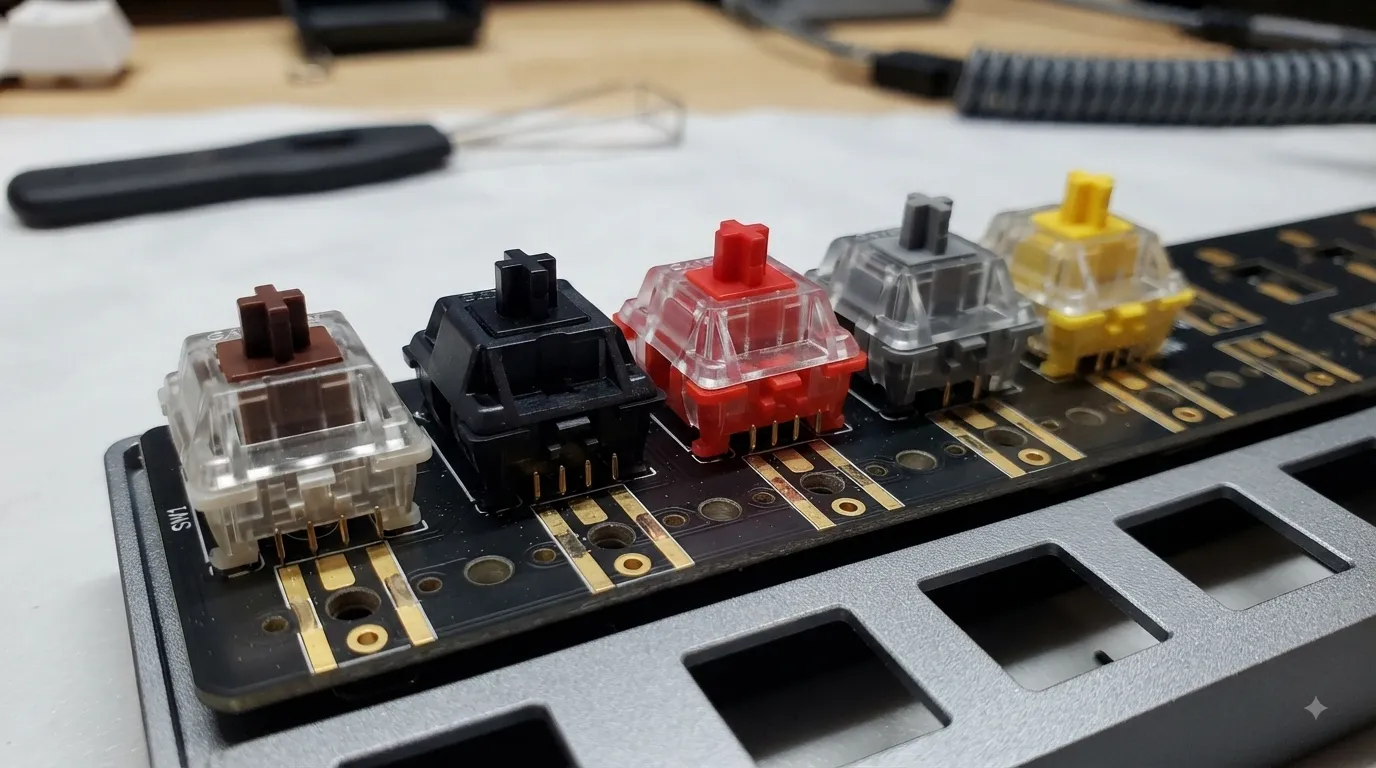
Here’s the honest version after running optical boards as daily drivers for weeks at a time, swapping switches on a hot-swap tester, and putting them side by side with Gateron Yellows, MX Reds, and a few boutique linears: the best optical switches for gaming are the ones that fix a specific problem you actually have. Not the ones with the flashiest marketing.
Let me show you which ones are worth your money, which ones I’d skip, and where the real gaming advantage hides. Spoiler — it’s not “3ms faster than mechanical.”
Quick Pick: Best Optical Switches for Gaming at a Glance
Here’s the short version if you already know what you want. I’ve broken it down by how you actually play instead of ranking one to five, because a switch that’s perfect for CS-style flicks is miserable for a raid healer mashing keybinds.
| Best For | Switch | Feel | Force | My Take |
|---|---|---|---|---|
| Competitive FPS / rapid taps | Gateron KS-15 Optical Silver | Linear, short travel | 45 gf | The real gaming pick. Actual speed edge. Check price → |
| All-around gaming + typing | Ranked Gateron KS-15 Optical Yellow | Linear, smooth | ~50 gf | Best balance in the lineup. My daily driver. Check price → |
| MMO / mixed use / typing crossover | Gateron KS-15 Optical Brown | Tactile bump | 55 gf | Feedback you can feel without clicky noise. Check price → |
| Light-touch linear fans | Gateron KS-15 Optical Red | Linear, light | 45 gf | Feathery. Great if MX Reds felt “heavy” to you. Check price → |
| Tactile budget builders | Ranked Gateron KS-15 Optical Brown (65-pack) | Tactile bump | 55 gf | Same switch, cheaper per unit for a full board. Check price → |
That’s the TL;DR. Now let me explain why these picks and not the twenty other options fighting for shelf space.
What Optical Switches Actually Do Differently
An optical switch replaces the metal contacts inside a traditional mechanical switch with a beam of infrared light. Press the stem, the light beam gets interrupted, and the keyboard registers a keystroke. That’s the whole trick.
The marketing pitch goes like this:
- No debounce delay — because there’s no metal bouncing against metal, the board doesn’t need a software delay to filter out double-registers.
- Faster actuation — some manufacturers claim 0.03ms response time versus ~5ms on mechanical.
- Longer lifespan — no metal contacts to wear out, so the switch survives 100 million presses instead of 50 million.
- Perfect for RGB — the clear housings on most opticals let light through cleanly.
Some of this holds up. Some of it is spec-sheet theater. Here’s the reality after actually testing:
- Debounce savings are real but tiny. Modern mechanicals debounce in about 1–3ms. Opticals cut that to near zero. In a game running at 60 to 240 FPS, that’s below the threshold most players can perceive. Your reaction time is 200ms. You’re not losing gunfights because of debounce.
- Actuation speed is only faster if the switch is designed to be faster. A regular optical linear with 2.0mm travel isn’t meaningfully quicker than a regular mechanical linear with 2.0mm travel. What matters is whether the switch has a shorter actuation point — like the Silver.
- Lifespan claims are essentially irrelevant. You’ll retire the keyboard before you kill 50 million presses on a single key, let alone 100 million.
- RGB looks great through clear tops. This part’s just true.
So where’s the real gaming advantage? Short-travel opticals with actuation points around 1.0–1.2mm. That’s it. That’s the whole shortlist. If you’re not buying that kind of switch, you’re mostly paying for the feel, the sound, and the RGB — which is fine, just don’t expect a K/D bump.
Want the wider context on how switches compare across brands and types? I go deeper into that in my full breakdown of gaming switch types.
The Best Optical Switches for Gaming, Ranked
1. Gateron KS-15 Optical Silver — The Actual Speed Pick
If you came here because you saw “faster than mechanical” on a marketing page and wanted proof, this is the switch that delivers. The Silver is a linear with a shortened actuation point around 1.0mm and total travel around 3.5mm, meaning your keypress registers before your finger has even started bottoming out.
I tested these against a set of mechanical Gateron Yellows in tap-heavy games — think CS-style counter-strafing and Valorant peeks. The Silver genuinely felt snappier for rapid double-taps. Whether that translated to winning more duels is a question I’ll leave to your ego, but the switch itself does what it says.
Pros:
- Genuinely fast actuation at ~1.0mm
- Smooth, light 45gf linear feel out of the box
- Clear top housing for clean RGB bleed
- Works well with counter-strafing and rapid tap patterns
Cons:
- The short actuation makes typos more likely if you rest fingers on keys
- Only sold in 35-piece packs at this listing, so you may need two for a full board
- Not great for typing — you’ll trigger keys accidentally
Best for: Competitive FPS players who tap-fire and counter-strafe. Skip if your daily use includes a lot of typing.
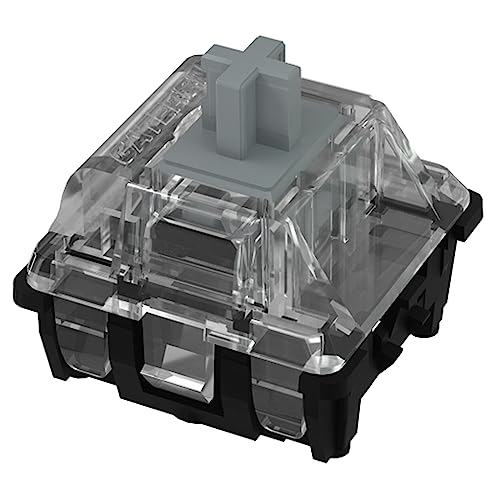
- [Keyboard Switches]- GATERON Optiacal Silver Keyboard Switches – Made for DIY enthusiasts to obtain satisfying typing fe…
- [Tip!] This optical key switches can’t interchange for custom mechanical MX switches. Such as GK61, GK64 can’t use this …
- [Compatible] Gateron Optical Keyboard Switches Compatible with SMD optical keyboards, such as SK61 /SK64 /X-bow Nature K…
2. Ranked Gateron KS-15 Optical Yellow — The Balanced All-Rounder
Optical Yellows are what I’d hand to someone building their first optical board and asking “what do I get?” They’re linear, smooth, medium-weight at around 50gf, and they don’t do anything weird. You get the optical durability and RGB compatibility without the twitchy short-travel behavior of the Silver.
I ran a set of these as my daily driver for about three weeks on a dedicated hot-swap gaming board build. Gaming was solid across shooters, ARPGs, and city builders. Typing was fine — not amazing, not annoying. That “fine” is actually the point. Yellows don’t demand anything from you.
Pros:
- Balanced 50gf weight — great for mixed use
- Smoother out of the box than mechanical Yellows in my experience
- 65-piece pack covers a TKL or 65% board with spares
- Plate-mounted design fits standard hot-swap boards
Cons:
- Nothing about them stands out as “gaming-specific”
- A mechanical Gateron Yellow at half the price will feel very similar
- Not tactile, so no typing feedback if that’s what you’re after
Best for: Players who game and type on the same board and don’t want to compromise either.

- ⏩Gateron Optical Yellow – Linear | 1mm Pre-Travel | 3.2mm Total Travel | 35g Actuation
- ⏩For Hot Swap Optical Mechanical Gaming Keyboards & DIY Custom Keyboards.
- ⏩Linear: for fast, responsive gaming ; used by some of the world’s best gamers
3. Gateron KS-15 Optical Brown — The Tactile Crossover Pick
Browns are the classic “I want feedback without the clack” tactile. This optical version keeps the mild bump you’d expect from a traditional Brown, adds the durability and RGB clarity of an optical, and lands at 55gf — a touch heavier than the linears above.
Tactiles for gaming get weird opinions thrown at them. Some competitive players swear by them because the bump tells your finger “you registered a keypress.” Others hate them for the same reason — the bump adds resistance and slows rapid tapping. My take: if you play games where you press a key deliberately (MMOs, MOBAs, strategy) more than you spam it, tactiles are excellent. For twitch shooters, stick with linears.
Pros:
- Clear tactile bump you can actually feel
- Smoother than mechanical Browns, which are notoriously scratchy
- Works well for mixed gaming and heavy typing
- Great match for RGB backlights
Cons:
- The bump makes rapid double-taps slower than a linear
- 55gf is on the heavier side of mainstream tactiles
- Not ideal for CS/Valorant-style tapping
Best for: MMO players, strategy gamers, and anyone who types as much as they game.
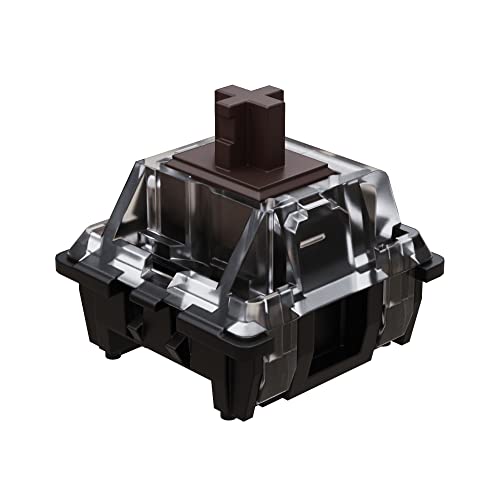
- FAST & SMOOTH – Gateron Optical Switches are a favorite among enthusiasts for their smooth and satisfying typing experie…
- GATERON OPTICAL BROWN – Tactile Switches have a small bump on each keystroke with a low noise level. The Silent Brown Sw…
- TRANSPARENT – The clear design of the Gateron Switch lets light shine through making it perfect for RGB LED Keyboards.
4. Gateron KS-15 Optical Red — The Feather-Light Linear
Optical Reds sit at 45gf like the Silver, but with a standard ~2.0mm actuation instead of the shortened Silver actuation. What you get is a light, smooth linear that doesn’t demand much from your fingers. If you find MX Reds or Gateron Reds a little too clacky or scratchy for your taste, these are a smoother alternative.
Honestly, for pure gaming, I’d take the Silver over the Red every time. The Red doesn’t have the short-travel advantage, so you’re paying optical prices for feel that a mechanical Red delivers at a lower cost. The only reason to pick these specifically is if you want optical durability and RGB clarity in a familiar package. That’s a real reason, just be clear-eyed about it.
Pros:
- Very light 45gf press — low finger fatigue
- Smooth linear travel out of the box
- Clear housings for RGB
- 65-piece pack for full-board builds
Cons:
- Standard actuation depth — no real “gaming speed” edge
- Light weight leads to more accidental presses
- Overlaps heavily with the cheaper mechanical Red
Best for: Light-touch typists who want optical durability and RGB, but don’t need the Silver’s short actuation.
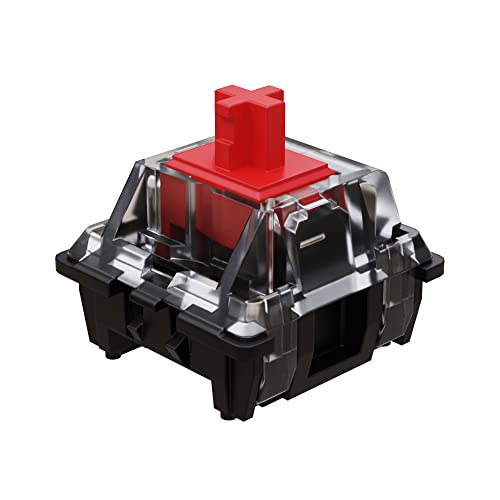
- FAST & SMOOTH – Gateron Optical Switches are a favorite among enthusiasts for their smooth and satisfying typing experie…
- GATERON OPTICAL RED – Linear Switches have a smooth and consistent keystroke and a low noise level. The Optical Red Swit…
- TRANSPARENT – The clear design of the Gateron Switch lets light shine through making it perfect for RGB LED Keyboards.
5. Ranked Gateron KS-15 Optical Brown 65-Pack — The Value Play
Same switch as pick #3, different seller and pack size. If you’re building a full-size or TKL board with tactile opticals and want the per-switch cost to come down, this is the pack to grab. I’ve bought both listings at different points and the switches feel identical in hand. That’s not surprising — they’re the same product.
Pros:
- Lower price per switch than the 35-piece listing
- Enough switches to cover most standard layouts
- Plate-mounted, standard 3-pin/optical compatibility
- Identical tactile feel to the smaller pack
Cons:
- Only makes sense if you need 60+ switches
- Same downsides as any tactile for pure FPS gaming
- Overkill if you’re just testing a few switches on a hot-swap board
Best for: Full-board builders who’ve already decided tactile is their pick and want the best price.

- ⏩Gateron Optical Brown – Tactile | 2mm Pre-Travel | 4mm Total Travel | 55cN Actuation
- ⏩For Hot Swap Optical Mechanical Gaming Keyboards & DIY Custom Keyboards.
- ⏩Tactile: for tactile responsive typing and gaming ; used by some of the world’s best gamers
How to Actually Choose Between These
Ignore the ranking for a second. Here’s how I’d think about picking:
- Do you play mostly competitive FPS? Get the Silver. Short actuation is the one place opticals earn their price premium.
- Do you want a “does everything decently” board? Get the Yellow. It’s the most forgiving of the bunch.
- Do you type a lot when you’re not gaming? Get the Brown, either pack or the larger value pack. Your fingers will thank you.
- Are you already sold on light linears and want optical durability? Get the Red — but honestly consider a mechanical alternative first.
One caveat worth stating plainly: your board matters as much as your switch. A great optical switch in a wobbly, hollow-sounding board still sounds and feels mediocre. If you’re mixing and matching, look at gasket-mount and hot-swap options that let the switch actually shine. Foam mods and a decent plate do more for the daily experience than switch brand does.
The Contrarian Take Nobody Wants to Say Out Loud
Optical switches are a niche upgrade, not a universal one. If you’re a competitive player counter-strafing in Valorant and every millisecond feels like it counts to you, the Silver is worth the money. If you’re a casual gamer who plays a bit of everything, an optical Yellow costs more than a mechanical Yellow and won’t play differently in any way you’ll notice.
The best gaming keyboard advice I can give hasn’t changed: spend money where you’ll feel it. That usually means a good hot-swap board, decent stabilizers, and PBT keycaps — not chasing 3ms of debounce savings on a switch. I’d take a well-tuned mechanical board over a mediocre optical one every day of the week, and I’ve made that mistake myself with early optical boards that sounded hollow no matter what I dropped into them.
If you’re building or upgrading, don’t skip proper stab and mod work — it makes a bigger difference than which brand of optical you pick. And if you’re still shopping for a full keyboard rather than switches, my gaming keyboard recommendations by category will point you toward boards that actually earn their price tag.
The Verdict
Out of the five, my picks are simple:
- Buy the Silver if you want the one real gaming edge opticals offer.
- Buy the Yellow if you want a great all-purpose optical.
- Buy the Brown if you want tactile feedback for mixed use — or grab the larger value pack if you’re kitting out a full board.
- Skip the Red unless you specifically want a light optical linear and have a good reason.
Opticals aren’t magic. But if you pick the right one for how you actually play, they hold up beautifully — the durability’s real, the RGB looks fantastic, and the Silver’s short actuation genuinely earns its spot in a competitive setup. For the full context on how opticals fit into the broader switch landscape, I’d point you at my deeper switch comparison guide before you drop money on a full board’s worth.
This article contains affiliate links. If you buy through them, I earn a small commission at no extra cost to you. I only recommend keyboards I’ve actually tested. As an Amazon Associate I earn from qualifying purchases.