Best Hall Effect Keyboards 6 Tested Picks & Verdicts

This article contains affiliate links. If you buy through them, I earn a small commission at no extra cost to you. I only recommend keyboards I’ve actually tested. As an Amazon Associate I earn from qualifying purchases.
Let me start with an unpopular take. Most people who buy a hall effect keyboard don’t actually need one. They want one — because pros use them, because Counter-Strike streamers strafe like they’re cheating, because the marketing is everywhere you look — but their actual gameplay isn’t going to change because the keys reset at 0.1mm instead of 2mm.
That said, the best hall effect keyboard is a genuinely different tool than a standard mechanical board. When the tuning matches your hands and your games, you feel it. After spending months daily-driving most of the major boards — long Counter-Strike 2 sessions, Valorant, racing games, and a couple million words of typing — I’ve narrowed the field. Here’s what I’d actually buy with my own money, sorted by what you’re trying to accomplish.
Quick Comparison: Best Hall Effect Keyboard by What You Actually Need
This is your TL;DR. Scan the table, pick the row that matches you, jump to that section below.
| Pick | Best For | Switch | Layout | Wireless | Approx. Price |
|---|---|---|---|---|---|
| Wooting 80HE | Best Overall Hall Effect Keyboard | Lekker V2 | 80 percent | No | 200 dollars |
| Wooting 60HE V2 | Best for Competitive FPS | Lekker V2 | 60 percent | No | 175 dollars |
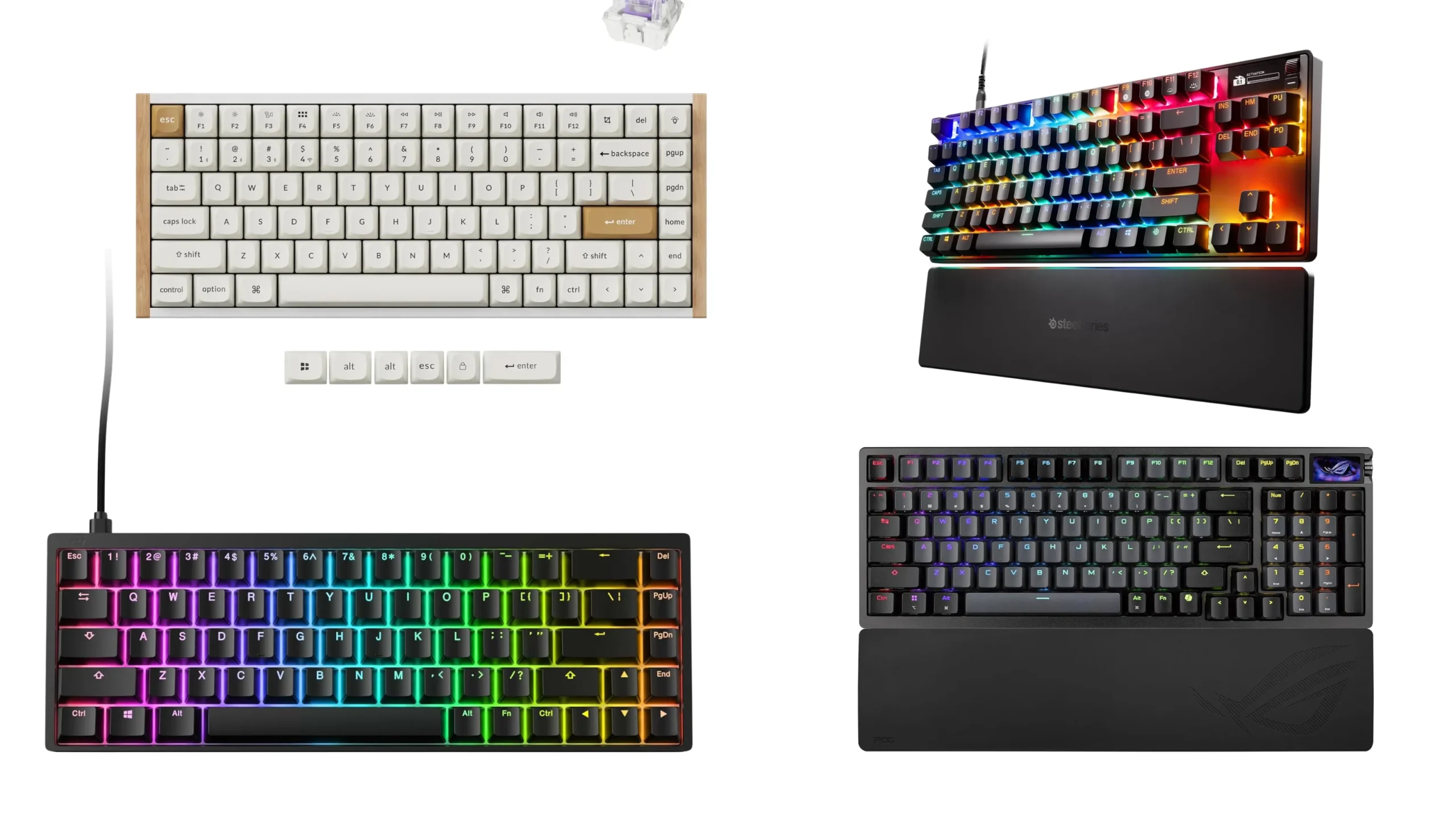
| SteelSeries Apex Pro TKL Gen 3 | Best Premium TKL | OmniPoint 3.0 | TKL | Optional | 250 dollars |
| Asus ROG Azoth 96 HE | Best Wireless Flagship | HFX V2 | 96 percent | Yes | 300 dollars |
| Keychron K2 HE | Best Value Wireless Pick | Gateron Magnetic | 75 percent | Yes | 130 dollars |
| Endgame Gear KB65HE | Best Budget Hall Effect Keyboard | Gateron Magnetic | 65 percent | No | 100 dollars |
Now the actual reviews.
What a Hall Effect Keyboard Actually Is (Short Version)
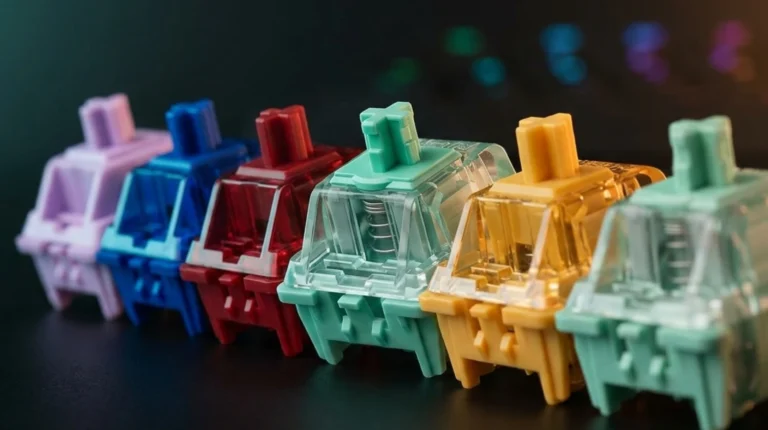
Hall effect switches ditch the metal contacts. Each switch has a magnet on the stem and a sensor on the PCB that reads the magnet’s position as you press the key. Because the sensor measures position continuously, the board knows exactly how far down the key is — not just on or off.
That gets you two things mechanical switches can’t easily do:
- Adjustable actuation. You set how deep a press needs to go before it registers. Most boards go 0.1mm to 4.0mm, per key.
- Rapid trigger. The reset point follows your finger. Let go even slightly and the key resets, ready to fire again the instant you press down.
For typing, you won’t notice rapid trigger at all. For counter-strafing in CS2 or peeking corners in Valorant, the difference is real. Not magical. Real.
How I Tested Each Board
Same routine every time. Three to four weeks as my daily driver. At least ten hours of competitive FPS per board, mostly CS2 and Valorant, some Apex. Some racing in Forza to test the analog input. And the brutal final test — writing reviews on it for hours, because if a keyboard sounds great but is miserable to type on, that matters.
I opened most of them too. Stab condition, foam layers, plate material, hot-swap socket quality — I looked.
Best Hall Effect Keyboard Reviewed: My Six Picks
1. Wooting 80HE — Best Hall Effect Keyboard Overall
If you put a gun to my head and made me pick one, this is it. Wooting basically invented the modern HE category, and the 80HE is the most polished thing they’ve shipped.
The Lekker V2 switches actuate from 0.1mm to 4.0mm in 0.1mm steps, per key. The polling rate maxes out at 8000Hz wired. Sound is genuinely good out of the box thanks to a gasket mount, multiple foam layers, and factory-lubed stabs that don’t rattle on the alphas.
Wootility, the configuration software, is the real flex. It runs in your browser. No bloated installer, no account login, no constant pop-ups about your gamer profile. Set up rapid trigger, tweak per-key actuation, save profiles, done. After dealing with the resource-heavy software from bigger brands, using Wootility feels like a vacation.
The catch: the chassis is plastic and the 80 percent layout is weird — dedicated arrows and a nav cluster, but no F-row spacing in the usual place. Some folks adapt in a day. Some stare at it for a week. Also, the space bar sounds noticeably more hollow than the alphas. Annoying on a board at this price.
Buy it if: you want the best all-around hall effect keyboard with the best software in the category, and you can live with a quirky layout.
2. Wooting 60HE V2 — Best for Competitive FPS
If you live in Counter-Strike or Valorant, don’t need arrow keys, and want the smallest, fastest weapon on the desk, the 60HE V2 is the answer. Same Lekker V2 switches, same Wootility software, same rapid trigger performance as the 80HE — just compressed into a 60 percent shell that fits next to a low-sens mouse with room to spare.
A real chunk of the CS2 pro scene runs this board. Not because it makes them better — they were already better — but at that level, every millimeter helps. For everyone else, the 60HE is honestly more keyboard than you need, but if you’re already gaming on a 60 percent and want the HE upgrade, it’s the no-brainer.
Buy it if: you play FPS competitively and you’ll trade the function row for desk space.
3. SteelSeries Apex Pro TKL Gen 3 — Best Premium TKL

- TRIPLE THREAT POWERED BY QUICKSET — Apex Pro is the only line of keyboards in the world with Rapid Trigger, Rapid Tap, a…
- RAPID TRIGGER FOR FASTER ACTIONS — Stop fast, start your next move faster. Resets the moment you release a key.
- RAPID TAP FOR FASTER MOVEMENT — Snaps to your latest key press to strafe and dodge faster.
The Apex Pro Gen 3 uses OmniPoint 3.0 HyperMagnetic switches with 40 levels of actuation between 0.1mm and 4.0mm. The OLED display in the top right is genuinely useful — quick profile switching, system info, Discord notifications. Protection Mode dampens accidental presses on neighbors of an active key, which sounds like a gimmick until you stop fat-fingering your ultimates in League.
Build is solid — aluminum top plate, double-shot PBT caps, magnetic wrist rest. Typing feel on Gen 3 is noticeably smoother than the Gen 2 it replaces.
The catch: SteelSeries GG software is bloated. It works, but it isn’t Wootility — managing profiles can feel tedious. And the price stings a little for what you get. The wireless TKL version exists but pushes the cost even higher.
Buy it if: you want premium build, an OLED, and the most “flagship gamer” feel of anything in the category.
4. Asus ROG Azoth 96 HE — Best Wireless Flagship

- Hot-swappable ROG HFX V2 Magnetic Switch: Refined keystrokes with customizable 0.1–3.5mm actuation and 0.01mm-step preci…
- New ROG Hall Sensor: Exceptional precision, accurate input detection, reduces electrical noise and interference, and inc…
- Superb connectivity: ROG SpeedNova 8K wireless technology, wired USB, and Bluetooth connectivity supports up to five dev…
For a long time, “wireless hall effect” was a punchline. Wireless killed the polling rates that made HE worth buying. The Azoth 96 HE changed that. It hits 8000Hz polling over wireless via Asus SpeedNova — something Wooting still can’t claim.
You also get a color OLED touchscreen, a three-way control knob, the HFX V2 switches with 0.01mm precision (ten times finer than the V1 generation), and a six-layer dampening stack that sounds outrageously good for a gaming flagship. The 96 percent layout keeps a numpad without going full size.
The catch: it’s expensive — around 300 dollars, sometimes more. And honestly, the wireless polling-rate flex only matters if you’re a top-tier competitive player. Most people will plug it in anyway.
Buy it if: you want the best wireless hall effect keyboard, full stop, and the budget isn’t the deciding factor.
5. Keychron K2 HE — Best Value Hall Effect Keyboard

- 75% Layout with Magnetic Switches: Experience the perfect blend of mechanical performance and magnetic precision with th…
- Launcher Web Configurator: Customize your K2 HE effortlessly with the web-based Launcher. From key remapping to macro cr…
- 2.4 G & BT 5.2 & Type-C Mode: Switch seamlessly between devices with 2.4 GHz wireless, Bluetooth 5.2, and Type-C modes. …
This is the board I recommend to most readers who ask. It’s a 75 percent layout (function row, arrow keys, small nav cluster), uses Gateron Double-Rail Magnetic switches, and supports 2.4GHz wireless and Bluetooth. About 130 dollars. The rapid trigger and adjustable actuation work the same way they do on a Wooting — same end result, slightly less polish on the software side.
Typing feel is honestly excellent for the price. Pre-lubed stabs, OEM-profile PBT caps on the standard edition, sound that punches well above the price tag. It’s the keyboard equivalent of a Toyota Camry. I mean that as a compliment.
The catch: Keychron’s HE configuration software has been buggy in the past and the update cadence is slower than Wooting’s. The USB-C port is also on the right side of the board, which annoys me every single time I plug it in.
Buy it if: you want real hall effect features without flagship prices, and wireless flexibility is part of the deal.
6. Endgame Gear KB65HE — Best Budget Hall Effect Keyboard

- HALL EFFECT TECHNOLOGY: Redefine your gaming with innovative Hall Effect sensors, offering unmatched durability and rapi…
- Gateron KS-37B SWITCHES: Experience ultra-smooth keystrokes with Dual-rail structure, pre-lubed stabilizers, and self-lu…
- SLEEK ALUMINUM BODY: Precision CNC-machined aluminum case for durability and aesthetics, with adjustable feet and a non-…
Around 100 dollars for a 65 percent hall effect board with adjustable actuation and rapid trigger. No dual-step actuation, no OLED, no fancy wireless — just the core features that make HE worth caring about, executed cleanly.
Build is plastic but tight. Sound is decent for the money. Software is functional, not gorgeous. For anyone who wants to dip a toe into hall effect without committing 200 dollars, this is the sane choice.
Buy it if: you’re testing the waters and don’t want to overpay before you know if HE is for you.
Key Features That Matter When Picking the Best Hall Effect Keyboard
If you’re shopping for one yourself, here’s what I’d actually pay attention to — and what I’d ignore.
- Actuation range. Anything that hits 0.1mm to 4.0mm is more than enough. Boards bragging about 0.01mm precision are mostly marketing. Your finger can’t feel that difference.
- Rapid trigger implementation. Make sure it’s adjustable, not just on or off. The good boards let you tune sensitivity per key.
- Polling rate. 1000Hz is fine for almost everyone. 8000Hz looks great on a spec sheet and is measurable in a lab, but only top competitive players will feel the difference.
- Software quality. This matters more than people think. Wootility is the gold standard. SteelSeries GG, Asus Armoury Crate, and most others are clunkier. Test the software experience as much as the keyboard.
- Build and sound. Foam, gasket mount, double-shot PBT keycaps — these decide how the board actually feels and sounds. Don’t pay flagship money for a hollow plastic body.
- What to ignore entirely. RGB layer count, “20x faster than mechanical” claims, weight specs over a kilogram as a “premium signal,” and most marketing copy about esports DNA. None of that touches your fingers.
The Honest Catch: Who Should Skip Hall Effect Entirely
Here’s the take that’ll annoy the comments section. If you’re a casual gamer, a writer, a programmer, or anyone who isn’t grinding ranked Counter-Strike or Valorant, you don’t need a hall effect keyboard. A good hundred-dollar mechanical with hot-swap sockets and PBT caps will serve you better than a budget HE board with mushy stabilizers and bad software.
Hall effect is a tool for a specific job. If you’re not doing that job, you’re paying for features you’ll never use. No shame in skipping it.
My Final Verdict on the Best Hall Effect Keyboard
For most people, get the Wooting 80HE. It’s the best balance of switches, build, and software, and Wooting actually supports the hardware over time with firmware updates that add real features instead of just bug fixes.
If you play competitive FPS at a high level and want every gram off your desk, get the Wooting 60HE V2. If you have the budget and want a wireless flagship with no compromises, the Asus ROG Azoth 96 HE is the pick. If you want most of the magic for a lot less money, the Keychron K2 HE is the smart buy. And if you just want to find out whether HE is worth caring about, start with the Endgame Gear KB65HE at a hundred bucks.
Pick the board that matches your hands and your games. Don’t buy the priciest one because a streamer used it. That’s how you end up with a 300-dollar keyboard collecting dust next to your 50-dollar daily driver — and I’ve seen that drawer. I have one.
This article contains affiliate links. If you buy through them, I earn a small commission at no extra cost to you. I only recommend keyboards I’ve actually tested. As an Amazon Associate I earn from qualifying purchases.