Why Does My Keyboard Sound Hollow? (And How to Fix It)

This article contains affiliate links. If you buy through them, I earn a small commission at no extra cost to you. I only recommend keyboards I’ve actually tested. As an Amazon Associate I earn from qualifying purchases.
Spend ten minutes on any keyboard subreddit and you’ll see the same panicked question over and over: why does my keyboard sound hollow? Nine times out of ten, nothing is wrong with the board. It’s doing exactly what it was built to do. The truth is, “hollow” is the factory default for most plastic-cased mechanical keyboards under $150 — and even some that cost more.
I’ve torn down a few hundred boards over the years, and the fix is rarely complicated. You don’t need to drop $300 on a custom kit to get rid of that empty, echoey sound. Usually you need one of two things: a few bucks worth of foam, or about fifteen minutes with a roll of painter’s tape. This is the practical, no-nonsense rundown of why your keyboard sounds hollow and what to actually do about it.
Quick Comparison: Best Fix Based on Why Your Keyboard Sounds Hollow
If you only read one section, read this one. Pick the row that matches your situation.


| Your Situation | Best Fix | Effort | Estimated Cost | Sound Improvement |
|---|---|---|---|---|
| “I don’t want to open my keyboard” | Thick PBT keycap swap (Akko, Drop MT3, Keychron PBT) | Low | $30–$90 | ★★★☆☆ |
| “I have a screwdriver and 20 minutes” | The tape mod + stabilizer lube | Low–Medium | $0–$15 | ★★★★☆ |
| “I want the full mod treatment” | Case foam + PE foam + Poron plate foam kit | Medium | $15–$35 | ★★★★★ |
| “My case is the problem, I want a real upgrade” | Gasket-mounted pre-built (Keychron Q1/Q3, GMMK Pro) | None | $170–$220 | ★★★★★ |
| “Budget but better out of the box” | Pre-foamed budget board (RK ROYAL KLUDGE R65, Akko 5075B) | None | $80–$110 | ★★★★☆ |
| “I think it’s the switches pinging” | Switch lube (Krytox 205g0 or 3204) + films | High | $25–$40 | ★★★★☆ |
Marcus’s pick for most people: start with the tape mod. It costs nothing, it’s reversible, and on a typical $100 plastic-case board, it gets you maybe 70% of the way there. Then upgrade keycaps if you still want more.
What “Hollow” Actually Means When We Talk About Keyboard Sound
Before you start ordering foam kits, it’s worth being precise about what your keyboard is doing. “Hollow” gets used to describe at least four different acoustic problems, and the fix depends entirely on which one you’re hearing.
- Hollow echo (boomy, empty, “tupperware”): Sound waves bouncing inside a mostly-empty plastic case. Most common. Caused by case design, not switches.
- Pinging (high-pitched metallic ring after a keypress): Almost always the switch spring resonating. Sometimes a steel plate amplifying it.
- Tinny or sharp: Usually a steel plate plus thin ABS keycaps. Bright, slap-y, no depth.
- Rattle (especially on space, shift, enter, backspace): Loose stabilizer wires. Not really “hollow,” but people lump it in.
If your board is hollow and pinging and rattling, that’s three separate fixes. The good news is they stack — every mod compounds the next.
Why Your Mechanical Keyboard Sounds Hollow in the First Place
Here’s what’s actually going on inside the case. Sound has to travel somewhere, and a typical plastic mechanical keyboard is essentially a sealed room with hard walls.
- The case is mostly empty air. Between the PCB and the bottom of the case, there’s usually a half-inch of empty space. Press a key, the energy travels down, bounces off the bottom, and you hear the result. That’s the echo.
- Plastic resonates more than dense materials. ABS plastic, which is what most budget cases are made of, vibrates audibly when you hit it. Aluminum and polycarbonate damp those vibrations much better. Brass is even quieter, which is why custom builders pay stupid money for brass weights.
- Tray mount construction transmits everything. Most pre-builts under $150 use a tray mount — the plate is screwed directly to standoffs molded into the case. Every press goes straight into the chassis. Nothing absorbs anything.
- No internal dampening from the factory. Manufacturers leave the inside empty because foam adds cost and assembly time. A $90 board doesn’t have room in the budget for $3 of foam.
- Thin ABS keycaps act like tiny drums. If your caps are thin double-shot ABS (the stock caps on most Keychrons, Logitechs, and Corsairs), the cap itself contributes to the hollow sound. PBT keycaps at 1.5mm thickness or above sound noticeably deeper.
- Switch springs sing. Cheaper switches (older Outemu, some Gateron KS-3 batches, stock Cherry MX from a few years back) have unlubed springs that ring after every press. That ring layers on top of the case echo and makes the whole thing sound worse.
Once you understand that all six of these add up, the fix strategy makes sense: kill the echo chamber, then deal with the springs, then upgrade the caps.
How to Fix a Keyboard That Sounds Hollow (Ranked by Effort)
I’ll go from “free and 15 minutes” to “rebuild the whole thing.” Pick your level.
1. The Tape Mod (Free, 15 Minutes)
The tape mod is the single highest return-on-effort change you can make to a hollow-sounding board. Here’s the deal: you put a few strips of painter’s tape or 3M masking tape on the underside of the PCB. The tape tightens up the sound, kills a chunk of the bass echo, and makes everything slightly deeper and more focused.
How to do it:
- Unscrew the case (usually 4–8 screws on the bottom).
- Carefully lift the assembly out.
- Apply 2–3 layers of painter’s tape across the back of the PCB, avoiding any exposed contacts or the daughterboard.
- Reassemble.
That’s it. Some people get obsessive about the layer count — three is usually the sweet spot. More than four and it starts sounding muddy.
Honest caveat: Tape mod doesn’t fix pinging switches. If your switches sing after every press, the tape mod won’t touch that.
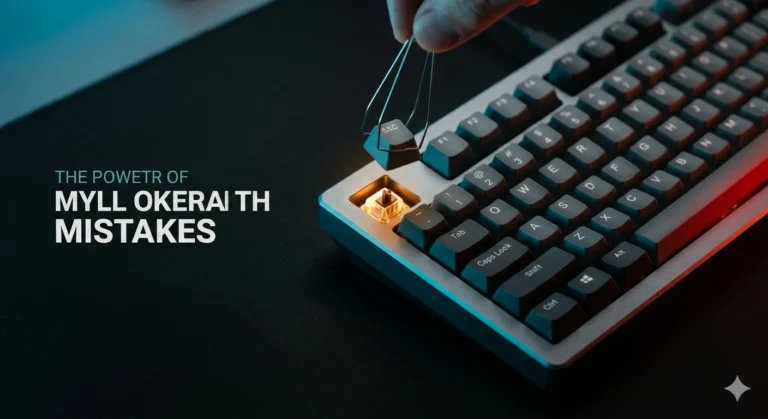
2. Foam Mods (Case, Plate, and PE Foam)
If you want to go further, foam is the next step. There are three places foam goes, and they do different things.
- Case foam (between PCB and case bottom): Kills echo. Single biggest win for hollow sound. EVA foam or Neoprene works, Poron is the premium choice.
- Plate foam (between PCB and plate): Softens the typing sound, reduces ping. Adds a “creamier” feel.
- PE foam (between switches and PCB, also called force-break mod): Makes the sound poppier and tighter. Polarizing — some people love it, some say it makes things sound fake. Try it, see what you think.
You can buy pre-cut foam kits for popular boards (Keychron K-series, GMMK, Drop CTRL, Royal Kludge) for $10–$25. Or you can cut your own from a sheet of EVA from a craft store for under five bucks if you’re patient.
3. Stabilizer Tuning
If your hollow problem is mostly on the spacebar, big shift, enter, or backspace, the stabilizers are likely contributing as much as the case. Stock stabs on most boards are dry plastic-on-plastic with a bent wire that rattles.
The fix:
- Lube the wire ends with dielectric grease (the same stuff you put on car battery terminals).
- Lube the stem housings with Krytox 205g0 (thick lube, just the slider rails).
- Optional: clip the feet off the stems for a flatter sound — the “clip mod.”
Done right, a clipped and lubed PCB-mount stabilizer goes from rattly garbage to dead silent. This is the single biggest upgrade most pre-built boards need.
4. Switch Lube (If You Hear Pinging)
If after all of the above you still hear a metallic ting after every press, that’s spring ping. The fix is switch lube — Krytox 205g0 for linears, Tribosys 3204 for tactiles. The bad news: you have to pull every switch, disassemble it, apply lube to four or five spots with a tiny brush, and reassemble.
For a full-size keyboard, expect three to four hours. It’s tedious. It’s also the difference between a board that sounds okay and one that sounds genuinely premium.
The honest tradeoff: if you’re not enjoying the process, just buy switches that come pre-lubed from the factory. Gateron Oil Kings, Akko Cream Blue, and most Kailh Box series sound great out of the box with no work needed.
5. Swap the Keycaps
Thin stock ABS keycaps make every board sound more hollow than it has to. Swapping to thick PBT (1.5mm or thicker) is a 60-second upgrade that drops the pitch and adds substance. Sets I’ve tested and would actually recommend:
- Drop MT3 Susuwatari or White-on-Black — Tall sculpted profile, very deep sound.
- Akko PBT Cherry-profile sets — Cheap, thick, and they don’t shine like ABS.
- Keychron OSA PBT — Comes stock on the Q-series and you can buy it separately.
Skip ultra-cheap “doubleshot PBT” sets under $25. Half the time they’re thin or the legends are crooked.
When to Stop Modding and Just Buy a Better Keyboard
Here’s the catch nobody on YouTube wants to admit: some keyboards are designed in a way that no amount of foam will fix. A tray-mounted plastic case with no internal structure is fighting you the whole way. You can sink $40 into mods and end up with a board that sounds okay but never sounds great.
If your case is the real problem, the answer is a gasket-mounted aluminum board with foam pre-installed. The Keychron Q1, Q3, and Q6 are the obvious picks — $170–$200, sound excellent out of the box, hot-swap, QMK/VIA support. The GMMK Pro is solid too if you find it on sale. Drop CTRL with the upgrade kit installed is another good option.
I’m not saying spend $200 to fix a $90 board. I’m saying if you’ve already sunk $30 into foam and lube and your board still annoys you, you’ve answered the question for yourself.
Final Take
A keyboard that sounds hollow isn’t broken. It’s just under-dampened, and that’s almost always fixable for less than the cost of dinner. Start with the tape mod, lube your stabilizers, swap your keycaps if you want a different character. If you’re still not happy after that, the case itself is the problem and no amount of foam will save it. At that point, sell the board and put the money toward a gasket-mounted aluminum build that does the work for you. Either way, you don’t have to live with the tupperware sound.
This article contains affiliate links. If you buy through them, I earn a small commission at no extra cost to you. I only recommend keyboards I’ve actually tested. As an Amazon Associate I earn from qualifying purchases.