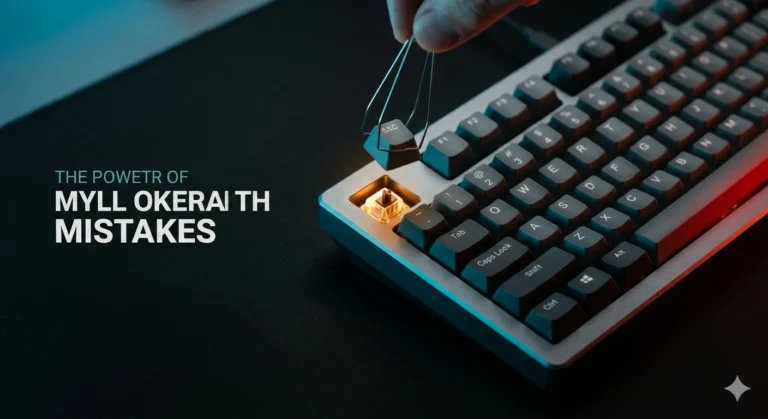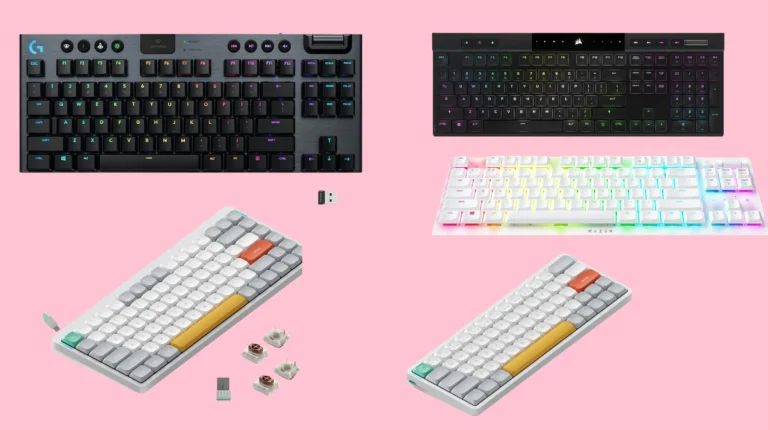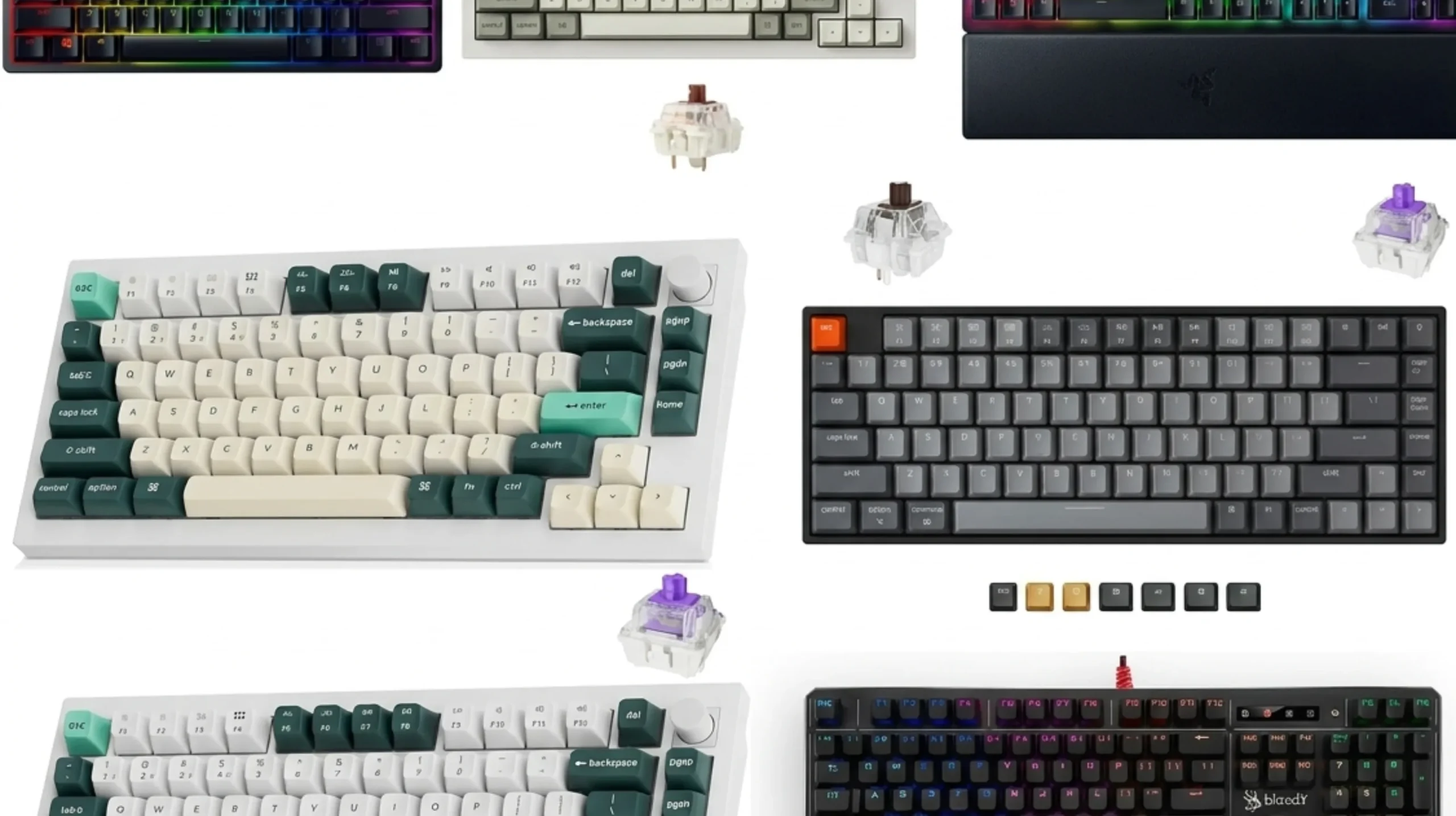
Mechanical vs Optical Keyboard: Honest Hands-On Breakdown

This article contains affiliate links. If you buy through them, I earn a small commission at no extra cost to you. I only recommend keyboards I’ve actually tested. As an Amazon Associate I earn from qualifying purchases.
There’s a myth floating around the keyboard world that optical switches are just “faster mechanical switches.” That’s not really true. They’re different beasts. Different actuation mechanism, different feel, and a completely different aftermarket ecosystem. I’ve spent years swapping between both as daily drivers, including a long run with Razer Optical Reds in a Huntsman, an embarrassingly long stretch with Bloody’s LK Libra optical switches, and more Cherry and Gateron mechanical boards than I can count.
So when somebody asks me about mechanical vs optical keyboard tech, I don’t reach for spec sheets. I reach for what they actually feel like after three weeks of writing, gaming, and getting irritated at 2 a.m. Here’s the honest breakdown.
TL;DR. Quick Comparison by What You’re Actually Doing




| What You Need | Best Pick | Switch Type | Why It Wins |
|---|---|---|---|
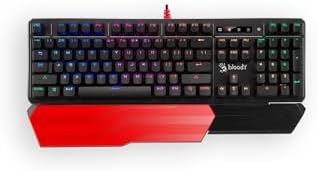
| Competitive FPS gaming | Razer Huntsman V3 / Bloody B975 | Optical | No debounce delay, fast reset, consistent actuation |
| Daily typing and writing | Keychron Q1 with Gateron Pro Browns | Mechanical | Better feel, modding ecosystem, way better sound |
| Best budget board ($60 to $100) | Royal Kludge RK68 / Keychron C2 Pro | Mechanical | Hot-swap, decent stock switches, real value |
| Quiet office use | Keychron K2 with silent linears | Mechanical | Optical doesn’t have great silent options yet |
| Maximum customization and modding | Anything hot-swap with 3 or 5-pin MX | Mechanical | Optical PCBs lock you into their switch family |
| Heavy use / longevity claim | Razer Huntsman Mini / Bloody S98 | Optical | 100M presses rated, no metal contacts to corrode |
| Analog input / rapid trigger | Wooting 60HE / Keychron Q1 HE | Hall Effect (next-gen) | Optical led here first; HE has taken the crown |
Quick verdict: For 9 out of 10 people, a good mechanical board beats a good optical one. Better feel, better keycap and switch options, easier to fix and mod. Optical earns its keep in two narrow cases. Serious competitive gaming where 1 to 5 ms of debounce delay matters, and people who want a board that’ll outlast a divorce.
What’s Inside a Mechanical Switch
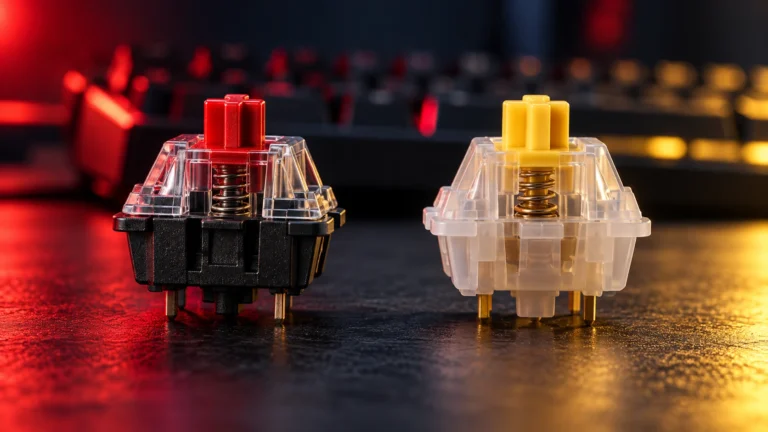
A mechanical switch registers your keypress through metal-on-metal contact. Inside the housing you’ve got a spring, a stem, and two thin metal contact leaves. Press the key, the stem moves down, the leaves touch, the circuit closes, the keypress fires. Release the key, the spring pushes the stem back up, the leaves separate.
That’s it. Simple, mechanical (hence the name), and basically the same design Cherry’s been refining since the 1980s.
There are three big families you’ll see:
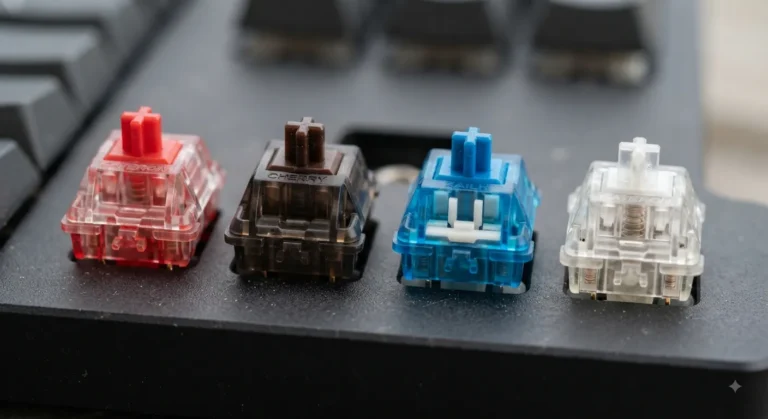
- Linear. Smooth top to bottom. Cherry MX Red, Gateron Yellow, MX Black, Alpaca, Tealio. Loved by gamers and a lot of typists too.
- Tactile. A bump partway through the travel. Cherry MX Brown (mild bump), Holy Pandas, Boba U4T, Glorious Panda. My pick for most typists.
- Clicky. Bump plus an audible click. Cherry MX Blue, Kailh Box White, Razer Green. Fun. Also a great way to lose friends in an open office.
The metal contact design has one quirk worth knowing about: debounce. When the leaves touch, they actually bounce against each other for a few milliseconds before settling. The keyboard firmware has to wait this out before registering one clean keypress. That debounce delay is the entire reason optical switches exist.
What’s Inside an Optical Switch
An optical switch ditches the metal contacts entirely. Inside, you’ve got the same spring, stem, and housing, but instead of contact leaves there’s an infrared LED beam shooting across the switch and a sensor on the other side. The stem has a little fin on it. Press the key, the fin breaks the beam, the sensor registers the press. Release, beam restores, key resets.
No metal touching. No bounce. No debounce delay needed.
The big names you’ll run into:
- Razer Optical. Reds (linear), Purples (clicky). Found in the Huntsman lineup.
- Bloody LK / Light Strike. Libra Brown, Libra Orange, Libra Red. Cheap, snappy, popular with FPS players on a budget.
- Gateron Optical. Yellow, Brown, Red, Blue variants. Often hot-swappable on optical PCBs.
- Wooting Flaretech (pre-Hall Effect era). The original analog optical switches. Wooting has since moved to Lekker Hall Effect for their current boards (60HE, Two HE), but the Wooting One and Two used Flaretech optical and basically invented the modern analog keyboard category.
Most modern optical switches use an MX-style stem, so keycap compatibility is fine. But the PCB underneath is the catch. More on that in a minute.
Mechanical vs Optical Keyboard: The Differences That Actually Matter
This is where reviews tend to get lazy and just list spec sheet differences. Here’s what you’ll actually notice in your hands.
Speed and Actuation
Optical wins on paper. No debounce delay means the keypress registers a few milliseconds faster, and the reset is cleaner because there’s no contact to “un-touch.” Razer markets this as a 30% faster actuation. Realistically? You’re talking about 1 to 5 ms of difference in best case.
Here’s the honest take. If you’re a Top 500 Apex player or grinding Counter-Strike at a serious level, that 1 to 5 ms can matter. For everyone else, including 99% of “I play games sometimes” people, you cannot feel it. Your monitor refresh rate, your mouse polling rate, and your reaction time are all bigger bottlenecks than your keyboard’s debounce.
Feel Under Your Fingers
Mechanical wins, and it’s not particularly close.
A well-built mechanical keyboard with lubed switches, properly tuned stabilizers, and a foam or gasket mount feels alive. There’s a richness to the keypress, the spring weight, the bottom-out sound, the return, that optical switches genuinely struggle to match.
Most optical switches feel a little hollow at the bottom. Razer Optical Reds in particular have a slightly mushy bottom-out that doesn’t compete with a lubed Gateron Yellow. Bloody LKs are crisper but still feel “plastic-y” compared to a tuned linear. Some of this is the switch design, some of it is that optical boards tend to skip the kind of internal foam and gasket-mount construction enthusiast mechanical boards have made standard.
Your fingers know the difference even if you can’t articulate it.
Sound Profile
Mechanical wins again, mostly because the modding scene is mature. You can lube switches with Krytox 205g0, do a tape mod on the back of the PCB, swap in PE foam between the switches and PCB, and end up with a board that sounds like a creamy snare drum.
Optical boards tend to sound thinner. Less bass, more high-end click and rattle. Some of this is fixable with keycap and stabilizer mods, but you can’t really lube an optical switch in any meaningful way. The moving parts are different and the housing usually isn’t designed to come apart cleanly.
If you care about the “thocc” hype (and I’ll cop to enjoying it even though I’m tired of how it’s marketed), you want mechanical.
Durability Claims
Optical wins on the spec sheet. Razer and Bloody both rate their optical switches at 100 million presses. Cherry MX is rated 100M now too, though Gateron’s typically 50M to 80M depending on the model.
Real talk. Almost nobody hits these numbers. A heavy typist might hit 5 to 10 million presses on their most-used keys over a board’s entire life. The 100M figure is a marketing number. It’s nice that optical doesn’t have metal contacts to oxidize over years, but I have working Cherry MX Blue boards from over a decade ago. Durability isn’t the problem people pretend it is.
Customization and Hot-swap
This one’s a blowout in mechanical’s favor.
Standard mechanical hot-swap sockets accept any 3-pin or 5-pin MX-compatible switch. That’s thousands of switches. You can buy a Keychron Q1, pull the stock Browns, and drop in Boba U4Ts, Alpacas, Holy Pandas, or any boutique switch from a group buy. Done in 20 minutes.
Optical boards use proprietary optical sockets. A Razer Huntsman only takes Razer Optical switches. A Bloody board only takes Bloody LK. There are a handful of Gateron Optical hot-swap PCBs out there, but the switch selection is a fraction of mechanical.
If you ever plan to mod, swap, or experiment, mechanical is the only sane choice.
Price
Roughly even at most price points, with mechanical having more spread at both ends:
- Budget ($40 to $90). Mechanical owns this. Royal Kludge, Keychron C-series, Akko, Redragon. Optical at this price exists (Bloody) but the build is usually worse.
- Mid ($100 to $200). Both compete here. Razer Huntsman Mini and Keychron Q-series land in the same neighborhood.
- High-end ($200 and up). Mechanical dominates. Custom keyboards, group buys, boutique switches. Optical has basically no presence in the enthusiast tier.
Side-by-Side Spec Comparison
| Feature | Mechanical | Optical |
|---|---|---|
| Actuation method | Metal contact leaves | Infrared light beam |
| Debounce delay | 3 to 5 ms (firmware-managed) | None |
| Rated lifespan | 50M to 100M presses | 100M and up presses |
| Feel quality | Excellent (especially modded) | Decent, often hollow |
| Sound quality | Excellent (rich, customizable) | Thinner, harder to mod |
| Hot-swap available | Yes (3 or 5-pin MX universal) | Yes, but proprietary sockets |
| Switch selection | Thousands of options | A few dozen, mostly proprietary |
| Keycap compatibility | Universal MX stems | Mostly MX stems (some exceptions) |
| Modding ecosystem | Massive (lubing, films, foam, tape) | Limited |
| Typical price range | $40 to $500 and up | $80 to $250 |
| Best for gaming | Strong | Slightly stronger (debounce) |
| Best for typing | Stronger | Weaker |
Who Should Buy a Mechanical Keyboard
Go mechanical if you fit any of these:
- You type a lot for work. Writers, devs, anyone whose hands live on a keyboard six or more hours a day. The feel and ergonomic options are better.
- You want to mod your board. Lubing switches, swapping keycaps, gasket builds, custom group-buy boards. None of that exists in any meaningful way on the optical side.
- You’re on a budget under $90. The mechanical market at this price is a goldmine. You’ll get a better board than any optical option at the same money.
- You play games but also do other things. Most “gaming” boards are mechanical anyway. A good linear like Gateron Yellow or Alpaca handles competitive play just fine for everyone outside the top 1%.
- You care about sound and feel. There is no contest here. Mechanical wins.
Who Should Buy an Optical Keyboard
Go optical if you fit any of these:
- You’re a serious competitive FPS player. Counter-Strike, Valorant, Apex at a rank where every ms matters. The no-debounce advantage is real, even if it’s small.
- You want one board that’ll never die. Heavy gamers who beat the snot out of their hardware appreciate the lack of metal contacts to oxidize or wear.
- You’re in a spill-prone environment. Most optical boards have better water and dust resistance because the contact mechanism is sealed. Coffee survives better.
- You specifically want Razer’s ecosystem. If you’re all-in on Razer peripherals, the Huntsman line integrates cleanly with Synapse.
That’s about it. If none of those describe you, mechanical is the smarter buy.
The Contrarian Take. What Most Reviews Get Wrong
Here’s where I’m going to lose some readers. Optical switches are mostly a solved problem looking for a use case. The “speed advantage” gets endlessly hyped in reviews, but the actual delta is so small that for the average person, it’s pure marketing. The real next step in input device tech isn’t optical. It’s Hall Effect.
Wooting saw this. They started with Flaretech optical switches (great for their time, genuinely innovative), and then moved to Lekker Hall Effect for the Wooting 60HE and Two HE. Hall Effect switches use a magnet in the stem and a sensor in the PCB. They give you real analog input, adjustable actuation points per key, and rapid trigger. Meaning the key resets the moment you start lifting your finger, not at a fixed reset point.
That’s the real upgrade most “I need optical for gaming” buyers are actually reaching for. Keychron’s Q1 HE, the Wooting 60HE, the Razer Huntsman V3 Pro. They’re all Hall Effect now.
So if you’re looking at the mechanical vs optical keyboard question for gaming, the honest answer is to skip optical. Go either mechanical (for feel) or Hall Effect (for the new gaming features). Optical is sitting in an awkward middle.
Specific Switches Worth Knowing
A quick hit list across both camps:
- Gateron Yellow (mechanical, linear). Best linear under $0.30 per switch. Smooth, slightly heavy, sounds great.
- Boba U4T (mechanical, tactile). Sharp tactile bump, deep sound. Cult favorite for a reason.
- Cherry MX Red (mechanical, linear). The boring, reliable benchmark. Slightly scratchy stock but bulletproof.
- Razer Optical Red (optical, linear). Fine for gaming, mushy for typing. Hard to recommend over a good mechanical at the same price.
- Bloody LK Libra Orange (optical, tactile). Surprisingly crisp tactile. Best optical I’ve used for typing, which isn’t a high bar but credit where it’s due.
- Wooting Lekker (Hall Effect, not optical but worth mentioning). The future of analog input. If you want adjustable actuation and rapid trigger, this is the move.
Final Verdict: Mechanical vs Optical Keyboard
For most people, most of the time: buy mechanical. Better feel, better sound, better ecosystem, better modding path, more switch options, more keycap options. A solid $120 mechanical like the Keychron Q1 or Q2 will outperform any optical board at the same price for typing and 95% of gaming.
Buy optical only if you’re a competitive FPS player who’s already maxed out your monitor, mouse, and sensitivity tuning, or if you want a board that’s basically indestructible. And if you’re shopping for “gaming” features like rapid trigger or analog input, skip optical and look at Hall Effect. That’s where the real innovation is.
Here’s the catch with all of this. The feel of a keyboard is personal. I can tell you the average response, but the only real test is putting your fingers on a board for a few hours. If you can try before you buy, do it. If you can’t, lean mechanical. The resale market on a hot-swap mechanical board is way better than on optical, so your downside is smaller.
FAQ
Are optical keyboards faster than mechanical? Technically yes, by about 1 to 5 ms due to the lack of debounce delay. For competitive FPS gaming at a high level, this can matter. For everyone else, it’s not perceptible.
Can I use any keycaps on an optical keyboard? Usually yes. Most modern optical switches (Razer, Bloody, Gateron Optical) use MX-style stems, so standard mechanical keycap sets work fine. Older Razer Optical and a few oddballs had non-standard stems. Check before you buy.
Why can’t I hot-swap optical switches into a mechanical board? Different socket design. Mechanical hot-swap sockets accept the metal pins on a 3-pin or 5-pin MX switch. Optical PCBs have light sensors and a different physical socket layout. You can’t cross-pollinate.
Do optical switches really last 100 million presses? Probably, but it doesn’t really matter. Most keyboards never get close to that number in their useful life. Mechanical switches rated at 50M will outlast almost any user too.
Which is better for typing, mechanical or optical? Mechanical, comfortably. Better feel, better sound, far more switch options to match your typing preference (linear vs tactile, light vs heavy, smooth vs scratchy).
Are Hall Effect keyboards the same as optical? No. Hall Effect uses a magnet and magnetic field sensor; optical uses a light beam. Hall Effect is the current gold standard for analog input and rapid-trigger gaming features, and it’s eating optical’s lunch in the competitive gaming space.
Is there an optical equivalent of Cherry MX Brown? Sort of. Bloody LK Libra Brown and Razer Optical Purple are the closest tactile and clicky offerings, but neither feels quite like a Brown. If you specifically want a Brown feel, get an actual Brown. Cherry, Gateron, or Kailh.
Do optical keyboards work with QMK or VIA? Mostly no. The big optical boards (Razer, Bloody) use their own proprietary software (Synapse, Bloody software). Some Gateron Optical PCBs support VIA, but the selection is narrow. If open-source firmware matters to you, stick with mechanical.
This article contains affiliate links. If you buy through them, I earn a small commission at no extra cost to you. I only recommend keyboards I’ve actually tested. As an Amazon Associate I earn from qualifying purchases.