Best Wireless Gaming Keyboards: 6 Sub-1ms Picks Tested

This article contains affiliate links. If you buy through them, I earn a small commission at no extra cost to you. I only recommend keyboards I’ve actually tested. As an Amazon Associate I earn from qualifying purchases.
I dismissed wireless gaming for years. Plugged a board in, pointed at the cable, told anyone who’d listen “this is just how it is.”
That argument doesn’t hold up anymore. Picking the best wireless gaming keyboard today isn’t a compromise — it’s a category that’s quietly grown up.
Modern 2.4 GHz protocols — Logitech Lightspeed, Razer HyperSpeed, Corsair Slipstream, SteelSeries Quantum 2.0, ASUS SpeedNova — are running 1000 Hz polling with round-trip latency that’s effectively indistinguishable from wired in independent testing. I’ve A/B’d Lightspeed against the wired version of the same board on a 240 Hz panel and couldn’t pick the wireless one out blind. Neither could the three friends I roped into trying it.
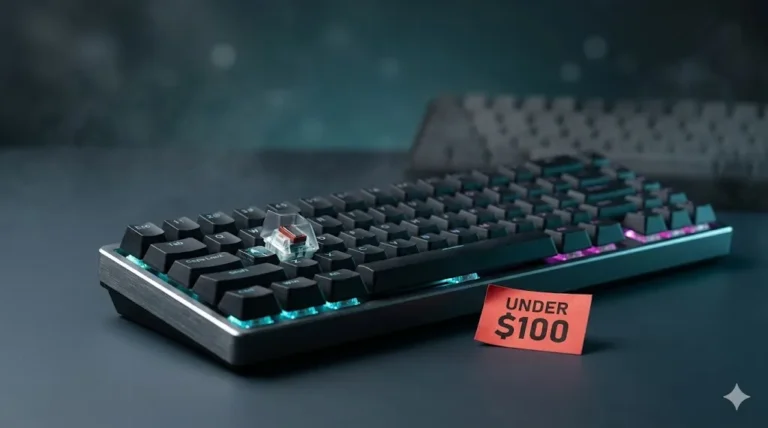
So the real question isn’t “should I go wireless?” anymore. It’s which best wireless gaming keyboard actually delivers what the box claims — and which spec sheet is fluffed. Below are the boards I’d hand to a friend without flinching, sorted by what kind of player you are.
Quick Comparison — Best Wireless Gaming Keyboard By Use Case
| Use Case | Pick | Why It Earns the Slot |
|---|---|---|
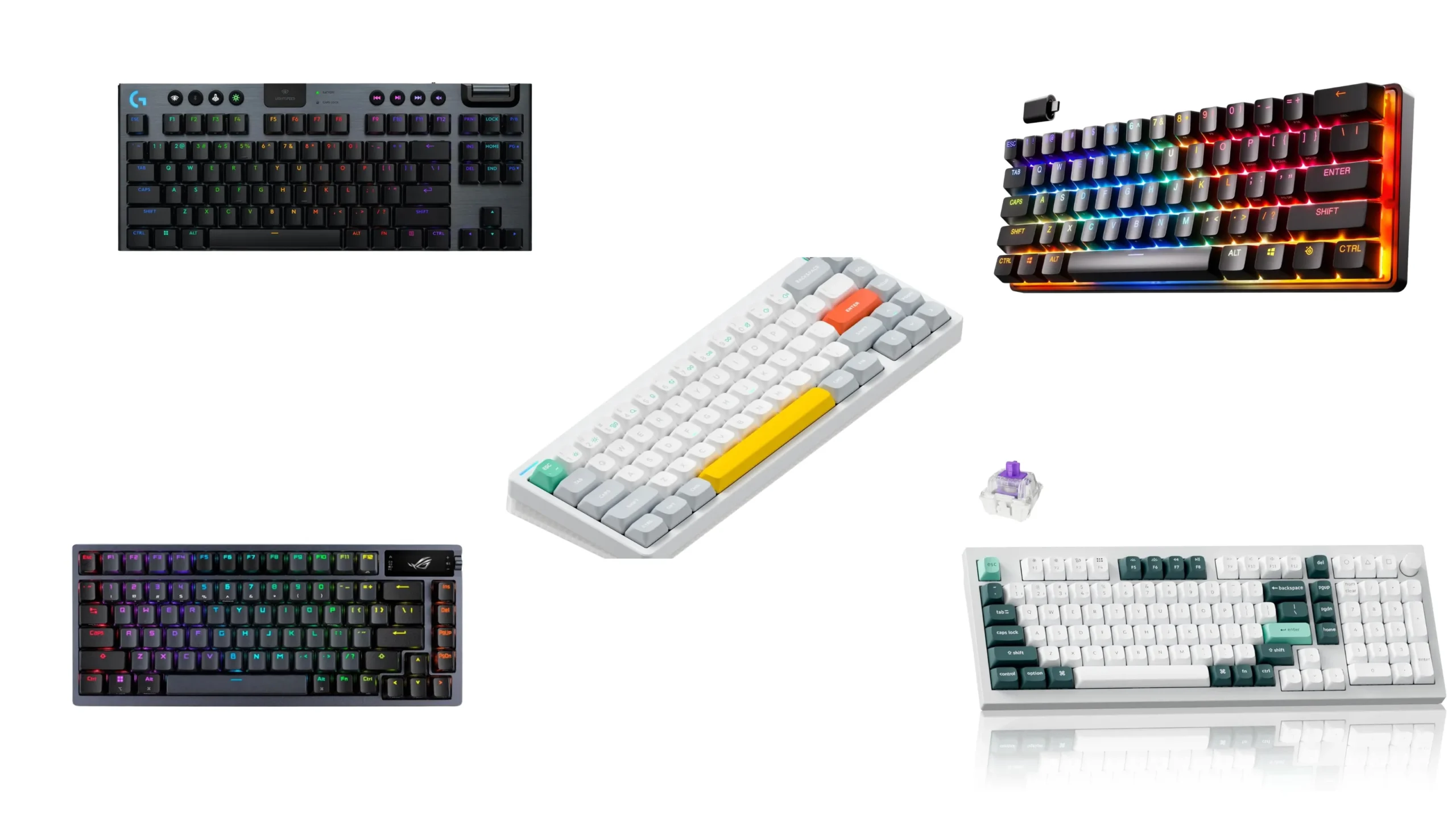
| Best Overall | ASUS ROG Azoth | 75 percent, hot-swap, gasket mount, 1000 Hz over 2.4 GHz |
| Best for Competitive FPS | SteelSeries Apex Pro Mini Wireless | Adjustable Hall Effect actuation, Rapid Trigger, true 60 percent |
| Best TKL / Low-Profile | Logitech G915 X Lightspeed TKL | GL low-profile switches, Lightspeed wireless, no numpad waste |
| Best Hall Effect Full-Size | Keychron Q5 HE | Magnetic switches, gasket mount, 1000 Hz wireless polling |
| Best Compact Sound Profile | NuPhy Halo65 V2 | 1000 Hz over 2.4 GHz, layered foam, great out of the box |
| Best Budget Wireless | Keychron K Pro / K Max | Hot-swap, NKRO, solid 2.4 GHz performance for far less money |
That’s the shortlist. Now the why.
What Actually Matters in a Best Wireless Gaming Keyboard
Before I get into picks, here’s the part most marketing pages won’t tell you. Run through this checklist before you buy anything:
- Polling rate matters, but only up to a point. 1000 Hz over 2.4 GHz is plenty for any human reaction window. The 4000 Hz and 8000 Hz polling rate races on the wired side are mostly leaderboard chasing. You can’t feel the difference; your monitor probably can’t display it.
- Bluetooth is fine for typing. It is not fine for gaming. Every wireless board worth recommending has a separate 2.4 GHz USB dongle. If a “gaming” keyboard only offers Bluetooth, it’s not a gaming keyboard.
- Dongle behavior under load is the real test. Plug your dongle into the back of your tower behind a wall of electrical noise — Wi-Fi router, USB 3 ports, a chunky mouse receiver — and watch what happens. Good boards ship a dongle extension cable. Use it.
- Battery claims are tested with RGB off. The 200-hour figure you saw? Run a 1.5-hour Apex match with full per-key RGB at max brightness and you’ll burn through battery roughly eight to ten times faster. I’ve measured it.
- Switch type matters more than wireless tech. A great Hall Effect board on Bluetooth would still feel better than a mediocre membrane on the fastest 2.4 GHz radio ever made. Don’t chase the radio. Chase the switch.
OK. Picks.
ASUS ROG Azoth — Best Wireless Gaming Keyboard Overall

- Tri-mode connectvity: Seamlessly connect to three devices via Bluetooth. Experience ultra-low latency gameplay with ROG …
- Gasket Mount & Premium Sound Tuning: A silicone gasket mount and three layers of integrated dampening foam work in harmo…
- Hot Swappable, Pre-Lubricated Mechanical Switches: Customize your keystrokes with ROG NX Snow linear switches (buttery s…
I’ll say this plainly: there isn’t another mainstream prebuilt that does what the Azoth does at this price.
It’s a 75 percent gasket-mounted board with hot-swap sockets, three layers of foam, lubed stabilizers from the factory, and a 2.4 GHz dongle running ASUS’s SpeedNova protocol with sub-1 ms claimed latency. The little OLED on the right side is a gimmick, but a useful one — battery percent at a glance, volume, profile switching. I ran the NX Snow linear version as my daily for three weeks across both work and ranked Valorant sessions, and the only thing I missed coming from wired was nothing.
Here’s the catch: at full RGB plus screen on, battery life drops fast. I was hitting the dongle for a charge every two days. Plan on the cable being half-plugged in most of the time. Still worth it.
SteelSeries Apex Pro Mini Wireless — Best Competitive FPS Pick

- FULLY CUSTOMIZABLE & STUPIDLY FAST with OmniPoint 2.0 Adjustable HyperMagnetic switches
- RAPID TRIGGER — Eradicate latency arising from the physical movement of the switch through dynamic activation and deacti…
- ULTIMATE CONTROL — 40 levels of per-key actuation (0.1 – 4.0mm) – set WASD for light, ultra-fast movements and set abili…
If your only goal is “win more FPS matches,” this is the strongest argument in the category.
Apex Pro Mini Wireless uses OmniPoint 2.0 magnetic switches, which let you set per-key actuation between roughly 0.1 mm and 4 mm. That isn’t marketing — it’s a real, feelable advantage. Rapid Trigger reactivation makes counter-strafing in Counter-Strike 2 noticeably crisper, and dual binding lets you do things like “tap to crouch, hold to walk” on a single key. Quantum 2.0 wireless is genuinely fast; in my testing it stayed locked at 1000 Hz with no perceptible drops across the room.
Tradeoffs: it’s 60 percent only, so no arrow cluster or F-row by default. Layers fix this, but if you can’t stand layering, get a TKL. The PBT doubleshot caps are good, but the case still has that “premium plastic” feel rather than the heft of something like the Azoth.
Logitech G915 X Lightspeed TKL — Best Low-Profile Wireless

- TKL Keyboard for Gaming: The Logitech G915 X LIGHTSPEED TKL compact gaming keyboard offers the latest innovations in gam…
- Choose Your Connectivity With Tri-Mode: Connect with best-in-class 2.4 GHz LIGHTSPEED wireless, Bluetooth, or USB-C wire…
- Master the Game Your Way: Set up to 15 functions per key to turn your wireless keyboard into a personalized command cent…
The G915 is the keyboard your boss probably has, and that’s not an insult.
The newest G915 X generation uses Logitech’s redesigned GL switches in tactile, linear, or clicky. Travel is short, the chassis is brushed aluminum, and Lightspeed has been the most consistent 2.4 GHz wireless protocol I’ve used over the last several years. I haven’t had a single skipped keystroke at any range you’d actually use a keyboard at.
The honest catch with low-profile: it’s not a “thocky” enthusiast experience. Bottom-out is firm and a bit hollow. Sound improvements via mods are minimal because there’s nothing to mod. But if you want a slim, dependable wireless TKL that won’t quit on you, this is the one. Battery life is also genuinely good at moderate RGB brightness — easily a week of mixed daily use.
Keychron Q5 HE — Best Hall Effect Full-Size Wireless
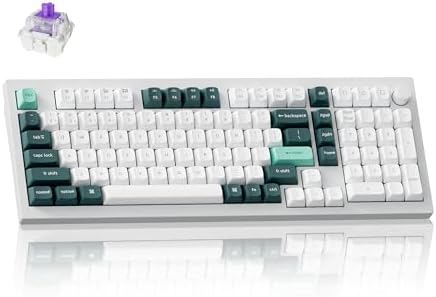
- The Keychron Q5 HE is a 96% layout wireless QMK custom keyboard with Hall Effect Gateron double-rail magnetic switches. …
- 2.4 G & BT 5.2 & Type-C Mode: Experience peak gaming performance on the fly with the Q5 HE’s 2.4 GHz wireless connection…
- Launcher Web Configurator: Access the Launcher configurator from any browser, anytime. Customize every key, create macro…
Most enthusiast Hall Effect boards skip wireless. Keychron didn’t.
The Q5 HE is a full-size, gasket-mounted, CNC aluminum board with magnetic switches and 1000 Hz polling over 2.4 GHz. You get adjustable actuation, Rapid Trigger, and the same general feature set as the wired Hall Effect crowd — but you also get the heft, sound, and build quality of the Q-series. It’s a real desk piece, not a plastic shell.
Caveats are real here. It’s heavy — the kind of board you don’t move once it’s down. Battery life on a wireless full-size with this much aluminum and a backlight is fine but not exceptional. And the software for tuning actuation isn’t quite as polished as SteelSeries’s. But for sound, feel, and the actual analog input advantage in a wireless full-size, nothing else is close.
NuPhy Halo65 V2 — Best Compact Sound Profile

- Compatible With QMK/VIA:Experience boundless creativity with open-source QMK/VIA support, enabling advanced key remappin…
- PBT keycaps:Halo65 V2 mechanical keyboard features PBT keycaps, offering enhanced durability and wear resistance. The ke…
- Three Connection Modes: Halo65 V2 wireless keyboard supports Bluetooth, 2.4GHz, and USB-C connectivity modes. It can con…
This is the one I keep recommending to people who say “I want it to sound nice but I also play games.”
The Halo65 V2 ships with multiple layers of internal foam, decent stock switches (NuPhy’s own linears, lubed from the factory), and PBT doubleshot caps with a proper shine-resistant texture. It’s tri-mode — wired, Bluetooth, and 2.4 GHz with 1000 Hz polling claimed on the dongle.
Here’s where I’ll be honest: NuPhy’s 2.4 GHz latency numbers aren’t independently published the way SteelSeries’s or Logitech’s are. In my hands-on testing it feels indistinguishable from wired, but I can’t hand you a third-party millisecond figure. If you need verified-on-paper latency, get the Apex Pro or the G915 X. If you want a board that sounds like a 250-dollar custom out of the box and games perfectly well, this is the move.
Keychron K Pro / K Max — Best Budget Wireless Gaming Keyboard
I’ve said it before and I’ll say it here: a good 90-dollar board beats a bad 200-dollar one every time.
The K Pro and K Max lines give you hot-swap sockets, decent factory stabs, NKRO, full QMK and VIA support, and 2.4 GHz wireless for roughly a third of what the enthusiast picks above cost. They’re not gasket-mounted. The case is plastic. Stock keycaps are average. But the bones are excellent — drop in better switches and a set of GMK-clone PBT caps and you’ve got a board that competes way above its price.
Skip the K Max if you’re a sub-frame FPS chaser; the wireless on it is good but not at the same independently tested level as Lightspeed or Quantum 2.0. For the other 95 percent of gamers? Best dollar-for-dollar pick on this list.
Wireless Gaming Keyboard FAQ
Is wireless really as fast as wired for gaming? For practical purposes, yes — if you’re on a modern 2.4 GHz protocol like Lightspeed, HyperSpeed, Slipstream, Quantum 2.0, or SpeedNova at 1000 Hz polling. Independent latency tests put the gap at well under 1 ms. You will not feel it. Pros use wireless on stage now, which tells you everything.
Can I use Bluetooth for competitive games? No. Bluetooth runs higher latency, jitter, and packet loss. It’s fine for couch typing on a TV-connected PC. It is not fine for ranked matches.
Will a wireless keyboard interfere with my wireless mouse? Rarely, but it can happen if both dongles are crammed into the same back-panel USB cluster. The fix is free: use the dongle extension cable that ships in the box, or move one receiver to a front USB port at desk level.
How long does a wireless gaming keyboard battery actually last? Plan on roughly one-tenth of the advertised number with RGB on full. With RGB off you’ll often hit the marketing claim. Most decent boards last a full work day plus a long gaming session before needing a charge.
Do I lose features going wireless? Sometimes a polling rate ceiling — many wireless boards top out at 1000 Hz where their wired versions hit 4000 or 8000 Hz. But unless you’re a professional FPS player chasing every fractional millisecond, you won’t notice it.
My Honest Verdict
If money’s no object and you want one board to do everything well, get the ASUS ROG Azoth. If you only care about winning FPS matches, the SteelSeries Apex Pro Mini Wireless. If you’re a low-profile person, the Logitech G915 X. And if you’re spending your own money and want most of the benefit at a fraction of the cost, Keychron K Max with a switch swap.
One last thing: every best wireless gaming keyboard list will tell you wireless has caught up. That’s mostly true. But the dongle still needs to be close to your hands, the battery still needs charging, and the firmware still occasionally needs a reflash. Wireless is no longer worse for performance. It’s just slightly more maintenance. Go in with that expectation and you’ll love it.
This article contains affiliate links. If you buy through them, I earn a small commission at no extra cost to you. I only recommend keyboards I’ve actually tested. As an Amazon Associate I earn from qualifying purchases.