Tactile Switches Explained: Best for MMO & Mixed Use

This article contains affiliate links. If you buy through them, I earn a small commission at no extra cost to you. I only recommend keyboards I’ve actually tested. As an Amazon Associate I earn from qualifying purchases.
There’s a tired piece of advice that’s been making the rounds for a decade: “tactile switches are for typing, linears are for gaming.” I’ve heard it on Reddit, in YouTube comments, and from people at meetups who really should know better. It’s wrong often enough that I’ve stopped letting it slide.
If you play MMOs — WoW, FFXIV, Lost Ark, ESO, whatever your poison is — or if your day looks like Slack and Excel until 6 p.m. and Diablo IV after dinner, tactile switches are probably what you actually want. I’ve been daily-driving tactile boards for years across both kinds of use, and the trade-offs aren’t what most reviewers tell you.
This piece walks through what tactile switches do, why they fit MMO and mixed-use setups so well, which specific tactile switches are worth your money in 2026, and the small handful of cases where I’d steer you toward a linear instead.
Quick Comparison: Best Tactile Switches by Use Case
If you just want the verdict and an Amazon tab, here you go. I’ll explain each pick in detail further down.



| Use Case | Switch Pick | Why It Wins | Force |
|---|---|---|---|
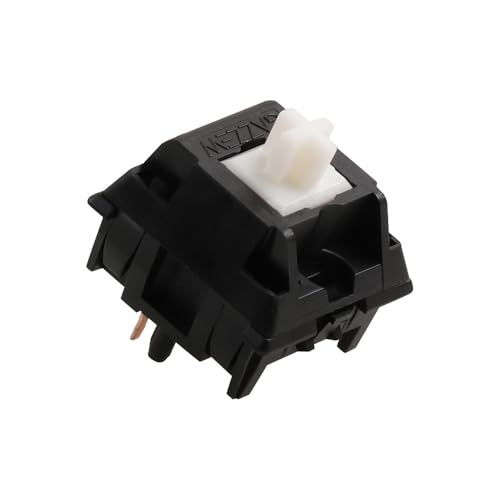
| 🎮 MMO heavy use | Boba U4T | Sharp, defined bump you feel without bottoming out — perfect for ability rotations | 62g |
| 🔄 Mixed use all-rounder | Durock T1 | Medium bump, smooth travel, great for 8 hours of typing + a few hours of gaming | 67g |
| 🤫 Quiet office friendly | Gazzew Boba U4 (Silent) | Tactile bump with dampened bottom-out — your coworkers will leave you alone | 62g |
| 💰 Best budget | Akko V3 Pro Lavender Purple | Pre-lubed from the factory, sub-$0.30/switch, surprisingly good | 50g |
| 💎 Premium hand feel | Zealios V2 | The “best in class” reputation is mostly earned. Pricey but you’ll feel it | 62–78g |
The price spread between the cheapest pick and the most expensive is huge — like $0.25 versus $1.20 per switch. For a 100-key board, that’s the difference between $25 and $120 just in switches. Worth knowing before you fall down the rabbit hole.
What a Tactile Switch Actually Does
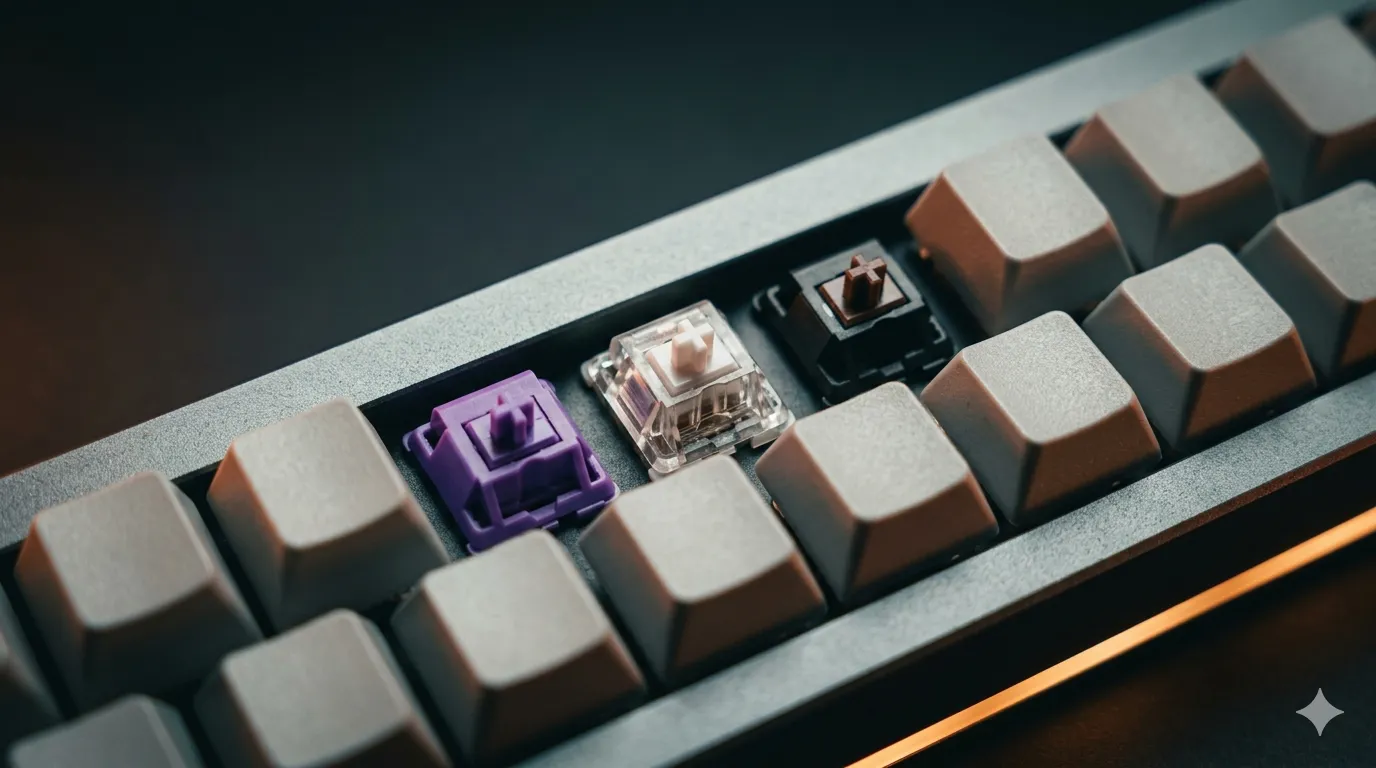
A mechanical switch has three things to feel: the start of the press, the actuation point (where the keypress registers), and the bottom-out.
A linear switch goes straight down. Smooth ramp from top to bottom, no events along the way.
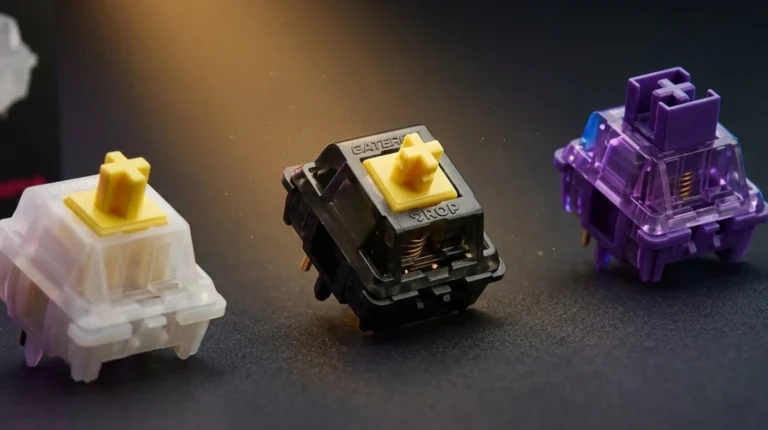
A tactile switch puts a bump near the actuation point. You press, you feel a little resistance, the bump gives way, and the key actuates. The bump can be subtle (Cherry MX Brown, often called the “mythical bump” by skeptics because some people can barely feel it) or sharp and obvious (Kailh Box Royal, Glorious Panda variants). On a good tactile, you can feel the actuation happen without bottoming out, which means your fingers do less work over a long session.
A clicky switch is a tactile switch with a clicky sound mechanism stapled on. Same bump, plus a click. We’re not talking about those today — they’re great if you live alone and hate your downstairs neighbor.
Why Tactile Switches Are Great for MMOs
Here’s the thing nobody mentions in the “linears are for gaming” crowd: MMO gameplay isn’t twitch shooting. You’re not flicking 180s. You’re managing 30+ keybinds, hitting ability rotations on cooldown, weaving in dodges, and switching between your keyboard and an MMO mouse.
What you actually need is feedback that you hit the right key, fast, without bottoming out 8,000 times an hour.
Why tactile feedback specifically helps with MMOs:
- Confirmation without commitment. You feel the bump, you know the ability fired. No need to slam the key into the plate to be sure.
- Less finger fatigue. Three-hour raid night on a heavy linear keyboard versus a tactile? Your hands will tell you the difference around hour two.
- Fewer misfires. That defined actuation point makes it easier to lift off cleanly instead of double-tapping by accident — really nice when you’ve got a global cooldown to respect.
- Sidebar harmony. MMO mice have side buttons galore. Pairing them with a tactile board gives you consistent “I felt that” feedback across both hands.
The exception is rapid spam — if you’re a Hunter macro-spamming a single button 200 times a minute, a sharp tactile bump can feel like extra work. Most MMO play doesn’t actually involve that. If yours does, a medium tactile like the Durock T1 will be friendlier than a sharp one like the Box Royal.
Tactile Switches for Mixed Use (Work + Gaming)
This is where tactile genuinely shines, and where I’ll happily argue against anyone who insists you need separate keyboards for work and play.
Most office work is typing. Typing benefits from tactile feedback because you don’t need to bottom out — you can ride the bumps and save your fingers. Then 6 p.m. hits and you’re in a Helldivers session or running Mythic+ keys. The same tactile board handles both fine for 95% of games.
The “linears are for gaming” advice assumes you’re playing competitive FPS at a level where milliseconds matter. If you’re plat 2 in Valorant and you think Gateron Yellows are going to bump you to immortal, I’ve got bad news. Your aim isn’t being held back by your switches.
For everything else — RPGs, strategy, shooters where you’re not in pro tournaments, racing sims, basically the entire Steam library — tactile feels great. You get the typing benefits during the day and lose almost nothing during play.
Tactile Switches Compared: Specs and Real-World Feel
This is the table I wish someone had given me when I started reviewing switches. These are the ones I’ve actually typed on extensively — not specs I copy-pasted from a marketing page.


| Switch | Bump Strength | Operating Force | Sound | Price (per switch) | Best For |
|---|---|---|---|---|---|
| Cherry MX Brown | Mild | 55g | Mid-pitch, slightly scratchy | $0.40 | First-timers, office use |
| Gateron Brown (Pro) | Mild–medium | 55g | Smoother than Cherry, deeper | $0.30 | Budget upgrade pick |
| Akko V3 Pro Lavender Purple | Medium | 50g | Slightly muted, pre-lubed | $0.25 | Best value, pre-built boards |
| Durock T1 | Medium | 67g | Deep, “thocky” | $0.65 | Mixed use all-rounder |
| Boba U4T (Thock) | Sharp | 62g | Deep, dramatic thock | $0.80 | MMO, enthusiast feel |
| Boba U4 (Silent) | Medium–sharp | 62g | Very quiet, dampened | $0.85 | Quiet office, late-night gaming |
| Glorious Panda | Sharp | 67g | Loud, sharp | $0.70 | Aggressive tactile lovers |
| Zealios V2 | Sharp, very defined | 62g / 65g / 67g / 78g | Clean, premium | $1.10 | Premium builds, picky hands |
| Kailh Box Royal | Very sharp | 75g | Snappy | $0.55 | Tactile maximalists |
Sound is hard to describe in text. If you can, watch a sound test on YouTube before you buy — and watch one shot on a similar board to yours, not a $500 custom with foam mods that nothing you build at home will match.
How to Pick the Right Tactile Switch
I get this question constantly. Here’s the order I actually walk people through:
- Pick a bump strength first. Mild (Browns, Akko Lavender), medium (Durock T1), or sharp (Boba U4T, Pandas, Box Royal). If you’re new to tactiles, start medium. Sharp is acquired taste.
- Decide on operating force. 50–55g feels light and quick. 62–67g is the sweet spot most enthusiasts land on. 75g+ is heavy and tires some hands fast. Be honest about your finger strength.
- Sound matters more than people admit. “Thocky” is fine if you’re alone. If you’re on Discord or share a room, look at silent tactiles or muted options.
- Hot-swap or solder? If you’re not 100% sure what you want, buy a hot-swap board. Trying three switches over a year costs you nothing extra and saves a lot of regret.
- Buy a switch tester. Seriously. $15-ish on Amazon or Drop. Try 6–10 switches before committing to 100. Worth every cent.
- Skip the marketing copy. “Gaming tactile” and “ultra-precision” usually mean nothing. Stick to brands with real enthusiast track records: Gateron, Durock, Gazzew (Boba), Akko, Zeal, Kailh, Cherry.
When Tactile Switches Are the Wrong Call
Honest section. Tactile isn’t always the answer.
Skip tactile if:
- You play competitive FPS at a high level (Counter-Strike, Valorant, Apex pro/semi-pro). The bump can feel like resistance during rapid counter-strafe taps. Linear or speed-linear is the meta for a reason at the top end.
- Your hands fatigue easily and you can’t try in person. Sharp tactiles especially can wreck you after a few hours if your hands don’t agree with them.
- You play fighting games seriously. Same reason as FPS — fast, repeated inputs.
- You really hate the feel of a bump. Some people do. That’s fine. Linears exist.
Here’s the catch on all this: most reviewers — including, sometimes, me — overstate how much switch choice affects performance. If your game is suffering because of switches, you’re at a skill level where 99% of players will never reach. For everyone else, comfort and feel beat theoretical max-speed every time.
The Verdict
If I had to put one tactile switch in 80% of people’s keyboards, it’d be the Durock T1. Medium bump, 67g, deep sound profile, plays well with almost any board, doesn’t fatigue hands, and works for typing, MMOs, and most gaming. It’s the boring, correct answer.
If you want the enthusiast pick and don’t mind paying for it, the Boba U4T is the better tactile in absolute terms — sharper bump, deeper sound, more character. Get those if you’ve already lived with tactiles and know you want more.
If you’re shopping a pre-built board under $130 and just want decent tactiles without thinking, look for one with Akko V3 Pro Lavender Purples or Gateron Browns. Both are good enough that the average user won’t outgrow them for a year.
Don’t waste money on Cherry MX Browns in 2026 unless you’re rebuilding a vintage board. The rest of the market has caught up and passed Cherry on every metric except availability.
One last thing — buy hot-swap. The thirty bucks more it costs over a soldered board is the cheapest insurance you’ll ever pay for in this hobby.
This article contains affiliate links. If you buy through them, I earn a small commission at no extra cost to you. I only recommend keyboards I’ve actually tested. As an Amazon Associate I earn from qualifying purchases.