Linear Switches Explained: Best Picks for FPS

This article contains affiliate links. If you buy through them, I earn a small commission at no extra cost to you. I only recommend keyboards I’ve actually tested. As an Amazon Associate I earn from qualifying purchases.
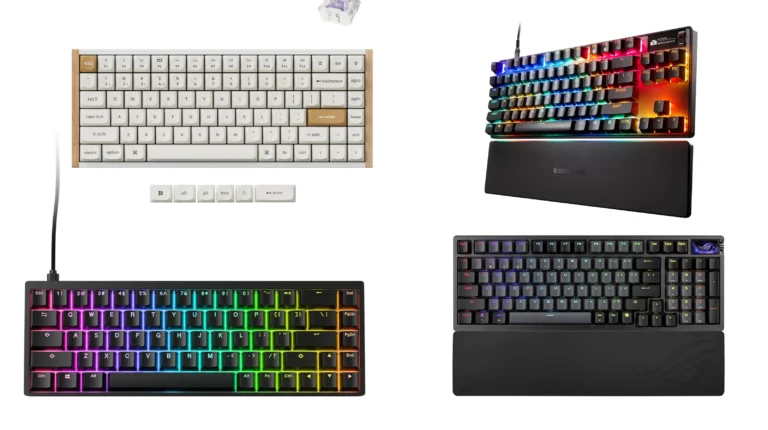
Watch any major CS2 or Valorant tournament and check the keyboards on the player tables. You’ll see Wootings, SteelSeries Apex Pros, Razer Huntsman V3s, the occasional custom 60% build. What you won’t see is a single tactile or clicky switch in competitive rotation. There’s a reason for that, and it isn’t marketing.
Linear switches have basically taken over competitive FPS for one simple reason: nothing gets between your finger and the actuation. No bump, no click, no warning shot. You press, the key registers, you keep moving. I’ve been testing keyboards for fourteen years, and I still default to linear switches when I’m warming up in Aim Lab or running through a deathmatch.
This guide breaks down what linear switches actually do, why pros have standardized around them, and which boards are worth your money right now.
Quick Comparison: Best Linear Switches for FPS at a Glance
The TL;DR for anyone who wants to scan, click, and move on. Each pick is the one I’d actually hand a friend depending on what they’re optimizing for.
| Best For | Pick | Switch Type | Why It Wins | Price Range |
|---|---|---|---|---|
| 🏆 Best Overall for Competitive FPS | Wooting 80HE | Lekker V2 (Hall Effect linear) | Adjustable actuation + Rapid Trigger; the literal pro standard | $200–$250 |
| ⚡ Best Adjustable Linear for Pros | SteelSeries Apex Pro TKL Gen 3 | OmniPoint 2.0 (HE) | Per-key actuation from 0.1mm to 4mm, OLED screen | $230–$270 |
| 🎯 Best Pre-Built FPS Keyboard | Razer Huntsman V3 Pro TKL | Razer Analog Optical Gen 3 | Snap Tap, dual-step actuation, built like a tank | $200–$230 |
| 💵 Best Budget Linear (Traditional MX) | Keychron V-series with Cherry MX Reds | Cherry MX Red | Reliable, smooth, hot-swap, under $100 | $80–$110 |
| ⚙️ Best Linear Switch for Custom Builds | Gateron Oil Kings | Pre-lubed linear (MX-style) | Factory-lubed, deep sound, great out of the bag | $0.55–$0.70/switch |
| 🚀 Best Speed Linear (Short Actuation) | Cherry MX Speed Silver | MX Speed Silver | 1.2mm actuation, classic FPS choice for a decade | $0.60–$0.90/switch |
My honest pick: If you’ve got the budget, the Wooting 80HE is the keyboard I’d buy today. If you don’t, a Keychron with Cherry Reds will get you 80% of the way there for a third of the price. Most people don’t need the rest.
What Linear Switches Actually Are
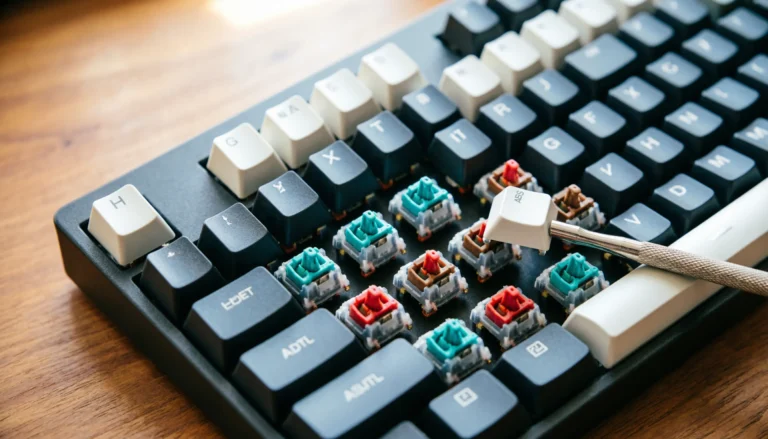
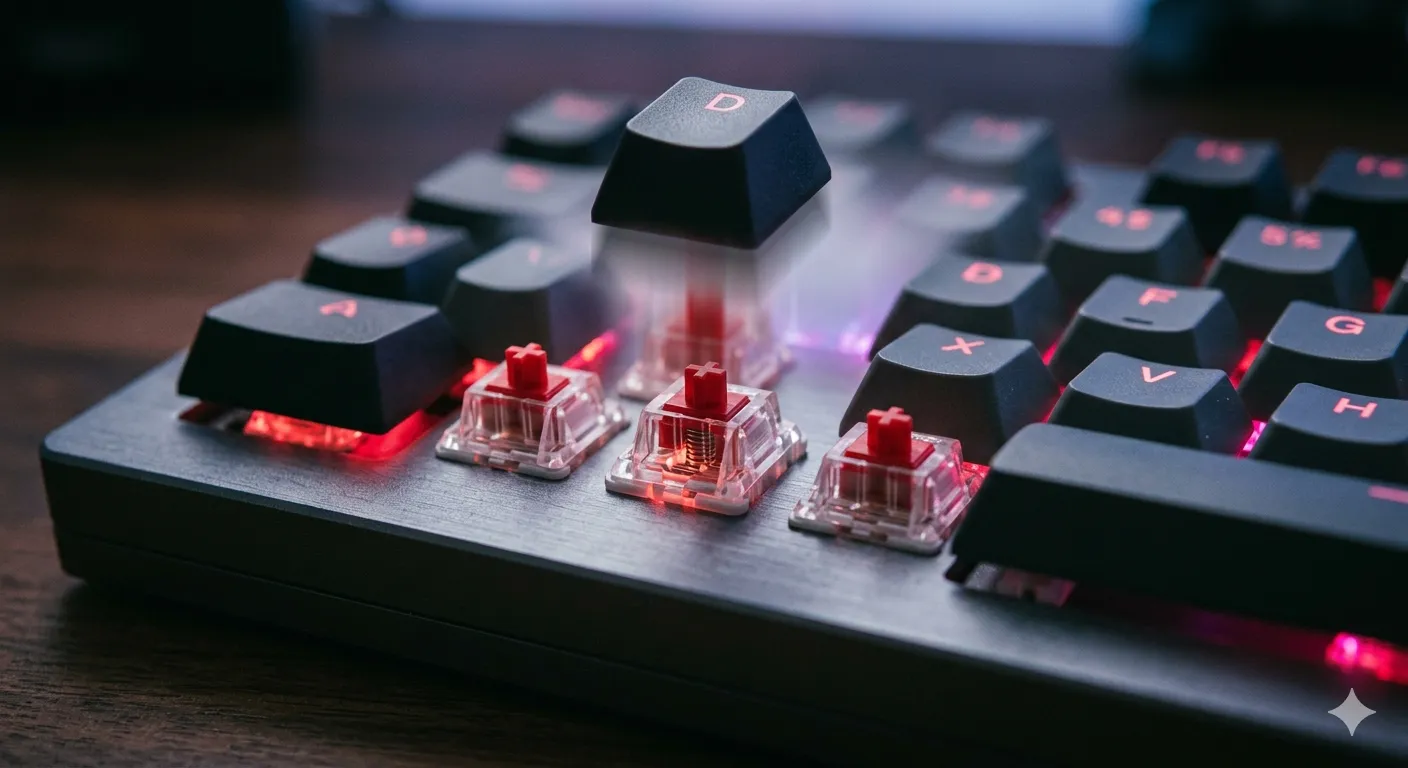
A linear switch travels straight down from top to bottom with no tactile bump and no audible click. The keystroke feels uniform the whole way through. Press it slow, press it fast — it always behaves the same.
Compare that to a tactile switch (like a Cherry MX Brown or a Holy Panda), where you feel a small bump partway through the press signaling the actuation point. Or a clicky switch (MX Blue, Kailh Box White) that adds an audible snap on top of the bump. Linear switches strip all of that out.
The classic example is the Cherry MX Red, which has been around since 2008 and basically defined the category. Gateron Yellows, Gateron Reds, JWK Alpacas, Cherry MX Speed Silvers, and the newer wave of Hall Effect (HE) switches like Wooting Lekkers and SteelSeries OmniPoint 2.0 are all functionally linear — bumpless, smooth, predictable.
One small note: Hall Effect switches are technically a different beast under the hood. They use magnets and sensors instead of mechanical contacts, which is what lets them do adjustable actuation and Rapid Trigger. But the feel is unmistakably linear, which is why they get lumped in here.
Why FPS Pros Prefer Linear Switches
I’ve watched a lot of pros talk about their gear, and I’ve tested every major competitive board myself. The reasons linear switches dominate competitive FPS come down to five things:
- Zero feedback delay. A tactile bump is information your finger has to process. In a 50ms peek-and-shoot duel, that processing is friction you don’t want. Linear switches give you nothing to react to — you just press and trust the input.
- Consistency on rapid presses. Counter-strafing in CS2, repeel mechanics in Valorant, micro-corrections in Apex — all of it depends on the switch resetting cleanly. A linear switch with a single smooth curve resets identically every time. Tactile switches, especially cheaper ones, can feel uneven on rapid double-taps.
- Lower actuation force is easy to find. Most popular linears sit in the 35–50g range, with speed variants going as low as 30g. Lighter switches reduce finger fatigue across a five-hour ranked session. That matters more than most people admit.
- Hall Effect actuation control. This is the real reason the pro scene has shifted hard toward HE linears like Wooting Lekkers. You can set your actuation point as shallow as 0.1mm and use Rapid Trigger to reset the switch the instant you lift your finger. For counter-strafing, it’s borderline unfair. Traditional mechanical linears can’t do this.
- Quiet enough for voice comms. Linears aren’t silent, but they’re worlds quieter than clicky switches. Your teammates won’t hear every keypress over Discord, and your stream audio stays clean.
The catch — and there’s always one — is that pure linears give you no feedback if you misstype or fat-finger a bind. For gaming, that’s fine. For coding or long-form writing, some people miss the bump. I’ll get into that later.
The Best Linear Switches for Competitive FPS Right Now
These are the picks I’d stand behind after extensive hands-on time. I’ve run each of them as a daily driver for at least a couple of weeks.
Wooting 80HE with Lekker V2 — The Pro Standard
If you watch competitive CS2, you’ve already seen this board. The Lekker V2 is a Hall Effect linear with 0.1mm minimum actuation, full Rapid Trigger, and Snappy Tappy (Wooting’s version of SOCD null-binding, where you cancel the previous key when you press a new one).
In testing, the difference between this and a traditional Cherry Red board on counter-strafing is real. Not placebo. Your shots register cleaner because the key resets faster than your finger does. Sound is fine — slightly hollow stock, but a couple of foam mods clean it up.
The downside? You’re paying $230+, and the firmware/configurator has a learning curve. Don’t buy this board if you’re not actually going to set up the actuation profiles.
SteelSeries Apex Pro TKL Gen 3 — Adjustable Linear Done Right

- TRIPLE THREAT POWERED BY QUICKSET — Apex Pro is the only line of keyboards in the world with Rapid Trigger, Rapid Tap, a…
- RAPID TRIGGER FOR FASTER ACTIONS — Stop fast, start your next move faster. Resets the moment you release a key.
- RAPID TAP FOR FASTER MOVEMENT — Snaps to your latest key press to strafe and dodge faster.
The OmniPoint 2.0 switches are the closest direct competitor to Lekkers. Same Hall Effect concept, same per-key actuation range, similar Rapid Trigger implementation (SteelSeries calls it Protection Mode and OmniPoint Adjustable Actuation).
What sets this one apart is the build. Aluminum top plate, magnetic wrist rest, OLED screen for swapping profiles on the fly. It feels like a premium piece of gear. Stock sound is louder than the Wooting — the hollow aluminum case sings a bit — but it’s not unpleasant.
Razer Huntsman V3 Pro TKL — The Pre-Built Linear FPS Keyboard

- CHOSEN BY PRO’S FOR ADVANCED FPS MOVEMENT — With Rapid Trigger, Adjustable Actuation and Razer Snap Tap, the Huntsman V3…
- RAZER SNAP TAP — Prioritize the latest input between two selected keys without having to release the previous one, and e…
- RAPID TRIGGER — A step up from traditional mechanical or optical keyboards to achieve the most responsive and precise in…
Razer’s Analog Optical Gen 3 switch is their answer to Hall Effect. Different sensing tech (optical), same end result: adjustable actuation, Rapid Trigger, and now Snap Tap, which is Razer’s SOCD feature. Valve banned Snap Tap in CS2, by the way, so know your league’s rules before you rely on it.
This is the easiest “buy and go” option of the three. Software is polished, build is excellent, and the linears feel great out of the box. If you don’t want to touch the Wooting configurator, get this.
Cherry MX Reds and MX Speed Silvers — The Traditional Pick
Not every FPS player needs Hall Effect. If your rank isn’t gated by counter-strafe timing — meaning you’re not Faceit 10 or Radiant — a board with traditional MX Reds will serve you just fine.
MX Reds have a 2.0mm actuation, 45g force, and that classic smooth feel. MX Speed Silvers cut the actuation to 1.2mm, which lets you register inputs faster but also makes typos more common until you adjust. I’ve used Speed Silvers for years and they’re great for shooters, mediocre for writing.
A Keychron V3 Max or a Glorious GMMK 2 with hot-swap sockets and either of these switches will run you under $120 and outperform a $200 board you bought because it had RGB.
Gateron Oil Kings — For the Custom Build Crowd
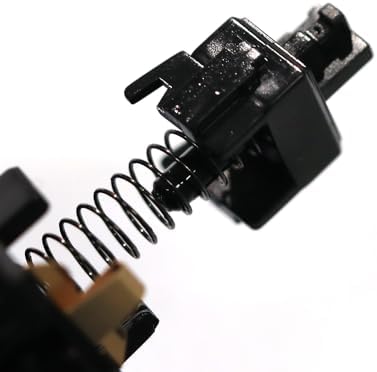
- Gateron Switches: Just the oil king switch. This switch is the representative of Gateron fully automatic lubricating, wh…
- Keyboard Switches Parameters: 5-pin linear; Actuation force: 55gf; Bottom force: 65gf ; Total Travel: 4.0mm Max; Operati…
- Smooth Pressing Feeling: No lubricant overflow,pre-lubricated by the factory,uniform lubrication,no friction and rustlin…
If you’re going custom — buying a barebones kit, your own switches, your own keycaps — Oil Kings are still my top recommendation for FPS-leaning linears. Factory-lubed well enough that you don’t need to hand-lube them. Deep, full sound. Smooth travel.
They’re not the lightest (55g bottom-out), but for typing-plus-gaming hybrid use, they’re nearly perfect.
Linear vs Tactile vs Clicky: The Real Difference
| Feature | Linear Switches | Tactile Switches | Clicky Switches |
|---|---|---|---|
| Feedback | None | Mid-press bump | Bump + audible click |
| Best For | FPS, MOBA, rhythm games | Typing, coding, mixed use | People who love the sound (and their solo office) |
| Noise Level | Low to medium | Medium | High |
| Typo Risk | Slightly higher | Lower | Lower |
| Common Examples | MX Red, Gateron Yellow, Lekker | MX Brown, Holy Panda, Boba U4T | MX Blue, Kailh Box White |
| Force Range | 30g–55g typical | 45g–67g typical | 50g–70g typical |
| Office Acceptable? | Usually yes | Yes | Almost never |
The takeaway: linear switches aren’t “better.” They’re the right tool if your priority is fast, repeatable inputs without any extra information getting in the way. For everything else — long emails, code, writing this article — I personally prefer a tactile. I switch between two boards on my desk for that exact reason.
How to Pick the Right Linear Switch for Your Setup
A short checklist that’ll save you from buying the wrong thing:
- Are you competing seriously? Go Hall Effect. Wooting, SteelSeries, or Razer. Pick whichever ecosystem you trust most.
- Casual FPS but you want the linear feel? A budget board with Cherry MX Reds or Gateron Yellows is plenty. Don’t overspend.
- Big hands or heavy typist? Avoid 30g Speed switches. You’ll bottom out the keys constantly and pile up typos.
- Small hands or light touch? Light linears like Gateron Yellows (50g) or anything in the 40–45g range will feel natural.
- Do you also write or code? Get a board with hot-swap sockets so you can change your mind without buying another keyboard.
- Care about sound? Pre-lubed linears (Oil Kings, Akko Cream Blues, HMX Macchiato) save you the time of hand-lubing. Stock Cherry MX switches sound the worst of the modern lot, honestly.
The Honest Tradeoff With Linear Switches
Here’s the catch nobody puts in their listicles. Linear switches make you slightly more typo-prone, especially short-actuation ones like MX Speed Silvers. There’s no bump telling your finger “you’ve committed.” For gaming, that’s the whole point. For writing a long email, you’ll notice you’re catching more mistakes than you used to.
If you only own one keyboard and you do everything on it — gaming, work, writing — a medium-weight tactile like a Cherry MX Brown or a Gateron Brown Pro is actually the smarter buy for most people. I know that’s a heretical take in a piece about linear switches, but it’s true.
If you’re only optimizing for FPS performance, ignore that paragraph and grab a Wooting.
Final Verdict on Linear Switches for FPS
Linear switches won the competitive scene because they remove every variable they can. No bump, no click, no surprise — just the cleanest possible path from press to actuation. Hall Effect linears took that further by letting you tune the actuation point and reset behavior, which is why nearly every CS2 pro you can name has switched to one in the last two years.
If I had to buy today, I’d grab the Wooting 80HE. If I were on a budget, I’d grab a Keychron V3 Max with Cherry MX Reds and never look back. Anything between those two is fine, as long as you actually use the features you’re paying for.
The one thing I won’t tell you is that a $250 keyboard will fix your aim. It won’t. But the right linear switches will stop being the thing you blame when you lose a peek.
This article contains affiliate links. If you buy through them, I earn a small commission at no extra cost to you. I only recommend keyboards I’ve actually tested. As an Amazon Associate I earn from qualifying purchases.