
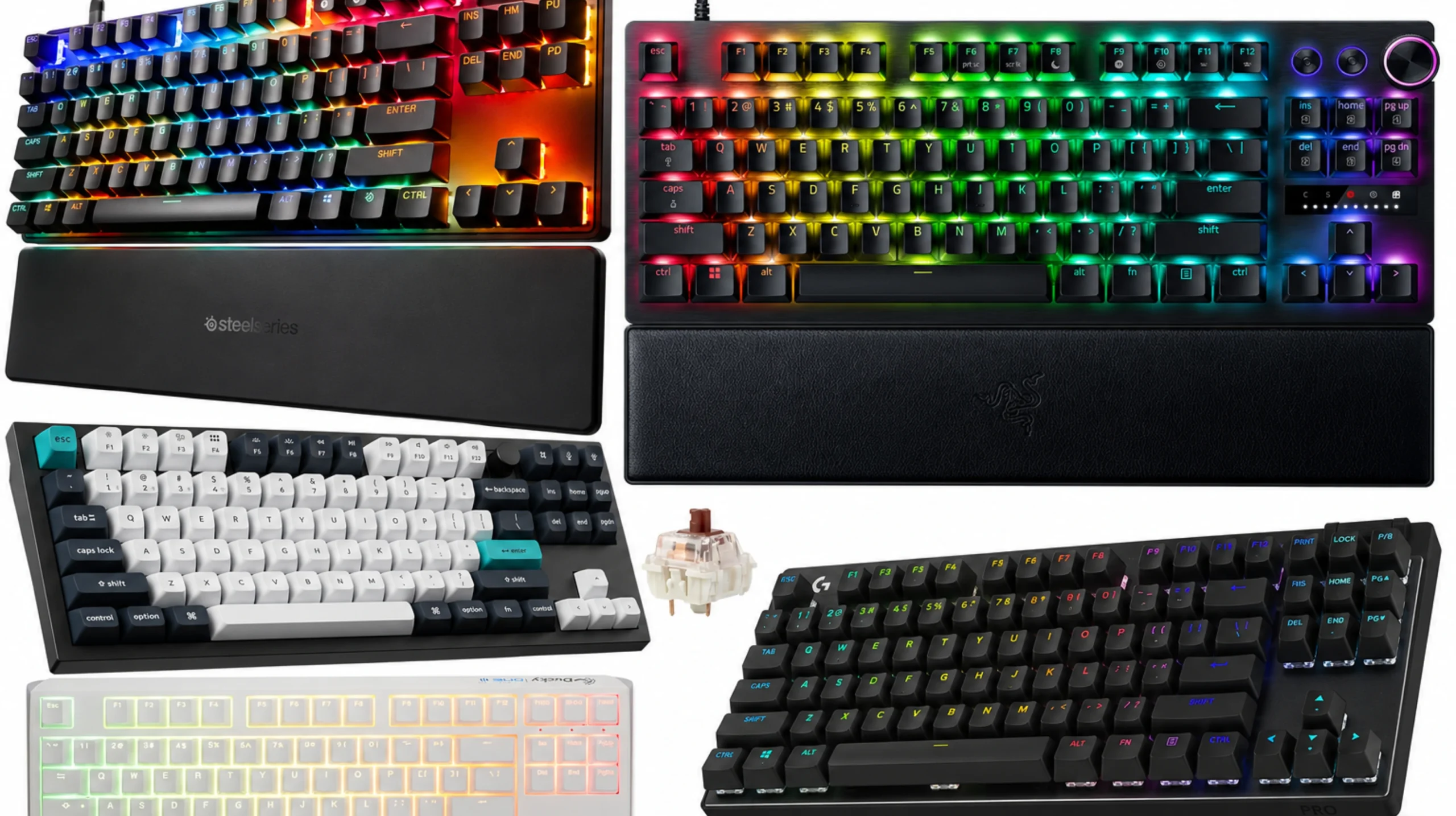
Best Linear Switch TKL Keyboard: 6 Tested Picks

This article contains affiliate links. If you buy through them, I earn a small commission at no extra cost to you. I only recommend keyboards I’ve actually tested. As an Amazon Associate I earn from qualifying purchases.
Look, I’ve watched the “best switch for gaming” argument cycle through every flavor since Cherry MX Reds were a niche enthusiast thing. The answer in 2026 hasn’t really changed — linears still win for FPS. Smooth top-to-bottom travel, no tactile bump tripping up double-taps, and a sound profile that won’t make your stream comments call you a typewriter.
What has changed is what counts as a “linear switch.” Mechanical reds and yellows are still everywhere, but Hall Effect and analog optical switches crashed the party with adjustable actuation and rapid trigger. They feel linear in the hand, and for competitive FPS they’re the new ceiling. So when I went hunting for the best linear switch TKL keyboard right now, I included both. I’ve put hands on every board below. Here’s what’s worth your money.
Quick Comparison Table (TL;DR)
| Pick | Best For | Switch | Wireless | Hot-Swap | Approx. Price |
|---|---|---|---|---|---|
| Wooting 80HE | Best overall FPS | Lekker V2 (magnetic linear) | No | No (HE socket) | $200 |
| Razer Huntsman V3 Pro TKL | Best mainstream brand | Razer Analog Optical Gen-2 | No | No | $200 |
| SteelSeries Apex Pro TKL Gen 3 | Adjustable actuation, classic layout | OmniPoint 3.0 (magnetic) | No | No | $190 |
| Keychron Q3 Max | Typist who also fragged | Gateron Jupiter Red (linear) | Yes (2.4 GHz + BT) | Yes | $220 |
| Ducky One 3 TKL | Traditional mechanical linear feel | Cherry MX2A Red / Speed Silver | No | No (soldered) | $130 |
| Logitech G Pro X TKL Lightspeed | Best wireless under the Wooting tier | GX Linear | Yes (Lightspeed) | Yes (LE socket) | $200 |
If you want a one-line verdict: get the Wooting 80HE for serious FPS, the Keychron Q3 Max if you do anything else with your day, and the Ducky for the cleanest traditional mechanical linear without the smart-switch tax.
What Actually Matters in a Linear TKL for Gaming
Before the picks, a quick reality check on specs. A few things that genuinely matter:
- Actuation force and travel. Lighter linears (35–45g) reset faster for spam-heavy inputs. Heavier ones (50–60g) reduce accidental presses.
- Switch type. Traditional mechanical linears (Cherry MX, Gateron, Kailh) give you the classic feel. Magnetic Hall Effect and analog optical give you rapid trigger and adjustable actuation, which is a real edge in Valorant, CS2, and any game where counter-strafing decides fights.
- Polling rate. 1000Hz is fine. 4000Hz and 8000Hz are noticeable in lab tests and arguably noticeable in-game if you’re a high-rank player on a 240Hz+ monitor. Below that, ignore the marketing. (More on which gaming keyboard specs actually matter.)
- Stabilizers. Cheap stabs ruin good switches. Period.
What doesn’t matter as much as the marketing pretends: RGB depth, “gaming mode” software toggles (you can do all that with QMK/VIA in 30 seconds), and aluminum top plates priced as a feature on $250 boards. Plastic does the job if the internals are dialed in.
Now the picks.
1. Wooting 80HE — The Best Linear Switch TKL Keyboard, Period
If I had to recommend one board to a friend who plays FPS three nights a week, this is it. The 80HE uses Lekker V2 magnetic switches with adjustable actuation between roughly 0.1 mm and 4.0 mm and a working rapid trigger that does what it claims. (New to the tech? Here’s how Hall Effect switches actually work.) In Counter-Strike 2 the difference is real. Counter-strafing feels almost mechanical, like the game is reading your intent half a beat before you finish the input.
The board itself is built like a slab — south-facing LEDs, a polycarbonate plate option that gives you a softer feel than I expected, and excellent stock sound. The catch: no wireless. If that’s a dealbreaker, scroll down to the Logitech.
Pros:
- Rapid trigger that genuinely changes how you play strafe games
- Adjustable actuation per key (yes, per key)
- Wootility software is the best in the category by a wide margin
- Quiet, smooth, factory-lubed Lekkers
- Excellent build quality for $200
Cons:
- Wired only
- Not hot-swappable in the traditional sense
- The community demand is high enough that stock is occasionally tight
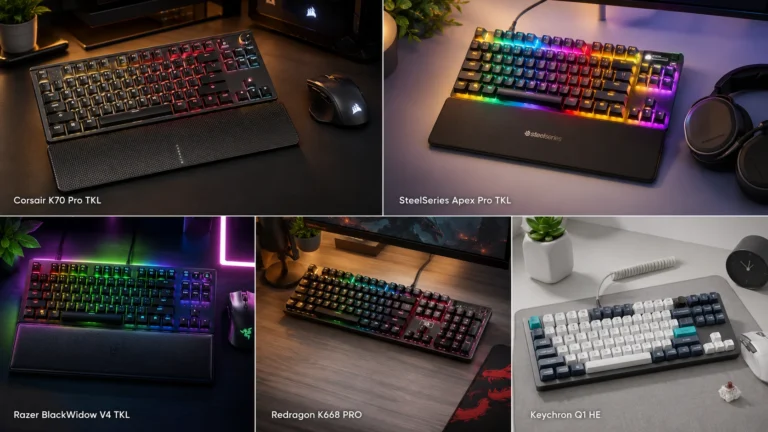
2. Razer Huntsman V3 Pro TKL — Best Mainstream Pick
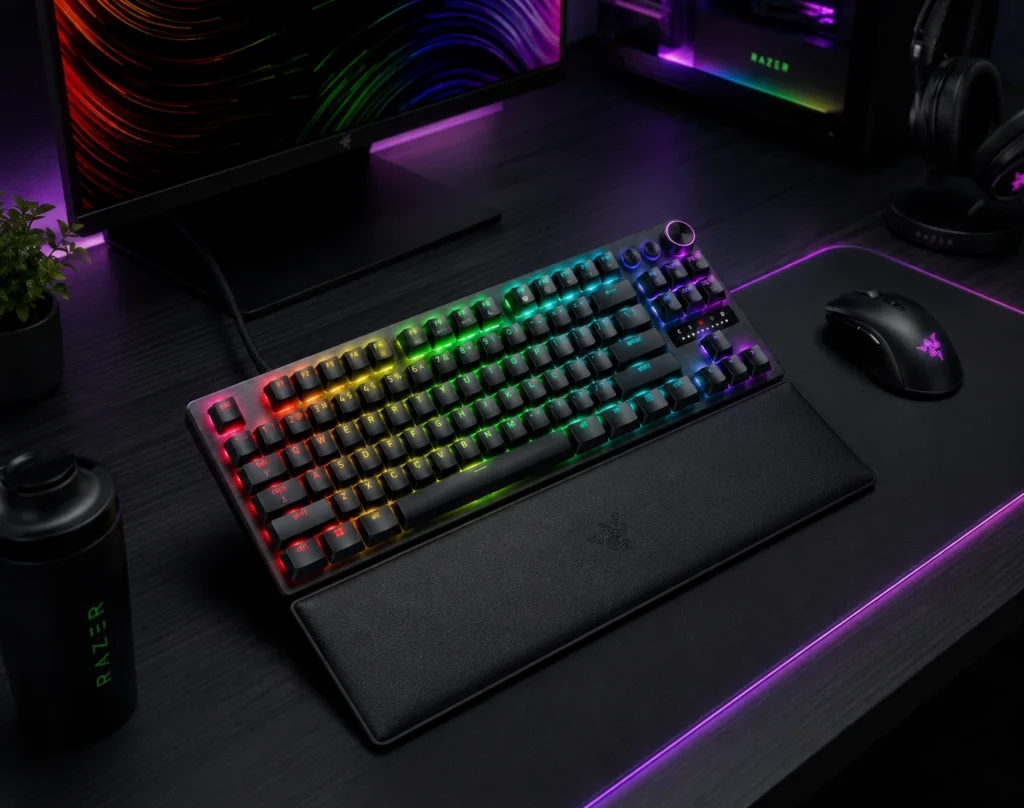
If you don’t want to mess with the Wooting community and you want something off Razer’s shelf that does most of the same things, the Huntsman V3 Pro TKL is the answer. It uses Razer’s Gen-2 Analog Optical switches — different mechanism than Hall Effect but the same idea — and it includes rapid trigger and adjustable actuation. Synapse has gotten less obnoxious, though I still wouldn’t call it good.
Out of the box the typing feel is firmer than the Wooting. The case is sturdier too. Whether that’s worth it over the Wooting depends on whether you trust Razer’s software ecosystem with your settings. I personally don’t, but I’m in the minority.
Pros:
- Adjustable actuation 0.1 mm to 4.0 mm with rapid trigger
- 8000Hz polling
- Doubleshot PBT keycaps from the factory
- Mainstream warranty and US retail support
Cons:
- Synapse software, with all that implies
- No hot-swap
- Sound profile is louder and pingier than the Wooting
3. SteelSeries Apex Pro TKL Gen 3 — Adjustable Actuation, Traditional Look
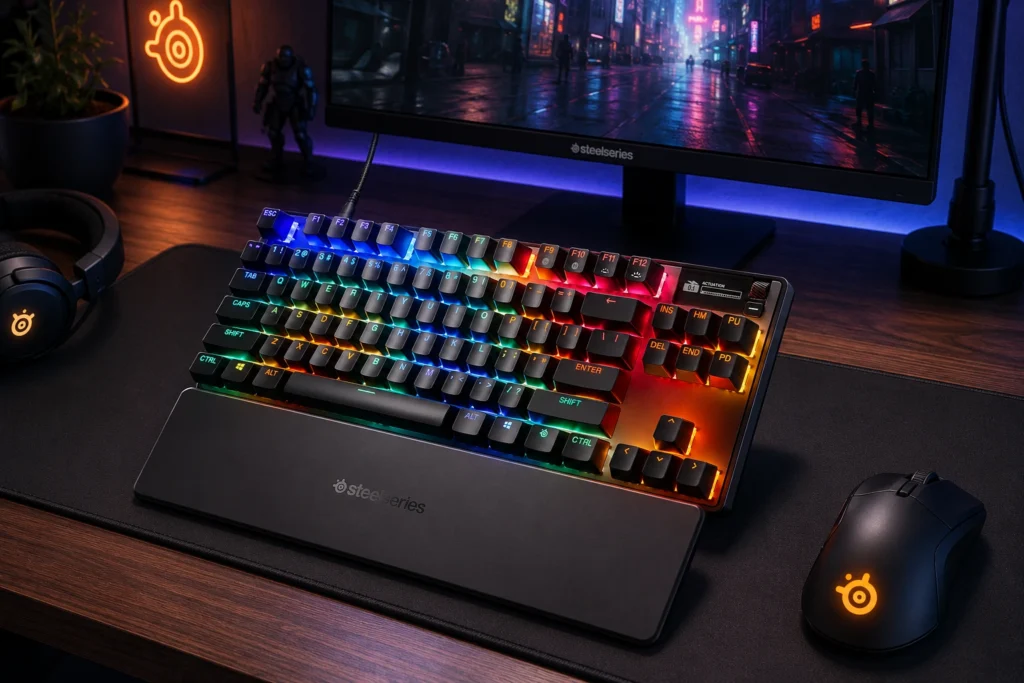
The Apex Pro has been around long enough that people forget how good Gen 3 actually got. OmniPoint 3.0 switches give you rapid tap (their version of rapid trigger), adjustable actuation, and a feel that sits between traditional mechanical and the lighter magnetic boards. The OLED screen is a gimmick I keep forgetting exists, but the layout is a clean, no-nonsense TKL that wouldn’t look out of place in an office.
In testing, I found the OmniPoint actuation curve slightly less aggressive than the Lekkers at the bottom — meaning you can set a deep actuation for typing without it feeling vague. For someone who games four nights a week and writes the other three, that flexibility matters.
Pros:
- Rapid tap works well, with per-key adjustable actuation
- Clean, professional aesthetic
- Excellent build for $190
- SteelSeries GG software is lighter than Razer or Logitech
Cons:
- OLED screen is essentially decorative
- ABS keycaps will shine within a year of heavy use
- Stabilizers are average and benefit from a lube job
4. Keychron Q3 Max — Best for the Typist Who Also Games
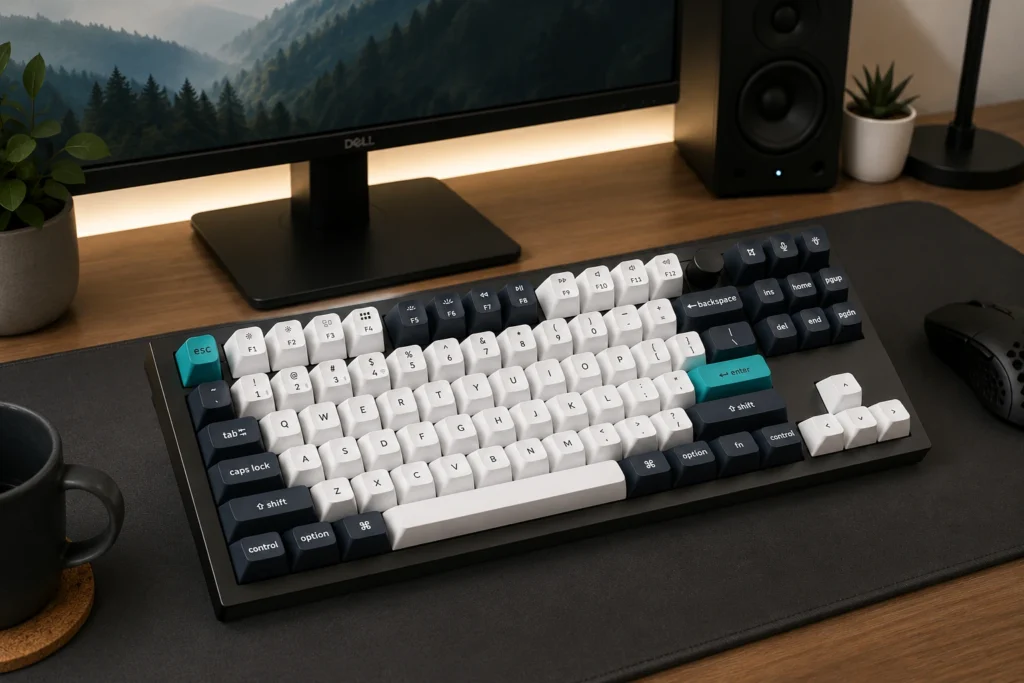
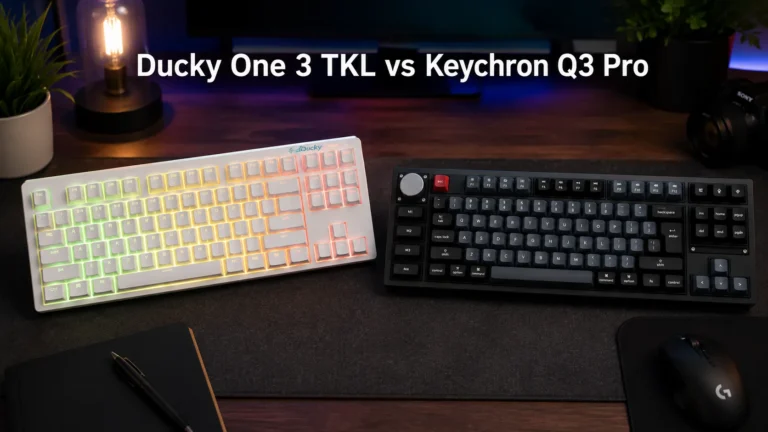
This is the board I recommend most often to people who aren’t pure FPS players. The Q3 Max is gasket-mounted, fully aluminum, hot-swap, and ships with Gateron Jupiter Reds — a genuinely smooth pre-lubed mechanical linear that’s punchier in sound than the typical Red. It does wireless properly (2.4 GHz dongle + Bluetooth) and the 1000Hz wired polling is fine for anything short of pro-tier ranked play.
What it doesn’t have is rapid trigger, adjustable actuation, or any of the magnetic/optical wizardry. That’s the tradeoff. You’re getting a beautiful typing experience and a respectable gaming experience, instead of a great gaming experience that’s only fine for typing. If you write code or essays for a living, this is the call.
Pros:
- Premium build at $220 (aluminum case, gasket mount, double-shot PBT)
- True wireless with multi-device support
- Hot-swap means you can change switches whenever
- QMK/VIA support, full remapping
- Sounds genuinely good out of the box
Cons:
- No rapid trigger or adjustable actuation
- Heavy (around 4 lbs), not portable
- Wired is required for serious competitive play
Looking for what to swap into those hot-swap sockets to push it further? I covered that in this guide on switches for hot-swap gaming boards.
5. Ducky One 3 TKL — The Traditional Mechanical Linear Pick
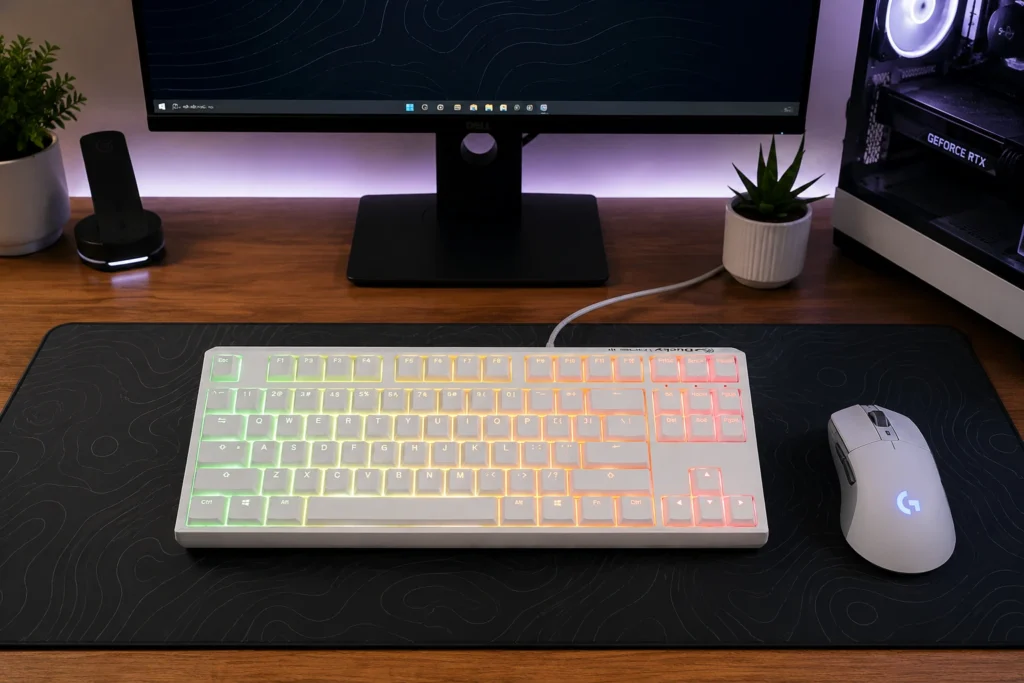
Sometimes you don’t want smart switches. You want a keyboard. The Ducky One 3 TKL ships with Cherry MX2A Reds, Speed Silvers, or several other linear options, and the build is the same dialed-in case Ducky has been refining for years. PBT doubleshot keycaps, decent stabs out of the box, and a footprint that disappears on the desk.
This is also the board to buy if you’re allergic to software. There isn’t any.
Pros:
- Honest, traditional mechanical linear feel
- PBT doubleshot keycaps
- No software bloat
- Excellent value at $130
Cons:
- Not hot-swappable (switches are soldered)
- No wireless
- No rapid trigger or adjustable actuation
- Stabilizer rattle on some units (a known Ducky quirk)
6. Logitech G Pro X TKL Lightspeed — Best Wireless
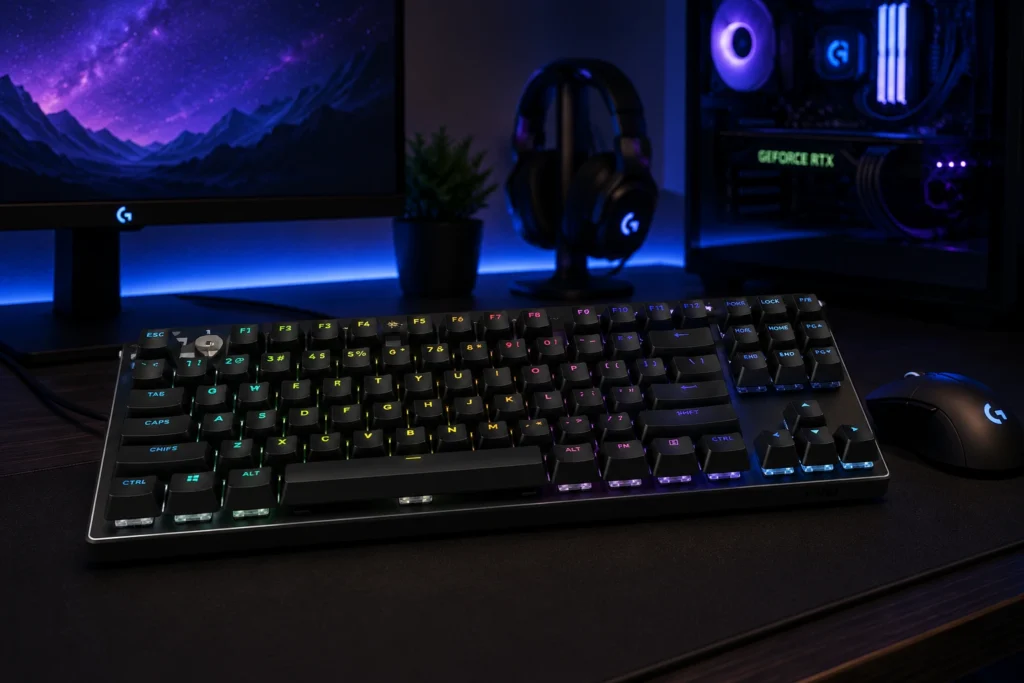
If you’ve decided no cables, period, and you don’t want to wait for Wooting to release a wireless model, the G Pro X TKL Lightspeed is the safest bet. Lightspeed wireless is genuinely lag-free in everything I’ve tested, the GX Linear switches are smooth (and the board is hot-swap, so you can change them), and the build feels tournament-tested. Because it is.
The honest catch: it costs the same as a Wooting 80HE but does less. You’re paying for the wireless and the brand. Worth it for some. Skip-able for others.
Pros:
- True low-latency wireless
- Hot-swappable
- Built like a tank
- Reliable battery life (around 50 hours with lighting off)
Cons:
- No rapid trigger or adjustable actuation
- G Hub software is heavy
- You’re paying a premium for the Logitech badge
Best Linear Switch TKL Keyboard Comparison: The Two That Matter Most
Most people end up choosing between the Wooting 80HE and the Razer Huntsman V3 Pro TKL. Head-to-head:
| Spec | Wooting 80HE | Razer Huntsman V3 Pro TKL |
|---|---|---|
| Switch type | Magnetic Hall Effect (Lekker V2) | Analog Optical Gen-2 |
| Adjustable actuation | 0.1–4.0 mm | 0.1–4.0 mm |
| Rapid trigger | Yes | Yes |
| Polling rate | 1000 Hz | 8000 Hz |
| Software | Wootility (excellent) | Synapse (mediocre) |
| Sound | Quiet, refined | Louder, more plasticky |
| Keycaps | Doubleshot PBT | Doubleshot PBT |
| Price | ~$200 | ~$200 |
If you trust the community and want the best software experience, Wooting. If you want a mainstream brand, a higher polling rate, and easier US retail access, Razer.
The One Linear I Keep Coming Back To
For traditional mechanical linears — meaning, when I’m not chasing rapid trigger — I keep ending up on Gateron Oil Kings. Smooth, well-lubed from the factory, deeper-sounding than most stock linears, and not absurdly expensive. I’ve put them in three different builds this past year without complaint. If you’ve got a hot-swap board like the Keychron Q3 Max, dropping in a set of Oil Kings is the single best upgrade you can make for under $40. (If you want to push them further, here’s how to lube linears properly.)
That’s the contrarian take in a market full of $1.50-per-switch boutique linears: the Oil Kings hit 90% of the magic at half the price.
Final Take on the Best Linear Switch TKL Keyboard for You
If you take nothing else from this: the best linear switch TKL keyboard depends on what you actually do with it. FPS-only player chasing ranked? Wooting 80HE. Typist who frags on the weekends? Keychron Q3 Max with Oil Kings in the sockets. Wireless and brand support matter most? Logitech G Pro X TKL Lightspeed. Want a traditional, no-nonsense board that just works? Ducky One 3 TKL.
The trap to avoid is paying $250+ for a board because the box art convinced you the RGB or the aluminum case will make you better. They won’t. The switches under your fingers will — and on every board above, those switches are already good enough that the rest is preference.
This article contains affiliate links. If you buy through them, I earn a small commission at no extra cost to you. I only recommend keyboards I’ve actually tested. As an Amazon Associate I earn from qualifying purchases.
One Comment