
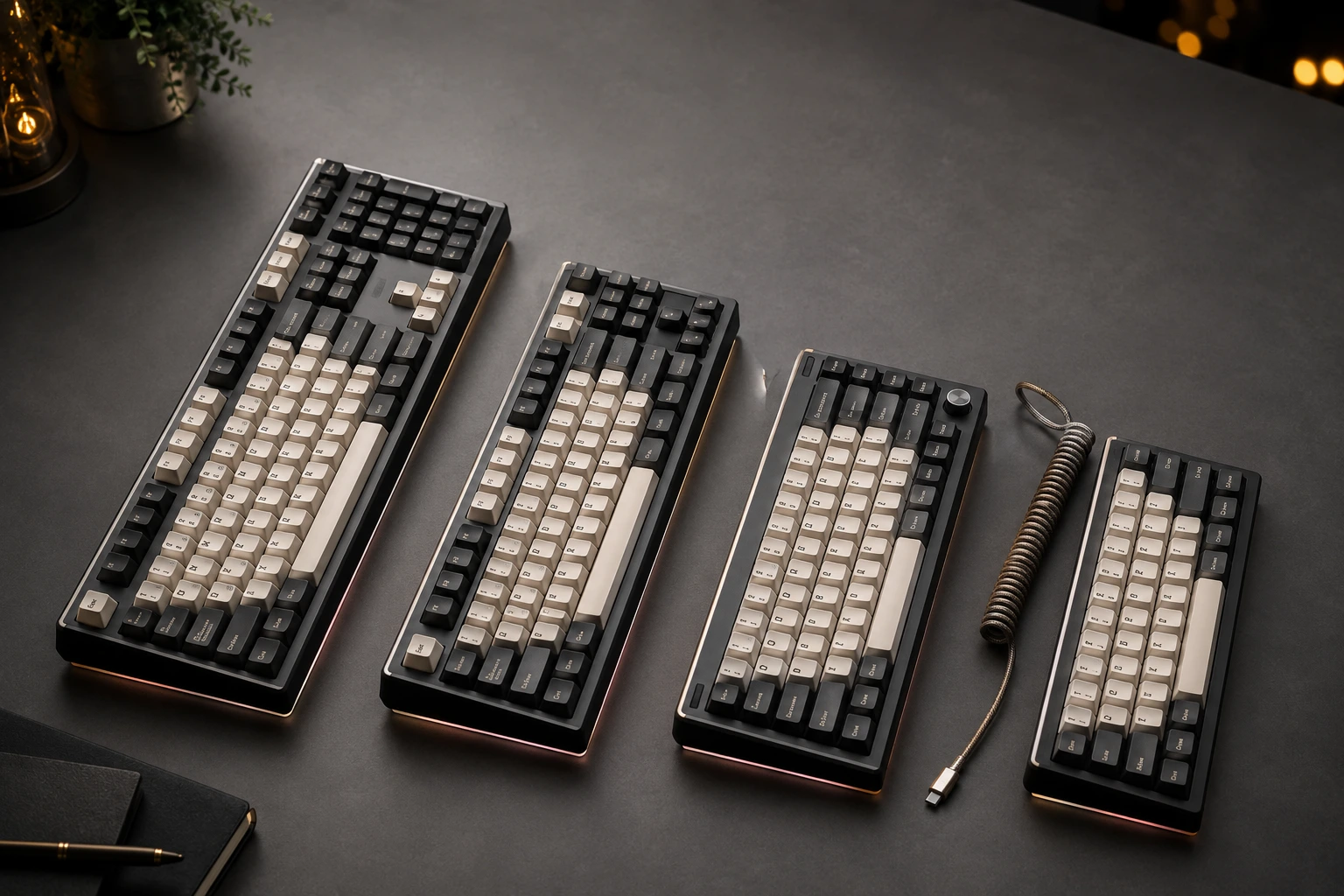
TKL vs Full Size Keyboard: 75% and 60% Compared

This article contains affiliate links. If you buy through them, I earn a small commission at no extra cost to you. I only recommend keyboards I’ve actually tested. As an Amazon Associate I earn from qualifying purchases.
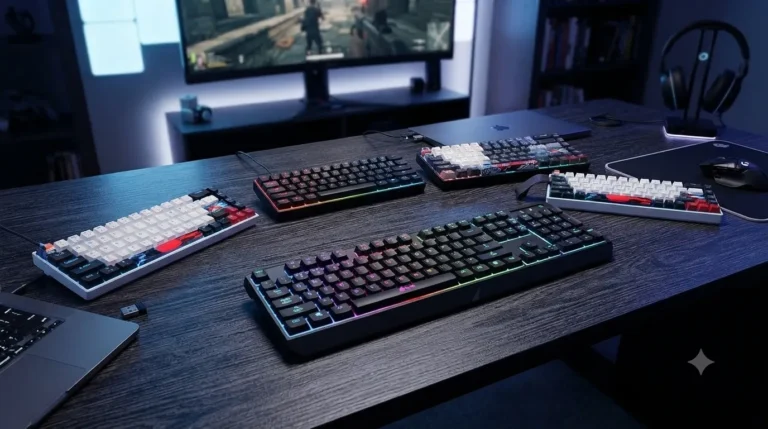
Here’s the thing nobody tells you when you start shopping for a mechanical keyboard: the layout matters more than the switches, the keycaps, or pretty much anything else you’ll fuss over. I’ve daily-driven full-size, TKL, 75%, and 60% boards for stretches long enough to know which ones I missed when I switched away — and which ones quietly ended up in the keyboard graveyard drawer.
Most “tkl vs full size keyboard” comparisons online read like spec sheets. This one isn’t. I’m going to tell you which layout fits which kind of user, where each one falls apart in real use, and where I think the hype is overcooked.
Quick Comparison: Which Layout Fits You? (The TL;DR)
| Your Situation | Best Layout | Why It Wins | Example Boards |
|---|---|---|---|
| You game on a small desk and never touch the numpad | TKL or 75% | More mouse swing room without losing arrows or the F-row | Ducky One 3 TKL, GMMK Pro |
| You crunch numbers, run spreadsheets, do accounting | Full-Size | The numpad is non-negotiable for fast 10-key entry | Keychron C2, Corsair K70 RGB Pro |
| You want the smallest board that still feels “normal” | 75% | All the keys you actually use, none of the dead space | NuPhy Air75, Keychron K3 |
| You travel a lot or want a pure minimalist setup | 60% | Fits in any bag, looks clean, forces you onto FN layers | Anne Pro 2, Royal Kludge RK61 |
| You stream, edit, or run macros all day | TKL with hot-swap | Room for a tactile feel plus a dedicated arrow cluster | Keychron Q3, Glorious GMMK TKL |
If you only have thirty seconds, that table is the honest summary. Stick around for the why — and for the parts where the popular advice gets it wrong.
Full-Size Keyboards: The Default Nobody Questions
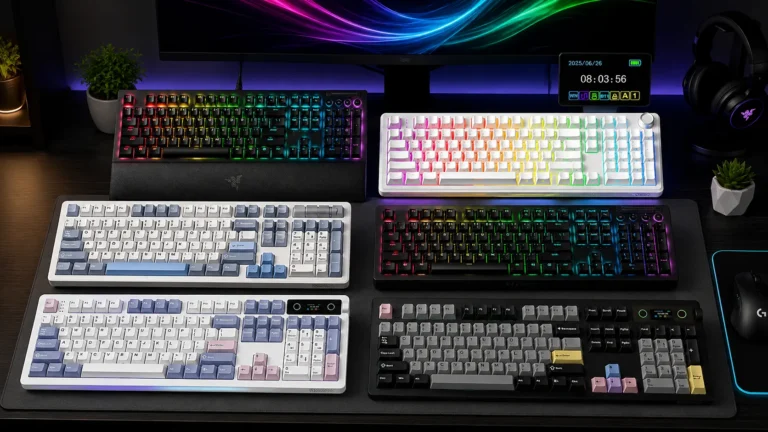
A full-size board gives you everything. Numpad, F-row, navigation cluster, arrow keys, all of it. Around 104 keys depending on the layout. It’s what came in the box with your office PC, and for a lot of people, it’s still the right answer.
I keep one on my secondary desk for spreadsheet work. The numpad is genuinely fast once your right hand learns it, and I’d rather have it than not when I’m hammering numbers into a budget.
Where full-size shines:
- Numpad makes data entry dramatically faster than the top-row number keys
- Dedicated everything — no FN-layer gymnastics for Home, End, or Print Screen
- Familiar to anyone who’s ever touched a computer
Where it falls short:
- Eats serious desk space, around 17 to 18 inches wide
- Pushes your mouse further right, which strains your shoulder over long sessions
- Half those keys go unused if you’re not doing heavy numerical work
Here’s the catch with full-size: if you’re a gamer, that numpad is real estate you’re paying for and not using. Your mouse lives way off to the right, which means more shoulder rotation per hour. After about three months of switching to TKL for gaming, my right shoulder stopped complaining. Small thing. Real difference.
TKL Keyboards: The Sweet Spot for Most People
TKL stands for “tenkeyless” — a full-size board with the numpad sliced off. You keep the F-row, the arrow keys, and the nav cluster (Home, End, Page Up, Page Down, Insert, Delete). About 87 keys total.
This is the layout I recommend most often, and I’ll die on this hill. The tkl vs full size keyboard debate, for the average user, comes down to one question: do you actually use the numpad? If you don’t, TKL is just better.
What you gain with a TKL:
- Roughly 4 inches of desk width back for your mouse
- Arrows and F-row right where your muscle memory expects them
- Lighter and easier to move around than full-size
- A massive selection in the custom and prebuilt market
What you give up:
- The numpad — awkward for accountants and Excel power users
- A few older games still default to numpad inputs (you’ll rebind those anyway)
- Slightly smaller selection in the boutique custom scene than 60%
In my testing, the productivity hit from losing a numpad is real for about two weeks. Then it disappears. Your hand learns the top row faster than you’d expect, and you stop missing it. If your work doesn’t involve heavy numerical input, you won’t even remember why you thought you needed one.
75% Keyboards: TKL’s Compact Cousin
A 75% layout takes the TKL and squishes everything together. Same keys, mostly — though you usually lose a couple of nav cluster buttons while keeping the arrows and full F-row. The result is a board that’s almost as compact as a 60% but loses almost nothing functional.
The GMMK Pro put this layout on the map a few years back, and now every brand makes one. I’ve been daily-driving a 75% for the last eight months, and honestly, I’m not sure I’m going back to TKL.
Why 75% might be the smart pick:
- Smallest layout that still feels “complete”
- F-row stays accessible — huge for video editors, devs, anyone living in shortcuts
- Often ships with a rotary knob for volume, scrub, or zoom
- Modern, popular, lots of options at every price tier
Where it gets annoying:
- The squished layout causes accidental key presses in the first week
- You’ll lose some nav keys to FN combos (Home, End)
- Keycap sets can be tricky to source because bottom rows vary between brands
The 75% is what I’d recommend if you want compact but the idea of losing your F-row feels horrifying. It’s the best of both worlds with a one-week adjustment tax.
60% Keyboards: Minimalism with a Real Learning Curve
A 60% strips out the F-row, the arrow keys, the nav cluster, and the numpad. You’re left with the main alphas, the number row, and your modifiers. Everything else lives on a layer accessed by holding FN.
I love 60% boards. I also recognize they’re not for everyone. The first week is genuinely painful — you’ll instinctively reach for arrow keys that aren’t there. After a month, FN+IJKL becomes second nature and you stop thinking about it.
The case for going 60%:
- Tiny footprint — easy to travel with, easy to slip in a bag
- Forces you to learn keyboard shortcuts and layers, which speeds you up long-term
- The custom 60% scene is massive — endless cases, plates, and group buys
- Looks clean on a desk if minimalism matters to you
The case against:
- Steep learning curve, especially if your job leans on arrow keys
- Painful for spreadsheet work, video editing, or anything F-row heavy
- You’ll occasionally curse at software that demands F5 when you forgot the layer combo
If you’re a writer, coder, or gamer who lives in WASD and rarely needs anything else, 60% is liberating. If you bounce between Excel, Premiere, and gaming all day, skip it.
TKL vs Full-Size Keyboard: The Direct Head-to-Head
Since this is what most people are actually deciding between, let’s get specific.
| Feature | TKL | Full-Size |
|---|---|---|
| Key Count | ~87 | ~104 |
| Width | ~14 inches | ~17–18 inches |
| Numpad | No | Yes |
| Arrow Keys | Dedicated | Dedicated |
| F-Row | Dedicated | Dedicated |
| Best For | Gaming, general use, small desks | Data entry, accounting, traditional office |
| Mouse Position | Closer to body centerline | Pushed further right |
| Price Range | $50–$300+ | $40–$300+ |
| Travel-Friendly | Yes, with a sleeve | Not really |
The honest answer: if you don’t use a numpad more than once a week, get a TKL. Your shoulder will thank you in five years.
If you live in spreadsheets, get a full-size — or do what I do, which is keep a TKL on the main desk and a small wireless numpad in a drawer for the rare day I need to crunch a tax return. Best of both worlds. Costs you maybe $25 extra.
For a deeper look at how the switches and stabilizers underneath all of these layouts affect typing feel, this rundown on what’s actually happening inside your keyboard goes further than I can here.
Pros and Cons at a Glance
To make this easier to skim, here’s a clean breakdown of every layout in one place:
Full-Size
- ✅ Numpad for fast 10-key entry
- ✅ Every key dedicated, no layers needed
- ✅ Universally familiar
- ❌ Largest footprint
- ❌ Mouse pushed far right
- ❌ Wasted keys for non-numeric users
TKL
- ✅ Mouse-friendly footprint
- ✅ Keeps arrows and F-row
- ✅ Huge prebuilt and custom selection
- ❌ No numpad
- ❌ Slight learning curve for ex-full-size users
- ❌ Some legacy software defaults to numpad
75%
- ✅ Compact but functionally complete
- ✅ Often includes a rotary knob
- ✅ F-row stays dedicated
- ❌ Squished layout causes typos at first
- ❌ Some nav keys move to layers
- ❌ Keycap compatibility quirks
60%
- ✅ Tiny and travel-ready
- ✅ Endless customization options
- ✅ Looks great on a clean desk
- ❌ Real learning curve
- ❌ Painful for F-row-heavy work
- ❌ Layer-juggling becomes a way of life
What About Sound and Feel Across Layouts?
Quick myth to bust: layout doesn’t really change typing sound the way YouTubers claim. A gasket-mounted TKL with foam and lubed stabilizers sounds basically identical to a gasket-mounted 60% with the same build. What changes the sound is the case material, the mount style, the switches, and the keycaps — not whether the numpad is attached.
If a 60% sounds thockier to you in a review video than some full-size, that’s because they’re different boards with different builds. Not because of the layout itself. Don’t let “small boards sound better” influence a purchase. They don’t, inherently.
My Actual Recommendations by User Type
If you’re buying your first decent mechanical keyboard and you’re stuck:
- Office worker, spreadsheets daily — Go full-size with PBT keycaps and tactile switches (Boba U4T or Glorious Pandas). Keychron C2 if you want budget. Corsair K70 RGB Pro if you want premium and prebuilt.
- Gamer with limited desk space — Get a TKL with linears. Gateron Yellows are fine, you don’t need $1-per-switch boutique stuff. Look at the Ducky One 3 TKL, Keychron Q3, or the Glorious GMMK TKL.
- Hybrid worker who wants compact — Go 75%. NuPhy Air75 for wireless and slim. GMMK Pro for premium and heavy. Keychron K3 if you want budget.
- Minimalist or frequent traveler — Get a 60%. The Anne Pro 2 is still a great budget pick. The custom 60% scene goes as deep as you want to swim.
The mistake I see most often: people buy a 60% because it looks cool on Instagram, then realize they actually need arrow keys for their job. Buy the layout that fits your real workflow, not the one that photographs well.
And one more thing — a great $90 TKL with decent switches and PBT caps will outperform a poorly built $250 board every day of the week. Layout matters more than budget. Pick the right one first, then worry about switches and keycaps.
That’s the real answer to the tkl vs full size keyboard question, and to every other layout debate that follows it: know what you actually do at your desk, then buy the shape that fits it. Everything else is detail.
This article contains affiliate links. If you buy through them, I earn a small commission at no extra cost to you. I only recommend keyboards I’ve actually tested. As an Amazon Associate I earn from qualifying purchases.
One Comment