Best Low Profile Gaming Keyboards 6 Tested Picks Worth It

This article contains affiliate links. If you buy through them, I earn a small commission at no extra cost to you. I only recommend keyboards I’ve actually tested. As an Amazon Associate I earn from qualifying purchases.
Most “gaming” keyboards look like they were designed to survive a small fire. Tall, RGB-blasted wedges with switches that travel halfway to the desk. Fine for some folks. But if you’ve ever typed on a MacBook for a few hours and thought “huh, this is actually quick” — you’ve already brushed up against the case for going slim.
I’ve spent the last several months bouncing between roughly a dozen low profile boards as my daily driver, swapping them every couple of weeks. Some genuinely impressed me. A few are overpriced gimmicks in aluminum jackets. What follows is my honest take on the best low profile gaming keyboard options worth your money right now, organized so you can find your match in about thirty seconds.
A quick note before we get into it: the marketing around this category is unusually slippery. Brands will throw “low profile” on anything thinner than a phone book. I’m sticking to boards with switches that actually travel about half the distance of standard MX-style, because that’s where the real difference shows up.
Quick Comparison: Best Low Profile Gaming Keyboard by Use Case


Pick your scenario, not the spec sheet. This table is built around what most people are actually trying to do.
| Category | My Pick | Switch | Layout | Wireless | Best For |
|---|---|---|---|---|---|
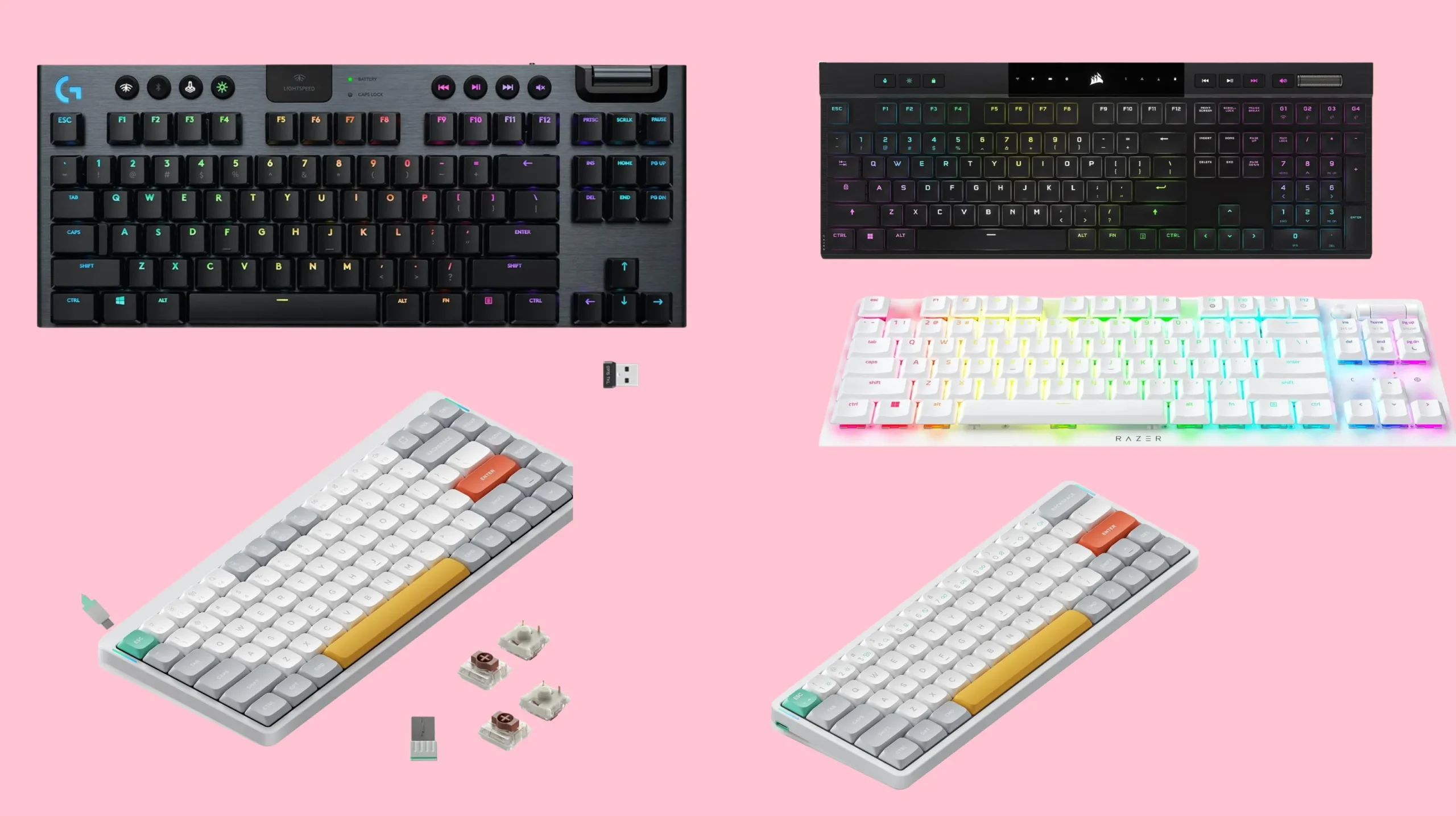
| Best Overall | Logitech G915 TKL | GL Linear / Tactile | TKL | Yes (Lightspeed + BT) | Most gamers who want a do-it-all wireless board |
| Best Premium Full-Size | Corsair K100 Air Wireless | Cherry MX ULP Tactile | Full | Yes (Slipstream + BT) | Desk warriors who need the numpad |
| Best Budget | Keychron K3 Pro | Gateron LP (hot-swap) | seventy-five percent | Yes (BT only) | Smart shoppers and tinkerers under one hundred bucks |
| Best Work and Play | NuPhy Air75 V2 | Gateron LP Cowberry/Aloe | seventy-five percent | Yes (2.4GHz + BT) | Office-friendly gamers who care how things look |
| Best for Esports | Razer DeathStalker V2 Pro | Razer Optical LP | TKL or Full | Yes (Hyperspeed + BT) | Competitive FPS players chasing every millisecond |
| Best for Travel | NuPhy Air60 V2 | Gateron LP | sixty percent | Yes (2.4GHz + BT) | Laptop bag carriers and minimalists |
What “Low Profile” Actually Means
There’s no official rulebook, but the working definition most enthusiasts use is straightforward: the switches sit at about half the height of a standard Cherry MX, and the case is correspondingly thin. Key travel drops from roughly four millimeters down to about three point two or less. Actuation usually lives around one point five millimeters instead of two.
In practice, here’s what changes:
- Faster keypresses, because your finger moves less to register an input
- Less wrist strain, since your hands aren’t ramped up as steeply
- A laptop-like feel without the mushy bottom-out of actual laptop keys
- Lower fatigue on long sessions, in my experience anyway
One myth I’ll push back on right now: low profile does not automatically mean better for gaming. It means different. Plenty of pros still swear by tall MX-style switches because the longer travel gives them clearer separation between actuation and bottom-out. Both schools are legit. What matters is which one fits your hands and your style. I’d take a slim board for a long writing day every time, but for two-hour Valorant sessions I’m genuinely split.
What to Look For Before You Buy
A few things that matter, and a few that don’t no matter what the marketing says.
Switch Type Matters More Than Anything Else
This is where most buyers mess up. The switch defines the experience far more than the case material or the RGB.
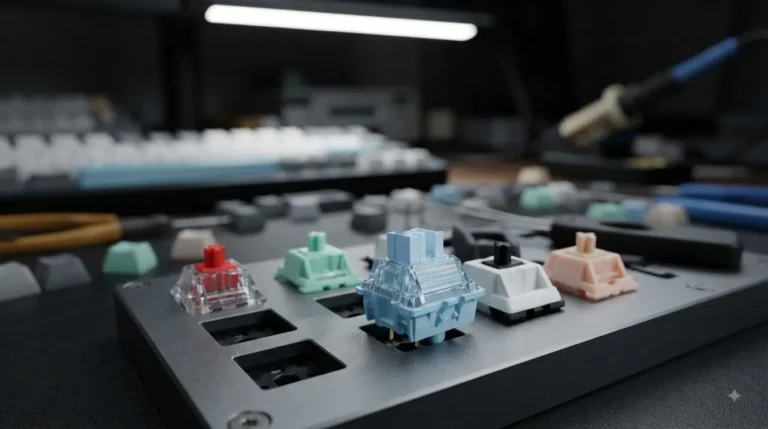
- Low profile linears (Kailh Choc Reds, Gateron LP Reds, Logitech GL Linear): smooth, fast, no bump. My pick for most gaming.
- Tactiles (GL Tactile, Kailh Choc Browns, Gateron LP Browns): a small bump for feedback. Better if you mix in heavy typing.
- Clicky low profile switches exist, but I’d skip them. The shorter travel makes the click feel cheap and rattly, and your roommates will hate you faster than usual.
There’s also a fourth category worth knowing about: optical low-profile switches, used by Razer and a couple of others. They cut out the debounce delay that traditional mechanical switches need. Real, measurable latency edge in fast esports titles. Marginal in regular use, but real.
Build and Layout Decisions
- Hot-swap support is rare in low profile boards but worth chasing if you want options later
- 2.4GHz wireless beats Bluetooth for gaming, every time, no exceptions
- TKL or seventy-five percent layouts are the sweet spot for gaming desks
- PBT keycaps are unusual in this category — most boards ship ABS because low profile PBT is harder to manufacture
Here’s the catch with low profile keycaps in general: even when you find PBT, the aftermarket is tiny. If endless customization is the dream, you’re going to be disappointed by what’s available.
My Picks for the Best Low Profile Gaming Keyboard
I ranked these the way I’d actually recommend them to a friend, not by spec sheet. Real-world feel matters more than what’s on the box.
One. Best Overall: Logitech G915 TKL

- LIGHTSPEED wireless delivers pro-grade performance with flexibility and freedom from cords. Creates a clean aesthetic fo…
- LIGHTSYNC technology provides RGB lighting that synchronizes lighting with any content. Personalize each key or create c…
- Low Profile mechanical switches offers the speed, accuracy and performance of a mechanical switch at half the height The…
This is the board I keep coming back to. The G915 TKL has been on the market for years and Logitech still hasn’t really been topped on the wireless side. You get GL switches in three flavors (linear, tactile, or clicky — I run the linears), a genuinely low-latency 2.4GHz Lightspeed dongle, Bluetooth as a secondary connection, and battery life that lasts a couple of weeks on default RGB.
What works:
- Aluminum top plate that feels expensive because it is
- Dedicated media controls and a volume roller I miss the moment I switch off it
- Reliably stable wireless with no perceptible input lag in my testing
What doesn’t:
- It’s still pricey for what’s now older tech under the hood
- The flat keycaps start shining within months of heavy use
- No hot-swap, so what you buy is what you live with
Here’s the catch: the G915 TKL is the safest pick on this list, not the most exciting. If you want something that just works without fuss, this is it. If you want to mod and tinker, look further down.
Two. Best Premium Full-Size: Corsair K100 Air Wireless

- Stunning, Refined, and Ultra-Thin: The K100 AIR is an unbelievably thin wireless gaming keyboard just 11mm at its slimme…
- Fast Wireless and Wired Connection Options: Three ways to connect to up to five different devices – Via sub-1ms SLIPSTRE…
- Masterful Wireless Multi-Tasking: Quickly switch between wireless connections on your PC, Mac, and more at the press of …
Stupid name, very good keyboard. The K100 Air uses Cherry MX Ultra Low Profile Tactile switches — meaning real Cherry switches, not some house-brand workaround. It’s also genuinely one of the thinnest full-size boards I’ve ever put my hands on, which is wild given that it’s wireless with full RGB.
What works:
- Cherry switches with real tactile feedback in a slim package
- Full layout in a body thinner than most TKLs from other brands
- Solid Slipstream wireless plus Bluetooth
What doesn’t:
- Full size means you give up desk space — TKL fans look elsewhere
- iCUE software is still a bloated mess
- No hot-swap
If you need a full layout that doesn’t look or feel like a brick, this is your board.
Three. Best Budget: Keychron K3 Pro

- Ultra-slim Wireless Custom Mechanical Keyboard: The K3 Pro is the first low profile wireless mechanical keyboard with QM…
- With QMK and VIA Support: Keychron K3 Pro allows anyone to remap any key, and create macro commands, shortcuts, or combi…
- Supports Wireless and Wired Mode: You can connect the K3 Pro with up to 3 devices wirelessly via its stable Broadcom Blu…
I’ll say it plainly. The K3 Pro is the best deal in the category right now. Around ninety bucks gets you a seventy-five percent layout, hot-swap sockets (rare on a low profile board), QMK and VIA support so you can remap to your heart’s content, and both Bluetooth and wired connectivity.
What works:
- Hot-swap is genuinely useful if you want to try different Gateron LP switches later
- QMK/VIA makes it endlessly customizable
- The optional aluminum frame upgrades the feel a lot for not much extra
What doesn’t:
- No 2.4GHz dongle — Bluetooth only for wireless, which adds a touch of latency
- Tiny stabilizers can rattle out of the box (a quick lube fixes them)
- RGB bleeds through the white keycap variant
For mixed work and gaming on a real budget, this is my answer. Honestly, for most people, this is the smarter buy over the G915.
Four. Best Work and Play: NuPhy Air75 V2

- Translucent bottom shell design: The overall layout of the Air75 V2 wireless keyboard is similar to that of the Air75, f…
- Supports multi-device connectivity: Air75 V2 wireless mechanical keyboard is compatible with Mac/Windows/Linux/Android/i…
- Cool RGB Backlit Effect: The backlight of Air75 V2 has more than 21 different color effects, which can be easily changed…
NuPhy carved out a niche making low profile boards that don’t look like Transformers. The Air75 V2 looks like something on a designer’s desk. It also happens to be a perfectly capable gaming keyboard.
What works:
- 2.4GHz wireless this time around (a real upgrade over the original)
- Gateron LP switches that feel noticeably smoother than older Kailh Choc options
- PBT keycaps in low profile, which almost nobody else manages
- Aesthetics that don’t scream “gamer”
What doesn’t:
- Stock stabilizers feel a little scratchy — a tiny bit of lube changes everything
- Battery life is shorter than the G915
- The seventy-five percent layout takes a day or two if you’re coming from full size
If you want one board that looks great in a video call and still performs after dark, this is it.
Five. Best for Esports: Razer DeathStalker V2 Pro

- LOW-PROFILE LINEAR OPTICAL SWITCHES — Perform quicker keystrokes with all-new switches that have a shorter actuation hei…
- TOP-CLASS CONNECTIVITY — Experience lag-free gaming and instant response with Razer HyperSpeed Wireless (2.4GHz) connect…
- ULTRA-LONG UP TO 200-HOUR BATTERY LIFE — Power through an entire day of gaming without breaking a sweat, also includes a…
I went into this one ready to be unimpressed because, well, Razer marketing. The DeathStalker V2 Pro earned its spot anyway. Razer’s low profile optical switches are quick — you can feel the difference in fast shooters during rapid direction changes.
What works:
- Optical switches with near-zero debounce delay
- Hyperspeed 2.4GHz wireless with stable latency
- Comfortable wrist rest included
- Available in TKL and full size
What doesn’t:
- Synapse software is a chore to set up
- Premium price for what’s strictly a gaming-focused board (it’s fine for typing, not exceptional)
- No hot-swap
If you play a lot of CS, Valorant, or Apex and you want every possible millisecond shaved off, this is the pick. For everyone else, it’s overkill.
The Honest Tradeoffs Nobody Talks About
I’m not going to pretend slim boards are perfect for everyone. Three things to know before you commit:
- Sound is mid. The deep thocky sound enthusiasts chase on tall boards? You don’t really get that here. Physics is working against you — the shallow case has less air to resonate. If sound is a top priority, this category will probably disappoint.
- Keycap ecosystem is tiny. The aftermarket for low profile keycaps is a fraction of what exists for MX-height boards. A few MOA or LSA profile sets exist, but the rich group-buy culture isn’t here. If your endgame is a fully custom build, slim is the wrong lane.
- The “feels like a laptop” thing cuts both ways. Some people love it. Others find that less travel makes their fingers feel unanchored during long writing sessions. Test one in person at a Microcenter or Best Buy before you spend two hundred dollars on faith.
My Final Verdict on the Best Low Profile Gaming Keyboard
If I could only keep one, it’d be the Logitech G915 TKL. Boring answer, but it’s the most complete product on the list. The wireless is rock solid, the build is durable, and it gets out of your way and lets you play.
That said — if you’re spending your own money and you don’t already have a wireless ecosystem you love, the Keychron K3 Pro punches way above its price. Hot-swap, QMK, great feel, less than half the cost of the G915. That’s the smarter buy for most people. Don’t let the lower price scare you into thinking it’s worse. It just doesn’t have the marketing spend.
And if you mostly play competitive shooters and your kill-to-death ratio matters more than how the board looks? Razer DeathStalker V2 Pro. The optical switches are genuinely faster in practice, not just on a chart in a press deck.
Don’t overthink it. Most of these boards will outlast the games you’re playing on them.
This article contains affiliate links. If you buy through them, I earn a small commission at no extra cost to you. I only recommend keyboards I’ve actually tested. As an Amazon Associate I earn from qualifying purchases.