7 Best Gaming Keyboards for Streaming (Mic-Tested)

This article contains affiliate links. If you buy through them, I earn a small commission at no extra cost to you. I only recommend keyboards I’ve actually tested. As an Amazon Associate I earn from qualifying purchases.
Most “best gaming keyboard” lists are written for solo players in a quiet room. Streamers don’t get that room. You’ve got a condenser pointed at your face from eight inches away, picking up every clack, ping, and pinky-finger thunk you make. I’ve watched plenty of streams ruined by a beautiful tactile board that sounds like someone shaking a tin of nails on camera.
Streaming is its own use case. The best gaming keyboard for streaming isn’t the one that sounds the most “thocky” on a desk-mat ASMR video. It’s the one your audience doesn’t notice. I’ve been testing input devices for about fourteen years now, and I’ve spent the last six months specifically running boards as daily drivers while recording with a Shure SM7B and a Blue Yeti just to hear what bleeds and what doesn’t. Here’s what I’d actually buy.
TL;DR Quick Comparison Table
| Category | My Pick | Switch Type | Why It Wins |
|---|---|---|---|
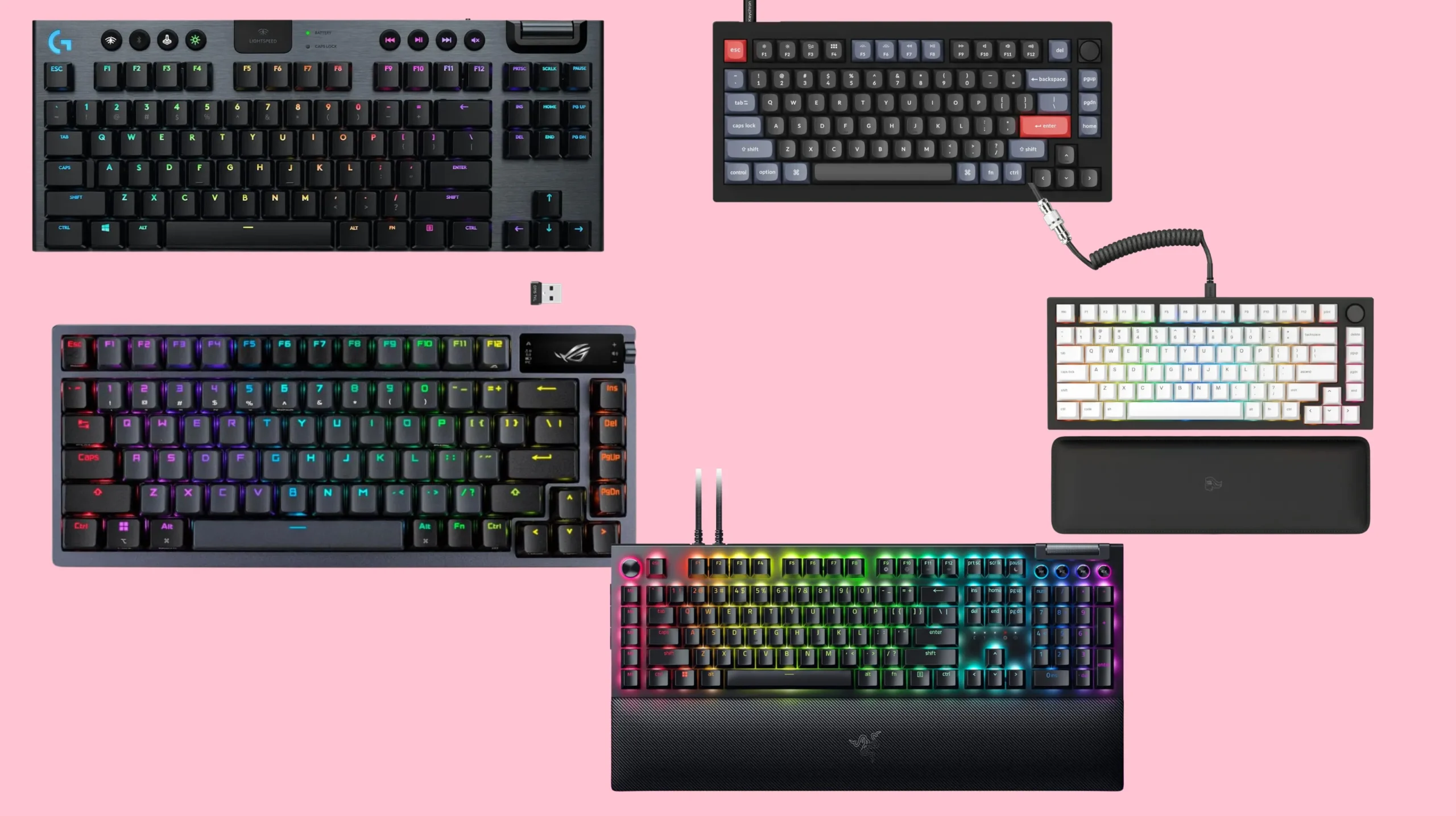
| Best Overall for Streaming | ASUS ROG Azoth | NX Storm linear | Quiet stock, foam-loaded, OLED for stream info |
| Best Premium Pick | Wooting 80HE | Lekker magnetic | Adjustable actuation, near-silent with right caps |
| Best Budget Under a Hundred | Keychron V1 Pro | Gateron Jupiter Banana | Tactile without click, gasket-mounted, hot-swap |
| Best Low-Profile | Logitech G915 LightSpeed | GL Tactile or Linear | Slim, low travel, barely registers on mic |
| Best Wireless | Keychron Q3 Max | K Pro Red | Triple-mode, full QMK, dead quiet |
| Best RGB Showcase on Camera | Razer BlackWidow V4 Pro | Yellow linear | Underglow plus command dial, pops on cam |
| Best for Tactile Streamers | Glorious GMMK Pro | Aftermarket Silent Panda | Hot-swap, feels great, mic-friendly |
If you only read this far, my honest pick for most people streaming on Twitch, YouTube, or Kick is the Keychron V1 Pro with silent linears. The Azoth is the ceiling. The V1 Pro is the smart buy.
What Actually Matters in the Best Gaming Keyboard for Streaming
I’m going to skip the marketing checklist and tell you what your viewers will actually notice.
- Switch noise floor. This is the whole game. Linear silent switches like Gateron Silent Yellows, Cherry MX Silent Reds, or factory-lubed Lekker magnetic switches stay under your mic gate. Clicky Blues will get you muted in chat within an hour.
- Stabilizer rattle. Even quiet switches can’t save a board with rattly stabs on the spacebar, shift, and enter. This is the single most-ignored spec on every gaming keyboard marketing page.
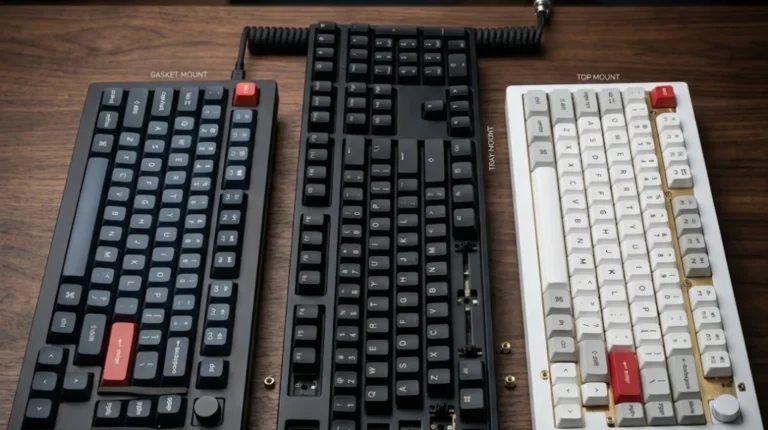
- Case dampening. Foam and silicone fill the chassis cavity so keystrokes don’t ring. Gasket-mounted boards usually do this well. Cheap aluminum cases with hollow interiors do not.
- Polling rate and N-key rollover. Anything over a thousand hertz is fine. Eight thousand hertz is a flex, not a feature. You won’t see it on stream.
- RGB that the camera actually reads. Underglow and side LEDs show up way better on cam than per-key lighting hidden under your keycaps. South-facing LEDs through shine-through caps are the sweet spot.
- Profile and ergonomics. Long streams are wrist marathons. Low-profile or split-spacebar layouts can save you real pain after hour four.
Notice I didn’t put “RGB customization” at the top. It matters, but not as much as the switches.
My Top Picks for the Best Gaming Keyboard for Streaming
Best Overall: ASUS ROG Azoth

- Tri-mode connectvity: Seamlessly connect to three devices via Bluetooth. Experience ultra-low latency gameplay with ROG …
- Gasket Mount & Premium Sound Tuning: A silicone gasket mount and three layers of integrated dampening foam work in harmo…
- Hot Swappable, Pre-Lubricated Mechanical Switches: Customize your keystrokes with ROG NX Snow linear switches (buttery s…
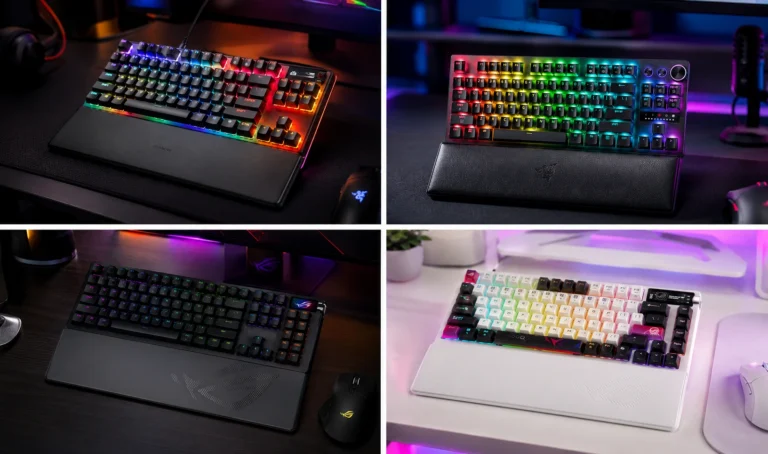
I went into the Azoth ready to dismiss it. ASUS isn’t usually a brand I trust for genuine enthusiast feel. I was wrong. The Azoth ships with foam, a silicone dampener, gasket mount, and pre-lubed NX Storm linears that come out of the box quieter than most boards I’ve spent hours modding. The little OLED on the corner shows your CPU temp, time, or a stream timer, which is more useful than gimmicky.
Here’s the catch: it’s expensive, and the rotary knob is in an awkward spot if you’re already mapping macros to a Stream Deck. But if you want the quietest premium board without modding it yourself, this is the answer.
Best Premium Pick: Wooting 80HE
Magnetic Hall-effect switches with adjustable actuation. You can set the bottom-out at one and a half millimeters for typing and use snap-tap reset for shooters. The factory build is quiet, and once you throw on PBT keycaps with a thicker wall, the sound floor drops further. Streamers playing Valorant, CS, or Apex are switching to Wooting in waves for good reason.
The honest tradeoff: it costs roughly twice the V1 Pro. You’re paying for the analog SOCD-style features more than the sound profile.
Best Budget Pick: Keychron V1 Pro

- 81 Keys Mechanical Keyboard: The V1 is a fully customizable mechanical keyboard ready for any situation. It’s a great op…
- Fully Customizable From the Inside Out: To build a fully customizable keyboard, we designed every component easily assem…
- Hot-swappable Support: With the mechanical tactile brown switch provides unrivaled tactile responsiveness with up to 50 …
A good ninety-dollar board beats a bad two-hundred-dollar one every time, and the V1 Pro is the proof. Gasket-mounted. Hot-swap. QMK and VIA support. Pre-lubed stabs that don’t rattle. With the stock Banana tactiles, it’s quieter than most “silent” gaming boards because the case eats the sound. Throw in Silent Brown or Silent Linear aftermarket switches for thirty bucks and you’ve built a streamer board for half the cost of a Huntsman.
This is what I recommend to friends who message me asking for the best gaming keyboard for streaming without wanting to drop three hundred dollars.
Best Low-Profile: Logitech G915 LightSpeed

- LIGHTSPEED wireless delivers pro-grade performance with flexibility and freedom from cords. Creates a clean aesthetic fo…
- LIGHTSYNC technology provides RGB lighting that synchronizes lighting with any content. Personalize each key or create c…
- Low Profile mechanical switches offers the speed, accuracy and performance of a mechanical switch at half the height The…
Low-profile mechanical, wireless, and the GL Tactile switches sit somewhere between a laptop key and a real mechanical. On mic, they barely register past four inches of mic-to-keyboard distance. The ABS keycaps get shiny, which is annoying. But if you’re a variety streamer who also does talking-head content, this thing disappears into your audio mix.
Caveat: the build doesn’t feel as premium as the price tag suggests. You’re paying for the slim form factor and the wireless.
Best Wireless: Keychron Q3 Max
Triple-mode connectivity, full aluminum case, QMK out of the box. With K Pro Red switches it’s stupidly quiet stock, and the case heft kills any hollow ringing. I’ve run mine through three weeks of recording sessions and a Wirecast workflow without a single audible keystroke spike on the mix.
Best RGB Showcase on Camera: Razer BlackWidow V4 Pro

- YELLOW MECHANICAL SWITCHES FOR QUICK EXECUTION — Enjoy instant, rapid-fire smooth inputs that are just as quiet thanks t…
- IMMERSIVE UNDERGLOW & PER-KEY LIGHTING — Featuring per-key lighting and a striking 3-side underglow when paired with the…
- COMMAND DIAL & 8 DEDICATED MACRO KEYS — Assign a custom function to the keyboard’s programmable dial, and game with grea…
Look, I’m not the biggest Razer guy. But credit where it’s due: the underglow and the side strip on the V4 Pro look incredible on camera. If your brand needs that LED-drenched battlestation aesthetic, this is the board. Get it with Yellow linears, not Greens, unless you want your chat asking what the clicking is.
Best for Tactile Streamers: Glorious GMMK Pro

- Premium Design & Materials: The GMMK PRO’s body is CNC machined from solid aluminum, giving it substantial weight and un…
- Hotswap Linear Switches: This Prebuilt Edition comes with exclusive Glorious Fox linear switches pre-installed. Foxes’ l…
- Fully Customizable Appearance: Personalizing the look of the GMMK PRO is quick and intuitive thanks to a suite of custom…
Tactile lovers, I haven’t forgotten you. The GMMK Pro is hot-swap, gasket-mounted, and lets you drop in Silent Pandas or WS Silent Tactiles aftermarket. You get the bump you want without the thock that ruins your VOD audio.
The Mic Test Reality No One Talks About
Here’s the part the manufacturer pages won’t tell you. Even the quietest keyboard sounds loud when your mic is poorly placed, your gate is too low, or your noise suppression is doing nothing. Before you spend three hundred bucks on a “silent” board, do this:
- Move your mic to within six inches of your mouth, not your desk.
- Use a cardioid pattern aimed away from the keyboard.
- Set a noise gate at roughly negative forty-five decibels.
- Run Krisp, RTX Voice, or NVIDIA Broadcast for residual cleanup.
I tested a stock Logitech K845, which is a budget mechanical board most enthusiasts would mock, against an Azoth in the same recording chain. With proper mic placement, the K845 was almost indistinguishable. The board matters less than the mic chain. Spend on your audio first.
Stabilizer Rattle Is the Silent Killer
Most “loud” gaming keyboards aren’t loud because of the switches. They’re loud because the spacebar and shift keys rattle like a maraca. Every board on this list either has factory-lubed stabs or accepts aftermarket plate-mount stabs you can lube yourself with Krytox 205g0 and dielectric grease on the wires. Five minutes of work. Massive difference on cam.
If your current board is fine except for stabilizer rattle, fix the stabs before you buy anything new.
Quick Buying Checklist for the Best Gaming Keyboard for Streaming
Before you click buy, run through this list:
- Are the switches linear silent, tactile silent, or low-profile?
- Are the stabilizers screw-in or plate-mount, and are they factory lubed?
- Does the case have foam or silicone dampening?
- Is the RGB shine-through or underglow, not just per-key?
- Is it hot-swap so you can change switches later without buying another board?
- Does it have polling rate over a thousand hertz and full NKRO?
- Wireless or wired, and does the wireless mode actually hold up under load?
If a board misses two or more of those, it’s probably not the right pick for you.
Final Verdict
If you’re streaming seriously and money’s no object, get the ASUS ROG Azoth. If you want most of the experience for half the price, the Keychron V1 Pro with silent linears is the smarter spend, and it’s the board I tell friends to buy. If you play competitive shooters and want the analog edge, the Wooting 80HE earns its price tag. Skip anything with Cherry MX Blues, undamped Browns, or stock stabilizers that rattle out of the box.
Your viewers came for you, not the audio of your keys. Pick the board that disappears.
This article contains affiliate links. If you buy through them, I earn a small commission at no extra cost to you. I only recommend keyboards I’ve actually tested. As an Amazon Associate I earn from qualifying purchases.