Apex Pro vs Huntsman V3 Pro: 3-Week Hands-On Verdict

This article contains affiliate links. If you buy through them, I earn a small commission at no extra cost to you. I only recommend keyboards I’ve actually tested. As an Amazon Associate I earn from qualifying purchases.
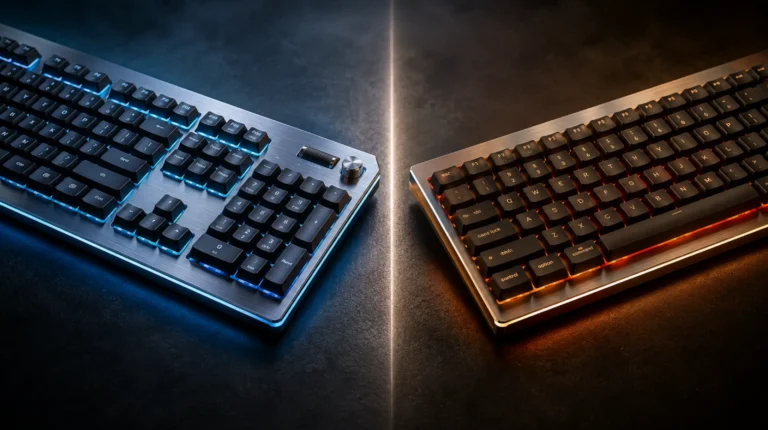
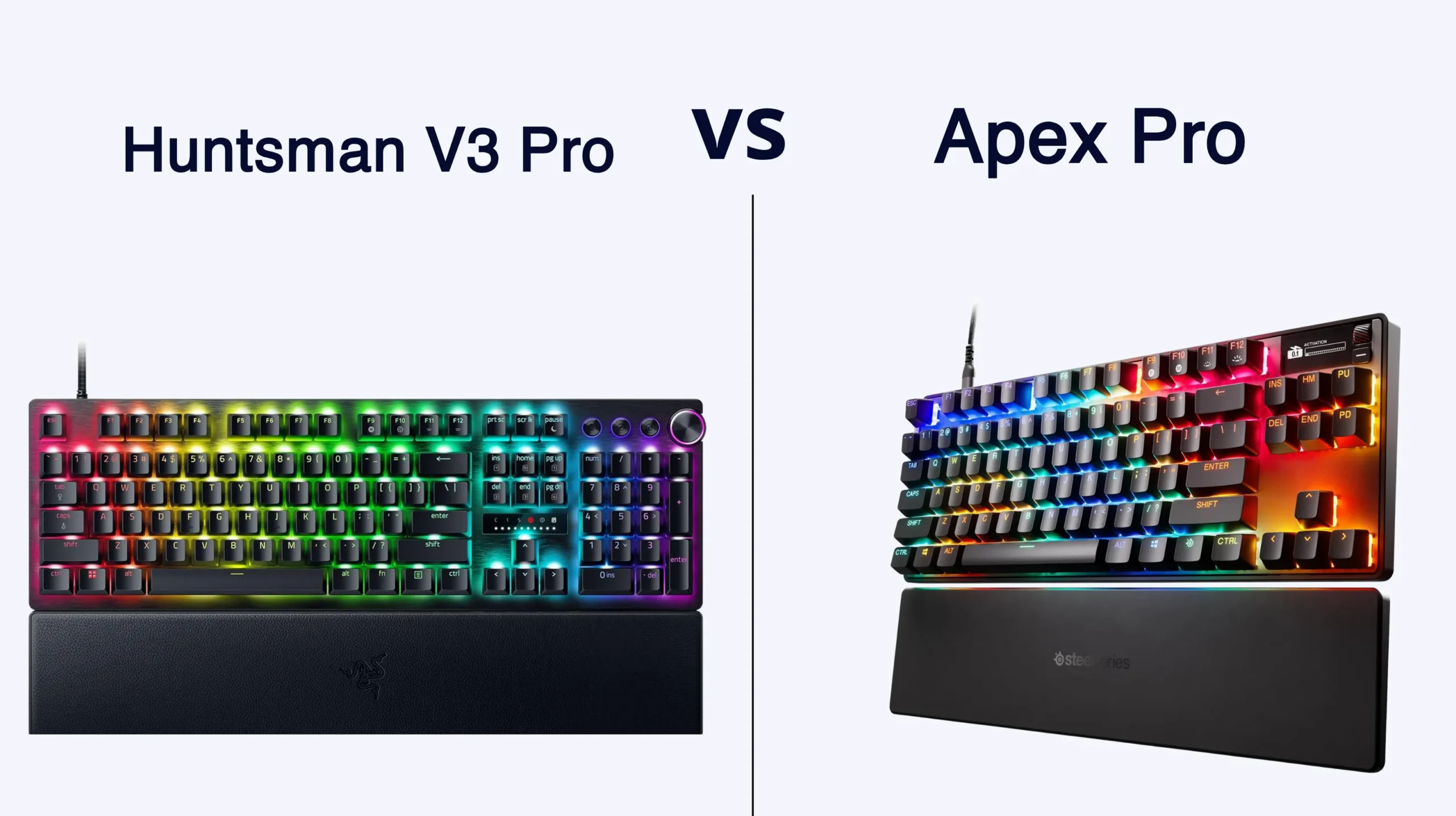
On paper, the SteelSeries Apex Pro Gen 3 and the Razer Huntsman V3 Pro look like the same keyboard wearing different jackets. Both give you 0.1–4.0 mm adjustable actuation. Both have Rapid Trigger. Both ship with doubleshot PBT keycaps and aluminum top plates and price tags that float between roughly $180 and $240. After running both as my daily drivers for three weeks — work email in the morning, Counter-Strike 2 and Valorant at night — I can tell you the apex pro vs huntsman v3 pro debate is not a tie. They feel different. They sound different. They behave differently in software. And one of them isn’t actually a Hall Effect keyboard at all, despite what most write-ups imply.
If you’re trying to decide which one to spend money on, here’s the short version. Then the long one.
Quick Comparison: Apex Pro vs Huntsman V3 Pro by Use Case
| Use Case | Winner | Why It Wins |
|---|---|---|
| Best for Competitive FPS (CS2, Valorant) | SteelSeries Apex Pro Gen 3 | Cleanest Rapid Trigger feel, plus Protection Mode to kill accidental adjacent-key inputs |
| Best for Snap Tap & Razer Ecosystem | Razer Huntsman V3 Pro | Snap Tap implementation is polished, Chroma syncs with the rest of your kit |
| Best for 8000 Hz Polling | Razer Huntsman V3 Pro 8KHz | Apex Pro Gen 3 is locked at 1000 Hz across every variant |
| Best Typing Feel & Sound | SteelSeries Apex Pro Gen 3 | Triple-layer foam and lubed stabs make for a denser, lower-pitched profile |
| Best Wireless Option | Apex Pro TKL Wireless Gen 3 | Razer doesn’t make a wireless Huntsman V3 Pro |
| Best Value When On Sale | Razer Huntsman V3 Pro TKL | Routinely drops to around $150 on Amazon |
Both are good. Neither is the outright fastest keyboard you can buy in 2026 — that crown belongs to Wooting and a couple of enthusiast brands — but these two are the most polished mainstream options. If you want retail availability, a real warranty, and software your friends already use, this is the matchup that actually matters.
The Honest Correction: They’re Not Both Hall Effect
Here’s something the marketing copy fudges: only one of these is a true Hall Effect board.
- SteelSeries Apex Pro Gen 3 uses OmniPoint 3.0 HyperMagnetic switches — real Hall Effect sensors detecting the magnetic field of a magnet on the switch stem.
- Razer Huntsman V3 Pro uses Analog Optical Gen-2 switches — a light beam that measures how far the key is pressed.
Functionally, both give you adjustable actuation, Rapid Trigger, and analog input. In daily use you cannot tell which underlying tech is under your fingers. But they aren’t the same technology, and anyone lumping both boards under “HE” is being loose with the term. If you specifically wanted a magnetic-switch keyboard, only the Apex Pro qualifies.
Why does this matter? Mostly it doesn’t. Both companies rate their switches at 100 million keystrokes. Optical switches are immune to traditional contact wear but can be sensitive to dust in the optical channel. Hall Effect switches can theoretically drift if magnets demagnetize, which is rare. In practice, you will retire either board long before either fails.
Switch Feel and Rapid Trigger Behavior
This is where I have opinions.
OmniPoint 3.0 feels like a refined linear with a clean, slightly cushioned bottom-out. SteelSeries lubed them at the factory and you can feel it — no scratch, no spring ping at my testing volume, no noticeable inconsistency across the board. Bottom-out lands soft because of the three layers of foam jammed into the case.
Razer’s Analog Optical Gen-2 switches feel a touch lighter on initial press and a touch sharper at the bottom. They’re factory-lubed too, but the Huntsman has less internal damping, so the sound profile is brighter and clackier. Neither sounds bad. They’re just tuned differently. The Apex Pro is closer to the modern “thocc” profile enthusiasts pay extra for; the Huntsman is closer to the older Razer house sound.
For Rapid Trigger, both go down to 0.1 mm reset sensitivity. The actual feel in counter-strafing in CS2 is honestly close. What pushes the Apex Pro ahead for me is Protection Mode — a SteelSeries feature that suppresses adjacent keys when you press the one you meant. If you’ve ever fat-fingered A while reaching for S in a clutch round, you immediately get it. Razer doesn’t have a direct equivalent.
Razer’s signature feature here is Snap Tap, which prioritizes whichever of two assigned keys was pressed last, without you needing to release the first one. SteelSeries has its own version, marketed as Rapid Tap / SOCD. Functionally similar. Both work. Snap Tap got the better launch PR.
Software Showdown: SteelSeries GG vs Razer Synapse
I’ll be blunt. Synapse 4 is better than Synapse 3 ever was, but it’s still a beast. Multiple background services, account sign-in nags, and a UI that occasionally refuses to detect the keyboard until you unplug and replug. The customization itself is fine. The wrapper around it is the problem.
SteelSeries GG is leaner and cleaner, though “lean” is relative for gaming peripheral software in 2026. The new GG QuickSet presets are genuinely useful — one click sets actuation, Rapid Trigger sensitivity, and Protection Mode for CS2, Valorant, Fortnite, and a handful of others. For a player new to magnetic switches, that’s a real onboarding shortcut.
Both boards store profiles onboard, which is the only thing I really care about long-term. Configure once, then ideally never launch the software again. Both let you do quick adjustments without a PC — the Apex Pro via its OLED screen, the Huntsman via an LED array indicator on the top edge.
Here’s the catch with that OLED: it’s a fun party trick the first week. By week three I had mine set to display the current actuation point and never looked at it again. If you’re paying a $40-ish premium specifically for the OLED, ask yourself if you’ll actually use it.
Build, Sound, and the Typing Experience
Both boards have aluminum top plates over plastic bottoms. Both ship with magnetic wrist rests. Both use doubleshot PBT keycaps that won’t shine after a year of use — unlike the ABS junk SteelSeries used to ship on the original Apex Pro.
Where they diverge:
- Apex Pro Gen 3: Triple-layer acoustic foam, per-key lubed stabilizers, heavier chassis (~2.4 lbs full-size). Sound profile is muted, dense, low-pitched. Stabs are tight out of the box — no bandaid mod required.
- Huntsman V3 Pro: Less internal damping, hollower sound, higher-pitched clack. Stabs are decent but not as locked down. Wrist rest material feels marginally cheaper to me, though that’s a subjective call.


If sound and typing feel matter to you, the Apex Pro wins this round outright. If you don’t care about sound and just want responsive switches, the Huntsman is fine and won’t bother you.
Competitive Features, Side by Side
- Adjustable actuation — Both cover 0.1 mm to 4.0 mm. Apex Pro Gen 3 has 40 discrete steps; Razer’s adjustment is functionally continuous through Synapse. Practical difference: zero.
- Rapid Trigger — Both implementations are excellent in real gameplay. SteelSeries wins on UX polish (per-key settings, game presets).
- SOCD / Snap Tap / Rapid Tap — Both have it. Both work. Don’t make this your deciding factor.
- Polling rate — Apex Pro Gen 3 caps at 1000 Hz across every model. The standard Huntsman V3 Pro is also 1000 Hz; you have to buy the Huntsman V3 Pro 8KHz variant to get 8000 Hz polling. For most players, 1000 Hz is plenty. For pro-tier FPS players chasing every fraction of a millisecond, the 8KHz Razer (or a Wooting) is the real answer.
- OLED screen — Apex Pro only. Useful or gimmicky depending on you.
- Wireless — Apex Pro has a TKL Wireless Gen 3 model. The entire Huntsman V3 Pro line is wired only.
- Switch lifespan — Both rated at 100 million keystrokes.
Pricing and What You Actually Get
| Model | Sizes | MSRP (Wired) | Wireless Option |
|---|---|---|---|
| SteelSeries Apex Pro Gen 3 | Full / TKL / Mini | $239.99 / $219.99 / $199.99 | TKL Wireless available |
| Razer Huntsman V3 Pro | Full / TKL / Mini | ~$199.99 / $219.99 / $179.99 | None |
| Razer Huntsman V3 Pro 8KHz | Full / TKL | ~$249.99 / $229.99 | None |
Street prices move around. I’ve watched the Huntsman V3 Pro TKL hit $149 on Amazon more than once — at that price the comparison shifts pretty hard in Razer’s favor, unless you specifically want one of the things only SteelSeries offers (OLED, Protection Mode, wireless, the dampened sound profile). Always check current pricing before you click. A $70 swing changes the math.
My Verdict: Apex Pro vs Huntsman V3 Pro
Here’s where I land after three weeks of back-and-forth.
Buy the SteelSeries Apex Pro Gen 3 if you want the best out-of-the-box typing feel in this category, you want Protection Mode for serious FPS play, you need a wireless option, or you genuinely care about the OLED. It’s the more refined product. It feels more premium because it is — the foam, the stabs, and the sound profile justify a real chunk of the price difference. Get the TKL unless you actually use a numpad for work.
Buy the Razer Huntsman V3 Pro if Snap Tap is core to how you play, you’re already deep in the Razer ecosystem with a Basilisk and a Chroma-everything setup, you want 8000 Hz polling, or — most relevant for most readers — you catch it on a real sale. The standard 1000 Hz Huntsman V3 Pro TKL at $150 is one of the best gaming-keyboard deals in this segment, period.
A small contrarian note before you click anything: if you’re a serious competitive FPS player chasing the absolute fastest analog board on the market, neither of these is actually it. The Wooting 80HE has better latency numbers, a more granular Rapid Trigger implementation, and software that respects your time. I know that’s not what you came here looking for in an apex pro vs huntsman v3 pro write-up, but Marcus doesn’t bluff about that stuff. The mainstream brands are slightly behind the enthusiast leader on raw performance and ahead on retail polish — that’s the honest summary.
This article contains affiliate links. If you buy through them, I earn a small commission at no extra cost to you. I only recommend keyboards I’ve actually tested. As an Amazon Associate I earn from qualifying purchases.