Best Bluetooth Gaming Keyboard for PC, Console, and Tablet

This article contains affiliate links. If you buy through them, I earn a small commission at no extra cost to you. I only recommend keyboards I’ve actually tested. As an Amazon Associate I earn from qualifying purchases.
Open my desk drawer and you’ll find seven USB receivers I’ve lost track of. Three are dead. One belongs to a mouse I sold two years ago.
If you bounce between a gaming PC, a PS5 or Switch, and an iPad on the couch, you already know that “wireless” and “actually convenient” aren’t the same thing. A 2.4GHz dongle is great for one device. Then your iPad doesn’t have a USB-A port. Then you’re under your desk trying to figure out which dongle belongs to what.
The right Bluetooth setup fixes that. The best Bluetooth gaming keyboard for a multi-device life pairs to three or four hosts at once, switches between them with a single keystroke, and still feels good to type on for a ten-hour stretch. That last part is where most “gaming” boards quietly fail.
I’ve spent the last few months daily-driving the boards below across a PC, a PS5, a Switch dock, and an iPad Pro. Here’s what actually held up.
Best Bluetooth gaming keyboard at a glance


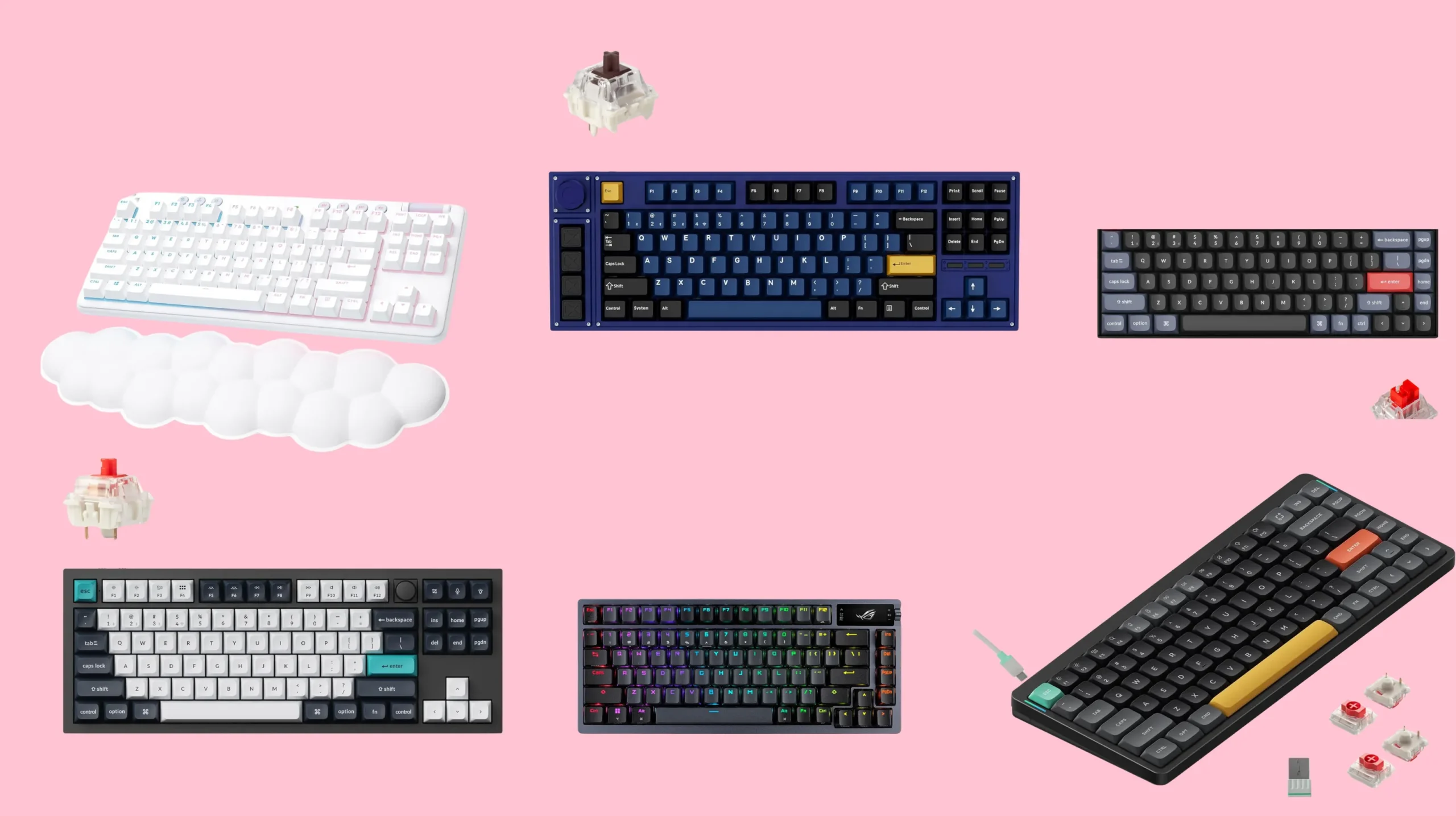
| Pick | Best for | Layout | Wireless modes | Switches | Tier |
|---|---|---|---|---|---|
| Keychron Q3 Max | Best overall multi-device life | TKL | 3 BT + 2.4GHz + wired | Gateron Jupiter, hot-swap | Mid |
| Lemokey L3 | Best for competitive gaming | TKL | 3 BT + 2.4GHz + wired | Gateron Jupiter, hot-swap | Upper-mid |
| NuPhy Air75 V2 | Best low-profile for tablet and laptop hopping | 75 layout | 4 BT + 2.4GHz + wired | Gateron low-profile | Mid |
| Asus ROG Azoth | Best premium with the toy factor | 75 layout | 3 BT + 2.4GHz + wired | ROG NX, hot-swap | Premium |
| Logitech G715 | Best name-brand plug-and-play | TKL | 3 BT + Lightspeed dongle | Kailh Choc tactile | Mid |
| Keychron K2 Pro | Best budget pick under a hundred | 75 layout | 3 BT + wired | Gateron G Pro, hot-swap | Budget |
Short answer: the Q3 Max for most people. Keep reading for the why.
The honest console caveat before you spend a dime
Let me pull the splinter out before it festers. Bluetooth keyboard support on consoles is messier than the marketing suggests, and nobody selling these things is in a hurry to tell you.
- PS5 accepts Bluetooth keyboards for typing, browsing, voice chat, and a handful of games that explicitly support keyboard and mouse. Most shooters won’t.
- Switch accepts USB keyboards reliably and some Bluetooth ones, mostly for text input. Don’t expect to play Splatoon with one.
- Xbox is the rough one. It doesn’t accept Bluetooth keyboards at all. USB only, and even then it’s game-by-game.
- iPads and Android tablets are the easy win. Bluetooth keyboards just work.
So when I say “multi-device,” what I really mean for most people is PC plus tablet plus phone, with a console mixed in for chat and menus. If you’re trying to play Call of Duty on Xbox over Bluetooth, no board on this list is going to save you. That’s not the board’s fault.
With that out of the way.
What makes the best Bluetooth gaming keyboard worth buying
A lot of “gaming” BT boards are just regular wireless boards with red lighting and a gamer font. Here’s what I actually look for.
- Three or more paired devices, with hardware switching keys. Software-only switching (where you have to open an app) is the worst. You want Function plus one, two, three on the board itself.
- Stable BT 5.x with low input lag. Older 4.0 chips drop characters when you type fast. Anything BT 5.1 or newer is fine for typing and casual gaming.
- A 2.4GHz mode as a backup. I keep harping on this one. Bluetooth is for portability and convenience. The 2.4GHz dongle is for when you’re actually playing something competitive. The best boards let you do both without rebooting your life.
- Hot-swap sockets. You probably won’t swap switches. But the option to fix one dead switch without soldering is worth the small premium.
- PBT keycaps. ABS shines in three months on a daily driver. I have the bald spacebars to prove it.
- Battery you can charge while typing. USB-C, ideally with a real battery indicator. Some cheaper boards quietly lie about battery life.
What I don’t care about: per-key RGB modes, gaming-branded fonts, “esports certified” anything. Those are stickers, not features.
Best Bluetooth gaming keyboard picks, with the why
Keychron Q3 Max — the best overall pick
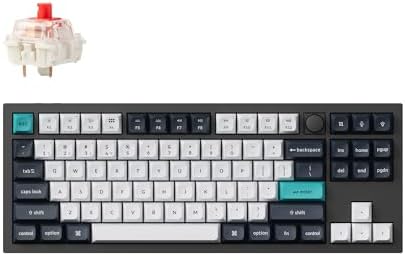
- Keychron Q3 Max – The Fully Assembled Q3 Max with Knob is a fully customizable Wireless mechanical keyboard upgraded wit…
- Program with QMK & VIA – Simply connect the Q3 Max to your device with a cable, drag and drop your favorite keys or macr…
- Hot-swappable – The hot-swappable sockets are compatible with almost all the MX style 3pin and 5pin mechanical switches …
This is the one I keep coming back to. The Q3 Max is a tenkeyless aluminum board with gasket mount, screw-in stabilizers, and the cleanest tri-mode wireless I’ve used in this price range. Three BT slots live on Function plus one through three. Flip the top switch and you’re on the 2.4GHz dongle. Plug in USB-C and it goes wired automatically.
Polling rate hits one thousand hertz over the dongle and wired. Over Bluetooth you’re capped around ninety hertz, which is fine for typing and not fine for competitive shooters. Hence the dongle.
Out of the box it sounds great. The Gateron Jupiter linears are smoother than the older Pro switches, and the foam and silicone layers tame ping without going full deadened thud. Double-shot PBT caps. QMK and VIA support. Mac and Windows toggle on the side.
Here’s the catch: it’s heavy. Almost five pounds. If you want to carry your board between rooms, look at the Air75 V2 below.
Lemokey L3 — best for competitive gaming

- Lemokey L3, a premium custom wireless mechanical keyboard. Features a heavy-duty full metal body, a 2.4 GHz and Bluetoot…
- Play Wirelessly – The 2.4 GHz wireless and wired connection boasts a rapid 1000 Hz polling rate. You can also connect th…
- Keychron Double Gasket Design – Experience the next level of key sounds and comfort with higher flexibility and improved…
Lemokey is Keychron’s gaming sub-brand, and the L3 is what happens when they take the Q-series build and tune it for low-latency play. Same tri-mode wireless. Same hot-swap. The difference is the focus on the 2.4GHz performance — one thousand hertz polling wired and over the dongle, with all three BT slots intact for everything else.
I used it on a PS5 for menu and chat duties and on PC for everything else. Bluetooth held the PS5 link without dropping a character. The 2.4GHz dongle handled Apex without me ever thinking about it, which is the highest compliment I give a wireless board.
Worth the extra over the Q3 Max only if you’re chasing competitive latency. For most people, the Q3 Max is the smarter buy.
NuPhy Air75 V2 — best low-profile for couch and tablet use

- Translucent bottom shell design: The overall layout of the Air75 V2 wireless keyboard is similar to that of the Air75, f…
- Supports multi-device connectivity: Air75 V2 wireless mechanical keyboard is compatible with Mac/Windows/Linux/Android/i…
- Cool RGB Backlit Effect: The backlight of Air75 V2 has more than 21 different color effects, which can be easily changed…
If your second device is an iPad on the couch or a thin laptop in a coffee shop, this is the board. Low-profile Gateron switches, a chassis you can actually slide into a bag, and four BT pairings via Function plus one through four. Two on each row, which is weird. You get used to it.
I have the Cowberry linears in mine. They’re light, snappy, and quieter than full-height switches. Battery on Bluetooth runs about four to five days of all-day typing with the lights off.
The catch: low-profile is a love-it-or-hate-it thing. If you’re coming from a full-height MX board, the travel feels short the first day. By day three I stopped noticing. By day five I preferred it for typing. Your mileage will vary if you’re a heavy bottom-out typist.
Asus ROG Azoth — best premium pick if you want a toy
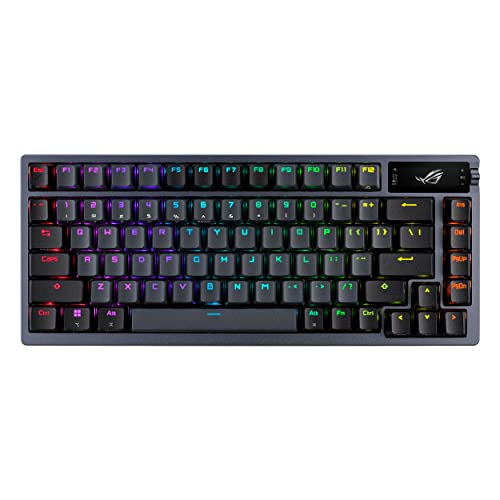
- ROG SpeedNova Wireless Technology — ROG SpeedNova wireless technology offers up to 2,000+ hours of stable, uninterrupte…
- OLED Smart Display Screen — 2-inch OLED panel can show the settings menu, media visualizations and system monitoring. T…
- Unique Gasket Mount Design — Silicone gasket mount with three layers of dampening foam combined provides a silent keybo…
This one’s a flex. The Azoth is a gasket-mounted seventy-five percent board with a tiny OLED screen on the right side that shows battery level, song titles, and animations. Tri-mode wireless. Hot-swap. Lubed NX switches, the works.
It is excellent. It is also north of two hundred fifty dollars most days. You’re paying for the OLED and the brand. If those don’t move you, the Q3 Max gets you ninety percent of the experience for noticeably less.
Logitech G715 — best name-brand plug-and-play
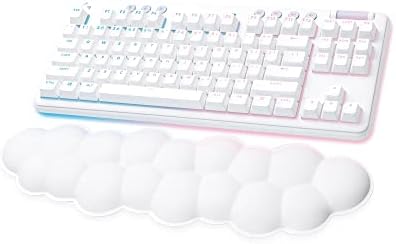
- Cloud-soft Comfort: Float away with G715’s dreamy white design and comfy, cloud-shaped palm rest; compact mechanical TKL…
- Play On: Play freely with rechargeable 25 gaming-hour battery life (with full lighting), Logitech LIGHTSPEED wireless, a…
- Power of LIGHTSPEED: Play your best with ultra-responsive LIGHTSPEED wireless; save a USB port and dual sync this wirele…
The G715 is the board I’d hand a friend who wants something familiar and doesn’t want to learn VIA on a Saturday afternoon. It’s white. It’s round. It pairs over Bluetooth and over Logitech’s Lightspeed dongle. G Hub handles the macros and lighting.
Typing feel is fine. Kailh Choc tactiles are decent. It’s not in the same tier as the Keychron or Lemokey on sound and build, but the software polish is real and everything works out of the box.
Keychron K2 Pro — best budget Bluetooth gaming keyboard

- Keychron K2 Pro QMK/VIA wireless custom mechanical keyboard with RGB backlight allows anyone to master any keys or macro…
- The K2 Pro hot-swappable sockets are mounted on the PCB, so you can hot-swap every switch on the K2 Pro with almost all …
- You can connect the K2 Pro with up to 3 devices wirelessly via its stable Broadcom Bluetooth 5.1 for seamless multitaski…
If your budget is under one hundred dollars, get this and stop reading reviews. The K2 Pro is a seventy-five percent layout, three BT devices, hot-swap, QMK and VIA, double-shot PBT, and it sounds shockingly good for the money. No 2.4GHz dongle on this one, so Bluetooth is your only wireless mode — fine for typing and casual gaming, less fine for ranked play.
I’ve recommended this to about twenty friends. Zero complaints so far.
Boards I tested and didn’t make the cut
A few came close. You’ve probably already seen them in other roundups.
- Razer BlackWidow V3 Mini HyperSpeed. Solid wireless, three BT slots, decent battery. The ABS keycaps shine fast and Synapse is heavier than it needs to be. If you’re in the Razer ecosystem, fine. Otherwise the Lemokey L3 is a better build at similar money.
- Corsair K70 Pro Mini Wireless. Beautiful little board. Also a sixty, which rules it out for anyone who lives in spreadsheets or hits Print Screen more than once a week. iCue is fine if you tolerate it. Skip unless you genuinely want a sixty.
- GMMK Pro Wireless. Took Glorious a long time to ship a wireless version and the firmware still feels like a work in progress. The wired GMMK Pro is great. The wireless one isn’t there yet.
- Logitech MX Mechanical. This one I actually like a lot — but it’s a productivity board with light tactiles, not a gaming board. If you don’t game and just want multi-device BT with familiar Logitech software, it’s a serious contender.
A few quick buying mistakes I see all the time
- Buying a BT-only board for FPS games. Bluetooth latency is fine for typing and casual gaming. It is not fine for competitive ranked play. Get one with a 2.4GHz dongle.
- Paying for RGB you’ll turn off after a week. Lighting eats battery. On low brightness or off, you’ll roughly double your wireless runtime.
- Trusting battery life claims at face value. Three hundred hours is with the backlight off, half polling rate, and the moon in retrograde. Real life is closer to a third of the spec.
- Buying a sixty percent for productivity. If you live in spreadsheets, you want arrow keys and an Insert key. Be honest about what you actually do at the keyboard.
The bottom line on the best Bluetooth gaming keyboard
If you’re buying one board to live across your PC, console, and tablet, get the Keychron Q3 Max. It’s the most balanced pick — solid build, three BT slots that actually work the way the box says they do, a 2.4GHz dongle for when latency matters, and keycaps that don’t shine in a month.
If your second device is a tablet or a laptop on the go, the NuPhy Air75 V2 is the better answer. If you’re chasing low-latency wireless for ranked play, step up to the Lemokey L3 and accept that you’ll be using its dongle most of the time anyway.
And if you’re spending under a hundred bucks, the Keychron K2 Pro is genuinely all most people need. I’ve been doing this for fourteen years and I still reach for it when I want to type on the couch with the news on.
Don’t overspend on lighting, and don’t trust a board that only does Bluetooth. And don’t expect any of these to play Halo on Xbox — that’s not a Bluetooth problem, that’s a Microsoft problem.
This article contains affiliate links. If you buy through them, I earn a small commission at no extra cost to you. I only recommend keyboards I’ve actually tested. As an Amazon Associate I earn from qualifying purchases.