Best Hot Swappable Keyboards 7 Honest Picks Tested

This article contains affiliate links. If you buy through them, I earn a small commission at no extra cost to you. I only recommend keyboards I’ve actually tested. As an Amazon Associate I earn from qualifying purchases.
Most people buying a “hot-swap gaming keyboard” never actually swap a switch. They click one nice option in a YouTube review, drop two hundred bucks, and never touch a switch puller again. That’s fine. But if you’re even half curious about swapping linears for tactiles three months in, or you want to try four different switch types without owning four different boards, the best hot swappable keyboard for you isn’t the one with the loudest RGB. It’s the one with broad socket compatibility, decent stock sound, and a build that won’t fall apart the first time you crack it open.
I’ve been reviewing keyboards for over a decade — opened, lubed, and rebuilt more boards than I can count. Some of them are still alive in my daily rotation. Some live in a drawer I call the keyboard graveyard. Here’s what I’d actually buy with my own money, sorted by what you actually want from the thing.
Quick Comparison: Best Hot Swappable Keyboard at a Glance
This is the TL;DR. Find the row that matches what you care about, click through, and you’re done.
| User Need | Model | Price Tier | Layout | Socket Type | Why It Wins |
|---|---|---|---|---|---|
| Best Overall | Keychron Q3 | $$$ | TKL | 5-pin Kailh | Best build-to-cost ratio on the market |
| Best for Tinkerers | Glorious GMMK Pro | $$$ | 75% | 5-pin Kailh | Broadest switch compatibility, huge mod ecosystem |
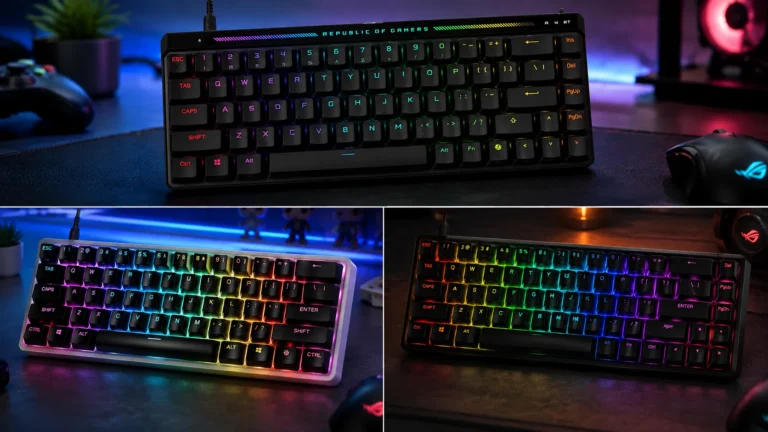
| Best Gaming-First | Asus ROG Azoth | $$$$ | 75% | 5-pin Kailh | Tri-mode wireless, OLED, low latency |
| Best Budget | Akko MOD 007B PC | $ | 75% | 5-pin Kailh | Premium typing feel under one-thirty |
| Best Wireless | NuPhy Halo75 V2 | $$$ | 75% | 5-pin Gateron | Wireless without the lag tradeoff |
| Best 60% Compact | Keychron V4 | $ | 60% | 5-pin Kailh | Esports footprint, full QMK/VIA |
| Best Full-Size | Keychron Q6 | $$$$ | 100% | 5-pin Kailh | Numpad workflow with modder DNA |
Each one earns its spot for a specific reason. Below, I’ll walk you through why — and where they fall short.
What “Hot Swappable” Actually Means (And Why 5-Pin Matters)
A hot-swappable keyboard lets you change switches without soldering. You pull a keycap, pull the switch with a switch puller, drop in a new one. Takes about ninety seconds per switch the first time you try it, twenty seconds once you’ve got the rhythm.
Here’s the catch most spec sheets don’t explain: not all hot-swap sockets are equal.
- 5-pin sockets accept basically any MX-style switch on the market — Cherry, Gateron, Kailh, Akko, Outemu, Durock, JWK, Tecsee, the whole catalog. This is what you want.
- 3-pin sockets only accept switches with the housing pins clipped off. Most enthusiast switches ship 5-pin, so you’d be sitting at your desk with flush cutters clipping pins before you can seat them. It’s tedious, and it’s the opposite of why you bought a hot-swap board.
Every pick on my list runs 5-pin sockets. That’s the baseline if you actually plan to experiment with switches. Anything less and you’re paying for half a feature.
The Best Hot Swappable Keyboard Picks, Reviewed Honestly
1. Keychron Q3 — Best Overall

- The Keychron Q3 HE is a TKL wireless custom keyboard featuring Hall Effect Gateron double-rail magnetic switches. Its al…
- Multiple Connectivity Options: The Q3 HE supports 2.4 GHz wireless for ultra-fast 1000 Hz polling, perfect for gaming. S…
- Web-Based Customization: Access the Keychron Launcher web configurator anytime through your browser. Customize every key…
CNC aluminum case, double-gasket mount, full QMK/VIA out of the box, 5-pin Kailh hot-swap sockets, and pre-lubed screw-in stabilizers from the factory. The Q3 — or its siblings the Q1 (75%) and Q2 (65%) — is the board I recommend more often than any other.
I ran a Q3 as my daily driver for over a month. The only mod I bothered with was swapping the stock Gateron G Pro switches for Gazzew Boba U4Ts because I prefer a heavier tactile. The board sounded fantastic before that swap and after. Not the “creamy thock” you see on TikTok, but a controlled, low-pitched typing sound that doesn’t make people in the other room glance over.
Here’s the catch: it’s heavy. About 4.5 pounds heavy. Don’t buy this if you move your keyboard around the desk constantly or if it’s going on a lap tray. There’s also no wireless. If you need wireless, look at the Q1 Pro instead.
Best for: anyone who’d rather own one excellent board than three mediocre ones.
2. Glorious GMMK Pro — Best for Tinkerers

- Premium Design & Materials: The GMMK PRO’s body is CNC machined from solid aluminum, giving it substantial weight and un…
- Hotswap Linear Switches: This Prebuilt Edition comes with exclusive Glorious Fox linear switches pre-installed. Foxes’ l…
- Fully Customizable Appearance: Personalizing the look of the GMMK PRO is quick and intuitive thanks to a suite of custom…
The GMMK Pro is the king of broad compatibility because Glorious basically engineered it to be modded. Gasket mount, rotary knob, 5-pin sockets, screw-in stabs, and an aftermarket ecosystem for plates, foams, and PCBs that nothing else in this price range can match.
Stock, the Pro is honestly a bit meh. The stabilizers rattle. The case has a slight plasticky resonance you’ll hear on the spacebar. But spend an evening with some Krytox 205g0 on the stabs, a tape mod across the back of the PCB, and a fresh set of Durock V2 stabs — it goes from “meh” to “I can’t believe this is the same board.” That’s the entire appeal.
If your idea of a good Saturday is taking a keyboard apart and putting it back together by Sunday, this is your board.
3. Asus ROG Azoth — Best Gaming-Focused Hot Swap

- Tri-mode connectvity: Seamlessly connect to three devices via Bluetooth. Experience ultra-low latency gameplay with ROG …
- Gasket Mount & Premium Sound Tuning: A silicone gasket mount and three layers of integrated dampening foam work in harmo…
- Hot Swappable, Pre-Lubricated Mechanical Switches: Customize your keystrokes with ROG NX Snow linear switches (buttery s…
Most “gaming” hot-swap boards are mediocre at both jobs — too much marketing, not enough build. The Azoth is the rare exception. Tri-mode wireless (2.4GHz, Bluetooth, USB-C), gasket mount, an OLED that you can use for an ammo counter or just memes, and 5-pin sockets. The stock ROG NX switches are decent linears, but you’ll probably swap them eventually. That’s the whole point of buying hot-swap in the first place.
Honest tradeoff: Asus Armoury Crate software is bloated, and you can’t fully escape it. No QMK or VIA support. That’ll bother the firmware purists. For the rest of us, the Azoth is the most cohesive gaming-first hot-swap board you can buy.
4. Akko MOD 007B PC — Best Budget Hot Swap

- 8K Hz Polling Rate – Akko rapid trigger keyboard provides a global 8000Hz polling rate in wired status, this enhancement…
- Dynamic Keystrokes – Eliminate the limitation of conventional Macros with DKS technology. Our keyboard allows 1 key to b…
- Rapid Trigger (RT) – Rapid Trigger eliminates any delay caused by the physical movement of the switch. Unlike convention…
Around one hundred thirty bucks gets you a polycarbonate-plate 75% with gasket mount, 5-pin sockets, screw-in stabs that don’t rattle out of the box, and Akko’s house switches that punch way above their price point. I’ve put this board in front of friends who own four-hundred-dollar customs and they liked the typing feel just as much.
Catch: the stock keycaps are fine, not great. ASA profile, Cherry-style ABS-feeling plastic that’ll shine up faster than I’d like. Budget another thirty to fifty bucks for a good PBT set and you’ve got a phenomenal package for under two hundred total.
5. NuPhy Halo75 V2 — Best Wireless Hot Swap
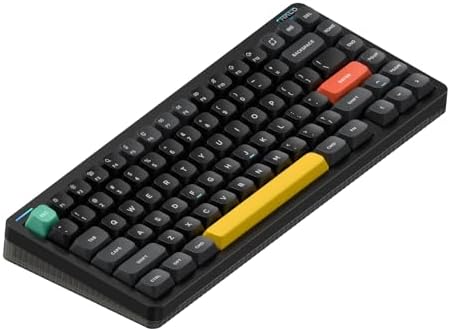
- 【Surrounded by a Halo】Many things have changed on Halo75’s V2, even the classic look has taken a major makeover to look …
- 【Multiple Connectivity】Halo75 V2 mechanical keyboard supports Bluetooth/2.4GHz/USB-C connectivity and is compatible with…
- 【QMK/VIA support】It only makes sense to extend the great customizability achieved on Halo75 V2’s hardware to its firmwar…
Tri-mode wireless, 5-pin Gateron hot-swap sockets, low-latency 2.4GHz that actually feels responsive in fast games like Valorant, and NuPhy’s COSMIC layer of sound dampening foam that gives stock typing a softer, slightly muted profile. The Halo75 V2 hits the sweet spot for people who want one wireless board for both work and gaming without picking a side.
Battery life holds up too — I’ve gone over a week with backlighting on a moderate setting before reaching for the cable.
6. Keychron V4 — Best 60% Compact
If your desk is the size of a placemat or you play tournament-style esports where every inch of mouse swing matters, the V4 is the move. It’s a 60% with 5-pin Kailh sockets, full VIA support, and a tray-mount build that’s lighter than the aluminum Q series but still feels solid. It’s cheap — usually around seventy bucks — and the value-per-dollar is silly.
You’re trading away the arrow cluster and function row to muscle memory. If that’s a deal-breaker, look at the V1 (75%) or V2 (65%) instead.
7. Keychron Q6 — Best Full-Size

- Keychron Q6 Max – A full-metal QMK/VIA wireless customized mechanical keyboard with a 100% full-size layout and support …
- 2.4 GHz & Bluetooth Connection – The 2.4 GHz wireless and wired connection boasts a rapid 1000 Hz polling rate. You can …
- Program The Q6 Max with QMK & VIA – Its ability to remap any key, and create macro commands, shortcuts, or key combinati…
If you live in spreadsheets, run accounting software, or play MMOs with twelve-key macro rotations, the numpad isn’t optional. The Q6 brings every Q-series virtue — aluminum case, gasket mount, full QMK/VIA, 5-pin Kailh sockets — to a full-size layout with a knob on top. It’s expensive and it’s heavy, but it’s the cleanest hot-swap full-size on the market.
What to Look For in the Best Hot Swappable Keyboard
In rough order of importance:
- Five-pin Kailh or Gateron sockets. This is the dealbreaker spec. Without it, “hot-swap” is a half-feature.
- Decent stock stabilizers. Cheap stabs rattle. If a board ships with screw-in stabs that are pre-lubed, you’ve saved yourself twenty-five bucks and an evening with grease and a brush.
- A case you can open. If accessing the PCB requires de-soldering anything, you’ve defeated the purpose. Look for screw-in plates and unified case assemblies.
- Firmware that respects you. QMK and VIA are the gold standard. Vendor software (Razer Synapse, Asus Armoury Crate, Corsair iCUE) works, but it’s bloated and you can’t take your config to another machine cleanly.
- A layout you’ll use long-term. 75% is the modern sweet spot. Full-size if you live in numbers. 60% if your desk is a postage stamp.
Things I’d skip worrying about:
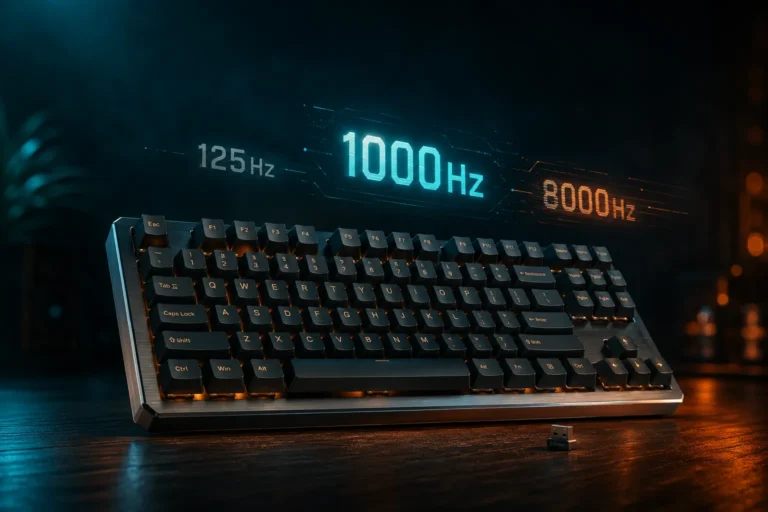
- Polling rate over 1000Hz. It’s mostly placebo for human reflexes. The difference between 1000Hz and 8000Hz is real on paper and effectively invisible in actual play.
- Proprietary “gaming switches.” They’re usually rebadged Kailh or Gateron with a marketing coat of paint.
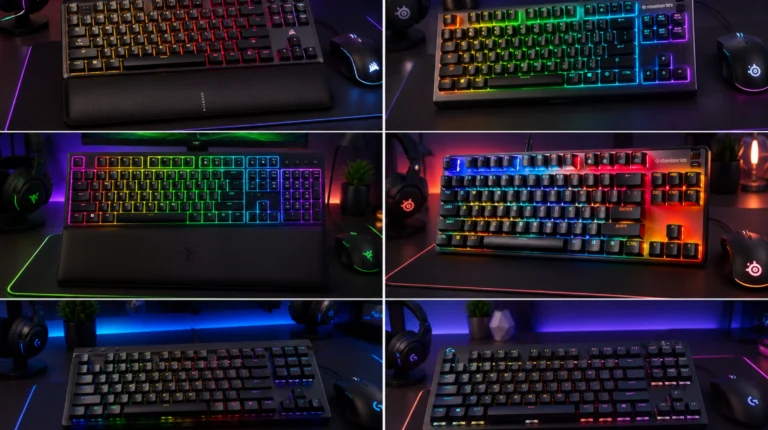
- Per-key RGB. Pretty in store demos. Useless if you type with the lights off, which most of us do most of the time.
Common Mistakes When Buying a Hot Swap Gaming Keyboard
- Buying a hot-swap board and never swapping. Fine, but you overpaid for a feature you ignored. A soldered board with great switches stock can be cheaper and sound better.
- Cheaping out on switches first to “save money.” The board is the long-term investment. Switches are the cheap upgrade. Buy a good board, then test better switches for twenty to forty bucks.
- Ignoring the keycaps. Bad ABS keycaps will sound and feel cheap no matter how nice the switches underneath are. Plan to spend thirty to eighty bucks on a good PBT set within the first six months.
- Choosing looks over compatibility. A gorgeous brass plate is useless if the PCB only takes 3-pin switches with clipped pins. Specs first, aesthetics second.
Which Best Hot Swappable Keyboard Should You Actually Buy
If you only want a single recommendation: the Keychron Q3. It does the most things right without asking for an evening of mods just to be usable.
If modding is half the fun: the Glorious GMMK Pro.
If you game more than you type: the Asus ROG Azoth.
If you’re keeping it under a hundred fifty: the Akko MOD 007B PC.
That covers about ninety percent of buyers. The rest of you already know what you want — you’ve probably had a custom group buy on order for eight months.
FAQ
Is a hot-swap keyboard worth it if I’ve never modded a keyboard before? Yes, but only if you’re at least curious about switches. If you’re absolutely certain you’ll never touch a switch puller, save the money and buy a great soldered board.
Will 5-pin switches fit in a 3-pin socket? Only if you clip the plastic housing pins off with flush cutters. Doable, but tedious if you’re doing it to a hundred-plus switches.
Do hot-swap sockets wear out? Yes, after about one hundred swaps the grip starts to loosen. For ninety-nine percent of people, you’ll never get close to that.
Do hot-swap boards feel different from soldered boards? Usually no. But a poorly seated switch can feel mushy or unresponsive. If a key feels off after a swap, pull it and reseat it before assuming the switch is bad.
What about magnetic switch keyboards like Wooting? Different category. Hall effect switches with proprietary sockets — not standard MX-style hot-swap. Great boards, different conversation.
Do I really need QMK or VIA? You don’t need it, but it’s nice. VIA lets you remap any key without flashing firmware and the GUI is friendly. Without it, you’re stuck with whatever the manufacturer’s software allows.
Is the Razer BlackWidow V4 75% a good hot-swap option? It’s hot-swap, sure, but locked to Razer’s own switches in stock form and married to Synapse software. I’d take the Azoth over it every time at this price point.
How long do mechanical switches last? Most decent linears and tactiles are rated for around fifty to one hundred million keystrokes. You’ll get bored of them before you wear them out.
This article contains affiliate links. If you buy through them, I earn a small commission at no extra cost to you. I only recommend keyboards I’ve actually tested. As an Amazon Associate I earn from qualifying purchases.