Best Gaming Keyboards Under $30: Top 8 Picks for 2027

This article contains affiliate links. If you buy through them, I earn a small commission at no extra cost to you. I only recommend keyboards I’ve actually tested. As an Amazon Associate I earn from qualifying purchases.
Most sub-$30 gaming keyboards are the same board in different shrink-wrap. Same mushy membrane, same “anti-ghosting” sticker, same rainbow backlight that looks great in the listing photo and washed out on your desk. The difference between the best gaming keyboards under $30 and the rest usually comes down to layout, switch type, and one or two details the listing buries.
I went through eight of the most popular options and sorted them by who they’re actually good for. Some are legitimately solid. A couple come with catches you need to know about before you click buy.
Prices below were listed at the time of writing and move around on Amazon. Check the current price before you commit.
Quick Comparison: Best Gaming Keyboards Under $30 at a Glance
| Best For | Keyboard | Type | Layout | Price | Link |
|---|---|---|---|---|---|
| Best Overall Under $30 | Newmen GM611 (Red Switch) | Mechanical, linear | Full-size | $19.99 | Check Amazon |
| Best Clicky Mechanical | wegear Wired Mechanical | Mechanical, clicky | 104-key | $24.99 | Check Amazon |
| Best for Tinkerers | Glorious GMMK 60% Barebone | Hot-swap kit | 60% | $19.99 | Check Amazon |
| Best Compact Pick | MageGee TS91 60% | Membrane (“mechanical feel”) | 60% | $19.99 | Check Amazon |
| Best Ultra-Cheap 60% | Snpurdiri 60% | Membrane | 60% | $13.55 | Check Amazon |
| Best Budget Full-Size | GEODMAER 104 Keys | Membrane | Full-size | $11.67 | Check Amazon |
| Best with Wrist Rest | TECKNET RGB Gaming | Membrane | Full-size | $21.59 | Check Amazon |
| Best for Desk Space | Lumsburry 87-Key | Membrane | Tenkeyless | $13.99 | Check Amazon |
If you only read one row: the Newmen GM611 is the one I’d point most people toward. The rest of this guide explains why, and when you should pick something else.
What Actually Matters in a Gaming Keyboard Under $30
Here’s the myth worth killing first. Nobody needs a $150 board to play games well. A decent $20 keyboard registers your keypresses just as fast as a $200 one. What the expensive boards buy you is feel, sound, build quality, and customization. For gaming itself, a few basics cover 90 percent of it.
- Switch type. True mechanical switches (like the red linear switch on the Newmen) give you a consistent press and a distinct actuation point. Membrane boards feel softer and vaguer. Neither is “wrong,” but mechanical is the better fit for fast, repeated inputs. For a deeper breakdown, see our guide to mechanical switch types.
- Key rollover. Anti-ghosting claims are everywhere, but the details vary. Real N-key rollover means every key you press registers. Many budget boards only guarantee a small number of simultaneous keys, which is fine for WASD plus a few abilities and a problem in fighting games or rhythm games.
- Layout. A 60% board frees up a lot of mouse room, which matters in low-sensitivity FPS play. The tradeoff is no dedicated arrow keys or function row, so you’ll live on a function layer.
- Durability. This is where cheap boards cut corners. Thin plastic, wobbly keycaps, and stabilizers that rattle are normal at this price. Expect to replace some of these in a year or two.
- Backlighting. Honestly? It’s a nice extra and a bad reason to buy. I’d take a plain board with a better switch over a rainbow one with a mushy press.
Want to go further down the budget rabbit hole later? Our guide to upgrading a cheap keyboard covers lube, keycaps, and stabilizer fixes.
Best Mechanical Gaming Keyboards Under $30
If you can stretch to the $20 to $25 range, mechanical is where the best gaming keyboards under $30 start to separate from the pack. Here are the three worth knowing.
1. Newmen GM611: The Best Overall Pick
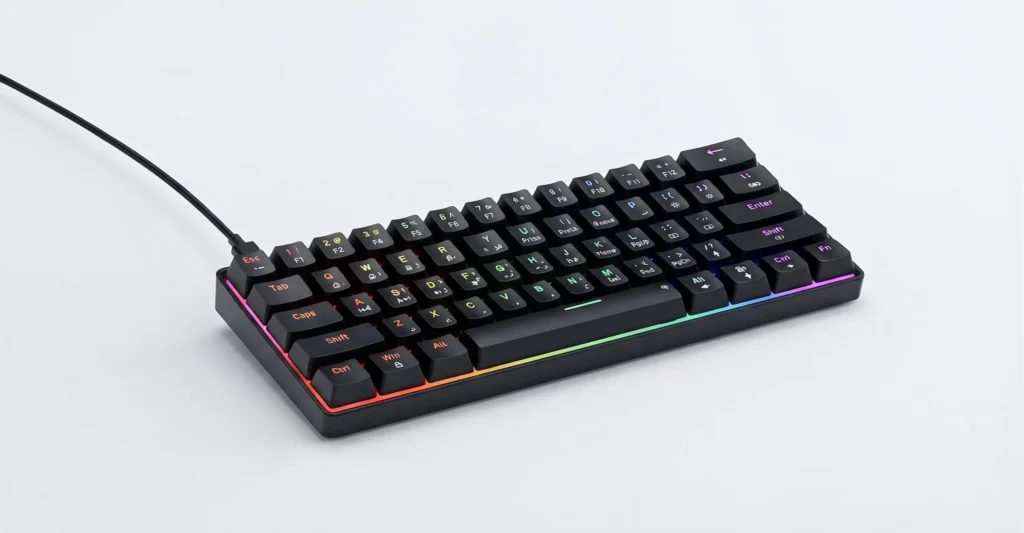
Newmen GM611
The GM611 is a full-size mechanical board with a red switch, LED backlighting, and a wired connection. At $19.99, that’s about as cheap as real mechanical gets, and it’s the board I’d tell a friend to buy if they asked me for one pick and nothing else.
Red switches are linear, meaning no bump and no click. They’re smooth and quiet by mechanical standards, which makes them a safe choice for gaming and for late-night sessions when someone’s trying to sleep. Keep your expectations realistic, though. Budget linear switches tend to feel scratchier than premium ones, and the stabilizers on the longer keys (Space, Enter, Shift) may rattle a little.
Pros
- True mechanical switches at under $20
- Linear red switches suit fast gaming inputs
- Full-size layout with a number pad
- LED backlighting included
Cons
- Switch feel is budget-grade, not smooth like pricier boards
- Stabilizer rattle is likely on larger keys
- Brand has limited track record compared to bigger names
2. wegear Wired Mechanical Gaming Keyboard: Best Clicky Option
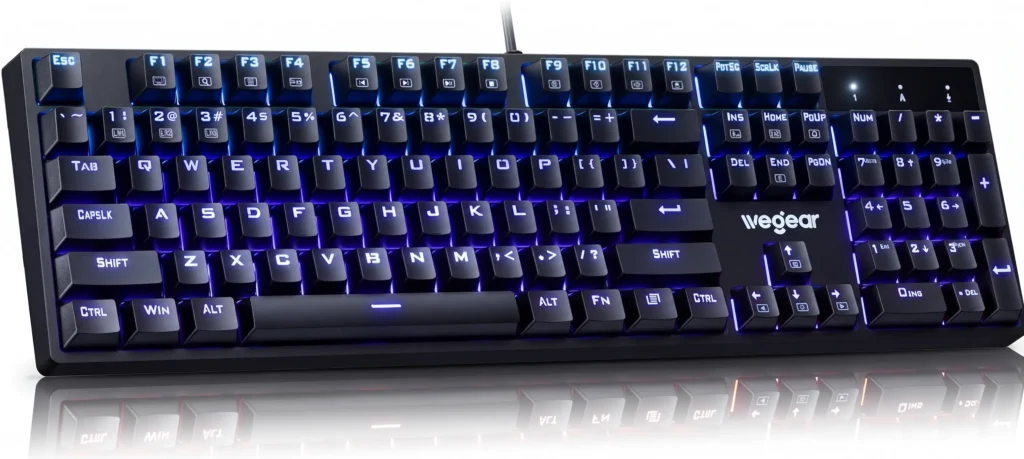
wegear Wired Mechanical Gaming Keyboard
The wegear is a 104-key mechanical board with clicky switches, priced at $24.99. Clicky switches give you a sharp tactile bump and an audible click on every press. Some people love that feedback. Your officemates, roommates, and anyone in earshot will not.
Here’s the catch. Clicky switches are usually a worse fit for gaming than linear ones. The tactile bump can slow you down when you’re hammering a key repeatedly, and the noise adds up fast. If you mainly type and game a bit on the side, this is a fun, satisfying board. If you play competitively, I’d go with the Newmen instead.
Pros
- Real mechanical switches with satisfying tactile feedback
- Full 104-key layout
- Great for typing as well as gaming
Cons
- Loud. Genuinely loud
- Clicky switches aren’t ideal for rapid repeat inputs
- Pricier than the Newmen with fewer extras listed
3. Glorious GMMK 60% Barebone: Best for Tinkerers (Read This First)
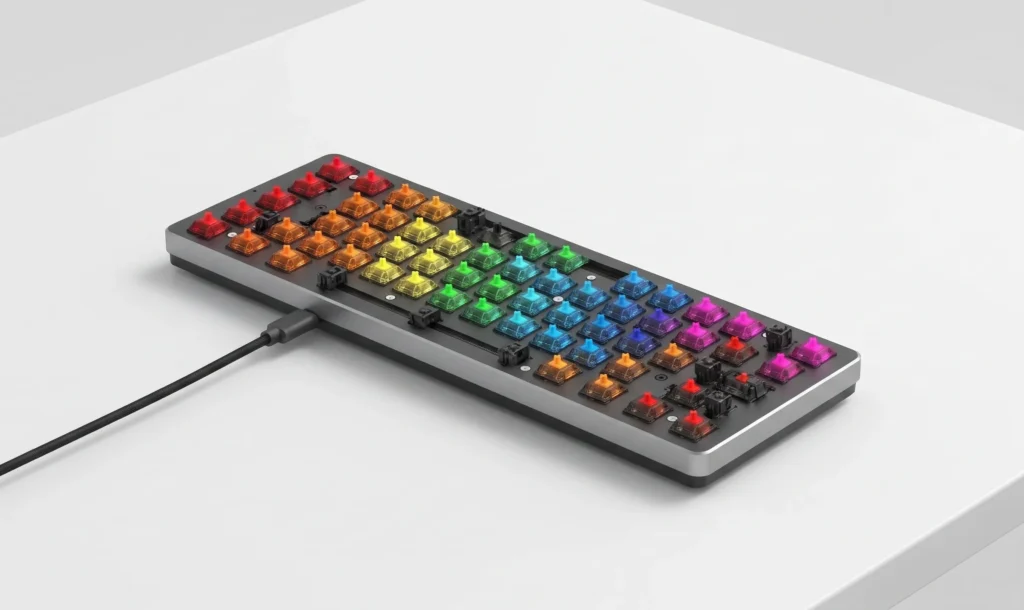
Glorious GMMK 60% Barebone
Let me be upfront about this one, because it’s the most misunderstood listing on the page. The GMMK 60% is a barebone kit. That generally means the board itself, with a hot-swap PCB and a metal top plate, but not necessarily switches or keycaps. The listing mentions hot-swappable switches and keycaps, and the $19.99 price is well below what this kit has typically sold for, so confirm exactly what’s in the box before you order. Read the full listing and recent reviews.
If it includes what you need, it’s a great deal. Hot-swap sockets let you pull switches out and drop new ones in without a soldering iron, which makes this the best long-term platform on the list. Pair it with any compatible switches and keycaps and you have the start of a real custom board.
If it’s truly barebone, budget another $25 to $40 for switches and keycaps. Still a fine project, just not a $20 plug-and-play keyboard.
Pros
- Hot-swap sockets, so you can change switches without soldering
- Metal top plate feels more premium than most budget boards
- Compact 60% layout frees up mouse space
- USB-C connection
Cons
- Barebone means it may not include switches or keycaps
- Not beginner-friendly if you’ve never built a keyboard
- 60% layout takes adjustment
Best Compact 60% Gaming Keyboards Under $30
A 60% layout is a smart move if your desk is tight or you play FPS games with low mouse sensitivity. These two are the best gaming keyboards under $30 in that format.
4. MageGee TS91 60%: Best Compact Pick
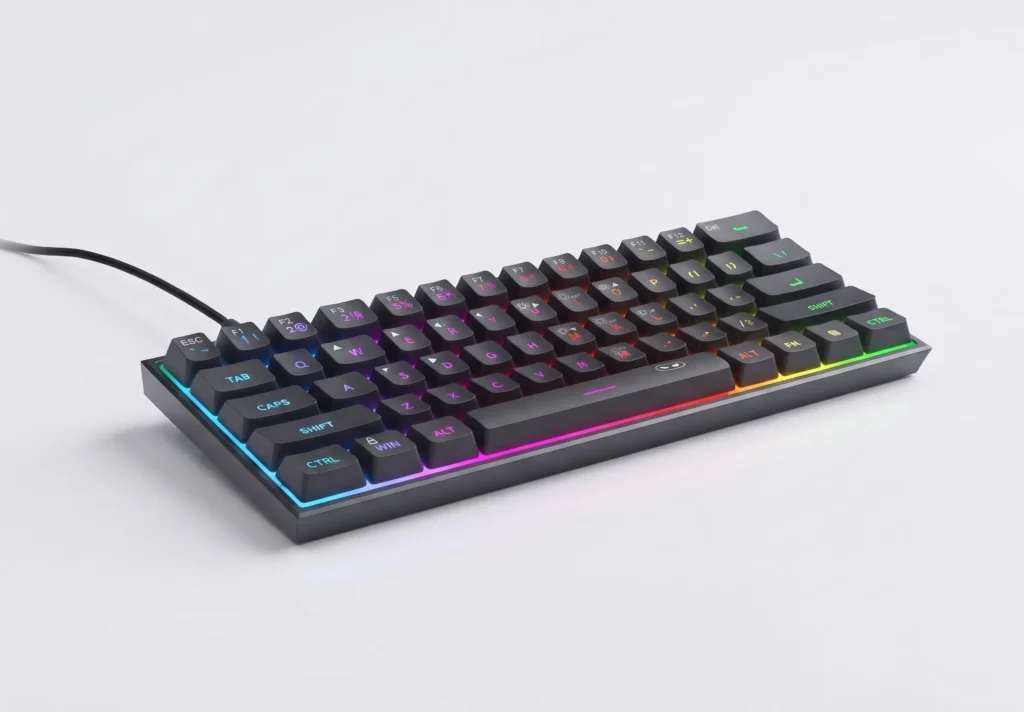
MageGee TS91 60%
The MageGee is a 61-key compact board with RGB backlighting, listed at $19.99. The “mechanical feeling” label is the giveaway here. This is a membrane keyboard engineered to feel clicky and springy, not a true mechanical board with individual switches. That’s not a knock. Plenty of people like the feel, and it’s cheaper and more forgiving to type on than you might expect.
It works across PC, Mac, PS4, and Xbox One, which is handy if you game on more than one system. Just remember that you can’t swap switches or customize the feel later.
Pros
- Compact footprint saves desk space
- RGB backlighting
- Works with PC, Mac, PS4, and Xbox One
- Mechanical-style feel at a membrane price
Cons
- Not a true mechanical keyboard
- No arrow keys or function row without a function layer
- “Waterproof” claims on budget boards deserve skepticism
5. Snpurdiri 60%: Best Ultra-Cheap 60%
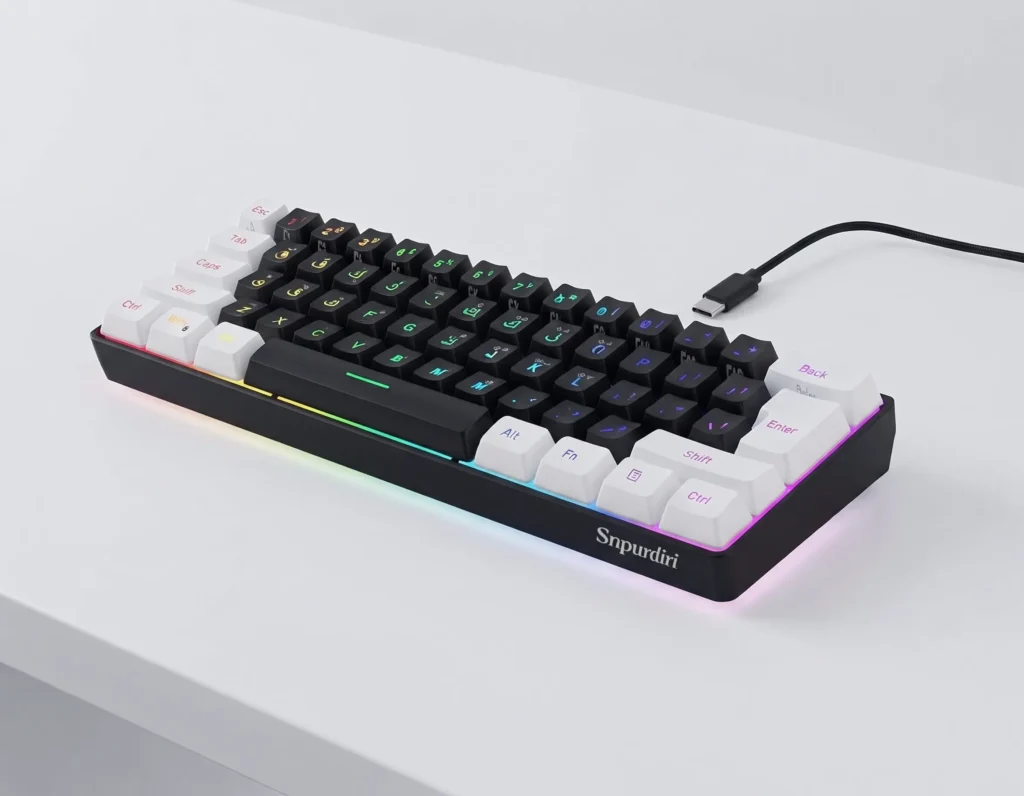
Snpurdiri 60%
At $13.55, the Snpurdiri is the cheapest way into the 60% format on this list. It’s a membrane board with RGB backlighting and a small, portable body. For a first compact keyboard, it’s low risk. If you hate the layout, you’ve lost less than the cost of a pizza.
The compromise is obvious. Membrane keys at this price are soft and a bit mushy, and you shouldn’t expect the build to survive years of heavy use. It’s a perfectly reasonable board to try 60% on, and not one I’d expect to keep forever.
Pros
- One of the cheapest 60% boards you can buy
- RGB backlighting
- Portable, compact size
- Low-risk way to test a small layout
Cons
- Membrane feel is soft and vague
- Build quality is what you’d expect at this price
- “Waterproof” claim is best treated as light spill resistance, not a dunk test
Best Full-Size and Tenkeyless Gaming Keyboards Under $30
Not everyone wants to learn a new layout. If you want a number pad, arrow keys, and a familiar setup, these budget boards cover it.
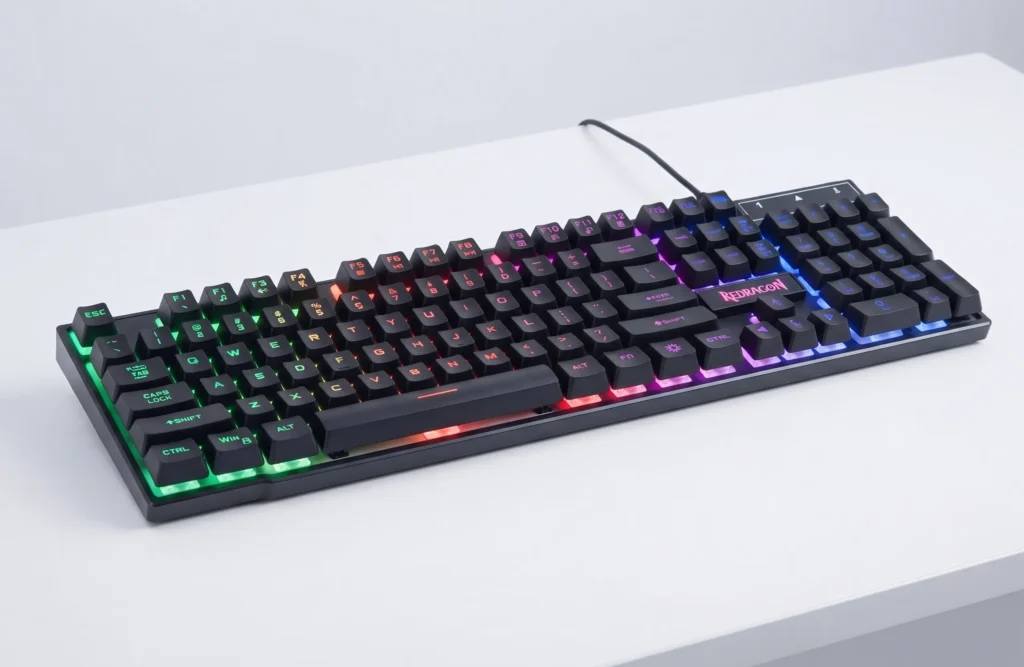
6. GEODMAER 104 Keys: Best Budget Full-Size
GEODMAER 104 Keys
The GEODMAER is a full-size membrane keyboard with LED backlighting, multimedia keys, and a spill-resistant design for $11.67. It’s the lowest price on the list, and it does what a cheap keyboard should: it works, it lights up, and it won’t wreck your wallet.
Don’t expect it to feel like a mechanical board. It won’t. But if you need a backup keyboard, a first gaming keyboard for a kid, or something to replace a dead office board, it’s hard to argue with the price.
Pros
- Lowest price on this list
- Full-size layout with number pad and multimedia keys
- Spill-resistant design
- LED backlighting
Cons
- Membrane switches feel soft
- Anti-ghosting claims are unlikely to match a true mechanical board
- Not built to last for years
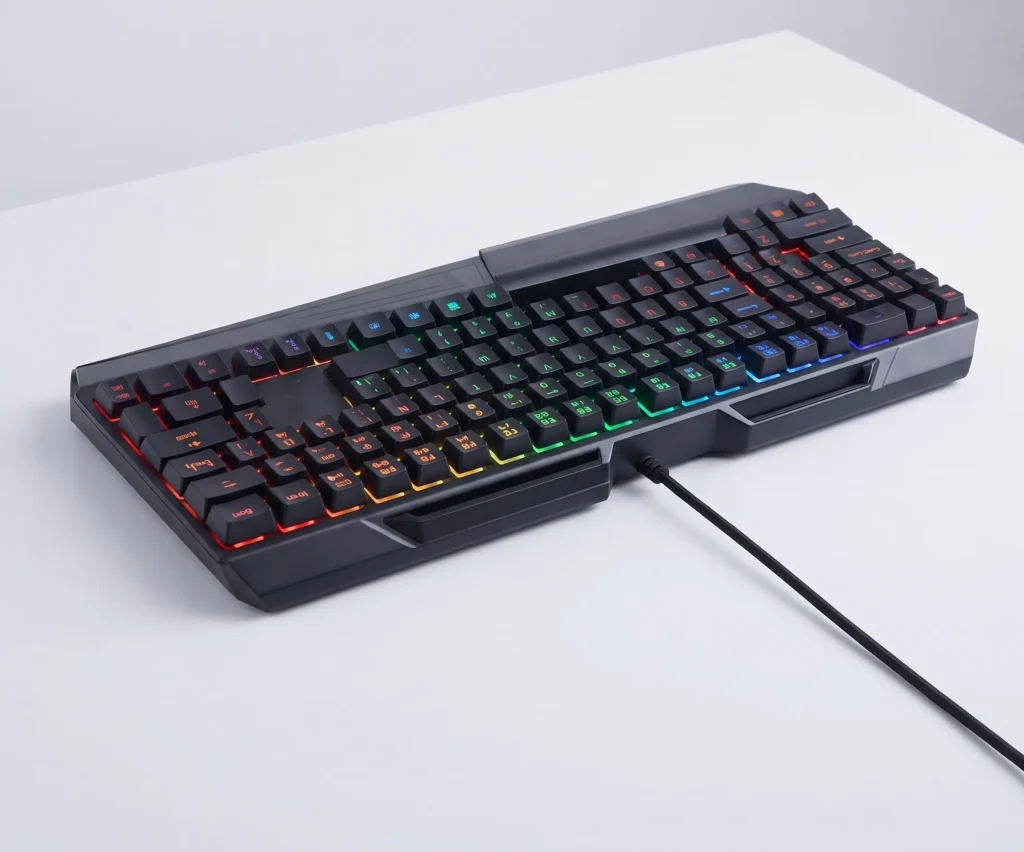
7. TECKNET Wired RGB Gaming Keyboard: Best with Wrist Rest
TECKNET Wired RGB Gaming Keyboard
The TECKNET is a full-size membrane keyboard with a built-in wrist rest and a phone holder, priced at $21.59. The wrist rest is the real draw. If you spend hours at your desk, wrist support matters more than most people think, and it’s rare to find one bundled at this price.
It offers 13 lighting modes and 26-key anti-ghosting. That means 26 keys can be pressed at once, which is more than enough for nearly every game. The phone holder is a small, practical extra for streaming or checking messages mid-session.
The tradeoff is the same as any membrane board here: the feel is soft, and the wrist rest is plastic-covered foam that may wear down.
Pros
- Bundled wrist rest for longer sessions
- 26-key anti-ghosting covers nearly any game
- 13 lighting modes
- Built-in phone holder
Cons
- Membrane feel isn’t precise
- Wrist rest may wear with heavy use
- Bulky footprint on small desks
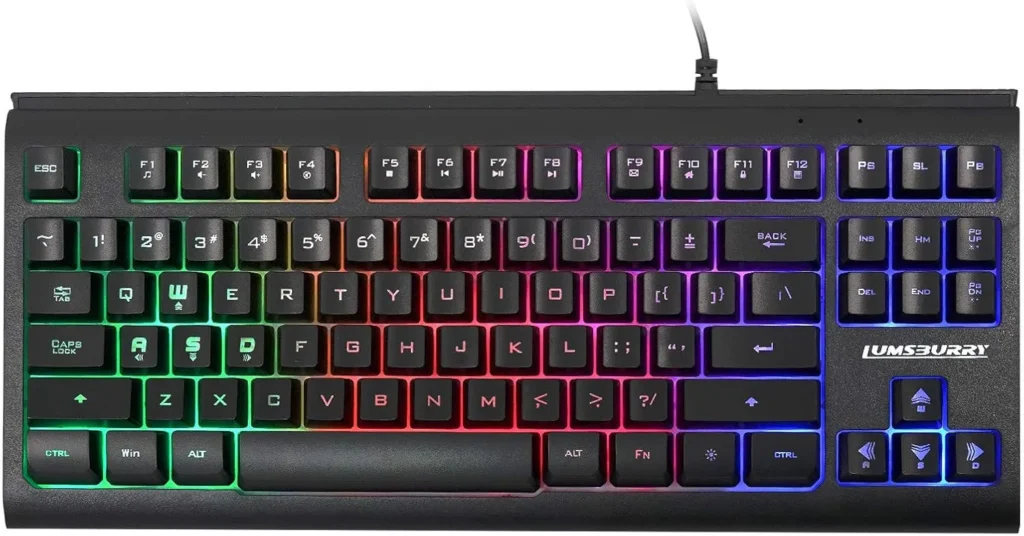
8. Lumsburry 87-Key Compact Wired Keyboard: Best for Desk Space
Lumsburry 87-Key Compact Wired Keyboard
The Lumsburry is a no-frills tenkeyless (87-key) board at $13.99. It isn’t marketed as a gaming keyboard, and I’d rather be honest about that than pretend it’s something it isn’t. What you get is the full set of keys minus the number pad, which gives you extra mouse room without forcing you to learn a 60% layout.
For FPS players on a budget who don’t care about RGB, it’s a solid middle ground. The listing doesn’t promise gaming features, so don’t expect them.
Pros
- Tenkeyless layout saves desk space
- Keeps arrow keys and function row
- Very affordable
- Simple, plug-and-play USB
Cons
- No gaming-specific features advertised
- Likely lacks the lighting of other options
- Membrane feel is basic
How to Choose the Best Gaming Keyboard Under $30
Here’s a quick way to cut through it.
- You want the best feel for the money: Newmen GM611.
- You type a lot and don’t mind noise: wegear clicky.
- You want to learn and customize: GMMK 60%, after confirming what’s in the box.
- You’re short on space: MageGee or Snpurdiri for 60%, Lumsburry for tenkeyless.
- You need the cheapest possible working board: GEODMAER.
- You play for hours and want wrist support: TECKNET.
Here’s the contrarian take. If your budget is flexible, the smartest move isn’t buying the best gaming keyboard under $30. It’s spending $10 to $20 more. A good $40 to $50 board with better switches and sturdier construction will outlast two or three of these and feel noticeably better every day. But if $30 is a hard ceiling, the picks above are the ones I’d actually consider.
For more on stepping up from the budget tier, check out our best mechanical keyboards for beginners.
Final Verdict
Pick the Newmen GM611 if you want one answer. A real mechanical board with linear red switches for $19.99 is the best value among the best gaming keyboards under $30, and it’s the one I’d recommend to most readers.
Go with the MageGee TS91 if you want a compact layout that works across PC and consoles, or the TECKNET if wrist comfort is a priority. Choose the GMMK 60% only if you’ve confirmed the kit contents and you want a platform you can grow with.
Skip the pricier-sounding listings that lean on “waterproof” and “anti-ghosting” claims without specifics. At this price, the basics matter most: a switch you like, a layout that fits your desk, and a build that survives a few years of use. Pick the one that matches how you actually play, and you’ll get your money’s worth.
This article contains affiliate links. If you buy through them, I earn a small commission at no extra cost to you. I only recommend keyboards I’ve actually tested. As an Amazon Associate I earn from qualifying purchases.