Best 60 Percent Gaming Keyboards: 7 Tested & Ranked Picks

This article contains affiliate links. If you buy through them, I earn a small commission at no extra cost to you. I only recommend keyboards I’ve actually tested. As an Amazon Associate I earn from qualifying purchases.
I’ll say it plainly. If you play FPS at any serious level and you’re still on a tenkeyless, you’re giving away inches of mouse space for keys you don’t press during a gunfight. That’s the whole pitch for a 60% board. The question isn’t whether you should shrink your keyboard. It’s which one actually deserves the spot on your desk.
I’ve been daily-driving, opening, and benchmarking 60% boards for years, and the field changed faster than people realize. Hall Effect switches and Rapid Trigger turned what used to be a form-factor choice into a real performance choice. So this isn’t a list of pretty boards. It’s the best 60 percent gaming keyboard picks for FPS, ranked by what actually shows up in your tracking and your reaction times.
Quick Comparison Table (The TL;DR)

- Superior Craftsmanship: More than just a gaming keyboard, this low profile mechanical keyboard is a symbol of quality an…
- Advanced Compatibility: This wired gaming keyboard is designed to adapt to your needs; Compatible with Windows, Mac IOS,…
- Easy Customization: Personalize your gamer keyboard with this hotswap mechanical keyboard; Whether you prefer PBT or dou…

- Gaming Keyboard for Fast Stopping: The Wooting 60HE+ is a 60% sized gaming keyboard with a rapid trigger for the ultimat…
- Fastest stopping possible with Rapid Trigger Function: Turn on the Rapid Trigger function to release the key and stop th…
- (Freely Adjustable Action Point to the Min. 0.04 inch (0.1 mm) to the Minimum 0.04 inch (0.1 mm) to the Maximum 0.2 inch…

- ANALOG OPTICAL SWITCHES: Actuation at the speed of light now comes with the finest degree of control — set a desired act…
- RAPID TRIGGER MODE: Unlock maximum speed & response with the ability to release & repeatedly press keys at a faster rate…
- DOUBLESHOT PBT KEYCAPS: Designed for greater durability, they’ll never degrade to a shiny finish or have their labelling…

- 【New upgrade】Air60 is loved by many users. We upgraded Air60 for better customer experience, so Air60 V2 was born. Air60…
- 【Conveniently portable】Air60 V2 has no F area (the function of F area still exists), so its size is smaller. If you don’…
- 【Custom backlight】We added two RGB light bars on each side of the Air60 V2 aluminum frame. The left sidelight shows the …
| Best For | Board | Switch Type | Why It Wins | Approx Price (USD) |
|---|---|---|---|---|
| Best overall for FPS | Wooting 60HE Plus | Lekker Hall Effect (analog) | Cleanest Rapid Trigger in the class | 200 |
| Best for tournament play | Wooting 60HE Plus (8K firmware) | Lekker HE | Pro-tier latency, dominant in CS2 and Valorant | 200 |
| Best budget Hall Effect | Womier S-K61 HE | Generic HE linear | 80 percent of the Wooting feel for half the price | 80 to 100 |
| Best budget alternative | Akko 5075B HE 60-key variant | Akko HE | Better build than most budget HE boards | 100 to 120 |
| Best low-profile for travel | NuPhy Air60 V2 | Gateron low-profile | Slim, wireless, snappier than it looks | 110 |
| Best hot-swap for tinkerers | Glorious GMMK 2 60 | MX-style (your choice) | Modular, easy to mod, gateway to the hobby | 100 |
| Best mature optical pick | Razer Huntsman Mini Analog | Razer Analog Optical | Solid Rapid Trigger alternative, mature software | 150 |
Why 60% Is the Right Form Factor for FPS
Here’s the math nobody draws out. A standard tenkeyless eats roughly 14 inches of desk. A 60% takes about 11.5. You just got two and a half inches of horizontal mouse swing back, which on low sensitivity is the difference between a clean 180 and a wall. The numpad, arrows, and F-row aren’t doing anything during a 1v1, so why pay for them in elbow room?
The other reason is angle. With a smaller board, you can square your shoulders or angle the keyboard inward without the right edge crashing into your mousepad. Pros have been doing this for a decade. There’s a reason.
There’s also a more boring reason: wrist health. Less reaching for a mouse that’s pushed too far right means less ulnar deviation. I won’t pretend a keyboard alone fixes posture, but it removes one of the bigger ergonomic compromises a wide keyboard forces on you.
The Specs That Actually Matter
Marketing pages love throwing acronyms at you. Most of them are noise. Here’s what to actually look at.
Rapid Trigger and adjustable actuation. This is the real upgrade of the last few years. With Hall Effect or analog optical switches, the keyboard registers presses based on travel distance instead of a fixed point, and resets the moment you start lifting. For counter-strafing in CS2 and Valorant, that’s worth more than any RGB color profile ever sold.
Polling rate. 1000Hz is fine. 4000Hz and 8000Hz are real but the gains are small unless you’ve also got a high-refresh monitor and a CPU that isn’t choking. Don’t pay 80 dollars more for 8K alone.
Switch type. Linear for FPS. Tactile feels nicer for typing but the bump gets in your way during half-presses for movement. Stick with linear Hall Effect or a smooth MX-style linear like Gateron Yellow or Akko Cream.
NKRO. Just make sure it’s there. It will be on anything decent.
Build and stability. A 60% slides around if it’s hollow plastic and weighs less than a sandwich. Look for steel plates, gasket mounts or at least solid tray mounts, and rubber feet that actually grip.
What I’d ignore: per-key RGB as a buying reason, “gaming” branding, USB-C as a marketing point in 2026 (it should just be standard), and any spec claim about “esports-grade” anything.
The Top 60% Gaming Keyboards, Reviewed
Wooting 60HE Plus (the one to beat)
- Gaming Keyboard for Fast Stopping: The Wooting 60HE+ is a 60% sized gaming keyboard with a rapid trigger for the ultimat…
- Fastest stopping possible with Rapid Trigger Function: Turn on the Rapid Trigger function to release the key and stop th…
- (Freely Adjustable Action Point to the Min. 0.04 inch (0.1 mm) to the Minimum 0.04 inch (0.1 mm) to the Maximum 0.2 inch…
I’ve used this as my daily for months. The Lekker switches feel like a polished, slightly damped linear, and the analog input is genuinely useful in shooters that support it. Rapid Trigger on this board is the cleanest implementation I’ve tested. Wootility, their config software, is web-based and works without bloatware.
Build quality on the Plus is a real step up from the original 60HE, with better stabilizers and tighter assembly. The case is still plastic, which is the catch. It’s 200 dollars and you’ll wait for stock. But once you start using it, that stops mattering.
Razer Huntsman Mini Analog
- ANALOG OPTICAL SWITCHES: Actuation at the speed of light now comes with the finest degree of control — set a desired act…
- RAPID TRIGGER MODE: Unlock maximum speed & response with the ability to release & repeatedly press keys at a faster rate…
- DOUBLESHOT PBT KEYCAPS: Designed for greater durability, they’ll never degrade to a shiny finish or have their labelling…
The pro players who haven’t switched to Wooting are mostly still here. Razer’s analog optical switches do their own version of Rapid Trigger, and Synapse has matured into something that mostly stays out of your way. The board is solid, with doubleshot PBT in current revisions, which is what I want at this price.
The caveat. Razer pricing fluctuates wildly, and the non-analog Huntsman Mini is a different beast. Make sure you’re getting the analog model if Rapid Trigger is what you came for.
Womier S-K61 HE and Akko HE Boards (the budget brackets)
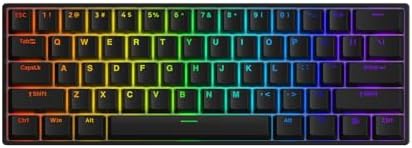
- 8K HZ POLLING RATE – Akko rapid trigger keyboard provides a global 8000Hz polling rate, which increases operational data…
- DYNAMIC KEYSTROKES – Eliminate the limitation of conventional Macros with DKS technology, Akko magnetic keyboard allows …
- RAPID TRIGGER (RT) – Rapid trigger eliminates any delay caused by the physical movement of the switch. Unlike convention…
If you can’t justify 200 dollars on a board, the budget Hall Effect market got real this year. The Womier S-K61 HE is loud about being a Wooting alternative and gets you 70 to 80 percent of the feel for around 80 dollars. Akko’s own HE offerings are a bit pricier but better built. Either is a legitimate FPS pick for someone who’d rather spend the saved cash on a monitor.
The catch. The software on these is rougher than Wootility. You’ll spend an evening tuning. After that, you’ll forget.
NuPhy Air60 V2
- 【New upgrade】Air60 is loved by many users. We upgraded Air60 for better customer experience, so Air60 V2 was born. Air60…
- 【Conveniently portable】Air60 V2 has no F area (the function of F area still exists), so its size is smaller. If you don’…
- 【Custom backlight】We added two RGB light bars on each side of the Air60 V2 aluminum frame. The left sidelight shows the …
The travel pick. Low-profile, wireless, and honestly faster than it has any right to be. I wouldn’t pick this for tournament play, but for a portable setup or a clean desk you also work at, it’s hard to beat. The Gateron low-profile linears are snappier than any laptop chiclet you’ve used.
The catch. No Rapid Trigger. For pure FPS performance, the others win. For lifestyle plus solid gaming, it stays on the list.
Glorious GMMK 2 60

- Premium design and durability: The GMMK 2 Compact (96%) features an aluminum top shell, which makes the keyboard super d…
- Custom Full-Size Layout: With the GMMK 2 Full Size (96%) you don’t have to sacrifice the Numpad for a small form factor….
- Swappable mechanical switches & keycaps: The GMMK 2 Full Size (96%) hot swap sockets are specially designed for easy ins…
The build-it-your-way option. Hot-swap MX-style, decent stock build, and easy to mod. You can drop in Gateron Oil Kings or Akko Cream Yellows, lube the stabs in an afternoon, and end up with a board that punches well above 100 dollars. It’s not the fastest in raw FPS terms because it lacks Hall Effect, but it’s the one I recommend to anyone who wants to learn the hobby and game on the same board.
The catch. No analog input. If you play games that benefit from it, look elsewhere.
Full Spec Comparison
| Board | Switches | Polling Rate | Rapid Trigger | PBT Keycaps | Hot-Swap | Wireless |
|---|---|---|---|---|---|---|
| Wooting 60HE Plus | Lekker HE | 1000 to 8000 Hz | Yes | Yes | No (HE soldered) | No |
| Razer Huntsman Mini Analog | Razer Analog Optical | 8000 Hz | Yes | Yes (current rev) | No | No |
| Akko 5075B HE | Akko HE | 1000 Hz | Yes | Yes | Limited | Optional |
| Womier S-K61 HE | Generic HE | 1000 to 8000 Hz | Yes | Yes | No | No |
| NuPhy Air60 V2 | Gateron low-profile | 1000 Hz | No | Yes | Yes | Yes |
| Glorious GMMK 2 60 | MX-style (your choice) | 1000 Hz | No | ABS stock | Yes | No |
Layer Management That Won’t Make You Miss Arrow Keys
The most common complaint about 60% boards is the lost keys. Honest answer: after a week, you don’t miss them. After a month, you don’t think about them. The trick is setting up layers that fit the way your hand actually rests.
Here’s what I do, and what I recommend to anyone switching over.
First, put arrows on a layer where the right hand can reach them without leaving home row. The classic mapping is Fn plus I, J, K, L. Some people prefer Fn plus W, A, S, D so the muscle memory transfers from games. Use whichever you’ll actually remember.
Second, keep function keys on the number row. Fn plus 1 through 0 maps to F1 through F10 on almost every 60% out of the box. Don’t overthink it.
Third, customize one or two genuinely useful shortcuts and leave the rest. Volume up, volume down, mute, and screenshot. That’s it. People who try to map fifteen macros forget every one of them within a week.
Fourth, use the software. Wootility and VIA both let you save profiles. Have a “gaming” profile with Rapid Trigger tuned aggressively, and a “typing” profile with a deeper actuation point. Switch between them depending on what you’re doing.
If you’ve spent a week with the layers and still feel lost, you didn’t pick a bad board. You picked the wrong layout. Some people are simply happier on a 65% with dedicated arrows. There’s no shame in that.
The Honest Tradeoffs
You’re going to give up a few things going to 60%.
You lose dedicated arrow keys and a function row. For FPS, this doesn’t matter. For spreadsheets, it might. If you do both seriously, consider keeping a cheap second board for work and a 60% for gaming.
You’ll pay more per key. The good HE boards are 150 dollars and up. The compact size doesn’t make them cheaper.
You’ll have a learning curve. Two to five days of awkward typing. Get past it.
And one mild contrarian take. The 8000Hz polling rate hype is mostly oversold. On a 240Hz monitor with a fast CPU, you might feel the difference. On a 144Hz setup, you almost certainly won’t. Don’t let polling rate alone push you into a more expensive board than you actually need.
FAQ
Are 60% keyboards good for FPS games? Yes, and arguably better than any other size. The smaller footprint gives you more mouse space and lets you angle the board inward. Pro players have been on 60% and 65% layouts for years.
Do I really need Hall Effect or analog switches for FPS? You don’t need them to play. But if you take counter-strafing seriously in Valorant, CS2, or Apex, Rapid Trigger is the closest thing to a free aim upgrade you can buy. On standard mechanical switches, you can’t get it.
What’s the difference between 60% and 65% keyboards? A 65% adds dedicated arrow keys and usually a navigation column on the right. It’s still compact but easier to live with day-to-day. If you find yourself reaching for arrows constantly, 65% is the better fit.
How do I press F1 through F12 on a 60%? On almost every 60% board, hold the Fn key and press the number row. Fn plus 1 equals F1. Software like VIA or Wootility lets you remap this if you want.
Is the Wooting 60HE Plus worth 200 dollars? For someone who plays competitive shooters several hours a week, yes. For a casual player, the Womier S-K61 HE or an Akko HE board gets you most of the performance for half the cash. Buy what your hours justify.
Are wireless 60% keyboards good for FPS? Mostly no. The latency on most wireless boards is noticeable in a head-to-head test, and you don’t gain anything that matters at a desk. The NuPhy Air60 V2 is a great wireless 60%, but I’d still use it wired for ranked play.
My Pick and Final Verdict
If you can spend 200 dollars and you’re serious about shooters, the Wooting 60HE Plus is the best 60 percent gaming keyboard you can buy right now. It’s not the prettiest, and it’s not the cheapest, but the Rapid Trigger and Lekker switches do something every other board (except the Razer Huntsman Mini Analog) doesn’t.
If 200 is too much, the Womier S-K61 HE or an Akko HE board will get you most of the way there for under 110 dollars. That’s the smarter buy for most people, and I’d never call it a downgrade with a straight face.
If you’re not chasing peak FPS performance and you want something modular to grow into, the Glorious GMMK 2 60 is still a great gateway board.
The one I’d skip: any 60% without Rapid Trigger marketed specifically as a “gaming” keyboard at 150 dollars or more. You’re paying for the badge, not the performance. At that price, the Hall Effect boards win every time.
Pick one, set up your layers, give yourself a week, and stop scrolling reviews.
This article contains affiliate links. If you buy through them, I earn a small commission at no extra cost to you. I only recommend keyboards I’ve actually tested. As an Amazon Associate I earn from qualifying purchases.