Best Wireless Gaming Keyboards for PS5 & Xbox (2026 Tested)

This article contains affiliate links. If you buy through them, I earn a small commission at no extra cost to you. I only recommend keyboards I’ve actually tested. As an Amazon Associate I earn from qualifying purchases.
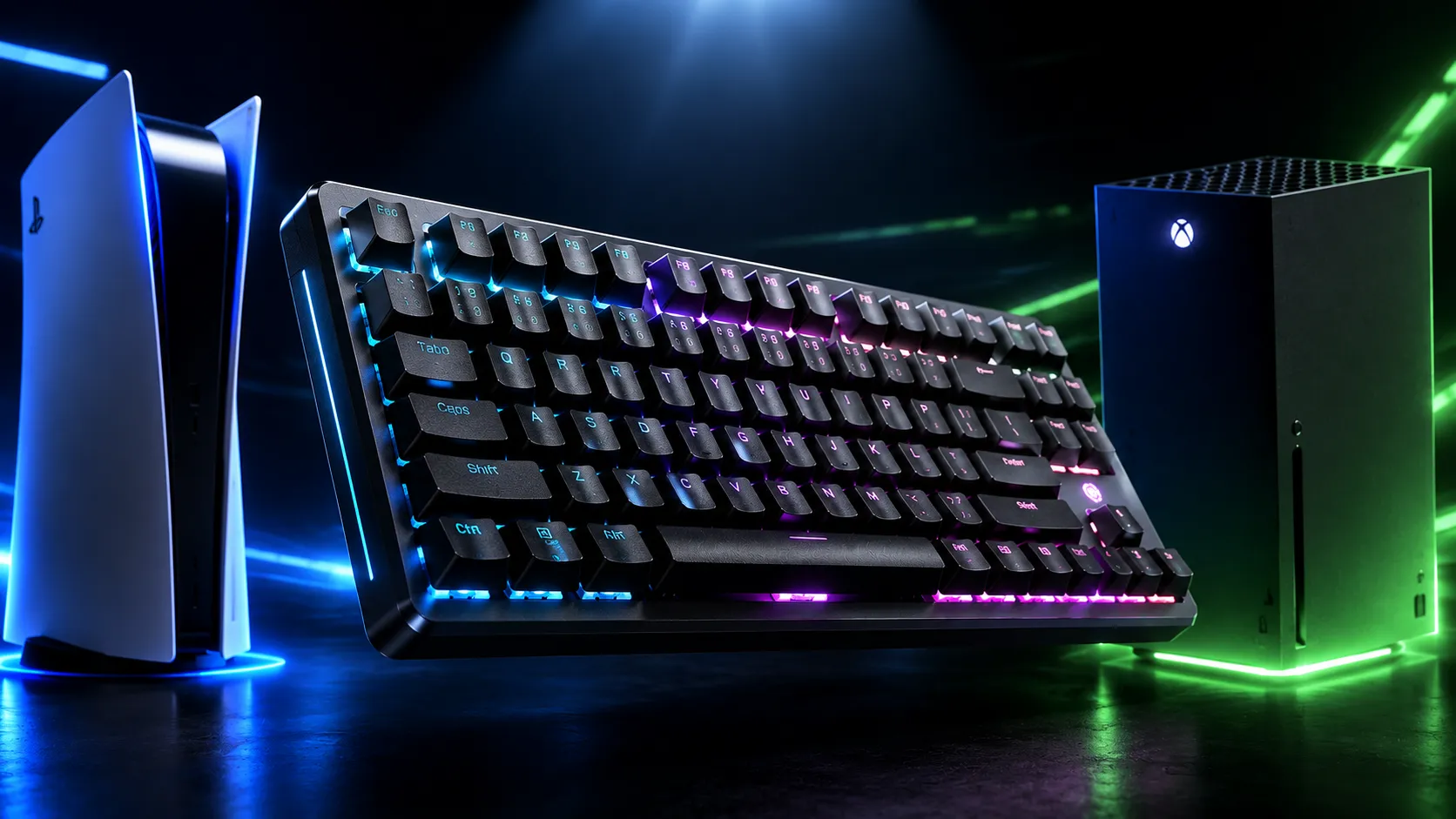
Most “wireless gaming keyboard for PS5 and Xbox” lists skip the part where half the boards they recommend don’t actually work wirelessly on either console. I’ve spent the last few months pairing, repairing, and occasionally rage-quitting through this exact problem on both systems, and the short version is this: console keyboard support is pickier than spec sheets suggest. The PS5 plays nice with most Bluetooth and 2.4GHz dongle keyboards. The Xbox Series X|S refuses Bluetooth entirely — it only takes USB and certain 2.4GHz dongles. So if you’re hunting for the best wireless gaming keyboard for PS5 (or both consoles), you need one that fits the actual rules, not one that fits a marketing page written for PC gamers.
Here’s the catch though: even when a keyboard “works,” not every PS5 or Xbox game accepts keyboard input. That’s a game-by-game decision the developer makes, and there’s nothing your $250 keyboard can do about it. Compatibility is determined by the developers, so the keyboard you pick only matters for the games that already support keyboard and mouse.
With that out of the way, let’s get to the picks.
TL;DR — Quick Comparison Table
| Category | My Pick | Why It Wins | Connectivity | Approx. Price |
|---|---|---|---|---|
| Best Overall for PS5 | Logitech G915 X LIGHTSPEED | Tri-mode wireless, low-profile feel, Bluetooth pairs cleanly with PS5 | 2.4GHz + Bluetooth + USB-C | $200–230 |
| Best for Both PS5 & Xbox | Logitech G613 | The rare wireless board that works on Xbox via its USB dongle | 2.4GHz dongle + Bluetooth | $100–130 |
| Best Console-Optimized | Corsair K100 Air Wireless | Dedicated PlayStation Mode, ultra-thin chassis | 2.4GHz Slipstream + Bluetooth + USB | $250–280 |
| Best Enthusiast Feel | Razer BlackWidow V4 Pro 75% | 75% layout, hot-swap, great typing on PS5 via dongle | 2.4GHz HyperSpeed + Bluetooth + USB-C | $260–300 |
| Best Budget Wireless | Keychron K2 HE | Hall Effect switches, Bluetooth that actually pairs with PS5 | 2.4GHz + Bluetooth + USB-C | $130–160 |
The biggest gotcha across this whole category is Xbox. Most “wireless” gaming keyboards are Bluetooth-only or use proprietary dongles that the Xbox refuses to recognize. So if you game on both platforms, your pool shrinks fast. More on that next.
The Real Wireless Problem: PS5 vs. Xbox
Sony and Microsoft handle keyboards completely differently, and it matters more than any spec on a box.
The PS5 accepts both USB and Bluetooth devices natively. Plug in a 2.4GHz dongle and most modern wireless keyboards just work — the OS sees them as standard input. Bluetooth pairs through Settings → Accessories. There’s no official compatibility list, but mainstream brands like Keychron generally work fine, with the caveat that any keyboard relying on companion software for advanced features will lose those features on a console.
Xbox Series X|S is the harder console. It doesn’t support Bluetooth keyboards at all. Microsoft uses its own Xbox Wireless protocol rather than Bluetooth, citing latency requirements. That means a board you pair with your phone won’t pair with your Xbox. Your only wireless option on Xbox is a USB dongle keyboard — and even then, the dongle has to not require driver software to function. If the keyboard needs an app to even register key presses (looking at you, some Razer and Corsair models in fancy modes), Xbox is going to ghost it.
The practical takeaway: PS5 buyers have options. Xbox buyers have a much shorter list, and dongle-based 2.4GHz is your friend.
If you want a deeper breakdown of how console-friendly switches and layouts compare, I’ve covered that in more detail in this guide.
Best Wireless Gaming Keyboard for PS5: My Top Picks
1. Logitech G915 X LIGHTSPEED — Best Overall for PS5

- Full-Size Wireless Keyboard for Gaming: The Logitech G915 X LIGHTSPEED is built on a legacy of performance; sleek design…
- Choose your connectivity with tri-mode: Connect with best-in-class 2.4 GHz LIGHTSPEED wireless, Bluetooth, or USB-C wire…
- Intuitive Control: This sleek, low-profile gaming keyboard features KEYCONTROL, nine advanced G keys, media controls, a …
The G915 X is the board I keep coming back to when I want low-profile, fast, and console-friendly. It runs tri-mode: 2.4GHz LIGHTSPEED, Bluetooth, and USB-C wired, switchable with a button, which means you can pair it to PS5 over Bluetooth, then flip to your PC’s LIGHTSPEED dongle without re-pairing. PBT keycaps, GL switches (linear, tactile, or clicky), and a chassis that’s just 23mm tall.
Battery is the underrated win here. Logitech rates the full-size version at up to 800 hours with backlighting off, or roughly 36 hours at full RGB brightness on LIGHTSPEED. The TKL stretches that even further. For PS5 gamers who don’t want to babysit a charging cable, that matters.
The honest tradeoff: low-profile isn’t for everyone. If you grew up on full-travel switches, the 1.3mm actuation feels twitchy at first. Most people adapt in a week, but a few never love it.
2. Logitech G613 — Best for Both PS5 and Xbox
- Lightspeed: Wireless technology for super-fast 1 ms report rate
- Romer G mechanical switches deliver quiet, precise mechanical performance and 70 million click life for incredible feel …
- 6 programmable G keys put custom macro sequences and in app commands at your fingertips. 1 Customize G key profiles indi…
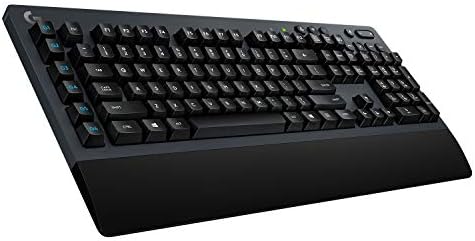
Here’s the one to grab if you bounce between consoles. The G613 is older — no RGB, no flashy USB-C charging, runs on AA batteries — but the 2.4GHz LIGHTSPEED dongle is recognized by both PS5 and Xbox Series X|S. That alone puts it on a very short list. Windows Central currently lists it as their best budget pick for Xbox gaming keyboards, and I’d agree.
You’re trading aesthetics for compatibility. The G613 is chunky. The keys are full-height Romer-G tactiles. The Bluetooth secondary mode works fine on phones and tablets. But for a no-fuss wireless board that connects on both consoles, nothing else at this price gets close.
The catch: AA batteries are old-school, and there’s no backlighting. If you game in a dark living room, factor that in.
3. Corsair K100 Air Wireless — Best Console-Optimized

- Stunning, Refined, and Ultra-Thin: The K100 AIR is an unbelievably thin wireless gaming keyboard just 11mm at its slimme…
- Fast Wireless and Wired Connection Options: Three ways to connect to up to five different devices – Via sub-1ms SLIPSTRE…
- Masterful Wireless Multi-Tasking: Quickly switch between wireless connections on your PC, Mac, and more at the press of …
The K100 Air has something I wish more boards had: a dedicated PlayStation Mode. It lets you connect to PS4 or PS5 using the Slipstream dongle or wired, though Bluetooth to PS5 isn’t supported on this model. That mode flag matters because it tells the keyboard to skip features the console can’t use, which cuts down on weird “ghost” key behavior.
It’s also Corsair’s thinnest mechanical keyboard at 11mm, with Cherry MX Ultra Low Profile tactile switches. Typing feel is divisive — I like it, but if you’ve never used ultra-low-profile mechanicals, try one in person first.
The downside is the price. At full MSRP this thing is borderline insulting for what you’re getting versus a G915 X. Wait for a sale.
For a longer discussion of low-profile switches versus standard mechanical for console gaming, see my switch breakdown.
4. Razer BlackWidow V4 Pro 75% — Best Enthusiast Feel

- TRUE 4K Hz WIRELESS & BLUETOOTH 5.1 — Experience a greater level of gaming response powered by Razer HyperSpeed and Raze…
- HOT-SWAPPABLE DESIGN — Compatible with 3 or 5-pin switches, the keyboard’s socketed PCB makes it easy swap out its pre-l…
- OLED DISPLAY WITH COMMAND DIAL — Check the PC system metrics at a glance, show custom GIFs on the display, and enjoy exp…
If you want enthusiast-tier typing and gaming wirelessly on PS5, this is the board. It’s a 75% layout with hot-swap sockets, gasket-mounted plate, doubleshot PBT, and Razer’s HyperSpeed Wireless dongle. The 2.4GHz dongle works as a plain HID keyboard on PS5, so even though you lose Synapse-only features, the basics — full keymap, media keys, Bluetooth fallback — all function. A Razer forum response confirms it works as a keyboard on PS5 via the included dongle, with Synapse only required for custom mappings on PC.
Sound and feel on this one is the best of the picks here. The stock lube is decent, the stabilizers don’t rattle, and the case foam is enough that you don’t immediately want to mod it.
The catch: dongle pairing has been buggy for some users, especially with Synapse 4. Once it’s set up and saved, it’s fine on PS5. But the first 30 minutes can be a pain.
5. Keychron K2 HE — Best Budget Wireless for PS5

- 75% Layout with Magnetic Switches: Experience the perfect blend of mechanical performance and magnetic precision with th…
- Launcher Web Configurator: Customize your K2 HE effortlessly with the web-based Launcher. From key remapping to macro cr…
- 2.4 G & BT 5.2 & Type-C Mode: Switch seamlessly between devices with 2.4 GHz wireless, Bluetooth 5.2, and Type-C modes. …
The K2 HE is my “skip the $300 boards” pick. It’s a compact 75%/84-key layout with Bluetooth, 2.4GHz, and wired connectivity, with Hall Effect switches that give you adjustable actuation in software (on PC — you lose that on PS5, but the default feel is solid). Bluetooth pairs cleanly with PS5 in my testing, no fight, no driver weirdness.
For about half the price of the premium boards above, you get a typing experience that genuinely punches above its weight. It’s also a great everyday keyboard, which matters if you don’t want a “gaming-only” board on your desk.
The catch: the keymap shifts and Hall Effect customization options are wasted on consoles. If you’re console-only, you’re paying for features you won’t use.
What to Actually Look For in a Wireless Console Keyboard
A few things genuinely matter. A bunch of marketing bullet points don’t.
- 2.4GHz dongle support — this is the single most important spec. Bluetooth works on PS5 but adds a few ms of latency and won’t work on Xbox at all. Dongle is faster and more compatible.
- Console mode or “no driver required” operation — if a keyboard’s headline feature only works through a PC app, that feature is invisible on a console. Look for boards advertised as plug-and-play.
- PBT keycaps — ABS shines up in months on a board you actually use for gaming. PBT looks the same after a year of daily Apex.
- Battery life on 2.4GHz, not Bluetooth — manufacturers love quoting Bluetooth battery numbers because they’re huge. The 2.4GHz number is what you’ll actually live with.
- 8K polling rate — almost entirely marketing for console use. The console isn’t going to pass that polling rate through to the game anyway. Don’t pay extra for it.
I go deeper on the polling rate myth and a couple other “gaming spec” red herrings in this piece.
Setup Notes for PS5 and Xbox
On PS5: For Bluetooth, head to Settings → Accessories → General → Bluetooth Accessories, put the keyboard in pairing mode, and confirm. For 2.4GHz, plug the dongle into a back USB port (more stable than the front), turn the keyboard on, done. If you need to remap the layout language, that’s under Settings → System → Language → Keyboard.
On Xbox: Plug the 2.4GHz dongle into any USB port. The Xbox should detect the keyboard as an input device within a few seconds. There’s no pairing menu to fight with. If nothing happens, the keyboard’s dongle isn’t Xbox-compatible — that’s almost always the issue, not a hardware fault.
One thing worth flagging: some competitive games like Marvel Rivals may treat keyboard adapters as third-party input devices and ban accounts. That’s mostly an issue for keyboard-to-controller converters, not native keyboard support, but read your game’s rules before going competitive.
For more on PS5 keyboard setup oddities and how to fix them when something stops working, this troubleshooting walkthrough is where I’d point you.
My Verdict
If you only own a PS5, the Logitech G915 X LIGHTSPEED is the smartest buy — fast, thin, long battery, no setup headaches. If you own both a PS5 and an Xbox and want one board to rule them both, get the Logitech G613. It’s not glamorous, but it’s the only mainstream wireless board I’d trust to work on Xbox without a fight. And if you’re console-curious but mostly a PC gamer, the Razer BlackWidow V4 Pro 75% is the best typing experience on this list and will treat you well on either side of the desk.
Skip the $280 ultra-premium boards unless you really want that ultra-low-profile feel. A good $130 board you’ll actually use beats a $280 board you’re afraid to spill coffee on.
This article contains affiliate links. If you buy through them, I earn a small commission at no extra cost to you. I only recommend keyboards I’ve actually tested. As an Amazon Associate I earn from qualifying purchases.