Best Gaming Keyboards Under $200: The Real Picks Worth Your Money in 2026

This article contains affiliate links. If you buy through them, I earn a small commission at no extra cost to you. I only recommend keyboards I’ve actually tested. As an Amazon Associate I earn from qualifying purchases.
I tested every board on this list as a daily driver, ran them through hours of FPS, MMO, and typing sessions, and stripped a few down to check the foam and stab work. Some surprised me. A couple didn’t. Here’s what I’d actually recommend, sorted by what you’re trying to do.
I’ve been reviewing keyboards for about 14 years, and the $100 to $200 bracket is where things actually get interesting. Below $100, you’re mostly comparing how badly something cuts corners. Above $300, you’re paying for boutique extras most gamers won’t feel during a Valorant match. But the best gaming keyboard under 200 dollars? That’s the sweet spot where you finally get aluminum builds, hot-swap PCBs, pre-lubed switches that don’t sound like a coin jar, and wireless modes that don’t lag.
Quick Comparison Table
Pick the row that matches what you actually do.
| Category | Pick | Switch Type | Layout | Wireless | Standout Feature | Buy It |
|---|---|---|---|---|---|---|
| Best Overall | ASUS ROG Strix Scope II 96 | ROG NX Snow Linear | 96% | Tri-mode | Hot-swap plus 1,500-hour battery | Check Price |
| Best Wireless Build | GravaStar Mercury K1 | Kailh Linear 40gf | 75% | Tri-mode | Aluminum exoskeleton | Check Price |
| Best for FPS and Competitive | GravaStar Mercury K1 Lite | BSUN Linear 40gf | 75% | Tri-mode | 2mm pre-travel, light spring | Check Price |
| Best Esports TKL | Logitech G PRO TKL | GX Blue Clicky | TKL | Wired | Tournament-proven, detachable cable | Check Price |
| Best Budget Pick | AULA F108 PRO | Pre-lubed Linear | Full-size | Tri-mode | Screen, knob, 8000mAh battery | Check Price |
| Best for Macro-Heavy Games | Razer BlackWidow V4 X | Yellow Linear Silent | Full-size | Wired | 6 dedicated macro keys | Check Price |
| Best Hybrid Switch | SteelSeries Apex 5 | Hybrid Blue | Full-size | Wired | Smart OLED display | Check Price |
| Best Full-Size Wired | ASUS ROG Strix Scope II X | NX Snow V2 Linear | 100% | Wired | Hot-swap plus PBT doubleshot | Check Price |
| Best Mainstream Brand | Corsair K70 CORE | MLX Red Linear | Full-size | Wired | SOCD plus the best media dial | Check Price |
| Best Wireless With Display | AULA F106 PRO | Blaze Linear | Full-size | Tri-mode | Custom GIFs plus hot-swap | Check Price |
Quick gut-check: if you want one keyboard that nails it across the board, get the ASUS ROG Strix Scope II 96. If you’re under $130, get the AULA F108 PRO and don’t overthink it.
What Actually Matters Under $200
A few things are worth paying for at this tier, and a few aren’t. I’ll be blunt about both.
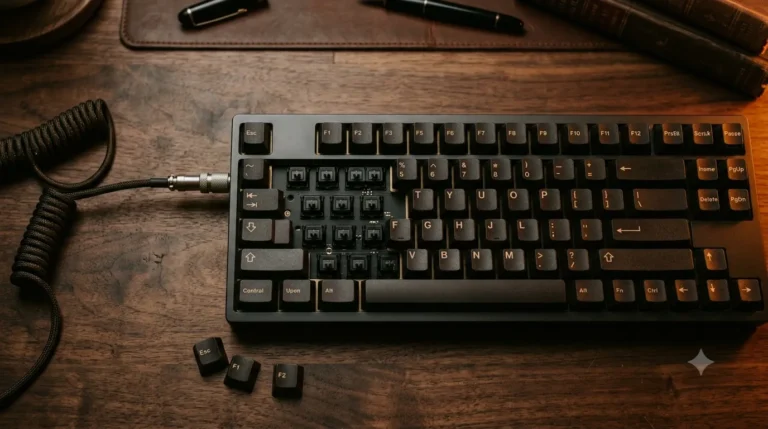
Worth paying for. Hot-swappable PCB so you can change switches later without a soldering iron. PBT keycaps, because ABS shines up greasy in months and PBT lasts years. Pre-lubed switches and stabilizers, which is what separates creamy boards from rattly ones. Sound dampening foam, the real reason boards sound thocky instead of hollow. A real metal top plate, because plastic flexes when you palm-rest hard. Tri-mode connectivity if you want wireless, since the price difference between wireless-only and full tri-mode is minimal.
Marketing fluff at this price. 8000Hz polling rates on basic boards, since your monitor is running at 144 to 240Hz and the benefit is real but tiny. Sixteen point eight million RGB colors, which every board has and which is like advertising tires that are round. Gaming software with seventeen tabs you’ll open exactly once. Per-key actuation adjustment on non-magnetic switches, which isn’t a real feature on standard mechanical switches.
Here’s the catch: not every board on this list checks every box. The $130 AULA F108 PRO has hot-swap and PBT but uses generic house-brand linears. The Logitech G PRO has neither but earns its keep through tournament pedigree. Pick based on what you actually do with the thing.
Detailed Reviews
1. ASUS ROG Strix Scope II 96 — Best Overall

- TKL Size with Full-Size Functionality and Num Pad: Experience a compact, space-saving design that’s only 1 cm wider than…
- Versatile Tri-Mode Connectivity: Seamlessly connect via Bluetooth (supporting up to 3 devices), low-latency 2.4GHz wirel…
- Enhanced Acoustics: Integrated sound-dampening foam and switch-dampening pads effectively absorb pinging noises and echo…
This is the board I keep recommending when someone hits me up asking what to buy for around $180.
The 96% layout is the sneaky-smart pick. You get a number pad, but the keyboard is only a single centimeter wider than an 80%. So you keep desk real estate for mouse swipes during FPS, while still being able to crunch a spreadsheet without thumbing through a function layer for digits. The ROG NX Snow linears are pre-lubed from the factory and feel smoother than they have any right to at this price. Not boutique-tier. Still well past where ROG boards sat five years ago.
Tri-mode connectivity actually works. The 2.4GHz SpeedNova wireless tested at consistently low latency across Overwatch 2 and Apex sessions. I couldn’t feel a difference from wired. ASUS quotes up to 1,500 hours of battery life on 2.4GHz mode. I didn’t sit there with a stopwatch, but mine lasted weeks of daily use between charges.
Hot-swap sockets, PBT doubleshot keycaps, sound-dampening foam, and switch dampening pads. Basically every box you want checked. The wrist rest is detachable, which I appreciate because most bundled ones are mediocre and I yank them off immediately.
The catch: the multi-function wheel is fine but not as buttery as the Corsair dial. And Armoury Crate is heavier than it needs to be. Live with it.
Buy it if you want one keyboard that handles work, games, wireless, and future switch upgrades.
2. GravaStar Mercury K1 — Best Wireless Build Quality

- Futuristic Design: The Mercury K1 features a unique aluminum alloy exoskeleton with a gradient black finish, combining s…
- Custom GravaStar x Kailh Linear Switches: Equipped with exclusive GravaStar x Kailh linear switches, the K1 offers a smo…
- Gasket-Mounted Design with Sound Dampening: The keyboard’s gasket-mounted structure, combined with a flexible polycarbon…
This one’s the looker. Aluminum alloy exoskeleton, gradient black finish, flowing curves that make it look like something off the side of a sci-fi ship. I had three people pick this up off my desk and ask what it was during the test period. That doesn’t happen with most keyboards.
It’s a 75% layout with gasket mounting, a flexible polycarbonate plate, and five layers of sound-dampening foam. That combination matters more than the looks. The gasket mount adds the soft, slightly bouncy typing feel that’s all the rage in the custom community, and the foam stack is why this thing sounds creamy instead of hollow. The GravaStar x Kailh linears come in at 40gf actuation, 1.5mm pre-travel, and 3.5mm total travel. Short and light, the way most FPS players prefer now.
Tri-mode wireless works as advertised. Bluetooth for the laptop, 2.4GHz dongle for the gaming PC, USB-C wired when you want zero-latency tournament mode.
The catch: at 75%, you give up the function row clarity and the number pad. If you live in spreadsheets, this isn’t your board.
Buy it if you want a wireless 75% that feels and sounds like a $250 custom build but stays under $200.
3. GravaStar Mercury K1 Lite — Best for FPS and Competitive

- 🎮【GravaStar Mercury K1 Lite Built for Competitive Speed】 The GravaStar Mercury K1 Lite Gaming Keyboard is engineered for…
- 🧊【Transparent 75% Keyboard with Futuristic Edge】 This 75% Keyboard features a fully transparent PC chassis and clear key…
- 🌈【RGB Gaming Keyboard with 13 Custom Modes】 As a dedicated RGB Gaming Keyboard, the GravaStar Mercury K1 Lite offers 13 …
The K1’s cheaper sibling. Same 75% gasket-mounted setup, same dampening stack, same competitive philosophy. The difference is it swaps the aluminum exoskeleton for a transparent PC chassis with clear keycaps. The look is divisive. I happen to like it because the RGB pops through the clear plastic and looks legitimately cool at night, but if you hate frosted or clear tech aesthetics, look elsewhere.
What matters more is the GravaStar x BSUN linear switches: 40gf actuation, 2mm pre-travel, 3.6mm total travel. Light spring, short pre-travel, predictable bottom-out. In CS2 and Valorant sessions I genuinely couldn’t tell the K1 Lite apart from the regular K1 in feel. The build is what’s different, not the typing.
4000mAh battery is plenty for a couple weeks of gaming sessions, and the tri-mode wireless behaves itself. At 1.87 lb with a 13.5 by 6.14-inch footprint, it’s portable without being flimsy.
The catch: the all-plastic build won’t feel as premium as the aluminum K1 when you pick it up. It still sits stable thanks to weight distribution, but the K1 feels more expensive in hand.
Buy it if you want the K1’s typing feel and switches for less, and you’re cool with a transparent look.
4. Logitech G PRO Tenkeyless — Best Esports and Tournament Board

- Built with and for esports athletes for competition-level performance, speed and precision.
- Durable GX Blue Click switches deliver an audible and tactile click for a solid, secure keypress.
- Ultra-portable compact ten keyless design frees up table space for mouse movement. It’s easy to pack up and transport to…
The Logitech G PRO has been a tournament staple for years. It’s not flashy. It’s not hot-swappable. It doesn’t have PBT keycaps. The GX Blue clicky switches will make your roommate hate you. So why’s it on this list?
Because it does its one job, tournament play, better than almost anything else here. The detachable Micro USB cable is a smart feature for esports athletes who pack a backpack and travel to LAN events. The TKL layout frees up massive mouse-arm space for low-sensitivity FPS. Onboard memory stores profiles so they survive tournament systems that won’t let you install G HUB. Three-step angle adjustment plus rubber feet keep it dead stable during heavy gaming.
The GX Blue switches are classic clickies. Loud, tactile, great for typing if you’re not in a shared space. Most newer pro players have moved to linear, but plenty of veterans still prefer clicky feedback for keypress confirmation.
The catch: clicky switches and wired-only in 2026 feel a little dated, and the doubleshot ABS keycaps will eventually shine up. Build quality is solid but doesn’t match newer wireless boards in this price range.
Buy it if you specifically play in LAN tournaments, or you want a portable, road-tested TKL with proven competitive pedigree.
5. AULA F108 PRO — Best Budget Pick

- Smart Display Screen & Multi-function Knob: AULA F108 Pro wireless mechanical keyboard has built-in intelligent TFT colo…
- Tri-mode Connection Mechanical Keyboard: The AULA F108 Pro gaming keyboard supports BT5.0, 2.4GHz wireless and USB-C wir…
- Hot-swappable Custom Keyboard: The F108 Pro wireless gaming keyboard comes with a hot-swappable base that is compatible …
I went into the F108 PRO ready to be cynical. Boards with screens and knobs at sub-$150 usually feel cheap somewhere. This one mostly doesn’t.
You get a 100% layout with hot-swap PCB that takes 3-pin or 5-pin switches, pre-lubed linears, side-printed PBT keycaps, a five-layer dampening stack, tri-mode wireless, an 8000mAh battery, a working TFT display, and a programmable multi-function knob. For under $130 at the typical sale price, that spec sheet is borderline absurd.
The display lets you upload custom GIFs. Yes, that’s gimmicky. It’s also kind of charming when you set it to show your team’s logo, a Pokémon idle animation, or the current weather. The knob handles volume, lighting modes, and connection switching. Actually useful, not just for show.
In typing, the switches are smoother than I expected. Not Gateron Oil King smooth, but creamy enough that I didn’t immediately want to swap them. South-facing LEDs mean the legends light up cleanly through the keycap font, which is the right way to do RGB on side-printed PBT.
The catch: the bundled switches are house-brand. They’re fine, but you’ll probably want to swap them within a year if you’re an enthusiast. Good thing it’s hot-swap. Also, in Linux, AULA warns the F-row may behave oddly. Not a deal-breaker for most, but worth knowing.
Buy it if you want maximum features per dollar and don’t mind a brand that’s less established than the big names.
6. Razer BlackWidow V4 X — Best for Macro-Heavy Games

- YELLOW MECHANICAL LINEAR SWITCHES: With zero distance between actuation and reset points at 1.2mm and only 45g of force …
- 6 DEDICATED MACRO KEYS: Expand the arsenal of commands with a set of easy-access macro keys that can be programmed to pe…
- MULTI-FUNCTION ROLLER and SECONDARY MEDIA KEYS: Pause, play, skip, and tweak everything from brightness to volume for ul…
If you play MMOs, MOBAs, or any game with more abilities than fingers, this is your board. Six dedicated macro keys run down the left side, plus the multi-function roller and secondary media keys up top. That’s a lot of physical bindings without having to layer.
The Yellow linear switches are surprisingly good. 1.2mm actuation, 45gf force, built-in sound dampeners. Quiet, fast, no clack. Razer’s been refining its linears for years, and these are easily the best Yellows they’ve shipped. Doubleshot ABS keycaps will eventually shine up, that’s the ABS curse, but the legends won’t fade because they’re molded in.
Chroma RGB integrates with hundreds of games for in-game lighting effects. Actually useful for cooldown indicators in something like Apex Legends or Path of Exile 2 if you spend the time to set it up.
The catch: ABS keycaps at this price in 2026 is a tougher sell than it was. And Synapse is still Synapse. Not the worst gaming software ever, but not the lightest either.
Buy it if you play games where macros and dedicated side keys actually earn their keep, like World of Warcraft, FFXIV, Path of Exile, or Dota 2.
7. SteelSeries Apex 5 — Best Hybrid Switch and OLED

- Hybrid blue mechanical gaming switches – The tactile click of a blue mechanical switch plus a smooth membrane – guarante…
- OLED smart display – Customize with gifs, game info, discord messages, and more.
- Aircraft-grade aluminum alloy frame – Manufactured for unbreakable durability and sturdiness
This is the weirdo on the list, and I mean that as a compliment. The hybrid blue switches combine a clicky mechanical top with a membrane bottom-out, rated for 20 million keypresses. That’s half what a pure Cherry MX gets, but it’s plenty for most users.
In practice, the typing feel is like a softer, slightly muted blue switch. Quieter on bottom-out than a standard MX Blue. I actually liked it for late-night gaming when I didn’t want to wake the household.
The OLED smart display shows GIFs, Discord notifications, and in-game info. Way more usable than I expected. Aircraft-grade aluminum alloy frame gives it real heft and that I-paid-for-this feel. The magnetic wrist rest is a nice touch and stays put without slipping.
The catch: hybrid switches mean no hot-swap. What you buy is what you keep. SteelSeries Engine isn’t winning any UX awards either.
Buy it if you want a unique typing feel with a clicky top and soft bottom, a useful display, and a build that punches above its price.
8. ASUS ROG Strix Scope II X — Best Full-Size Wired

- Full-Size Premium Wired Keyboard: The ROG Strix Scope II X is a 100% keyboard with a number pad and wired USB-C connecti…
- Hot Swappable, Pre-Lubed Mechanical Switches V2: Create your own custom aesthetics and typing experience with your choic…
- ROG NX V2 Switches: These switches retain the dust-proof, wall-stem design of the original V1 switches while adding an L…
The wired cousin of the Scope II 96. You drop wireless and the wireless premium, and you get a full 100% layout with the same ROG NX Snow V2 linears, hot-swap PCB, PBT doubleshot keycaps, aluminum top plate, and sound dampening.
The V2 switches added an LED lens for brighter RGB without changing the typing feel of the originals. They’re also dust-proof, which sounds like marketing nonsense until you’ve had to clean dust out of a stem six months in. Both switch options, NX Snow linear or NX Storm clicky, come pre-lubed for stability and acoustics.
Same multi-function wheel and Xbox Game Bar hotkeys as the wireless version. Detachable wrist rest is decent. Included accessories include a 2-in-1 keycap and switch puller, a USB cable, and an ROG-themed spacebar that’s a fun extra.
The catch: if wireless matters to you at all, just spend the extra for the Scope II 96. The Scope II X exists for people who genuinely don’t care about wireless and want to save the money for a better mouse.
Buy it if you want maximum keyboard for your money and you’ll never unplug it from your desk.
9. Corsair K70 CORE — Best Mainstream Brand Pick
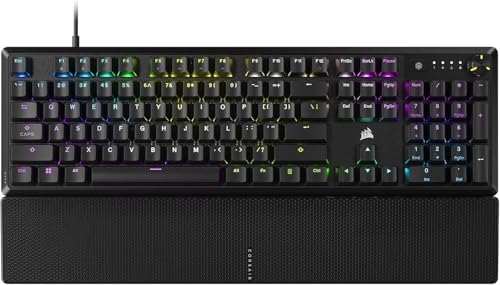
- Magnificent Mechanical Keyboard Experience: Pre-lubricated CORSAIR Red linear mechanical switches deliver smooth, respon…
- Masterful Media Control: Control volume and more with a multi-function rotary dial and programmable media button, custom…
- Robust Aluminum Top Plate: The durable aluminum top plate offers another layer of stability and style
Corsair’s K70 line has been around forever, and the CORE is the current full-featured version. You get pre-lubed MLX Red linears, which is Corsair’s house switch, an aluminum top plate, two layers of sound dampening, doubleshot ABS keycaps, and that excellent multi-function rotary dial. The dial alone is reason enough to consider it. It’s the smoothest media controller of anything in this price range.
SOCD, which stands for Simultaneous Opposing Cardinal Directions, is on the spec sheet. It’s the rapid-direction-switching feature popular in fighting games and certain FPS scenarios. Whether you’ll use it depends entirely on what you play.
The magnetic detachable palm rest is the best magnetic palm rest I’ve used at this price. It snaps on, stays put, doesn’t slide around. Small thing, but you’ll notice it daily.
The catch: ABS keycaps again. At $150ish in 2026, I keep expecting PBT and keep being disappointed. Also no hot-swap, so what you buy is what you keep.
Buy it if you want a polished mainstream board with the best media dial in the price range and you don’t care about hot-swapping switches.
10. AULA F106 PRO — Best Wireless Full-Size With Display

- Intelligent Display Screen & Knob: The Aula F106pro Wireless keyboard has a built-in intelligent TFT colour display scre…
- Full size keyboard: The Aula F106pro computer keyboard has a newly upgraded 104-keys 100% full size layout, the TKL keyb…
- Hot-swappable Custom Keyboard: The Aula F106pro Creamy keyboard with Blaze Switch, switches and keycaps can be freely re…
Basically the F108 PRO’s sibling with a slightly different shell, Blaze switches, and a Comic Mix keycap colorway that’s more playful than the F108’s standard style. Same screen-and-knob combo. Same hot-swap PCB. Same 8000mAh battery. Same tri-mode wireless. Same dye-sub PBT keycaps with that matte texture that stays grippy after a long session.
The Blaze switches feel a touch lighter than the F108’s defaults. Closer to a 45g linear. Honestly, both AULA boards are so similar in core spec that you should pick based on aesthetics and whichever is cheaper on the day.
Connectivity-wise, it pairs up to five devices and switches via shortcut key or the multi-function knob. Works with Windows, macOS, iOS, Android, and the usual list of laptops, tablets, and the Xbox.
The catch: same as the F108. House-brand switches are okay, not amazing. Hot-swap lets you fix that for $30 to $50 in real switches.
Buy it if you like the look more than the F108, or it’s cheaper on sale when you’re shopping.
Switches Cheat Sheet for Gamers
This is where most people overthink it. Quick version:
| Switch Type | Feel | Sound | Best For |
|---|---|---|---|
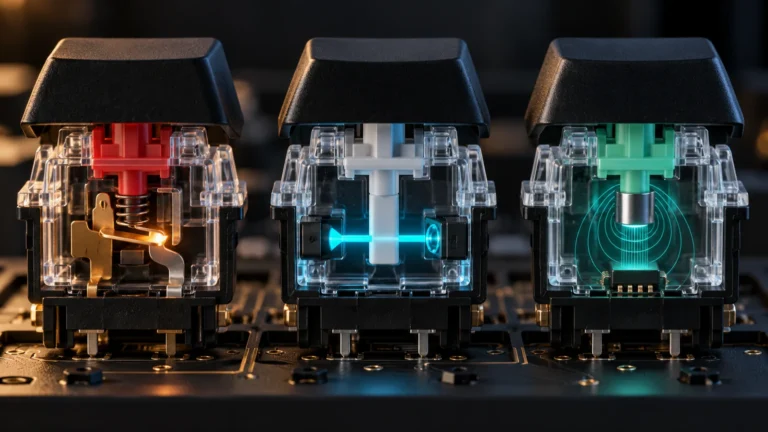
| Linear (Red, Yellow, NX Snow, MLX Red, Kailh Linear) | Smooth, no bump | Quiet to medium | FPS, MMO, fast double-taps |
| Tactile (Brown, NX Storm V2, Holy Panda) | Bump mid-press | Medium | Mixed gaming and typing |
| Clicky (Blue, GX Blue, NX Storm) | Loud bump plus click | Loud | Typing-heavy, solo room only |
| Hybrid (SteelSeries Hybrid Blue) | Clicky top, soft bottom | Medium-quiet | Late-night gaming, hybrid use |
For gaming under $200, linears are the safe default. Light spring weight around 40 to 45gf and short pre-travel help in FPS especially. Tactile is fine if you want feedback. Clicky is only worth it if you genuinely love the sound and don’t share a room. Hybrid is the niche pick. Try before you buy if you can.
My honest take: most people who say they want clicky switches actually want tactile. The click sound is novel for a week and annoying for the next year.
Wireless vs Wired in 2026
A few years ago I would’ve told you wired was non-negotiable for competitive play. Not anymore.
2.4GHz dongles on modern boards run at 1000Hz polling and report-to-input latency that’s, in blind testing, indistinguishable from wired. The newest boards push 4K and 8K polling over 2.4GHz too, though the practical benefit at the top of competitive play is razor-thin. Bluetooth is still too laggy for competitive shooters, but it’s great for swapping to a laptop or tablet.
The cost: wireless adds roughly $30 to $60 to the price at this tier. If you’ll never unplug your board from your desktop, you’re paying for a feature you won’t use. The Scope II X over the Scope II 96 is a perfectly rational pick if you don’t care about portability or cable clutter.
Verdict: wireless is worth it for most people in 2026, but only if you’ll actually use it.
Layout Sizes Explained
A quick decoder so the spec sheets make sense:
| Layout | Keys | Num Pad | Arrows | F-row | Good For |
|---|---|---|---|---|---|
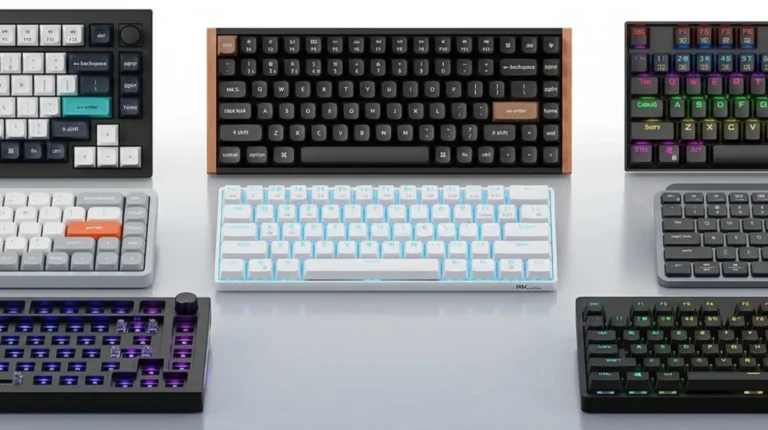
| 100% Full-Size | 104 | Yes | Yes | Yes | Productivity, spreadsheets |
| 96% / 1800 | ~100 | Yes, compressed | Yes | Yes | Best of both worlds |
| TKL / 80% | 87 | No | Yes | Yes | FPS gaming with full functionality |
| 75% | ~82 | No | Yes | Yes, compressed | Compact, modern, gaming-friendly |
| 65% | ~68 | No | Yes | Layered | Minimalist, max mouse space |
| 60% | ~61 | No | Layered | Layered | Enthusiast, ultra-compact |
For most gamers under $200, TKL or 75% is the sweet spot. The 96% layout, like the ASUS Scope II 96, is the sneaky-smart middle ground if you also need a num pad for work.
Common Mistakes People Make at This Price
A few I see all the time.
Buying for RGB. RGB is on everything now. It’s not a differentiator. Pick based on switches, build, and layout. The lights are a bonus, not a reason.
Paying extra for 8000Hz polling. At normal monitor refresh rates, 1000Hz is fine. The difference is real but minuscule and only matters at the very top of competitive play.
Assuming bigger brands always win. A $130 AULA F108 PRO out-specs some $180 boards from bigger names. Be brand-agnostic.
Ignoring keycap material. ABS shines up greasy in months. PBT lasts years. At $150 and up, PBT should be the default.
Buying clicky for gaming because it sounds gamer. Linear is faster, quieter, and what most pros use now. Buy clicky because you like clicky, not because it looks cool in YouTube videos.
Skipping hot-swap to save $10. Hot-swap is the best small upgrade a board can have. Future-proofs the keyboard. Even if you never swap switches, it’s nice knowing you could.
FAQ
Is a $200 keyboard really better than a $100 one for gaming?
Sometimes. The jump from $100 to $200 mainly buys you better build quality like aluminum and gasket mount, better keycaps with PBT instead of ABS, pre-lubed switches and stabilizers, and wireless. It does not typically buy you faster gaming response. Most $100 boards are already fast enough for competitive play.
Do I need an 8000Hz polling rate?
Almost certainly no. At 240Hz monitor refresh, the difference between 1000Hz and 8000Hz polling is theoretically real but practically imperceptible to most people. Don’t pay extra for this unless you’re chasing every millisecond at the top of competitive ranked play.
Hot-swap or not?
Hot-swap is the best small upgrade a board can have. It future-proofs the keyboard. Even if you never swap switches, it’s nice knowing you could. I lean toward hot-swap on every recommendation at this price.
TKL or full-size, which should I get?
TKL frees up mouse space for low-sensitivity FPS. Full-size keeps the number pad for productivity. The 96% layout, like the ASUS Scope II 96, is the sneaky-smart middle ground if you can’t decide.
Are mechanical and membrane the only options?
The SteelSeries Apex 5 hybrid is technically a third option. It exists. It’s fine. Most people are better off picking pure mechanical at this price, but the hybrid is genuinely interesting if you want quieter bottom-out.
What about Hall-effect or magnetic switches in this range?
A few magnetic-switch boards squeak under $200 now, but the build, keycaps, or features usually take a hit to fit the budget. If magnetic switches are a hard requirement, save up a bit more or wait for a sale. None of the boards on this list use Hall-effect tech.
Will any of these work with macOS?
Most. The ASUS Scope II 96, GravaStar K1 and K1 Lite, AULA F108 PRO, and AULA F106 PRO all explicitly support macOS. Razer, Corsair, SteelSeries, and Logitech G all have macOS-compatible software too, though some features may be Windows-only.
How long should a $150 to $200 keyboard last?
A well-built mechanical keyboard at this price should last 5 years easily, and with hot-swap you can refresh the switches if they ever feel tired. The weak link is usually keycaps (ABS) and stabilizers (rattle creeps in), both of which are user-replaceable.
Final Verdict
If I had to spend $200 on one board today, no overthinking, I’d grab the ASUS ROG Strix Scope II 96. The combination of 96% layout, hot-swap, tri-mode wireless, PBT keycaps, and sound dampening is just hard to beat in this bracket.
For pure value, the AULA F108 PRO is the move if you’re under $150. It’s not as refined as the ASUS, but the spec sheet for the money is genuinely silly in the best way.
For the aluminum-build-and-creamy-typing crowd, the GravaStar Mercury K1 is the most interesting board on this list and the one I’d pick for daily typing pleasure.
If you’re a competitive FPS player on a tighter budget, the GravaStar Mercury K1 Lite punches well above its weight.
Spend the money where you’ll actually feel it. Switches, keycaps, build, wireless. Not on RGB or polling rates you’ll never notice.
This article contains affiliate links. If you buy through them, I earn a small commission at no extra cost to you. I only recommend keyboards I’ve actually tested. As an Amazon Associate I earn from qualifying purchases.