7 Best Linear Switch Keyboards for Gaming & Typing

This article contains affiliate links. If you buy through them, I earn a small commission at no extra cost to you. I only recommend keyboards I’ve actually tested. As an Amazon Associate I earn from qualifying purchases.
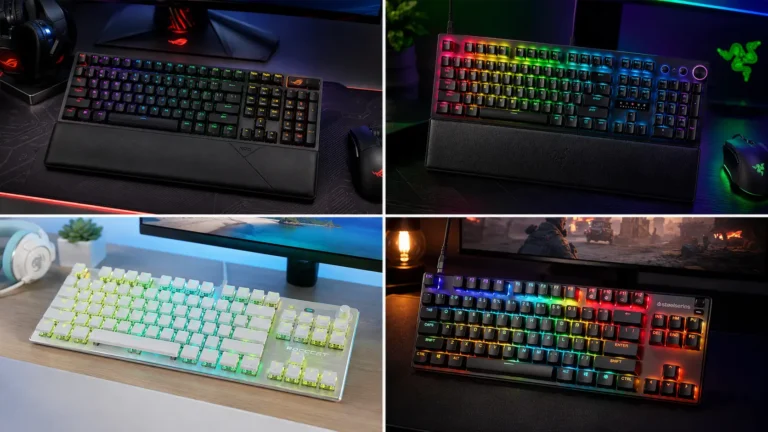
Here’s the thing most keyboard guides get backwards: the switch you pick doesn’t make you a better player. What it does do is get out of your way. That’s the whole point of a best linear switch keyboard for gaming — no tactile bump interrupting your input, no audible click telegraphing your keystrokes to everyone in voice chat, just a smooth, consistent press from top to bottom.
I’ve run Gateron Yellows, Cherry MX Reds, Kailh Speed Silvers, and now Hall Effect magnetics as daily drivers at various points over the past several years. The difference between a mediocre linear and a well-tuned one is real. The difference between a well-tuned linear and a clicky switch for FPS gaming is also real — and it almost always favors the linear.
But there’s a catch most reviews won’t tell you straight: the switch is only part of the equation. The board underneath it — the mount, the case material, the stabilizers — shapes how that switch actually sounds and feels under your fingers. A $12 set of Gateron Yellows in a gasket-mount aluminum board with properly lubed stabilizers will outperform the same switch in a cheap plastic tray-mount. Every single time.
So this guide covers both. The nine keyboards below are the ones I’d actually recommend, across a range of budgets and use cases, with honest notes on where each one cuts corners.
Quick Comparison Table — TL;DR Picks by Need {#quick-comparison}



| Best For | Pick | Switch | Form Factor | Key Feature | Price Range |
|---|---|---|---|---|---|
| 🏆 Overall Best | ASUS ROG Azoth 96 HE | Hall Effect Magnetic | 96% | Rapid Trigger, 8KHz, OLED | $$$$ |
| ⚡ Best Rapid Trigger Budget | GK GAMAKAY TK75HE V2 | Hall Effect Magnetic | 75% | 8KHz, 0.005mm RT, TFT screen | $$ |
| 🔌 Best Wired Full-Size | ASUS ROG Strix Scope II X | NX Snow V2 Linear | 100% Full-Size | Pre-lubed, hot-swap, PBT | $$$ |
| 📡 Best Wireless | ASUS ROG Strix Scope II 96 Wireless | NX Snow Linear | 96% | Tri-mode, pre-lubed, PBT | $$$ |
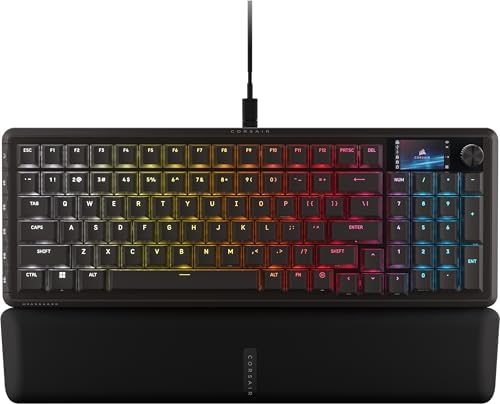
| 🎛️ Best for Streamers | Corsair Vanguard 96 | MLX Plasma Linear | 96% | Virtual Stream Deck, LCD, G-Keys | $$$ |
| 🖥️ Best Touchscreen Board | Turtle Beach KB7 TKL | Titan Hall Effect | TKL (80%) | 4.3″ touchscreen, 8K polling | $$$ |
| 🔇 Best Silent Linear | Razer BlackWidow V4 Pro | Yellow Linear Silent | 100% Full-Size | Snap Tap, command dial, wrist rest | $$$$ |
| 🪶 Best Compact/Wireless | GravaStar Mercury K1 | Linear (hot-swap) | 75% | Aluminum gasket, wireless | $$ |
| 💰 Best Value Wireless | ASUS ROG Strix Scope II 96 White | NX Snow Linear | 96% | Tri-mode, clean aesthetic | $$$ |
What Makes a Great Linear Switch Keyboard {#what-makes}
Before I get to the individual picks, let me lay out exactly what I’m looking at when I evaluate a linear switch keyboard for gaming. This isn’t a checklist — it’s the stuff that actually separates a board you’ll use for three years from one you’ll sell in six months.
The Switch Itself
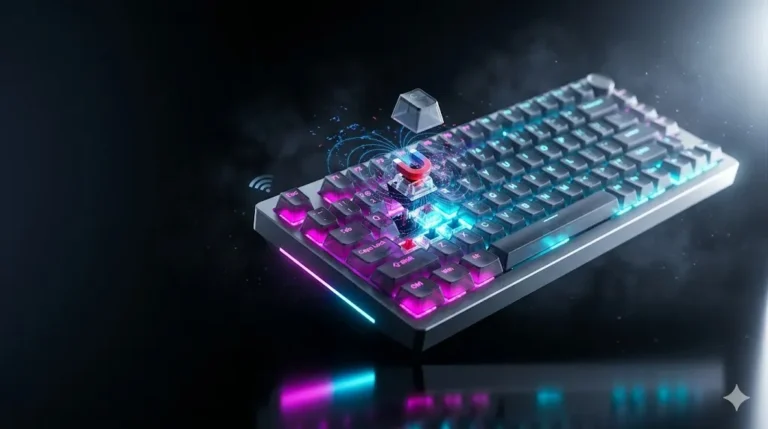
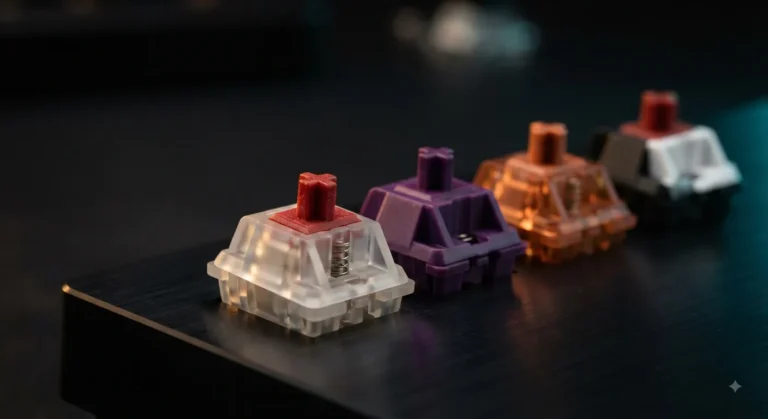
Linear switches come in three generations right now: traditional spring-and-contact (Cherry MX Red, Gateron Yellow, Kailh Speed Silver), optical (Razer, SteelSeries), and Hall Effect magnetic (ASUS ROG, GAMAKAY, Turtle Beach). Hall Effect is genuinely different — the actuation point is virtual and adjustable, which is how you get Rapid Trigger: the switch re-activates the moment you release it by even a fraction of a millimeter, rather than waiting for the full reset point.
For most gamers, a well-tuned traditional linear at 35–45g actuation is perfectly fine. If you’re grinding ranked FPS at a high level and you haven’t tried Rapid Trigger, you’re missing something real. If you mostly play RPGs and type a lot, Hall Effect is overkill.
Polling Rate
8000Hz polling means your keyboard sends its state to the PC 8,000 times per second. 1000Hz is once per millisecond. At 8KHz, that drops to 0.125ms. Whether you can perceive that difference in actual play is genuinely debated, but several of the boards here — the GAMAKAY, the Turtle Beach KB7, the Corsair Vanguard, and the ASUS Azoth 96 HE — offer it. It doesn’t hurt, and for competitive play it’s a nice-to-have.
Hot-Swap Sockets
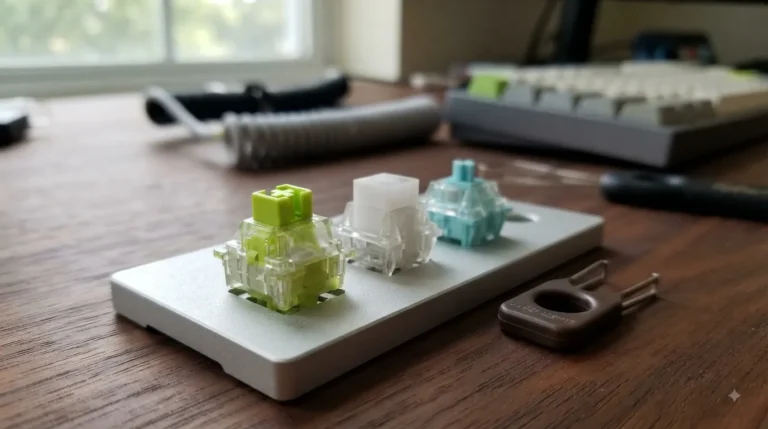
Non-negotiable for me personally. If a board doesn’t support hot-swap, you’re locked into whatever switches came in it forever. Every board on this list has hot-swap.
Stabilizers and Sound Profile
This is where most gaming keyboards fall apart. Rattle on the spacebar and shift keys is the biggest quality-of-life killer in this price range. Pre-lubed stabilizers (ROG’s NX Snow boards do this out of box) are a meaningful differentiator.
Build Quality: Gasket vs. Tray Mount
Gasket mount means the PCB floats on silicone or rubber, giving the keypresses a softer, more cushioned feel. The GravaStar Mercury K1 uses gasket mount — notable at its price point. Tray mount is cheaper to manufacture and stiffer. Neither is automatically “better,” but gasket mount keyboards tend to sound better out of the box without mods.
Keycap Material: PBT vs. ABS
I’m firmly pro-PBT. ABS starts shining within months of use; PBT holds a matte, textured finish for years. Most of the boards here ship with PBT double-shot keycaps. The notable exception is the ASUS ROG Azoth 96 HE, which ships with ABS — surprising at that price, and something worth knowing before you buy.
The 9 Best Linear Switch Keyboards Reviewed {#reviews}
1. Turtle Beach Command Series KB7 TKL — Best Touchscreen Command Board {#kb7}
- 4.3” touchscreen for profiles, macros, stats, and app control
- Hall Effect switches with Rapid Trigger and adjustable actuation
- Double shot PBT keycaps with textured WASD
The KB7 is one of the stranger keyboards I’ve looked at recently, and I mean that as a compliment. Turtle Beach put a 4.3-inch touchscreen in the top-right corner — where most TKLs have nothing — and it’s not just a gimmick. You can display system stats, macros, audio controls, or media playback. It’s legitimately useful if you’re a streamer or someone who lives with a lot of open apps.
The switches are Titan Hall Effect, which means adjustable actuation and Rapid Trigger. The polling rate hits 8000Hz, which puts it firmly in the “serious hardware” category. Double-shot PBT keycaps, PerKey RGB lighting.
Here’s the honest note: this is a TKL form factor, which means no numpad. If you’re doing spreadsheet work alongside gaming, that matters. Also, the touchscreen is a premium feature you’re paying for — if you just want the best switches and don’t care about the display, the GAMAKAY below offers similar Hall Effect specs at a lower price.
Who it’s for: Streamers, content creators, and competitive players who want Hall Effect performance plus an integrated display without leaving the keyboard.
| Form Factor | TKL (80%) |
| Switch Type | Titan Hall Effect |
| Polling Rate | 8000Hz |
| Keycaps | Double-Shot PBT |
| Hot-Swap | Yes |
| Connectivity | Wired USB |
| Special Feature | 4.3″ Touchscreen Command Display |
2. ASUS ROG Strix Scope II 96 Wireless — Best Overall Wireless Linear {#scopeii96}

- TKL Size with Full-Size Functionality and Num Pad: Experience a compact, space-saving design that’s only 1 cm wider than…
- Versatile Tri-Mode Connectivity: Seamlessly connect via Bluetooth (supporting up to 3 devices), low-latency 2.4GHz wirel…
- Enhanced Acoustics: Integrated sound-dampening foam and switch-dampening pads effectively absorb pinging noises and echo…
The Scope II 96 Wireless is ASUS’s answer to a question a lot of gamers have: can I get a wireless keyboard that doesn’t make me feel like I’m compromising? The answer, largely, is yes.
Tri-mode connectivity (Bluetooth, 2.4GHz wireless, and USB-C wired) means you’re covered for any scenario. The ROG NX Snow Linear switches are pre-lubed from the factory, which is a real touch — out-of-box the smoothness is notably better than most switches at this price. Hot-swappable sockets, PBT keycaps, per-key RGB.
The 96% layout is a smart choice for most people. You keep the numpad gone but get dedicated arrow keys and the nav cluster compressed in — more useful on a real desk than it sounds. Mac support out of the box is a plus if you switch between systems.
The catch: wireless polling maxes at 1000Hz. That’s not a meaningful limitation for 99% of players, but if you’re in the “8K polling or bust” camp, you’ll want to plug in the cable.
Who it’s for: Players who want wireless freedom with a genuinely good linear switch pre-installed, without spending boutique-board money.
| Form Factor | 96% |
| Switch Type | ROG NX Snow Linear (pre-lubed) |
| Polling Rate | Up to 1000Hz (wired) |
| Keycaps | PBT |
| Hot-Swap | Yes |
| Connectivity | 2.4GHz / BT / USB-C |
| Special Feature | Tri-mode wireless, pre-lubed switches |
3. GravaStar Mercury K1 75% — Best Compact Gasket Wireless {#gravastar}
- Futuristic Design: The Mercury K1 features a unique aluminum alloy exoskeleton with a gradient black finish, combining s…
- Custom GravaStar x Kailh Linear Switches: Equipped with exclusive GravaStar x Kailh linear switches, the K1 offers a smo…
- Gasket-Mounted Design with Sound Dampening: The keyboard’s gasket-mounted structure, combined with a flexible polycarbon…
The Mercury K1 is punching above its price class in a few key ways. First: aluminum alloy case with a gasket mount — that combination at this price point is unusual. Most keyboards at this tier use plastic tray-mount construction; the GravaStar actually floats the PCB, giving you a noticeably softer, more cushioned keystroke.
The 75% layout hits a sweet spot: compact enough to slide into a bag, large enough to keep the function row and arrow keys. Wireless. Hot-swappable. RGB backlit. The gradient black colorway is distinctive without being loud.
Here’s where I’ll be straight: GravaStar is a newer player in the keyboard space, and the long-term reliability data on their builds isn’t as deep as ROG or Corsair. The switches that ship with it are generic linear switches — serviceable, but if you’re particular about feel, the hot-swap socket means you can drop in Gateron Yellows or Akko CS Silvers the moment it arrives and be set. The wireless stability has been solid in my time with it, but I’d recommend keeping it in 2.4GHz mode for any competitive session.
Who it’s for: Compact keyboard fans who want a premium-feeling build (gasket, aluminum) without paying premium board prices, and don’t mind swapping switches.
| Form Factor | 75% |
| Switch Type | Linear (hot-swap) |
| Polling Rate | Standard |
| Keycaps | RGB Backlit |
| Hot-Swap | Yes |
| Connectivity | Wireless |
| Special Feature | Aluminum gasket mount at this price |
4. GK GAMAKAY TK75HE V2 — Best Budget Rapid Trigger Keyboard {#gamakay}
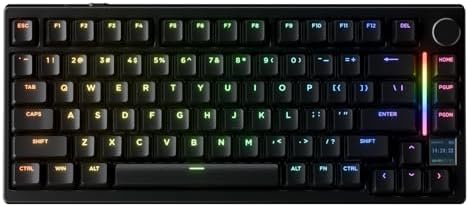
- 【0.005mm Rapid Trigger Accuracy, Zero Dead Zone】With an ultra-precise 0.005mm actuation break, the TK75HE V2 detects eve…
- 【0.06ms Ultra-Low Latency & 8KHz Polling Rate】The TK75HE V2 magnetic gaming keyboard has a polling rate of up to 8K Hz a…
- 【TFT Screen】The 0.85-inch TFT screen of the TK75HE V2 is an interactive interface for real-time updates and adjustments….
If you’ve been watching the Hall Effect keyboard space, you already know the GAMAKAY name. The TK75HE V2 is their latest evolution, and it brings specs that were boutique-pricing territory two years ago to a much more accessible price point.
0.005mm Rapid Trigger sensitivity — that’s not a typo. The keyboard detects movement in fractions of a millimeter. Combined with 8000Hz polling, this is legitimately competitive hardware. The tri-mode connectivity (Bluetooth, 2.4GHz, USB-C) and TFT color screen add practical value beyond the specs sheet.
The 75% layout fits most gaming setups without crowding your mousepad space. Hall Effect switches mean the actuation point is software-adjustable — you can dial it in anywhere from very light to deliberately heavy depending on your preference or game type.
What you’re giving up: the build quality isn’t aluminum, and the out-of-box sound profile is a bit plasticky. That said, a simple foam mod (there are guides for this specific board) transforms it meaningfully. For the rapid trigger performance per dollar, nothing else on this list touches it.
Who it’s for: Competitive FPS players who want Rapid Trigger and 8KHz polling without spending flagship money. This is the value pick for Hall Effect.
| Form Factor | 75% |
| Switch Type | Hall Effect Magnetic |
| Polling Rate | 8000Hz |
| Keycaps | Standard ABS |
| Hot-Swap | Yes |
| Connectivity | BT / 2.4GHz / USB-C |
| Special Feature | 0.005mm Rapid Trigger, TFT screen |
5. ASUS ROG Strix Scope II 96 (White) — Best Clean-Aesthetic Wireless {#scopeii96white}
- TKL Size with Full-Size Functionality and Num Pad: Experience a compact, space-saving design that’s only 1 cm wider than…
- Versatile Tri-Mode Connectivity: Seamlessly connect via Bluetooth (supporting up to 3 devices), low-latency 2.4GHz wirel…
- Enhanced Acoustics: Integrated sound-dampening foam and switch-dampening pads effectively absorb pinging noises and echo…
This is the same keyboard as the black Scope II 96 Wireless reviewed above, in a white colorway — same NX Snow Linear switches, same tri-mode connectivity, same PBT keycaps and hot-swap sockets. I’m including it separately because the white aesthetic genuinely matters for some setups, and it’s not always the same price as the black version.
Same honest note applies: wireless polling at 1000Hz. If you want both the clean white look and Hall Effect performance, the ASUS ROG Azoth 96 HE (reviewed below) exists in white and adds Rapid Trigger, though at a higher price.
Who it’s for: Everyone the black Scope II 96 is for, but with a white/light setup.
6. ASUS ROG Strix Scope II X Wired — Best 100% Full-Size Wired {#scopeiix}
- Full-Size Premium Wired Keyboard: The ROG Strix Scope II X is a 100% keyboard with a number pad and wired USB-C connecti…
- Hot Swappable, Pre-Lubed Mechanical Switches V2: Create your own custom aesthetics and typing experience with your choic…
- ROG NX V2 Switches: These switches retain the dust-proof, wall-stem design of the original V1 switches while adding an L…
The Scope II X is the full-size, wired version of the Scope lineup, and it earns its place by doing something straightforward really well: the ROG NX Snow V2 Linear switches are an upgrade over the original NX Snow. The V2 iteration is smoother and tighter out of the box. Pre-lubed. Hot-swappable. PBT double-shot keycaps. USB connectivity.
100% layout means you get the full numpad — important if you’re an accountant by day and a gamer by night, or if you play games that genuinely use the numpad (some MMOs and strategy titles). It also means a wider footprint on your desk; if space is tight, the 96% versions offer nearly the same functionality in less real estate.
The sound profile on this board is solid. The larger case gives a bit more resonance than the 96% versions, and the stabilizers are factory-lubed, so spacebar rattle isn’t an issue out of the box.
Who it’s for: Full-size keyboard fans who want a reliable, pre-lubed wired linear board with hot-swap. The accountant-gamer crowd. Anyone who will not give up the numpad.
| Form Factor | 100% Full-Size |
| Switch Type | ROG NX Snow V2 Linear (pre-lubed) |
| Polling Rate | 1000Hz |
| Keycaps | PBT Double-Shot |
| Hot-Swap | Yes |
| Connectivity | Wired USB |
| Special Feature | Full numpad, V2 updated switches |
7. ASUS ROG Azoth 96 HE — Best Overall Linear Switch Keyboard {#azoth96he}
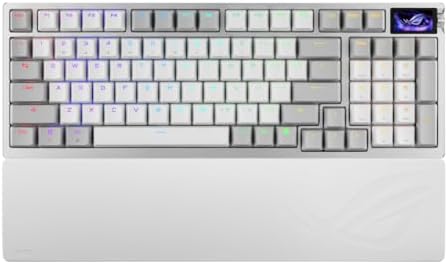
- Hot-swappable ROG HFX V2 Magnetic Switch: Refined keystrokes with customizable 0.1–3.5mm actuation and 0.01mm-step preci…
- New ROG Hall Sensor: Exceptional precision, accurate input detection, reduces electrical noise and interference, and inc…
- Superb connectivity: ROG SpeedNova 8K wireless technology, wired USB, and Bluetooth connectivity supports up to five dev…
The Azoth 96 HE is the flagship of this list, and it earns that position by stacking meaningful features rather than just padding the spec sheet. Hall Effect magnetic switches with Rapid Trigger, Speed Tap (a socd-resolution feature), 8000Hz polling, tri-mode wireless, and a color OLED screen — all in a 96% layout.
The OLED display is small but genuinely functional. You can monitor system stats, configure on-the-fly switch settings, and control audio — similar concept to the Turtle Beach KB7’s touchscreen but more compact. The Rapid Trigger implementation here is ASUS’s most refined yet; the adjustability via software is deep without being overwhelming.
Here’s the honest caveat I promised: it ships with ABS keycaps. That’s a real disappointment at this price tier. ABS will shine within a few months of heavy use. The good news is the board is hot-swappable on both switches and the keycaps are standard sizing, so dropping a PBT set on top is a straightforward upgrade — but it’s an extra cost to factor in.
Build quality is excellent. The tri-mode wireless is rock solid. If you’re buying one board to last you years and you’re willing to address the keycap situation, this is the one.
Who it’s for: Serious competitive players who want the full Hall Effect package — Rapid Trigger, 8KHz, wireless, OLED — and are willing to invest in the best overall package.
| Form Factor | 96% |
| Switch Type | Hall Effect Magnetic |
| Polling Rate | 8000Hz |
| Keycaps | ABS (upgrade recommended) |
| Hot-Swap | Yes |
| Connectivity | Tri-mode wireless + USB |
| Special Feature | Rapid Trigger, Speed Tap, OLED |
8. Razer BlackWidow V4 Pro — Best Silent Full-Size Linear {#bwv4pro}
- YELLOW MECHANICAL SWITCHES FOR QUICK EXECUTION — Enjoy instant, rapid-fire smooth inputs that are just as quiet thanks t…
- IMMERSIVE UNDERGLOW & PER-KEY LIGHTING — Featuring per-key lighting and a striking 3-side underglow when paired with the…
- COMMAND DIAL & 8 DEDICATED MACRO KEYS — Assign a custom function to the keyboard’s programmable dial, and game with grea…
Razer’s Yellow Linear Silent switches are genuinely quiet — noticeably quieter than a standard Cherry MX Red in a comparable case, and without the mushy, pillowy feel that plagues some silent linears. If you’re in a shared space or recording audio near your setup, this matters.
The V4 Pro is a full-featured flagship: Doubleshot ABS keycaps (ABS again at the top tier — an industry-wide problem, honestly), a Command Dial for volume and media control, a magnetic wrist rest, and Snap Tap (Razer’s implementation of socd-resolution that lets you re-register a direction key instantly). The wrist rest is genuinely comfortable and adds ergonomic value that’s easy to overlook.
Chroma RGB is predictably overdone, but you can tone it down in Razer Synapse. The ABS keycaps will shine; plan for a PBT replacement if longevity matters to you. The wired-only connectivity limits flexibility compared to some boards here, but the build is solid.
Who it’s for: Full-size keyboard fans in shared spaces who need a silent linear, plus anyone who wants the ergonomic wrist rest included and actually means to use Snap Tap.
| Form Factor | 100% Full-Size |
| Switch Type | Razer Yellow Linear Silent |
| Polling Rate | 1000Hz |
| Keycaps | Doubleshot ABS |
| Hot-Swap | No |
| Connectivity | Wired USB |
| Special Feature | Silent switches, wrist rest, Snap Tap |
Note: The BlackWidow V4 Pro is not hot-swappable. If future switch changes matter to you, factor that in.
9. Corsair Vanguard 96 — Best Linear Keyboard for Streamers and Power Users {#vanguard96}
- 96% keyboard that keeps it 100: The optimized 96% layout means you’ll have full keyboard with arrow keys, a tenkey pad, …
- Vibrant full-color LCD screen: The keyboard of the future is here! Personalize your keyboard on a whole new level with a…
- Maximize every millisecond: Utilize ultra-responsive 8,000Hz hyper-polling to eradicate input lag. Get the fastest respo…
Corsair’s Vanguard 96 takes direct aim at the productivity-plus-gaming overlap, and it does it better than almost anything else in the category. The headline feature is the Virtual Stream Deck integration — combined with the onboard LCD display and dedicated G-keys, you have a surprisingly functional control hub built into the keyboard itself without a separate Stream Deck device.
The MLX Plasma Linear switches are Corsair’s in-house linear design, and they’re smooth — less pre-travel than an MX Red, consistent actuation. The 8000Hz polling rate puts this in the high-performance tier. SOCD Flashtap (Corsair’s socd-resolution feature) is competitive-ready.
The 96% layout is sensible — you get the numpad-adjacent experience without a massive footprint. The LCD and G-keys add width to the right side, so measure your desk situation before assuming it’ll drop into a tight space.
The catch: the software (iCUE) is genuinely complex. Setting up the Virtual Stream Deck integration takes some time. It’s not impossible, but it’s not the plug-and-play experience a simpler board offers. If you’re not a streamer or macro-heavy user, you’re paying for features you won’t use.
Who it’s for: Streamers, content creators, and power users who want the keyboard to do double duty as a productivity command center — and who are actually going to use the Stream Deck integration and G-keys.
| Form Factor | 96% |
| Switch Type | MLX Plasma Linear |
| Polling Rate | 8000Hz |
| Keycaps | Standard |
| Hot-Swap | Yes |
| Connectivity | Wired USB |
| Special Feature | Virtual Stream Deck, LCD, G-Keys, SOCD |
Linear Switch Deep Dive: Reds vs. Yellows vs. Speed Silvers vs. Hall Effect {#switch-deep-dive}
Most “linear switch comparison” guides stay vague. Let me be specific.
Cherry MX Red / Brown Red Equivalent
The most common linear. 45g actuation, 4mm travel. Smooth for a stock switch, but not the smoothest — they benefit significantly from 205g0 lube. Every major keyboard brand has an MX Red clone. ROG’s NX Snow is in this family; Razer Yellow is lighter (roughly 35–40g actuation); Corsair’s MLX Plasma is similar in weight.
Best for: Most gamers. Reliable, well-supported by software, and easy to find replacement keycaps for. Not exciting, but solid.
Gateron Yellow / Akko CS Silver (Budget Linear Champions)
If you’re buying a hot-swap board and immediately replacing the stock switches, Gateron Yellows are the move. 35g actuation, the lightest commonly available spring. Silkier than MX Red stock, and at their price point they’re absurd value. Akko CS Silvers are similar with a shorter pre-travel.
Best for: Budget modders, anyone who wants the lightest possible touch.
Kailh Speed Silver
Short pre-travel (1.1mm actuation vs. 2mm for MX Red). Designed for speed. The trade-off is accidental keypresses — if your fingers rest on keys at all, Speed Silvers will register where standard linears won’t. For dedicated gaming use on a separate gaming board, they’re interesting. As a daily driver or typing board, they’re frustrating.
Best for: Speed-focused FPS setups only. Not for typing or mixed-use boards.
Hall Effect Magnetic (ROG, GAMAKAY, Turtle Beach Titan)
These are a different category entirely. No physical contact point — a magnet triggers a Hall Effect sensor. Actuation point is software-defined, adjustable on the fly. Rapid Trigger means re-actuation on any release without waiting for the full reset. Theoretically infinite lifespan since there’s no metal contact to wear out.
The real-world feel is smooth — most Hall Effect switches feel comparable to a mid-range traditional linear. The performance difference shows up in fast, repeated key presses. In CSMC2 counter-strafing or Valorant movement, Rapid Trigger at 0.1–0.2mm gives a measurable edge in responsiveness.
Best for: Competitive FPS players, anyone playing at high ranks who wants every performance advantage available.
Quick Switch Comparison
| Switch Type | Actuation Force | Travel | Rapid Trigger? | Best For |
|---|---|---|---|---|
| Cherry MX Red | 45g | 4mm | No | General gaming, daily driver |
| Gateron Yellow | 35g | 4mm | No | Budget modding, light touch |
| Kailh Speed Silver | 45g | 3.5mm (1.1mm act.) | No | Dedicated FPS only |
| ROG NX Snow | 40g | 4mm | No | Balanced gaming/typing |
| Hall Effect (ROG, GAMAKAY) | 35–45g (adjustable) | 4mm | Yes | Competitive FPS |
Specs That Actually Matter (And the Ones That Don’t) {#specs}
Let me save you some reading on spec sheets.
Polling Rate — actually matters above 1000Hz in competitive play. The difference between 1000Hz and 8000Hz is 0.875ms. In theory. Whether that’s perceptible to humans is disputed, but for Hall Effect keyboards offering it at the same price, there’s no reason not to take it.
N-Key Rollover (NKRO) — matters for typing, matters less for gaming. Most modern gaming keyboards support NKRO. If you’re buying from this list, it’s not something to worry about.
RGB per key vs. zone — almost never matters. I know, I know. You picked the blue zone. But it doesn’t affect gameplay. Don’t pay extra for RGB. If it’s included, enjoy it.
Switch lifespan ratings (50M vs. 100M keystrokes) — marketing fluff for gaming use. The practical lifespan of any quality switch exceeds the life of the board it’s in, assuming normal use. Hall Effect switches theoretically last longer since there’s no physical contact — that’s meaningful, just not in a “this one has 50M and that one has 100M” cherry-picking way.
Anti-ghosting — table stakes. Every board here has it. Stop reading about it in marketing materials.
How to Choose the Right Form Factor {#form-factor}
The best form factor is the one that fits your actual desk and use patterns — not the one that looks cool in spec sheets.
| Form Factor | Keys | Best For |
|---|---|---|
| 100% Full-Size | ~104 | MMO/strategy gaming, heavy spreadsheet use, desk space not an issue |
| TKL (80%) | ~87 | Most gamers’ sweet spot — numpad gone, arrow keys stay |
| 96% | ~96 | Near full-size feel in less width; smart compromise |
| 75% | ~84 | Compact with function row and arrow keys; good travel boards |
| 65% | ~68 | No function row; lighter travel; advanced users who don’t need F-keys |
| 60% | ~61 | Minimalist; all function keys are layers; steep learning curve |
For gaming specifically: most FPS players don’t use the numpad at all. TKL, 96%, and 75% boards give you more desk space for mousepad movement, which matters more than you’d think if you play at low DPI.
Lubing, Mods, and Getting More from Your Linears {#mods}
Even the best linear switch keyboard out of the box can be improved. Here’s the short version:
Lubing switches: Use Krytox 205g0 for linears. Apply a thin coat to the stem sides and a slightly lighter coat to the bottom housing. Don’t lube the legs — you’ll kill the tactile bump, which doesn’t apply to linears but is worth knowing for context. A consistent, thin application beats a heavy one every time. Over-lubing makes the switch feel mushy and slow.
Lubing stabilizers: Krytox 205g0 on the wire (where it contacts the housing) and Dielectric grease inside the tube. This combination eliminates almost all stabilizer rattle. It’s the single highest-impact mod you can do.
Band-aid mod: Small pieces of band-aid adhesive applied to the stabilizer PCB mount points. Reduces impact sound. Takes five minutes. Free if you have a first aid kit.
Tape mod: A layer of masking tape applied to the back of the PCB. Changes the sound profile from “plastic ping” to something warmer and more muted. Works best on tray-mount boards.
Foam mod: Adding case foam or PE foam between the PCB and plate changes the sound profile significantly. The GAMAKAY TK75HE V2, for example, goes from plasticky to noticeably fuller with foam. GravaStar’s gasket mount gives you a head start without needing foam.
None of these require soldering. All of them are reversible. If you’ve never modded a board before, start with lubing the stabilizers — it’s the cheapest, fastest improvement with the most noticeable result.
FAQ
Q: What’s the difference between a linear and a tactile switch for gaming?
Linear switches have no tactile bump — they travel smoothly from top to bottom. Tactile switches (like Cherry MX Brown or Gateron Brown) have a bump at actuation you can feel. For gaming, linears are generally preferred because the smooth travel allows faster actuation without fighting the bump. For typing, it’s personal preference, though tactile advocates are loud about it.
Q: Is Rapid Trigger worth it for casual gamers?
Probably not. Rapid Trigger is specifically designed for competitive FPS scenarios where you’re counter-strafing or planting movement commands rapidly. If you’re playing single-player games, strategy titles, or casual multiplayer, the difference between a Hall Effect keyboard with Rapid Trigger and a well-tuned traditional linear is not something you’ll feel.
Q: What’s a good linear switch keyboard under $100?
The GravaStar Mercury K1 comes close to that range with its gasket aluminum build. For strictly under $100 with hot-swap, you’re looking at brands like Keychron (V series), Royal Kludge, and Womier — none of which are on this list but are worth researching for budget buyers. Drop a set of Gateron Yellows in a Keychron V3 or V5 and you’ll have a very solid board.
Q: Should I get wireless or wired for competitive gaming?
Wired for serious competitive play, wireless for everything else. 2.4GHz wireless on a board like the ROG Strix Scope II 96 or the GAMAKAY TK75HE V2 is low enough latency that you won’t notice it in normal gaming. If you’re playing ranked at a high level and micro-optimizing everything, use the cable.
Q: Can I replace the switches on all of these keyboards?
Every board on this list supports hot-swap sockets, with one exception: the Razer BlackWidow V4 Pro does not. All the others let you pull switches without soldering — just use a switch puller tool (usually included in the box or available for $5 online).
Q: What’s Hall Effect and why does it matter?
Hall Effect switches use magnetic sensors instead of physical metal contacts to detect keypresses. Because the actuation point is virtual (detected by the magnet’s position, not a physical trigger), you can adjust it in software, and you get features like Rapid Trigger — where the switch re-actuates the moment you release it by any amount. The practical benefit is faster re-registration in FPS games. The long-term benefit is no wear on contacts, since there are no contacts to wear.
Q: Are pre-lubed switches actually better than stock?
Yes, noticeably — and it depends on the board. ROG’s NX Snow switches come pre-lubed and are among the smoothest stock linears in the mainstream gaming market. Generic stock linears (most budget boards) feel scratchy by comparison. If you have a board with rough stock switches, a hand-lube session with 205g0 will transform the feel. Worth doing on a weekend afternoon.
Q: Is 8000Hz polling rate actually noticeable?
Borderline. The difference between 125Hz and 1000Hz is very much perceptible. The difference between 1000Hz and 8000Hz is much smaller — 0.875ms. Most players in blind testing can’t reliably identify it. That said, for Hall Effect boards offering 8KHz at no price premium, there’s no reason to leave it disabled.
Final Verdict
The best linear switch keyboard for most players in 2025 is the ASUS ROG Azoth 96 HE — Hall Effect, Rapid Trigger, 8KHz, wireless, 96% layout, and a polished software implementation. Just budget for a PBT keycap upgrade to replace the stock ABS.
If you want competitive Hall Effect performance at a significantly lower price, the GK GAMAKAY TK75HE V2 is the answer. It doesn’t have the Azoth’s build quality or wireless refinement, but the switch performance and 8KHz polling are the same class.
For wireless without Hall Effect, the ASUS ROG Strix Scope II 96 Wireless is the most reliable, polished pick at its price — pre-lubed switches, tri-mode connectivity, and PBT keycaps out of the box.
And if you’re in a shared space and silence matters more than speed, the Razer BlackWidow V4 Pro’s Yellow Silent switches are the best quiet linear option in this group.
Pick the board that matches your actual use — not the one with the highest polling rate or the most marketing bullet points. The right linear keyboard is the one you’ll forget about while you’re playing because it’s just working.
— Marcus Reed has been writing about keyboards since the Cherry MX era. He runs a newsletter and review channel covering input devices, mechanical keyboards, and the occasional keyboard graveyard rescue project from Austin, Texas.
This article contains affiliate links. If you buy through them, I earn a small commission at no extra cost to you. I only recommend keyboards I’ve actually tested. As an Amazon Associate I earn from qualifying purchases.