Best Gaming Keyboards Under $100 5 Tested Picks

This article contains affiliate links. If you buy through them, I earn a small commission at no extra cost to you. I only recommend keyboards I’ve actually tested. As an Amazon Associate I earn from qualifying purchases.
Here’s something the “premium” crowd doesn’t want you to hear: $100 is the sweet spot for gaming keyboards, and it’s not close. Spend more and you’re mostly paying for a nicer box, fancier software, and sound differences you’ll stop noticing after a week. Spend less carelessly, though, and you’ll end up with mushy keys, rattling spacebars, and a board that dies right after the warranty does.
I’ve spent 14 years typing on, tearing down, and rebuilding keyboards. A drawer in my office is full of dead prototypes to prove it. For this roundup of the best gaming keyboards under $100, I put five boards through real use: daily typing, long gaming sessions, and the kind of poking around inside that most reviewers skip. Some of these surprised me. One of them I’d tell most people to skip.
Affiliate note: I may earn a commission if you buy through the Amazon links below. It doesn’t change my verdicts, and the cheapest board here gets one of my best ratings.
For a closely related buying path, see our cheap gaming keyboards that look expensive guide.



Quick Comparison: The Best Gaming Keyboards Under $100 at a Glance
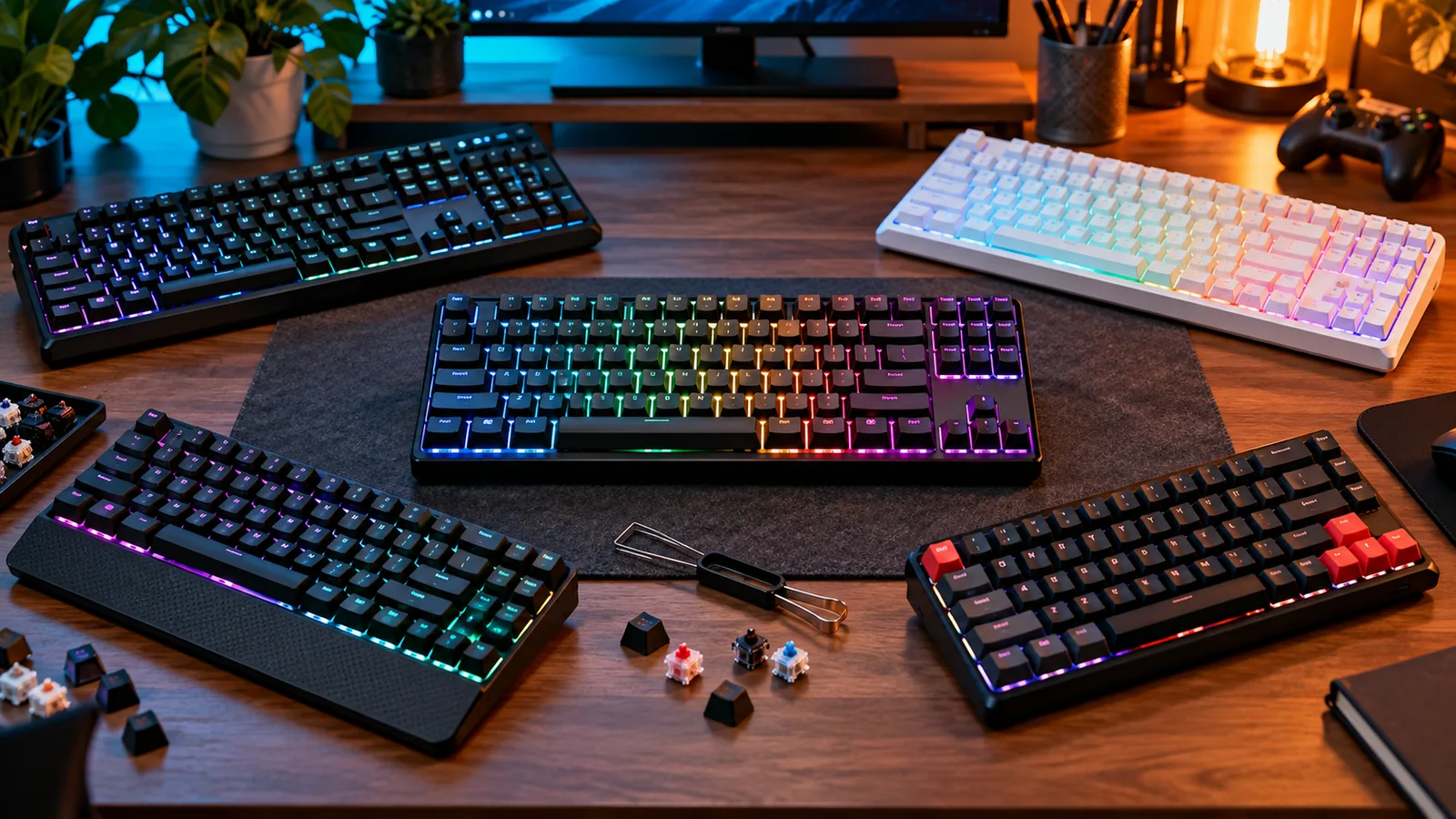
If you just want the answer, start here. I’ve sorted these by what you actually need, not by price.
| Best For | Keyboard | Price | Type | Size | Why It Wins | Buy |
|---|---|---|---|---|---|---|
| 🏆 Best Overall Value | Redragon K673 PRO | $49.99 | Mechanical, wireless, gasket | 75% (81 keys) | Wireless and gasket mount at a price that shouldn’t be possible | Check Price on Amazon |
| 🛡️ Best Full-Size Budget Pick | Redragon K556 | $49.99 | Mechanical, wired | Full-size (104 keys) | Aluminum top plate and a full number pad for fifty bucks | Check Price on Amazon |
| 🎮 Best for MMO & Macro Players | Redragon K580 | $64.99 | Mechanical, wired | Full-size + macro column | Dedicated macro keys and media controls | Check Price on Amazon |
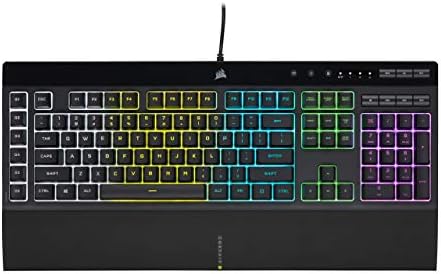
| 💧 Best for Spills & Shared Desks | Corsair K55 RGB PRO | $39.99 | Membrane | Full-size + macro keys | Quiet, spill-resistant, nearly indestructible | Check Price on Amazon |
| ✨ Best Premium Feel Under $100 | SteelSeries Apex 5 | $96.99 | Hybrid mechanical | Full-size | OLED screen, aluminum frame, excellent wrist rest | Check Price on Amazon |
My short version: Most people should buy the Redragon K673 PRO. If you need a number pad, get the K556. If you live in WoW or FFXIV, get the K580.
What You Shouldn’t Compromise On at This Price
Before the picks, here’s the checklist I use. A good $90 board beats a bad $200 one every time, but only if you know which features matter and which ones are marketing.
Features worth insisting on
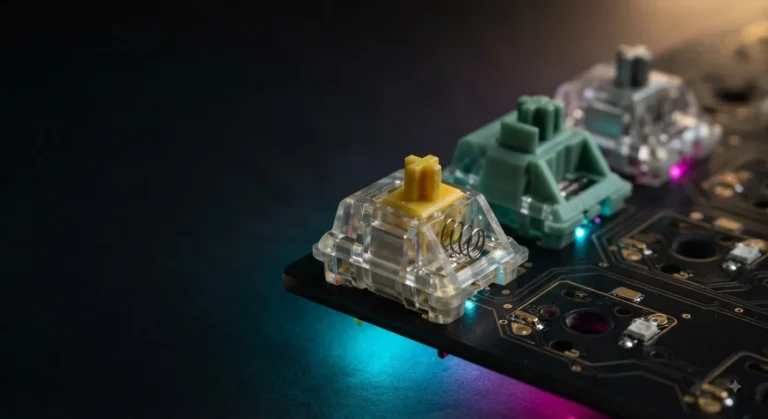
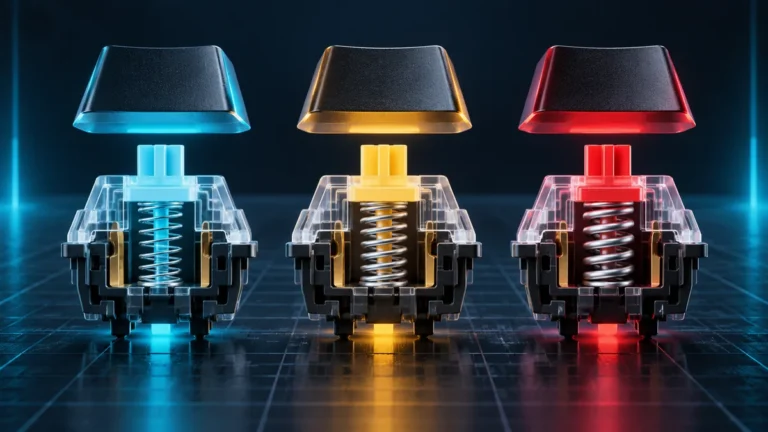
- Decent switches, ideally hot-swappable. Hot-swap sockets let you pull switches out and put in new ones without soldering. It’s the single best feature for extending a budget board’s life. If a switch dies or you decide you hate clicky blues, you replace it for a few dollars instead of buying a new keyboard.
- Stabilizers that don’t rattle. The spacebar, Enter, Shift, and Backspace all sit on stabilizers. Cheap ones rattle like a loose window. You can fix them with a little lube (I use dielectric grease on wires and 205g0 on housings), but a board that’s decent out of the box saves you an afternoon.
- A solid case or plate. Flex, creak, and hollow pinging are what make a keyboard feel cheap. An aluminum top plate or a gasket mount goes a long way.
- Remappable keys. You don’t need QMK or VIA at this price, but you should be able to rebind keys and set macros in the manufacturer’s software.
- The right layout for your desk. This one gets ignored. A full-size board pushes your mouse farther out, which matters for low-sensitivity FPS players and for your shoulder. More on that below.
Features you can safely ignore
- Polling rates above 1,000Hz. 1,000Hz is already a 1ms report interval. Nobody playing at home is feeling the difference at 4,000Hz or 8,000Hz, whatever the box says.
- RGB as a reason to buy. Every board here has it. It’s nice. It’s not a buying reason.
- “Gaming-grade” anti-ghosting claims. Full NKRO is good to have, but almost any modern board handles the six to eight simultaneous keys games actually need.
Here’s the catch: almost every budget mechanical keyboard ships with ABS keycaps, which develop a greasy shine after a few months of heavy use. That’s fine. A set of PBT caps costs $20–$30 and is the best upgrade you can make. Budget for it.
If you’re still choosing a switch type, my linear vs. tactile vs. clicky switch guide goes much deeper than I can here.
The Best Gaming Keyboards Under $100, Reviewed
1. Redragon K673 PRO — Best Overall Value
The Redragon K673 PRO is the board I keep recommending to friends, and it’s the reason I’m a little skeptical of anyone spending $150 on a “starter” keyboard.
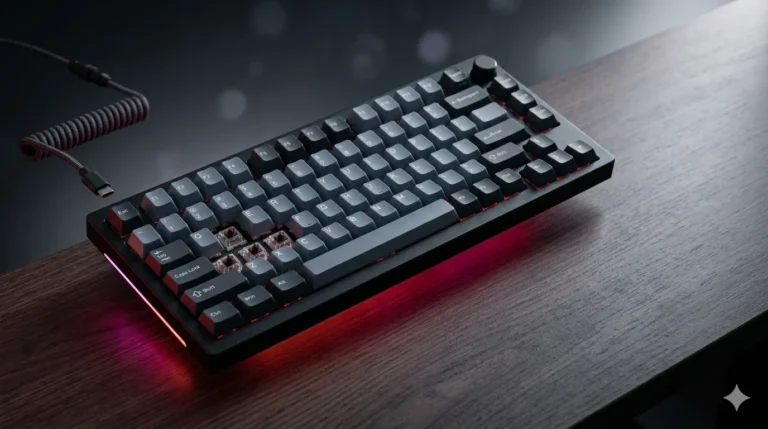
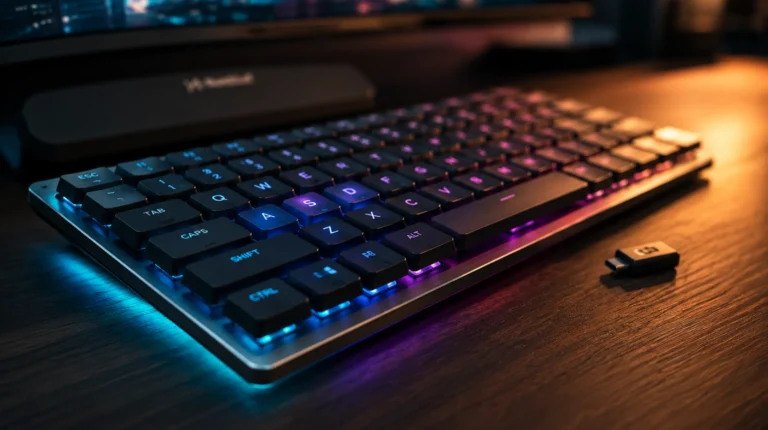
For $49.99 you get a 75% layout (81 keys), a gasket-mount design, hot-swap sockets, a volume knob, and wireless. Two years ago, gasket mount at this price was a fantasy. Gasket mounting suspends the plate on soft pads instead of screwing it hard into the case. In practice, that means a bit of give when you bottom out and a deeper, softer sound than a typical tray-mount budget board.
I ran it as my daily driver for about three weeks, mixing work typing with evenings of Valorant and Apex Legends. The typing feel is genuinely good. It’s not custom-board good, but it’s well beyond its price. The knob is also more useful than I expected. I use it for volume constantly.
Why 75%? You lose the number pad but keep the function row and arrow keys. Your mouse hand moves closer to the center, which helps with wide flicks at low sensitivity and is easier on your shoulder. Honestly, for most gamers, this is the layout I’d push. Check my keyboard size and layout guide if you’re not sure.
Pros:
- Gasket mount gives a softer, more refined feel than anything else at this price
- Hot-swappable, so switch upgrades are easy
- Wireless flexibility for a clean desk
- Compact 75% layout frees up mouse space
- Volume knob is genuinely handy
Cons:
- No number pad, which spreadsheet folks will miss
- Use wired or 2.4GHz mode for competitive play; Bluetooth adds latency
- Stock stabilizers benefit from a lube job
- Redragon’s software is functional, not pretty
Verdict: The best gaming keyboard under $100 for most people, and it costs half that.
2. Redragon K556 — Best Full-Size Budget Pick
The K556 has been around for years, and there’s a reason it keeps showing up in recommendations. It’s a full 104-key board with an aluminum top plate, Outemu mechanical switches, and per-key RGB for $49.99.
The aluminum plate is the standout. It keeps the board from flexing and makes it feel heavier and more serious than its price suggests. If you need a number pad for work, data entry, or MMO keybinds, this is where I’d start.
Here’s what you should know going in. The K556 is a tray-style budget board, so the sound out of the box is higher-pitched and a bit hollow compared with the K673 PRO. Some people like that crisp sound. I find it fine for gaming and a little loud for late-night typing. A cheap foam mod (sliding foam between the plate and the case) noticeably deepens the sound. I’ve done it on two K556s, and it takes about 20 minutes.
The Outemu switches are acceptable. They’re not as smooth as Gateron or Cherry, but they’re consistent enough. If you buy the blue switch version, know that clicky switches will annoy anyone who shares a room with you. That’s not a defect. That’s just what blues do.
Pros:
- Aluminum top plate feels sturdy and resists flex
- Full number pad for work and keybinds
- Great price for a full-size mechanical board
- Proven reliability and a large modding community
Cons:
- Stock sound is hollow and pingy
- Outemu switches are rougher than premium options
- ABS keycaps will shine over time
- Big footprint pushes your mouse outward
Verdict: The smartest full-size buy on this list. Add foam and PBT keycaps later and it’ll embarrass boards twice its price.
3. Redragon K580 — Best for MMO and Macro Players
The K580 is the K556’s more specialized sibling. It’s full-size and mechanical, and it adds a column of dedicated macro keys on the left plus media controls up top, including a rolling wheel for volume. At $64.99 it’s the priciest Redragon here, and whether it’s worth the extra $15 depends entirely on how you play.
If you play MMOs, MOBAs, or anything with complex rotations, those macro keys are useful. I set up a few in Final Fantasy XIV and found myself reaching for them without thinking after a couple of days. Your left hand never has to leave the home position to hit an ability that would otherwise need a modifier combo.
If you mostly play shooters, skip this board. You’ll never touch those macro keys, and the extra width pushes your mouse even farther out than the K556 does. It’s a classic case of paying for features you won’t use.
Like the K556, the stock sound is a little bright. The media wheel is a nice touch, though, and the board feels solid on the desk.
Pros:
- Dedicated macro keys are genuinely useful for MMO and MOBA players
- Media wheel and media keys are convenient
- Solid, stable build
- Easy macro setup in Redragon’s software
Cons:
- Very wide, the biggest footprint of the five
- Macro keys are dead weight for FPS players
- Stock sound and stabilizers need work
- $15 more than the K556 for features many won’t use
Verdict: Buy it if you’ll use the macros. If you aren’t sure, you won’t, so get the K556 instead.
4. Corsair K55 RGB PRO — Best for Spills and Shared Spaces
- Dynamic RGB Backlighting: Light up your desktop with six onboard lighting effects, assign a color to each lighting zone,…
- Six Dedicated Macro Keys: Activate functions, shortcuts, or keypresses in just one stroke with six dedicated macro keys,…
- Dust and Spill-Resistant Design: IP42-rated protection guards against accidents so your gameplay never has to stop.
Yes, a membrane keyboard made this list, and I’ll defend that choice.
The Corsair K55 RGB PRO isn’t mechanical. It uses rubber-dome membrane switches, which feel softer and less precise than mechanical keys. Enthusiasts love to sneer at membrane boards. I get it. But at $39.99, the K55 does a few things better than any board here.
First, it’s quiet. If you game in a dorm, a shared apartment, or next to a sleeping partner, this matters more than any switch spec. Second, it’s rated IP42 for dust and spill resistance. I’ve watched a teenager knock a soda directly onto one of these, and it kept working after a rinse and a long dry. Third, it has six dedicated macro keys and a detachable wrist rest, which is a lot of practical stuff for forty bucks.
Here’s the catch: the typing feel is noticeably mushier, and RGB lighting is zone-based (five zones) rather than per-key. Fast typists and competitive players will feel the difference in key actuation. And unlike the mechanical boards above, there’s no upgrade path. What you buy is what you get, forever.
Pros:
- Quiet enough for shared rooms and late nights
- IP42 spill and dust resistance
- Six macro keys plus dedicated media keys
- Detachable wrist rest included
- Cheapest board on the list
Cons:
- Membrane feel is mushy compared with mechanical switches
- Zone RGB instead of per-key
- No modding or switch upgrades
- Mostly plastic build
Verdict: The right buy for kids, shared spaces, and anyone who spills things. Everyone else should spend $10 more on the K556 or K673 PRO.
5. SteelSeries Apex 5 — Best Premium Feel Under $100
- Hybrid blue mechanical gaming switches – The tactile click of a blue mechanical switch plus a smooth membrane – guarante…
- OLED smart display – Customize with gifs, game info, discord messages, and more.
- Aircraft-grade aluminum alloy frame – Manufactured for unbreakable durability and sturdiness
The SteelSeries Apex 5 is the most polished board here, and it looks the part. An aluminum alloy frame, per-key RGB, a magnetic wrist rest, a metal volume roller, and a small OLED screen that can show game info, Discord notifications, or a custom image.
Now the important bit. The Apex 5 uses SteelSeries’ “Hybrid Blue” switches. These aren’t fully mechanical in the usual sense. They combine a membrane base with a mechanical clicky element on top. The result sounds and feels clicky, like a blue switch, but the bottom-out is softer and less crisp than a true mechanical switch.
I liked it more than I expected. The click is satisfying, the wrist rest is honestly one of the best I’ve used at any price, and the overall fit and finish clearly beat the Redragons. If you care about ergonomics, that wrist rest plus a stable, heavy frame matter more than most spec sheets admit.
My contrarian take, though: this is the most expensive board on the list, and it isn’t the best keyboard on the list. It’s the nicest product. There’s no hot-swap, the hybrid switches can’t be replaced, and the OLED screen is a fun gimmick that I stopped looking at within a week. You’re paying nearly twice the K673 PRO’s price for polish and software, not for a better typing feel.
Pros:
- Excellent build quality with an aluminum frame
- Outstanding magnetic wrist rest
- Polished SteelSeries GG software
- Volume roller and media controls feel premium
- OLED screen is a fun extra
Cons:
- Hybrid switches aren’t true mechanical, and they’re not swappable
- Clicky sound won’t suit shared spaces
- Costs nearly double the K673 PRO
- OLED screen is more novelty than tool
Verdict: Buy it if you want a refined, ready-to-go board with great ergonomics and you’ll never mod it. Skip it if you’re chasing the best typing feel per dollar.
Spec Comparison: How These Boards Stack Up
| Feature | Redragon K673 PRO | Redragon K556 | Redragon K580 | Corsair K55 RGB PRO | SteelSeries Apex 5 |
|---|---|---|---|---|---|
| Price | $49.99 | $49.99 | $64.99 | $39.99 | $96.99 |
| Switch type | Mechanical | Mechanical (Outemu) | Mechanical (Outemu) | Membrane | Hybrid mechanical |
| Layout | 75% (81 keys) | Full-size (104 keys) | Full-size + macros | Full-size + macros | Full-size |
| Connection | Wireless + wired | Wired | Wired | Wired | Wired |
| Hot-swap | ✅ Yes | ✅ Yes | ❌ Check listing | ❌ No | ❌ No |
| Mount/Build | Gasket | Aluminum top plate | Plastic/metal | Plastic | Aluminum frame |
| Lighting | RGB | Per-key RGB | RGB | 5-zone RGB | Per-key RGB |
| Dedicated macros | ❌ | ❌ | ✅ | ✅ (6 keys) | ❌ |
| Wrist rest | ❌ | ❌ | ✅ | ✅ | ✅ Magnetic |
| Best for | Most gamers | Full-size on a budget | MMO/MOBA | Shared spaces, spills | Polish and ergonomics |
Hot-swap support on some budget boards varies by model revision. If it matters to you, confirm it on the Amazon listing before you buy.
Which Gaming Keyboard Under $100 Should You Buy?
Picking from the best gaming keyboards under $100 really comes down to three questions.
Do you need a number pad?
If yes, it’s the K556 or K580. If no, I’d strongly push you toward the K673 PRO. Most gamers don’t use the numpad, and a smaller board gives your mouse more room. Your shoulder will thank you after a long session.
What kind of games do you play?
- FPS and battle royale: K673 PRO. Compact, solid, and wired or 2.4GHz mode keeps latency low.
- MMO and MOBA: K580. The macro keys earn their place.
- A bit of everything: K673 PRO or K556, depending on the numpad question.
Where do you play?
If you share a room, clicky switches are a social problem. Choose the K55 for near silence, or pick linear (red) switches on the Redragon boards. Avoid the Apex 5’s Hybrid Blue switches, and avoid blue switch variants of anything else.
For more on matching a keyboard to your setup, check out my picks for the best gaming mice under $50 and my guide to setting up an ergonomic gaming desk.
The Upgrades That Actually Matter (and Cost Under $30)
One of the biggest advantages of a cheap mechanical board is that you can make it much better with a little money and patience. I’d prioritize these in order:
- PBT keycaps ($20–$30). Thicker, textured, and they won’t shine. This is the biggest visible and tactile improvement you can make.
- Stabilizer lube (under $10). A thin layer of dielectric grease on the stabilizer wires kills most rattle. It’s about 30 minutes of work.
- Foam mod (a few dollars). Case foam or even shelf liner cut to size deepens the sound of tray-mount boards like the K556.
- New switches (hot-swap boards only, $15–$30 a set). Swap in smoother linears or nicer tactiles and it almost feels like a new keyboard.
I’m mildly tired of the “thocc” hype, and I won’t pretend a $50 board becomes a $300 custom. But I’ll admit these mods are fun, and they get you surprisingly close to what most people actually want from an expensive board. My beginner’s guide to keyboard modding walks through each one.
How I Tested
I don’t review boards I haven’t lived with. Each keyboard here spent time as my main board for both work typing (my newsletter alone is a few thousand words a week) and gaming. I played a mix of FPS titles (Valorant, Apex Legends) and an MMO (Final Fantasy XIV) to test macro and layout usefulness. I checked stabilizers for rattle, listened for case ping, and pressed on the boards to check for flex. Where I could do so without voiding anything important, I opened them up.
A caveat on my take: I have medium-sized hands and a fairly heavy typing style. If you’ve got smaller hands or type lightly, a compact board like the K673 PRO will likely feel even better to you, and clicky switches may feel heavier than they did for me. Your mileage will vary.
Final Verdict: The Best Gaming Keyboards Under $100
If you want one recommendation, it’s the Redragon K673 PRO. Wireless, gasket mount, hot-swap, and a sensible 75% layout at $49.99 is the best value I’ve seen in budget keyboards this year. It’s the board I’d buy for myself if I were starting over.
If you need a number pad, get the Redragon K556 and plan a foam mod for later. MMO players should go with the Redragon K580. Anyone in a shared space, or anyone with a cat that loves knocking over drinks, should get the Corsair K55 RGB PRO. If you’d rather pay for polish and a great wrist rest than tinker, the SteelSeries Apex 5 is a good buy, just not the best typing value here.
The bigger lesson: you don’t need to spend $100 to get a great gaming keyboard. Two of my top three picks cost half that. Put the savings toward a good set of PBT keycaps, and you’ll have a board that feels better than plenty of $150 options on store shelves.
This article contains affiliate links. If you buy through them, I earn a small commission at no extra cost to you. I only recommend keyboards I’ve actually tested. As an Amazon Associate I earn from qualifying purchases.