Best Budget Hot-Swap Gaming Keyboards Under $100

This article contains affiliate links. If you buy through them, I earn a small commission at no extra cost to you. I only recommend keyboards I’ve actually tested. As an Amazon Associate I earn from qualifying purchases.
Here’s a thing that still catches people off guard: you don’t need to spend $150 anymore to pull a switch out of your keyboard without a soldering iron. A few years ago, hot-swap sockets were an enthusiast tax. Now Redragon puts them on a $30 board, and Razer — a company that’s never been shy about pricing — just launched one for $49.99.
So I rounded up the best budget hot swap gaming keyboards I’d actually spend my own money on and ran each one as my daily driver for gaming and writing. All four come in under $60. That matters, because it leaves you $40 or more of headroom under the $100 line for a set of switches or keycaps you actually like. That’s the whole point of hot-swap, and it’s how I judged these: not just how they feel out of the box, but how good a foundation they make once you start tinkering.
One honest disclaimer before we start. Nobody should buy a keyboard on spec sheets alone. A board that’s “better on paper” can still be the wrong one for your hands, your desk, or your game. I’ll tell you who each of these is for, and who should skip it.
For a closely related buying path, see our best budget mechanical gaming keyboards guide.


Quick Comparison: The Best Budget Hot-Swap Gaming Keyboards at a Glance
Short on time? Find your use case in the left column and you’re done.
| Best For | Keyboard | Layout | Stock Switch | Keycaps | Why It Wins | Price | Buy |
|---|---|---|---|---|---|---|---|
| Best Overall | RK Royal Kludge R75 | 75% | Pre-lubed tactile brown | PBT, MDA profile | Gasket mount, VIA remapping, metal volume knob | $59.99 | Check Price on Amazon |
| Best for Competitive FPS | Razer Reclusa X Mini 65% | 65% | Razer Orange Gen-3 tactile, factory lubed | Doubleshot ABS | Snap Tap, PPS plate, dual-layer silicone | $49.99 | Check Price on Amazon |
| Best Full-Size | Redragon K668 | Full-size, 108 keys | Redragon Red linear | Doubleshot, 2 sets included | Numpad, 4 media keys, spare keycap set | $39.99 | Check Price on Amazon |
| Best Under $30 | Redragon K617 Fizz | 60%, 61 keys | Redragon Red linear | ABS | Cheapest 3/5-pin hot-swap board worth buying | $29.99 | Check Price on Amazon |
My quick take:
- Want one board that does everything well? Get the RK R75. PBT caps and a gasket mount at $60 is the best value here.
- Play Valorant, CS2, or Apex seriously? The Razer Reclusa X Mini’s Snap Tap is a real advantage, not a marketing sticker.
- Need a numpad for work? The Redragon K668 is the rare full-size hot-swap board under $40.
- Just want to try hot-swap cheaply? The Redragon K617 is a $30 testbed that’ll take nearly any switch you throw at it.
The Best Budget Hot-Swap Gaming Keyboards, Reviewed
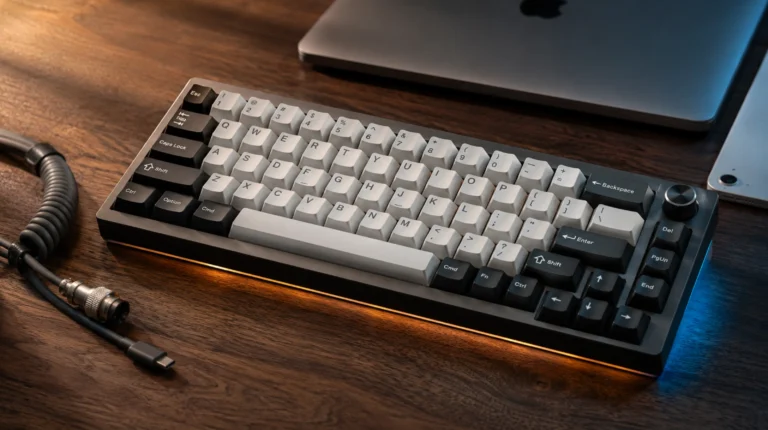
1. RK Royal Kludge R75: Best Budget Hot-Swap Keyboard Overall
- ROYAL KLUDGE R75 Wired Mechanical Keyboard – Adopts a 75% layout and a volume roller, making it a practical choice for g…
- Gasket Mount Mechanical Keyboard – This custom keyboard features built-in triple absorption layers, including a sound ab…
- HOT SWAPPABLE Brown Switch – Compromises both tactile and low noise two supreme merits. The hot swappable PCB of this ga…
- Layout: 75%, wired
- Switches: Pre-lubed tactile brown, hot-swappable (linear variants also sold)
- Mount: Gasket, with multi-layer sound dampening
- Keycaps: PBT, MDA profile
- Software: VIA remapping and macros
- Extras: CNC aluminum volume knob (press to mute)
- Price: $59.99
If my brother asked me which keyboard to buy under $100, this is the one I’d send him. It’s the only board here with PBT keycaps, and that alone puts it ahead. ABS caps start to shine within a few months of daily use. PBT holds its texture for years.
The gasket mount and dampening layers give it a softer, rounder bottom-out than the tray-mount boards in this roundup. It’s not a $200 custom, and anyone who tells you otherwise is selling something. But it’s a lot closer than $60 should get you.
The feature I didn’t expect to care about is VIA support. You remap keys in a browser instead of installing yet another vendor app that wants to run at startup. At this price, that’s rare. The 75% layout keeps your arrows and F-row while still freeing up real mouse space.
Here’s the catch: the stock brown is a mild tactile. The bump is more of a suggestion than a statement. If you mostly play fast shooters, consider the linear version, or just swap in your own switches later. That’s what the sockets are for. The MDA keycap profile is also taller and rounder than Cherry profile, which takes a few days to get used to.
Pros
- PBT keycaps that won’t shine
- Gasket mount and dampening for a quieter, softer sound
- VIA remapping without bloated software
- Handy aluminum volume knob
- Arrows and F-row in a compact footprint
Cons
- Wired only
- Stock tactile switch is pretty mild
- MDA profile isn’t for everyone
- Knob is a little slick with no knurling
2. Razer Reclusa X Mini 65%: Best Hot-Swap Keyboard for Competitive Gaming
- HOT-SWAPPABLE CUSTOMIZATION – Personalize your typing and gaming experience with a socketed PCB compatible with both 3-p…
- TACTILE GAMING PERFORMANCE – Enjoy responsive, satisfying keystrokes with Razer Orange Tactile Mechanical Switches Gen-3…
- PREMIUM SOUND AND FEEL – Experience cleaner acoustics and a plush bottom-out thanks to a PPS plate, custom stabilizers, …
- Layout: 65%, wired
- Switches: Razer Orange Tactile Gen-3, factory lubed (50 g actuation, 3.5 mm travel)
- Hot-swap: 3-pin and 5-pin
- Build: PPS plate, custom stabilizers, dual-layer silicone dampening
- Keycaps: Doubleshot ABS, south-facing LEDs
- Gaming features: Snap Tap, Snap Flex, Dual-Keypress Priority, 1000 Hz polling
- Price: $49.99
Honestly, I didn’t expect Razer to show up in a budget hot-swap roundup. The Reclusa X Mini is the first board in Razer’s new Reclusa line, and it’s clearly aimed at people who want a board that’s good on day one but can grow with them.
The gaming feature that matters here is Snap Tap. It’s Razer’s version of SOCD handling: hold A, tap D, and the last key pressed wins instantly. For counter-strafing in Valorant or CS2, that’s a feel you’ll notice. Most $50 boards don’t offer it. The 1000 Hz polling rate, on the other hand, is table stakes. Don’t let anyone sell it to you as special.
Sound-wise, the PPS plate and silicone layers keep it controlled rather than hollow. The south-facing LEDs are a quiet win, too. They mean aftermarket Cherry-profile keycaps fit without hitting the switch housing.
Here’s the catch: the doubleshot ABS caps will shine eventually, so set aside $25 for a PBT set. There are no flip-out feet on the bottom, so you’re stuck with the stock typing angle. And you’ll need Razer Synapse to configure Snap Tap.
Pros
- Snap Tap is a genuine advantage in FPS games
- Accepts both 3-pin and 5-pin switches
- Well-dampened sound for the price
- South-facing LEDs for wide keycap compatibility
Cons
- ABS keycaps will shine over time
- No adjustable feet
- Gaming features require Synapse
- 65% drops the F-row
3. Redragon K668: Best Full-Size Budget Hot-Swap Keyboard
- 4 Extra Hotkeys, Full-Size 108-Key Anti-Ghosting – Dedicated shortcut keys default to mute, calculator, screen lock and …
- Swap Switches Without Soldering, Smooth and Quiet – The upgraded socket accepts almost any 3-pin or 5-pin switch, and st…
- Vibrant RGB for a True eSports Vibe – Up to 19 preset lighting modes with adjustable brightness and flow speed, includin…
- Layout: Full-size, 108 keys (including 4 extra media keys)
- Switches: Redragon Red linear, hot-swappable (3-pin and 5-pin)
- Build: Sound-absorbing foam
- Keycaps: Doubleshot, two color sets in the box
- Extras: Spare switches, switch and keycap puller, 19 RGB modes, detachable USB-C
- Price: $39.99
Enthusiasts like to sneer at full-size boards. I don’t. If you work in spreadsheets by day and play MMOs at night, a 60% with a numpad layer is simply a worse keyboard for you. The K668 is one of the very few full-size hot-swap boards under $40.
The red linears are light and smooth enough out of the box, and the foam takes the edge off the ping you get from most cheap boards. Redragon also throws in a second full keycap set in inverted colors plus a few spare switches. That’s real value, not filler.
Here’s the catch: a full-size board eats mouse space. If you play low-sensitivity shooters with big arm swipes, you’ll feel cramped. Some lighting and macro settings also require Redragon’s software.
Pros
- Full numpad plus dedicated media keys
- Hot-swap on a full-size board under $40
- Two keycap sets and spare switches included
- Foam dampening keeps it from sounding cheap
Cons
- Takes up a lot of desk width
- Some features locked to Redragon’s software
- Stabilizers on the long keys are the weak spot, as on most budget boards
4. Redragon K617 Fizz: Best Hot-Swap Keyboard Under $30
- Layout: 60%, 61 keys
- Switches: Redragon Red linear, hot-swappable (3-pin and 5-pin)
- Keycaps: ABS, two-tone
- Lighting: RGB with 20 onboard presets
- Extras: Detachable USB-C cable, adjustable feet, under 10 oz
- Price: $29.99
The K617 has been around since 2021, and it’s still the answer to one question: what’s the cheapest hot-swap board that isn’t junk? At $29.99, it takes almost any 3-pin or 5-pin switch you throw at it. That makes it the perfect cheap testbed. Buy a switch sampler, swap a few rows, and figure out what you actually like before you spend real money.
It’s light, it’s tiny, and it gives you a ton of mouse room. The adjustable feet are a nice touch that plenty of pricier 60% boards skip.
Here’s the catch: there are no dedicated arrow keys. You’ll use a function layer for those, which is fine in games and annoying in a text editor. It’s also light enough to slide around during intense sessions, so a desk mat helps.
Pros
- Hot-swap for $30
- Accepts 3-pin and 5-pin switches
- Maximum mouse space for FPS players
- Adjustable feet and detachable cable
Cons
- No dedicated arrow keys
- ABS keycaps
- So light it can slide on a bare desk
How to Choose a Budget Hot-Swap Gaming Keyboard
Pick your layout first, switches second
This is my mildly contrarian take: most people agonize over switches and barely think about layout. It should be the other way around. You can change switches in ten minutes on any of these boards. You can’t add a numpad to a 60%.
| Layout | What You Lose | Best For |
|---|---|---|
| Full-size | Nothing (but mouse space) | Work plus gaming, number entry |
| 75% | Numpad | Most people; the best all-rounder |
| 65% | Numpad, F-row | FPS players who still want arrows |
| 60% | Numpad, F-row, arrows | Max mouse room, travel, tinkering |
Check 3-pin vs. 5-pin before you buy switches
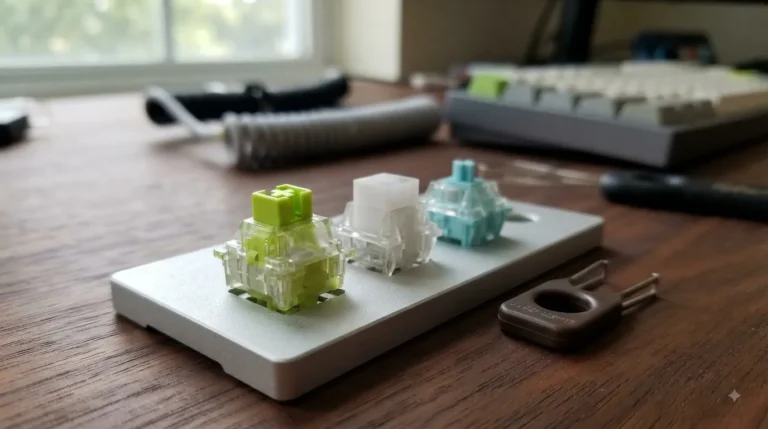
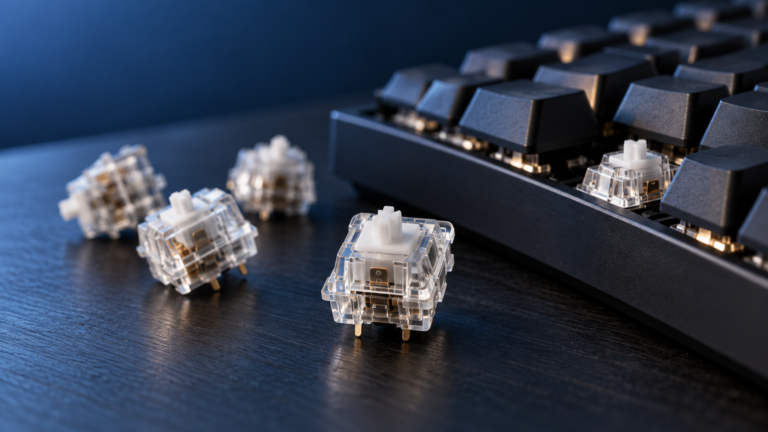
Switches come with either three plastic pins (one center post) or five (two extra stabilizing legs). The Reclusa X Mini, K617, and K668 all accept both. If a board only takes 3-pin, you can clip the two extra legs off a 5-pin switch with flush cutters. Not elegant, but it works. Not sure which feel you want? Our linear vs. tactile switch guide walks through it.
Spend your next $25 on keycaps, not RGB
Three of these four boards ship with ABS keycaps. They’re fine, but they’ll get that greasy shine where your fingers rest. A decent PBT set runs around $25 to $40 and changes the sound and feel more than most people expect. I’m skeptical of RGB as a reason to buy any keyboard. It’s nice. It doesn’t make you type or aim better. If you’re hunting for a set, start with our best PBT keycaps roundup.
Gaming specs: what matters and what’s fluff
- Matters: SOCD features like Snap Tap, if you play FPS games with counter-strafing.
- Matters: A layout that leaves room for your mouse.
- Standard, not special: 1000 Hz polling and anti-ghosting. Every board here has them.
- Mostly fluff: RGB mode counts. “19 modes” versus “20 modes” changes nothing in your game.
The honest caveat about hot-swap
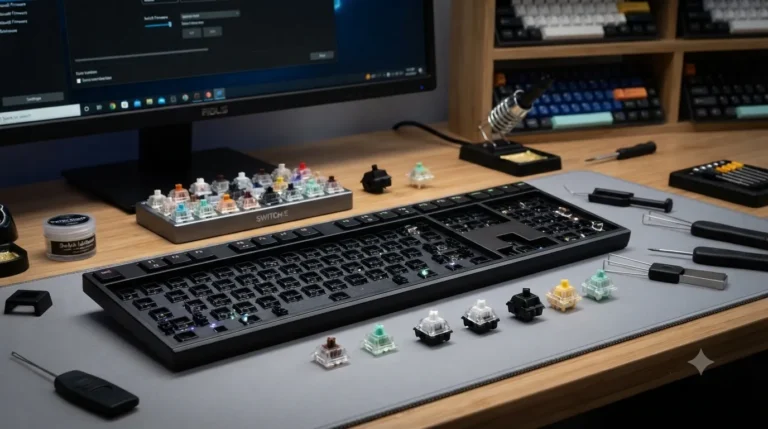
Hot-swap sockets aren’t immortal. Cheap ones loosen if you swap the same switch in and out constantly. Pull switches straight up with the included tool, and check that the pins aren’t bent before you press a new one in. A bent pin is the number-one reason a “dead key” shows up after a swap.
A $100 upgrade path that actually works
- Buy the board that fits your layout needs ($30 to $60).
- Live with the stock switches for two weeks before deciding they’re wrong.
- If they are, buy a 10-switch sampler and test a few in your most-used keys.
- Order a full set of the winner, roughly $20 to $35 for a budget linear or tactile.
- Fix the space bar rattle with a little dielectric grease. Our stabilizer tuning guide covers it.
That path gets you a board that feels personal for well under $100. Plenty of $200 prebuilt boards can’t say that.
The Verdict: Which Budget Hot-Swap Gaming Keyboard Should You Buy?
If you want one answer, buy the RK Royal Kludge R75. PBT keycaps, a gasket mount, VIA support, and a volume knob for $59.99 is the strongest package in this group, and it still leaves you $40 under budget for switches.
If you play competitive shooters, the Razer Reclusa X Mini 65% is the smarter buy. Snap Tap is the one gaming feature in this price range you’ll actually feel, and $49.99 is a fair price for it. Just plan on new keycaps down the road.
Need a numpad? The Redragon K668 is the easy call at $39.99. And if you’re curious about hot-swap but don’t want to gamble real money, the Redragon K617 at $29.99 is the cheapest smart way in.
Here’s the bigger point. A good $50 board beats a bad $200 one every time. You’re not buying the finished keyboard here. You’re buying a good starting point, and all four of these are exactly that.
This article contains affiliate links. If you buy through them, I earn a small commission at no extra cost to you. I only recommend keyboards I’ve actually tested. As an Amazon Associate I earn from qualifying purchases.
One Comment