
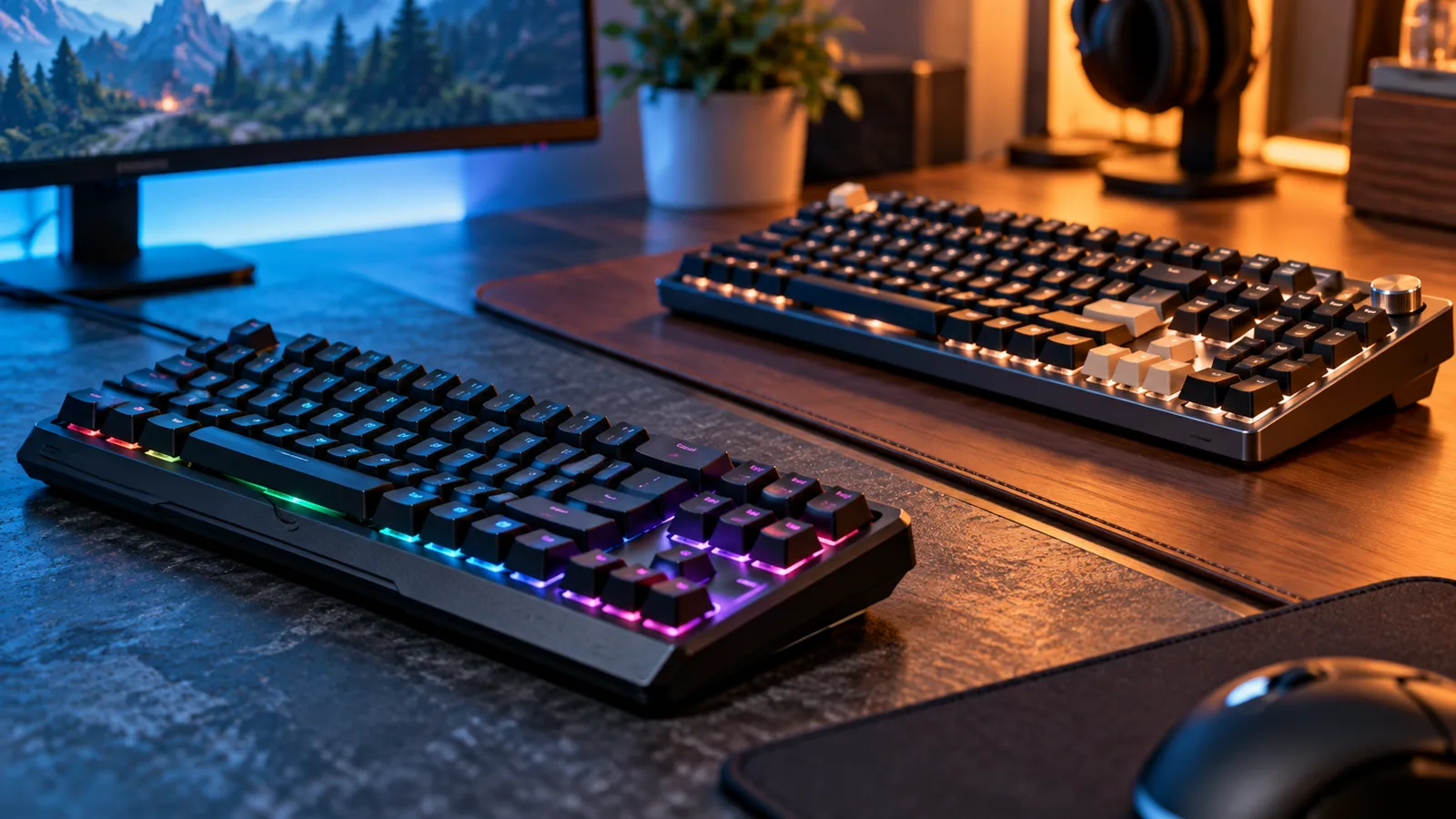
Are Cheap Gaming Keyboards Worth It?

This article contains affiliate links. If you buy through them, I earn a small commission at no extra cost to you. I only recommend keyboards I’ve actually tested. As an Amazon Associate I earn from qualifying purchases.
Here’s a myth I’d like to retire: that a gaming keyboard under $50 is a doomed purchase. I’ve seen it repeated in enthusiast forums for years, usually by people whose daily driver cost more than a used console.
So, are cheap gaming keyboards worth it? Mostly, yes. Not all of them, and not for everyone, but the gap between a $35 board and a $150 board is much smaller in actual play than the price tag suggests. What you’re paying for at the high end is feel, sound, build, and customization. What you’re paying for at the low end is the part that matters most: keys that register when you press them.
One disclaimer before we go on. I’ve spent years with budget boards in general, and I know exactly what to look for in them. But the seven keyboards below are judged here on their listed specs, the switch or membrane type, and what I know about how that design behaves in real use. I haven’t had every one of these exact units on my desk for a month, and I’m not going to pretend I did. Where that limits my take, I’ll say so.
For a closely related buying path, see our best gaming keyboards under $30 guide.
What “Cheap” Actually Buys You in 2026
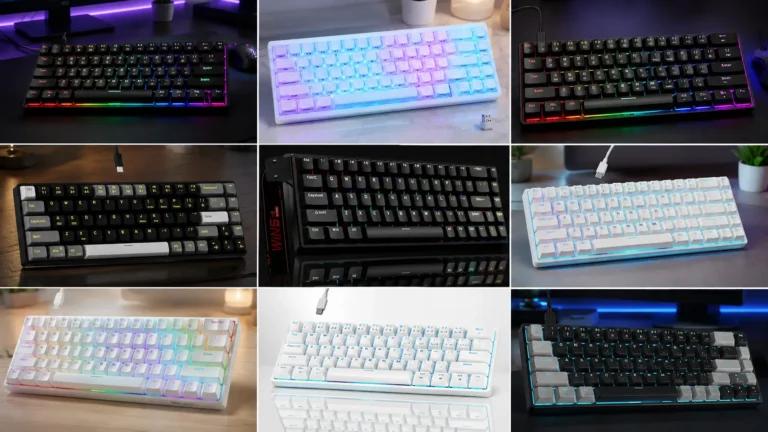
Let’s define terms. In this article, cheap means roughly under $60, with a couple of boards well below that. At that price you’re usually getting one of three things:
- A membrane keyboard dressed up as a gaming board. Rubber dome underneath, RGB on top.
- A “mechanical feeling” board. Marketing language for a membrane design with a slightly crisper press. It is not mechanical.
- A true budget mechanical board. Real switches, usually Outemu-style or similar, often loud, rarely hot-swappable.
Knowing which one you’re looking at is half the battle, because the listings blur them on purpose. “Mechanical feeling” is the biggest offender. If the word “feeling” is in there, it’s a membrane board.
What you actually give up
- Switch quality and consistency. Budget switches have more wobble and a little more scratch. Some boards have a few keys that feel different from the rest.
- Stabilizers. The space bar and shift keys on cheap boards often rattle. I’ve fixed this on plenty of keyboards with a dab of dielectric grease and ten minutes, but most buyers won’t.
- Keycaps. Thin ABS plastic that shines up within a few months. PBT is the durable option and you almost never see it under $60.
- Software. Little or none. No QMK, no VIA, often no remapping at all.
- Hot-swap sockets. Rare at this price. If a switch dies, the board is done.
What you don’t give up
- Anti-ghosting and rollover. Even cheap boards usually handle the key combinations games demand. The listings with “anti-ghosting” printed on them aren’t lying, though the claims range from a handful of simultaneous keys to full N-key rollover.
- Polling rate that matters. Standard USB polling at 125Hz is fine for the vast majority of players. The 1000Hz and 8000Hz numbers on premium boards are real, but you’ll feel them far less than you’d feel a bad mouse.
- Response time. In casual and mid-level competitive play, a decent membrane or budget mechanical board isn’t what’s holding your aim back.
That last point is the contrarian one, and I’ll defend it. Most players who blame their keyboard for missed shots are really dealing with sensitivity settings, a flat mousepad, or just practice. A $200 board makes you feel better. It rarely makes you better.
How to Judge a Budget Board Before You Buy
Skip the star rating. Here’s what I look at instead.
- Switch type, stated plainly. If the listing doesn’t say what’s under the keys, assume membrane.
- Layout. A full 104-key board with a number pad eats desk space and pushes your mouse hand out. A TKL (tenkeyless) layout without the number pad is better for most gamers.
- Wrist support. Honest ergonomics matter. A built-in wrist rest isn’t glamorous, but if you play for hours, your tendons care.
- Noise. Clicky switches are satisfying for about a day, then they’re a problem for everyone else in the house.
- Warranty and return window. At this price, a bad unit is a coin flip. Buy from somewhere with easy returns.
If you want a one-line rule: buy the plainest board with the layout you’ll actually use. Skip anything that leads with its lighting modes.
Quick Comparison
| Keyboard | Type | Layout | Best for | Biggest catch |
|---|---|---|---|---|
| Wegear Wired Mechanical (Clicky) | Mechanical, clicky | 104-key | Typing feel on a budget | Loud |
| BlueFinger RGB Keyboard + Mouse Combo | Membrane-style | 87-key | A full starter setup | Mouse and board are basic |
| TECKNET Wired RGB | Membrane | 108-key | Comfort and wrist support | Not a true mechanical |
| Redragon K521 | “Mechanical feeling” membrane | 104-key | Brand reliability on a budget | Not mechanical, despite the wording |
| RisoPhy All-Metal Panel | Membrane, quiet | 104-key | Shared spaces | Unproven brand |
| SteelSeries Apex 3 TKL (Renewed) | Quiet membrane-style switch | TKL | Best overall pick here | Renewed unit, so check the return policy |
| Newmen GM325Pro | Mechanical, red (linear) | 104-key | Real linear switches, cheap | Full-size layout |
The Seven Boards, One by One
1. Wegear Wired Mechanical Gaming Keyboard (Clicky Switch, 104-Key)
This is the board for someone who wants a real mechanical keyboard and doesn’t care to spend much. A clicky switch is the loudest of the three families, with an audible snap on every press, and the 104-key layout gives you the full number pad.
Clicky switches are great for typing and mediocre for gaming. The tactile click is the feedback some people love, but in fast games it adds nothing, and the noise stacks up over hours. If you’re sharing a room, this is the one your partner will notice.
Pros
- Real mechanical switches at a budget price
- Distinct tactile and audible feedback
- Full-size layout with a number pad
- Sturdier feel than a rubber-dome board
Cons
- Loud enough to annoy people nearby
- Clicky switches aren’t ideal for rapid repeated presses
- Probably no hot-swap, so a dead switch is a dead board
- Full size takes up mouse room
Who should buy it: typists who also game, and people who work alone. If you share a space, look at the Newmen board further down instead.
2. BlueFinger RGB 87-Key Gaming Keyboard and Backlit Mouse Combo

- 【75% TKL Keyboard】 : Compact 87 Keys Tenkeyless keyboard, no additional number keys, free up workspace on your desk, all…
- 【Light Up Keyboard & Mouse】: Gaming keyboard has rainbow backlit and breathing mode, multiple brightness levels and ligh…
- 【Ergonomic & Durable Keyboard】: Quiet and soft typing, scientific stepped keycap designed, bringing maximum comfort and …
I’m including a combo because this is how many people actually shop. You want to stop using whatever came with your laptop dock, and you want a keyboard and a mouse for around the price of a pizza night.
The 87-key layout is a TKL-style compact board, which I prefer for gaming because it frees up desk space for your mouse. As a combo, it’s a decent way to get started. As a long-term pair, expect to replace the mouse first.
Pros
- Keyboard and mouse together, which saves money
- Compact layout leaves room for mouse movement
- Rainbow backlighting works for dark rooms
- Simple plug-and-play use
Cons
- Combo mice at this price are basic, with limited sensor quality
- Membrane-style typing feel is soft and a little mushy
- Backlight modes are the main selling point, which tells you where the budget went
- No meaningful software for remapping
Who should buy it: students, first-time PC gamers, and anyone who needs a cheap functional upgrade without researching for a week.
3. TECKNET Wired RGB Gaming Keyboard (108 Membrane Keys, Wrist Rest, Phone Holder)
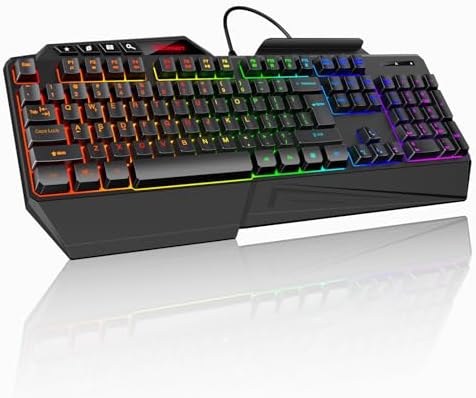
- 【Professional Performance with Membrane Technology】Featuring a durable membrane switch mechanism and 26-key anti-conflic…
- 【Ergonomic Design for Ultimate Comfort】Designed with your comfort in mind, this wired ergonomic keyboard gaming features…
- 【Customizable RGB Lighting for an Immersive Gaming Experience】 Enhance your gaming setup with 13 vibrant color options a…
The TECKNET is a membrane board with a few conveniences that matter more than they sound. The padded wrist rest is the headline: if you play or work long sessions, wrist support is the cheapest ergonomic upgrade you can make. The phone holder is a small bonus I’d call genuinely useful rather than a gimmick.
The spill resistance is worth having on any board you’ll eat near. I’d trust it against a small splash, not a full cup of coffee. No board at this price is built to survive a real spill.
Pros
- Included wrist rest improves comfort in long sessions
- Spill-resistant design gives some peace of mind
- Phone holder is handy for mobile gaming or work
- Works with both Windows and Mac
Cons
- Membrane feel, not mechanical
- Full-size layout is wide
- Wrist rests at this price are often plain foam that flattens over time
- Lighting modes are plentiful, but they’re not why you’d buy this
Who should buy it: people who play and work at the same desk and want comfort first. Not for anyone chasing a mechanical feel.
4. Redragon K521 Upgrade Rainbow LED Gaming Keyboard (104 Keys, “Mechanical Feeling”)
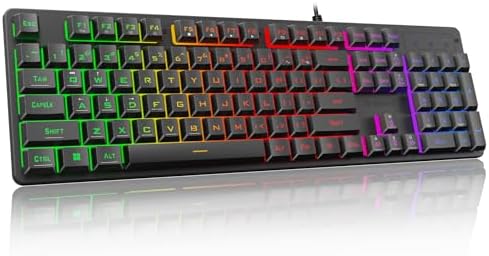
- 【Dreamy Rainbow Gaming Keyboard】K521 Gaming Keyboard Adopts a Different LED Backlight Design, Upgraded on the Traditiona…
- 【One Touch Opens & Visual Feast】The K521 Red Dragon Keyboard has a One-Touch on/off Lighting Button for Added Convenienc…
- 【Mechanical Feeling & Fast Tapping】The PC Keyboard Keys are Designed for Mechanical Feeling, Giving You a Better Feel Du…
Redragon is the brand that has made a name in the budget space, so I’d rate it above the unknown-brand boards on warranty and support. But read the name: “mechanical feeling” means this is a membrane board with a firmer press than a basic office keyboard.
That’s not an insult. A well-tuned membrane board can feel better than a bad mechanical one, and I’ve argued for years that people shouldn’t be embarrassed to use one. What I object to is the wording, because buyers read “mechanical” and assume switches.
Compatibility is a real selling point here: PC, Mac, PS4/5, and Xbox are all listed, so it’s flexible if you move between devices.
Pros
- Established budget brand with a reputation to protect
- Works across PC, Mac, and consoles
- Dedicated multimedia keys
- One-touch backlight control
Cons
- Not a mechanical keyboard, regardless of the name
- Full-size layout
- Typical budget keycaps that will shine over time
- Limited customization
Who should buy it: console and PC players who want one board for everything and a brand with some track record.
5. RisoPhy Gaming Keyboard (104 Keys, All-Metal Panel, Silent, Wrist Rest)
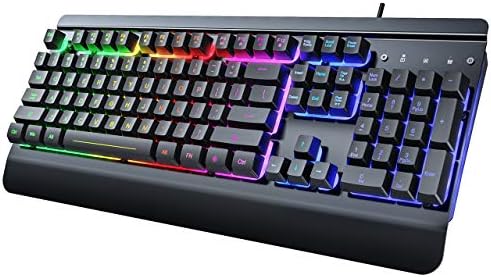
- Durable Metal Panel Keyboard: Ditch the flimsy keyboards! This one boasts a sleek, aluminum alloy shell that ups the coo…
- Light Up Your Game: There are 2 light-up modes, and 3 levels of brightness for choice. ☼: Static Backlit/turn off; FN+☼:…
- Ergonomic Wrist Rest: This rainbow keyboard keeps your hands happy during long gaming marathons or work sessions. Built-…
The all-metal panel is the interesting part. A metal top plate gives the board some heft and a more solid feel than the usual plastic. That matters because lightweight boards slide around mid-game, and a heavier one stays put.
“Silent” in a membrane context is a fair claim. Rubber domes are naturally quieter than mechanical switches, and it’s a real advantage if you play late or share a room.
I can’t vouch for long-term durability with a smaller brand like this. At this price, I’d buy it for the quiet and the build, then treat the return window as the real warranty.
Pros
- Metal panel feels more solid than all-plastic boards
- Quiet operation for shared or late-night spaces
- Wrist rest included
- Waterproof claim adds some peace of mind
Cons
- Smaller brand with less support history
- “Waterproof” at this price should be read as “splash-tolerant”
- Membrane typing feel
- Full-size layout
Who should buy it: night-owl gamers and people in shared apartments who want quiet and a heavier feel.
6. SteelSeries Apex 3 TKL RGB Gaming Keyboard (Renewed)

- The compact tenkeyless design is the most popular form factor used by the pros, allowing you to position the keyboard fo…
- Our whisper quiet gaming switches with anti-ghosting technology for keystroke accuracy are made from durable low frictio…
- Designed with IP32 Water & Dust Resistant for extra durability to prevent damage from liquids and dust particles, so you…
This is the best pick of the seven, and the reason is the name on the box. SteelSeries has real support, real software, and a design that’s been tested across a lot of buyers. The Apex 3 uses SteelSeries’ Whisper Quiet switch, which is closer in feel to a refined membrane than to a traditional mechanical switch. It’s quiet and consistent.
The tenkeyless layout is what I’d recommend to almost any gamer, since it gives you more room for your mouse. The IP32 rating means it handles light water and dust, not a flood.
The catch: this one is Renewed. That means it’s a refurbished unit, and the price is lower because of it. A renewed board from a reputable seller is fine in my book, but check the condition grade and the return window before you buy. The savings are real, and so is the variance.
Pros
- Established brand with proper software support
- Quiet, consistent key feel
- TKL layout is the best shape for gaming
- Zone RGB with the SteelSeries software
- Renewed price makes a quality brand affordable
Cons
- It’s a renewed unit, so condition varies
- Not a true mechanical switch in the enthusiast sense
- 8-zone RGB isn’t per-key lighting
- Warranty on renewed items can be shorter
Who should buy it: most people. If you want one recommendation from this list, this is it.
7. Newmen GM325Pro Mechanical Keyboard (104 Keys, Red Switches)

- 1.RGB Side Lighting & Rainbow Effects Designed to impress, this backlit mechanical keyboard features 13 preset LED rainb…
- 2.Premium Build with Full Size Metal Panel Crafted with a rugged metal top plate, this wired keyboard offers outstanding…
- 3. Flexible and Portable: Detachable USB Cable This wired mechanical keyboard comes equipped with a 1.8-meter detachable…
Red switches are linear: smooth, no bump, no click. They’re the standard choice for gaming because they let you press repeatedly without any feedback getting in the way. They’re also quieter than clicky switches.
The Newmen is the board for a gamer who wants real mechanical linear switches at a budget price and isn’t picky about extras. I’d expect the usual budget trade-offs: some stabilizer rattle, thin keycaps, and no hot-swap. But the base experience of a linear switch is what many gamers actually want.
Newmen isn’t a household name, so I’d treat this as a calculated gamble. The risk is a unit with a flaky key or two. The reward is a real linear mechanical board for less than most name-brand membrane boards.
Pros
- Real linear red switches
- Quieter than clicky mechanical boards
- Smooth presses suit fast games
- Full 104-key layout
Cons
- Lesser-known brand, so support is a question mark
- Budget keycaps and stabilizers
- Probably no hot-swap
- Full-size layout
Who should buy it: gamers who want a real mechanical feel and linear action, and are willing to accept a little brand risk.
So, Are Cheap Gaming Keyboards Worth It?
Back to the question. Are cheap gaming keyboards worth it? Yes, if you buy with your eyes open, and no, if you buy on lighting modes and star ratings.
Here’s where they genuinely deliver:
- Functional gaming. Anti-ghosting, reliable key registration, and comfortable layouts are available under $50.
- Value for beginners. If you don’t yet know whether you prefer linear, tactile, or clicky, spending $40 to find out is smarter than spending $150 to guess.
- Secondary setups. A cheap board for a travel bag, a second PC, or a console is a sensible purchase.
Here’s where they cost you:
- Longevity. Thin keycaps shine, stabilizers rattle, and non-hot-swap boards die when one switch does. You may end up buying twice.
- Typing feel. If you also write, code, or work on this keyboard all day, the mushy feel of a membrane board is a real tax.
- Honest labeling. “Mechanical feeling” and “waterproof” are doing a lot of heavy lifting in these listings.
My broader view: a good $90 board beats a bad $200 one every time, and a good $45 board beats a bad $90 one. The sweet spot isn’t the cheapest option. It’s the cheapest board from a brand that will stand behind it.
My Recommendations
If you’re not sure where to start, here’s how I’d decide:
- Best overall: SteelSeries Apex 3 TKL (Renewed). Brand support, quiet feel, and the right layout.
- Best for real mechanical feel: Newmen GM325Pro with red switches. Linear, mechanical, and inexpensive.
- Best for comfort: TECKNET. The wrist rest is worth more than any lighting mode.
- Best for quiet spaces: RisoPhy. Metal panel, quiet press.
- Best for multiple devices: Redragon K521. PC, Mac, PlayStation, and Xbox.
- Best all-in-one starter: BlueFinger combo. Keyboard and mouse in one box.
- Best if you type a lot and live alone: Wegear clicky. Satisfying, and loud.
If you’d rather spend nothing more on research: buy the Apex 3 TKL, confirm the return window, and spend the savings on a better mousepad. You’ll feel that upgrade faster than any keyboard feature on this list.
This article contains affiliate links. If you buy through them, I earn a small commission at no extra cost to you. I only recommend keyboards I’ve actually tested. As an Amazon Associate I earn from qualifying purchases.
One Comment