Best Gaming Keyboards Under $75: 7 Top Picks

This article contains affiliate links. If you buy through them, I earn a small commission at no extra cost to you. I only recommend keyboards I’ve actually tested. As an Amazon Associate I earn from qualifying purchases.
Here’s a myth I’d like to retire: you need to spend $150 to get a gaming keyboard that feels good. You don’t. A well-built $60 board with a gasket mount, hot-swap sockets, and decent switches will outperform a $130 board that spent its budget on a logo and an RGB light bar.
The best gaming keyboards under $75 have gotten genuinely good, and the catch is that the category is also packed with boards that charge you extra for nothing. I went through seven popular options between $45 and $69, and I’m sorting them by what you actually need rather than by who has the flashiest product page.
One note on how I wrote this. I’m judging these boards on their spec sheets, their construction type, and what I know from years of testing similar hardware. Where I haven’t spent hands-on time with a specific model, I say so. Prices are what I saw today and they move around, so check before you buy.
For a closely related buying path, see our Keychron C1 Pro vs Akko 3084B Plus comparison guide.
Quick Comparison: Best Gaming Keyboards Under $75 by Need
| If you want… | Pick | Layout | Connection | Price | Check price |
|---|---|---|---|---|---|
| Best overall value | AULA F75 Pro | 75% | Tri-mode | $64.99 | View on Amazon |
| Best for tinkerers | TMKB T68Pro | 60% | Tri-mode | $59.99 | View on Amazon |
| Cheapest wireless gasket board | DAREU FLEX75 | 75% | Wireless | $45.99 | View on Amazon |
| Best wired hot-swap | Razer Reclusa X Mini | 65% | Wired | $49.99 | View on Amazon |
| Best for number-pad users | AULA F99 | 96%-style | Tri-mode | $68.99 | View on Amazon |
| Best for MMO and macros | Redragon K580 | Full-size | Wired | $52.99 | View on Amazon |
| Best low-profile, quiet option | Razer Ornata V3 TKL | TKL | Wired | $49.99 | View on Amazon |
If you only read one thing: the AULA F75 Pro is the safest buy for most people, and the DAREU FLEX75 is the smart pick if every dollar counts. Details on why below.
What Actually Matters in a Gaming Keyboard Under $75
Before the picks, a quick filter. Most spec sheets are noise at this price, so here’s what I’d weigh.
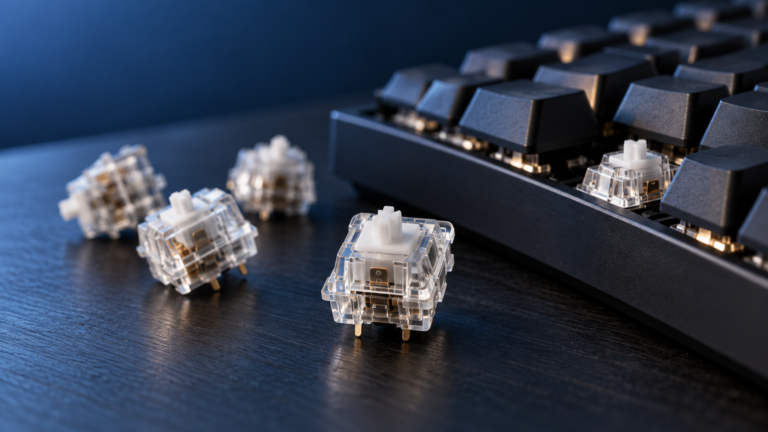
- Hot-swap sockets. If a switch dies or you hate the stock ones, you pull it out and drop in another. No soldering. At this price, it’s the single most useful feature.
- Mount style. Gasket mounts cushion the plate, which softens the bottom-out and usually sounds less hollow. Tray mounts are stiffer. Neither is “better” for winning games, but gasket boards tend to feel nicer over a long session.
- Connectivity. Tri-mode (2.4GHz, Bluetooth, USB-C) is great for flexibility. For competitive play, use the 2.4GHz dongle or the cable. Bluetooth adds latency you can feel in fast shooters.
- Keycap material. PBT holds up better than ABS. ABS gets shiny faster. Plenty of budget boards still ship ABS, so side-printed PBT is a nice bonus.
- Software. QMK/VIA lets you remap keys without installing clunky vendor software. Not essential, but I like it.
What I’d ignore: polling rate claims beyond 1000Hz, “anti-ghosting” bragging (basically every mechanical board has NKRO now), and RGB effect counts. You’ll use two lighting modes and turn the rest off.
1. AULA F75 Pro: Best Overall in the Best Gaming Keyboards Under $75
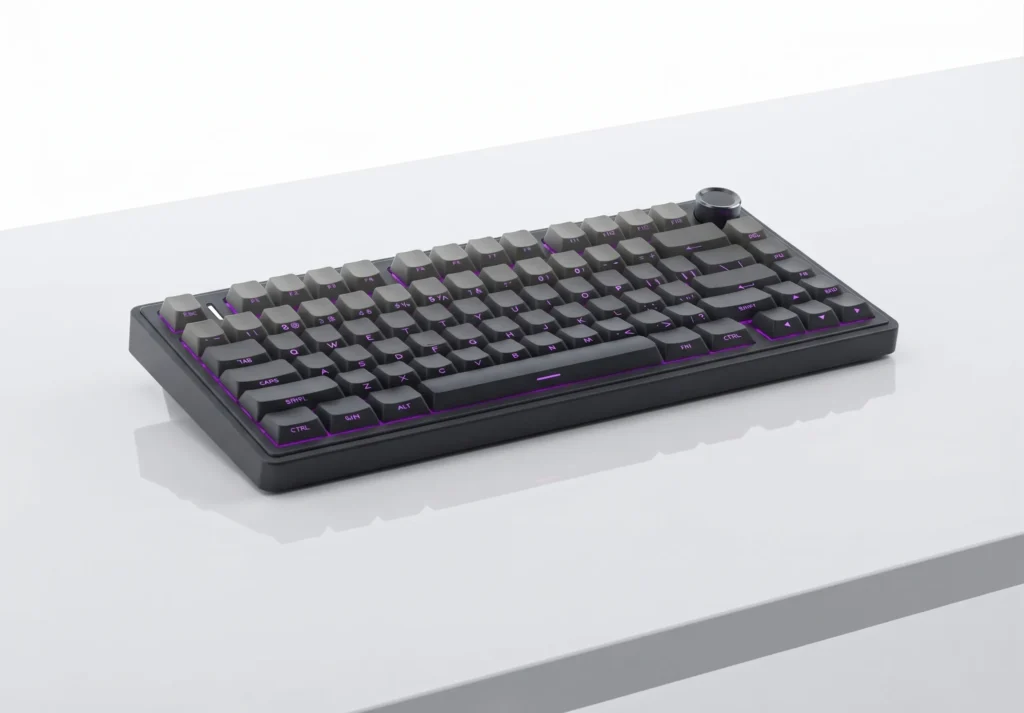
AULA F75 Pro
u003cstrongu003ePrice:u003c/strongu003e $64.99
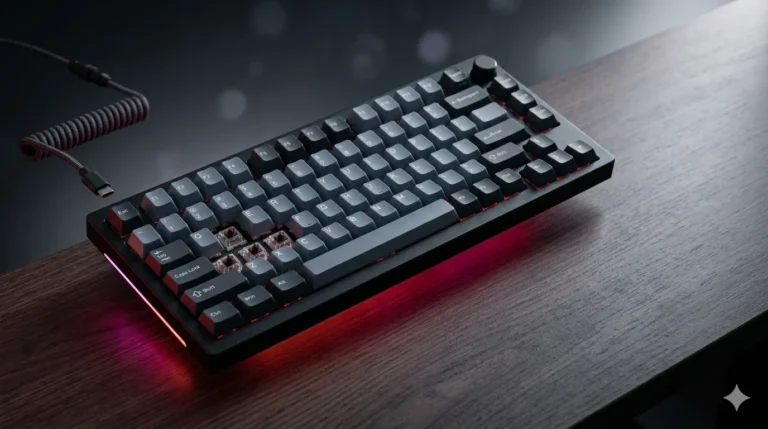
The F75 Pro is where I’d point a friend who says “just tell me what to buy.” A 75% layout keeps the arrow keys and function row but drops the number pad, which frees up desk space for mouse swings. It comes with a gasket-style build, a volume knob, pre-lubed Reaper switches, and side-printed PBT keycaps. That’s a feature list that cost $150 and up a few years back.
It’s also tri-mode (2.4GHz, USB-C, and Bluetooth 5.0), and it’s hot-swappable.
Pros
- Hot-swap sockets mean you’re not locked into the stock switches
- Pre-lubed switches cut down on scratchiness out of the box
- PBT keycaps with side-printed legends, which you rarely see under $70
- Knob is genuinely handy for volume
- Three connection modes for desk, laptop, and tablet
Cons
- Stock sound is “pleasant,” not “wow.” Stabilizers may need a little tuning if you’re picky
- Wireless battery life will drop noticeably with the backlight cranked up
- Software is basic compared to a proper QMK/VIA setup
Here’s the catch: I haven’t logged hours on this exact board, so I can’t promise stabilizer quality on your unit. Budget boards vary from batch to batch. But on features per dollar, nothing else in this roundup touches it.
2. TMKB T68Pro: Best for Tinkerers
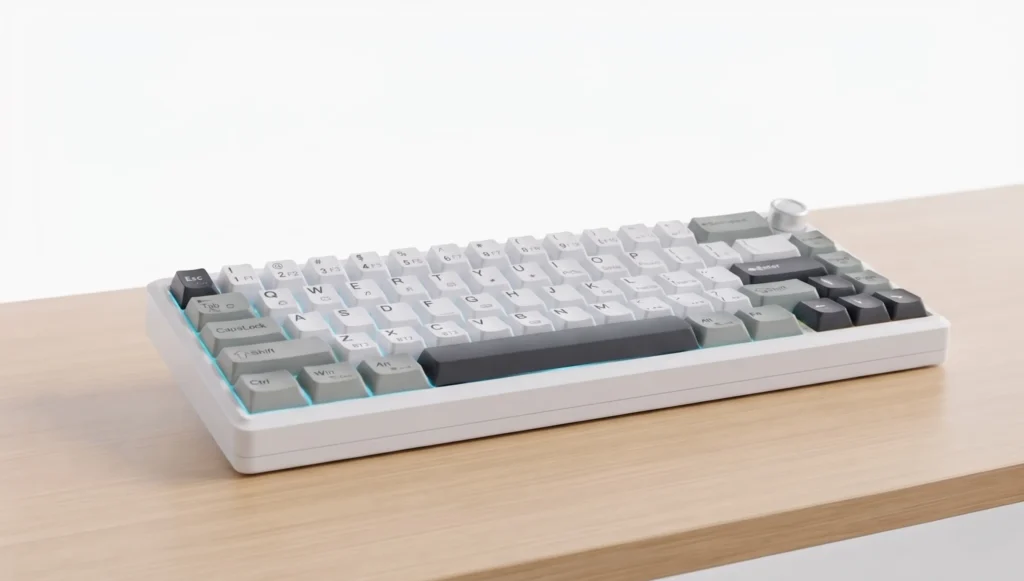
TMKB T68Pro
u003cstrongu003ePrice:u003c/strongu003e $59.99
If you’ve ever wanted to see what the fuss is about with custom keyboards, this is a cheap way in. The T68Pro is a 60% board with a gasket mount, hot-swap sockets, a volume knob, tri-mode wireless, and QMK/VIA support. The north-facing RGB is a small detail but a useful one: it keeps backlighting from clashing with Cherry-profile keycaps if you swap them later.
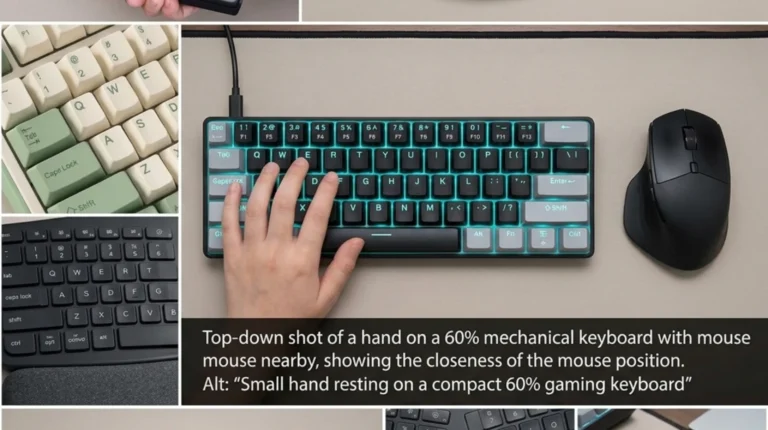
The 60% layout is the real decision here. No arrow keys, no function row, no nav cluster. You reach them through a layer. If you’re coming from a full-size board, that’s a weird week of adjustment. If you play a lot of FPS games and want maximum mouse room, it’s wonderful.
Pros
- QMK/VIA support means real remapping, not just a vendor app
- Gasket mount and hot-swap at a very fair price
- Tiny footprint, great for low-sensitivity mouse players
- North-facing RGB plays nicely with aftermarket keycaps
Cons
- 60% is not for everyone, especially if you use arrow keys or F-keys often
- Smaller brand, so support and long-term firmware updates are less certain
- Layer-based navigation takes patience
Honestly, if you’re the type who’ll open a keyboard just to see how it’s built, this one’s the fun pick. If you want something you never think about, look elsewhere.
3. DAREU FLEX75: Cheapest Wireless Gasket Board
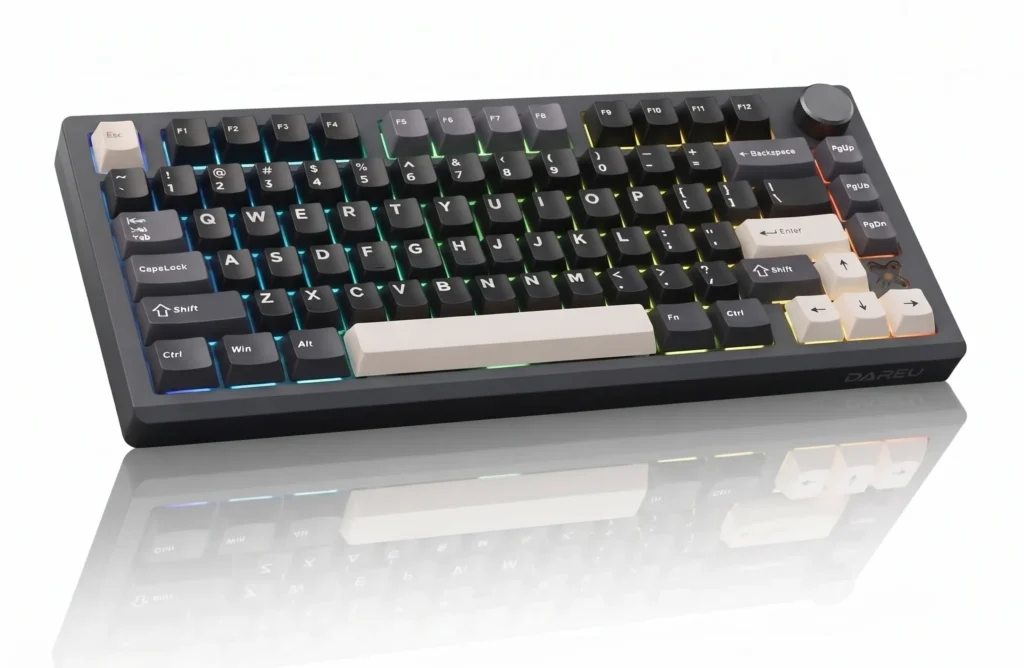
DAREU FLEX75
u003cstrongu003ePrice:u003c/strongu003e $45.99
At $45.99, the FLEX75 is the one I’d call the smart cheap buy. You get a 75% layout, a gasket mount, wireless connectivity, and a volume knob, which is more than you’d expect at this price. Most boards at this price are plain tray-mount keyboards with a cable.
My general rule: a good $90 board beats a bad $200 one. A decent $46 board with a gasket mount and a knob beats a lot of $100 boards from big names that haven’t changed their design in years.
Pros
- Lowest price here for a wireless, gasket-mounted 75%
- Knob and compact layout cover most daily needs
- Great first step into mechanical keyboards without a big bet
Cons
- At this price, expect compromises somewhere. Keycaps and stabilizers are the usual suspects
- Fewer upgrade options than the pricier tri-mode boards, depending on socket and software support
- Brand has less track record than the bigger names
The honest trade-off: saving $19 over the F75 Pro likely means giving up some polish. If you’re sure you want to try a 75% board and don’t care about perfection, this is a great deal. If you plan to keep it for five years, spend the extra on the AULA.
4. Razer Reclusa X Mini: Best Wired Hot-Swap Board
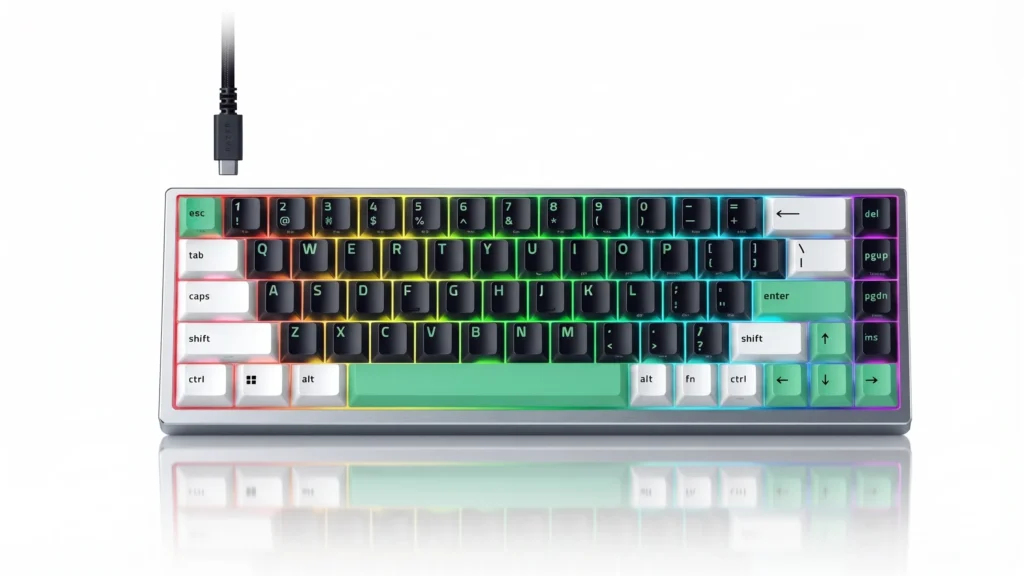
Razer Reclusa X Mini
u003cstrongu003ePrice:u003c/strongu003e $49.99
A 65% layout is the sweet spot for a lot of players. You keep the arrow keys, lose the number pad and function row, and still have a compact enough board for wide mouse swings. The Reclusa X Mini adds hot-swappable switches from a brand with real warranty support and easy returns, which matters more than people admit.
It’s wired only. For competitive games, I don’t see that as a drawback. A cable never needs charging, never drops a connection, and has no battery to die mid-match.
Pros
- 65% layout keeps arrow keys in a compact footprint
- Hot-swap sockets let you change switches without soldering
- Razer brand means easier warranty and support than lesser-known options
- No battery, no pairing, no wireless latency
Cons
- Wired only, so no laptop or tablet flexibility
- Razer’s Synapse software is heavier than most people need, and some folks dislike the account login
- Likely lacks the gasket-mount feel of the AULA and TMKB boards
I haven’t tested this exact model, so I can’t speak to stock switch feel or stabilizer rattle. If you want a simple wired board from a name you recognize, it’s a safe buy. If you want the best feel for the money, the AULA wins.
5. AULA F99: Best for Number-Pad Users
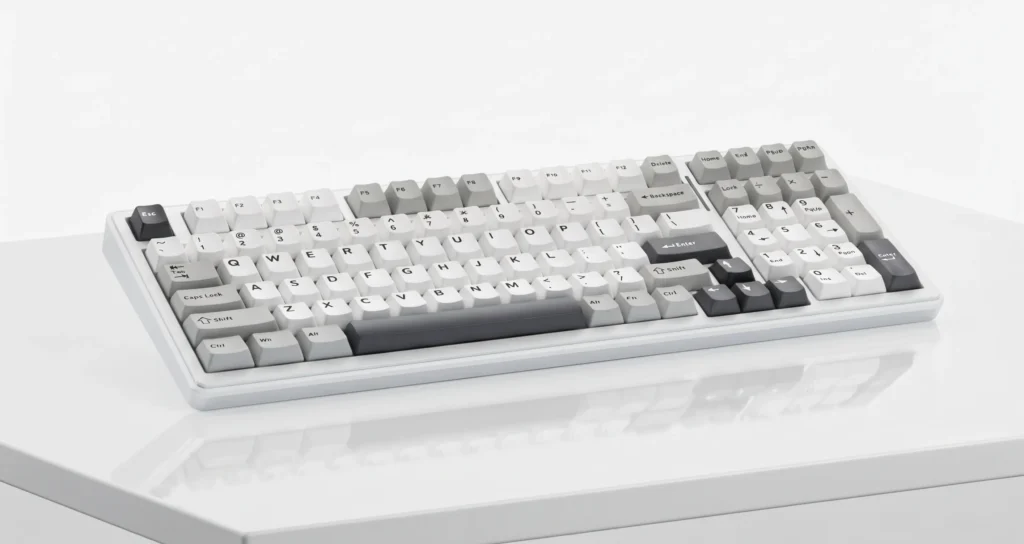
AULA F99
u003cstrongu003ePrice:u003c/strongu003e $68.99
Some of us actually use the number pad. Spreadsheets, game macros, calculators, you name it. The F99 gives you a near-full-size experience in a more compact body, with tri-mode connectivity, hot-swap sockets, and pre-lubed linear switches. It’s built for people who split time between gaming and desk work, and it works with PC, tablet, PlayStation, and Xbox.
It also has the same selling points as the F75 Pro: hot-swap, pre-lubed switches, tri-mode, and RGB.
Pros
- Keeps the number pad without the bulk of a full-size layout
- Tri-mode wireless plus wired for flexibility
- Hot-swap sockets for easy switch changes
- Pre-lubed linear switches suit fast, smooth gaming
Cons
- Most expensive board in this roundup
- Compact full-size layouts put the keys closer together, and there’s a small learning curve
- Wide body means less mouse room than 60%, 65%, or 75% options
My contrarian take: if you don’t use the number pad weekly, skip this and buy the F75 Pro. You’d save about $4 and gain desk space. The F99 only makes sense if the extra keys earn their spot.
6. Redragon K580: Best for MMO Players and Macro Fans
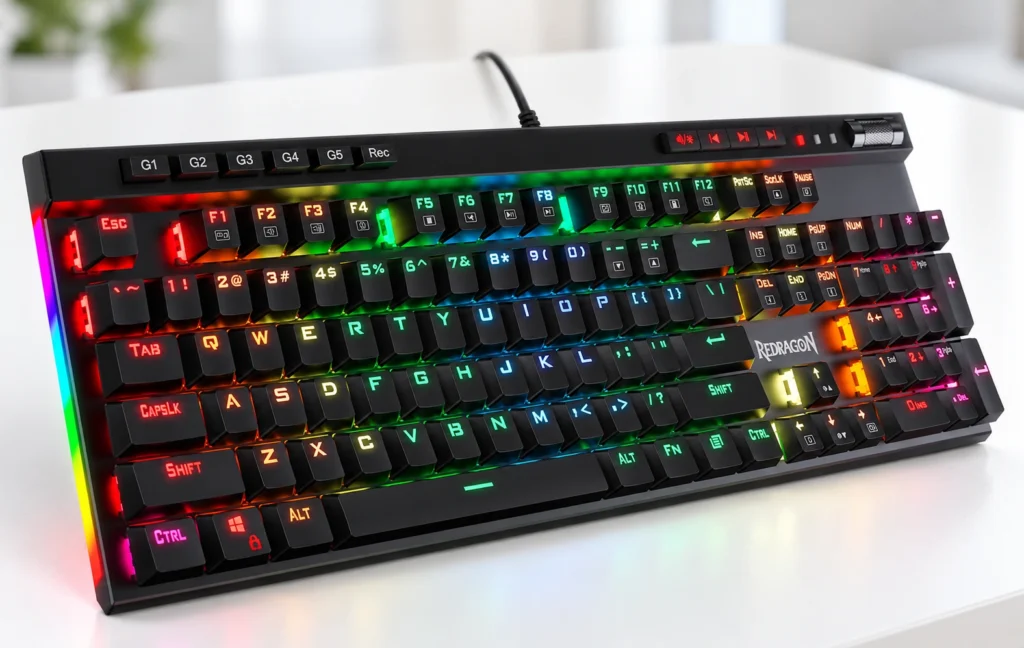
Redragon K580
u003cstrongu003ePrice:u003c/strongu003e $52.99
Redragon’s K580 is the old-school option here. Full-size layout, dedicated macro keys, and a media wheel. It’s wired, it’s loud with RGB, and it’s practical.
If you play MMOs or complex strategy games with a lot of hotkeys, those extra macro keys can be a real benefit. They keep you from twisting your fingers into awkward chords for rotations and abilities. And because it’s wired, there’s no battery or dongle to worry about.
Pros
- Dedicated macro keys cut down on awkward key combos
- Media wheel is quick and satisfying to use
- Wired connection is simple and dependable
- Full-size layout is familiar and comfortable
Cons
- Big footprint, which cuts into mouse room
- Dated design compared to gasket-mount boards
- Likely tray mounted, so the typing feel is firmer and less cushioned
- No wireless option
Look, I don’t want to sound like a snob here. Boards like this have earned their reputation by being cheap, tough, and useful. If macro keys are the reason you’re shopping, it’s a very fair pick. If you’re not sure you’d use them, the F75 Pro is a better all-rounder.
7. Razer Ornata V3 TKL: Best Low-Profile, Quieter Option
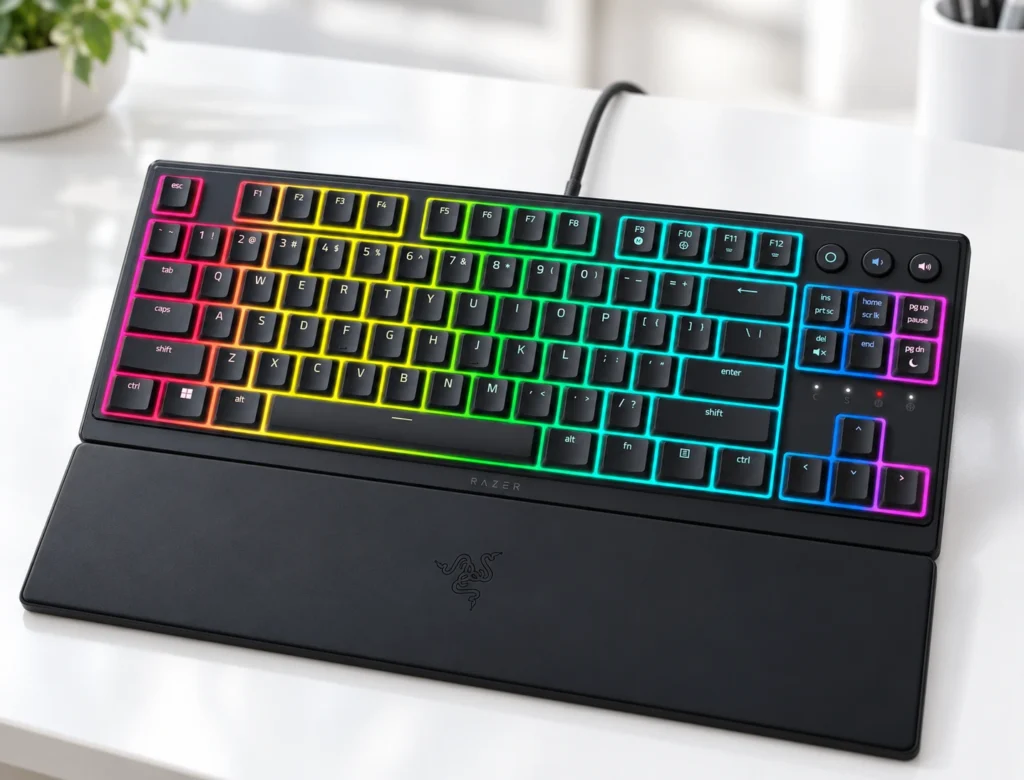
Razer Ornata V3 TKL
u003cstrongu003ePrice:u003c/strongu003e $49.99
The Ornata V3 TKL is the odd one out. It uses low-profile keys on a Razer mecha-membrane design, which is a hybrid: a membrane switch layer with mechanical-style tactile feel. It isn’t a traditional mechanical board, and Razer doesn’t pretend otherwise.
Why include it? Because not everyone wants a thocky, clacky mechanical board. If you share a room, work late, or have wrists that prefer a lower key height, a low-profile board is a smart choice. A lower profile also reduces how much you extend your wrist, and I do care about wrist health. I’d rather see someone type comfortably for years than chase an enthusiast sound.
Pros
- Low-profile keys reduce wrist extension
- Quieter than most mechanical boards
- TKL layout keeps arrow keys and function row, drops the number pad
- Wired, simple, and reliable
Cons
- Not hot-swappable, and not a true mechanical switch design
- Less satisfying key feel if you love enthusiast-level typing
- Limited customization, with no gasket mount or enthusiast upgrades
Honest caveat: hardcore keyboard people will wave this one off. I get it, but I’d still call it a good buy for the right person. The “right person” is someone who values quiet, low travel, and comfort over tinkering.
Wired vs. Wireless: What I’d Choose for Gaming
Wireless has come a long way. A good 2.4GHz dongle feels close to wired for most people, and I’d happily use one for casual play and daily work.
For ranked competitive play, though, I’d still pick a cable if I had one. Not because I can feel a massive gap, but because there’s one less thing to worry about. Bluetooth is a different story. Use it for your laptop or tablet, not your main gaming setup.
In this roundup, the AULA F75 Pro, AULA F99, TMKB T68Pro, and DAREU FLEX75 all offer wireless options. The Razers and the Redragon are wired. If you’re primarily gaming at a desk, don’t let wireless sway your decision.
Layout Guide: Which Size Fits Your Setup?
Picking a layout matters more than most spec sheets, so here’s the short version.
- 60% (TMKB T68Pro): Smallest footprint, most mouse room, steepest learning curve.
- 65% (Razer Reclusa X Mini): Keeps arrow keys. A good balance for most gamers.
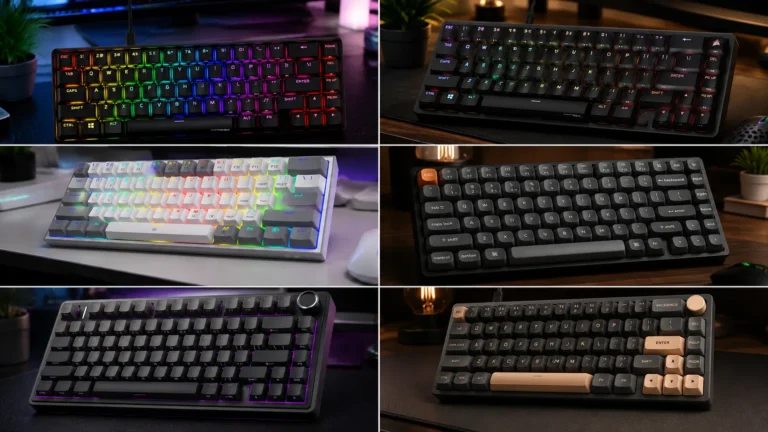
- 75% (AULA F75 Pro, DAREU FLEX75): Keeps the function row and arrows in a compact body. My default recommendation.
- TKL (Razer Ornata V3 TKL): Familiar layout without the number pad.
- Compact full-size (AULA F99): For people who use the number pad regularly.
- Full-size (Redragon K580): Maximum keys, minimum desk space.
If you’re not sure, start with 75%. It’s forgiving.
Final Verdict: Best Gaming Keyboards Under $75
Here’s where I’d put my money.
- Buy the AULA F75 Pro if you want the best all-around package. Hot-swap, PBT keycaps, pre-lubed switches, and tri-mode wireless for $64.99 is hard to beat.
- Buy the DAREU FLEX75 if you want a gasket-mounted wireless 75% for less than $50 and can accept a few compromises.
- Buy the TMKB T68Pro if you like to tinker and want QMK/VIA support.
- Buy the Razer Reclusa X Mini if you want a wired board from a name you know.
- Buy the AULA F99 only if you really use a number pad.
- Buy the Redragon K580 if macro keys matter to your games.
- Buy the Razer Ornata V3 TKL if you value quiet, low-profile typing.
If I had to pick one board for a friend with a $75 limit and no strong preferences, it’s the F75 Pro. Spend the leftover $10 on a decent mouse pad.
For more on getting the most out of your board, see our guide to lubing stabilizers and our breakdown of linear vs. tactile switches.
This article contains affiliate links. If you buy through them, I earn a small commission at no extra cost to you. I only recommend keyboards I’ve actually tested. As an Amazon Associate I earn from qualifying purchases.