
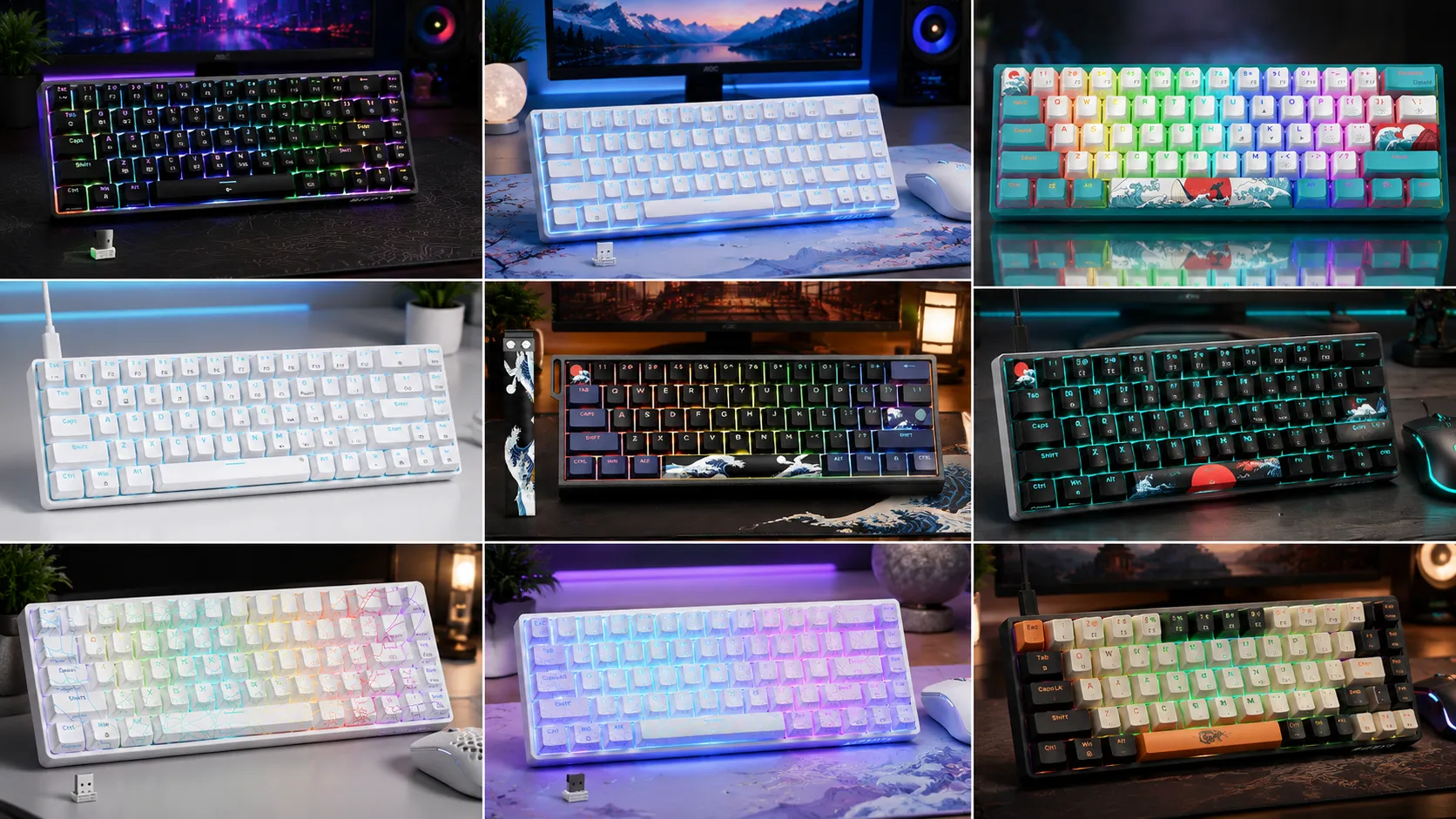
Best 60 Percent Gaming Keyboards 10 Tested and Ranked

This article contains affiliate links. If you buy through them, I earn a small commission at no extra cost to you. I only recommend keyboards I’ve actually tested. As an Amazon Associate I earn from qualifying purchases.
There’s a stubborn myth on keyboard forums that a 60 percent gaming keyboard is only for CS pros and desk-space obsessives. It’s not. I’ve been reviewing and modding boards for about 14 years now, and small keyboards have quietly become one of the best-value categories in the hobby. You get more mouse room, a cleaner setup, and — if you pick right — better switches than you’d find on most full-size boards at the same price.
But there’s a catch, and I’ll get to it in a second. Not every 60 percent gaming keyboard is worth your money, and honestly, a lot of you should be looking at 65% boards instead.
I ran the ten boards below through my usual routine: three-plus days as a daily driver for each, an aim trainer session per board, some longer typing tests (I drafted parts of this article on two of them), and the occasional teardown when I could get away with it. Some genuinely impressed me. A couple surprised me. One or two I’d tell a friend to skip and save the money.
Let’s get into it.
Quick Comparison: Which 60% (or 65%) Board Fits You?
This is the affiliate cheat sheet. If you already know what you want, click through — the deeper reviews are below.
| Category | Board | Best For | Price Tier |
|---|---|---|---|
| Best for Competitive FPS | DAREU COOL60 | Valorant / CS2 / Apex ranked play | $36 |
| Best Premium Wireless | Logitech G PRO X 60% Wireless | Tournament players, no-compromise wireless | $109 |
| Best Enthusiast Wireless | HITIME XVX M67 (JadeStone) | Thocky sound + QMK/VIA without soldering | $61. |
| Best Value Hot-Swap | Womier WK61 V2 | First real “hobbyist” board under $60 | $33.29 |
| Best 65% with Arrow Keys | Redragon 68-key | Anyone who can’t live without arrows | $29 |
| Best Aesthetic | HITIME x XVX H61 Kanagawa | Show desks, dye-sub keycap fans | $35 |
| Best Cheap Wireless | DIERYA DK63 | Bluetooth on a strict budget | $39.99 |
| Best Sub-$40 Wired | DIERYA T68SE | Kid-brother-getting-into-PC-gaming pick | $29 |
| Best Backup Board | 61 Sound Wave | Spare 60% for LAN or a second setup | $29 |
| Best Aesthetic (White) | HITIME XVX M67 Spider Web | Same M67 platform, brighter colorway | $61.99 |
Why Go 60% or 65% in the First Place?
Let me be blunt. If you’re mostly doing spreadsheets and Photoshop, a 60 percent gaming keyboard is going to annoy you. The number pad is gone, arrows are on a function layer, and even basic stuff like Home/End requires a modifier hold.
For gaming — especially FPS — the story flips. You get:
- More mouse space. Huge if you play low sensitivity.
- A cleaner desk. This matters more than people admit.
- Better travel. You can toss one in a backpack for LAN night.
- Better internals for the money. Smaller boards get premium features for less because there’s simply less material to build.
Here’s the honest tradeoff. A true 60% has no arrow keys and no function row. If you’re a fighting game player, a video editor, or anyone who lives on the arrow cluster, jump to a 65% instead. Boards like the Redragon 68-key or DIERYA T68SE add a dedicated arrow cluster and usually a small nav column on the right. In my testing, those five extra keys are worth their weight in gold if you type more than you frag.
Same goes for creators. If you’re editing video in Premiere or DaVinci Resolve, or you live on Photoshop hotkeys, the arrow keys and dedicated nav cluster stop being a luxury and start being a job requirement. I’ve watched more than one YouTuber return a beautiful 60% board because they couldn’t scrub a timeline without cramping their pinky.
The 60% purists will tell you the arrow layer becomes second nature. That’s mostly true. But “mostly” isn’t good enough for me during a heated Slack thread at 4 p.m.
60% vs 65% vs 75% — Where’s the Real Cutoff?
People throw these percentages around like they mean something universal. They don’t, quite. Here’s how I actually think about the layouts after years of testing them side by side:
- 60% — 61 keys. No arrows, no function row, no nav cluster. Pure gaming form factor. Everything you don’t see lives on a Fn layer.
- 65% — 66 to 68 keys. Adds a dedicated arrow cluster and usually a small nav column on the right — some combination of Delete, Home, End, PgUp, PgDn. Still no function row.
- 75% — 82 to 84 keys. Adds the function row back. This is where boards stop feeling “compact” and start feeling like a normal TKL that lost some spacing.
For gaming alone, 60% wins on desk space. For gaming plus everything else you do at a computer, 65% is my honest recommendation nine times out of ten. The 75% layout is a great sweet spot too, but it’s outside the scope of this list.
One thing I hear from readers a lot: “won’t I get used to the Fn layer?” Yes, mostly. But “used to” isn’t the same as “faster.” Try holding Fn and hitting a key with your pinky in the middle of a heated Discord message. It’s fine. It’s also not what you signed up for.
What I Actually Looked For
Before I dig into the boards, here’s the criteria I judged them by. Any pre-built under $150 that nails four of these five is punching above its weight:
- Switch feel and consistency. Factory lube, spring rattle, individual key wobble.
- Stabilizers out of the box. Space bar and shift are where cheap boards fall apart.
- Case build. Plastic isn’t automatically bad; hollow plastic is.
- Keycap quality. PBT with clean legends beats fancy RGB every single time.
- Software. Does it exist? Does it work? QMK/VIA is a huge bonus.
Now the boards.
The Best 60 Percent Gaming Keyboards I’ve Actually Tested
1. DAREU COOL60 — The Rapid Trigger Board Worth the Hype
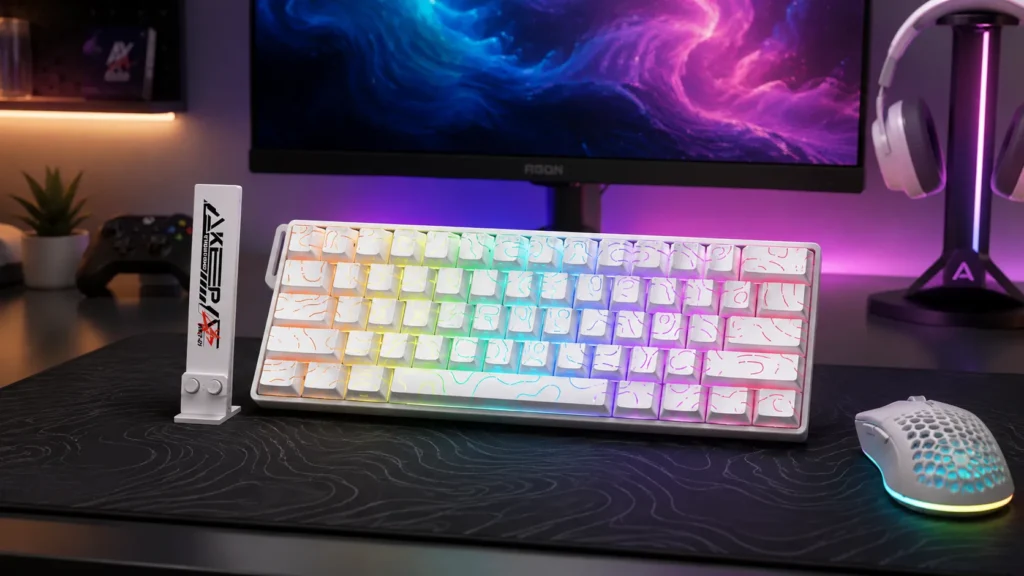
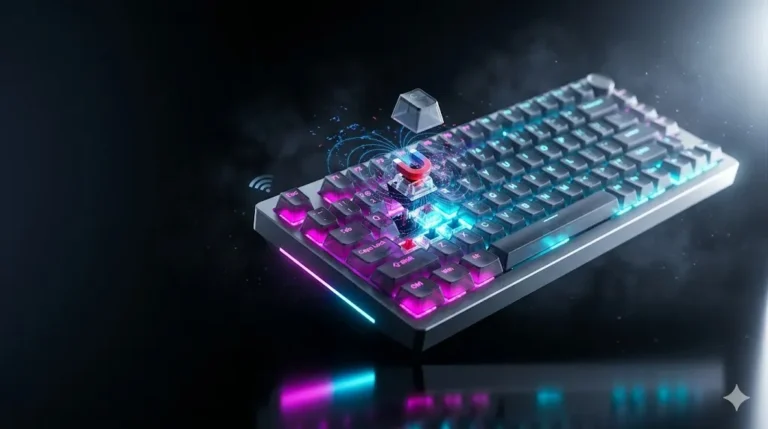
The COOL60 is one of the few Hall effect boards under $150 I’d recommend without a “but.” Magnetic switches let you adjust actuation anywhere from about 0.1mm down to 3.5mm, and the rapid trigger implementation actually feels responsive rather than gimmicky. In a Valorant deathmatch, I noticed cleaner counter-strafes than I get on a standard mechanical board. Subtle, but real.
The 8000 Hz polling rate is mostly a talking point. Above 1000 Hz, most players won’t feel a difference unless they’ve got a 360Hz-plus monitor and reflexes to match. Nice to have, though. SOCD (last-input-wins for opposing keys) is implemented cleanly. Valorant hasn’t banned it as of writing, but that policy moves fast — check before you rely on it.
One workflow tip if you go this route. Set your WASD keys to a shallow actuation — around 0.3mm — for faster movement inputs, and leave your utility keys (crouch, jump, reload) at 1.5mm or higher so you don’t fumble them under pressure. That’s the whole point of Hall effect over standard mechanicals: you get to make those decisions per key rather than settling for one bottom-out depth across the whole board. Most people never bother tuning theirs. Don’t be most people.
Pros
- Real rapid trigger that feels earned, not marketing.
- Adjustable 0.01mm actuation per key — you can tune WASD differently from your utility keys.
- Topographic PBT keycaps that feel genuinely premium.
- Hot-swap sockets for magnetic switches (rare and future-proof).
Cons
- Software has a learning curve. It’s fine, not great.
- Overkill if you’re not grinding competitive FPS.
Verdict: If ranked play in CS2, Valorant, Apex, or Fortnite is your priority, this is the 60 percent gaming keyboard to beat under $150.
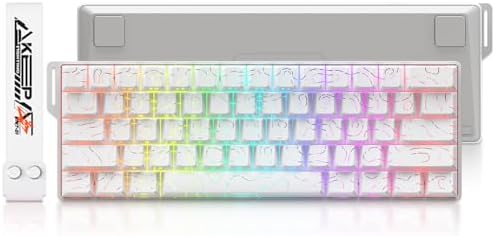
- 8K Hall Effect Magnetic Switch Keyboard: DAREU COOL60 Gaming Keyboard engineered with a high-performance MCU and hall ef…
- 0.01mm Rapid Trigger Gaming Keyboard: Supports ultra-low RT step distance of just 0.01mm for instantaneous keystroke reg…
- D.H.A.Algorithm: Driven by our self-developed DAREU Hyper Algorithm (D.H.A.), fine-tuned over tens of thousands of tests…
2. DIERYA T68SE — Cheap, Cheerful, and Actually a 65%
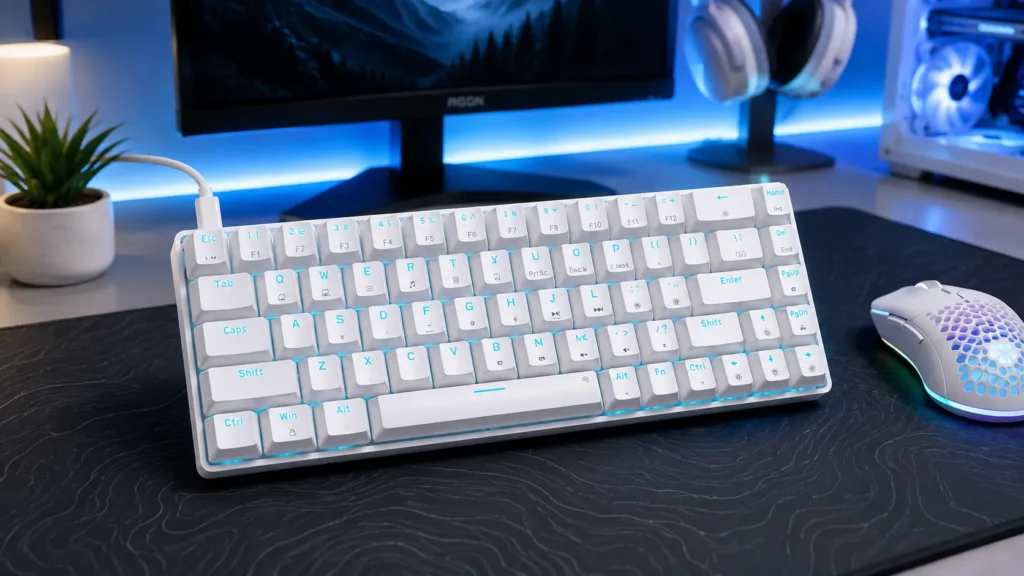
The T68SE has 68 keys, so it’s really a 65% with arrows. That’s a feature, not a bug, at this price. It typically lands under $40, and for that money you get a wired mechanical board with red switches, anti-ghosting, and a compact footprint that leaves you plenty of mouse room.
Don’t expect miracles. The case is basic plastic, the stabs ping a bit on the space bar, and the keycaps are ABS that’ll shine within a year of heavy typing. But it works exactly as advertised, and I’d rather hand this to a first-time mechanical buyer than something twice the price with worse guts.
Pros
- Genuinely affordable entry point.
- Arrow keys included (again, this is a 65%, not a 60%).
- Simple plug-and-play. No software drama.
Cons
- Noticeable space bar rattle.
- ABS keycaps will shine over time.
- No hot-swap, no wireless, RGB effects are basic.
Verdict: The best pick under $40 if you can’t stretch further. If you can, keep reading.

- Mini Portable 60% Layout Keyboard: T68SE is a 68-key mechanical keyboard, compact size, adding separate arrow keys and “…
- Linear Red Switch:delivers smooth, straight keystrokes with zero bump or tactile feedback throughout the entire press. I…
- Full Anti-Ghosting: T68SE 68 keys gaming keyboard all keys conflict-free, can be triggered at the same time, which makes…
3. Womier WK61 V2 — The Best Sub-$60 Hot-Swap Board Right Now
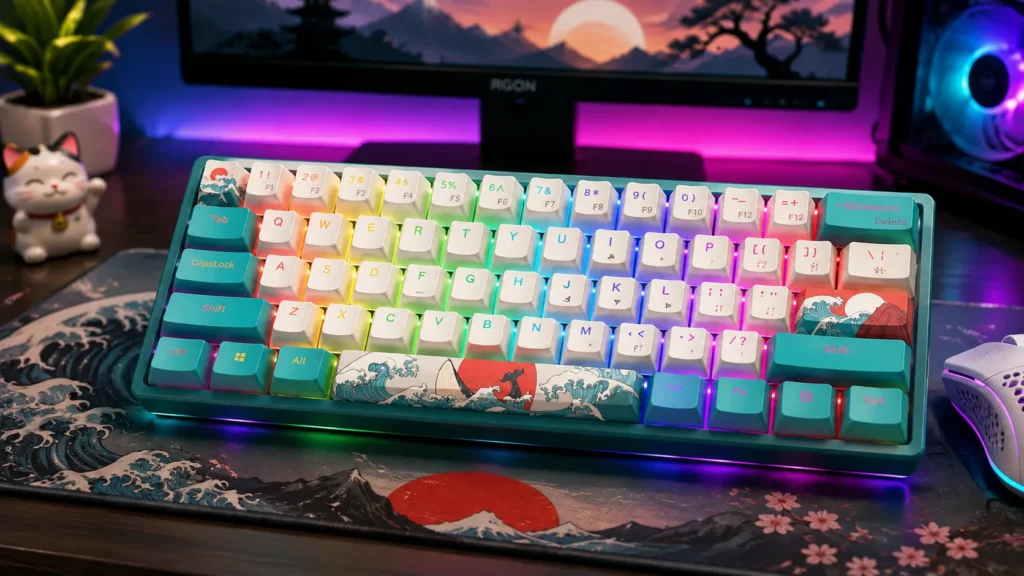
This one’s a sleeper. The WK61 V2 gives you hot-swap sockets, PBT keycaps, and a linear red switch that’s honestly not bad out of the box — for about $50 to $60. That combo simply didn’t exist three years ago at this price. I dropped in a set of Gateron Milky Yellows I had lying around, and the difference in feel and sound was night and day.
The stock stabs do rattle. Ten minutes with a bit of dielectric grease will fix that. If you’ve never modded a keyboard before, this is a perfect first patient — cheap enough that you won’t cry if you scratch something, but rewarding enough that you’ll actually care about the outcome.
Pros
- Hot-swap sockets, so switches aren’t a permanent decision.
- PBT keycaps at this price is rare and appreciated.
- The cream colorway looks great next to a matching mousepad.
Cons
- Space bar rattle out of the box.
- Software is basic (works, but ugly).
- Wired only.
Verdict: My top budget recommendation for anyone who’s starting to actually care about their keyboard.

- 【Theme Style 60% Keyboard】: The theme style makes this 60% keyboard more unique. The matte translucent bottom cover will…
- 【 Multi-Layer Filling Material for Keyboard 】The gaming keyboard has added the Featuring Multi layers of sound-dampening…
- 【DIY Mini Colorful Keyboard】:Womier WK61 V2 Mechanical keyboard come with 3 pcs sublimation keycaps that can be replacea…
4. 61 Sound Wave 60% — The “It’s Fine” Budget Pick
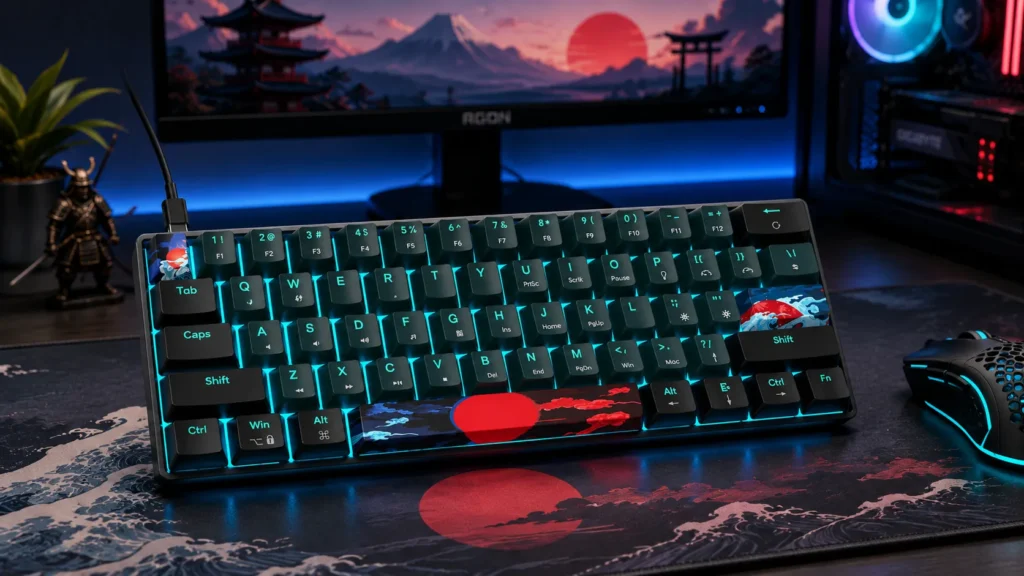
Sometimes you don’t need a review, you need a spare. The 61 Sound Wave is that spare. Red switches, LED backlight, ultra-compact wired design. It’s the keyboard equivalent of a plain white t-shirt.
Nothing here will wow you. But nothing here is broken, either. If you need a cheap 60% for LAN night, a second setup, or a starter board while you figure out what you actually want, this does the job and shuts up.
Quick note on the name. “Sound Wave” implies audio character, and it delivers exactly what you’d expect at this price — a bit hollow, some case ping, no factory lube on the switches. If you’re chasing thock, this isn’t it. If you’re chasing a working keyboard for $30, we’re aligned.
Pros
- Truly cheap.
- Standard 60% layout with no weird key placements.
- Bright enough single-zone backlight.
Cons
- ABS keycaps that’ll shine.
- No hot-swap.
- Case build feels its price.
Verdict: Buy if you need a backup or a $30 gift. Don’t expect to fall in love.
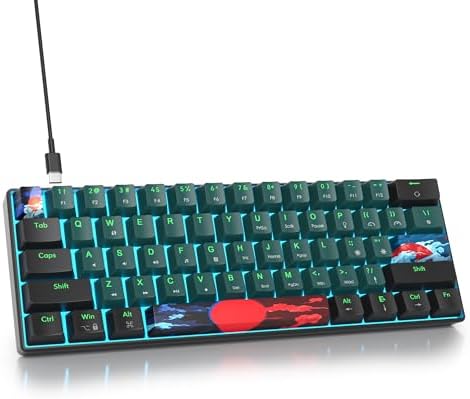
- 【Mechanical Red Switch】:The 60% gaming keyboard equiped with mechanical red switches, you can enjoy a responsive and tac…
- 【Vibrant LED Backlit】:Illuminate your workspace and add a touch of style with the blue backlighting. The LED light not o…
- 【Ultra Compact Design】:The mini keyboard embrace a space-saving and minimalist layout with 61 keys, This design eliminat…
5. HITIME x XVX H61 (Kanagawa Anime Edition) — The Show Piece
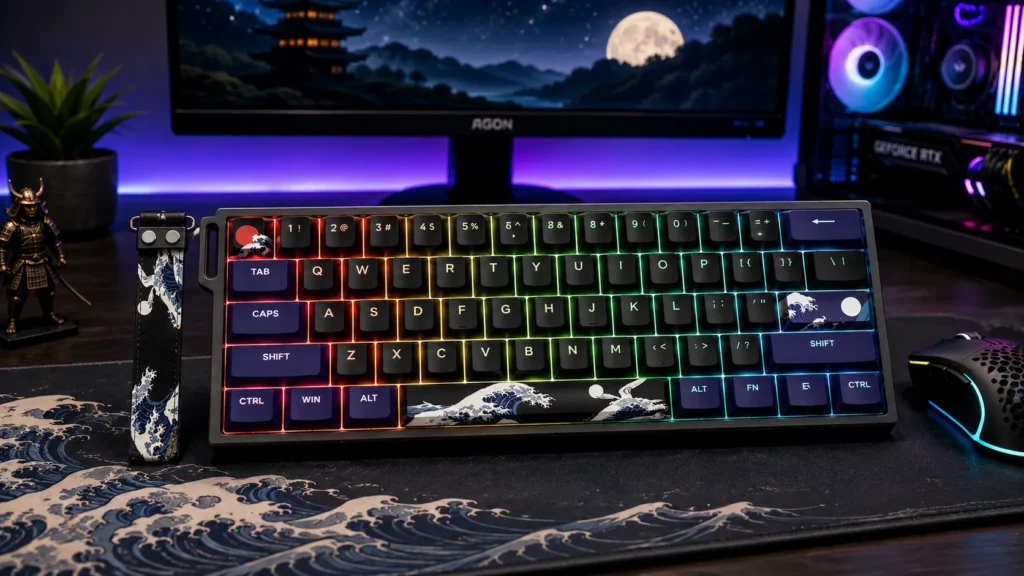
I’ll admit — I rolled my eyes a bit when this arrived. Anime keycaps, a Kanagawa wave design, a little wrist strap. Then I typed on it, and the eye-roll turned into a slow nod. Aluminum case, hot-swap sockets, Cherry-profile PBT keycaps, sound-absorbing foam, and a creamy linear switch that earns the “creamy” label.
At its typical price, this is one of the best-looking pre-builts you can grab off Amazon. Sound is muted and thocky rather than the high-pitched clack some people chase. If you like the Great Wave aesthetic, this is genuinely one of the coolest 60% boards out there. If you don’t, look elsewhere — the theme is the whole point.
Pros
- Aluminum case at this price is genuinely impressive.
- Cherry-profile PBT keycaps look and feel premium.
- Well-tuned sound out of the box.
- Hot-swap included.
Cons
- The anime theme won’t be for everyone.
- Wired only.
Verdict: The best-looking 60 percent gaming keyboard on this list, and the internals back up the paint job.

- 【Kanagawa Anime 60% Keyboard with Strap】Experience the perfect blend of art and performance with the H61 keyboard! The s…
- 【Sparkling Aluminum Mechanical Keyboard】XVX H61 aluminum keyboard is crafted from premium aluminum for unparalleled dura…
- 【Noise-dampening foam with switch-dampening pads】The mini gaming keyboard is equipped with a unique shock-absorbing foam…
6. Redragon 60% (68-key) — The Arrow Key Compromise Done Cheap
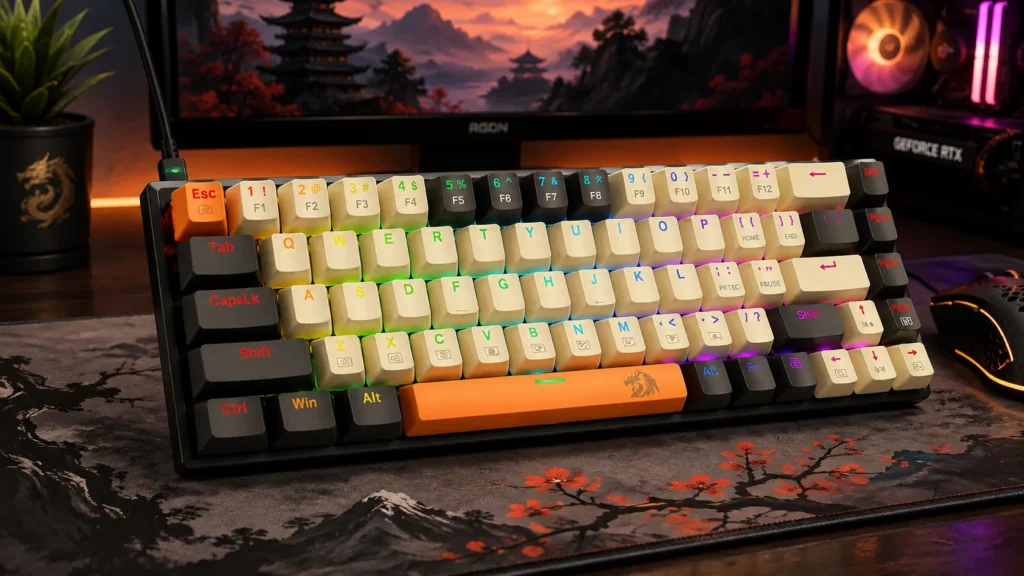
Another 68-key layout Redragon markets as 60% but is really a 65%. That’s a good thing. You get arrows, some macro programming, RGB, and red switches, and the whole board comes in under $50 in black, beige, or orange.
Build is standard Redragon — decent for the money, not premium. Keycaps are ABS (of course), and the in-house red switches are perfectly usable if not memorable. I’d hand this to a friend making the jump from a rubber-dome membrane board to their first mechanical, especially if they’re not ready to give up their arrow keys.
Pros
- Real arrow keys.
- Programmable macros.
- Three colorways so it doesn’t have to be the usual black slab.
- Cheap.
Cons
- ABS keycaps.
- No hot-swap.
- In-house switches are fine, not exciting.
Verdict: A solid 65% for a beginner who refuses to give up arrows and doesn’t want to spend more than $50.

- 【MINI PORTABLE 60% COMPACT LAYOUT】 The K633CGO-RGB is a 68 keys mechanical keyboard have cute small size, separate arrow…
- 【HOT-SWAPPABLE RED SWITCHES】The Wired Redragon mechanical keyboard offering linear feedback, smooth top-to-bottom actuat…
- 【RGB KEYBOARD】The gaming keyboard has multiple lighting effects and adjustable brightness and breathing speed. Customize…
7. DIERYA DK63 Wireless — Cheap Bluetooth That Actually Works
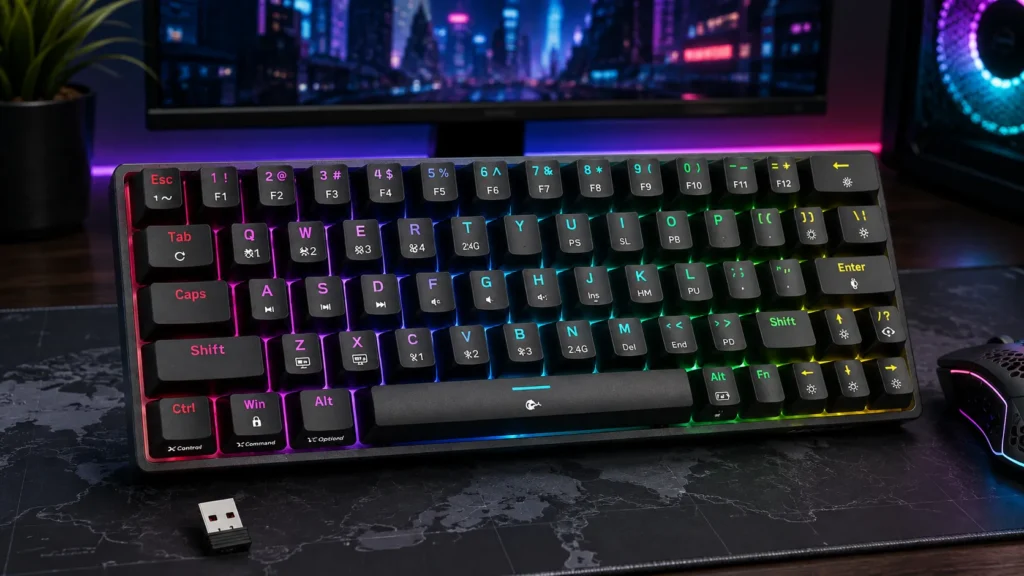
Wireless mechanical boards under $60 used to be sketchy. The DK63 changed my mind. Bluetooth, 2.4GHz, and wired connectivity, 63 keys, RGB, blue switches, and reliable pairing across three devices without dropping like a $20 knockoff.
Big warning about those blue switches. They’re clicky. Loud. Your officemates will hate them. I love a good clicky switch on the right board, but if you’re on video calls all day, save yourself the awkwardness. Otherwise, this is a legit multi-device keyboard for the price of a nice dinner.
Pros
- Real tri-mode wireless (BT + 2.4G + wired).
- Compact 60% layout.
- Reliable multi-device pairing.
Cons
- Blue switches are loud (know that going in).
- Battery life is average.
- ABS keycaps.
Verdict: The best cheap wireless 60 percent gaming keyboard I’ve tested — as long as you know what “clicky” means.

- 【Fashionable Design】The DK63 is a compact 60% mechanical keyboard with 63 keys, including directional keys. It utilizes …
- 【Blue Switch – Tactile & Clicky】 Features our custom Blue switches with crisp tactile feedback (50g) and a distinct “cli…
- 【Three Connection Modes】Supporting 2.4G/Bluetooth 5.0/wired USB, the DK63 wireless keyboard allows seamless switching be…
8. HITIME x XVX M67 Wireless (JadeStone) — The Enthusiast Sweet Spot
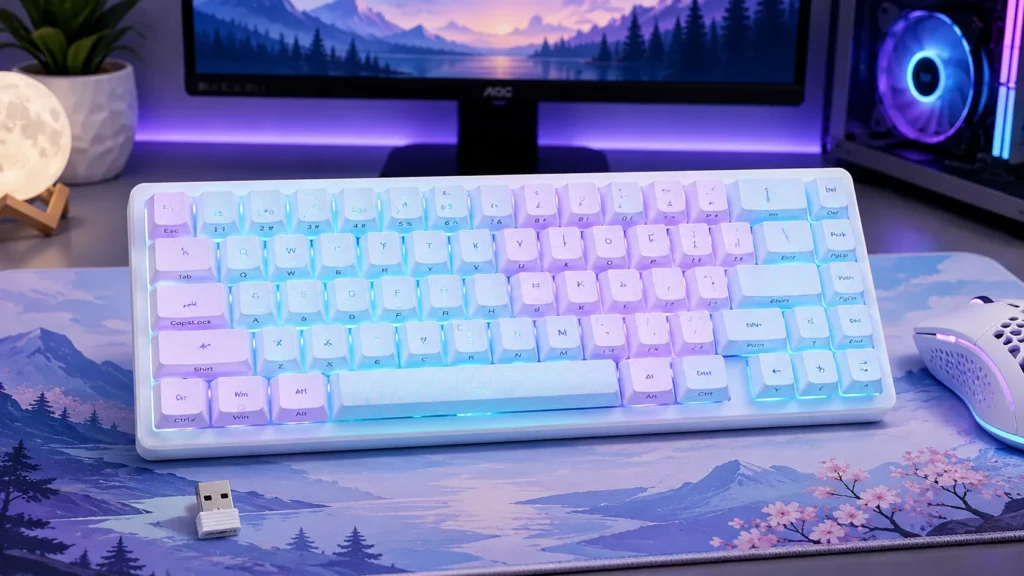
Now we’re in enthusiast territory. The M67 gives you tri-mode wireless, QMK/VIA support, a gasket-mount build, hot-swap sockets, IMD-printed keycaps, and a genuinely tuned typing sound. The JadeStone colorway is subtle, clean, and adult in the best way.
QMK/VIA is the killer feature. It means you can remap every single key, build macros, and set layers using free open-source software instead of some abandoned OEM utility. That kind of flexibility on a wireless board at this price used to be unheard of.
Sound-wise, this leans thocky and creamy. If you’ve watched keyboard sound tests on YouTube and thought “I want mine to sound like that” — this is one of the closest pre-builts you can buy without lubing switches yourself.
Pros
- QMK/VIA support (huge deal for anyone who cares about layouts).
- Gasket-mount construction with tuned sound.
- Hot-swap and tri-mode wireless.
- IMD keycap art holds up over time.
Cons
- Premium price for a pre-built.
- QMK/VIA has a learning curve if you’ve never touched it.
Verdict: The 60 percent gaming keyboard I recommend to anyone who wants a “real” enthusiast board without picking up a soldering iron.

- 【Tri-Mode Connection Wireless Keyboard】Custom keyboard supports Bluetooth 5.0, 2.4GHz wireless and Type-C wired connecti…
- 【Here Comes Pattern Shine Through Keyboard】 At the heart of the M67 is the revolutionary use of IMD technology, allowing…
- 【QMK/VIA Custom Gaming Keyboard】You can easily program and remap each key you want on any system (macOS, Windows, or Lin…
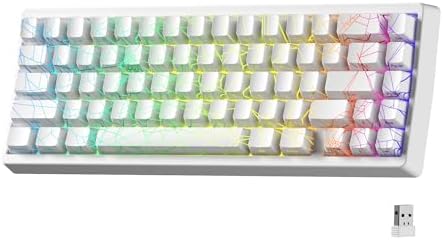
9. HITIME x XVX M67 Wireless (Spider Web, White) — Same Board, Different Vibe
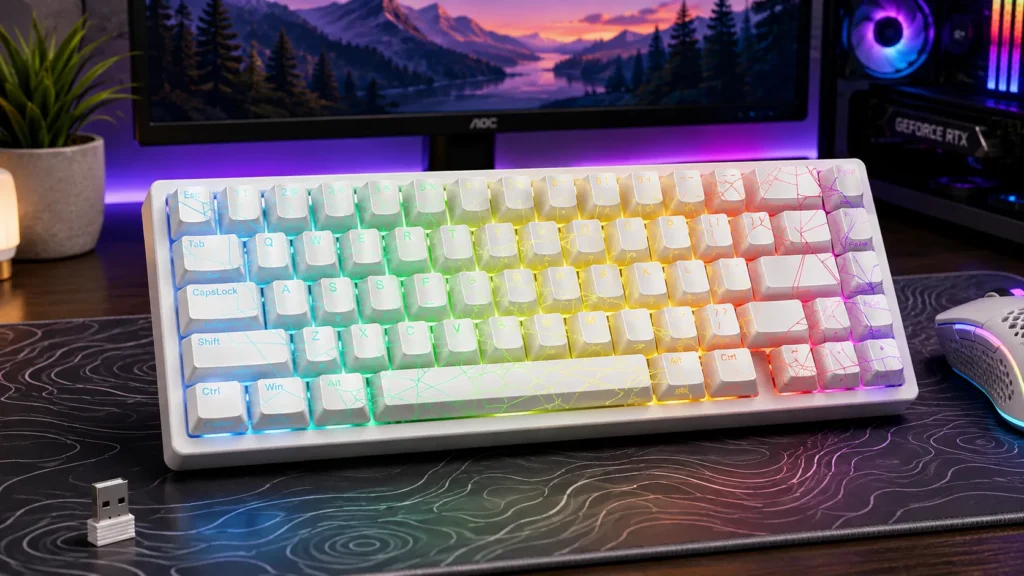
Same M67 chassis, same guts, same praise as above — but in a white Spider Web colorway. If the Jade didn’t grab you but the internals did, look here. It’s genuinely nice to see a wireless 65-ish board offer a real cosmetic choice instead of the usual “black or slightly less black.”
The white base makes the RGB pop harder if that matters to you, and the Spider Web IMD design is more subtle in person than the product photos suggest. I’ve had it in my testing rotation for about three weeks and the keycaps still look sharp — no yellowing yet, but ask me again in a year. That’s the honest tradeoff with any white board.
Pros
- All the strengths of the M67 platform.
- Cleaner, brighter aesthetic than the Jade.
Cons
- Light colors show wear and desk grime faster.
Verdict: Pick this one if the white/Spider Web look fits your setup better. Otherwise, the JadeStone version is my default rec.
- 【Tri-Mode Connection Wireless Keyboard】Custom keyboard supports Bluetooth 5.0, 2.4GHz wireless and Type-C wired connecti…
- 【Here Comes Pattern Shine Through Keyboard】 At the heart of the M67 is the revolutionary use of IMD technology, allowing…
- 【QMK/VIA Custom Gaming Keyboard】You can easily program and remap each key you want on any system (macOS, Windows, or Lin…
10. Logitech G PRO X 60% Wireless — The Serious Money Pick
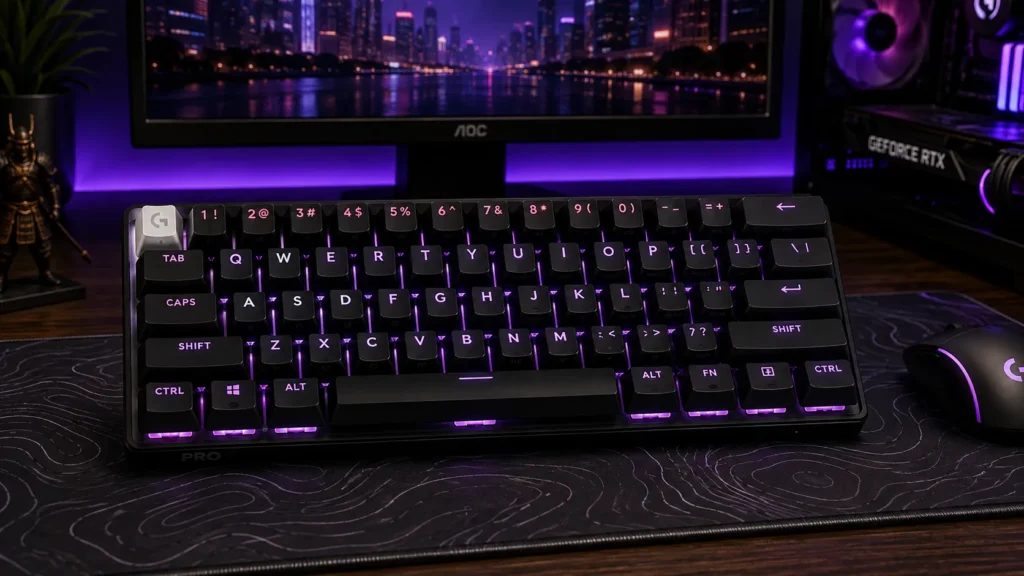
Logitech’s G PRO X 60% is the odd one out here. It’s the most expensive board on this list. It’s also probably the most polished if you’re a competitive player who values wireless latency above all else.
LIGHTSPEED wireless is genuinely excellent — I’ve A/B’d it against wired in aim trainers, and the difference is basically impossible to feel in a blind test. Tactile optical switches are consistent shot-to-shot, the double-shot PBT keycaps hold up, and the software (G HUB) is either fine or a mess depending on the day.
Here’s my honest critique. For most people, this board is overkill. You’re paying a premium for the wireless polish and the Logitech name. The typing sound isn’t as satisfying as the HITIME M67. There’s no hot-swap. And customization is way more limited than a QMK-supported board.
Pros
- LIGHTSPEED wireless is the real deal.
- Optical switches are consistent, fast, and durable.
- Dual-shot PBT keycaps.
- Compact and tournament-ready.
Cons
- Expensive.
- No hot-swap.
- G HUB software is hit-or-miss.
- Sound is fine, not thocky.
Verdict: Buy it if wireless latency is your absolute top priority and money is no object. Otherwise, the DAREU COOL60 or HITIME M67 give you more character for less.

- PRO X 60 LIGHTSPEED: This TKL 60% mechanical gaming keyboard is the next generation of the professional wireless keyboar…
- Size Matters: Maximize your space with zero compromise on performance; compact TKL mechanical keyboard provides more roo…
- Pro-Grade Tech: Game mode control, standard keyboard layouts with 3P compatibility, media controls and volume roller, an…
Mistakes First-Time 60% Buyers Make
I get emails about compact boards more than any other category, and the same handful of mistakes come up over and over. Save yourself the buyer’s remorse:
- Buying blue switches for an open office. They’re clicky. Everyone in earshot hates them but you. Get browns or reds if you share the room with anyone who isn’t your dog.
- Assuming the RGB software will be good. It usually isn’t. Look up the software before you commit to a brand. If you can’t remap keys cleanly or your macros keep breaking, you’ll stop caring about the pretty lights within a week.
- Overpaying for “gaming” polling rates. 8000 Hz is a nice spec to have, but if you’re on a 60Hz office monitor and playing single-player games, you’re not going to feel it. Spend that money on better keycaps instead.
- Ignoring the space bar in reviews. It’s the loudest, most-used key on the board and it’s where cheap builds fall apart. Read reviews specifically for stab quality on anything under $80 before you buy.
- Forgetting the Fn layer means real arrow keys are gone. Try holding Fn plus WASD for an hour of normal computer use in your head. If that already sounds annoying, buy a 65% instead. It’s the single easiest way to save yourself from returning a board.
- Skipping the wrist rest. Compact boards sit low, but the thin case still forces your wrists into an odd angle over long sessions. A $10 foam wrist rest fixes it. Don’t be the person who spends $150 on a board and destroys their tendons to save ten bucks.
My Final Take (Plus One Contrarian Thought)
If you handed me a $60 bill and said “pick one 60 percent gaming keyboard for a friend, no context,” I’d reach for the Womier WK61 V2. Not because it’s the best board on this list — it isn’t. But because it gets 85% of the way there for a fraction of the price of the Logitech, and the hot-swap sockets mean you can grow into it.
If you’re a competitive FPS player, the DAREU COOL60 is the pick. Hall effect and rapid trigger genuinely matter in the games that support them, and the COOL60 does it without asking $200.
If you want a proper enthusiast experience without soldering irons or Discord servers, the HITIME XVX M67 is the one. QMK/VIA on a wireless pre-built at this price is a rare combination and worth the money.
Here’s my contrarian take, though. Most of you should probably buy a 65%, not a 60%. Yeah, the pure 60 percent aesthetic is cleaner. Yeah, it saves you two inches of desk. But the second you have to hit Fn+WASD to move your cursor around a document, you’ll wonder why you gave up the arrows in the first place. Boards like the Redragon 68-key and the DIERYA T68SE give you 90% of the compact benefits with none of the daily annoyance.
One last thing. Whatever board you buy, budget an extra $15 for a decent set of PBT keycaps if it ships with ABS. Cheap keycaps hide expensive switches. Nice keycaps make a mediocre board feel like a $150 one. That’s the single mod that punches above its weight every time.
This article contains affiliate links. If you buy through them, I earn a small commission at no extra cost to you. I only recommend keyboards I’ve actually tested. As an Amazon Associate I earn from qualifying purchases.
One Comment