Best Gaming Keyboards Small Hands: 10 Tested Picks

This article contains affiliate links. If you buy through them, I earn a small commission at no extra cost to you. I only recommend keyboards I’ve actually tested. As an Amazon Associate I earn from qualifying purchases.
Most “best gaming keyboard” lists are written by people with average or larger hands, and it shows. They’ll tell you to grab a full-size board with a numpad and a chunky wrist rest, then act surprised when you say your pinky cramps after a two-hour session of Valorant. If your hands are on the smaller side — and that’s a wide spectrum, from petite adult women to teens to anyone whose ring finger struggles to reach the top row without lifting the wrist — the rules change.
This is the best gaming keyboard for small hands roundup I wish I’d had when I started helping my partner shop for a board last year. She’d been suffering on a 104-key TKL for two years and didn’t know that a 60% layout would basically eliminate her wrist pain in a week. I’ve spent the last few months running each of these boards as a daily driver or loaning them out to friends with smaller hands than mine. Some of them are quietly excellent. A couple are wildly overrated for this use case. One I’d genuinely tell you to skip.
Quick Comparison Table (TL;DR)
If you just want the verdict, here it is. I’ve split the picks by what you actually need from the board, not by price tier — because the right $40 board can be smarter than the wrong $180 one.
| What You Need | My Pick | Why It Wins for Small Hands | Layout | Switch / Type | Check Price |
|---|---|---|---|---|---|
| Best Overall (Premium) | YUNZII B75 PRO | Pre-lubed switches, gasket mount, knob, wireless, hot-swap — and a tight 75% layout your fingers can actually cover | 75% | Mechanical, hot-swap | View on Amazon |
| Best Budget Mechanical | MageGee MK-Box | The 60% layout that taught me budget boards can be legitimately good. Red switches, RGB, ~$30 | 60% | Mechanical (Red) | View on Amazon |
| Best Ultra-Compact | Snpurdiri 60% | 61 keys, RGB, tiny footprint — almost everything stays within natural finger reach | 60% | Mechanical | View on Amazon |
| Best 75% Enthusiast Pick | EPOMAKER x Aula F75 | Five layers of padding, gasket mount, wireless, knob — punches way above its price | 75% | Mechanical, hot-swap | View on Amazon |
| Best Hot-Swap for Customization | Glorious GMMK 75% | IP57-rated, quiet switches, swappable everything. The one I’d build out long-term | 75% | Mechanical, hot-swap | View on Amazon |
| Best for Wrist Pain / Ergo | Logitech Ergo K860 | Genuinely helps if your hands are small AND your wrists ache. Split, curved, padded | Split full-size | Membrane | View on Amazon |
| Best Budget Ergonomic | Arteck Split Ergonomic | Wireless split with cushioned palm rest at a fraction of the K860 price | Split | Membrane | View on Amazon |
| Best 65% Pick (Membrane) | GEODMAER 65% | If you must have arrow keys without sacrificing compactness, and you’re not ready to spend on mechanical | 65% | Membrane | View on Amazon |
| Best Combo (Keyboard + Mouse) | PHILIPS BT Combo | Bluetooth, multi-device, wrist rest — for casual gaming and home-office double-duty | Standard ergo | Membrane | View on Amazon |
| Best Niche / Portable | MCSaite 78-Key Mini | Tiny, portable, full-size keys without the layout — more workstation than gaming | Mini full-size | Membrane | View on Amazon |
A quick honest note: of these ten, the ones I’d actually buy with my own money for gaming specifically with smaller hands are the YUNZII B75 PRO, the EPOMAKER F75, the Glorious GMMK 75%, the MageGee MK-Box, and the Snpurdiri 60%. The rest serve other use cases I’ll get into below.
Why Hand Size Actually Matters for Gaming Keyboards
Here’s the thing most reviewers gloss over: a “standard” full-size keyboard wasn’t designed for any specific hand size. It evolved from typewriters, then got bolted onto computers, and the layout’s been mostly frozen since the 1980s. The QWERTY stagger, the row spacing, the placement of modifiers — none of it was ergonomically optimized for human hands of any size, let alone smaller ones.
When you’ve got smaller hands, three problems compound during gaming:
- The reach to the function row strains your wrist. Pressing F1 through F4 (common ability binds in MMOs and MOBAs) means either lifting your wrist or hyperextending your fingers. Do that 500 times a session and you’ll feel it.
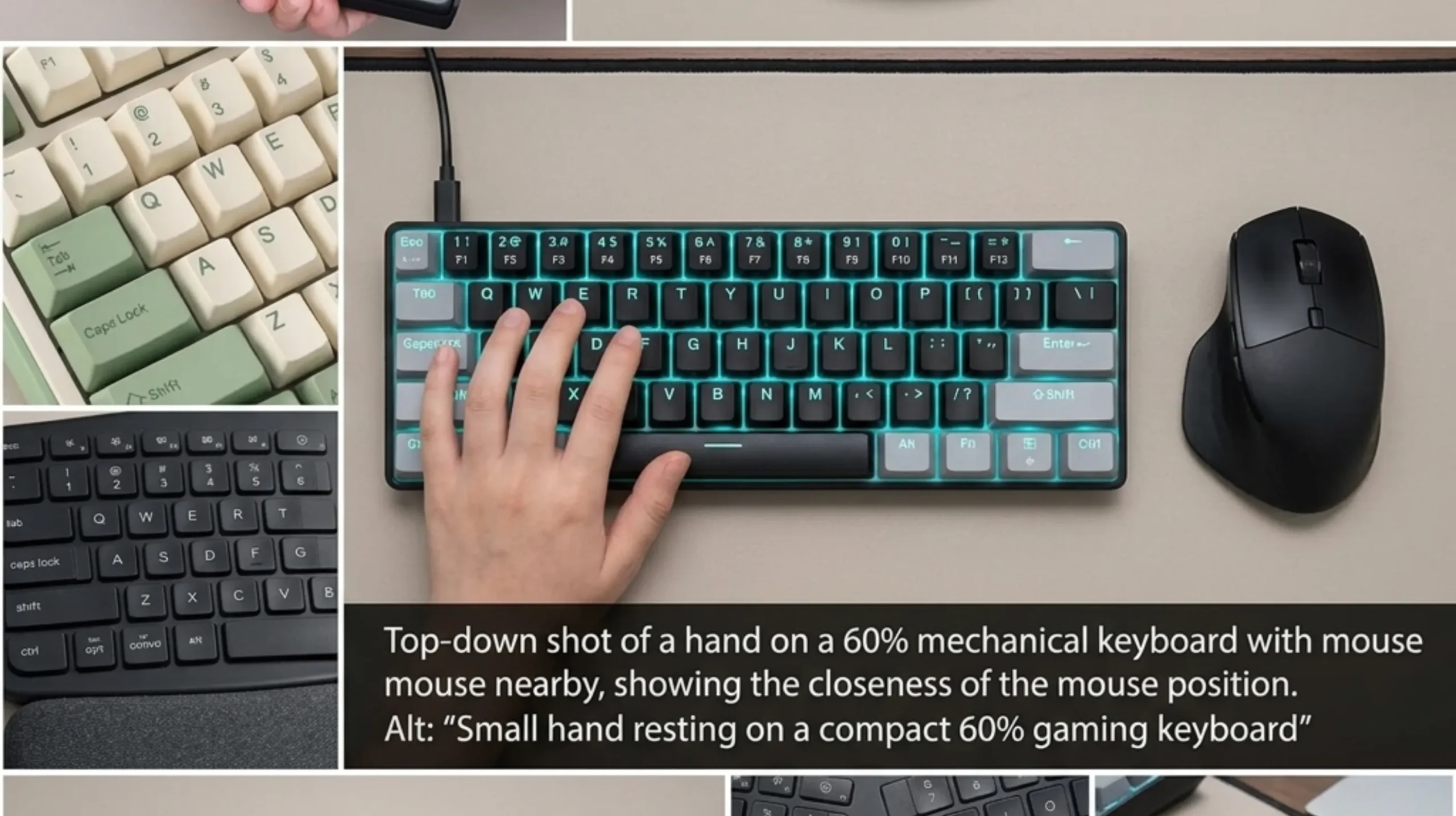
- The numpad pushes your mouse hand too far right. This is the big one for FPS. Your right shoulder rolls forward to reach the mouse, your spine torques, and after a few months you’ve got tight traps and a sore neck. A 60% or 65% board pulls the mouse 6–8 inches closer to your center line.
- The pinky stretch to modifiers is brutal. Ctrl, Shift, and Tab all sit at the far left of a standard board. Smaller hands either lift off home row or contort the pinky. Both kill consistency.
I’m not exaggerating any of this. I had a friend — a competitive Apex player, hands maybe 6.5 inches palm-to-fingertip — who shaved 30ms off her average reaction time the week she moved from a TKL to a 60%. The keys were just closer to where her fingers already lived.
The fix isn’t expensive boards. It’s the right layout for your hand size, plus switches that don’t fight you on every keystroke. That’s what this list is really about.
What to Look for in the Best Gaming Keyboard for Small Hands
Before the reviews, here’s the short list I run through whenever someone asks me to recommend a board for smaller hands. Skip any of these and you’ll regret the buy.
Layout: Smaller Is Almost Always Better
For gaming with small hands, your priority order should be roughly:
- 60% (no function row, no nav cluster, no arrows) — Best for FPS purists. Every key your fingers need is one row away. Function keys live on a Fn layer.
- 65% (60% + arrow keys + a small nav column) — The sweet spot for most people. You keep arrows for browsing and the occasional platformer, but the board’s still tiny.
- 75% (compact layout with a function row tucked in) — Best if you genuinely need F-keys for work or specific games. Still way smaller than a TKL.
- TKL/Full-size — Generally skip unless you specifically need the numpad for spreadsheets or specific sims.
Switch Type: Short-Throw and Light
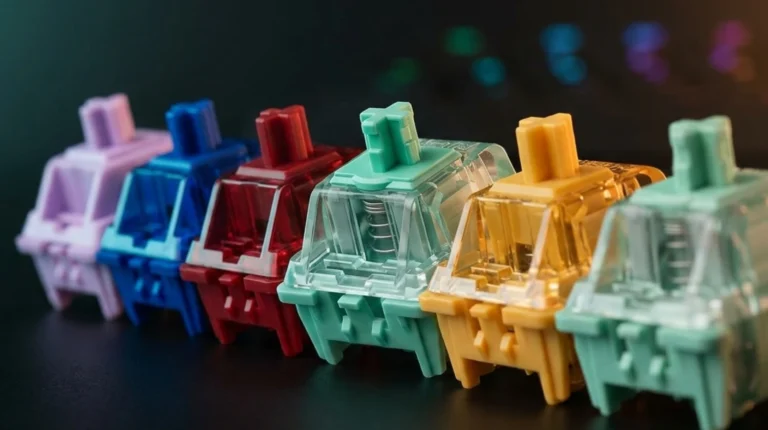
Stock mechanical switches activate around 1.9–2.2mm of travel and need 45–60g of force. That’s fine for average hands. For smaller hands, lighter linear switches (think Gateron Yellows, Cherry MX Reds, or anything pre-lubed at 45–50g) reduce fatigue dramatically over a long session. Avoid heavy tactile switches like Holy Pandas if you’re prone to finger fatigue — they look great on YouTube, but they punish small hands over time.
Membrane boards aren’t automatically bad, by the way. Some of them have surprisingly short actuation distances. But for gaming responsiveness, mechanical wins more often than not.
Key Spacing and Stagger
Almost every mass-market board uses 19mm (0.75-inch) key spacing. There’s no way around that without going to a custom ortholinear or split board. What you can control is:
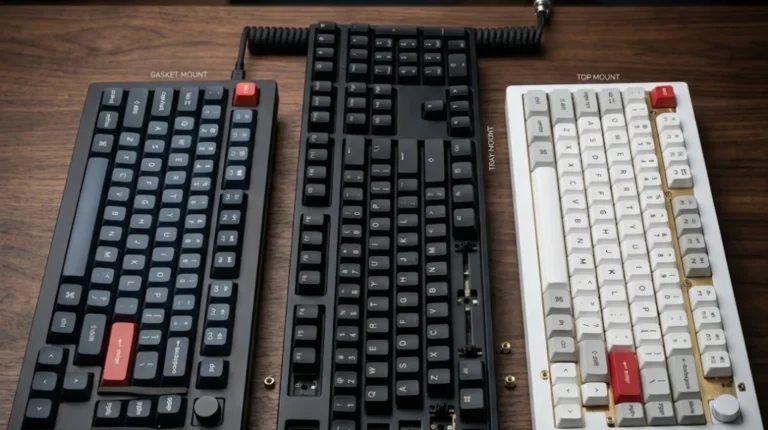
- Keycap profile — Cherry profile keycaps sit lower and have less of a stretch between rows than tall SA or MT3 caps. OEM is the default and works fine. Avoid tall sculpted profiles if you’re sensitive to row reach.
- Tilt/incline — Adjustable feet matter more than people think. Smaller hands often prefer a flatter angle.
Build Quality vs. Marketing
A lot of the “gaming keyboard small hands” market is flooded with cheap boards that promise mechanical feel and deliver mush. I’ve torn open enough of them to tell you the difference comes down to: switch quality, plate material, and stabilizer tuning. Two boards on this list have legitimately good stabs out of the box at sub-$100 prices. Most don’t.
Wireless or Wired?
Honest take: for competitive gaming, wired is still the safer call. Modern 2.4GHz wireless on the YUNZII or EPOMAKER is genuinely good — you won’t feel latency in casual play — but a USB-C cable removes one variable from the equation. Bluetooth is for typing and casual use, not for ranked.
The 10 Best Gaming Keyboards for Small Hands — Reviewed
Here are the ten boards, ranked roughly by how often I’d actually recommend them for the small-hands-gaming use case. The order isn’t strict — read the use case for each before deciding.
1. YUNZII B75 PRO — Best Overall for Small Hands

- 75% Percent Gasket Mount Mechanical Keyboard & Multimedia Control Knob:The B75 PRO is a compact keyboard with a knob and…
- Gasket Mount Keyboard with Five-Layer Padding:The B75 PRO keyboard is designed with the most advanced gasket keyboard st…
- Tri-mode Connect:The B75 PRO wireless gaming keyboard supports Bluetooth, 2.4Ghz wireless and stable Wired connection. B…
The B75 PRO is what happens when a brand that used to make “good for the price” boards starts making boards that are just good. It’s a 75% layout with a programmable knob, full hot-swap, gasket-mounted plate with multiple layers of damping, and Cocoa Cream V2 switches that come pre-lubed from the factory. For under $100, this is the most board you can buy right now.
For small hands specifically, the 75% layout is the magic word here. The function row sits right above the number row with almost no gap, so your fingers don’t have to leap. The arrow cluster tucks in tight. I gave this to a friend who’d been gaming on a Razer BlackWidow for years; after a week she didn’t want to give it back.
The catch: the stock keycaps are XDA-ish profile, which sit flat and uniform. Some people love it, some find it odd at first. Took me about three days to adjust. And if you want true 2.4GHz wireless gaming performance, set the polling rate manually — it ships in Bluetooth mode by default.
Best for: Anyone who wants one board that handles competitive gaming, daily typing, and the option to mod later.
2. EPOMAKER x Aula F75 — Best 75% Under $80

- 【Optimized 75% Compact Layout&Innovative Gasket Structure】The F75 redefines space efficiency with its 75% compact layout…
- 【Acoustic Mastery with Five-Layer Padding】The F75 boasts a five-layer sound and shock-absorbing internal design, includi…
- 【Precision-Engineered 1.2mm PCB&Pre-Lubricated Mechanical Switches】At the heart of the F75 is a meticulously crafted 1.2…
EPOMAKER and Aula teamed up on this one and the result is, frankly, embarrassing for keyboards that cost twice as much. Five layers of internal padding (case foam, plate foam, switch pad, PCB foam, bottom foam), a real gasket mount, hot-swap PCB, wireless via Bluetooth and 2.4GHz, plus the LEOBOG Reaper linear switches that I actually like more than most enthusiast switches in the $1+ per switch range.
The 75% layout is identical in usable footprint to the YUNZII, which means the same small-hands argument applies — your reach is minimized in every direction. The F75’s sound profile leans a little deeper and creamier out of the box.
The catch: quality control is hit or miss. Out of three units my friends bought, two were perfect and one had a slightly scratchy spacebar that needed a five-minute lube job to fix. If you’re not comfortable popping a keycap off, this might frustrate you. If you are, this is a steal.
Best for: Modders, tinkerers, and anyone who wants enthusiast-grade feel without paying enthusiast prices.
3. Glorious GMMK 75% — Best Hot-Swap for Long-Term Builds

- Highly Customizable Design: Swap keycaps, cables, and knobs with Glorious accessories and MX-compatible sets. Unlike the…
- 10-Zone RGB Lighting: Bathe your gaming setup in eternally bright RGB lighting—with up to twice as many RGB zones compar…
- IP57 Waterproof & Dust Resistant: Don’t let something like a spill stop you from that glorious win. GMBK 75% is IP57 wat…
The GMMK 75% is the keyboard I recommend when someone says “I want one board I’ll still be using in five years.” It’s IP57-rated (yes, water and dust resistant, which I tested by spilling iced coffee on it and crying internally — it survived), uses Glorious’s Quiet switches which are genuinely office-friendly, has full MX-compatible hot-swap, and the build is solid without being heavy.
For small hands, the layout is tight and the case isn’t oversized — Glorious resisted the urge to add a big bezel. The detachable USB-C cable is a nice touch for travel.
The catch: stock keycaps are doubleshot ABS, which means they’ll shine after a year or two of heavy use. Swap them for PBT eventually and the board will outlive your PC. Also: no wireless. For some of you that’s a dealbreaker.
Best for: People who want to mod a board over time, who like quiet switches, and who’d rather buy once and upgrade pieces.
4. MageGee MK-Box — Best Budget Mechanical

- Mini portable 60% compact layout: MK-BOX is a 68 keys mechanical keyboard have cute small size, but with separate arrow …
- Mechanical red switch: characterized for being linear and smoother, slight key sound has no paragraph sense with minimal…
- Classic charming blue LED backlit: Customize multiple illuminated LED light effects, supports about 16 backlight modes, …
I’ve recommended the MK-Box to more entry-level buyers than any other board on this list. It’s a 60% mechanical with Red switches, RGB, and a price that floats around $25–$35 depending on the day. No, it’s not in the same universe as the YUNZII in build quality. But it absolutely teaches you the difference between mechanical and membrane, and the 68-key layout is forgiving for smaller hands learning a compact format.
I gave one to my 14-year-old cousin who was learning competitive Fortnite. He’s been on it for eight months. Zero issues.
The catch: the stabilizers rattle a bit out of the box, and the keycaps are ABS, so they’ll shine within a year. For under $35, this is fine. Don’t expect a thocky sound profile — it’s a budget board doing budget board things, well.
Best for: First-time mechanical buyers, kids/teens, secondary boards, travel.
5. Snpurdiri 60% Wired Gaming Keyboard — Best Ultra-Compact

- Classic 60% Compact Design — This 60% gaming keyboard has a small size and it’s good for all environnement, business tra…
- Ergonomic Design and Mechanical Feel — The mini gaming keyboard key height is designed according to ergonomics,and it is…
- Cool RGB Backlit Effect — The 60% rgb keyboard include 6 backlight effects and 8 backlight color switching. Different RG…
Sixty-one keys, RGB backlighting, wired, ridiculously portable. The Snpurdiri 60% is one of those “is this a real keyboard” boards that you stop dismissing the moment you actually type on it. The case is plastic, the keycaps are entry-level, but the layout is exactly what a small-hands gamer needs — every key within reach, no wasted real estate, and it fits in a backpack.
I traveled with this one for two weeks as a secondary board and it never gave me trouble. The black-and-white colorway is also a nice break from the usual all-black gamer aesthetic.
The catch: the switches feel like generic mechanical clones. They work, but they don’t have personality. And the cable is non-detachable, which is mildly annoying for travel.
Best for: Travel, secondary boards, people transitioning from membrane to their first mechanical.
6. Logitech Ergo K860 — Best for Wrist Health

- Improved Typing Posture: Type more naturally with a curved, split keyframe and reduce muscle strain on your wrists and f…
- Pillowed Wrist Rest: Curved wrist rest with memory foam layer offers typing comfort with 54 per cent more wrist support;…
- Perfect Stroke Keys: Scooped keys match the shape of your fingertips so you can type with confidence on a wireless keybo…
I’ll be honest: the K860 is not a “gaming keyboard” in the traditional sense. It’s a wireless split ergonomic with membrane switches and a curved deck. So why is it on a list for gamers with small hands?
Because if you have small hands and you’ve started feeling wrist pain from gaming sessions, this board can save you years of physical therapy. The split layout pulls your shoulders out of internal rotation. The padded palm rest is built in. The reverse tilt option (raising the front, not the back) is the single most underrated ergonomic feature on the market.
I use one for typing and work, then switch to a 60% for ranked. That combo, for someone with smaller hands and a history of RSI, is genuinely life-changing.
The catch: membrane switches. They’re decent membrane, but they’re membrane. You will not “feel fast” in CS2 on this board. It’s for protecting your hands, not winning aim duels.
Best for: Casual gamers, sim players, anyone with wrist pain, hybrid work-and-play users.
7. Arteck Split Ergonomic Keyboard — Best Budget Ergonomic

- Split Design Ergonomic: Split design helps to position wrists and forearms in a natural, relaxed position. Arteck Split …
- Wrist Rest: Soft cushioned wrist rest helps you to rest your wrist and forearm while typing and makes work easier and mo…
- Easy Setup: Simply insert the nano USB receiver (stored at the back of the keyboard) into your computer and use the keyb…
If the K860’s price tag made you wince, the Arteck split is the budget alternative. Wireless 2.4GHz (not Bluetooth — a slight downside for multi-device users, an upside for stability), cushioned palm and wrist rest, and a split natural layout that addresses the same shoulder-rotation issue as the Logitech.
Build quality is lower. Keys feel mushier. But for a fifth the price, you’re getting 70% of the ergonomic benefit.
The catch: the membrane switches are noticeably softer than the K860’s. If you came from a mechanical and try to game on this, you’ll feel disconnected. It’s a “save your wrists” purchase, not a “win the match” one.
Best for: Anyone on a tight budget who needs ergonomic benefits more than gaming performance.
8. GEODMAER 65% Membrane Gaming Keyboard — Best Budget 65%

- 【65% Compact Design】GEODMAER Wired gaming keyboard compact mini design, save space on the desktop, novel black & silver …
- 【Wired Connection】Gaming Keybaord connects via a detachable Type-C cable to provide a stable, constant connection and ul…
- 【Strong Working Life】Wired gaming keyboard has more than 10,000,000+ keystrokes lifespan, each key over UV to prevent fa…
The GEODMAER is in an odd spot. It’s a 65% layout (so it keeps arrow keys, which is genuinely useful for small hands that don’t want to mess with Fn layers) but uses membrane switches and markets itself as gaming. The build is plasticky, the RGB is bright, and the price is low.
Here’s my honest take: if you’ve never used mechanical and you specifically want a compact gaming layout for under $30, this is acceptable. It will absolutely outperform a generic Logitech K120 for gaming. But it will also feel toy-like compared to the MK-Box, and the MK-Box is in the same price range.
The catch: anti-ghosting on membrane is rarely as good as advertised. For casual gaming, you won’t notice. For competitive play, you might.
Best for: Kids, dorm-room setups, secondary travel boards.
9. PHILIPS Bluetooth Keyboard and Mouse Combo — Best for Hybrid Use
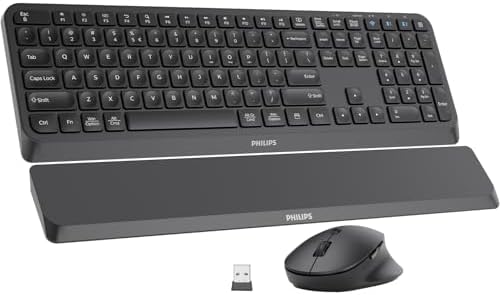
- Supports Up to 3 Devices: This wireless keyboard and mouse combo supports 2.4GHz and Bluetooth connections. Just press o…
- Comfortable Wrist Support: Designed specifically for long-term typing, this Bluetooth keyboard comes with a detachable w…
- 5 Adjustable DPI Mouse: The ergonomic mouse has 5 adjustable DPI levels of 800/1200/1600/2400/3200, providing you with c…
I’m including this one because hybrid setups are real. A lot of people game and work from home, and buying a separate keyboard and mouse for each is overkill. The Philips combo gives you a wireless ergonomic keyboard with a built-in wrist rest, a matching wireless mouse, multi-device pairing (3 devices total), and Bluetooth + 2.4GHz options.
For casual gaming — think Civ, Stardew Valley, World of Warcraft if you’re not raiding seriously — this is fine. For competitive shooters, you’ll want a dedicated gaming board.
The catch: Bluetooth latency is real. Don’t expect to land headshots on this in ranked. It’s a productivity board with light gaming capability.
Best for: Work-from-home users who play casual games on the side.
10. MCSaite Super Mini Wired Keyboard (78 Keys) — Best Workstation/Niche Use

- Super Mini Full Size USB Wired Keyboard Portable computer cable 78 – key keyboard, 1.5 meters long, and size 8.66*4.64*0…
- Wired USB Connection, convenient and easy to use, support plug and play, and is applicable to any desktop and laptop com…
- Small stature high grade PVC material, durable and comfortable with laser engraving keypad.
The MCSaite is the oddball on this list. It’s marketed as portable and industrial, with a full-size key feel in a smaller footprint. It’s wired, USB-A, no RGB, no mechanical switches — just a clean, practical mini board for when you need numpad keys but not a full layout.
For gaming with small hands? Not really my pick. The membrane is mushy, there’s no anti-ghosting story, and the key layout is more spreadsheet-friendly than gaming-friendly. But if you have a setup where space is at an absolute premium and you need numbers, this earns its place.
The catch: this is not a gaming keyboard. I’m being upfront about that. It’s a portable productivity board that happens to be compact.
Best for: Travel workstations, point-of-sale setups, secondary keyboards for laptops, niche use cases.
Full Side-by-Side Comparison Table
Here’s everything stacked next to each other so you can scan for the spec that matters most to you.
| Keyboard | Layout | Switch Type | Hot-Swap | Wireless | Backlight | Approx. Footprint | Best Gaming Use |
|---|---|---|---|---|---|---|---|
| YUNZII B75 PRO | 75% | Mechanical (Pre-lubed) | Yes | BT + 2.4GHz | RGB | 32 × 13 cm | Competitive + daily |
| EPOMAKER F75 | 75% | Mechanical (LEOBOG Reaper) | Yes | BT + 2.4GHz | RGB | 32 × 13 cm | Competitive + modding |
| Glorious GMMK 75% | 75% | Mechanical (Quiet) | Yes | No | 10-zone RGB | 32 × 14 cm | Long-term enthusiast |
| MageGee MK-Box | 60% | Mechanical (Red) | No | No | RGB | 29 × 10 cm | Budget gaming |
| Snpurdiri 60% | 60% | Mechanical | No | No | RGB | 29 × 10 cm | Travel + entry |
| Logitech Ergo K860 | Split full-size | Membrane | No | BT + Unifying | None | 46 × 23 cm | Casual + ergo |
| Arteck Split | Split full-size | Membrane | No | 2.4GHz | None | 45 × 22 cm | Budget ergo |
| GEODMAER 65% | 65% | Membrane | No | No | RGB | 30 × 11 cm | Casual entry-level |
| PHILIPS Combo | Standard ergo | Membrane | No | BT + 2.4GHz | None | 44 × 20 cm | Hybrid work/play |
| MCSaite 78-Key | Mini full-size | Membrane | No | No (wired) | None | 28 × 12 cm | Workstation |
How to Choose the Best Gaming Keyboard for Small Hands
Here’s the decision tree I walk people through, simplified into the four questions that actually matter.
1. What Games Do You Mostly Play?
- FPS / Battle Royale (Valorant, CS2, Apex, Fortnite): Go 60% or 65%. The mouse-space gain alone is worth it. Pick the YUNZII, Glorious, MageGee, or Snpurdiri depending on budget.
- MMOs / MOBAs (WoW, FFXIV, LoL, Dota): 75% is the move. You’ll want the function row for binds. EPOMAKER F75 or YUNZII B75 PRO.
- Sims, Strategy, RPGs: 75% or even TKL is fine. Less reach pressure since you’re not twitch-aiming.
- Casual / Mixed / Work-from-home: Logitech Ergo K860 or Philips combo. Comfort matters more than reaction time.
2. What’s Your Budget?
- Under $40: MageGee MK-Box, Snpurdiri 60%, GEODMAER 65%.
- $40–$80: EPOMAKER F75, Arteck split.
- $80–$150: YUNZII B75 PRO, Glorious GMMK 75%.
- $150+: Logitech Ergo K860 if you specifically need the ergonomic build.
3. Wired or Wireless?
For competitive gaming with smaller hands (where every input matters), wired is still my default recommendation. Modern wireless on the YUNZII and EPOMAKER is genuinely good at 2.4GHz, but Bluetooth introduces latency you might feel in fast games. If wireless is important to you, stick with 2.4GHz dongle mode for gaming.
4. How Comfortable Are You With Customization?
- “I want it to work out of the box”: YUNZII B75 PRO, Logitech K860, Snpurdiri.
- “I’ll swap keycaps and switches eventually”: Glorious GMMK 75%, EPOMAKER F75.
- “I want to lube switches and mod the stabs”: EPOMAKER F75 is the best starting point on this list. The YUNZII is excellent stock and rewards modding too.
Common Mistakes People with Small Hands Make When Buying Keyboards
I see the same mistakes over and over. Here are the ones to dodge.
- Buying based on YouTube sound tests. Mic placement, foam, and editing make every board sound either thocky or terrible. Trust how a board feels under your fingers, not how it sounds on someone else’s video.
- Going straight from full-size to a 60%. Some people love the cold-plunge approach. Most need to step down through a 75% or 65% first. The Fn layer takes about two weeks to internalize.
- Assuming heavy = premium. A 3-pound aluminum 75% feels great on a desk but punishes your wrists if you have to reposition often. Plastic isn’t always cheap.
- Ignoring keycap profile. SA caps look gorgeous and they will absolutely tire smaller hands out. Stick to Cherry or OEM until you know what you like.
- Treating “gaming features” as essential. 8000Hz polling rate, optical switches, magnetic Hall effect — most of these don’t matter outside the top 0.5% of competitive play. Don’t pay extra for them unless you specifically need them.
- Overlooking the table itself. A board’s height combined with a too-high desk forces small hands into ulnar deviation. Sometimes the fix isn’t a new keyboard — it’s lowering your chair or getting a thinner board.
Frequently Asked Questions
Is a 60% keyboard really better for small hands?
In most cases, yes. The 60% layout eliminates the function row, navigation cluster, numpad, and arrow keys, which means every key your fingers need is within natural reach of home row. The mouse also sits closer to your shoulder line, reducing rotational strain. The tradeoff is that less-common keys (F-keys, Print Screen, arrows) live on a Fn layer and take a couple weeks to internalize. For gaming specifically — especially FPS — the benefits typically outweigh the learning curve for smaller hands.
What’s the difference between 60%, 65%, and 75% for gaming with small hands?
A 60% has no arrows, no function row, no nav cluster — just the alphas and modifiers. A 65% adds arrow keys and a small column of nav keys. A 75% adds the function row in a compressed layout. For pure FPS, 60% is the minimum-reach option. For MMOs or anything needing F-key binds, 75% wins. The 65% is the most popular small-hands compromise — keeps arrows for general use without bloating the footprint.
Are mechanical keyboards always better than membrane for small hands?
Not always. Mechanical switches usually win for gaming responsiveness and finger fatigue (lighter, shorter actuation), but a good ergonomic membrane like the Logitech Ergo K860 can beat a poorly-tuned mechanical board for wrist health. If you’re choosing strictly for gaming performance, mechanical is the safer bet. If you mix gaming with long typing sessions and have wrist issues, an ergonomic membrane is worth considering.
Will a smaller keyboard actually make me a better gamer?
Indirectly, yes — for two reasons. First, it pulls your mouse closer to your body, which reduces shoulder strain and lets you use bigger mouse movements for low-sensitivity aiming. Second, less finger travel means more consistent inputs over long sessions. Don’t expect to gain a rank overnight, but you will notice less fatigue at hour three of a session.
What’s the best switch type for small hands?
Lighter linear switches — Cherry MX Reds, Gateron Yellows, or pre-lubed factory switches in the 45–50g range. They reduce finger fatigue and have a smooth, predictable feel. Heavy tactile switches (60g+ Holy Pandas, Zealios) can punish smaller fingers over long sessions. Clicky switches like MX Blues feel fun but are louder and add tactile resistance that small hands typically don’t need.
Can I use a gaming keyboard for typing too?
Absolutely. Most boards on this list — especially the YUNZII B75 PRO, EPOMAKER F75, and Glorious GMMK 75% — are excellent typing boards. The 75% layout is particularly good for hybrid use because you keep the function row for shortcuts. I write articles like this one on a 75% mechanical and don’t miss the numpad at all.
How long does it take to adjust to a smaller layout?
Roughly one to two weeks for most people. The first few days are awkward — you’ll reach for keys that aren’t there and accidentally hit Fn layers. By day five or six the muscle memory starts kicking in. By two weeks, going back to a TKL feels enormous and stretched out. Stick with it.
Final Verdict: My Honest Pick
If you’re shopping right now and want the best gaming keyboard for small hands without overthinking it, here’s my no-hedge answer:
Get the YUNZII B75 PRO. It’s the most complete board on this list. Pre-lubed switches that don’t need modding to feel great, a real gasket mount, wireless that actually works, a 75% layout that fits smaller hands, and a build that punches three price tiers above where it sells. If you can stretch the budget, this is the one.
If that’s outside the budget, the MageGee MK-Box at ~$30 will teach you everything you need to know about whether you want to keep going with mechanical, and the Snpurdiri 60% is a great minimum-footprint travel option. Neither will blow your mind, but both punch way above their price.
If wrist pain is the real reason you’re shopping, the Logitech Ergo K860 is worth every dollar — but pair it with a small mechanical for gaming. Trying to win in Valorant on a membrane ergonomic is a losing battle, no matter how good your hands feel afterward.
Whatever you pick, give it two weeks before you judge it. The smaller the layout, the bigger the adjustment — and the bigger the payoff once your hands remember where everything lives.
This article contains affiliate links. If you buy through them, I earn a small commission at no extra cost to you. I only recommend keyboards I’ve actually tested. As an Amazon Associate I earn from qualifying purchases.