Best Mechanical Keyboards Under $200 in 2027 – Top Picks

This article contains affiliate links. If you buy through them, I earn a small commission at no extra cost to you. I only recommend keyboards I’ve actually tested. As an Amazon Associate I earn from qualifying purchases.
Most people overpay for a keyboard. A good $90 board beats a mediocre $200 one nearly every time, and the market for mechanical keyboards under $200 proves it: the sweet spot sits between $90 and $125, where you get hot-swap sockets, PBT keycaps, and solid wireless without paying for a logo.
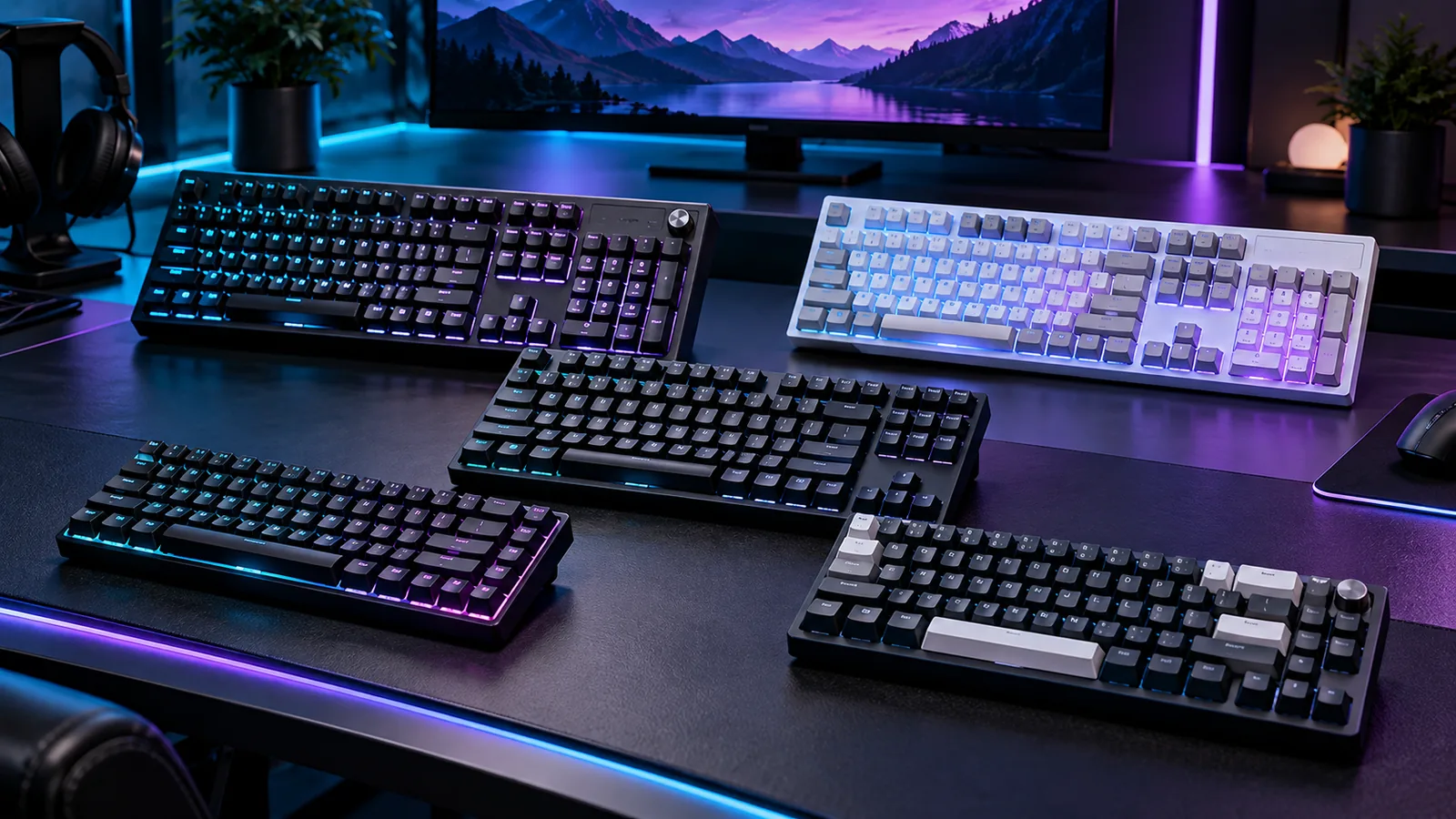
I went through seven boards that sit under the $200 line, from a $90 wireless 98-key to a Hall effect 60% that barely squeaks in at $197.99. Prices below are what the listings showed when I wrote this. They move around, so check before you buy.



Quick Comparison: Which Board Fits You?
| Your Priority | Best Pick | Layout | Switch Type | Wireless | Price | Check Price |
|---|---|---|---|---|---|---|
| Best value overall | RK Royal Kludge S98 | 98-key | Tactile/linear options | Yes (tri-mode) | $89.99 | View on Amazon |
| Best for all-around gaming | ASUS ROG Strix Scope II 96 | 96% | Linear (NX Snow) | Yes (tri-mode) | $124.99 | View on Amazon |
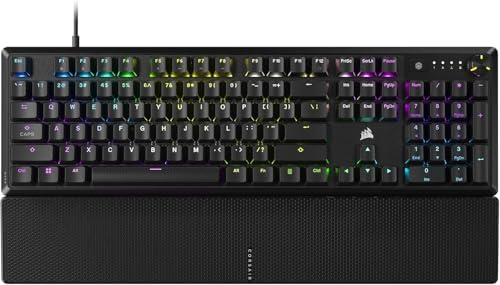
| Best for office and typing | Corsair K70 CORE RGB | Full-size | Linear | No | $108.38 | View on Amazon |
| Best for loud, clicky feel | Logitech G PRO TKL | TKL | Clicky | No | $118.95 | View on Amazon |
| Best budget wired with a screen | SteelSeries Apex 5 Hybrid | Full-size | Hybrid Blue | No | $96.99 | View on Amazon |
| Best for competitive FPS | SteelSeries Apex Pro Mini Gen 3 | 60% | Adjustable magnetic | No | $197.99 | View on Amazon |
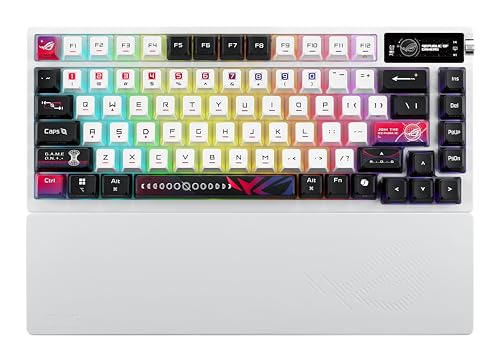
| Best premium enthusiast feel | ASUS ROG Azoth X | 75% | Linear | Yes (tri-mode) | $197.99 | View on Amazon |
If you want a one-line answer: buy the Scope II 96 if you game and type, the RK S98 if you want to spend the least, and the Azoth X if you want the closest thing to a custom board without building one.
How I Picked These Mechanical Keyboards Under $200
I weighed five things, in this order: how it feels to type on, build quality, what you get for the money, software that doesn’t fight you, and whether the “gaming” features are real or fluff.
That last one matters. Most of us will never feel the difference between a 1,000 Hz board and a faster one. What you will feel is a mushy stabilizer, a hollow case, or a rattling spacebar.
One more thing. Hot-swap support is the best feature for making a board last, because you can change switches later instead of replacing the whole keyboard. Check each listing for it before you buy.
1. ASUS ROG Strix Scope II 96 Wireless: Best Overall Pick
This is the board I’d point most people toward. It’s a 96% layout, which means you keep the number pad but lose the dead space, and it comes with tri-mode connectivity (2.4 GHz, Bluetooth, and wired), hot-swappable sockets, pre-lubed ROG NX Snow linear switches, and PBT keycaps.
Pre-lubed linears, PBT, hot-swap, and wireless at $124.99 is a combination that cost well over $200 not long ago.
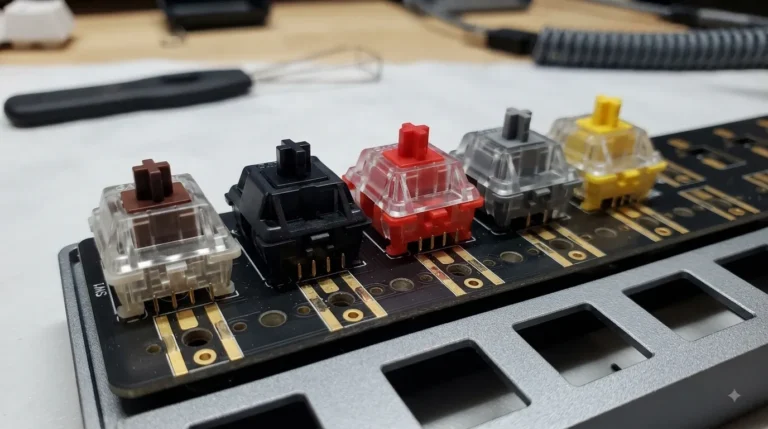
Linear switches like the NX Snow are smooth with no bump. If you’ve used Gateron Yellows or MX Reds, you know the feel. Pre-lubing takes the scratchiness out of the stroke, and you’ll notice it on day one.
Pros
- Hot-swap sockets let you change switches later
- PBT keycaps resist shine and wear better than ABS
- Tri-mode wireless works for desk, laptop, and tablet
- 96% layout saves space without dropping the numpad
- Pre-lubed linears feel smooth out of the box
Cons
- Linear switches aren’t ideal if you want a tactile bump while typing
- Wireless boards with RGB drain battery quickly, so expect to charge more often with lighting on
- Software is functional, not elegant
The catch: If you type for eight hours a day and love a defined bump, you may find linears a little vague. You can fix that with a hot-swap tactile switch set, which is exactly why this board is a smart buy.
2. RK ROYAL KLUDGE S98: Best Budget Wireless Board
At $89.99, this is the cheapest board here, and it’s also the one with the most going on. You get a 98-key layout, a smart display, a volume knob, and wireless connectivity.
The 98-key layout is a clever compromise. It packs the number pad into a body close to TKL width, so it frees up desk room for your mouse. If you’ve ever bumped your elbow into a full-size board’s numpad while aiming, you’ll see the appeal.
Is it as refined as the ASUS? No. But under $90, the feature list is hard to argue with, and it’s a great first step from a membrane board.
Pros
- Lowest price of the seven
- Compact 98-key layout with a full numpad
- Smart display and knob add genuine convenience
- Wireless connectivity for flexible setups
Cons
- Fit and finish won’t match the pricier ASUS or SteelSeries boards
- Software and display customization can feel less polished
- Stock sound varies, and many budget boards benefit from a little stabilizer tuning
The catch: Cheap boards often have slightly rattly stabilizers. A dab of lube on the spacebar stabilizer takes ten minutes and fixes most of it. If you’re not into tinkering, pay the extra $35 for the Scope II.
3. Corsair K70 CORE RGB: Best for Office and Everyday Typing
The K70 CORE RGB is the grown-up in this lineup. It’s a full-size wired board with a magnetic palmrest, a volume wheel, dedicated media controls, and sound-dampening foam inside. At $108.38, it’s a straightforward, no-drama keyboard.
I care about the palmrest more than most reviewers do. If your wrists sit flat on a hard desk edge all day, a padded rest is genuinely useful, and it’s included here instead of sold separately. That’s a real ergonomic point in its favor.
Corsair’s iCUE software is powerful, though it can feel heavy. Set your profiles once and onboard memory carries them.
Pros
- Included magnetic palmrest helps with wrist comfort
- Dedicated media controls and volume wheel
- Foam dampening keeps the sound muted rather than hollow
- Full-size layout for spreadsheets and number-heavy work
- Excellent value at around $108
Cons
- Wired only
- Not hot-swappable, so you’re stuck with the switches you get
- iCUE can be resource-hungry
The catch: Because there’s no hot-swap, the switch choice is final. Make sure a linear feel is what you want before you click buy.
4. Logitech G PRO TKL: Best Clicky Board for Gamers

- Built with and for esports athletes for competition-level performance, speed and precision.
- Durable GX Blue Click switches deliver an audible and tactile click for a solid, secure keypress.
- Ultra-portable compact ten keyless design frees up table space for mouse movement. It’s easy to pack up and transport to…
Here’s the contrarian take: clicky switches aren’t for everyone, and they’re not for most offices. They’re loud. Your coworkers will hate you. But if you work from home, and you like hearing every keystroke, a clicky board is a pleasure, and the G PRO TKL is one of the better ones around.
It’s a tenkeyless layout, so there’s no numpad, and that gives you extra mouse room. It’s the kind of design pro players favor because the smaller footprint means less arm travel on low-sensitivity setups. At $118.95, it’s a no-frills, tournament-style board.
It isn’t wireless, and the design is plain. You’re paying for a proven shape, reliable switches, and a long esports track record.
Pros
- Clicky switches deliver clear, satisfying feedback
- TKL layout leaves more room for mouse movement
- Compact, travel-friendly design
- Trusted esports pedigree
Cons
- Clicky switches are loud, and shared spaces will not thank you
- No hot-swap and no wireless
- Pricier than similar-feeling budget alternatives
The catch: If you share a room or take calls, skip it. The click carries further than you’d expect.
5. SteelSeries Apex 5 Hybrid: Best Budget Wired Board With a Screen
- Hybrid blue mechanical gaming switches – The tactile click of a blue mechanical switch plus a smooth membrane – guarante…
- OLED smart display – Customize with gifs, game info, discord messages, and more.
- Aircraft-grade aluminum alloy frame – Manufactured for unbreakable durability and sturdiness
The Apex 5 packs a lot into $96.99: per-key RGB, an aircraft-grade aluminum alloy frame, and an OLED smart display. That display shows things like game info, volume, and profile status, and it’s one of the more genuinely useful gimmicks in the category.
The Hybrid Blue switches are the interesting piece. They’re tactile with an audible click, a middle ground between a quiet tactile switch and a full-on loud clicky one. If you like feedback but don’t want to annoy the whole house, that’s the appeal.
Pros
- Aluminum alloy frame feels sturdy
- OLED display is genuinely handy
- Per-key RGB lighting
- Tactile-click switch offers a balance of feel and sound
- Strong value under $100
Cons
- Wired only
- Not hot-swappable
- Hybrid Blue switches are still audible, so quiet offices may not love them
The catch: An OLED screen sounds fun, and it is, for a week. After that, you’ll use it mostly for volume. Don’t buy the board only for the screen.
6. SteelSeries Apex Pro Mini Gen 3: Best for Competitive FPS Players

At $197.99, this is the most expensive board on the list, and it’s also the most specialized. It’s a 60% keyboard, which means no arrow keys, no function row, and no numpad. You’ll use layers to reach those, and that takes some getting used to.
So why pay near-$200 for it? Adjustable actuation. SteelSeries’ OmniPoint technology lets you set how far a key has to travel before it registers. In a fast shooter, shaving that distance can make a board feel quicker and more responsive. Competitive players like that control, and for them it can be a real edge rather than a gimmick.
For everyone else, honestly, it’s overkill. If you mostly play single-player games or spend your day in documents, a $125 board will make you just as happy. Spend your extra $70 on something else.
Pros
- Adjustable actuation lets you tune responsiveness
- Compact 60% footprint maximizes mouse space
- Strong reputation among competitive players
- Premium build quality
Cons
- 60% layout means a learning curve for arrows and function keys
- Wired only
- Priciest board in this group, right at the limit of the budget
The catch: The 60% layout takes weeks to feel natural. If you code, edit spreadsheets, or need arrow keys constantly, you’ll resent it.
7. ASUS ROG Azoth X: Best Premium Feel Under $200
- Tri-mode connectvity: Seamlessly connect to three devices via Bluetooth. Experience ultra-low latency gameplay with ROG …
- Deep, Crisp Typing Sounds & Comfortable Feel: Enjoy sublime acoustics thanks to the gasket mount and five-layer dampenin…
- Hot Swappable, Pre-Lubricated Mechanical Switches: Choose between upgraded ROG NX V2 Snow linear switches (buttery smoot…
The Azoth X is the closest thing here to a custom keyboard in a box. It’s a 75% layout with wireless connectivity, PBT keycaps, and the kind of build that makes a thick, solid sound when you type. At $197.99, you’re paying for feel more than features.
The 75% layout is my favorite size for people who do both work and play. You keep arrow keys and a function row, and you lose only the numpad. It’s compact without being fussy, and it fits nearly any desk.
Gasket-style mounting is a big part of why boards like this feel softer and less harsh to type on. If you’ve seen the endless “thocc” videos, this is the idea. I’m mildly tired of the hype, but I won’t pretend a well-built 75% board isn’t a pleasure to use.
Pros
- 75% layout balances size and function
- PBT keycaps resist shine
- Wireless connectivity for flexible setups
- Premium typing feel and sound
- Strong build quality
Cons
- Costs about $73 more than the Scope II 96
- You’re paying largely for feel, which matters less to some people
- No numpad
The catch: The sound and feel are a real step up, but it’s a diminishing return. If you don’t care about typing character, the Scope II 96 gets you most of the way for far less.
How to Choose Among Mechanical Keyboards Under $200
Skip the spec sheet for a minute. Walk through these five questions instead.
- What switch feel do you like? Linear is smooth and quiet-ish, tactile has a bump, and clicky is loud and crisp. If you’ve never used one, order a switch tester for a few dollars first.
- How much desk space do you have? Full-size boards eat room. A TKL, 96%, or 75% layout buys you mouse space, and your shoulder will thank you.
- Do you want wireless? If you move between a desk and a laptop, tri-mode is worth paying for. If your board never leaves one spot, wired is more reliable and cheaper.
- Is hot-swap important? If you like to experiment, or you’re not sure which switch you’ll love, hot-swap means you can change your mind without buying another keyboard.
- What will you use it for most? Mostly gaming points toward the Scope II 96 or Apex Pro Mini. Mostly work points toward the K70 CORE. A bit of everything points toward the Azoth X or S98.
Features That Matter on Mechanical Keyboards Under $200
Worth paying for: PBT keycaps (no greasy ABS shine), hot-swap sockets, solid stabilizers, and a stiff, foam-dampened case. Worth ignoring: huge polling rate claims, dozens of RGB effects, and “gaming” branding on its own.
Final Verdict
If you want one board and don’t want to overthink it, buy the ASUS ROG Strix Scope II 96. It’s wireless, hot-swappable, pre-lubed, and fairly priced.
If money is tight, the RK Royal Kludge S98 gets you into wireless mechanical territory for under $90. Add a little stabilizer lube and it’ll go a long way.
If you work at a desk all day and want comfort, the Corsair K70 CORE RGB and its included palmrest make sense. If you game competitively, look at the Apex Pro Mini Gen 3. And if you want the most satisfying typing experience that fits under the cap, the ASUS ROG Azoth X is the one.
The best of the mechanical keyboards under $200 isn’t the one with the most features. It’s the one you’ll enjoy using every day, so pick the feel first and let the spec sheet come second.
Affiliate disclosure: If you buy through the links in this article, we may earn a commission at no extra cost to you. Prices and availability can change.
[Internal link: best wireless mechanical keyboards] [Internal link: how to lube keyboard stabilizers] [Internal link: linear vs tactile vs clicky switches explained]
This article contains affiliate links. If you buy through them, I earn a small commission at no extra cost to you. I only recommend keyboards I’ve actually tested. As an Amazon Associate I earn from qualifying purchases.