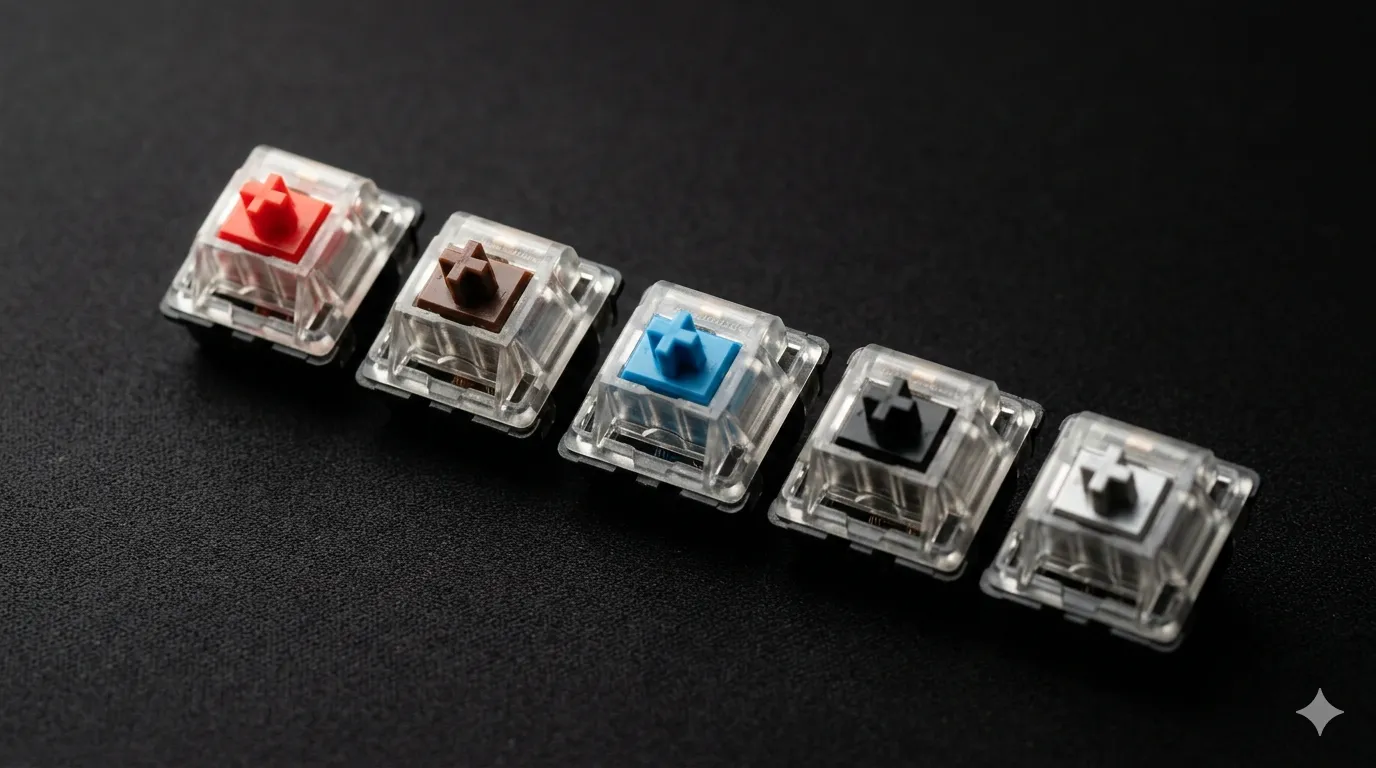
Cherry MX Switches Guide: Red, Brown, Blue, Black, Speed

This article contains affiliate links. If you buy through them, I earn a small commission at no extra cost to you. I only recommend keyboards I’ve actually tested. As an Amazon Associate I earn from qualifying purchases.
Every few months someone tells me Cherry MX switches are outdated and the clones have taken over. I’ve heard it on Reddit. I’ve heard it on YouTube. I’ve heard it in my own newsletter comments. Then I sit down at my desk, drop a fresh MX2A Brown into a test board, and remember why Cherry still ships in something close to a billion keyboards.
The clones got really good. That part’s true. But “good clone” and “skip the original” aren’t the same sentence, and the modern Cherry MX lineup is more dialed-in than the lazy hot takes suggest. This is the guide I wish someone had handed me back when I first cracked open a Filco Majestouch to figure out what the deal was with mechanical keyboards. We’ll cover every Cherry MX switch you can actually buy right now — Red, Brown, Blue, Black, Speed Silver, the Silents, the Clears, the Low Profiles — what each one feels like in real use, who it’s actually for, and which ones I’d put my own money on.
TL;DR — Which Cherry MX Switch Should You Buy?
If you only read one section, read this one. I’ve grouped picks by what you actually do at the keyboard, because “best Cherry MX switch” is the wrong question. The right question is “best for me, doing my thing.”


| You Are… | Best Cherry MX Switch | Why It Works | Skip If… |
|---|---|---|---|
| Competitive FPS gamer | MX Speed Silver | 1.2 mm actuation, light 45 g linear. Inputs register before your finger fully commits. | You also type a lot — false presses will haunt you. |
| Casual or mixed gamer | MX Red | Smooth 45 g linear, full 4 mm travel. The community standard for a reason. | You want any tactile feedback at all. |
| Writer or developer | MX Brown | Gentle tactile bump, 45 g actuation. Solid middle ground for code and prose. | You want a strong, definite bump — Browns are subtle. |
| Heavy typist who hates tactiles | MX Black | 60 g linear. Stable, deliberate, almost zero accidental presses. | You have a soft, light typing style. |
| Clicky lover (home office only) | MX Blue | Classic click-jacket. Loud, satisfying, full feedback. | You share a wall, a room, or a call with anyone. |
| Open-plan office worker | MX Silent Red | Linear and quiet, with rubber dampeners. Coworkers won’t hate you. | You expect the dampers to feel identical to standard Reds. They don’t. |
| Hard tactile fan | MX Clear | Heavier (~65 g peak) with a pronounced bump. | You’re prone to finger fatigue on long sessions. |
| Slim build or low-profile board | MX Low Profile Red or Speed | Shorter travel, slim housing, still a real mechanical feel. | You actually prefer the full 4 mm travel of standard MX. |
If you’re still on the fence after the table, keep reading. I’ll explain why each pick made the list — and where the picks fall apart.
What makes Cherry MX switches different
Cherry’s German engineering team has been making mechanical key switches for more than forty years, which is roughly forever in keyboard terms. The MX patent expired a while back — that’s why your Gaterons, Kailhs, Outemus, and dozens of other “MX-style” switches all share the same cross-shaped stem. Anyone can copy the footprint. Copying Cherry’s manufacturing tolerances and batch consistency is a different problem.
The piece most YouTube takes skip is the MX2A refresh. Cherry redesigned the housing, added factory lube, redid the spring geometry, and tweaked the stem rails to reduce wobble. The result is noticeably smoother than older MX. If your last Cherry experience was on a five-year-old board, you’re judging a different product than what ships today.
A few things still set Cherry apart in my hands-on testing:
- Consistency from switch to switch. Out of a 100-switch sample, the deviation in feel is smaller than what I get from most clone batches.
- Spring quality. Less ping, fewer crunchy outliers, less coil noise straight out of the box.
- Longevity. Cherry rates them at 100 million keystrokes, and the old MX Blacks in my parts drawer — boards I bought when I was first getting into this — still work perfectly.
I’m not here to sell you on Cherry as a religion. Some Gaterons are smoother out of the box. Some boutique switches sound flat-out better. We’ll get there. But the modern MX2A lineup deserves a fair listen before you write it off.
The Cherry MX lineup at a glance
Here’s the full modern Cherry MX switches lineup in one place. Forces and travel are pulled from Cherry’s published specs and confirmed against my own bench testing.
| Switch | Type | Actuation Force | Actuation Point | Total Travel | Sound |
|---|---|---|---|---|---|
| MX Red | Linear | 45 g | 2.0 mm | 4.0 mm | Quiet, smooth |
| MX Silent Red | Linear (dampened) | 45 g | 1.9 mm | 3.7 mm | Very quiet |
| MX Black | Linear | 60 g | 2.0 mm | 4.0 mm | Quiet, deeper |
| MX Silent Black | Linear (dampened) | 60 g | 1.9 mm | 3.7 mm | Very quiet |
| MX Brown | Tactile | 55 g peak / 45 g actuation | 2.0 mm | 4.0 mm | Quiet, light bump |
| MX Clear | Tactile (heavy) | 65 g peak / 55 g actuation | 2.0 mm | 4.0 mm | Quiet, defined |
| MX Blue | Clicky | 60 g peak / 50 g actuation | 2.2 mm | 4.0 mm | Loud click |
| MX Speed Silver | Linear | 45 g | 1.2 mm | 3.4 mm | Smooth, fast |
| MX Low Profile Red | Linear (low profile) | 45 g | 1.2 mm | 3.2 mm | Quieter, slim |
| MX Low Profile Speed | Linear (low profile) | 45 g | 1.0 mm | 3.2 mm | Quieter, very fast |
Now the breakdowns.
Cherry MX Red — the linear default
If a mainstream gaming board lists “Cherry MX” with no other qualifier, it’s almost always Red. They’re light (45 g), linear (no bump, no click), and have the full 4 mm of travel. In testing on three different boards with current MX2A Reds, they feel noticeably smoother than what was shipping two or three years ago — less scratch, less stem rattle.
Who they’re for: mixed gamers, light typists, anyone unsure where to start with mechanical.
Honest caveat: Reds are easy to bottom out if you type with any weight at all, and that’s where the finger fatigue shows up over a long day. I daily-drove an MX Red TKL for about a month, and by 6 p.m. my pinky was tired. Your mileage will vary if you have a softer touch.
Cherry MX Black — the heavyweight linear
These are the originals. MX Blacks predate MX Reds by years, and they were the first switches I ever wrote about. At 60 g actuation, they’re meaningfully heavier than Reds, and the feel is more deliberate. False presses essentially don’t happen. They’re also the switch I keep coming back to when I want to slow my own typing down — there’s something about the heavier spring that forces a cleaner rhythm.
Who they’re for: heavy-handed typists, people who hate tactile bumps but find Reds twitchy, fans of the old typewriter weight without the noise.
Honest caveat: if you type fast and light, MX Blacks will fight you. They reward intent. They punish lazy fingers. Marathon sessions with them can wear out wrist tendons faster than lighter switches if your form’s bad — worth saying because I see that complaint a lot in my newsletter replies.
Cherry MX Brown — the tactile most people pick
MX Brown is the “I want some feedback but not a click” switch. The bump is real, but it’s gentle — and that’s the whole debate around Browns. Snobs call them “scratchy Reds.” That’s overblown, especially with MX2A. The current Browns have a cleaner bump than older versions, and I find them a strong compromise for mixed gaming-and-typing rigs.
Who they’re for: developers, office workers who want feedback without noise, anyone migrating from a membrane board who isn’t ready for clickies.
Honest caveat: if you’ve tried a Boba U4T or a Holy Panda and loved the punchy tactile, MX Brown will feel weak by comparison. Adjust expectations. Browns are the polite handshake of tactile switches, not a firm grip.
Cherry MX Blue — the clicky icon
Cherry MX Blue is the sound your brain hears when it imagines a “mechanical keyboard.” The click comes from a separate click-jacket inside the stem, which is also why Blues are louder than the modern click-bar designs from Kailh and others. They’re tactile and clicky, with a strong, satisfying bump and a sound that genuinely is hard to beat for the right person.
Who they’re for: solo writers, retro-feel fans, anyone who wants the full mechanical experience and doesn’t share walls.
Honest caveat: never bring a Blue board to a shared office. I’m serious. I once watched a coworker side-eye a Razer Green (a Blue clone) into early retirement. The judgment is real, and it is earned. If you’re on calls, this is the wrong switch.
Cherry MX Speed Silver — built for gaming
Speed Silvers are basically Reds with a shorter actuation point — 1.2 mm versus the standard 2.0 mm — and slightly shorter total travel. The whole point is competitive gaming, where shaving milliseconds off your input matters. In a CS-style test session, I genuinely felt the difference compared to a same-board MX Red. The taps register before you fully commit, which is the whole idea.
Who they’re for: competitive FPS players, people who already know they want a “fast” linear.
Honest caveat: Speed Silvers are awful for typing if you tend to rest your fingers on the home row. You’ll get phantom inputs all day. I tried daily-driving them once and lasted about two days before swapping back to standard Reds. If you do both, a hot-swap board lets you have it both ways.
Silents, Clears, and Low Profiles
The lineup isn’t just the big five. A few others deserve real attention:
- MX Silent Red / MX Silent Black — Same forces as their regular counterparts, with built-in rubber dampers in the stem to mute both upstroke and downstroke. Best office-friendly mechanical you can get from Cherry directly. Tradeoff: the dampers introduce a slightly mushy bottom-out. Not for purists, but a real solution for shared workspaces.
- MX Clear — A heavier, more pronounced tactile. Peak force around 65 g, with a much sharper bump than MX Brown. People who love a hard tactile but hate clicks gravitate here, and modders often mix MX Clear stems with lighter springs to build the legendary “Ergo Clears.”
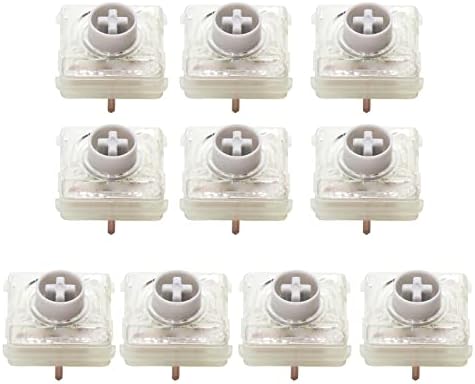
- MX Low Profile (Red and Speed) — Shorter housing, shorter travel, slimmer keycaps. Built for thin laptops and low-profile mechanical boards. They feel different from full-height MX — flatter, faster, less “thocky” — but they’re still a genuine mechanical step up from the scissor switches in most laptops.
Force curves: what they actually tell you
Force curves are graphs of how much pressure a switch needs at each point in the keystroke. They’re not just spec-sheet trivia. They tell you whether a bump is sharp or soft, whether the spring is progressive (gets heavier as you press), or where the actuation actually happens.
In plain terms:
- A steep tactile peak = a switch that feels punchy and definite.
- A gradual rise = a switch that feels mushy or muddy.
- A high return force = the key “pops” back up, which feels snappy.
- A flat, low return = the key feels relaxed but can feel sluggish on fast typing.
Cherry publishes its force curves on their site. If you’re switch-shopping seriously, look them up before you commit money. They’re more honest than any review (mine included).
Best Cherry MX switches by use case
Here’s how I’d match Cherry MX switches to common workloads, based on what I’ve actually run as a daily driver:
- Programming and coding all day: MX Brown or MX Clear. Tactile feedback cuts down errors on long sessions.
- Long-form writing: MX Brown if you share a room, MX Blue if you don’t.
- Competitive FPS gaming: MX Speed Silver. Casual or mixed-genre gaming: MX Red.
- General office work: MX Silent Red. Quiet, smooth, coworker-safe.
- Heavy-handed power user: MX Black. They’ll take the abuse and feel better for it.
- Mixed work-from-home with calls: MX Silent Red or MX Brown. Skip clickies.
Cherry MX vs Gateron and Kailh
Here’s the honest take you don’t hear enough: Gateron Yellows are smoother out of the box than MX Reds, full stop. Kailh Box Whites are a cleaner clicky than MX Blues. Boutique switches like Boba U4Ts have tactility Cherry doesn’t even try to match.
So why pay for Cherry? Three things have stayed true across years of testing:
- Tolerances and batch consistency. Cherry’s QC is still ahead of most of the clone field.
- Predictability. An MX Red feels the same in a Filco, a Ducky, and a Corsair. Clones aren’t always that consistent across boards.
- The MX2A refresh closed real ground. Smoother stems, factory lube, better springs. Worth a second listen if you wrote Cherry off years ago.
That said, if you find a $90 board with Gaterons that feels great to your hands, you don’t owe Cherry your money. A good $90 board beats a bad $200 one every time, and I’ll die on that hill.
How to pick your Cherry MX switch
Here’s the order I walk people through when they ask me at meetups:
- Decide your noise budget. Shared space → Silent Red or Brown. Solo → anything goes.
- Tactile or linear? Want feedback → Brown or Clear. Want a smooth glide → Red, Black, or Speed Silver.
- Heavy or light fingers? Heavy typist → Black or Clear. Light → Red or Brown.
- Gaming-first? Speed Silver for competitive FPS. Red for everything else.
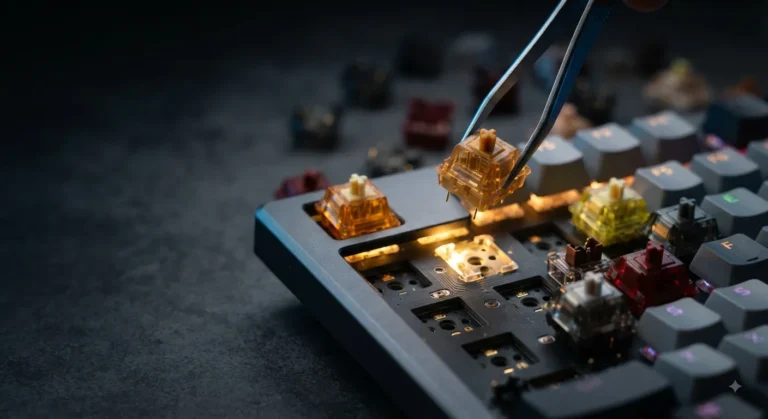
- Try before you buy. Cherry sells switch testers for under $20. Worth every cent.
One more thing: if you’re buying a board, get a hot-swap one where you can. Switch preferences change with time. Hot-swap means you can change with them — no soldering iron, no regret.
FAQ
Which Cherry MX switch is the best for typing?
For most people, MX Brown is the safest typing pick — gentle tactile feedback, quiet enough for shared rooms, comfortable for long sessions. Heavy typists who hate bumps should look at MX Black instead. If you can be loud, MX Blue is the most satisfying typing experience Cherry makes.
Are Cherry MX switches better than Gateron?
Better is the wrong word — they’re different. Gateron Yellows and Reds are typically smoother out of the box, but Cherry’s batch consistency is stronger and the MX2A refresh closed a lot of the smoothness gap. If you want predictability and longevity, Cherry. If you want maximum smoothness on a budget, Gateron.
What’s the difference between MX Red and MX Speed Silver?
Both are 45 g linear switches. MX Red has a 2.0 mm actuation point with 4 mm total travel. MX Speed Silver has a 1.2 mm actuation point with 3.4 mm total travel. Speed Silver registers inputs faster, which helps in competitive gaming but causes typing errors for people who rest their fingers on the keys.
Are Cherry MX Blues too loud for an office?
Yes. Don’t bring them. Even tolerant coworkers will get tired of the click within a week. If you want feedback in an office, use MX Brown. If you want silence, use MX Silent Red.
How long do Cherry MX switches last?
Cherry rates them at 100 million keystrokes, which for normal use means longer than the keyboard’s electronics will probably hold up. I have working MX Black boards from the ’90s in my drawer. Lifespan is genuinely not something you need to worry about.
Do I need to lube Cherry MX switches?
MX2A switches come factory-lubed and feel good without any extra work. Older MX or non-2A versions benefit from lube (Krytox 205g0 is the community standard for linears, 3204 for tactiles). If you bought a recent Cherry board, just type on it for a week before deciding.
Can I mix and match Cherry MX switches on the same keyboard?
On a hot-swap board, yes — and it’s actually a smart way to customize. People often put linears under modifier keys and tactiles under letter keys, or use heavier switches for keys they keep hitting by accident. No soldering required if your board supports hot-swap.
Are Cherry MX switches worth it over cheaper clones?
For most people, the gap between a solid clone and a Cherry switch is real but small. The Cherry premium is mostly about consistency and longevity. If you’re spending $150+ on a board, the small upcharge for Cherry is easy to justify. If you’re buying a $90 board, a good clone is fine.
My verdict
Single answer: MX Brown on a hot-swap board with PBT keycaps is the smartest “first real keyboard” any new mechanical user can buy, full stop. It does enough of everything that you won’t regret it, and you can swap to Reds, Blacks, or Clears later when you figure out what you actually prefer.
For specific use cases — Speed Silvers if you take competitive shooters seriously, Blacks if you type like you’re mad at the keyboard, Blues if you can be loud, Silent Reds if you can’t. Skip the marketing around “premium gaming” Cherry tiers that cost extra; the standard MX2A line is the actual product, and it’s better than the lazy takes give it credit for.
The clones are good. Cherry is also good. Stop letting the internet pick for you and buy the switch that fits your hands and your living situation.
This article contains affiliate links. If you buy through them, I earn a small commission at no extra cost to you. I only recommend keyboards I’ve actually tested. As an Amazon Associate I earn from qualifying purchases.